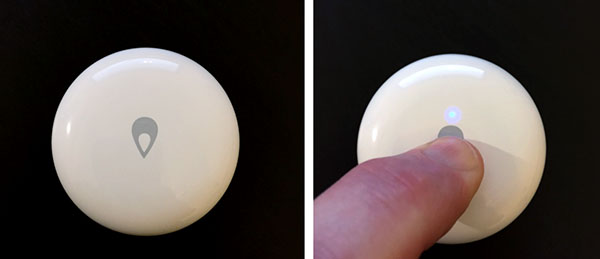
[Deprecated] Xiaomi / Aqara ZigBee device drivers (possibly may no longer be maintained)

NOTE: Although many users have had great success using them, Xiaomi / Aqara ZigBee devices are NOT officially supported or guaranteed to work on the Hubitat Elevation platform.

I am maintaining a collection Xiaomi device drivers for Hubitat in a GitHub repository, at veeceeoh/xiaomi-hubitat.

These device drivers are based on the bspranger/Xioami repository of device handlers for SmartThings, but with significant modifications and improvements for use only on the Hubitat Elevation hub platform.

Rather than start a new thread for each separate Xiaomi device driver as I finish them, I will post announcements on this thread, and add them to the list below in this initial thread post.

Currently supported Xiaomi / Aqara devices:

  • "original" Xiaomi & Aqara Temperature/Humidity sensors (code here)
  • "original" Xiaomi Motion Sensor (code here)
  • Aqara Motion Sensor (code here)
  • "original" Xiaomi & Aqara Door/Window contact sensors (code here)
  • Aqara Leak sensor (code here)
  • "original" Xiaomi Button (code here)
  • Aqara Button - models WXKG11LM & WXKG12LM (code here)
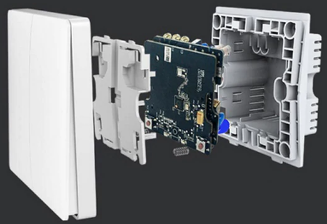
  • Aqara Smart Wireless Wall Switches (2016/2018 versions) - 2 button WXKG02LM & 1 button WXKG03LM (code here)
  • Aqara Smart Wired Wall Switches (w/ Neutral) - drivers by @guyeeba here
  • Aqara Smart Wired Wall Switches (No Neutral) - drivers by @guyeeba here
  • Aqara Two-Way Wireless Control Relay - driver by @guyeeba here
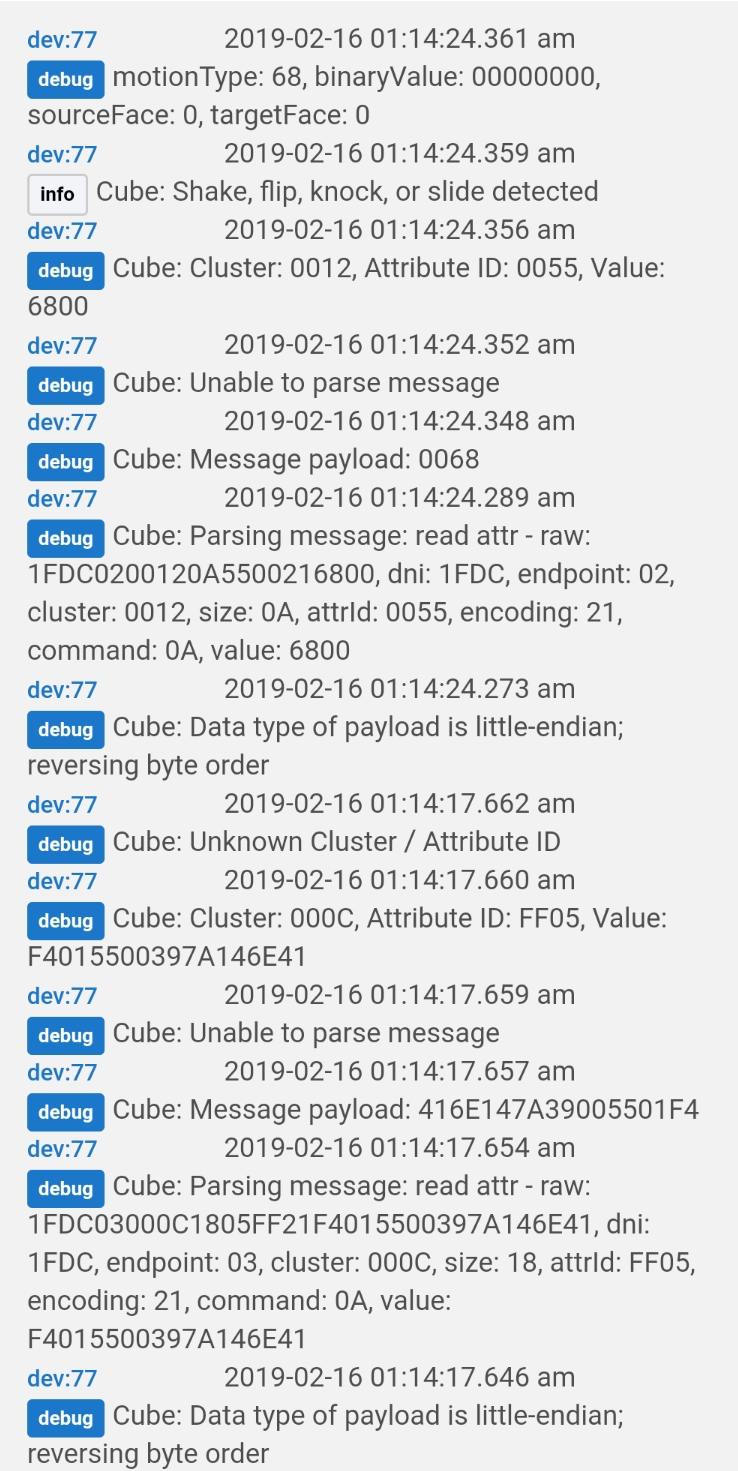
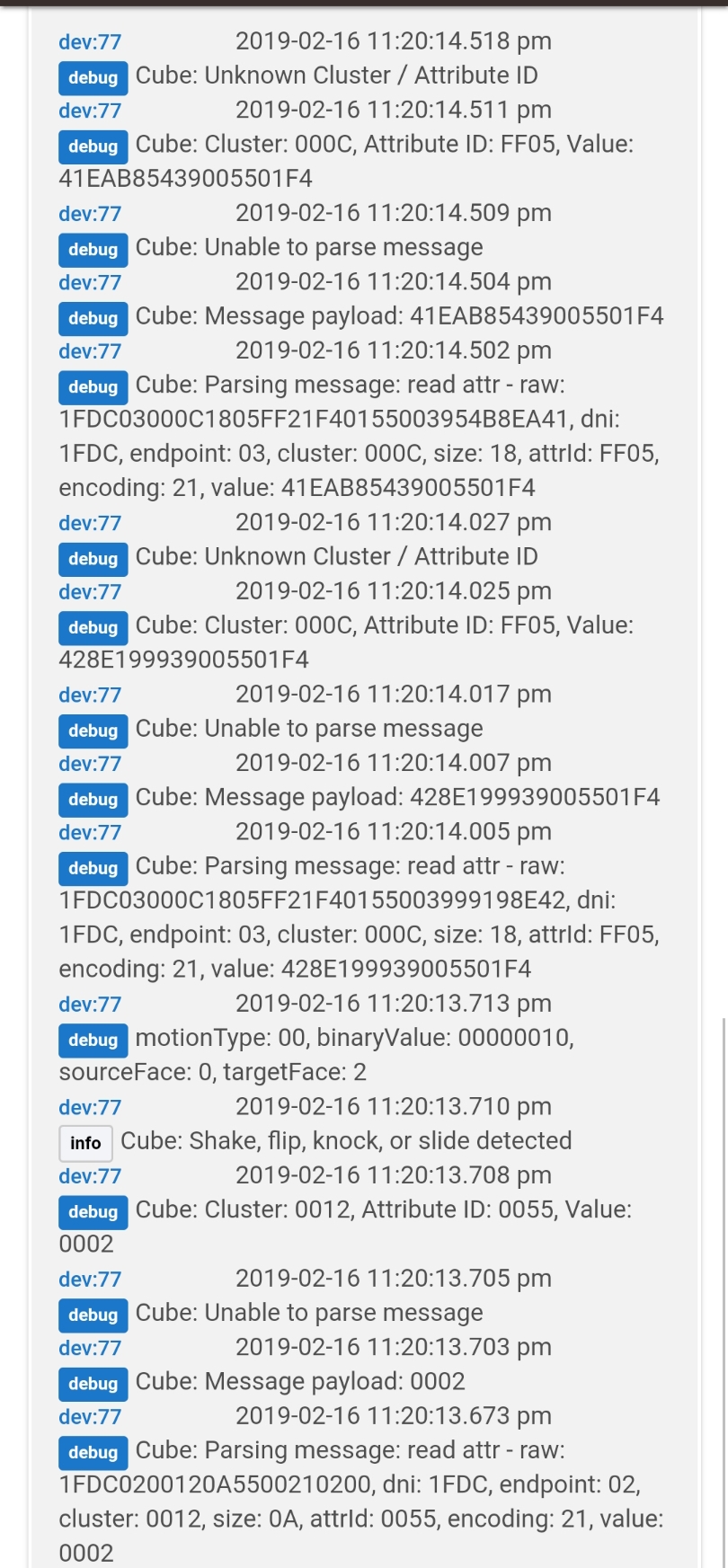
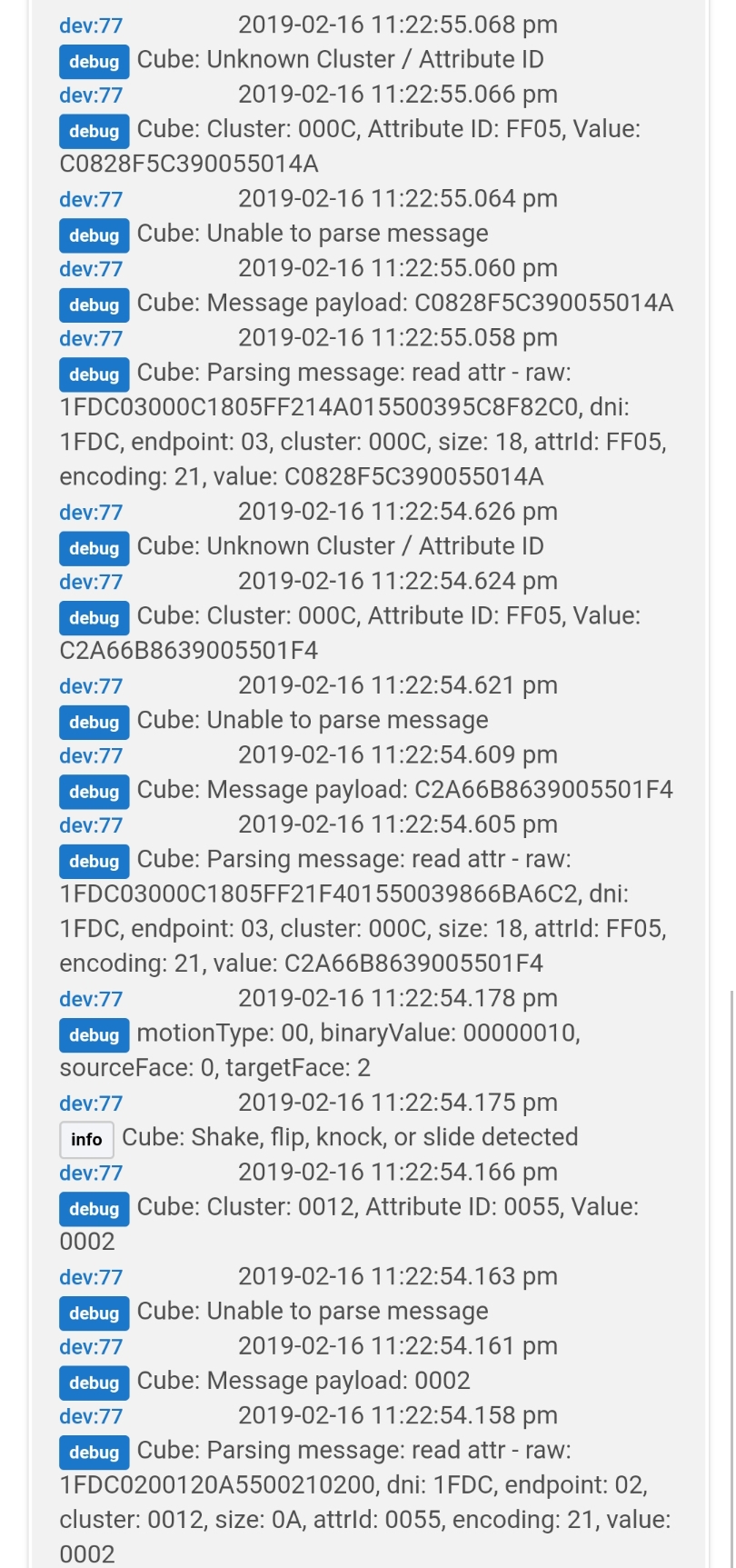
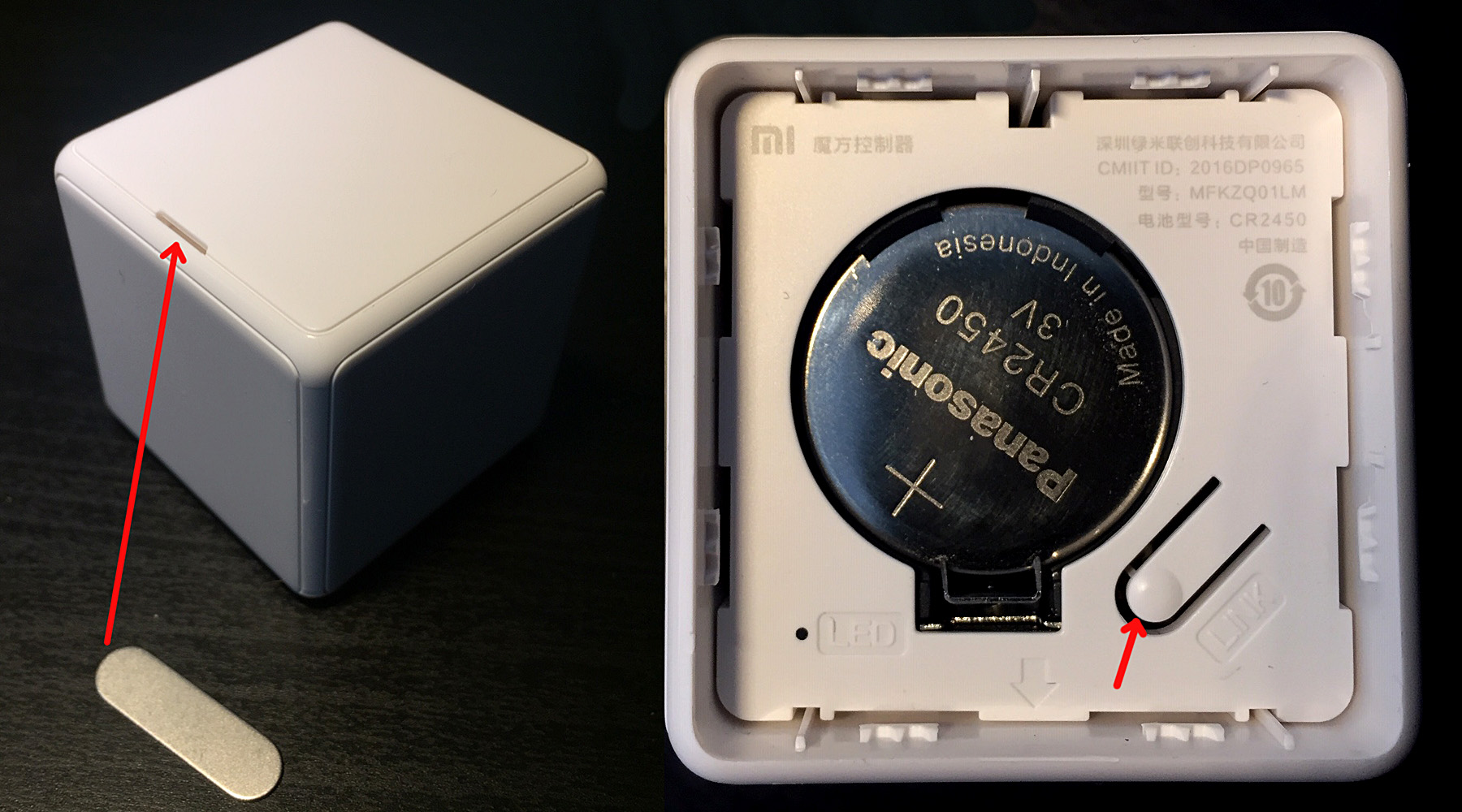
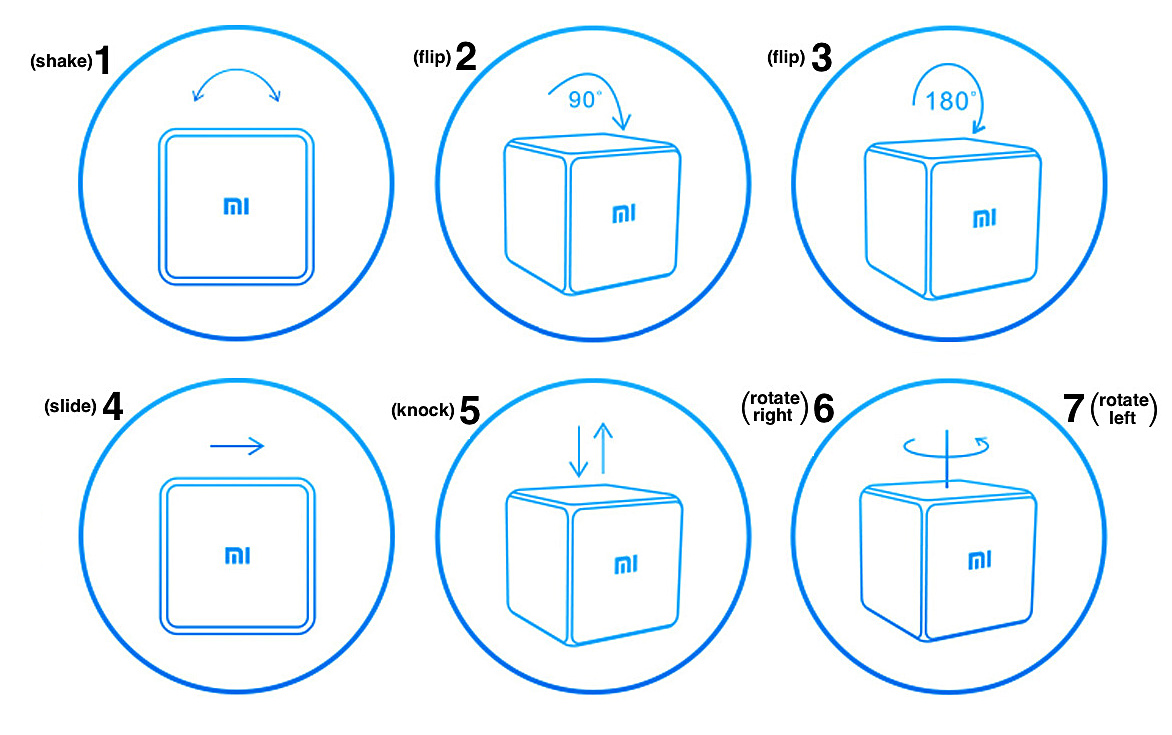
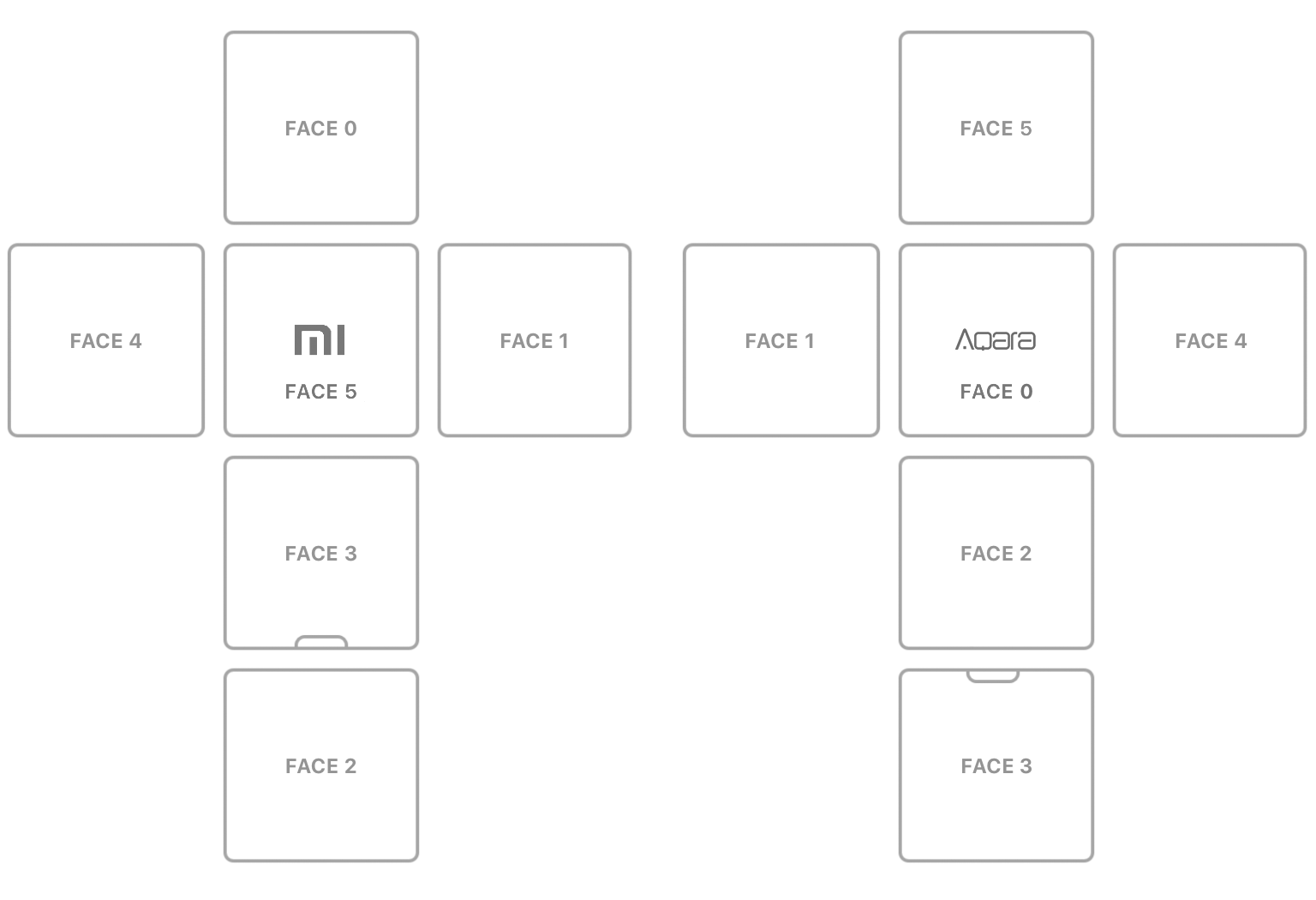
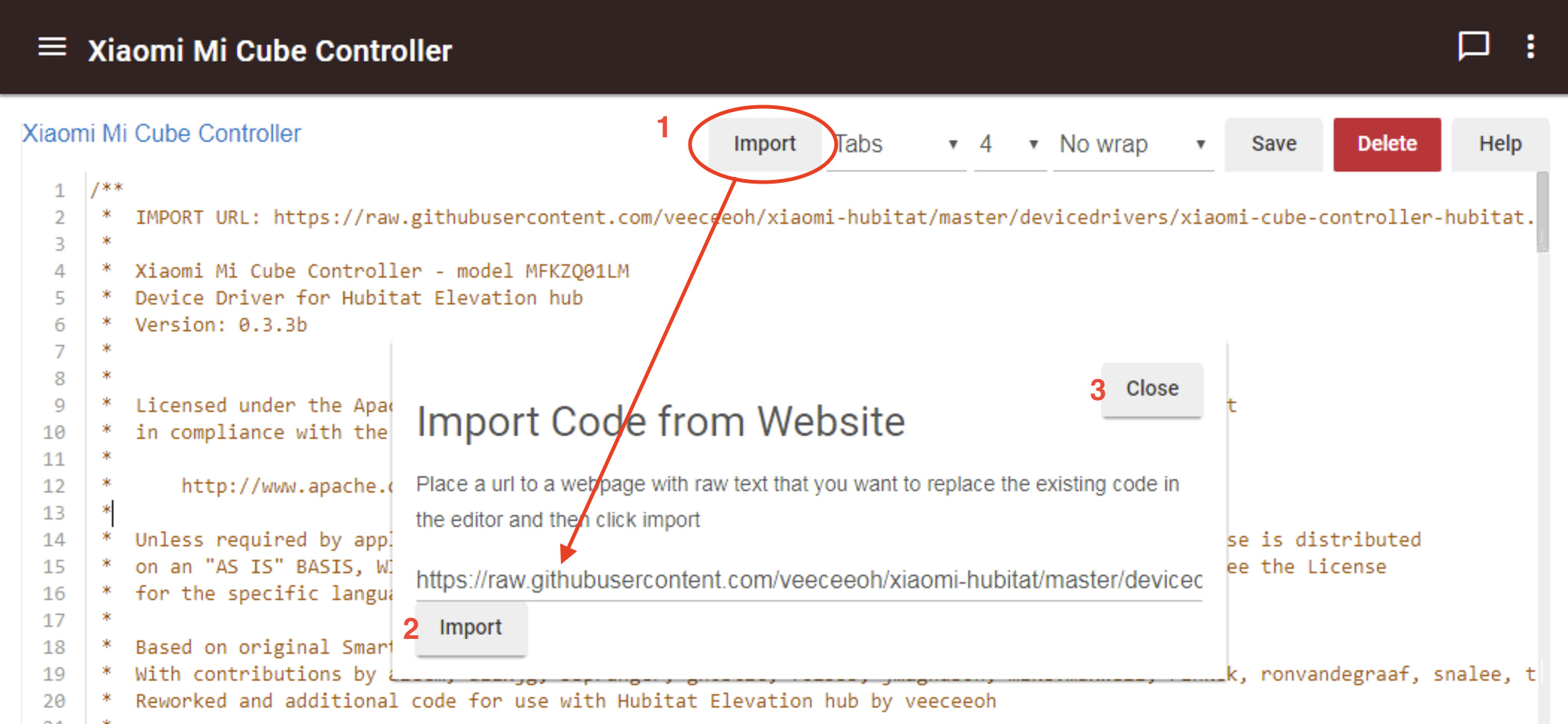
  • Mi "Magic" Cube Controller (beta code here)
  • MiJia Honeywell Smoke Detector (code here)
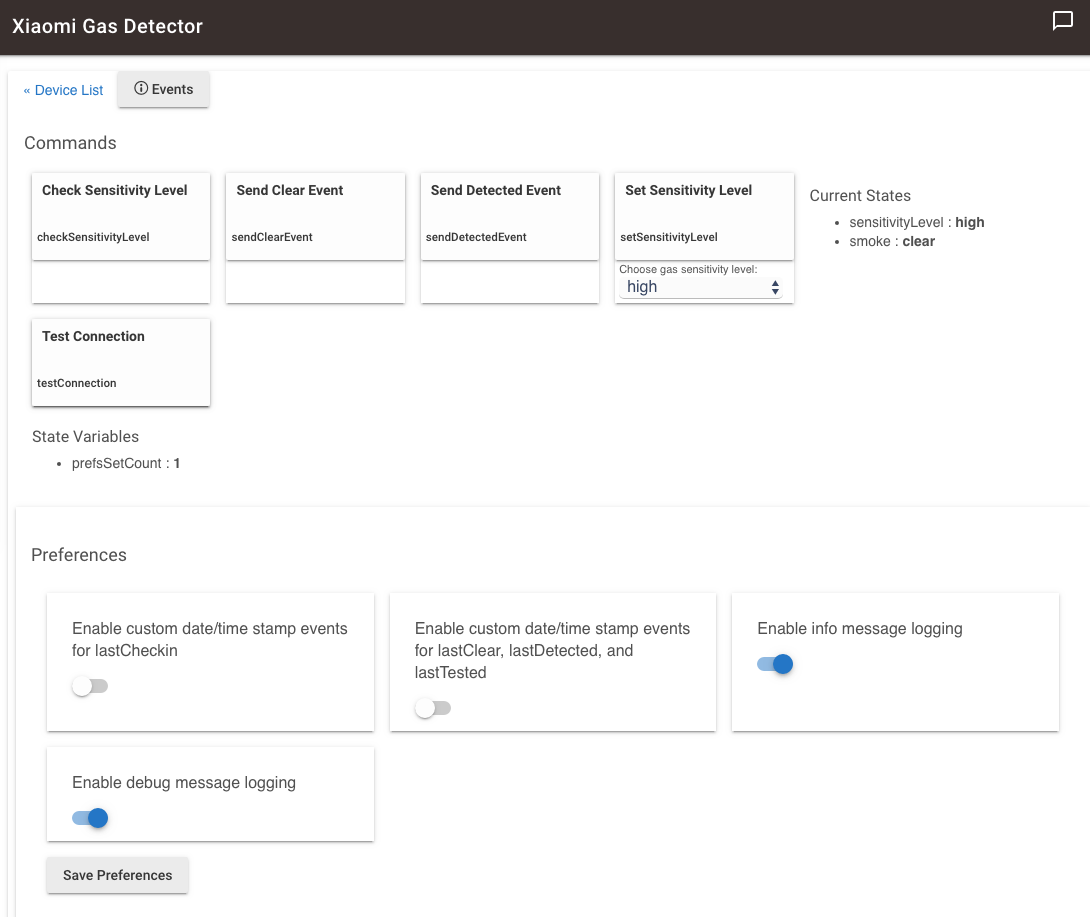
  • MiJia Honeywell Gas Detector (beta code here)

For a complete and detailed list of Xiaomi / Aqara ZigBee devices with Model numbers and Hubitat driver links, see the chart at the bottom of this post.

Basic pairing instructions (except for Leak sensor, Smart Wall Switches, & Smoke Detector):

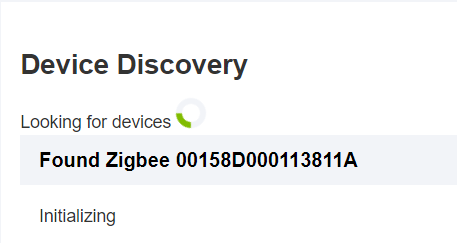
  1. Navigate to the Device Discovery page of your hub's web UI and click "Zigbee" to put the hub in ZigBee discovery mode.
  2. Hold the Xiaomi / Aqara device's reset button until the device's LED flashes 2-3 times, which indicates it has started pairing mode.
  3. After a brief pause, the LED will flash again:
    • 2-3 quick flashes indicates success
    • 1 long flash means pairing has not started yet.
  4. In either case, keep the device "awake" by short-pressing the reset button repeatedly (about every 2-3 seconds, following the same push and LED response sequence described in steps 2-3 above), until the device is recognized by Hubitat.
  5. If the device does not appear by the end of the ZigBee discovery time period, try again. If pairing continues to fail after 10 minutes of attempts, please see this thread focusing on pairing and keeping Xiaomi / Aqara devices connected.

Dropped Connection Issue:
Some Xiaomi / Aqara users report device(s) dropping their connection less than 60 minutes after pairing, and for other users within 24 hours. Just be forewarned: Since Xiaomi / Aqara devices were specifically designed to work with a Xiaomi Gateway hub, there's no guarantee that they will stay connected for 100% of Hubitat users. For more information, please see this thread focusing on pairing and keeping Xiaomi / Aqara devices connected.

To reconnect a "lost" sensor without deleting and re-pairing it:

  1. Put Hubitat in "Discover ZigBee Devices" mode.
  2. Try short-pressing the sensor's reset button once. If that doesn't result in the device being recognized, then:
    1. LONG-press the reset button and release when the LED flashes (same as for pairing).
    2. Wait for the LED to flash again.
    3. 3 quick flashes indicates reconnection.
    4. If only one long flash, short-press the button and go to step 3.
    5. Stop pressing the reset button when the device is recognized

Notes on all Xiaomi device drivers:

  • All references to a mobile app user interface that were in the original SmartThings device handlers have been removed, since Hubitat uses a different UI with its Hubitat Dashboard.
  • Xiaomi devices send reports based on changes, and a status report (including battery voltage data) every 50-60 minutes. These settings and the report time intervals are hardware-based and cannot be adjusted.
  • The battery level / voltage is not reported at pairing. The sensors are programmed to supply battery voltage data in their first status report, 50-60 minutes after pairing.
  • Pairing Xiaomi devices can be difficult as they were not designed to use with a Hubitat hub.

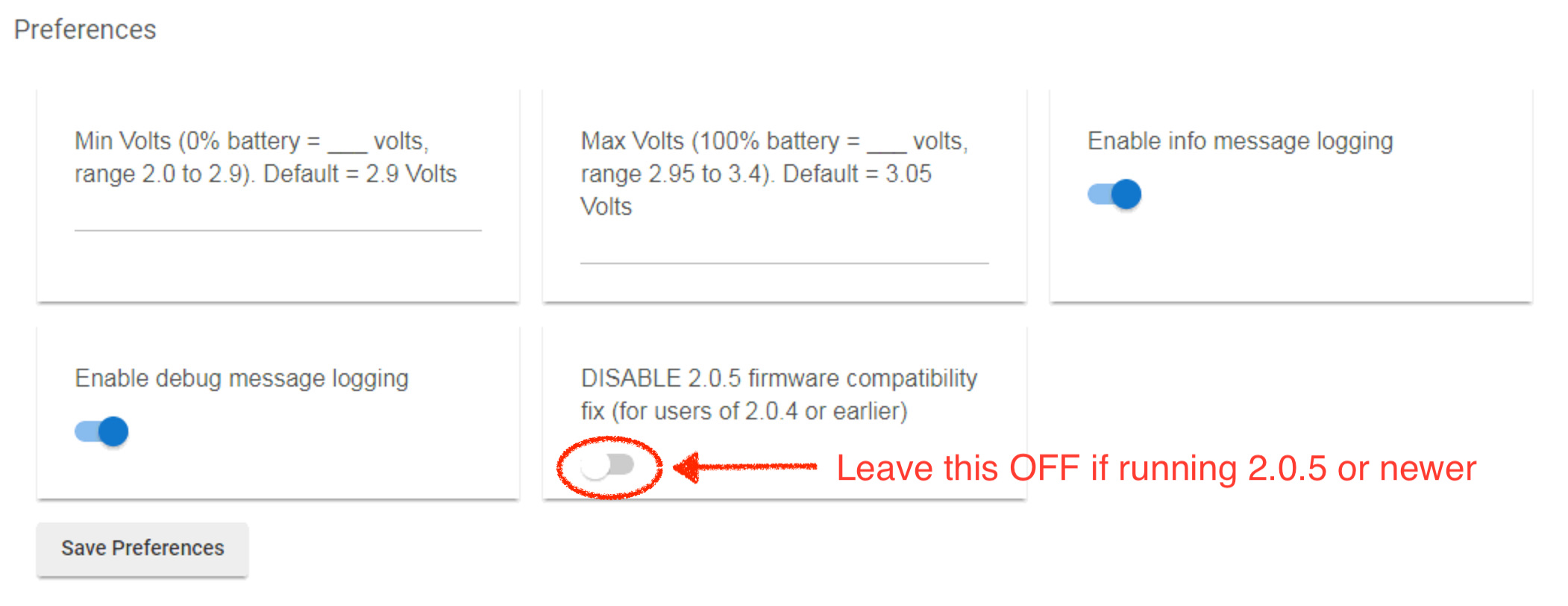
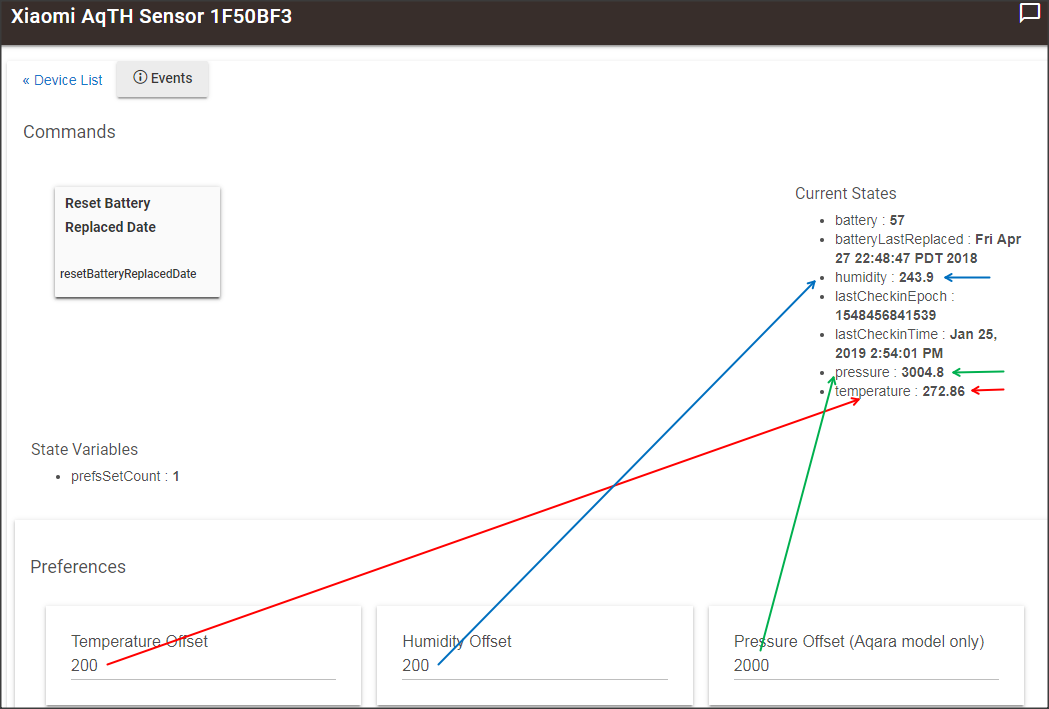
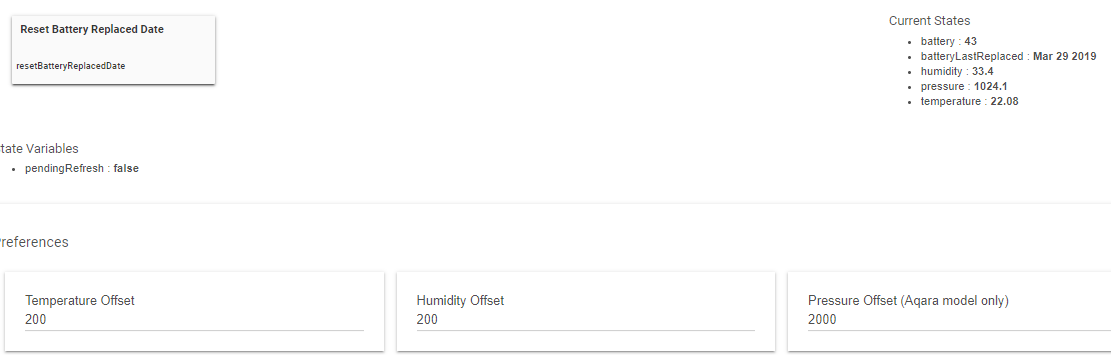
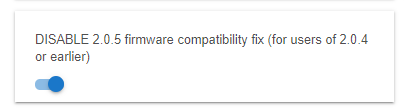
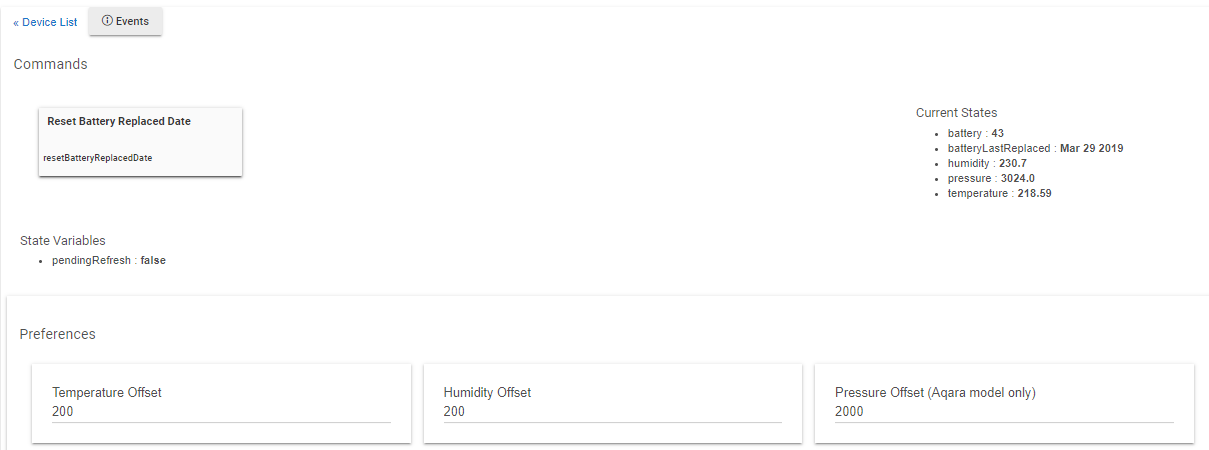
IMPORTANT NOTE: On Feb 6 2019 hub update 2.0.5 was released, which included a change to the way ZigBee messages are passed on to device drivers. I had to update all of my drivers to include a compatibility fix. If you are using any hub firmware older than 2.0.5, a preference setting needs to be turned on. See this post for more details about the compatibility fix update.

Please if you have feedback about any of my Xiaomi device drivers, post on this thread. Otherwise, if you have feedback or questions on pairing Xiaomi devices and/or keeping them connected to your Hubitat hub, please join the discussion on this other forum thread.

Detailed List of Xiaomi / Aqara Zigbee Devices:

Device Name Device Type Model / SKU Zigbee Model Hubitat Driver?
Mi Cube Controller Multi-function Controller MFKZQ01LM lumi.sensor_cube beta driver
Xiaomi Door and Window Sensor Magnetic Contact Sensor MCCGQ01LM lumi.sensor_magnet available
Aqara Door and Window Sensor Magnetic Contact Sensor MCCGQ11LM lumi.sensor_magnet.aq2 available
Aqara Door and Window Sensor T1 Magnetic Contact Sensor MCCGQ12LM not yet known not yet
Xiaomi Motion Sensor IR Motion Sensor RTCGQ01LM lumi.sensor_motion available
Aqara Motion Sensor IR Motion Sensor RTCGQ11LM lumi.sensor_motion.aq2 available
Aqara Smart Bulb Smart Bulb (E27) ZNLDP12LM lumi.light.aqcn02 not yet
Aqara Smart Curtain Motor Window Curtain Motor ZNCLDJ11LM lumi.curtain no
Xiaomi Smart Plug Plug-in Outlet Switch ZNCZ02LM lumi.plug no
Aqara Smart Plug Plug-in Outlet Switch ZNCZ12LM lumi.ctrl_86plug.aq1 no
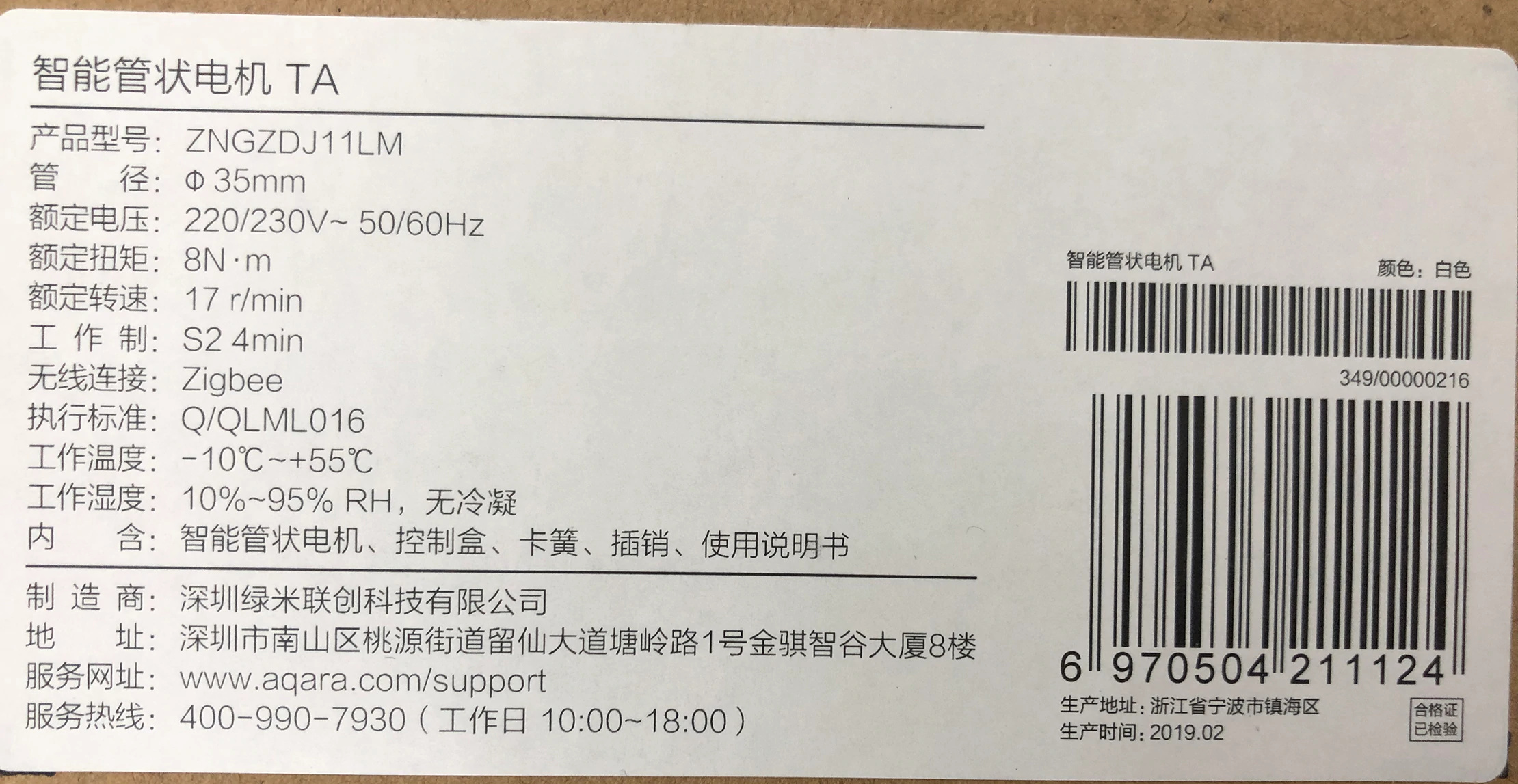
Aqara Smart Rolling Shutter Motor Window Shutter Motor ZNGZDJ11LM not yet known no
Aqara Smart Wireless Curtain Motor (B1) Window Curtain Motor ZNCLDJ12LM not yet known no
Xiaomi Temperature and Humidity Sensor Temp & Humidity Sensor RTCGQ01LM lumi.sensor_ht available
Aqara Temperature and Humidity Sensor Temp & Humidity Sensor WSDCGQ11LM lumi.weather available
Aqara Two-Way Wireless Control Relay In-Wall Switch (no Neutral) LLKZMK11LM lumi.relay.c2acn01 from guyeeba
Aqara Wall Outlet In-wall Outlet Switch QBCZ11LM not yet known no
Aqara Wall Switch - Single (no Neutral) Wall Switch (no neutral) QBKG04LM lumi.ctrl_neutral1 from guyeeba
Aqara Wall Switch - Double (no Neutral) Wall Switch (no neutral) QBKG03LM lumi.ctrl_neutral2 from guyeeba
Aqara Wall Switch - Single (w/Neutral) Wall Switch w/Neutral QBKG11LM lumi.ctrl_ln1.aq1 from guyeeba
Aqara Wall Switch - Double (w/Neutral) Wall Switch w/Neutral QBKG12LM lumi.ctrl_ln2.aq1 from guyeeba
Aqara Wall Switch S2 - Double (w/Neutral) Wall Switch w/Neutral QBKG20LM not yet known not yet
Aqara Water Leak Sensor Water Contact Sensor SJCGQ11LM lumi.sensor_wleak.aq1 available
Aqara Water Leak Sensor T1 Water Contact Sensor SJCGQ12LM not yet known not yet
Xiaomi Smart Wireless Switch Multi-function Button WXKG01LM lumi.sensor_switch available
Aqara Wireless Mini Switch Multi-function Button WXKG11LM (2015) lumi.sensor_switch.aq2 available
Aqara Wireless Mini Switch Multi-function Button WXKG11LM (2018) lumi.remote.b1acn01 available
Aqara Wireless Mini Switch Multi-function Button WXKG12LM lumi.sensor_switch.aq3 available
Aqara Wireless Mini Switch T1 Multi-function Button WXKG13LM not yet known not yet
Aqara Wireless Remote Switch - Single Multi-function Button WXKG03LM (2016) lumi.sensor_86sw1 or lumi.sensor_86sw1lu available
Aqara Wireless Remote Switch - Single Multi-function Button WXKG03LM (2018) lumi.remote.b186acn01 available
Aqara Wireless Remote Switch - Double Multi-function Button WXKG02LM (2016) lumi.sensor_86sw2 or lumi.sensor_86sw2Un available
Aqara Wireless Remote Switch - Double Multi-function Button WXKG02LM (2018) lumi.remote.b286acn01 available
Aqara Vibration Sensor Accelerometer Sensor DJT11LM lumi.vibration.aq1 beta driver
MiJia Honeywell Smoke Detector Smoke Detector JTYJ-GD-01LM/BW lumi.sensor_smoke available
MiJia Honeywell Natural Gas Sensor Natural Gas Detector JTQJ-BF-01LM/BW lumi.sensor_natgas or lumi.gas beta driver

NOTE: For some devices listed above, there are combined drivers, so you only need to install one driver for all of its supported devices. This includes the drivers for:

  • both models of Door/Window sensors
  • both Temperature/Humidity sensors
  • the 1 & 2 button Aqara Smart Wireless Remote Switches (2016/2018 versions)
  • the 1 & 2 button Aqara w/Neutral Wired Wall Switches
    and Aqara Two-Way Wireless Control Relay
  • the 1 & 2 button Aqara Wired No Neutral Wall Switches
  • all three currently shipping variations of the Aqara Wireless Mini Switch
39 Likes

[RELEASE] v0.5 of unified Xiaomi Temperature/Humidity sensor Device Driver
Works with both the Xiaomi “original” and Aqara models

For convenience please copy the T/H sensor device driver code from this direct link.

I have finished work on a single unified Hubitat Device Driver for both the Xiaomi “original” and Aqara T/H (Temperature/Humidity) sensor models. This device driver is based on the SmartThings device handlers in the bspranger/Xiaomi GitHub repository, but has been significantly modified to work with Hubitat.

Features:

  • The Hubitat hub will correctly select this custom device driver for both T/H sensor models when paired
  • Temperature (C/F), humidity, pressure (Aqara model only), and battery values correctly reported
  • The date/time of the most recent report of any kind is stored as lastCheckin (human readable) and lastCheckinDate (java format). This may be useful in determining whether the sensor is still connected, since a status report including battery voltage is sent every 50-60 minutes.
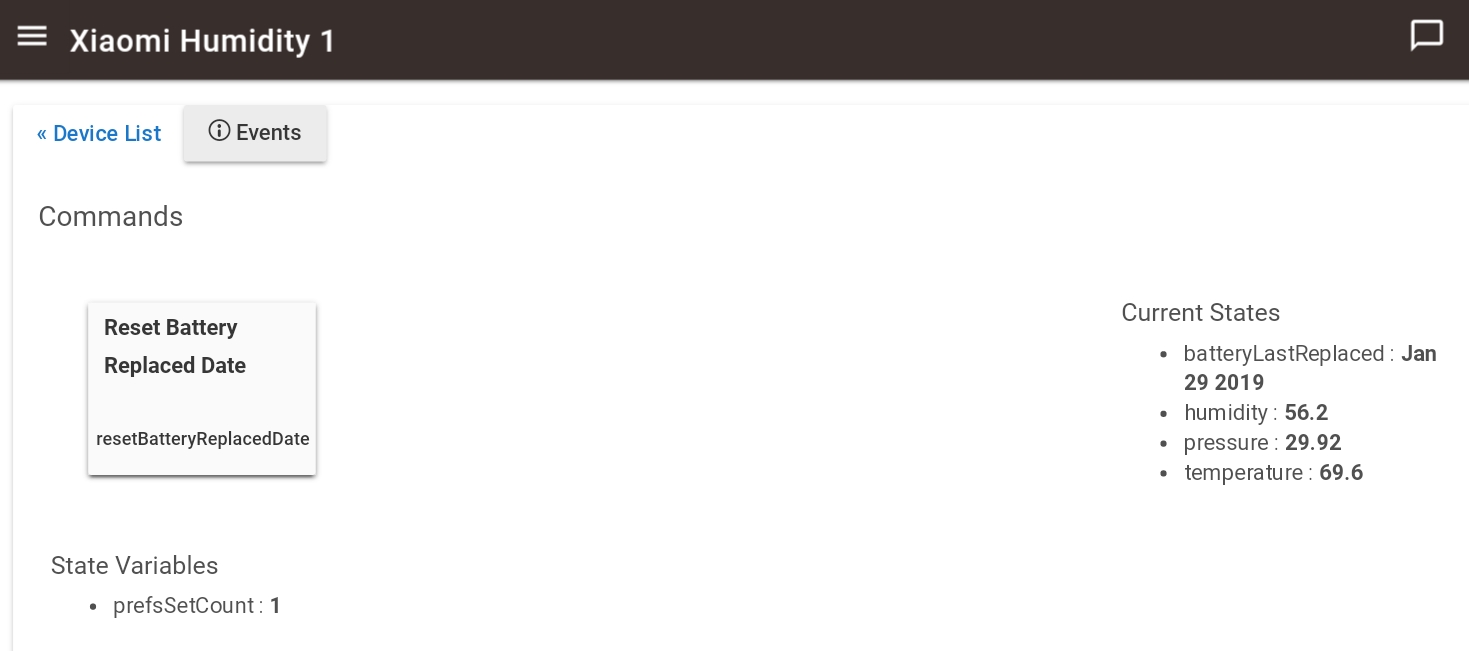
  • Battery replacement date tracking, stored in batteryLastReplaced state
  • Preferences include:
    • offsets for temperature, humidity, pressure (Aqara model only)
    • Aqara model only: Selectable pressure unit (mbar, kPa, inHg, or mmHg)
    • Toggle to reset battery replacement date (when you replace the battery!)
    • Date / 24-hour clock settings for display of lastCheckin
    • Min/Max voltage values used to calculate the battery percentage

Note:

  • This device driver is not final, and some features or preferences may be added / removed
4 Likes

Worked right away. You’re a superstar. Now to wait and see if they still timeout or not.

2 Likes

This is very exciting, I found them to be useless for me in ST, They would work for weeks and then fall off. Pairing was and nightmare process. This driver is great, Pulled 9 temp/humd sensors out of the “I give up drawer” and the paired right away, I found that you need to be patient and not except the device to show up in discovery right away, Most of mine took about 15 - 20 seconds. Will checking on status and reporting back. I was excited to see re-pair process if there is a drop off which might make it more bearable. But with the quick pairing process I am confident this is a great start and leaps and bounds better than it was in ST! There are plenty motion sensors from the same place.

1 Like

My pairing technique was the same as recommended for smartthings… Set the hubitat in search mode. Hold the button to reset until 3 short flashes. then single press the button every 2-3 seconds until you get 3 short flashes again. Pairing complete.

2 Likes

Glad to hear that! Yes, the pairing process works much much better. Just be warned that although the Hubitat engineers are well aware of the connection drop off issue, it's not easy to diagnose. It may take a while, and there's no promises.

I'm already working on the motion sensor device driver, currently testing.

2 Likes

No problem at all. Like I said I was ready to toss them. You may have given them new life!

And crud, I missed the repeated clicking to keep the sensor alive. Hence why they took longer.
Since I am not doing anything with them I will leave and lets see what happens.

No guarantees we will be able to get these working. But the next update will have a change in our zigbee stack that should help.

I’ve been researching these quite extensively and they do seem to have a proven track record of being inconsistent and problematic for other platforms if they work at all.

2 Likes

Wow, you have been busy @veeceeoh! Glad to see that you already published a version!

Here’s an update from my side, consolidating the multiple reports I shared across other threads.

Xiaomi Motion Sensor

  • Pairing took a few tries.
  • None of the sensors have fallen off after 48 hours.
  • Motion reporting works perfect with ST handler. Battery reporting does not work.

Xiaomi Temperature/Humidity Sensor

  • Pairing succeeded in the very first try.
  • Sensors fell off multiple tries, in intervals of 3-6 hours.
  • No reporting worked with ST handler. Reporting works flawlessly with your new handler.

Aqara Contact Sensor

  • Pairing succeeded in the very first try.
  • None of the sensors have fallen off after 24 hours.
  • No reporting worked with ST handler. Does not work using the Generic Zigbee handler either.

P.S: As you had mentioned earlier, I too follow the same method to get fallen off device back online. Simply pressing the pairing button while a device scan is in progress, resuscitates the device.

1 Like

So my results are: Both my Xiaomi original temperature/moisture sensors reported for almost exactly 30 minutes, then stopped, with the reports getting further apart. My suspicion is that there’s some acknowledgement that the Xiaomi hub sends to the device after receiving the values that it’s not getting, but I have no way to confirm that from here. Hopefully the next update will have a positive effect.

[RELEASE] v0.5 of device drivers for Xiaomi “Original” & Aqara Motion Sensors

Links:
Xiaomi “Original” Motion Sensor device driver code
Xiaomi Aqara Motion Sensor device driver code

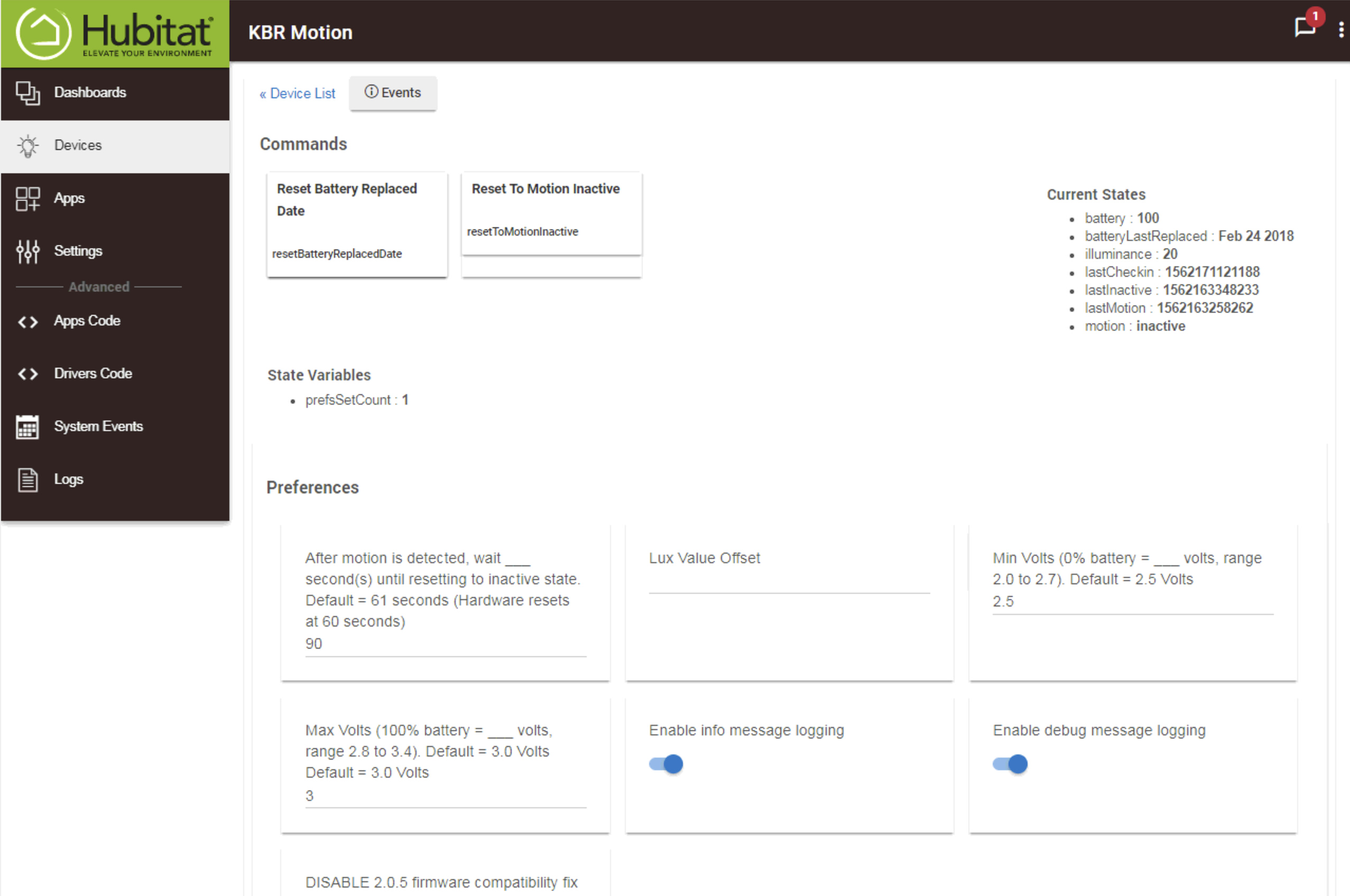
Unlike with the Temperature/Humidity Sensors, there needs to be separate device drivers for the two motion sensor models, because the Aqara model supports the Illuminance Measurement capability that can be accessed by apps such as Rule Machine, while the “original” model does not have that capability.

Features:

  • The Hubitat hub will correctly select the custom device driver for the appropriate sensor model when paired
  • The date/time of the most recent detected motion is stored as lastMotion (human readable) and lastMotionDate (java format).
  • The date/time of the most recent report of any kind is stored as lastCheckin (human readable) and lastCheckinDate (java format). This may be useful in determining whether the sensor is still connected, since a status report including battery voltage is sent every 50-60 minutes.
  • Battery replacement date tracking, stored in batteryLastReplaced state
  • Commands / Preferences include:
    • A Reset Battery Replaced Date command to track battery life
    • A Reset To Motion Inactive command for override of detected motion
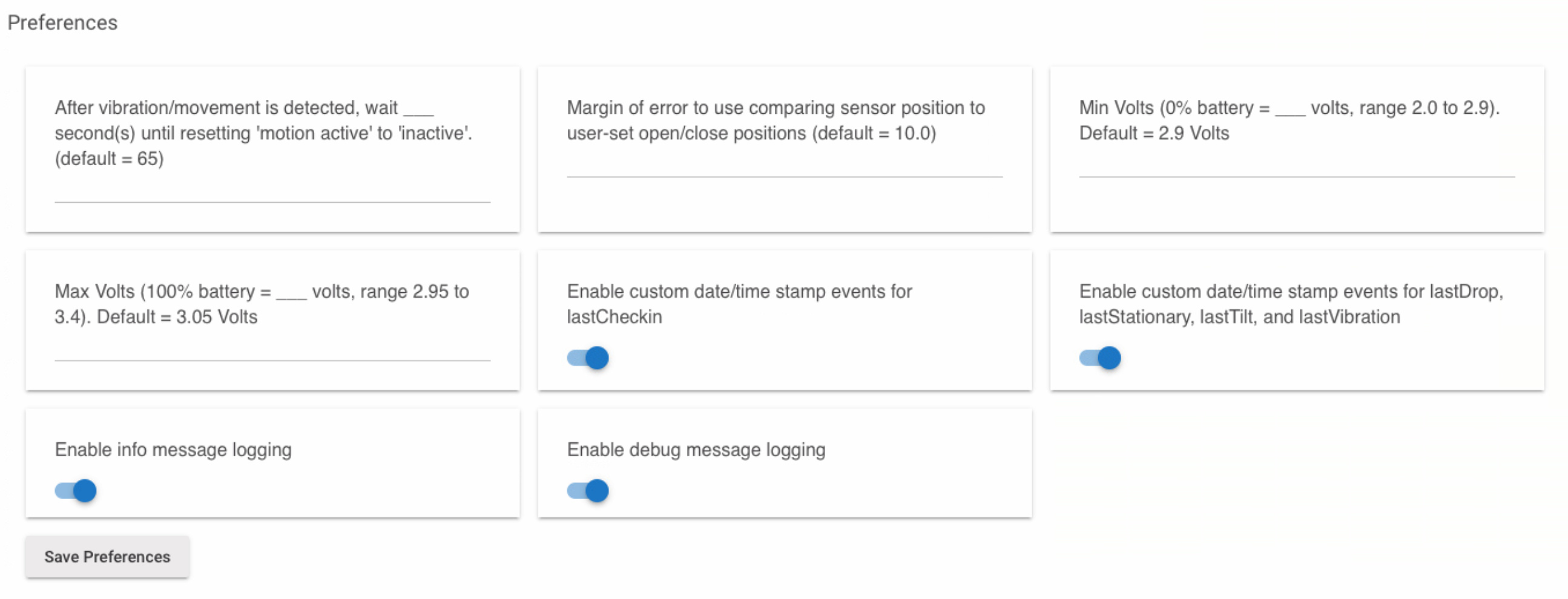
    • A time delay to set how long the driver waits after motion is detected to reset to motion inactive state (see notes below for more information)
    • Date & 24-hour clock settings for display of lastCheckin
    • Min/Max voltage values used to calculate the battery percentage

Notes:

  • These device drivers are not final, and some features or preferences may be added / removed

  • Both models of Xiaomi Motion Sensors only send a “motion detected” message, and do not send a “motion inactive” message. Because of this, the device driver sets the motion inactive state using a countdown timer in its code.
    There is a user preference setting for this, with a default of 60 seconds. This is because in normal operating mode, the hardware is designed to be “blind” to any motion for 60 seconds after a motion detected message is sent, in order to reduce battery consumption.
    This 60-second reset delay cannot be changed, however, when the sensor is paired, and also when the reset button is short-pressed, the sensor goes into “testing mode”, and will report any detected motion every 3-5 seconds, for a period of about 2 hours. Use the testing mode time period to determine the best placement for the use of the motion detector. Placement is very important, because there is no ability to change the sensitivity level of the sensor.

  • I do not have an Xiaomi “original” Motion Sensor to test with, but when my Aqara Motion sensor’s connection with the Hubitat hub is dropped, I had to LONG-press the reset button while Hubitat is in “Device Discovery” mode in order to reconnect. Although it is effectively re-pairing the sensor, I did not have to remove it from my Hubitat’s device list, and after the LED flashed 3 times to indicate a successful connection, I saw reporting resume as normal.

2 Likes

Perhaps, but from the months of working with these sensors and doing research on other people's exploits with connecting them to non-Xiaomi hubs, I believe the connection issue relates to the regular "status" report that they send, about every 50 minutes for the Aqara models, and every 60 minutes for the Xiaomi "Original" models.

These "status" reports are what all of the device drivers use to parse the battery voltage data to calculate the battery percentage. So when used with the SmartThings hub, looking at recent battery reports in the events list for an otherwise idle device is the best indicator of whether its still "awake" and connected to the hub. This will also be true with the Hubitat hub, if the dropped connection issue can be worked out.

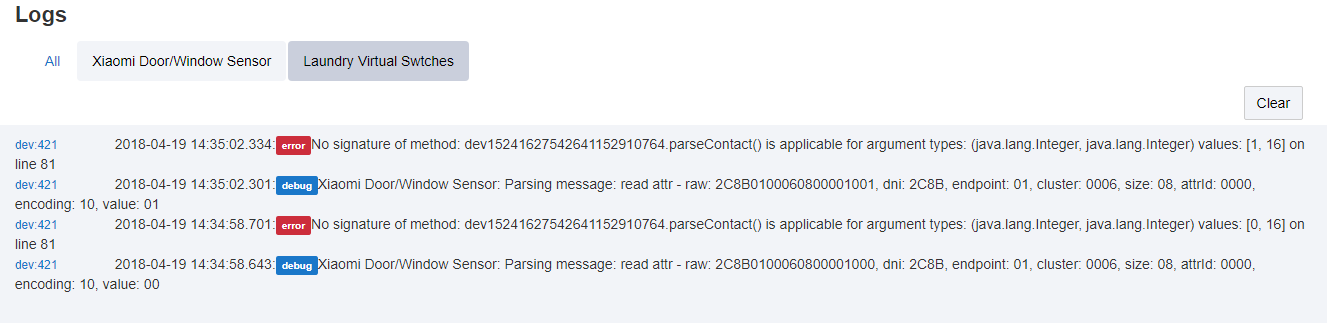
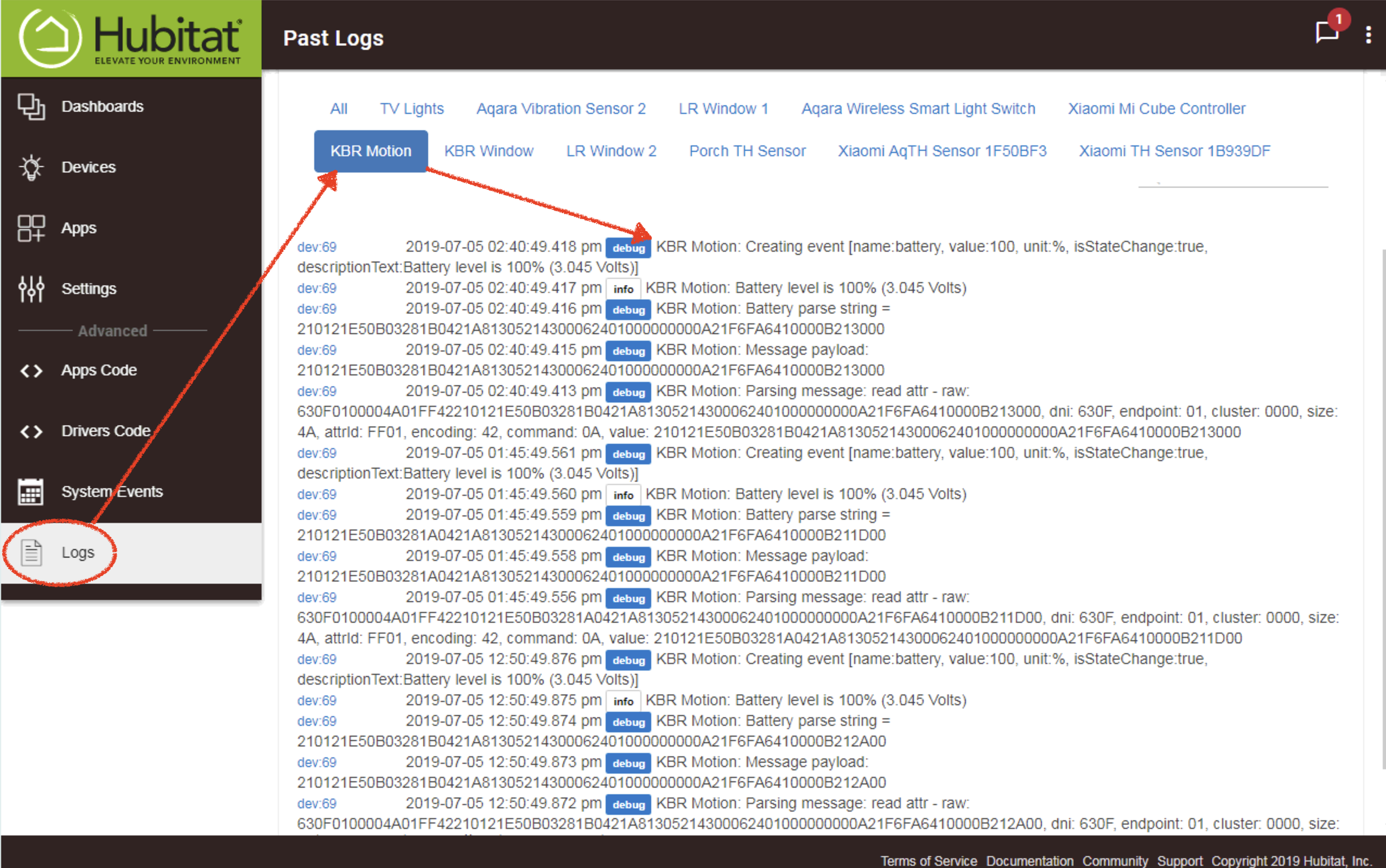
In all of my testing, over 90% of the instances of dropping the connection was just before the "status" report was to be sent. In fact, when I reconnect the sensors using the reset button short-press method, the very first thing they do is send that "status" report and the battery percentage is updated by the device driver (as seen in the device's Events List or the Hubitat Hub's Logs webpage.

2 Likes

[UPDATE] v0.5.1 of device driver for Xiaomi Aqara Motion Sensor

Changes:
• Added a second fingerprint for another revision of the Aqara model, as identified with @bomountjoy’s help. (Thanks!!) This should help the Hubitat to select the correct device driver when pairing either revision of the Aqara model. Please let me know if it works.

Link:
Xiaomi Aqara Motion Sensor device driver code

@veeceeoh Really great work! You seem to be actively pushing out updates :+1:t3:
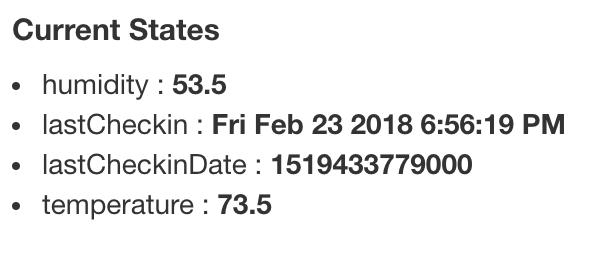
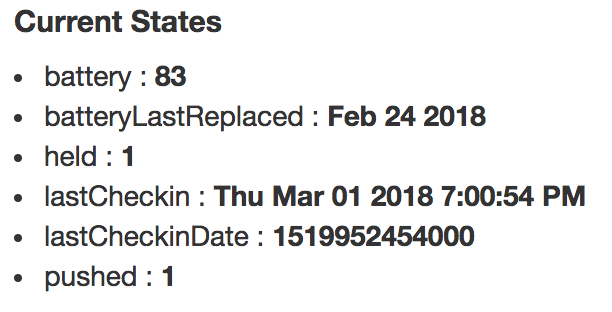
I have had not had issues with either of the drivers you have published until now, except that the Temperature sensors do not seem to have reported their battery levels to the Hubitat interface ever since they were paired (image below).
07%20PM
Is this a known issue or would this be something wrong at my end alone?

working now

My bad - I didn't push the updated code from my computer to GitHub. It is updated now, sorry about that!

Has anyone tried the Aqara leak sensors yet?

Neither. :smile: But now it's possibly a known issue!

Which model of Temp/Humidity Sensor is this - "original" or Aqara?

Also, your screenshot shows a lastCheckin of yesterday evening, which tells me it has probably dropped the connection.

After I finish the device driver for both types of Door/Window contact Sensors, I'm going to make one for the leak sensor. That one will be pretty quick to make.

1 Like

You’re a Prince Keith! Thank you.

Glad I shared it then!
It is the original model and yes, it did drop in connection at the time I took the screenshot but I got it connected back using the method we had talked about earlier.
Sadly, this is the only one among all my sensors, that keeps falling off, even though it sits closest to the hub! :expressionless:

Another update for new devices I tried…
This one was again with a4refillpad’s ST code.

Xiaomi Button (Original)

  • Pairing succeeded on very first try
  • Device hasn’t fallen off after 2 hours.
  • Pressing or holding of the button is not reported. Neither is the battery. Only the LastCheckin keeps getting updated.

So - if you have any other "original" Temp/Humidity sensors - have they reported a battery percentage at all?

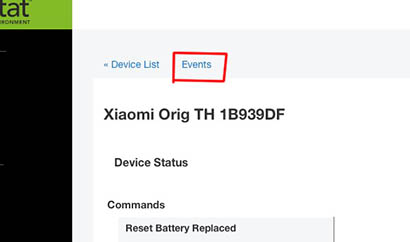
I'd suggest looking through the Events list for each of them. Go to the Device List, select the device, and click Events at the top:

02%20PM

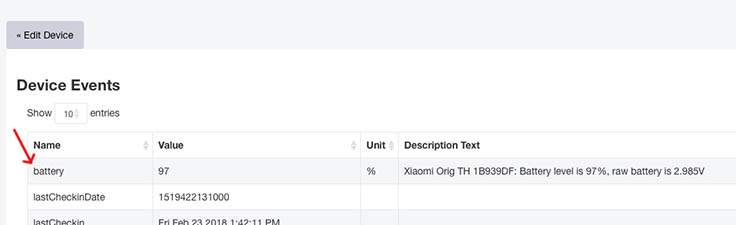
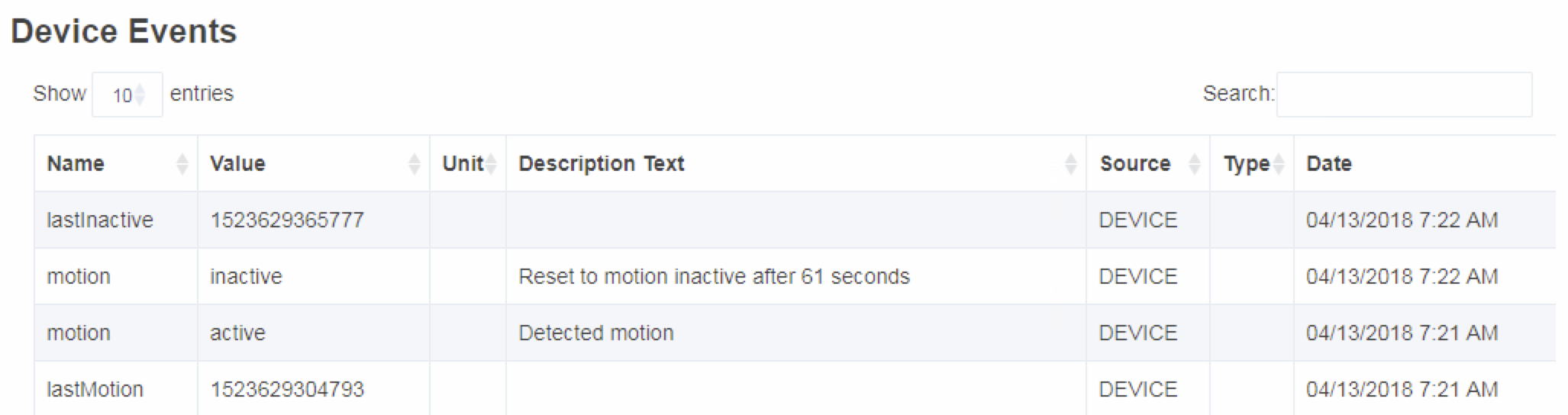
Any battery report will be in there, like this:

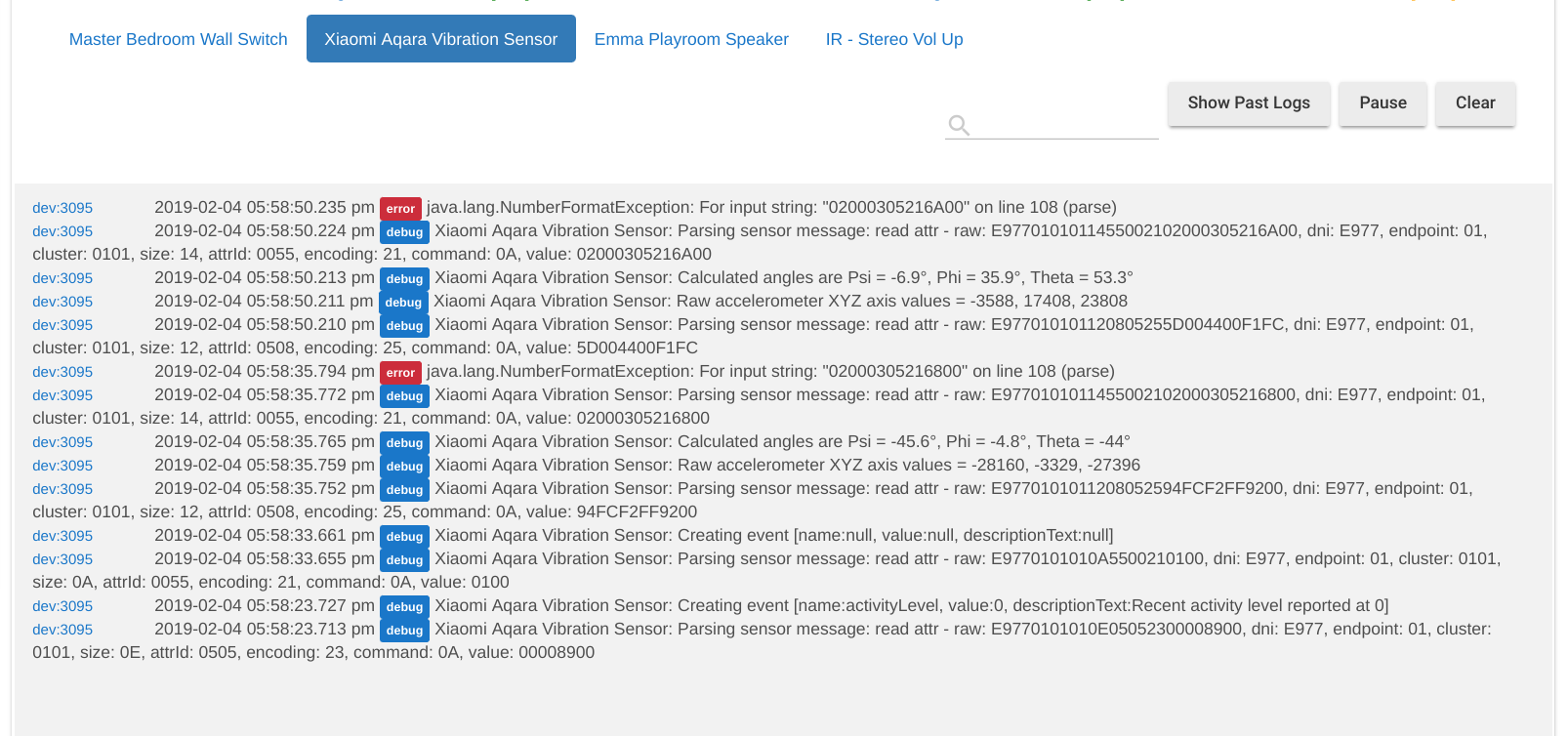
If there's no battery reports, and the sensors definitely have stayed connected for more than an hour at a time, then really the only way to troubleshoot this is for me to add a debug log output of the raw messages received from the sensor, and ask users to leave a browser window open with the Hubitat Logs, so we can capture what's going on.

One other thing - as I mentioned previously, with my "original" T/H sensors, when I reconnected them using the reset short-press method, the first thing they did was send a "status" report which gives the device driver the battery data so it can report battery percentage, so you should hopefully see the same. Have they done that for you?

I actually have one of these, and have been working on revised ST device handler code for it as part of the bspranger/Xiaomi repository.

The a4refillpad battery reporting method definitely doesn't work correctly, so that's no surprise here. Button press / release messages come across differently to the Hubitat (i.e., in raw data format), so that's why they aren't recognized.

I know what needs to be done, but the way the button capability is done with the Hubitat is different from SmartThings, so I need to mull over the best approach making the device driver work best for everybody.

One thing I don't like about the a4refillpad method is that it doesn't send the "held" state message until the button is released. So you have to practice and know how long to hold it for it to be considered "held", as opposed to having immediate feedback once you've held it long enough (e.g., After holding for 3 seconds, the lights go on, so I can release the button).

Add to this the fact that this button actually supports multi-click (2x, 3x, & 4x) in its hardware, but those messages were never available in SmartThings, because the ZigBee API "filters" out those messages. Either way, it does mean that the hardware itself has a slight lag on the response to a short single-press (which in the a4refillpad method would generate a "pressed" state message). So what happens is if you press and release the button quickly enough, the "pressed" state message can get skipped.

Since the Hubitat ZigBee API allows the device driver to receive all the different messages for multi-clicks, I will have to take a completely different approach to the logic of the code.

Long story short, I'd like to make sure the dropped connection issue is/can be resolved before starting that little project.

[RELEASE] v0.5 of unified Xiaomi Door/Window contact sensor Device Driver
Works with both the Xiaomi “original” and Aqara models

For convenience please copy the D/W sensor device driver code from this direct link.

This is a unified Hubitat Device Driver for both the Xiaomi “original” and Aqara Door/Window contact sensor models. Basic use is the same, with the only difference being the battery reporting, which is handled in the code.

Features:

  • The Hubitat hub should correctly select this custom device driver for both contact sensor models when paired.
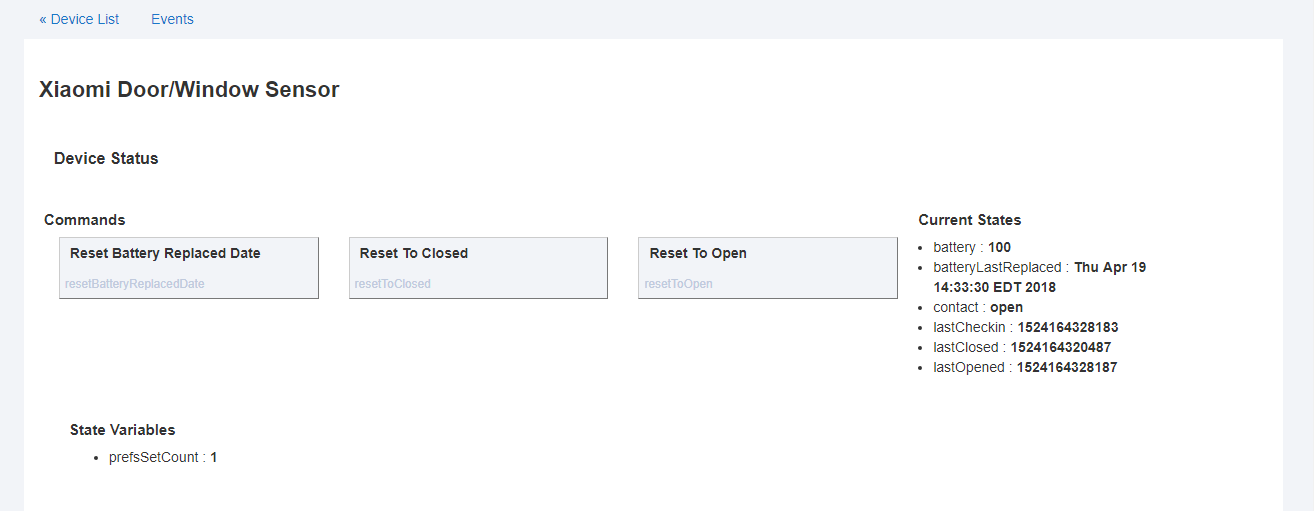
  • The date/time of the most recent opening of the contact is stored as lastopen (human readable) and lastOpenDate (java format).
  • The date/time of the most recent report of any kind is stored as lastCheckin (human readable) and lastCheckinDate (java format). This may be useful in determining whether the sensor is still connected, since a status report including battery voltage is sent every 50-60 minutes.
  • Battery replacement date tracking, stored in batteryLastReplaced state
  • Commands / Preferences include:
    • A Reset Battery Replaced Date command to track battery life
    • Reset To Closed & Reset to Open commands to manually override an open / closed event
    • Date / 24-hour clock settings for display of lastCheckin
    • Min/Max voltage values used to calculate the battery percentage

Notes:

  • This device driver is not final, and some features or preferences may be added / removed
  • The Aqara Door/Window sensor is special in that you do not have to wait 50 minutes for the first battery report. After it is paired, just short-press the reset button, and the battery level will be reported. However, a couple times I did this, the sensor immediately dropped its connection (see the next note for details on how to reconnect).
  • I have four of each kind of these sensors, and in most cases, they dropped their connection around an hour after pairing, either just before reporting battery level (for the “original” model) or just after (for the Aqara model.) A few times, they stopped reporting open/close events within a few minutes. To reconnect them without deleting them from the devices list, I have to put my Hubitat in “Discover Devices” mode, and then start with a LONG-press of the reset button, watch for 3 quick LED flashes, and if not, keep short-pressing the reset button until the LED does flash 3 times. It won’t show up as a device to rename because it’s already in the device list.
1 Like

Sure enough, your assessment was spot on! :+1:t3:
I hadn’t checked the battery reporting after the sensor was re-paired but when I did, the battery report was right there as you had predicted. Will watch if there are any other inconsistencies.
Thanks!

I didn’t realize that this button supported multi-click too and that ST was the culprit there.
I am glad that you are considering these minor user experience related aspects around holding the button and getting immediate feedback.

Given the amount of thought and effort you are putting in and considering that the Xiaomi devices are working quite well with Hubitat now, you might have just made the prospect of buying these cheap sensors a lot more attractive! :smile:

BTW, your newly release contact sensor handler also works perfectly! The lastopen timestamp is a nice and useful addition. Thanks again!

Only if the dropped connection issue can be resolved, of course. It would be really great, because these contact sensors are a no-brainer at $7-9 each.

Actually the lastOpen state was already in the bspranger/Xiaomi SmartThings device handlers, but thanks.

1 Like

A bit of an update on my findings with the "original" Door/Window contact sensors maintaining a connection.

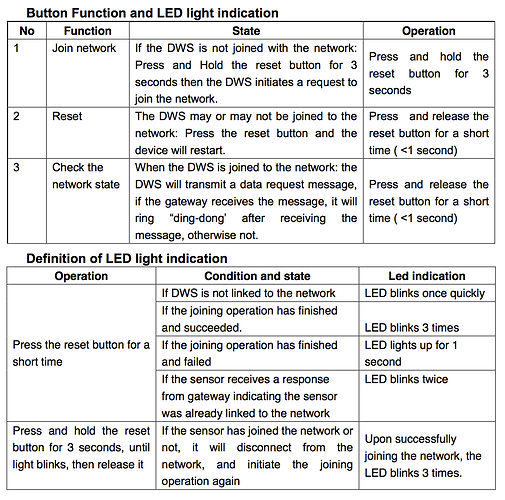
One of mine stayed connected for over an hour, and dutifully reported open/close events, but I saw no battery reports. When I short-pressed its reset button (which is supposed to "check the network state" according to Xiaomi, as seen below), it immediately dropped its connection after sending a "status message".) Only after going through the reset button LONG-press steps I outlined above did the report with battery information arrive.

My guess is there's some kind of authentication or negotiation step that needs to happen, centering around the status message that contains the battery data. That information isn't given in the Hubitat logs or elsewhere, so I'd need to get a ZigBee sniffer device to see exactly what's happening.

I found this some time ago and haven't shared it here on the Hubitat forumes yet, but this is Xiaomi's explanation of the functions of the reset button and meaning of the LED flashes when the reset button is long-/short-pushed in different situations:

1e5d2d88dabe1f53feced01d3086dbc0ad955b6b_1_505x500

Nearly all Xiaomi sensors follow these same behaviors, or are very similar.

2 Likes

[RELEASE] v0.5 of Xiaomi Aqara Leak sensor Device Driver

For convenience please copy the device driver code from this direct link.

Features:

  • The Hubitat hub should correctly select this custom device driver when paired.
  • The date/time of the most recent detection of water is stored as lastWet (human readable) and lastWetDate (java format).
  • The date/time of the most recent report of any kind is stored as lastCheckin (human readable) and lastCheckinDate (java format). This may be useful in determining whether the sensor is still connected, since a status report including battery voltage is sent every 50-60 minutes.
  • Battery replacement date tracking, stored in batteryLastReplaced state
  • Commands / Preferences include:
    • A Reset Battery Replaced Date command to track battery life
    • Reset To Dry & Reset to Wet commands to manually override an wet / dry event
    • Date / 24-hour clock settings for display of lastCheckin
    • Min/Max voltage values used to calculate the battery percentage

Notes:

  • This device driver is not final, and some features or preferences may be added / removed
  • The Aqara Leak sensor is like the Aqara Door/Window sensor in that you do not have to wait 50 minutes for the first battery report. After it is paired, just short-press the top of the sensor, and the battery level will be reported.

Special Pairing Instructions
The Aqara Leak sensor is (supposedly) watertight, so there is no hole or reset button. The reset button is just underneath the center of the top shell of the sensor itself. When pairing, I recommend orientating the droplet icon upside-down to view the LED more easily, like this:

IMG_2251

The pairing for the Leak sensor works a little differently from all the others:

  1. To put in pairing mode, hold down the center of the top of the sensor.
  2. Release when the LED flashes. After a pause, the LED will flash again.
  3. If you see 3 quick flashes continue with the next step. Otherwise, start over at step 1.
  4. Repeatedly short-press the top of the sensor to keep it awake during initialization.
  5. You can stop short-pressing when it appears on screen ready to rename.
3 Likes

[ANNOUNCEMENT] Progress towards resolving the dropped connection issue!

Earlier today, Hub update 698 was announced, which lists “Upgrades to Zigbee functionality” as one of the improvements.

I applied the update, deleted and re-paired over a dozen of my Xiaomi devices to see if they would maintain their connection to my Hubitat hub.

I am pleased to report that all of my Temp/Humidity sensors (both models) made it past the 60-minute mark and sent their “status” reports that include the battery data for the device driver to generate a battery level event! That’s the longest I’ve seen them stay connected, and the first time I’ve seen a battery report without having to reconnect them.

Meanwhile, my “Original” & Aqara Door/Window contact sensors, Aqara Leak sensor, Aqara Motion sensor, “Original” button, and 2-panel wall-mount switch have remained connected for more than 60 minutes, still sending reports, but just not the “status” report with the battery data, unfortunately. I’m going to leave everything just as it is overnight and see if they’re still connected and reporting.

Either way, this is great news and some real progress towards resolving the connectivity issues with the previous hub version. Hats off to the engineers!

UPDATE:

After the two hour mark from pairing, ALL of my Xioami devices were sending “status reports” which is evidenced by battery level events every 50 minutes for Aqara models and 60 minutes for the Xiaomi “original” models. They’ve all been connected for 12 hours now, which is great!

7 Likes

[WORK IN PROGRESS] Xiaomi "Original" (round) Button - Seeking feedback

So I've done a bunch of testing with the Xiaomi round button, and I’m hoping to get other user’s input on what they’d like from the device driver before I sit down to complete it.

This is because the button’s hardware supports multi-clicks, and sends unique messages for double to quadruple-clicks.

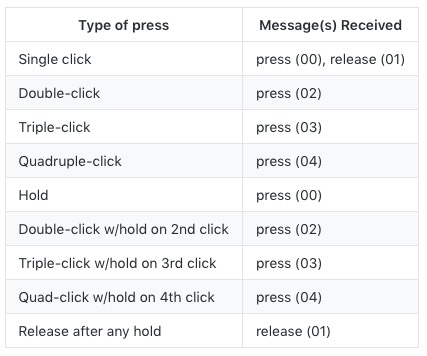
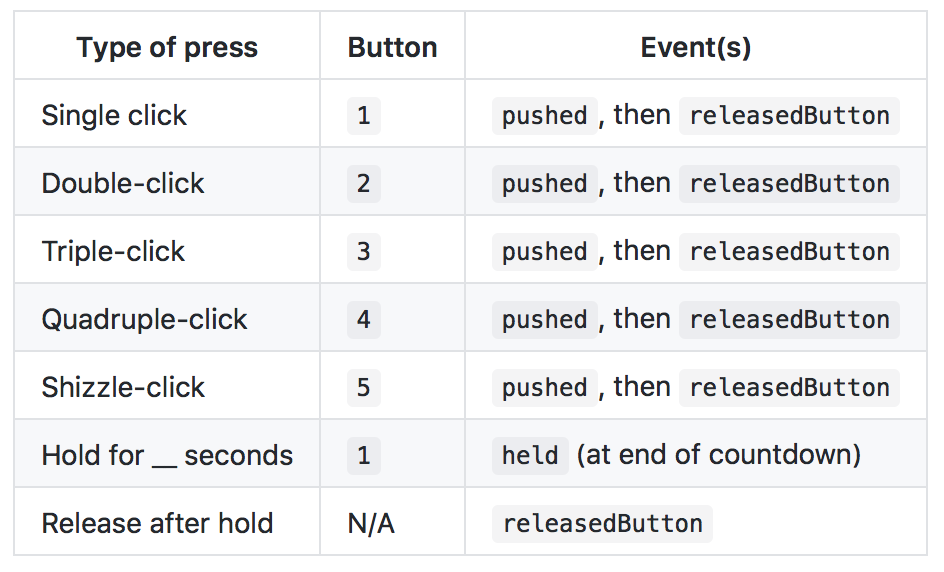
Here's a handy chart (with some oversimplification of the messages received):

09%20AM

Observations during testing

  1. None of the multi-clicks return the "release (01)" message unless the button is held down on the last click
  2. If the button is multi-clicked too slowly then the "release (01)" message is not sent between clicks, only once, after the last click. For example, if I Quadruple-click slowly, I see four consecutive "press (00)" messages followed by a single "release (01)" message. This behavior is something that users will have to be aware of, and discover for themselves what the best speed is for multi-clicks to be properly registered.

Here's the catch, though: The button capability is handled differently on the Hubitat than in SmartThings, as explained in this forum thread. Capabilities are what shows up in apps (like Rule Machine) for a particular device that allows things to happen when the device's state changes in the capability.

For buttons, there are three options to work with:

  • Capability PushableButton, with the state name pushed, and a numerical state value for the button number
  • Capability HoldableButton, with the state name held, and a numerical state value for the button number
  • Capability DoubleTapableButton, with the name doubleTapped, and a numerical state value for the button number

Although there isn't a named state released, the "release (01)" message from the button could still be used, for example, with a timer as a way to decide whether the button press should be considered pushed (a 'click' as called in my above table) or held, so that an app can take different actions based on either of those.

So, what I need to decide is how best to map the different behaviors from my chart above to the three available states (keeping in mind each button number value can correspond to a different action). Then I can finish work on the round Xiaomi "original" button device driver.

Any feedback or thoughts would be greatly appreciated.

Can you just set it up as a virtual 4 button-button? So button 1 = one click, button 2 = double click, button 3 - triple etc.

Then for the hold, set a variable for the clicks, then output the hold to that button equivalent? IE if you click 3 and hold the last, it’ll count the 3 clicks, put to a variable, then read the (01) and output the hold3? Does that make sense?

1 Like

I like that idea as well.

Yes, that was my first thought. But then there's potential for user confusion.

There's no way to know if the button was held or just clicked until the "release (01)" message is received, and multi-clicks without hold never generate that "release (01)" message like the single click does.

This means a countdown timer (using runIn() in Groovy) is needed to decide whether the button was held or not. So when a "press(xx)" message is received, the countdown timer is started. Meanwhile, if a "release(01)" message is received, a button released flag is set. When the countdown timer is finished, it checks if the button released flag is set, and if it's not set, then the driver sets the "held" state for the button number that corresponds to the number of clicks.

This can be a user-set preference, of course, but what messes things up is if the button is clicked or multi-clicked several times before the countdown timer is finished. I can imagine people complaining and being confused about the strange behavior that would occur in this situation, and there wouldn't be any way to change it that I can think of.

So as long as people stick to clicking or holding the button within the countdown delay they have set, then it should (in theory) work properly. Call it a limitation of what would be a very multi-functional button driver, I guess.

The other option is to have a settings switch for complex and simple. The simple only allows hold on single click. The complex has the multiclick + hold for advanced users.

[BETA] v0.5b of Xiaomi “Original” (round) Button Device Driver

For convenience please copy the beta round button driver code from this direct link.

So I realized that a "hold" feature is only possible for single press, because normal multi-clicks are not immediately followed by a "release" message from the button. That mean's there's no way for the code to know whether the button is being held on the last press of a multi-click.

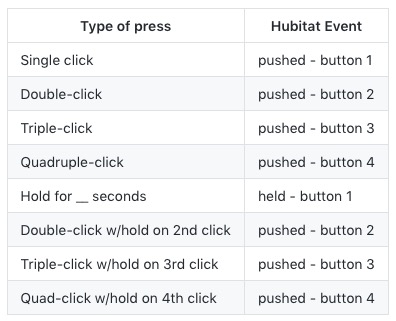
Here's a chart of what happens with each kind button press:
0e3ba716d2eb417bc96869c84b20edaedb629d00
EDIT: Multi-click over 4 --> pushed - button 5 (Added in v0.6b)
("click" means press & release quickly, same as computer mouse)

Other Features:

  • The Hubitat hub should correctly select this custom device driver when pairing.
  • The date/time of the most recent opening of the contact is stored as lastopen (human readable) and lastOpenDate (java format).
  • Battery replacement date tracking, stored in batteryLastReplaced state
  • Commands / Preferences include:
    • A preference to set how many seconds to wait until "held" event is sent
    • A Reset Battery Replaced Date command to track battery life
    • Date / 24-hour clock settings for display of lastCheckin
    • Min/Max voltage values used to calculate the battery percentage

Notes / Limitations:

  • This device driver is BETA, so some aspects of the driver may not work, and some features or preferences may be added / removed
  • I am hoping people can test this device driver in use with Rule Machine and some switchable devices such as lights, to give feedback on the responsiveness and reliability of the driver in normal use conditions.

Possible enhancement

  • Since the button generates a released message after a held button is released, if anyone believes it could be useful to link that to a Hubitat event, I could add that to the code. Options include linking the release to doubleTapped - button 1, or pushed - button 5, as a couple of examples.
3 Likes

That’s good news, looking forward to trying this out later tonight! My button has remained connected; reporting hourly for several days now, even reconnecting after the hub had been power cycled for some equipment re-arranging.

I installed this and find it to be working great so far. Buttons register the expected click action reliably; great to see battery % and voltage appear in the log instead of hex numbers.

I set up a couple of buttons with a half dozen Simple Lighting rules to support a button mounted at each of the sliding doors at the ends of my deck; I set it up so that a single click toggles the nearest outside light, a double click turns off both near and far lights, and triple click turns on both lights. Easy to remember and convenient to use.

I verified that Rule Machine works for triggers; but its only toggle function “Toggle Dimmer” is not useful for me. This isn’t a fault of the driver (“Toggle Dimmer” only turns on my GE Z-Wave dimmer but won’t turn it off; I suspect this is another Lutron-only supported feature).

Thank you for this. Its great to have support for a button that looks good on the wall and has great tactile feedback; multi-click support is a welcome bonus.

1 Like

Thank you for reporting back on how the driver's working for you. I will have a chance to do some investigating into using Rule Machine or another App to set up toggle actions for dimmers, since I have a few (including the GE Z-Wave Plus Dimmer) myself.

On a slightly-related note, I have just learned that there is now an "upgraded" model of the Aqara button, which has four functions: click, double-click, hold/release, and shake. The model number on the box and back of the button itself is WXKG12LM. It's so new that it will be difficult to ensure that is the model being shipped when buying from direct-from-China resellers like GearBest, etc. I am going to try to secure a couple because the messages they send are completely different and it will need a separate device driver.

[UPDATE] v0.6b of Xiaomi “Original” (round) Button Device Driver

For convenience please copy the updated beta round button driver code from this direct link.

New Feature!

  • I discovered the button sends the hub one additional type of unique message for any multi-click over 4. So for any multi-click of 5 times or greater, a pushed - button 6 event is sent. I am calling this the “shizzle-click.” This is definitely my 7 year-old daughter’s favorite type of multi-click.

Other Changes

  • Added code to handle Push and Hold commands (part of the current implementation of the PushableButton and HoldableButton capabilities). The commands won’t do anything, however, because this button is non-controllable. See my note below for more information.

  • Added required numberOfButtons event to be sent to the hub when the button is paired, configured, or updated (i.e., when preferences are saved). This lets Apps know how many buttons are available to use.

  • Added a preference setting to toggle the display of debug log messages, with a default of OFF.

Notes:

  • Although the current Hubitat button implementation automatically adds commands that allow a button to be controlled, the Push and Hold commands aren’t used by this device driver, because the Xiaomi “Original” button is only a trigger (actuator) device, and cannot be controlled. Please make sure not to select the Xiaomi “Original” button as a “controllable” device in any App as nothing will happen. It should only be used as a “trigger” device. As I understand it, the Push and Hold commands for physical buttons will be changed or removed in a future update of the Hubitat button implementation.

  • Just because this device driver maps different types of clicks to 5 different button trigger events doesn’t mean they all must be used. Any type of press / multi-click to mapped buttons that are not used by any App are simply ignored.

  • I have tested this Device Handler with both Rule Machine and also the Button Controllers App. Everything is working as expected, and simple toggle or on/off switch actions based on different button press/click types are very responsive. I am leaving the beta status on this device driver for another week or so, hopefully to get more user feedback, and finalize the code.

2 Likes

I haven’t updated to the latest version of your button code yet, but until now it has worked perfectly via Rule Machine. Thanks a ton!

There is just one issue though, I somehow couldn’t get the device to show the right attributes on webCoRE.
I am not sure if this is an issue with the driver or the way Hubitat implements buttons. The button is only shown under the Holdable Buttons list on the page where I select devices to make visible to webCoRE.

On the webCoRE piston edit page, I just can’t seem to be able to use a button press event because the event generated is an attribute called ‘pressed’ whose value could be 1, 2, 3, 4, 5 or 80 depending on how many presses were made. Now this value does not change after the press and remains the same until a different number of presses are made the next time. There is no ‘lastPressed’ attribute either.
Am unsure if I am doing something wrong or if this is an incompatibility with webCoRE since RM handles button presses well. Could you please guide me on what could be going wrong?

Very likely the latter. And we're talking about webCoRE running on Hubitat, right? All the issues of porting it over haven't been worked out, from what I've read here in the forums.

I don't use webCoRE myself, but there can't be any attribute or event named pressed because there's nothing in the code with that name. Did you mean pushed?

The value of 80 is strange because that corresponds to what I named the sizzle-click, a multi-click of over 4. The device driver is supposed to change that 80 to 5, the button number assigned to that type of click. But really, I think the issue has to do with the difference in the Habitat button implementation. SmartThings expects a button event with a value of pushed or held while the Hubitat expects a pushed or held event with a value corresponding to the button number. I would have to attempt installing webCoRE on my Hubitat to find out how to get that implementation working.

As for lastPressed, I removed it, unaware that it's needed or useful for webCoRE. How does it get used?

I can certainly put lastPressed back in, but I need to know in the case when the button is held, whether a lastPressed date/time event should happen at the start of holding the button, or when the button has been held long enough to match the user set countdown.

For example, in the native Hubitat system, using the Rule Machine or Button Controller App, I set up my Button to turn on a group of lights on Button 1 pushed, and to turn them off on Button 1 held. When I click the button once, the device driver immediately generates a pushed event with a value of 1 (for Button #1) because it sees a pressed message from the button followed directly by a "released" message, well before the held countdown timer is finished. But when I hold the button, even though the button sends a "pressed" message, no action is taken until the countdown times finishes, and only then does the device driver generate a held event with a value of 1 . So when the button is held, I could have the device driver either generate the lastPressed when the "pressed" message is received from the button, or at the same time that the device driver generates the held event.

Very likely the latter. And we’re talking about webCoRE running on Hubitat, right? All the issues of porting it over haven’t been worked out, from what I’ve read here in the forums.

Yes, webCoRE running on Hubitat. I realize that all the issues haven't been worked out yet but I do have almost all my other devices and pistons working fine at this point, so I assumed this wouldn't be a related issue.

I don’t use webCoRE myself, but there can’t be any attribute or event named pressed because there’s nothing in the code with that name. Did you mean pushed ?

My apologies, I wrote my earlier message at work only to come back home and realize that the attribute is indeed called 'pushed' as you pointed out.

SmartThings expects a button event with a value of pushed or held while the Hubitat expects a pushed or held event with a value corresponding to the button number.

That might probably be why I find these options missing. Did not know that.

I can certainly put lastPressed back in, but I need to know in the case when the button is held, whether a lastPressed date/time event should happen at the start of holding the button, or when the button has been held long enough to match the user set countdown.

The use-case here is that since for my button press logic, I need some MOMENTARY event that I can use to trigger actions. Unfortunately, the Xiaomi button on Hubitat, currently changes only two attributes from what I can understand... The 'lastCheckIn/lastCheckInDate' and the 'pushed/held' number. Unfortunately, if I press the same button number (say 1 click) in two consecutive instances, even the 'pushed' value remains the same (1). Thus I have no event to track in webCoRE that can help me trigger an action.

Hubitat
09%20PM

webCoRE on Hubitat

The options I can suggest with my limited knowledge of device drivers are...

  1. Make 'pushed' act as a momentary value with the default unpushed state having a value 0 (basically clear the variable)
  2. Have the 'lastpushed/lastpressed' attribute change every time a push is registered, so that that value compounded with the 'pushed' number can be used to trigger actions.

The Aeon minimote, with its native Hubitat driver, doesn’t work with WebCoRE on Hubitat either. No ‘button’ is selectable. I posted that observation a few days ago in the ‘WebCore on Hubitat’ topic; this was Mikes’ reply:

You’ll need to modify the capability used for buttons, our implementation is here:
https://community.hubitat.com/t/hubitats-button-implementation/283?source_topic_id=632

So if the Hubitat minimote driver doesn’t work with WebCoRE, I wouldn’t expect your Xiaomi driver to work either. I think the concept of “WebCoRE is running on Hubitat” is a bit overstated

1 Like

By momentary event, I assume you mean that webCoRE needs to see both a "pressed" and "released" state. If true, then because the Hubitat button implementation only provides "pushed", "held", and "doubleTapped" events, and does not provide built-in support for a "released" event, the device driver will have to "fake" a released event. The good news is that, based on your screenshot, webCoRE can use the status any kind of event state (e.g., lastPressed, as was used in a4refillpad's button device handler for SmartThings), regardless of whether it's an officially supported one or not.

You're right, this is unfortunate, because all of the Apps I've tried on Hubitat recognize every instance of events, even if the same state is repeated.

Since in the Hubitat button implementation the value corresponds to button number I'm not sure that using button 0 will work or is a good idea. Since other Hubitat Apps don't need a default "released" state, it would be better to use a custom event just for use with webCoRE, whenever it has finally been tweaked work fully with Hubitat.

So since driver already has a built-in held button function, my idea is to add a buttonReleased event state, which will happen when the button is actually released, like this:

Note that I simply won't be able to support a hold at the end of a multi-click, because of the way the hardware itself sends messages in those cases.

So with my implementation, webCoRE could use the releasedButton Event as a way to make a comparison to all of the types of button presses. Just know that for any click types, the releasedButton event would be sent immediately after the pushed event. If that will work, then I'll add that code and we'll take the driver to v0.7b).

1 Like

Really appreciate you taking the time to provide a detailed response.
I think your idea would work great!
A releasedButton event in conjunction with the current pushed value or held value could help me intercept all possible button events available, for use as a trigger.

Once again, thank you for being such a receptive developer and helping the community out :beers:

@veeceeoh
Keith I tried to pair my aqara button last night and hubitat found it but it did not assign the correct DH to it. I then manually selected the Xiaomi Button DH but I am not certain it is working correctly.

I haven't had a lot of time to play with the hubitat but I haven't been impressed yet...

Keep in mind that xiaomi devices are not zigbee spec compliant, they’re trial and error forced to cooperate with non xiaomi hubs.

2 Likes

With my original ‘round’ buttons on Hubitat I’ve found that when they didn’t get discovered automatically and identified correctly during the pairing process, they never began the hourly battery check-ins and eventually dropped off. Just as with SmartThings, if they wind up as child devices of a Zigbee router they eventually won’t work properly and eventually won’t even register button clicks.

If you have any Iris plug paired to Hubitat nearby they are likely routing through it and will cause problems. The radios in those things seem to be much more easily discovered during the pairing process than the one in the Hubitat, even if they are significantly farther away (I’ve seen how mine attached when I mapped them with XCTU). Once properly paired, they stay paired (at least mine have since Keith released the driver) and work great – they never miss a click.

That would be because I haven't made an (original) Aqara Button device driver yet. I don't have one personally, so I haven't yet been able to find out exactly what messages it sends for anything beyond a single click.

Do you think you could copy the log output for single-click, double-click, etc. to a post here? Either the "Thing" DD (device driver) or the "Original" Button DD with logging turn on should work.

Then I could make the (original) Aqara Button DD. I don't think I'll be able to do a unified button driver, because the "original" Button driver needs to see a "release" message from the button and from what I understand the (original) Aqara Button doesn't send any message when released, only when pressed.

[UPDATE] v0.6 for the following device drivers:

  • Xiaomi “original” & Aqara Temperature/Humidity sensors (code here)
  • Xiaomi “original” Motion Sensor (code here)
  • Xiaomi Aqara Motion Sensor (code here)
  • Xiaomi “original” & Aqara Door/Window contact sensors (code here)
  • Xiaomi Aqara Leak sensor (code here)

The only change that affects functionality of the device drivers is the addition of a preference setting to toggle the display of log messages. As of this release, when it’s turned on, all messages are labelled debug, but I may later split off info messages with a separate preference toggle setting, to keep in line with the Hubitat-native device driver functionality.

Changes

  • added display log message toggle preference setting
  • Battery Replaced Date is only reset on install of sensor, not when configured (which can happen when reconnecting)
  • removed ${device.displayName} (which gives the device’s name) from all event description text, because it’s not necessary in the Habitat context
  • some cleanup of text for preferences
  • minor cleanup of code

I've added the releasedButton event code, but not yet ready to test it with WebCoRE running on my Hubitat, so would you mind trying it out?

I haven't written over the v0.6b code in my GitHub repository, so it's only available to copy from this direct link for now.

1 Like

@veeceeoh line 180 gives error on save of driver. You are missing a )

Oh snap!

It was actually supposed to be no parenthesis at all, but with them works too.

Anyhow, that's fixed now, thanks for the heads up!

2 Likes

Great! Will test and let you know in a few hours once, I am back home :+1:

1 Like

I can confirm that the buttonReleased attribute works perfectly for me. Was able to use a combination of this trigger and the pushed value to harness all button events from 1 to 5, from within webCoRE. Great job again, thanks! :slight_smile:

The only scenario that could not be worked out is the Button Held scenario. Currently, there is no way to differentiate between the following triggers since buttonReleased is agnostic to whether the button was pushed or held.
a) pushed = 1 && buttonReleased changes
a) held = 1 && buttonReleased changes

But I guess this was already known at the time we were discussing possible approaches and we didn’t have a clear solution.

I believe it should be possible to generate events that would allow a held button to be recognized, but I don't quite follow why WebCoRE can't use the buttonReleased event as a way to make a comparison to either pushed or held events.

In any event, in my own testing tonight I think I need to work a bit more on the code because it's generating buttonReleased events when I expect it to.

I think I wasn’t clear in my explanation. I don’t think webCoRE is the issue.

Let’s assume that the following scenario takes place after the button has been installed and pressed as well as held, at least once. (This makes the current pushed and held values, both set to 1, or more).
So, now to create a trigger, I can use any combination of values or changes in values, provided by pushed, held and buttonReleased.

Do note that the values of each of these attributes persist. So before I push the button, the value of pushed is 1. After I push the button once, the value is still 1. The only trigger I can use is to see if the buttonReleased value changed (and then to look at the pushed value to determine the number of clicks).

With held, I don’t have such a liberty. The value of held, like pushed is still 1, both before and after holding the button. But herebuttonReleased, though a valid trigger, cannot tell me if the update in its value was because of a hold or a push. So technically, I can only intercept holds also as pushes only, in webCoRE.
Only solution I can think of is to have a buttonHoldReleased or something similar, which updates only for a hold.

Again, I do not miss the lack of a valid trigger for hold at all. The handler works perfectly and now I have 5 different button press scenarios to chose from, unlike the limited options while I was on ST, thanks to you! :sunglasses:

Okay, well I think I've managed to do this two times better, hopefully.

First I realized that the custom buttonReleased event for WebCoRE didn't have the Java-format timestamp used for lastCheckin, so I fixed that. Then I added custom buttonPressed and buttonHeld events, also for WebCoRE use. That should give enough for anyone to make use of, I think!

Here's an example sequence of events when the button is held, and then released:

|Name|Value|Description Text|
|---|---|---|---|---|---|
|lastCheckinDate|1520402158000||
|buttonPressed|1520402158000|buttonPressed (webCoRE)|
|held|1|Xiaomi Button: Button 1 was held|
|buttonHeld|1520402159000|buttonHeld (webCoRE)|
|lastCheckin|Tue Mar 06 2018 9:56:02 PM||
|lastCheckinDate|1520402162000||
|buttonReleased|1520402162000|buttonReleased (webCoRE)|

Try out this new & improved code by copying it from here.

If that looks good, I'll make it official!

I created a device driver for the aqara button. But after looking at some of these posts it appears that the events for hubitat are quite different from smartthings??

For now it will create a button pressed and released event for button 1.

Hubitat does install the correct DD upon pairing.

Yeah, using the SmartThings' sendEvent(name: "button", value: "pushed",etc. is not supported by Hubitat and won't be recognized by Rule Machine, the Button Controller App, other Hubitat-native apps, etc.

The sendEvent / createEvent mapped data should follow this format:

return [
        name: 'pushed',
        value: buttonNumber,
        isStateChange: true,
        descriptionText: descriptionText
    ]

Also there is no support for a released state. So all of that can be removed, including the countdown timer.

But does the Aqara Button generate different messages when it's pressed versus released? If yes, then the "original" Xioami driver I'm working on could be adapted.

Same thing if the Aqara Button generates different messages for multi-clicks.

I'd love to help with the device driver, but I can only do that if I know what messages it produces with different click actions.

EDIT: For the official explanation of Hubitat's Button capability implementation, please see this forum thread.

The aqara does not have a release event.

I have modified my local code to send a pressed state.

It appears to be picked up by rule machine.

That's unfortunate. I still don't understand why they removed that from the (original) Aqara model. At least the new Aqara Button model has more functionality.

Do you see any different messages for double-click, triple-click, etc?

I worked on the aqara button DD some more and updated the pull request. I really like how it is working now.

Is there a api for this weird little thing? I can see it being useful, maybe? Remembering what does what might take a bit.

https://www.lightinthebox.com/xiaomi-mi-cube-controller-zigbee-version-controlled-by-six-actions-with-phone-app-for-smart-home-device-tv-smart-socket_p5408586.html?prm=1.10.12.0

1 Like

I have one, and plan to adapt the SmartThings Advanced device handler to Hubitat.

While the device itself supports 7 different actions, that DTH supports maps different actions to up to 43 buttons!!!

Needless to say, it's a more complicated driver, and I'll want to do thorough testing. But since I have one, I am definitely going to make a Hubitat device driver.

If no-one else has said so before, you're a superstar. Also, 43 is too many. Who the hell could remember all the things.

Since I'm asking about odd little devices, what about the IR remote control?

If it could be used locally, it'd eliminate the need for Harmony (I find their software always just slightly lacking what I want to really make it work the way I want)

https://www.lightinthebox.com/xiaomi-universal-ir-remote-controller-abundant-matching-ways-for-air-condition-tv-projector-fan-camera-cellphone_p6518276.html?utm_campaign=cartcross&prm=1.10.4.0

I tested the new attributes and everything works perfect!
Now there is a unique combination of triggers to track from practically all variants of presses and holds.

Thanks a ton for helping make things compatible with webCoRE! :+1:t3:

1 Like

As far as I know, this one only operates on 802.11 b/g/n wifi. So it's a completely different monster than anything ZigBee based, and I'd expect only works with Xiaomi's (Chinese-language-only) app. Probably way outside my realm of knowledge on how to get it cooperating with the Hubitat in any manner.

I just saw this, this AM.

Perhaps it can be ported over....

1 Like

If it could I would buy a couple of them now! :slight_smile:

Harmony hubs are too expensive here (UK) to buy loads of them

Zapals lists the Xiaomi IR Remote for $12.50 US:

https://www.zapals.com/xiaomi-mi-home-automation-controller-universal-ir-remote-control-device.html?geoip_country=US&gclid=CjwKCAiA_ojVBRAlEiwAOLRxI_kMro_BwFtL3cFVco11xbBC14-QZVPKeQOadLM4xq33RsllDEXVJxoCUYMQAvD_BwE

I am going to order one. Probably will take some weeks to arrive.

EDIT: Use code honeyza08 for $1 off.

NOTE: The KuKu Mi SmartThings device handler requires a Docker Daemon app to run continuously on a computer on your local network. Of course that computer must always be on.

I think Xiaomi is great for cost sensitive smart home stuff. I wouldn’t use it as a professional installer or really trust long term reliability but for setting up budget friendly systems it seems good enough. I also buy 3 if I need 2 just in case one is defective. :wink:

1 Like

[RELEASE] v0.2 of Xiaomi Aqara Button (model WXKG11LM) Device Driver
Created by @brianspranger - thanks!!

EDIT: PLEASE NOTE THIS DEVICE HANDLER HAS SINCE BEEN UPDATED
Please see this post for more information.

For convenience please copy the driver code from this direct link.

The Aqara model WXKG11LM button is different from the Xiaomi “original” Button in that no message is sent when the button is released. However it does support multi-clicks up to a quadruple-click. So when set to Momentary mode in the preference settings, @brianspranger has included a countdown timer that, after a user-set delay, will automatically send a pushed - button 0 event to emulate a button “released” event. This should theoretically be usable in WebCoRE to capture single-clicks.

Here’s a chart of what happens with each kind button press:

Aqara Button model WXKG11LM

Action Hubitat button event(s)
Single click button 1 pushed , then button 0 pushed after user-set delay
Double-click button 2 pushed
Triple-click button 3 pushed
Quadruple-click button 4 pushed
Hold Not supported (same behavior as single-click)

Other Features:

  • The Hubitat hub should correctly select this custom device driver when pairing.
  • The date/time of the most recent opening of the contact is stored as lastPressed (human readable) and lastPressedDate (java format).
  • Battery replacement date tracking, stored in batteryLastReplaced state
  • Commands / Preferences include:
    • A preference to set how many seconds until single press is cleared with a button 0 “released” event
    A Toggle / Momentary mode setting
    • A Reset Battery Replaced Date command to track battery life
    Date / 24-hour clock settings for display of lastCheckin
    • Min/Max voltage values used to calculate the battery percentage
    • Display log message toggle setting. EDIT: in newest version of device handler there are two toggles settings for display of informational and/or debug log messages

Notes / Limitations:

  • This device driver is not final, and some features or preferences may be added / removed
  • There is a new version of the Aqara Button (model WXKG12LM) with more features which was released late last year. Currently this device driver will not work with it. I have ordered a couple of the new Aqara button model and plan to update this driver after they arrive.
    EDIT: The device driver has been updated with support for model WXKG12LM
2 Likes

Thnanks for all your work on the driver! I’m really grateful to know that the 11LM version supports multi-tap. Are you just listening to single press events and using the minimum timer simulate this or does the button send a unique value for each press type?

Additionally, what event gets fired off for each button press? I’m aiming to use this w/ the event -> mqtt bridge: hubitat-mqtt-bridge/hubitat-mqtt-bridge-app.groovy at master · jeubanks/hubitat-mqtt-bridge · GitHub and i’m wondering what additional capabilities/events that app needs to listen for to catch events from the button?

@brianspranger came up with this latest device driver, but as I've looked at his code I can tell you that the hardware natively supports multi-taps with unique messages for 2, 3, & 4 multi-taps.

Exactly what I posted above. All events are name: 'pushed' with value: button #

Looking at that code - it appears that the capability / subscription for button events may be incorrect. The author should refer to this forum thread about Hubitat's button capability implementation. Note that they plan to modify this implementation in future, so watch for any announcements on that.

Thanks for the ref to the Button implementation! I’ll start digging…

Thanks for your work on porting all of these! And thanks to Hubitat for modifying their ZigBee stack to, apparently, now work with these devices (haven’t had any fall off since that update).

With regard to the buttons, has anyone figured out how to use them? Neither the unofficial Hubitat port of webCoRE nor Rule Machine seem to work with them: if there’s a “button” capability in RM, I can’t find it, and these don’t show up as buttons at all in webCoRE. (I’m using one as a doorbell and want LANnouncer to chime and speak, so there are probably other ways to do this, which I would also be interested in, but I don’t want to hijack this thread for my specific use and am just curious in general if/how people are able to actually use these.)

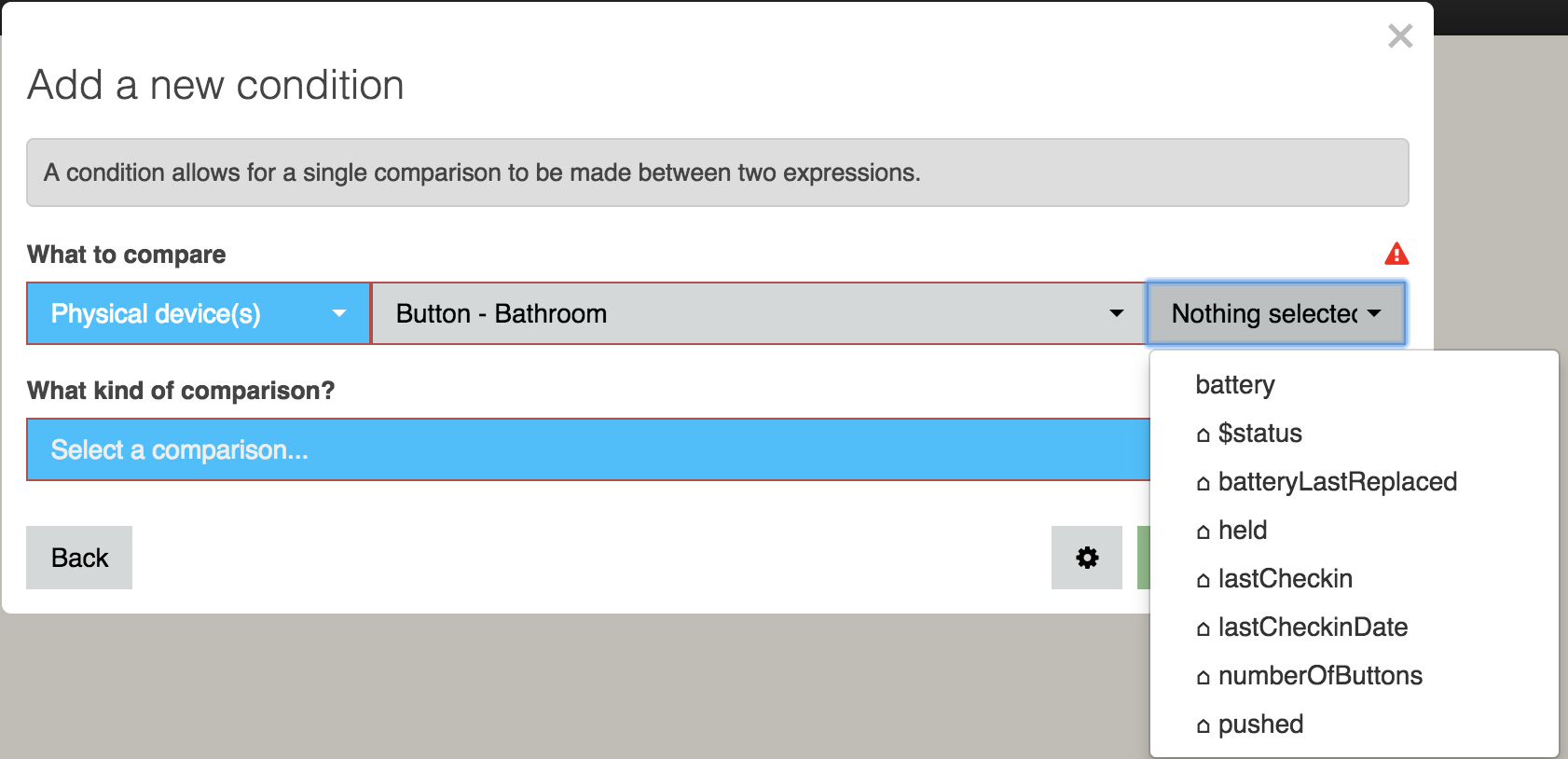
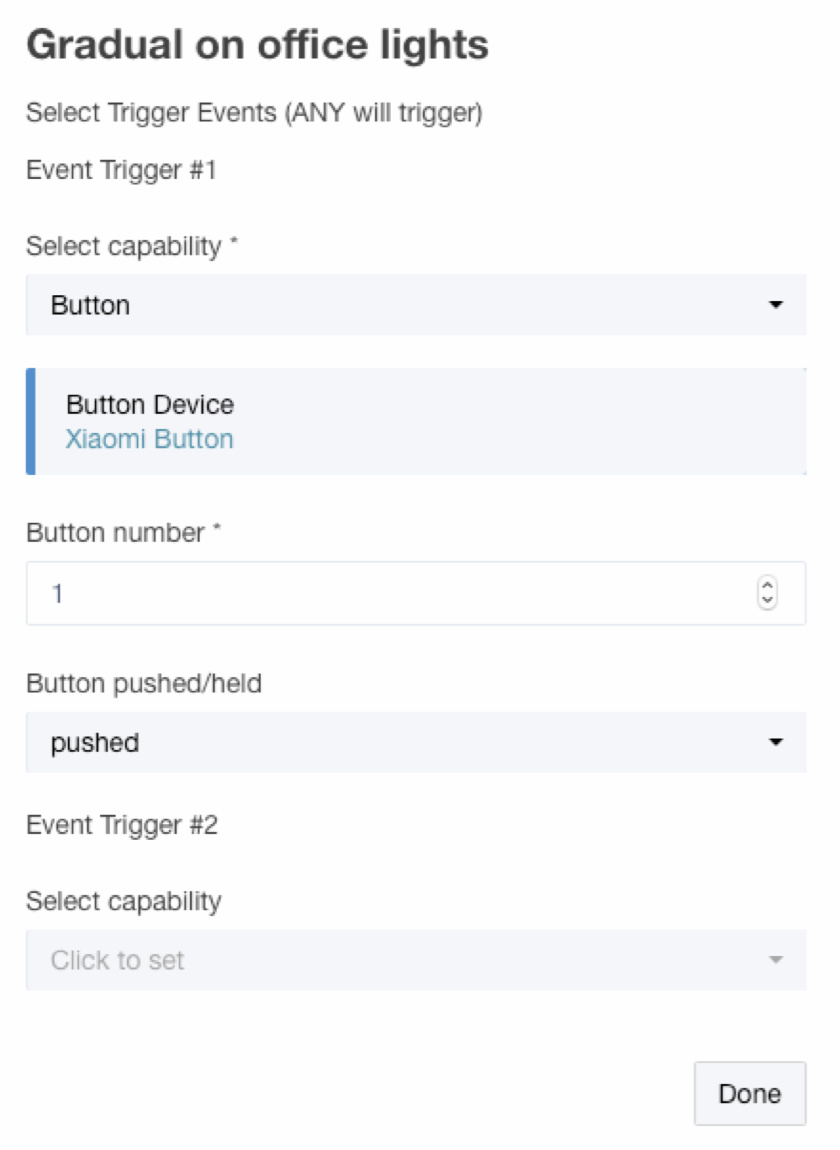
I only have an "original" (round) Xiaomi Button, and it's working just fine in both Rule Machine and also Button Controller. Here's where I see it available in Rule Machine, when I'm in the Select Tigger Events menu:

As for WebCoRE - keeping in mind that it is not "officially" working on Hubitat yet - I don't use it personally, but @ajayjohnm confirmed that the latest beta of the "original" Xiaomi Button device driver is working for him in WebCoRE, and so I've pushed that new beta version through on GitHub so it can be copied from the link for the "original" Xiaomi Button device driver code (found up in the very first post of this thread.)

The Xiaomi Aqara Button device driver was just finished by @brianspranger, and although I don't have one of them, it should also work just great with Rule Machine, WebCoRE, etc.

Does that help?

This isn’t pretty but it works for a button trigger in WebCoRE; pushed and buttonPressed will show up for the Xiaomi button; here is an example for triggering off of button ‘2’ (a double click):

if
Xiaomi Button 1’s pushed is equal to 2
and
Xiaomi Button 1’s buttonPressed changes
then…

It does make sense, and that's what I'd expect, but I don't have "Button" as a capability in Rule Machine at all:

39

I do in webCoRE, but neither my square nor round buttons show up (but a different button does). This isn't as surprising to me since I know Hubitat's button model is different from ST's and I'm not sure what this unofficial webCoRE fork supports. Maybe I should ask support about my Rule Machine problem, however, unless I'm missing something obvious. (I should add that I'm using the latest drivers I can find on Github.)

Hubitat implements buttons differently from ST...

Since @brianspranger discovered that a pushed - button 0 event is valid, I realize I could yet again rework the "original" Xiaomi Button driver to use button 0 as a "released" state that always happens when the button is released or immediately after a multi-click. Would that be a "prettier" way of doing it for WebCoRE use?

Maybe @ajayjohnm could chime in here, because my latest code revision is working for him. I really need to get WebCoRE installed to fully understand the interaction because it's clearly not the same as what Rule Machine, Button Controller, and other apps are using for button events.

Yes, it seems you are missing something. :smile: You cannot use a button as a Condition in Rule Machine. You need to use it as a Trigger Event (as seen in my above screenshot.) Let us know if that works for you.

Oh, sweet baby clam juice, I just don’t know how to use Rule Machine. :rofl: Thanks for catching my mistake! (I never used RM on ST because CoRE and very soon webCoRE was “the thing” by the time I got tired of writing custom SmartApps every time, so you’ll have to excuse my new-ness to RM here.) Thanks!
Sorry if I wasn’t clear, it is working for me in WebCoRE. The Xiaomi button does show up (it does need to be added to the ‘enabled devices’ list in the WebCoRE app on Hubitat, but that is expected). I’m fine with the driver as is; now that I’ve worked out which states change and which are static between button presses it’s easy to use with WebCoRE as it is currently implemented.

I have to say this driver works really well with the Xiaomi button on Hubitat. I still have yet to experience a single missed click, unlike every other button device I’ve used with ST (including the minimote and the Xiaomis I’ve used on ST). It never seems to require a redundant wakeup click no matter how long its been since I’ve last used it. If I can manage to change the battery without destroying the device when it eventually wears out , it will have been the best $6 I smart thing I ever purchased.

2 Likes

Since @brianspranger discovered that a pushed - button 0 event is valid, I realize I could yet again rework the “original” Xiaomi Button driver to use button 0 as a “released” state that always happens when the button is released or immediately after a multi-click. Would that be a “prettier” way of doing it for WebCoRE use?

@veeceeoh I think that would be a more cleaner way of reporting clicks, but I also have doubts on whether it would continue to be possible to use all the events that you opened up for us, once the pushed value starts getting reset to 0. I think some testing would be needed there and I'd be glad to help.

Maybe @ajayjohnm could chime in here, because my latest code revision is working for him. I really need to get WebCoRE installed to fully understand the interaction because it’s clearly not the same as what Rule Machine, Button Controller, and other apps are using for button events.

@bertabcd1234 In webCoRE, buttons only show up in the 'Holdable Buttons', 'Sensors' and 'Battery Powered Devices' sections. If you are currently looking into the 'Buttons' section of the Available Devices menu, then you won't see your button there.

As for using button clicks as triggers, you always need to use a combination of conditions to pin-point what action took place. For e.g. to use a single button click trigger, use...
If buttonReleased changes
and
If buttonHeld did not change
and
If pushed = 1

Lastly, @veeceeoh, if you want to get started with webCoRE, @ogiewon has done all of us a big favor and posted all the fixes and modifications needed to the webCoRE code, to make it run on Hubitat,

1 Like

In that case, I think I'll wait until I get webCoRE set up on my Hubitat, and then do some testing myself. I've been keeping tabs on the thread with all the fixes needed to get it working, so I'll start with that, thanks!

1 Like

[RELEASE] v0.5 of Xiaomi Aqara Smart Dual Button Light Switch Device Driver
(Only for the wireless 2 button model WXKG02LM)
This device driver was crafted by @gn0st1c (on Github - not sure of his username on here!)

For convenience please copy the driver code from this direct link.

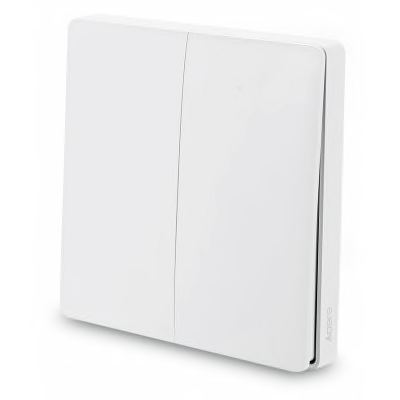
The Aqara Smart Dual Button Light Switch model WXKG02LM is a battery-powered, wall-surface two-button ZigBee device. The hardware supports unique messages for pressing the left button, right button, and both buttons at the same time, but does not have momentary ("hold") or multi-click support.

Here's what it looks like: aqara2button

And here's what happens with each kind button press:

Type of press Button Event(s)
Left button press button 1
Right button press button 2
Both pressed button 3
Multi-click Not supported*
Hold Not supported (same behavior as single press)

*Note: a 6-press multi-click appears to generate a status message resulting in the battery voltage being updated

Other Features:

  • The date/time of the most recent button is sent as a lastPressed (human readable) and lastPressedDate (java format) which should help with WebCoRE use
  • Battery replacement date tracking, stored in batteryLastReplaced state
  • Commands / Preferences include:
    • A Reset Battery Replaced Date command to track battery life
    • Date / 24-hour clock settings for display of lastCheckin
    • Min/Max voltage values used to calculate the battery percentage
    • Display log message toggle setting

Notes / Limitations:

  • I have had great difficulty pairing this device, and the pairing initialization process has only completed twice out of dozens of attempts. However, there are a couple of ways I have found it can be added "manually". Please see the special pairing instructions below.
  • This device driver is not final, and some features or preferences may be added / removed
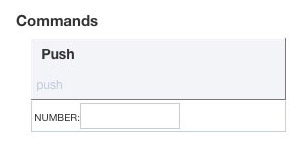
  • When viewing the device details page in the Hubitat web interface, there is a push command which is not used in this driver, so clicking it has no effect. Here's what it looks like:
    0937be5ca7217c2ac36e5ba1ebe806d04c4cc945

Special Pairing Instructions:

  1. In your web browser, open up two tabs, one displaying your Hubitat's Device list, and the other with the ZigBee Logging page (in Settings --> Zigbee Information --> Zigbee Logging)
  2. Start "Discover Devices" in the tab with your Hubitat's Device list.
  3. Hold down either button of the Xiaomi Smart Light Switch, until the LED flashes.
  4. The LED will flash, then a pause, and either flash consecutively 3 times, or flash once. Unlike all other Xiaomi devices, a single flash seems to indicate a successful connection. Either way, the best way to know is by then short-pressing either button. If the LED flashes just once as you press a button, then it's connected, but if it flashes twice, then go back to step 3 (hold a button until LED flashes).
  5. In the Device page, when the Hubitat recognizes the switch, it will display its Zigbee ID. Make sure to copy or write down this ID.
  6. In the ZigBee Logging page, look for log entries that start with a 4-digit hexadecimal number. It will also list that hexadecimal number above the log entries as well. The way to be sure you've got the right number is that log entries should be added if you press a button. Copy or write down this number also.
  7. Back in the Device page, if the switch hasn't finished initializing, there are two things to try:
  8. Click the Add Virtual Device button, but don't enter in any information. Just click the << Device List link near the top. If you're lucky, the hub secretly added the switch to your device list. In my case it was recognized as a Xiaomi Temperature Humidity Sensor. If you do see a new device, then view its Device Details by clicking on its name in the left column. Then you can change the device Type to "Xiaomi Aqara Dual Button Light Switch" using the pop-up list in the lower right corner of the page. Click the save button on the lower right, and then the switch can be used.
  9. If the hub didn't secretly add the switch to your device list, you can add it manually. Go back to the Device List page, and click the Add Virtual Device button. Enter a name for the switch, the Zigbee ID you wrote down, and type the hexadecimal number into the Device Network Id field. Finally select the device Type: "Xiaomi Aqara Dual Button Light Switch", and click the save button to add the switch to your devices list.
  10. Whew! You did it! I can post screenshots if people hae trouble with this.
2 Likes

To get technical: they're "zigbee compliant," but zigbee allows manufacturers to use proprietary coding without requiring that they also provide all the standard basic functions.

This is very different from zwave, which requires that manufacturers first provide all the standard basic functions, and can then layer their own proprietary stuff on top.

Both hubitat and SmartThings use the Zigbee Home Automation ("ZHA") "profile.

The original Xiaomi Devices never said they used the ZHA profile, and never promised to work with anything except their own Gateway.

The Aqara devices are supposed to be using the ZHA profile, and they're certainly closer to it than the originals, but there are still some proprietary features in the optional areas, and that can interfere with the way they work on a fully standardized platform.

They aren't alone in that: the IKEA Tradfrii line has very similar design issues, although the symptoms are somewhat different.

More on profiles:

3 Likes

Huh. Interesting. So a standard with no standards. :smiley:

It definitely has standards, but they are at a different level than Z wave standards. It's actually much more similar to Wi-Fi. There's no guarantee at all that two different home automation devices using Wi-Fi will be able to understand each other. The message content is not part of the Wi-Fi protocol standard. Just the transmission format. The same is true for top level Zigbee. It's a message transport protocol, not a message content definition.

Zigbee goes farther than Wi-Fi by providing the profiles, which do standardize the message content. But their use is optional.

I realize. I meant with regards to communication and function. :slight_smile:

Interesting read, but the last comment in that article confuses me. Zigbee 3.0 is supposed to be able to join legacy networks, and legacy devices are supposed to be able to join 3.0 networks. Here’s a Silicon Labs KB quote to that, I believe the Zigbee alliance website makes the same statement.

“Zigbee 3.0 has been designed to allow for interoperability between zigbee 3.0 devices and legacy HA and ZLL devices. With proper configuration, ZLL and HA devices can join zigbee 3.0 networks and similarly zigbee 3.0 devices have the functionality to join legacy legacy networks operating with either ZLL or HA networking. This KBA will help you understand the configurations necessary for allowing this.“

How does this differ from “backward compatible” in your post?

Lastly, @veeceeoh, if you want to get started with webCoRE, @ogiewon has done all of us a big favor and posted all the fixes and modifications needed to the webCoRE code, to make it run on Hubitat,

Forgot to post a link to what I was referring. Given below is the fork that can be directly pasted and used in Hubitat. (Credits go to Ogiewon and other who contributed to it.)

1 Like

Zigbee 3.0 is a big topic with a lot of tiny technical details. :sunglasses: Since neither the hubitat hub nor the Xiaomi devices are using zigbee 3.0, I don’t want to hijack this thread. Why don’t you start a new thread to discuss Zigbee 3.0 and I’ll be happy to continue there.

1 Like

As always @veeceeoh, thanks for the driver!

I’ve got two questions. hopefully they’re both quick!

  1. is there an air-pressure capability? Currently, the driver for the Aqara temp/humidity sensors only report the “Temperature Measurement” abd “Relative Humidity Measurement” but do expose a pressure value on events that get fired off. I’ve managed to update one of the apps i use (the MQTT bridge: [PORT] Hubitat MQTT Bridge) to also use the pressure value… but it got me thinking as to why the driver only reports 2 of the the devices three capabilities.

  2. is there a “released” event for the aquara buttons when they’re configured in momentary mode? I see the runIn() call calling ReleaseButton which should fire off a call to getContactResult which should log to the event log a Button was released message, right? I don’t see these “released” messages showing up in the event log for any given button, but i do see the Button was single/double/tripple clicked messages. Thoughts on what i might be doing wrong (is my ReleaseTime value set too low (currently 1 sec?)? Or is there something else that i can do / help with to figure out why release events are not showing?

Thanks for you time. Appreciate all the effort :slight_smile:

1 Like

The aqara button release event is reported as a button 0 press.

1 Like

Sure, but my question is around why other things on the hub can’t see the “released” events.

When the button is in “toggle” mode, i see a “button pressed” and a “button released” event in the hubitat event log. When the button is in “momentary” mode, i only see “button was {s/d/t/q} pressed” events, but no “button was released” events… the state of the button is always at some positive integer; it never returns to 0. Is this something that can be done w/ “momentary” mode? it looks like runIn() should fire the ReleaseButton function… but it never does. Is there something i’m missing / not configuring correctly?

The log looks like it is working.

But your right, the event log only shows the press 1. I had press 0 working previously, perhaps I broke it.

I will look into it.

Update the code, I had to use sendEvent in the ReleaseButton function.

Not that I'm aware of. Since there is zero developer documentation for Hubitat, my lowest common denominator guess (because I hate to assume) is that things work the same as in SmartThings, until we find out otherwise. And ST doesn't have an atmospheric pressure capability. To know for sure, we have to ask the Habitat folks.

Despite all this, I'd also have to guess that, just as can be done with ST, enterprising individuals can write Apps which look for custom events for triggers or conditions that aren't supported through a capability.

The only thing I could find was Sound Pressure

They do actually, as do we: capability "Pressure Measurement"

Aha. Would it be possible to publish a list of capabilities supported somewhere? I think that’d take some of the guesswork out of independent developers’ work.

1 Like

Currently we support all the ones ST has implemented with the same commands and parameters ect, we attempt to document notable exceptions (button for one).

So this: SmartThings - Develop is the same as Hubitat save for buttons? Pressure Measurement is missing from that list. @mike.maxwell

Interesting, yes we should have all the capabilities in that list, and you’re correct Pressure Measurement is missing, I swear it used to exist, I had a driver over their that used it.
I also checked our code, we don’t have it either…, oh well.

1 Like

One of my two Temp/Humidity sensor dropped offline two days ago. Both were working fine for a couple of weeks then the one decided to take a vacation. Doing the reconnect got him to rejoin the family again but then he dropped out again. Going to delete and repair to see if that will help.

how far away are your Temp/Humidity sensors from the hub?
I was having similar problems with my 3 Temp/Humidity sensors but I moved my hub to the main floor basically in the middle between all 3 and it has been much better (knock on wood).
I think there is a bit of a limited range with all the Xiaomi sensors.

Both sensors are sitting next to each other and they are one floor directly below the HUB.

Not sure if this is an issue with this device driver or @krlaframboise Other Hub pusher and ST DTH code. But the Xiaomi temp sensors show up as Motion sensors in ST. Thought I would post here first.

This happened to me too, and as I understand it the virtual devices can be assigned the wrong device type due to the order of installation of the Smart App and Device Handlers. As explained here, the Device Handlers would need to be installed before the Smart App.

Anyhow, I can confirm that the device driver for the Xiaomi Temp/Humidity sensors "advertise" support for the capabilities Temperature Measurement and Relative Humidity Measurement.

My fix was to manually assign the correct Other Hub device handler in SmartThings.

Interesting cause i swear I installed the device handlers first. K guess manual fix it is.

I noticed there isn’t a specific ST DTH for temp sensors in Other Hub. This is probably why.

The primary tile of the Other Hub Motion Sensor DTH is motion, but it also has tiles for Humidity, Temperature, and Illuminance.

Ya it’s just weird looking in ST mobile app at a temp/humidity sensor showing as a motion sensor and motion always shown as detected when the device doesn’t even report motion.

Since Temp/Humidity sensors are common on their own it would be nice to have a virtual DTH for them specifically showing Temp as the main tile.

If you don’t have time I can look into producing one tonight or tomorrow.

Sorry derailed the topic here I’ll continue this in the Other Hub 2 Thread.

@mike.maxwell @veeceeoh So is this driver supposed to report Pressure like the equivalent DTH in ST?

Currently it just reports pressure in the log output. From my Hubitat hub logs:

As far as I know there isn't a device capability for atmospheric pressure / barometric pressure, so it won't show up in the list of capabilities that can be used in Rule Machine or other Apps.

What would you like to use the atmospheric pressure reports for?

1 Like

Nothing right now or ever was just curious because it was reporting in the ST tile so just reporting if it was a miss. Wondering if it could be used with smartvents in the future but I’m not sold yet with smart vents …

Hubitat doesn’t have any mobile UI (yet) nor a built-in way to report non-standard attributes that I am aware of.

I would never consider using a ambient atmospheric pressure measurement device to measure the air pressure of HVAC output vents. An overpressure/gauge pressure device is appropriate for that task.

Ya i don’t know enough about HVAC systems lol.

Yup...

Great work! I’m about to start migrating devices from ST, and will probably start with the Xiaomi ones.

Do you have any plans for the Xiaomi/Honeywell Smoke Detector as well? I’m using one of those for my current ST SHM setup.

(I’m emilakered at the ST forums/github btw, but for some reason this one pulled my email domain as my username. Computers…)

Send an email to support@hubitat.com with a change user name request. Mine was done in an hour.

1 Like

Yes, but since I don't own one, I've been waiting for a Hubitat owner who can help test a device driver. :grin:

I guess I should get started on that soon...

I thought about getting one but I’m a little leery to buy devices before I know they’re supported, after getting burned a few times (Xiaomi yee light strip still orphaned, more or less)

For any Xiaomi Zigbee devices, if there's a device handler to support them on SmartThings, then a device driver can be made for Hubitat. Personally I'll only buy a device if it would be useful to me, not just for testing a device driver. In fact I just received a couple of the new revision of the Aqara Button (model WXKG12LM), and have updated the SmartThings DH (currently being tested), and will be updating the Aqara Button device driver for Hubitat very soon.

As you're well aware, Xiaomi's Yee Light / Yee Light Strip is WiFi-based, and as such is a very different monster to support than any of their Zigbee devices.

Yeah, because I was unsure about smartthings when I started getting smart devices so I got a few different wifi/ethernet based things: Yeelight, Nanoleaf, and Sinope’s hub thermostats, and of course Caseta.

I do have yeelight strip control sort of… it’s just TV backlight, so I’m running tasker, sharptools and yeelight app on my ShieldTV, so when tasker detects screen on it turns on the yeelight locally through the app. I’m hoping sharptools gets Hubitat connectivity as well.

I think I can help with that, just as soon as I have time to start moving devices over… :wink:

1 Like

[RELEASE] v0.5 of Xiaomi Aqara Button Device Driver
Now compatible with both models - WXKG11LM & WXKG12LM
Originally created by @brianspranger

For convenience please copy the driver code from this direct link.

This release adds support for the new revision of the Aqara Button, model WXKG12LM. This new model takes away the triple- and quadruple-click functions, but adds hardware-based hold support, and also sends a unique message when the button is shaken. Note that if the button is mounted to a surface, there’s no way to get the shake function to work (unless you can shake the whole surface!)

Below are charts of what happens with each type of action, for both models:

Aqara Button model WXKG12LM

Action Hubitat button event(s)
Single click button 1 pushed
Hold, release button 1 held, then button 0 pushed when released
Double-click button 2 pushed
Shake button 3 pushed

Aqara Button model WXKG11LM

Action Hubitat button event(s)
Single click button 1 pushed, then button 0 pushed after user-set delay
Double-click button 2 pushed
Triple-click button 3 pushed
Quadruple-click button 4 pushed
Hold Not supported (same behavior as single-click)

Other Features:

  • The Hubitat hub should correctly select this custom device driver when pairing.
  • Battery replacement date tracking, stored in batteryLastReplaced state
  • Commands / Preferences include:
    Model WXKG11LM only - A preference to set how many seconds until single press is cleared with a button 0 “released” event
    • A Reset Battery Replaced Date command to track battery life
    • Min/Max voltage values used to calculate the battery percentage
    • Toggle settings for enabling display of informational and/or debug log messages

Changes from previous version

  • removed Toggle Mode preference setting because Apps provide that functionality
  • added (informational) info log message toggle preference setting, for displaying helpful
    plain English" / non-debug log messages
  • changed Battery Replaced Date to use system-formatted new Date() date/time stamp
  • removed Date Format and 24 hour clock preference settings because they are no longer used
  • removed lastPressedDate because it doesn’t serve any real purpose on Hubitat
  • changed lastPressed to buttonPressed event, for webCoRE use
  • added custom buttonHeld and buttonReleased events for webCoRE use

Note: This device driver is not final, and some features or preferences may be added / removed

1 Like

Can they be paired to ST and Hubitat at the same time?

Have you had any luck with the xiaomi cube? The ST DH seemed to port over easily enough. The cube was discovered immediately by the hub. When I change the face of the cube, the device state changes properly. However, I can’t figure out how to do anything with it. I couldn’t figure out how to get RM to do anything with it and haven’t had a lot of luck with webcore and Hubitat playing nice to see if it works with webcore.

You have to create custom commands first, I believe.

I see how you can create a custom command. The connection I’m missing is how to use that custom command to trigger an event. I know how to trigger a custom command but not vice versa.

Incompatibilities with RM are because of the difference between ST's button capability implementation and Hubitat's.

If you got webCoRE working on your Hubitat that would work in the interim because it would still "see" the button events from the ST device handler.

I have been working on updating the currently released Xiaomi device handlers for ST and device drivers for Habitat. After that, I plan on working on the Hubitat device driver for the Mi Cube.

No Zigbee or Z-Wave devices can be paired to more than one hub at the same time.

If you want to pair your Xiaomi devices with you Hubitat hub, you should be able to make them available for your SmartThings hub to "see" using @krlaframboise's Other Hub SmartThings Integration app.

1 Like

I’m working on getting webcore integrated for that specific issue and guessed that was my best option to complete the integration. But the webcore dashboard has been very glitchy for me, which is a whole diff ball of wax on a diff thread, as you know… I was hoping there was a solution with button controller or RM. I was pleasantly surprised at how easy it was to get as far as I did with the cube and will keep plugging away at getting webcore working.

I have put up an early beta of the Hubitat device driver for the Xiaomi Mi Cube on my GitHub repository.

You can grab the code from here.

It should now register different actions as button presses in RM or other Hubitat Apps, but I have not tested it at all.

Things I still need to figure out include dealing with the Three Axis functionality (apparently not implemented on Hubitat) and also whether the additional data posted in button pushed is being handled correctly for the device driver to use.

Let me know if it works at all for you!

Thank you. Both the DH and webcore are working!

1 Like

Button WXKG01LM isnt implemented yet right?

I only have the two-button model, WXKG02LM.

However, the driver for that should also work for the one button model, but it will just work as a single button of course, sending a button 1 pushed event.

Can you try it to check and let me know if it works?

The code can be copied from here.

1 Like

It seems to work but it’s sending 2 times that it’s been pushed. Even if i try to push it as quick as i can.

2018-04-08 10:36:17.660:infoButton Triggered
2018-04-08 10:36:17.612:infoButton: Button pushed 1
2018-04-08 10:36:17.407:infoButton Triggered
2018-04-08 10:36:17.369:infoButton: Button pushed 1

Also wondering how i subscribe to the event on your buttons.

I used to use this:
subscribe(Button, “button.pushed”, ButtonPushedEventHandler)

But dont think you use that one, any idea what i need to use to subscribe to a pushablebutton?

Details regarding Hubitat's Button Implementation can be found here...

1 Like

It appears that the single-button model may send messages when it's pressed and when it's released.

However, I don't think you've assigned the device driver I linked to, because it would never post "Button triggered" log messages.

Please try going to the device details page, assigning the Xiaomi Aqara Dual Button Light Switch driver, click "save", then turn on debug log output, "save", and post your log entries that occur when you click the button, hold for a few seconds and release. That should produce the Zigbee messages in the log that I need to make the device driver compatible.

1 Like

My bad! I was trying my own version.

2018-04-08 18:37:18.200:debugButton: Left button pushed

2018-04-08 18:37:18.189:debugButton: Parsing description: read attr - raw: 82B70100060800001001, dni: 82B7, endpoint: 01, cluster: 0006, size: 08, attrId: 0000, encoding: 10, value: 01

2018-04-08 18:37:18.002:debugButton: Left button pushed

2018-04-08 18:37:17.990:debugButton: Parsing description: read attr - raw: 82B70100060800001000, dni: 82B7, endpoint: 01, cluster: 0006, size: 08, attrId: 0000, encoding: 10, value: 00

Great! Based on the times in the log output, it appears you just clicked the button once, right?

Also, can you try holding the button for 3-5 seconds, and post the log output for that?

Tried it:

2018-04-08 19:14:36.347:debugButton: Left button pushed

2018-04-08 19:14:36.326:debugButton: Parsing description: read attr - raw: 82B70100060800001001, dni: 82B7, endpoint: 01, cluster: 0006, size: 08, attrId: 0000, encoding: 10, value: 01

2018-04-08 19:14:33.307:debugButton: Left button pushed

2018-04-08 19:14:33.290:debugButton: Parsing description: read attr - raw: 82B70100060800001000, dni: 82B7, endpoint: 01, cluster: 0006, size: 08, attrId: 0000, encoding: 10, value: 00

Wait a second - you said model WXKG01LM, right?

I think I confused this model with a different button.

Does your button look like this:

Unknown

If yes, then you should use the “original” Xiaomi Button device driver. It supports button hold, single-click, double-click, triple-click, quadruple-click, and also quintuple-click.

EDIT: I have released a new version of the round button device driver; please see my next post (below).

[UPDATE] All Xiaomi Device Drivers except Aqara Button

Links to updated code

Changes from previous versions
All device drivers

  • added (informational) info log message toggle preference setting, for displaying helpful plain English" / non-debug log messages
  • custom attribute events (for use with webCoRE) now use more accurate Epoch Time stamp
  • changed Battery Replaced Date to use system-formatted new Date() date/time stamp
  • removed Date Format and 24 hour clock preference settings because they are no longer used
  • removed lastPressedDate because it doesn’t serve any real purpose on Hubitat
  • edited preference setting and log message text for clarity

Aqara Leak Sensor device driver

  • added custom lastDry attribute event for webCoRE use

both Motion Sensor device drivers

  • added custom lastInactive attribute event for webCoRE use
  • changed default of motionreset to 61 seconds (1 second longer than normal hardware reset of 60 seconds)

Temp/Humidity Sensors device driver

  • added attribute "pressure", "Decimal" to be used for custom pressure value events

Note: These device drivers are not final, and some features or preferences may be added / removed

3 Likes

The button seems to work! Thank you for the effort :wink:

1 Like

For anyone who downloaded the updated code for the Aqara Leak Sensor driver, @NoWon alerted me to an issue that shows an error on the log page and prevents the wet / dry status to be sent to the hub.

I have fixed the code, but I won’t be able to test it until I get home in about 8 hours.

If you want to revert to the previous v0.6 code, it is still available here.

Sorry for any inconvenience, and thanks for your patience!

The updated Aqara Leak sensor driver code is now working correctly. Version is now v0.7.1, grab the code from here.

1 Like

working great thank you

Thanks again for these drivers Keith. Just received my Aqara button today. Pairing was easy. Hope it stays paired, as this thing is so cool, and an incredible deal vs a Flic. So far I’m using single-click, hold, double-click and triple-click with the Button Controller app. All are performing perfectly.

1 Like

@veeceeoh: Would it be possible for you to add a offset configuration field for the Aqara motions sensors, to compensate for variances in there illuminance reporting? Thanks!

Done.

[UPDATE] v0.7.1 of Aqara Motion Sensor Device Driver

This small update adds an Lux value offset preference setting:

NOTES:

  • The lux upper limit of the Aqara Motion Sensor is 1000 or 1200 (depending on model revision) and does not seem to be highly accurate.
  • Although a lux reading message is sent by the sensor when motion is detected, the order of lux and motion detection messages is not always the same (i.e., the lux value message may be sent before or after the motion detected message.) With that in mind, a change in lux value should probably be evaluated before evaluating whether motion detected = true in an automation app rule.
2 Likes

Is anyone else seeing their Xiaomi (original) motion sensors not going inactive after a while? It’s normally fine after the hub has been rebooted, but within a day or so the runIn() call doesn’t seem to do anything.

I’m wondering if there’s a resource that’s not being freed somewhere, although I can only assume that it’s in the Hubitat firmware, since the DTH looks perfectly fine.

Perhaps not related, last night I discovered that all events of device subscribed to by apps were being ignored. I was pulling my hair out for an hour before deciding to reboot and then it was all working fine again.

Since I still consider my Hubitat to be "in testing", I have very few apps, only 6 RM rules, and just one WebCore Piston. I see no reason why I would need to reboot my hub because of resources being bogged down in any way. A look at my logs shows very frequent inactivity, so I am becoming increasingly frustrated with bizarre issues that are magically cleared by a reboot.

But enough of my rant. Have you checked your events list for the motion sensor to see if the motion - inactive event was sent?

Yeah, I have checked the events list in the past and the inactive event was definitely not being sent.

I have 3 cats and they trigger the motion sensors quite a lot, especially the ones on the stairs (one likes to sleep on the stairs). From a quick scan of the logs, each motion sensor is triggered about 40 times in a 24 hour period. There are 3 sensors in active use at present in the same area so that's 120 calls to runIn() in a day. It seems to take around 2-3 days before I have to reboot the hub, so if there's a limit on the number of timers used by runIn() and there's a resource leak then that limit would be about 256.

Of course I could be entirely wrong in my diagnosis, but without access to more detailed logs of the internals of Hubitat it's hard to be sure.

I find that really hard to believe, as runIn() is used by Apps for all kinds of delay-based automations. If there are limits on how many / how often it and other chon schedule calls can be used per day, it hasn't been mentioned anywhere.

Sounds like something to ask the Hubitat folks about.

I hope you're right about that. It would certainly be a surprise. I've enabled info and debug logging in a couple of the motion sensors - unfortunately that doesn't seem to include any debugging for calls to runIn()

I've added some debugging code to my version to see if there's a possibility that the device state isn't as expected. I'll see how it runs for a few days.

As I understand it, the device driver code is executed once for each message received from a device or command sent, and then exits. But, the runIn() call initializes a scheduled execution of the driver code, and at the scheduled time, it goes right to the function named in runIn() and then exits.

Since I can't add any log message above the "level" of device driver execution, all I can do is put a confirmation info log message in the function that resets motion to inactive, and it's no more helpful that checking whether the inactive event was sent.

So if the system is not honoring scheduled execution requests, there's no way to have the device driver code let you know about that. It would require system or admin level logging.

Understood, it would be nice to have access to lower level logs.

The only other possibility that occurs to me is whether setting the device state is an atomic operation. If not then perhaps a motion event that occurs at the same time as the timer is trying to reset the state could cause the condition to fail. ie

(device.currentState('motion')?.value == "active")

suppose that device.currentState('motion') is null - then the condition would fail and the reset would never happen.

I only know that for SmartThings device handler code, atomic state objects are not supported. I'm not sure if this also applies to device level states that are set by events for capabilities named in the code.

However, even if for some strange reason the current value of motion was null, it would immediately be set to a value of active the next time a motion detected message was sent from the sensor.

The reason I put it the conditional check for a current state of active was to avoid unnecessary inactive events being sent. In truth, it's pretty safe to assume that when the runIn() call to resetToMotionInactive() occurs, the current value will still be active, because - at least in SmartThings and I would assume also on the Hubitat - every time a runIn() is called that refers to the same function, it replaces the previous call, effectively extending the countdown timer.

So in practical terms, as long as my runIn() is at least a second longer than the hardware's motion detection reset time, if a motion detected message is sent, a new motion - active event occurs, and a new runIn() starts the countdown again, with no interruption by an inactive event. I just put the conditional check in the case that more than one instance of the runIn() occurs.

Either way, an easy way to find out if that condition is the cause of the problem is to add a debug message line above it, like this:

// If currently in 'active' motion detected state, resetToMotionInactive() resets to 'inactive' state and displays 'no motion'
def resetToMotionInactive() {
	displaydebugLog("Current value of motion state is ${device.currentState('motion')?.value}")
	if (device.currentState('motion')?.value == "active") {
		def seconds = motionreset ? motionreset : 61
		def descText = "Reset to motion inactive after ${seconds} seconds"
		sendEvent(name: "lastMotion", value: now())
		sendEvent(
			name:'motion',
			value:'inactive',
			isStateChange: true,
			descriptionText: descText
		)
		displayInfoLog(descText)
	}
}

Since you're saying that things work for some days and then a reboot is needed to get it working again, perhaps the issue is that the state of motion is no longer being stored correctly, or can't be read?

That's possible, certainly. I'll get back to you if I get any useful data.

Are you able to add that displaydebugLog line (in my above post) to your copy of the device driver code? That would definitely help settle the question of whether the (device.currentState('motion')?.value == "active") conditional is leading to the inactive state to never occur.

I already added the same line to a new else branch :slight_smile: I didn’t want to pollute the log while it’s working.

Wow! you just added my feature request in a matter of hours, let alone days :open_mouth:
Thanks a ton!

I face the exact same issue. Trouble is that sometimes, I find the lights have been on for hours together just because the inactive command never got sent!
Also, it’s worth noting that I see these issues with an Aeon sensor of mine too. Not sure if they are related.

One of the Aeon Multisensors, right?

If you're also consistently not seeing a motion inactive event from an Aeon sensor then I would place higher suspicion that the problem may be because the Hubitat hub is "ignoring" the event.

This is because for the Aeon the reset to no motion is hardware-based. So there is no runIn() call in the code. Also, the Aeon code uses a createEvent() for motion inactive while in the Xiaomi sensor code sendEvent has to be used (due to the code being executed via runIn()). So it's probably safe to say it's not due to using sendEvent() versus createEvent().

I understand, but I would suggest putting that displaydebugLog line before the conditional so it's possible to rule out the issue being because the runIn() call not working. So if my above theory is correct, you'd see the log message "Current value of motion state is active", but then there would not be any motion inactive event.

I've added that log output line in my code for my Hubitat, but I'm not sure how helpful that will be because I have not seen the same behavior both you and @ajayjohnm have seen.

Precisely, it is a Aeon MultiSensor. I agree with your theory, it may not really be the call made.
Will dig into the logs a bit deeper to try to prove that the Hubitat hub may be ignoring the event.

There are no limits, some of the presence enabled zigbee fobs call runin every time the device reports every 20 seconds or so.
Since runin on these motion sensors is used to set motion inactive, it's obviously not going to fire if the device stops reporting to the hub.

Thanks for that Mike, clearly that's not the problem here then.

I'll be keeping an eye on the debug messages

Thank you @veeceeoh etal for these drivers. I’m using them for some Aqara Temp/Humidity sensors and Aqara Window/Door contact sensors. They were discovered immediately and have been checking in regularly for a couple of days.
I’m having an issue with the contact sensors though. I’m not seeing open/closed states on the device pages and when I look at the logs, I see the raw event messages are being sent but they are unable to be parsed. Am I goofing-up the pairing process somehow?

Thanks!

If they are actually pairing with the Hubitat, the only thing that could possibly go wrong at the time of pairing is that correct device driver was not selected. So the first thing to do is double-check that the "Xiaomi Door/Window Sensor" device driver was assigned as the device Type, looking in the device details page for each of your contact sensors:

If it wasn't correctly assigned, change it and hit "save".

If it was correctly assigned, then I'd need to see a screenshot of the debug messages that occur when the contact sensor is opened and closed, to know how to troubleshoot your problem.

I have seen Ali Express sellers listing a "new 2017" version of the Aqara Door/Window contact sensors, so there's a chance that they send different messages than the "original" version. This was true for a new model of the Aqara button, and I had to make changes to the device driver so it would work correctly with that new model.

That is very possible as I just got these through Ali Express.

They are assigned the correct driver at discovery, and like I said, continue to report . Below is the debug logs for close then open. Thank you.

Well, that was actually my fault!

Somehow I removed an important line in the code on the most recent update, probably after my testing, and didn't realize it. So thank you for identifying it. Now updated...

[UPDATE] v0.7.1 of Door/Window Contact Sensor Device Driver
Works with both the "original" Xiaomi and Aqara Door/Window sensors

Changes

  • Parsing of open/close messages now works correctly again

Link

Removed the sensors (just to be safe), changed the driver code, re-paired and now an error is thrown.

Thanks for reporting back - I'm really sorry for the inconvenience. I made another fix to the code, but as I am not home right now, I am unable to test it.

If you don't mind trying it out, the link I gave in the previous post is still valid for the updated code. You definitely do no need to remove the sensors, just copying in the new code and hitting "save" is all that's needed.

No inconvenience, whatsoever! I appreciate the work you've put into these drivers!
This one looks good now.

The logs look good too. Thanks again, and now I will stop pestering you!:grin:

1 Like

Have you looked at the Xiaomi smoke detector or their combo natural gas/CO/smoke detector? There’s an api on smartthings for the single unit but I couldn’t find anything for the combo after a quick search.
Xiaomi Honeywell Smoke Detector

Xiaomi Honeywell Combo Detector

Also, has there been any interest in supporting bluetooth devices through Hubitat? This little sucker looks awesome. It’s too bad it’s not zigbee though. LCD screen thermostat humidistat.

I don't own either of these, but I plan to port over the ST device handler for the Xiaomi Smoke detector soon, if @emilakered doesn't mind using his detector to test the ported code.

As for the combo unit, I would only be able to create a device driver if someone has / buys one and doesn't mind working with me to test the code and give feedback.

Also, has there been any interest in supporting bluetooth devices through Hubitat?

Not sure. However, I have started trying to play with the docker-based KuKu Mi ST device handler that I mentioned in March when you asked about the Xioami Mi Remote, and noticed that it's based on a project that includes control of Bluetooth Xiaomi products. But the BT-portion of the docker server is disabled. Honestly, I think I will probably only get as far as porting the KuKu Mi docker/driver combo for Hubitat (if it does work), and stop there.

I may buy both the smoke and combo unit. I’d be happy to help out. My storage room has a gas water heater and furnace, and will soon have a 3D printer. I want to be able to kill the power to the printer if it detects smoke or a gas leak.

I don’t mind! Still in some kind of slow transition, with maybe 80 % of my devices over at Hubitat now. Just give me a ping when you need something tested and I’ll get right to the smoke detector. :slight_smile:

1 Like

@rob Did you ever find a solution to the motion sensors not reporting inactive? I was just running into the same issue with my new hub. I think I may have found something to try if you haven’t solved it yet. I have Other Hub Event Pusher setup to send all my devices back to SmartThings and with that sending the motion sensors they never go inactive, but if I remove the motion sensors from Other Hub they appear to work correctly.

The most recent updates seem to have sorted that, combined with resetting Zigbee and reconnecting the devices with the Osram/Sylvania Lightify bulbs turned off - seems pretty stable now.

So I'm starting the port of the ST DTH for the smoke detector, and after searching around, I'm not seeing a combo unit. Here are the two Xiaomi MiJia-Honeywell devices:

Although both work wirelessly via ZigBee, only the smoke detector is battery-powered. The Gas Leak detector is powered via a "wall wart" power supply, and interestingly also includes terminals on the back to allow direct on/off switch control of a fan. Since the manual is roughly translated, it's unclear whether the connections would work with anything other than the 220V line power found in China.

Aha. You’re right, the description for the device on gearbest falsely suggested it was a smoke, CO and gas detector.

[RELEASE] v0.5 of Xiaomi MiJia Honeywell Smoke Detector Device Driver
Model JTYJ-GD-01LM/BW

For convenience please copy the device driver code from this direct link.

Status Event Support
This driver supports three types of hub events for the smoke attribute:

Event Description
detected Smoke has been detected
clear All clear - smoke no longer detected
tested Self-test completed*

*Note: Hold the smoke detector's button for 1 second for self-test.

Other Features:

  • The Hubitat hub should correctly select this custom device driver when paired.
  • Hubitat Safety Monitor compatibility
  • A custom lastCheckin attribute (for use with webCoRE) with an Epoch Time stamp for every message received from the smoke detector
  • Custom lastDetected, lastClear, and lastTested attributes (for use with webCoRE) with an Epoch Time stamp for each smoke detected, smoke clear, and smoke tested message received, respectively
  • Battery replacement date tracking, stored in batteryLastReplaced state
  • Commands / Preferences include:
    • A Reset Battery Replaced Date command to track battery life
    • A Reset To Clear command to manually override a smoke detected event
    • Min/Max voltage values used to calculate the battery percentage
    • Toggles to display informational and/or debug log messages

Notes:

  • This device driver is not final, and some features or preferences may be added / removed.
  • A check-in message including battery voltage data is sent by the smoke detector every 50 minutes. Because of this, battery percentage may not be seen until the first battery report is received, 50 minutes after pairing.
  • I do not personally own this smoke detector, and was only able to test it with thanks to @emilakered. The driver code was adapted from a SmartThings device handler by foz333, based on work by KennethEvers.
  • For more information on the installation and operation of this smoke detector, please see this English-translated manual.

Pairing Instructions
After putting the Hubitat hub into Discover Devices mode, press the smoke detector's button 3 times to put it into pairing mode.


With this driver release, I am now turning my focus on finishing the port of the Mi Cube device driver, and investigating a port of the KuKu Mi SmartThings DTH-Docker Container solution for the Xiaomi Mi Universal IR Remote Controller.

2 Likes

Finally got my order of devices from China, only took 7 weeks :frowning:

My original motion sensors paired correctly. The cube appeared as a device only.

Sliding and turning to a new side appears to function. Rotating or tapping doesn't generate responses in log.

The advanced pairing details are below:

**Manufacturer:** Unknown Manufacturer **Product Name:** Device **Model Number:** lumi.sensor_cube **deviceTypeId:** 12
[more...](http://192.168.x.x/hub/scanDevice#collapse260)

manufacturer:null
address64bit:00158D0001041F05
address16bit:A58C
model:lumi.sensor_cube
basicAttributesInitialized:true
application:null
endpoints.01.manufacturer:null
endpoints.01.idAsInt:1
endpoints.01.inClusters:0000,0003,0019,0012
endpoints.01.endpointId:01
endpoints.01.profileId:0104
endpoints.01.application:null
endpoints.01.outClusters:0000,0004,0003,0005,0019,0012
endpoints.01.initialized:true
endpoints.01.model:lumi.sensor_cube
endpoints.01.stage:4
endpoints.02.manufacturer:null
endpoints.02.idAsInt:2
endpoints.02.inClusters:0003,0012
endpoints.02.endpointId:02
endpoints.02.profileId:0104
endpoints.02.application:null
endpoints.02.outClusters:0004,0003,0005,0012
endpoints.02.initialized:true
endpoints.02.model:null
endpoints.02.stage:4
endpoints.03.manufacturer:null
endpoints.03.idAsInt:3
endpoints.03.inClusters:0003,000C
endpoints.03.endpointId:03
endpoints.03.profileId:0104
endpoints.03.application:null
endpoints.03.outClusters:0004,0003,0005,000C
endpoints.03.initialized:true
endpoints.03.model:null
endpoints.03.stage:4

I have one of these motion sensors paired to my dev hub, there are no repeaters in this setup and the sensor is a foot from the hub.
It has not stayed on line for very long.
So this morning I fired up the sniffer after resetting the sensor. I'll leave the sniffer running until the sensor drops again, I can't make any solution oriented promises, but maybe this will shed some light on the situation here.

I noticed my bathroom sensor isn't giving motion updates but it is still giving battery updates. Seems odd the one would work but the other wouldn't.

Weird, I turned on debug message logging, and it started showing both debug and motion updates in the rt log.

Thanks, all the same as what I'm seeing with my cube. Still working on the device driver port, and it will take a little longer than with the others because spring is in full swing and it's too nice to be sitting at a computer for hours (when I'm not paid for it!)

Strange, since myself and others are having much better luck since the 698 update. If the end device timeout is longer than the 50 / 60 minute check-in cycle of the Xiaomi devices, then it will be interesting to see what else is going on.

It's also possible that your motion sensor didn't perform it's first check in. I've seen that happen a number of times in my testing - no battery report (an indicator of checking in) until 100 or 120 minutes after pairing.

You should also see motion active events (and the automatically generated motion inactive events) in the events list.

I have not seen this happen with any of my 3 Aqara Motion Sensors. I don't know whether it's related, but keep in mind that both types of motion sensors go into a test mode when paired or if the reset button is short-pressed. During test mode, which lasts about 1.5-2 hours, the hardware resets motion detection sensing 3-4 seconds after motion is detected instead of 60 seconds.

The default driver-generated motion inactive event is based on a runIn countdown timer (with a default of 61 seconds), which gets reset and restarted if there's a motion detected event before the countdown finishes. Due to that 61 second default, during Test mode, motion detected events are still logged every 3-5 seconds, but only after no motion has been detected for 60 seconds would you see a motion inactive event.

After the test mode finishes, then of course motion detected events can only happen at a minimum every 60 seconds.

1 Like

My cube shows source and target faces which I can use on Webcore:

Hi,

I'm new to all of this and I am considering buying a Hubitat,

I have a ton to read but before I do I am wondering what exactly should I be buying from Xiaomi for a smart home?

Do I need the Xiaomi hub?

Anyone ever make a list of items they purchased for their smart home (Xiaomi)? I'd love to copy it!

You don't need the Xaomi hub. You can pair them directly with Hubitat once you install the community provided drivers. They are not fully compliant with the Zigbee spec, so your mileage may vary.

I strongly recommend you get your hub first, and then if you want to try Xiaomi devices, you should just purchase Aqara devices to "play" with and see how they work in your environment. They are somewhat of a pain to pair, and if you're too far from the hub, they will drop without a plug-in device to repeat the signal and strengthen your Zigbee mesh. I've had good success with them in a small house, but none of the devices are that far from the hub. If you have a larger home, and especially if your hub is not centralized in your home (it should be though, all your hubs and WiFi routers should be), then you're going to have better success if you just purchase a Sylvania Smart+ plug in advance to help strengthen the mesh for Xiaomi devices (but all Zigbee devices will benefit from it).

Read this thread so you are informed about what you're getting into with Xiaomi devices. TBH, you might not want to try the Xbee stuff in that thread initially, but it all depends on your experience.

Some of the Xiaomi Aqara devices are pretty darn solid performers, and so far I have not added a repeater, but don't be shocked if they don't stay connected and you have to re-pair them with the hub from time to time. Again, it's hard to know until you try, so don't go crazy and order a ton of them in the beginning. Also, as you're getting used to Hubitat, I would suggest you work with devices that are compliant with the Zigbee spec and Z-Wave Plus, otherwise you're going to think there's a problem with the hub radio and it's not fair to make that assumption with devices that were never intended to pair with it, but have been made to work thanks to the dedication of the community.

I'm running my hub's Zigbee on channel 13. This doesn't interfere with my WiFi or the Hue bridge near by, and I've had good success with the Xiaomi Aqara devices I own. There are different reports of different channels working better for other people. Some experimentation may be needed.

No Xiaomi device in my setup is more than 20 linear feet from the hub zigbee/zwave stick.
Here's what I have and how they have performed.

Xiaomi Aquara leak sensor: Installed Mar 09, 2018 - No drop-off
Xiaomi Aquara leak sensor: Installed Mar 23, 2018 - No drop-off
Xiaomi Aquara button: Installed Apr 11, 2018 - No drop-off
Xiaomi Aquara button: Installed May 7, 2018 - No drop-off
Xiaomi Aquara motion sensor: Installed June 13, 2018 - One drop-off after an extended hub shut-down due to downed power lines. Pressed pair button once and it came back online, So far it has not dropped again.
Xiaomi Aquara door/window sensor: Installed June 13, 2018 - Had to be reset and re-paired on June 20. No drop-off since
Xiaomi Aquara button: Installed June 17, 2018 - No drop-off

Good luck with the Xiaomi adventure. Enjoy your Hubitat hub. Take your time and as long as you remember it's still in development, you'll have a more satisfying time working with it as it quickly improves.

2 Likes

I wish I could say that I've shared your experience. :frowning:

I've had nothing but trouble with my Xiaomi sensors since migrating to Hubitat. Smartthings rarely dropped a sensor once they were properly paired and reporting battery for me.

With HE, I have had all of my Xiaomi devices to drop at once, and many frequently continue to drop or fail to respond.

I'm at the point now where I don't even bother resetting the sensors, but I'm too lazy to migrate them and their respective repeaters back to ST. So much for keeping it local.

Take a look at the zigbee channel as well. I did a reset of the zigbee stick and it set a new channel (23) I think based on what had the least interference with my wifi. It makes sense based on the channels my eero setup uses. Since then its been very stable and no drop offs.

1 Like

And still going strong! My door/window and motion sensor have been working like champs. I think @gavincampbell 's advice to reset you Zigbee stick and try to get a channel that doesn't interfere with you WiFi (or get interference from it) is probably going to help. If you're devices are far from the hub, you're going to need something that can repeat the signal. Look into either a Xbee or some Sylvania Smart+ (non A series) smart plugs.

Its been a number of weeks now and things are humming along nicely.

As you said, when I reset my Zigbee stick it put zigbee on channel 23 for me. My eero network runs on wifi channels 1 and 6 so the interference is very minimal with this setup.

I wrote a WebCoRE script to monitor all of my Xiaomi devices. Basically, every 30 minutes, it will check if they haven't check in at least once in the last 2 hours and it will send me a text to notify me of any 'dead' devices. They have all be checking in perfectly. I had one device drop off this weekend and stop reporting in, but I walked up to it, pressed the button and it was back in business. Its good to know when a device stops reporting in.

I've even seen not Xiaomi devices (such as my sengled bulbs) go inactive, but they eventually kick in themselves again too and they still respond if I send a command.

2 Likes

hiya,

Thanks for the amazing work and putting together all these IDE's. it is a great help. However when i trying to add these IDE few of them are giving an errors. please see below;

cube:
Java.lang.RuntimeException: Metadata Error: Capability 'PushableButton' not found.

smoke detector:

Org.codehaus.groovy.control.MultipleCompilationErrorsException: startup failed: script_dth_metadata_e8a30903_596f_4f7c_a668_66e33d17d94e: 85: unable to resolve class hubitat.device.HubAction @ line 85, column 27. result = cmds?.collect {new hubitat.device.HubAction(it)} ^ 1 error

many thanks

A few guesses:

  1. Pardon my asking a silly question, but are you using Hubitat? If you're trying to use these with SmartThings, you will need to use a device type handler written for SmartThings instead.

  2. These should be added under the "Drivers Code" section. Maybe you're trying "Apps Code"? (Though the error messages don't really sound like it.)

  3. Maybe there's a copy-and-paste error? If you're getting them from GitHub, click the "Raw" button to see all the code as plain text, then do a "select all" and paste that into the IDE. This generally works better than trying to copy the code from the pretty, formatted box GitHub shows by default (though most links above I think already point to the raw code).

PS - Just to help with being clearer, IDE means "integrated development environment," a term we are perhaps too-nicely applying to the SmartThings web interface that allows you to upload custom code (device type handlers and SmartApps in SmartThings-speak) and also the similar Hubitat code editor that is accessible from its web interface uploading custom apps and drivers (as they are called on Hubitat). "IDE" is not the term for the code itself. I'm assuming you meant to say that you are trying to add a custom driver to Hubitat and that is when you encountered these errors. Let me know if that's wrong!

I am not able to reproduce your errors. The most recent releases of device driver code for the Mi Cube and Xiaomi Honeywell Smoke Sensor can be saved without error as Hubitat hub device drivers on my Hubitat Hub which is running the most recent hub firmware as of today.

My guess is the same as @bertabcd1234:

The SmartThings hub does not have the PushableButton capability, which is why I guess that you may be trying to save Hubitat device drivers as Device Handlers on a SmartThings hub.

Just received the Aqara xiaomi smart lightswitch QBKG03LM this light switch has two buttons and relays needs no neutral to switch and drectly replaces a UK light switch. The Hubitat hub sees it but, as know surprise, as a device. Time to play.

I'm just starting to migrate some devices from my smartthings hub to hubitat. I added the driver code for veeceeoh's Xiaomi Original Motion Sensor from this thread, and removed one of my xiaomi motion sensors from smartthings (removed device, held reset button on xiaomi til it flashed 3 times). I went to hubitat and started discover devices, and it showed up, but appears to be stuck on "initializing...". This is the first device I'm pairing natively to the hubitat (did hue already, but that's a LAN connection), and I'm not sure what's supposed to happen after that.

I remember having to manually set up the device in smartthings, with a piece of the uuid from the discovery, do I need to do the same in hubitat?

That's not a possible solution here, nor is it needed. Remove the battery for 30 seconds, then try pairing again. Xiaomi are sometimes a pain to pair and will get stuck at initializing. Just try again. Once paired they work well as long as you don't get too far from the hub. You'll need either a Sylvania Smart+ plug (not version A) or a Xbee if your Xiaomi devices are more that roughly 30 linear feet from the hub.

I had to hold the reset until the LED flashed three times .... the initialization usually starts then. Then I had to push the reset (and release) button about every two to three seconds to keep the initialization alive until the device completed discovery. Sometimes it took another 30 seconds to complete the discovery process.

1 Like

I usually hold for 10 seconds, which is probably the time is takes for the LED to flash three times as @Matthew says he does. I've had mixed results with the tapping every 2 or 3 seconds, but I still do it. :wink:

This is a long thread, but you'll find some good suggestions here (and a bit of a detour onto Xbee for a while) that should help. As you probably know, they're not using standard Zigbee protocol and so they can be a pain to get paired. One paired, you just need to keep their signal strong and they'll continue to work like champs. Very happy with all my Xiaomi devices on Hubitat.

What exactly does the Lux Value Offset do? Will it make it more sensitive?

Never used it myself but I'm assuming if you have a very accurate device to measure lux, you can then put an offset in to give a identical reading.
Lux measuring device = 100.
Aqara device = 110.
Put in - 10 as an offset and it now reads 100.
Only guessing here and I don't know what will happen when lux reaches 0.
It makes more sense for temperature or humidity readings. Not sure it's really necessary for lux reading.

It does not change the sensor's sensitivity, but rather adds the user-entered offset to the value reported by the sensor. @bobbles's explanation is correct.

Ok thanks for explaining for that!

Thanks @veeceeoh, step 9 allowed me to add a couple of different types of Xiaomi devices that wouldn't finish Initializing.

1 Like

I have added few Xiaomi devices/sensors and most of them have worked fine. However, I do not know how will I use the cube and LIght switch. Could someone provide some instructions.

Any DH out there for the xiaomi wall plug?

@Smartsmartsmart reported over here that the SmartThings DTH code worked for him (but without the energy usage capability).

I am currently working on a SmartThings DTH for the new Xiaomi Aqara Vibration Sensor (which will in turn lead to one for Hubitat), but after that I'll see about adapting the SmartThings ZigBee outlet DTH to make a Hubitat-specific device driver. I just won't be able to test it myself.

I knew eventually you would get to it. I just got 4 of them this week. Let me know when your ready to test. I made my own driver (based off the smartthings driver) but prefer to you use what you guys come out with as its a "supported" driver.

You mean the beta DTH in the bspranger/Xiaomi thread? That would also be me, with help and input from a few ST users, and notably with help and some fantastically useful code from user oltman on GitHub.

As for the adapted Hubitat device drivers, "you guys" = just me. :wink:

1 Like

Sweet, thanks for that got it working like a charm!

That's me here.
I just tested it again and it worked, however, if I press the button on the outlet, it doesn't do anything.

Could you please tell me how you got it working? Which driver did you use?
I tried to use the ST driver but I am getting an error message while saving.

That would be great. I own one and it would be nice to have it working with Hubitat.

I will do the testing for you. Let me know when you are ready. :slight_smile:

I just used the one from here [OBSOLETE] Xiaomi Zigbee Outlet (Steps to Pair any Xiaomi Zigbee device!) - Community Created Device Types - SmartThings Community

What's it not doing for you?

I already have this one working though it does not report power usage.
I thought you got Aqara vibration sensor working which I am trying to get to work.

Oh sorry yeah I don't have that sensor.

Hi I am trying pairing the Original Xiaomi Door/Windows Sensor, but always show "Initializing"

image

So I trying to add Virtual Device, but the Status still "UNKNOWN" .

You should be able to follow the instructions listed below (posted by @veeceeoh) to do a manual pairing. The post is was written for the Smart Light Switch, but it worked for me with the Door/Window sensor. Also, if you haven't done so yet, first go and add its driver linked in the 1st post, and then do this.

1 Like

Would it be possible to pair Xiaomi hub with Hubitat? I would be nice to have it working with Hubitat as it can be used for announcements, sirens, night light etc.

Possible, yes. There is a user-contributed solution for SmartThings called Mi Connector:

However, it involves installing a server in Docker on a Raspberry Pi or Synology NAS, and then a SmartApp and DTHs in SmartThings. And it's currently in constant development.

With my plate already overflowing, I have no plans whatsoever to port that solution over to Hubitat, but maybe there's someone else interested...?

Did my "Special Pairing Instructions" that @saxnix quoted (thanks for that!) work for you?

IMPORTANT ANNOUNCEMENT - New versions of some Xiaomi devices incompatible with current device drivers

From an Athom Homey Community thread dedicated to Xiaomi devices, I have learned that there are at least three Xiaomi Aqara devices with a new revision which seem to have firmware changes that make them incompatible with the current SmartThings DTHs (device handlers).

Here's a list:

Device Model New Zigbee Model ID Old Zigbee Model ID
Aqara Button WXKG11LM lumi.remote.b1acn01 lumi.sensor_switch.aq2
Aqara Smart Light Switch - 1 Button WXKG03LM lumi.remote.b186acn01 lumi.sensor_86sw1lu or lumi.sensor_86sw1
Aqara Smart Light Switch - 2 Button WXKG02LM lumi.remote.b286acn01 lumi.sensor_86sw2Un or lumi.sensor_86sw2

NOTE: The devices with the New Zigbee Model ID are the new versions that don't work with the current device handlers.

An easy way to know that you've probably received one of the new versions of the above devices is that it will only pair as a generic "Device", instead of choosing the correct device driver.

To check the Zigbee Model ID, you should be able to view it while logged into your Hubitat hub when you view details about the device by clicking on it's name in the Devices page. Search for the "Data" row, near the bottom of the page, where you'll hopefully see something like this:

I don't have any of these new versions myself, and don't plan on purchasing more any time soon, so...

If any receives one of the above three models and it pairs as a "device" please post in this thread, and I'll explain how to get some log output which should hopefully help me to update the device driver to work correctly.

If you have a device with an Old Zigbee Model ID listed above, there's no need report back that they're working fine.

2 Likes

@veeceeoh, is there a setting I need to change to be able to view the buttonPressed, buttonReleased info as a date/time for the Aquara Button?

image

and same question for the other Xiaomi devices?

image

I have a WXKG02LM with model ID lumi.sensor_86sw2Un, and it's working fine with your DTH...

I just noticed that I have 2 more WXKG02LM from the same shipment with lumi.sensor_86sw2 ID (without the trailing "Un"), and they're working as well.

EDIT: I bought them on Nov. 16 2017, so they're not really "new"...

Since there's no mobile app for Hubitat like there is for SmartThings, I removed the human readable event time/date stamps from all of the Hubitat drivers because the only place you can view them is via the device details page for a single device when logged into your hub locally - in the Events list.

However I kept the Unix-format "Epoch" time/date stamps for use in WebCoRE, because that can be very helpful in creating Pistons.

If you just want to be able to view when events occurred for any device (not just Xiaomi devices), then click on the "Events" link at the top of the device details page for that device.

Was there some other reason you need to see human readable dates of events besides just viewing them?


Thanks for reporting in! However...

I messed up on that chart with the Zigbee Model IDs, and it's fixed now. Sorry about that!

The "old" Zigbee Model ID for the WXKG02LM that works fine with the current device drivers may appear either as lumi.sensor_86sw2Un or lumi.sensor_86sw2. Similarly, the "old" version of the WXKG03LM can appear either as lumi.sensor_86sw1lu or lumi.sensor_86sw1.

I only really need to hear from anyone who's recently bought one of the three listed devices which is only coming up as a generic "Device" when paired, and also has a New Zigbee Model ID.

Yep, that's what I was after - thank you (forgot it was there :confused:.

Is there a way to set up automatic exporting of events to google sheets (or similar)?

There's a SmartThings SmartApp for that, but it hasn't been ported to Hubitat yet (that I know of):

Thanks for the info about Simple Event Logger. It looks like it would do the trick, but after searching, it doesn't look like anyone has ported it over yet. I will follow a thread where some have discussed it, but at this stage it doesn't look like anyone is taking on the challenge.

I have quite a few Xiaomi /Aqara devices and whenever I change to a new battery I see that it reports a battery level of 3.055V.
Would it be possible to change the max default voltage to this instead of 3.5 and maybe the min to 2.7V.
Mine never drop below 100% and changing to the above values starts to give a better reading. Not sure how accurate the readings are though.

Well the voltage readings are the only thing that are "accurate".

Without complete understanding of the power usage characteristic of each different type of Xiaomi device, the battery percentage can only be very roughly estimated using the simple equation of:

% = (current voltage reported - min voltage) / (max voltage - min voltage)

So with your suggestion of 3.5V for a max and 2.7 for the min, your brand new battery would result in battery percentage report of 44%. Is that what you're seeing when you manually change those max/min values in the device details page? Honestly I'm not sure that most users would like to see new batteries reported at 44%.

That said, I'm all in favor of changing the defaults to something more appropriate, but I'd prefer to have more empirical data. Like what starting voltage people see when they have put in new batteries. There is likely to be a good range there, and I've received new Xiaomi sensors with batteries reporting over 3.055V to start. Then on the other end of the range, at what voltage do the sensors stop working, or start working improperly. This is a difficult one to nail down. What voltage were you seeing reported before you installed new batteries?

I took a look at the event reports for a number of my Xiaomi devices, checking for the earliest battery voltage reading I could find (anywhere between 2 to 5 months ago), and the most recent reading). Here's what I found:

Device Earliest reading Latest reading
Aqara Button 3.045 3.035
Aqara Button 3.055 3.045
Dual Button Switch 3.045 3.025
Dual Button Switch 3.025 3.025
Dual Button Switch 3.045 3.045
Xiaomi Door/Window 3.015 3.005
Xiaomi Door/Window 3.075 3.065
Xiaomi Door/Window 3.005 2.955
Aqara Leak Sensor 3.055 3.045
Aqara Temp/Humidity 3.005 2.985
Xiaomi Temp/Humidity 2.995 2.985
Xiaomi Mi Cube 3.025 3.015

Based on this, I think it's possible the voltage declines very slowly and by a small amount and is not a good indicator of mAh (milliAmp hours). And therein lies the real problem with calculating battery percentage off of the Voltage. Battery capacity is only correctly measured in Wh (Watt hours), but mAh can be used if derived using circuitry that checks impedance, from what I've read. But we only have voltage to work with.

Just based on that list of my devices above, I'd be more inclined to set a narrower and more specific range, like a max of 3.04 and a min of 2.95. But that's for my particular set of batteries and environmental conditions, and I have zero confidence on the min value as I have not had to replace any batteries yet.

Hi @veeceeoh. The bit I put in above is oncorrect. The max default value is 3.0 not 3.5 as I stated. Typo I'm afraid.
That's why I suggested 3.055 as this is the maximum I have seen.
Using 3.0 means most of my devices continually report 100% for some time before they start to drop.
I have changed the default values in your code for my use but thought I would make a suggestion and the 2.7 I suggested is probably to low. I think I will try 2.9 and see what happens.
Great device handler though and without it I'd be screwed moving from ST to HE.

veeceeoh,

I know you didn't make the Driver Code for the Power Outlet, but can you help with this error on line 107 of this code: Xiaomi Zogbeee Outleet · GitHub

The device works well as a power outlet, but is just not reporting the temperature, and the refresh command to get the temperature causes this error.

This is the error.

groovy.lang.MissingMethodException: No signature of method: com.hubitat.zigbee.Zigbee.parseHATemperatureValue() is applicable for argument types: (java.lang.String, java.lang.String, java.lang.String) values: [temperature: 14, temperature: , C] on line 107 (parse)

Well, I just received a few WXKG11LMs, and WXKG03LMs, and I checked the 11LMs... they're lumi.remote.b1acn01 devices.

With slight modifications your driver works, here are the changes I made:

The fingerprint is:

// Aqara Button - new revision - model WXKG11LM
fingerprint endpointId: "01", profileId: "0104", inClusters: "0000,0012,0003", outClusters: "0000", manufacturer: "LUMI", model: "lumi.remote.b1acn01"

The capabilites follow Hubitat's method:

		capability "PushableButton"
		capability "HoldableButton"
		capability "ReleasableButton"
		capability "DoubleTapableButton"

It uses the same cluster as WXKG12LM (cluster 0012), so - as I had no better idea to distinguish them - I used model ID. I joined the very same button a few times to the hub, and noticed that sometimes there is garbage after model ID (e.g. "lumi.remote.b1acn01�B!� (!!�!,$ !�"), so I used .startsWith() in parse():

	} else if (cluster == "0012") {
        if (device.data.model.startsWith("lumi.remote.b1acn01")) {
			// Model WXKG11LM new model only
			map = parse11LMNewModelMessage(Integer.parseInt(valueHex[2..3],16))
        } else {
			// Model WXKG12LM only
			map = parse12LMMessage(Integer.parseInt(valueHex[2..3],16))
        }
	} else if (cluster == "0000" & attrId == "0005") {

and this is the parser for this device:

// Build event map based on type of WXKG11LM (new model) action
private parse11LMNewModelMessage(value) {
	// Button message values (as integer): 0: held, 1 = push, 2 = double-click, 255 = release
    def messageMap = [
        0: "held",
        1: "single-clicked",
        2: "double-clicked",
        255: "released"
        ]
    def eventTypeMap = [
        0: "held",
        1: "pushed",
        2: "doubleTapped",
        255: "released"
        ]
    def coreTypeMap = [
        0: "Held",
        1: "Pressed",
        2: "Pressed",
        255: "Released"
        ]
    
    displayInfoLog("Button was ${messageMap[value]} (Button ${eventTypeMap[value]})")
    updateCoREEvent(coreTypeMap[value])

	return [
		name: eventTypeMap[value],
		value: 1,
		isStateChange: true,
		descriptionText: "Button was ${messageMap[value]}"
	]
}

Short-pressing the reset button sends battery level (3.055 on a brand new device), your code processes it perfectly, but no long-term tests are performed yet... so that's all folks...

Maybe tomorrow I can check the 03LMs, it's possible that those are new models as well... :slight_smile:

1 Like

@veeceeoh

Is there a way to get the Last Opened (webcore) to show on the dashboard? Obviously a random number like this 1540161099151 means nothing to me on the dashboard. I'd love to show it on the dashboard in a date format.

I'm going to be doing an update to all Xiaomi device drivers for Hubitat, so I am going to change the default range to 3.05 max / 2.9 min.

I will have a look and see what I can figure out.

That's excellent news, and thank you for sharing the modified code that works!

I will update the master code available on my GitHub collection to include your suggestions, and post here to announce its availability.

I originally removed the "human readable" date attribute when porting over the device drivers to Hubitat because there wasn't any kind of UI for people to see. Now we've got dashboard, so I will go through all the drivers and add the human readable Last Opened back in.

2 Likes

ANNOUNCEMENT: Multiple Device Driver Betas

It's been quite a while since I've made any updates to the Xiaomi device drivers for Hubitat. In the meantime, the Hubitat Button Implementation has been updated, Hubitat added their Dashboard allowing for custom device driver attributes to be displayed (such as a human-readable time/date stamp that would be nice to have as @mike has pointed out), more is known about the battery typical voltage range seen in Xiaomi devices, and Xiaomi has released new revisions of a few of their button devices.

So I'm currently in the process of updating all of the Xiaomi device drivers to address all of these things, starting with two beta releases today: A brand new device driver that replaces the 2-button Aqara Smart Light Switch driver, and an update to the Aqara Button device driver.


[BETA] v0.55b of Xiaomi Aqara Button Device Driver

With many thanks to @guyeeba for reporting on the new revision of the model WXKG11LM Aqara Button and the code changes to make it work, I am releasing this beta of the Aqara Button driver. At the same time, I am updating the way this driver produces button events with the model WXKG12LM Aqara Button.

The beta device driver code can be copied directly from here.

Here are charts showing what events are generated for actions on each of the three models of Aqara buttons:

Aqara Button - Model WXKG11LM (original revision)

Action Event Button # Notes
Single-click pushed 1
Double-click pushed 2
Triple-click pushed 3
Quad-click pushed 4
Release pushed 0 Generated by device driver with 2 second (user-adjustable) timer

Notes: The functionality for this model remains the same as before, even though it doesn't make use of the Hubitat-specific doubleTapped and released events. The reason for this is because of the additional triple- and quad-click functions supported by the hardware. If anyone thinks there are very good reasons to change it so that a double click results in a button 1 doubleTapped event, I'm all ears.

Aqara Button - Model WXKG11LM (new revision)

Action Event Button #
Single-click pushed 1
Hold held 1
Double-click doubleTapped 1
Release released 1

Note: I don't own this model, but I assume the hardware button held message is sent after 400ms like with Model WXKG12LM.

Aqara Button - Model WXKG12LM

Action Event Button #
Single-click pushed 1
Hold held 1
Double-click doubleTapped 1
Release released 1
Shake pushed 2

Note: The hardware button held message is sent after the button has been held for 400ms.

Changes:

  • added compatibility for the new revision of Model WXKG11LM (ZigBee reported model: lumi.remote.b1acn01) with help from Hubitat user @guyeeba (Thanks again!!)
  • changed event type functionality for Model WXKG12LM to include DoubleTapableButton and ReleasableButton capabilities, so that pushed, held , doubleTapped , and released events are all assigned to button 1 , and shaking the button results in a button 2 pushed event.
  • added a routine to determine model at time pairing and set appropriate number of buttons available to Hubitat apps
  • added buttonPressedTime, buttonHeldTime, and buttonReleasedTime attributes used for generating human-readable date/time stamp events which can be utilized for Habitat dashboard display
  • renamed updateCoREEvent() to updateDateTimeStamp
  • changed default battery voltage range used for calculating percentage to 2.9 V minimum / 3.05 V maximum
  • minor formatting / comments fixes

[BETA] v0.55b of NEW Aqara Wireless Smart Light Switch Device Driver

Based on the 2-button Aqara Smart Light Switch device driver, his new driver adds support for the 1-button model (WXKG03LM). Note that this driver only supports the wireless battery-powered light switches, not the mains-powered versions. Many thanks to @Peter for his help in contributing to and testing the new code for the 1-button model.

The beta device driver code can be copied directly from here.

Here are charts showing what events are generated for actions on each of the two models of Aqara Wireless Smart Light Switches:

1-button model WXKG03LM

Action Event Button #
Single-click pushed 1
Hold held 1
Double-click doubleTapped 1

Note: Holding the button for more than 15-20 seconds puts the device into pairing mode.

2-button model WXKG02LM

Action Event Button #
Press left button pushed 1
Press right button pushed 2
Press both buttons pushed 3

Changes (to the code of the existing 2-button Aqara Smart Light Switch device driver)

  • added support for and parsing of button press, double-click, and hold messages sent by model WXKG03LM (1 button) which result in Hubitat button 1 pushed , doubleTapped , and held events, respectively
  • added a routine to determine model at time pairing and set appropriate number of buttons available to Hubitat apps
  • added attributes buttonDoubleTapped and buttonHeld to contain the most recent Epoch Time date/time stamps of corresponding button events that can be used in addition to buttonPressed in WebCoRE pistons
  • added buttonPressedTime, buttonDoubleTappedTime, and buttonReleasedTime attributes used for generating human-readable date/time stamp events which can be utilized for Habitat dashboard display
  • renamed updateCoREEvent() to updateDateTimeStamp
  • changed default battery voltage range used for calculating percentage to 2.9 V minimum / 3.05 V maximum
  • minor formatting / comments fixes

NOTE: When this new device driver goes out of beta, I plan to "retire" the old 2-button Wireless Smart Light Switch device driver.


Any feedback and/or suggestions on these beta device drivers is both welcome and much appreciated!

3 Likes

@veeceeoh

Looking forward to them. I just quickly had a look with my non Aqara buttons, and the new drivers seem to work well for them. Double click, triple click etc do update the Button last pressed (and button number) in a human readable format, but single click does not.

The model number is WXKG01LM.

Keith- You're doing fantastic work here and I really appreciate your incorporating the model numbers, as it seems you never know what will show up at your door after ordering. Just now on gearbest I see 2 aqara door/window sensors, one is Aqara and another is AQara. I'm not sure what the heck they're trying to differentiate.
Some sensors are referred to as international, anyone know what that indicates? possibly meaning NOT locked to china, I don't know. Plus the model numbers shown in website pics will not necessarily match what gets delivered to you "smart home", but your house probably already knew that :slight_smile:

Anyone-how can we donate to these developers who give so much of their time?

Thanks @veeceeoh. I have the

Device pages now successfully showing human-readable data

Also

+1 to this. I would like to shout a drink for @veeceeoh and @Cobra.

1 Like

Do you happen to see multiple events firing at once on your door sensor. I've been trying to figure out why my chime would fire multiple times when a door opens and closes and see in the contact sensor that it will fire an open/close/open sometimes when a door is opened (or reverse when its closed). Its more evident on a sliding door where the magnet would slide across as it opens and closes but I also see it if the magnet is just pulled away.

Here is an example of a log from a simple open event. You can see it fires multiple times ms appart. Any ideas?

[dev:1128](http://hubitat.localdomain/logs#dev1128)2018-11-01 08:51:49.589 am [debug](http://hubitat.localdomain/device/edit/1128)Front Door Sensor: Creating event [name:contact, value:open, isStateChange:true, descriptionText:Contact was opened]

[dev:1128](http://hubitat.localdomain/logs#dev1128)2018-11-01 08:51:49.587 am [info](http://hubitat.localdomain/device/edit/1128)Front Door Sensor: Contact was opened

[dev:1128](http://hubitat.localdomain/logs#dev1128)2018-11-01 08:51:49.584 am [debug](http://hubitat.localdomain/device/edit/1128)Front Door Sensor: Setting lastOpened to current date/time for webCoRE

[dev:1128](http://hubitat.localdomain/logs#dev1128)2018-11-01 08:51:49.582 am [debug](http://hubitat.localdomain/device/edit/1128)Front Door Sensor: Parsing message: read attr - raw: 2CE00100060800001001, dni: 2CE0, endpoint: 01, cluster: 0006, size: 08, attrId: 0000, encoding: 10, value: 01

[dev:1128](http://hubitat.localdomain/logs#dev1128)2018-11-01 08:51:49.500 am [debug](http://hubitat.localdomain/device/edit/1128)Front Door Sensor: Parsing message: read attr - raw: 2CE00100001801FF42090421A8130A212759, dni: 2CE0, endpoint: 01, cluster: 0000, size: 18, attrId: FF01, encoding: 42, value: 090421A8130A212759

[dev:1128](http://hubitat.localdomain/logs#dev1128)2018-11-01 08:51:49.488 am [debug](http://hubitat.localdomain/device/edit/1128)Front Door Sensor: Creating event [name:contact, value:closed, isStateChange:true, descriptionText:Contact was closed]

[dev:1128](http://hubitat.localdomain/logs#dev1128)2018-11-01 08:51:49.486 am [info](http://hubitat.localdomain/device/edit/1128)Front Door Sensor: Contact was closed

[dev:1128](http://hubitat.localdomain/logs#dev1128)2018-11-01 08:51:49.485 am [debug](http://hubitat.localdomain/device/edit/1128)Front Door Sensor: Setting lastClosed to current date/time for webCoRE

[dev:1128](http://hubitat.localdomain/logs#dev1128)2018-11-01 08:51:49.483 am [debug](http://hubitat.localdomain/device/edit/1128)Front Door Sensor: Parsing message: read attr - raw: 2CE00100060800001000, dni: 2CE0, endpoint: 01, cluster: 0006, size: 08, attrId: 0000, encoding: 10, value: 00

[dev:1128](http://hubitat.localdomain/logs#dev1128)2018-11-01 08:51:49.456 am [debug](http://hubitat.localdomain/device/edit/1128)Front Door Sensor: Creating event [name:contact, value:open, isStateChange:true, descriptionText:Contact was opened]

[dev:1128](http://hubitat.localdomain/logs#dev1128)2018-11-01 08:51:49.454 am [info](http://hubitat.localdomain/device/edit/1128)Front Door Sensor: Contact was opened

[dev:1128](http://hubitat.localdomain/logs#dev1128)2018-11-01 08:51:49.451 am [debug](http://hubitat.localdomain/device/edit/1128)Front Door Sensor: Setting lastOpened to current date/time for webCoRE

[dev:1128](http://hubitat.localdomain/logs#dev1128)2018-11-01 08:51:49.449 am [debug](http://hubitat.localdomain/device/edit/1128)Front Door Sensor: Parsing message: read attr - raw: 2CE00100060800001001, dni: 2CE0, endpoint: 01, cluster: 0006, size: 08, attrId: 0000, encoding: 10, value: 01

Two things:

First, I've seen randomly doubled up messages from most of my Xiaomi devices. I have no idea why that happens, but it isn't terribly often.

Second, for the door/window sensors, position and orientation are critical in terms of getting correct open & close messages. Remember that they use a magnetically activated physical contact, called a reed switch.

Reed switches react differently depending on the orientation and direction of travel of the activating magnet, as seen in this diagram (adapted from this PDF from HSI Sensing Company):

What the above diagram doesn't show is that for cheaper reed switch components, in the area between the Pull-In and Drop-Out lines, the switch contacts can oscillate between the open and close positions, which will result in a burst of open/close messages, or "false positives".

I have a couple Samsung SmartThings multi sensors and while testing magnet positions have seen this behavior with them as well, but it has been noted by Frédéric Dubois, creator of the ZiGate USB ZigBee hub stick, in his testing of various Xiaomi devices. (Linked sites in French, use Google Translate)

From my testing and experience with both the Xiaomi "original" and Aqara contact sensors, I would have to guess that they were not designed for applications where the magnet will slide by.

The only thing I can do to help with the false positives is to filter out repeat open or close messages until the "opposite" message is received. But this wouldn't help with cases when the reed switch is oscillating slowly, and may not work in cases where repeat messages arrive at extremely rapid speeds.

If you'd like to test a specially modified device driver to see how well this filter works, please let me know and I'll PM the modified code for you to give it a try.

I'll give a modified driver a shot and see if that helps. My work around's haven't been reliable at all.

What I did in my app was put in a marker since the last state change and filter out everything that happened in the last second or so. But I find it still is triggering multiple times. In my case I have chime and I have heard it triggered as many as 4 times on one door open. Not sure what more I can do. Some of the doors swing open and some are slide. I've change the slide orientation so they pull away and still get multiple triggers from the sensors.

I never use to have this issue though. I can't recall when it started but lately its been even worse and more consistent.

Just a wild guess, but battery voltage (decreasing over time) may change the behavior of the reed switch.

I’ve similar behavior on my front door sensor, an Iris contact sensor and have had to tweak the location of the magnet in relation to the reed to limit the false triggering.
If a driver could sense the first state change and then stop reporting for 100ms, that might fix things.

@veeceeoh any chance of a driver for the aqara vibration sensor please?

sharing the logged data here if that helps in anyway with your decision.

here is the debug messages from the device. the 1st and 3rd messages are on triggering vibration. the 2nd and 4th seem to be auto generated about 4 mins after each vibration:

2018-11-05 18:12:28.436:debug Vibration Sensor: Parsing description: read attr - raw: 75E70101010E05052300001100, dni: 75E7, endpoint: 01, cluster: 0101, size: 0E, attrId: 0505, encoding: 23, value: 00110000

2018-11-05 18:08:28.210:debug Vibration Sensor: Parsing description: read attr - raw: 75E70101010A5500210100, dni: 75E7, endpoint: 01, cluster: 0101, size: 0A, attrId: 0055, encoding: 21, value: 0001

2018-11-05 18:07:14.641:debug Vibration Sensor: Parsing description: read attr - raw: 75E70101010E05052300001800, dni: 75E7, endpoint: 01, cluster: 0101, size: 0E, attrId: 0505, encoding: 23, value: 00180000

2018-11-05 18:03:13.786:debug Vibration Sensor: Parsing description: read attr - raw: 75E70101010A5500210100, dni: 75E7, endpoint: 01, cluster: 0101, size: 0A, attrId: 0055, encoding: 21, value: 0001

here is the data from the device:

  • endpointId: 01
  • application:
  • model: lumi.vibration.aq1
  • manufacturer:

thank you.

Thanks for the request and the debug log output.

Actually, I own two of the new Aqara Vibration Sensors and have been working on a SmartThings device handler for over a month now, and will be porting it to Hubitat quite soon. :smile:

These sensors are somewhat more complex that any other Xiaomi devices, and it's taken reverse-engineering by different people to pull together all the information necessary to create device drivers on different HA platforms. For a really "fun" and technical read on this new Xiaomi device, check out this GitHub comment thread:

Because Hubitat doesn't have a mobile app UI with tile "buttons" that can be assigned functions, I am looking at possibly making a companion App for the Xiaomi Vibration sensors, for the functions of setting open/close angle positions, and tracking of what I'm calling "activity report" values. For the time being, though, I will probably just make use of function call buttons in the device driver page for users to set open/close positions (if they choose to use that functionality of the sensor.)

EDIT: I have released a beta device driver, a few posts down, here.

6 Likes

I was so thrilled that my leak sensors were connected for approx 14 days then they all dropped off at the same time. I re-paired them but it only lasted one day the next time around.

There are some posts here on the subject if you do more searching, but the first post in this thread is probably the best resource: Xiaomi & Aqara Devices - Pairing & Keeping them connected

In short, you'll want to have repeaters because they are sensitive to "falling off" the network, but you also want to make sure your repeaters are known to play well with Xiaomi devices (they are not standard and many repeaters don't handle them reliably--the Hubitat hub didn't either until an early firmware update). Unfortunately, there are few. An Xbee is quite reliable but requires some assembly; most/all of the others are select smart bulbs (despite these reports, I'd still be careful since many are known to behave poorly on ZHA networks) and a discontinued Sylvania plug whose newer, incompatible revision is likely the only one you'll find.

Thanks! I took a quick look and the one repeater I have is not compatible lol. It's a peanut plug.

Edit: oh man, even the Iris plug I just got from Lowe's clearance is not compatible.

Sylvania Smart + (not type A) is compatible. Ikea Trådfi light bulbs are said to be compatible, so perhaps their outlet shipping soon will be too. I asked some of the europeans on the ST forum that have already received the plugs, if they have Xiaomi devices and could map their network to see if their working for that, but I've had no response.

I'm trying to digest the xbee info in other threads, it looks interesting except for the wait on the parts.

1 Like

Yep. Still waiting myself. Months now. If you're in the US you have a better chance getting parts than me though. Also if you go for a Zigbee 2 version instead of the Zigbee 3 version I'm waiting on, then it will be faster.

The Zigbee 2 versions will work just fine and do what you need. I'm just buying a future is all my wait is about.

1 Like

I'm excited to give it a try. I ordered an xbee s2 and a waveshare usb adapter from ebay so we'll see if this helps my xiaomi sensors.

what is the status of the xiaomi 2018 aqara vibration sensor on hubitat? I have an application for 6 of them, but I don't want to buy them until I'm sure they're supported. Thx

[BETA] v0.5b of NEW Aqara Vibration Sensor Device Driver

The beta device driver code can be found here.

This sensor has quite a variety of features, which can be used in a number of ways / applications. Here is a chart to show how its functions are mapped to Hubitat events that can then be used with Apps for various automations:

Sensor Function Hubitat event Notes
Vibration/Shock Detected motion = active motion inactive is timer-based
Tilt Detected acceleration = active acceleration inactive is timer-based
Tilt Angle tiltAngle = value Custom attribute (see notes below)
Drop Detected button 1 = pushed
XYZ accelerometer values contact = open/closed see notes below
Activity Report values Custom attribute see notes below
Change sensitivity level n/a not yet working

Notes:

  • Sensor Status: Purely for use in a Hubitat Dashboard, the custom attribute sensorStatus can be used for displaying the following states: Stationary, Vibration, Tilt, and Drop. The Open / Close states are not displayed because they can occur simultaneously during a vibration detected (motion = active) state.

  • Vibration/Shock detection: The sensor does not seem to work well for clothes washer / dryer cycle detection, and also no message is sent when the sensor is stationary. If "heavy" enough vibration continues, the sensor only sends subsequent vibration/shock detected messages every 60 seconds, so the device driver will is set up to reset motion to inactive after 65 seconds as a default, with a user-adjustable reset time in the preference section of the device details page (see screenshot below).

  • Tilt detection: The sensor sends a tilt detected message when it has been rotated in any direction, and both a Tilt Angle value message and XYZ accelerometer values message are sent when the sensor stops moving and has come to a resting position. Because Tilt detected is assigned to the acceleration capability, it also resets to acceleration inactive using a timer - in this case, 2 seconds, not user-adjustable. The reason for 2-seconds is purely to give a visual indicator in a Hubitat Dashboard if the custom attribute sensorStatus is used. However, since acceleration is state-based, it needs to be reset to inactive when no more tilts are detected after some length of time.

  • Tilt Angle: This value is sent after the sensor has been rotated and come to a resting position. It is a relative value, so in other words, the difference in angle from the sensor's previous resting position. There doesn't seem to be any built-in Hubitat capability that is well suited to assign to this data, so it is assigned to the custom attribute tiltAngle for events that can be used in WebCoRE, by a custom App, or displayed in a Hubitat Dashboard. It is not useful for determining an absolute open or closed position, however, which is why the XYZ Accelerometer value message data is used for that purpose.

  • Drop detection: The sensor sends this message whenever a free-fall drop is detected. It seemed best assigned to a trigger action, so button 1 pushed is used.

  • XYZ Accelerometer values: These values are sent after the sensor has been rotated and come to a resting position. Unlike the Tilt Angle report, they are absolute values, and in the device driver are converted to a 3-axis angle position. Although this calculated position is not extremely accurate, it is consistent enough to use for setting and storing absolute open and close positions. This is accomplished by putting the sensor in each position and then pressing the "Set Open" or "Set Closed" buttons in the device view page while logged into the Hubitat Hub (see screenshot below). The conversion to 3-axis positions includes a "margin of error" to allow for positions that don't exactly match the stored user-set position. I may make this margin value available for users to change in the device preferences.

  • Change Sensitivity Level: The sensor has 3 hardware sensitivity levels: low, medium, and high. Changing the level requires pushing the "Change Sensitivity Level" button in the device view page (see screenshot below). However, because no "level changed successfully" message from the sensor is passed on by the Hubitat hub (or in SmartThings, for that matter) and the current level cannot be queried by the Hubitat driver, I have not yet been able to confirm that the level change command works correctly. So I can't currently guarantee it will work on the Hubitat platform. I plan on opening a new forum thread to ask about the best method for sending the ZigBee write attribute command in this case. EDIT: This has been changed in the v0.7b beta driver, but is still not yet working.

An example screenshot from the device details page of my Aqara Vibration Sensor using the beta device driver:

4 Likes

Keith, wow that was fast getting out the beta DH for the Aqara vibration sensor and it's working great. This very tiny device has quite a few neat capabilities, and the reasonable prices for all these xiaomi sensors really helps in putting a system together.

Thank You

I have been playing with the QBKG03LM double button no neutral wall light switch. When the left button is pushed this turns on the relay in the device direct, you get the following in the log:

dev:6422018-11-17 10:01:11.738:debugparse description2: read attr - raw: 1C86040006100000100000001001, dni: 1C86, endpoint: 04, cluster: 0006, size: 10, attrId: 0000, encoding: 10, value: 0000001001

dev:6422018-11-17 10:01:11.453:debugparse description2: read attr - raw: 1C86020006160000100100F02300861C03, dni: 1C86, endpoint: 02, cluster: 0006, size: 16, attrId: 0000, encoding: 10, value: 0100F02300861C03

When you press again it turns the relay off and you get:

dev:6422018-11-17 10:03:17.461:debugparse description2: read attr - raw: 1C86040006100000100000001001, dni: 1C86, endpoint: 04, cluster: 0006, size: 10, attrId: 0000, encoding: 10, value: 0000001001

dev:6422018-11-17 10:03:17.133:debugparse description2: read attr - raw: 1C86020006160000100000F02300861C03, dni: 1C86, endpoint: 02, cluster: 0006, size: 16, attrId: 0000, encoding: 10, value: 0000F02300861C03

So I can see from the above that the endpoint for the button is 4 and the endpoint for the relay is 2, when you press the right button you get the same but the endpoint for the button is 5 and the endpoint for the second relay is 3. On the relay turning on and off value changes.

I have modifies a driver to use with this wallswitch and it is below

/**
 *
 *  Licensed under the Apache License, Version 2.0 (the "License"); you may not use this file except
 *  in compliance with the License. You may obtain a copy of the License at:
 *
 *      http://www.apache.org/licenses/LICENSE-2.0
 *
 *  Unless required by applicable law or agreed to in writing, software distributed under the License is distributed
 *  on an "AS IS" BASIS, WITHOUT WARRANTIES OR CONDITIONS OF ANY KIND, either express or implied. See the License
 *  for the specific language governing permissions and limitations under the License.
 *
 *  Modified from DTH and simic by a4refillpad and modded again by picturepete
 
 *  08/2018 first release
 */

metadata {
    definition (name: "Aqara 2 Button Wired Test", namespace: "picturepete", author: "picturepete") {
        capability "PushableButton"
        capability "Switch"
              
        command "on"
		command "off"
		command "on2"
        command "off2"
		
        attribute "numberofbuttons", "3"
        attribute "switch2","ENUM", ["on","off"]
        attribute "lastCheckin", "string"
	    attribute "buttonPressed", "String"
    } 

}

// Parse incoming device messages to generate events
def parse(String description) {
   log.debug "Parsing '${description}'"
   def value = zigbee.parse(description)?.text
   def endpoint = description.split(",").find {it.split(":")[0].trim() == "endpoint"}?.split(":")[1].trim()
   def cluster	= description.split(",").find {it.split(":")[0].trim() == "cluster"}?.split(":")[1].trim()
   def attrId = description.split(",").find {it.split(":")[0].trim() == "attrId"}?.split(":")[1].trim()
   def valueHex = description.split(",").find {it.split(":")[0].trim() == "value"}?.split(":")[1].trim()
   log.debug "Parse: $value"
   Map map = [:]
   
	if (cluster == "0006") {
		// Parse button press: endpoint 04 = left, 05 = right, 06 = both
		map = parseButtonPress(Integer.parseInt(endpoint))
	}
	else if (description?.startsWith('read attr -')) {
		map = parseReportAttributeMessage(description)
	}
    else if (description?.startsWith('on/off: ')){
    	def resultMap = zigbee.getKnownDescription(description)
   		log.debug "${resultMap}"
        
        map = parseCustomMessage(description) 
    }
	
	log.debug "Parse returned $map"
    //  send event for heartbeat    
    def now = new Date()
    sendEvent(name: "lastCheckin", value: now)
    
	def results = map ? createEvent(map) : null
	return results;
}


private Map parseButtonPress(value) {
	def pushType = ["", "Null", "Relay1", "Relay2", "Right", "Left", "Both"]
	def descText = "${pushType[value]} button${(value == 6) ? "s" : ""} pressed (Button $value pushed)"
	displayInfoLog(descText)
	displayDebugLog("Setting buttonPressed to current date/time for webCoRE")
	sendEvent(name: "buttonPressed", value: now(), descriptionText: "Updated buttonPressed (webCoRE)")
		return [
		name: 'pushed',
		value: value,
		isStateChange: true,
		descriptionText: descText
		
		]
	
}

  private def displayDebugLog(message) {
	if (debugLogging) log.debug "${device.displayName}: ${message}"
}

  private def displayInfoLog(message) {
	if (infoLogging || state.prefsSetCount != 1)
		log.info "${device.displayName}: ${message}"
}

def off() {
    log.debug "off()"
	sendEvent(name: "switch", value: "off")
	"st cmd 0x${device.deviceNetworkId} 2 6 0 {}"
}

def on() {
   log.debug "on()"
	sendEvent(name: "switch", value: "on")
	"st cmd 0x${device.deviceNetworkId} 2 6 1 {}"
}

def off2() {
    log.debug "off2()"
	sendEvent(name: "switch2", value: "off")
	"st cmd 0x${device.deviceNetworkId} 3 6 0 {}"
}

def on2() {
   log.debug "on2()"
	sendEvent(name: "switch2", value: "on")
	"st cmd 0x${device.deviceNetworkId} 3 6 1 {}"
}

This works and in the device control you can turn the relays on and off and you can see the buttons being reported, however if you press the button it activates the relay but it isn't reported to the driver, I am unsure how to do this, if anyone can help that would be great. I also do not know how to make a child device so when you want to create a rule etc you cannot see the second relay, but you can create a virtual switch using virtual device sync, this creates two switches but you can delete the first switch which you can control from the main DH.

It also is reporting on both buttons being pressed and also on another cluster number 1 and I am unsure what it is reporting here.

Any ideas or pointers on how I can get the DH to report the relays on a button press would be greatly appreciated.

The logs for switching by pressing the button on are below:

2018-11-19 08:49:27.959 pm debugParse returned [name:pushed, value:4, isStateChange:true, descriptionText:Right button pressed (Button 4 pushed)]

dev:6422018-11-19 08:49:27.957 pm infoDouble No Neutral Switch: Right button pressed (Button 4 pushed)

dev:6422018-11-19 08:49:27.956 pm debugParse: null

dev:6422018-11-19 08:49:27.955 pm debugParsing 'read attr - raw: 1C86040006100000100000001001, dni: 1C86, endpoint: 04, cluster: 0006, size: 10, attrId: 0000, encoding: 10, value: 0000001001'

dev:6422018-11-19 08:49:27.592 pm debugParse returned [name:pushed, value:2, isStateChange:true, descriptionText:Relay1 button pressed (Button 2 pushed)]

dev:6422018-11-19 08:49:27.588 pm infoDouble No Neutral Switch: Relay1 button pressed (Button 2 pushed)

dev:6422018-11-19 08:49:27.584 pm debugParse: null

dev:6422018-11-19 08:49:27.583 pm debugParsing 'read attr - raw: 1C86020006160000100100F023B9861C03, dni: 1C86, endpoint: 02, cluster: 0006, size: 16, attrId: 0000, encoding: 10, value: 0100F023B9861C03'

And this is the log for switching off by pressing the button:

2018-11-19 08:50:37.916 pm debugParse returned [name:pushed, value:4, isStateChange:true, descriptionText:Right button pressed (Button 4 pushed)]

dev:6422018-11-19 08:50:37.914 pm infoDouble No Neutral Switch: Right button pressed (Button 4 pushed)

dev:6422018-11-19 08:50:37.910 pm debugParse: null

dev:6422018-11-19 08:50:37.909 pm debugParsing 'read attr - raw: 1C86040006100000100000001001, dni: 1C86, endpoint: 04, cluster: 0006, size: 10, attrId: 0000, encoding: 10, value: 0000001001'

dev:6422018-11-19 08:50:37.692 pm debugParse returned [name:pushed, value:2, isStateChange:true, descriptionText:Relay1 button pressed (Button 2 pushed)]

dev:6422018-11-19 08:50:37.689 pm infoDouble No Neutral Switch: Relay1 button pressed (Button 2 pushed)

dev:6422018-11-19 08:50:37.686 pm debugParse: null

dev:6422018-11-19 08:50:37.684 pm debugParsing 'read attr - raw: 1C86020006160000100000F023B9861C03, dni: 1C86, endpoint: 02, cluster: 0006, size: 16, attrId: 0000, encoding: 10, value: 0000F023B9861C03'

Peter, I have a working driver for the neutral variant of your switch (QBKG11LM/QBKG12LM), it supports the button, switch, and energy monitoring capailities.

It may or may not work for you, but you can give them a try: Hubitat/Drivers at master · guyeeba/Hubitat · GitHub

It needs a generic child switch driver as well, because I try to avoid cutom commands as much as possible, but the code can be easily modified to suit your needs...

Hi, thrown it at the switch and it creates the child devices and the second child device works, detecting the button press and the relay state, these are on endpoint 2 for the relay and 4 for the button, Cannot get first child to work, the endpoints for the second button is 5 and the relay 3 all of them are on cluster 6. Not too sure how you define the separate child devices and endpoints. The logs show:
(starting at the bottom and working up, left button pressed, and right button pressed.

2018-11-26 08:28:54.330 pm debugDouble No Neutral Switch: []

dev:6422018-11-26 08:28:54.328 pm warnOn/off cluster attribute 0 for non-switch endpoint 5

dev:6422018-11-26 08:28:54.324 pm debugDouble No Neutral Switch: read attr - raw: 1C86050006100000100000001001, dni: 1C86, endpoint: 05, cluster: 0006, size: 10, attrId: 0000, encoding: 10, value: 0000001001

dev:6422018-11-26 08:28:53.831 pm debugDouble No Neutral Switch: []

dev:6422018-11-26 08:28:53.828 pm warnOn/off cluster attribute 0 for non-switch endpoint 3

dev:6422018-11-26 08:28:53.825 pm debugDouble No Neutral Switch: read attr - raw: 1C86030006160000100000F0233F861C03, dni: 1C86, endpoint: 03, cluster: 0006, size: 16, attrId: 0000, encoding: 10, value: 0000F0233F861C03

dev:6422018-11-26 08:28:44.543 pm debugDouble No Neutral Switch: []

dev:6422018-11-26 08:28:44.542 pm warnOn/off cluster attribute 0 for non-switch endpoint 4

dev:6422018-11-26 08:28:44.539 pm debugDouble No Neutral Switch: read attr - raw: 1C86040006100000100000001001, dni: 1C86, endpoint: 04, cluster: 0006, size: 10, attrId: 0000, encoding: 10, value: 0000001001

dev:6422018-11-26 08:28:43.972 pm debugDouble No Neutral Switch: []

dev:6422018-11-26 08:28:43.960 pm debugDouble No Neutral Switch: read attr - raw: 1C86020006160000100100F023CF861C03, dni: 1C86, endpoint: 02, cluster: 0006, size: 16, attrId: 0000, encoding: 10, value: 0100F023CF861C03

Any pointers?

Cheers Pete

maaaan, I hate these Aqara devices, they all work differently... but: I double-checked my drivers, and...
and I have something that seemingly does what you want, but it's just an early work-in-progress.

The strange part is having a DTH like this means that I have a double-button-no-neutral-switch, but I can't find it anywhere (only a single button variant).... whatever, I uploaded a new file to github (Aqara QBKG03LM-QBKG04LM BETA.groovy), please try it, and if it works, I'll revisit these no-neutral switches and hack an acceptable driver for them.

They are very annoying, the no neutral version seems to use cluster 6 for the relay and the button, endpoints being 2 and 3 for the relays and 4 and 5 for the buttons, my driver works fine with these but as said earlier doesn't register the relays state if you manually press the buttons. These are really good switches as they can directly replace switches here in the UK and look good. There definitely seems to be an opening for someone to make a good looking wall light switch, all the ones I see available are either silly money or just weird looking. These cost £22.00 in the UK and the wireless equivalent £12.00. BTW you pair the switch by holding the left button until the light/relay switch off.

The DH works perfectly with all 16 of my double Aqara Light switches (neutral version). Child devices are created after selecting 2 buttons in the options and pressing Save on the parent device.

I will move my single button Aqara neutral switches off of SmartThings tonight and test.

Thank you so much @guyeeba and @peter for your efforts.

All tested tonight and the driver works well.

pete

You do get this in the log, unsure as to what the switch is trying to report

2018-11-27 07:39:09.570 pm infoUnknown message: read attr - raw: 325A0100005A01FF42296410006510016E20006F20010121E40C03281E05210500082116260A2100009923000000009B210000, dni: 325A, endpoint: 01, cluster: 0000, size: 5A, attrId: FF01, encoding: 42, value: 296410006510016E20006F20010121E40C03281E05210500082116260A2100009923000000009B210000

I'm working on it :slight_smile:

It's a periodic message (the infamous FF01), it comes... maybe once in every hour? I'm waiting...

Is support for the door/contact sensor for the 2017 or 2018 version? Or does it not matter? D

Doesn't matter unless @veeceeoh says it does. He ported these drivers for HE and is very good at keeping up with them and the new versions. The first post has all the drivers. The "Original" and Aqara door/window sensors are connected.

I'm using the button, door window (original Aqara version), motion, leak and temp/humidity/pressure sensor. All work perfectly.

the reason I asked is there's the Original Xiaomi (non Aqara branding), Aqara, and now 2017/2018 Aqara (though, I'm assuming 2017 is the first Aqara)? Or quite possibly Aliexpress is not entirely accurate in listing

1 Like

I get you. The latter is probably the most accurate assessment. Keith will chime in if I'm wrong, but he is pretty on top of this and would have said they're not compatible. I have no actual idea what any of that Original vs Aqara stuff means. Everything I've ordered from Gearbest and the one thing I ordered off ebay all came in boxes labelled Aqara. So even my door/window sensors that are supposedly the "Original" were labelled Aqara on the box.

Well been running for two weeks now and everything works a treat, thanks guyeeba !

1 Like

I am not aware of any difference between different versions of the Aqara Door/Window contact sensor, and nobody has reported troubles with contact sensors purchased this year. If I new version needs changes to the device driver, I will do my best to support it.

However, there are different versions of other Aqara devices, and even some devices which have the same model number printed on the exterior, but report different Zigbee device IDs.

Here is a complete list of all Xiaomi / Aqara devices that I am currently aware of:

Xiaomi Device Name Device Type Model / SKU Zigbee Model Hubitat Driver?
Aqara Cube Controller Multi-function Controller MFKZQ01LM lumi.sensor_cube beta driver
Original Door and Window Sensor Magnetic Contact Sensor MCCGQ01LM lumi.sensor_magnet available
Aqara Door and Window Sensor Magnetic Contact Sensor MCCGQ11LM lumi.sensor_magnet.aq2 available
Aqara Door and Window Sensor T1 Magnetic Contact Sensor MCCGQ12LM not yet known not yet
Original Motion Sensor IR Motion Sensor RTCGQ01LM lumi.sensor_motion available
Aqara Motion Sensor IR Motion Sensor RTCGQ11LM lumi.sensor_motion.aq2 available
Aqara Smart Bulb Smart Bulb (E27) ZNLDP12LM not yet known not yet
Original Smart Plug Plug-in Outlet Switch ZNCZ02LM lumi.plug no
Aqara Smart Plug Plug-in Outlet Switch ZNCZ12LM lumi.ctrl_86plug.aq1 no
Original Temperature and Humidity Sensor Temp & Humidity Sensor RTCGQ01LM lumi.sensor_ht available
Aqara Temperature and Humidity Sensor Temp & Humidity Sensor WSDCGQ11LM lumi.weather available
Aqara Wall Outlet In-wall Outlet Switch QBCZ11LM not yet known no
Aqara Wall Switch - Single (no Neutral) Wall Switch (no neutral) QBKG04LM lumi.ctrl_neutral1 from guyeeba
Aqara Wall Switch - Double (no Neutral) Wall Switch (no neutral) QBKG03LM lumi.ctrl_neutral2 from guyeeba
Aqara Wall Switch - Single (w/Neutral) Wall Switch w/Neutral QBKG11LM lumi.ctrl_ln1.aq1 from guyeeba
Aqara Wall Switch - Double (w/Neutral) Wall Switch w/Neutral QBKG12LM lumi.ctrl_ln2.aq1 from guyeeba
Aqara Wall Switch S2 - Double (w/Neutral) Wall Switch w/Neutral QBKG20LM not yet known not yet
Aqara Water Leak Sensor Water Contact Sensor SJCGQ11LM lumi.sensor_wleak.aq1 available
Aqara Water Leak Sensor T1 Water Contact Sensor SJCGQ12LM not yet known not yet
Original Smart Wireless Switch Multi-function Button WXKG01LM lumi.sensor_switch available
Aqara Wireless Mini Switch Multi-function Button WXKG11LM (2015) lumi.sensor_switch.aq2 available / beta
Aqara Wireless Mini Switch Multi-function Button WXKG11LM (2018) lumi.remote.b1acn01 beta driver
Aqara Wireless Mini Switch Multi-function Button WXKG12LM lumi.sensor_switch.aq3 available / beta
Aqara Wireless Mini Switch T1 Multi-function Button WXKG13LM not yet known not yet
Aqara Wireless Remote Switch - Single Multi-function Button WXKG03LM (2016) lumi.sensor_86sw1 or lumi.sensor_86sw1lu beta driver
Aqara Wireless Remote Switch - Single Multi-function Button WXKG03LM (2018) lumi.remote.b186acn01 not yet
Aqara Wireless Remote Switch - Double Multi-function Button WXKG02LM (2016) lumi.sensor_86sw2 or lumi.sensor_86sw2Un available / beta
Aqara Wireless Remote Switch - Double Multi-function Button WXKG02LM (2018) lumi.remote.b286acn01 not yet
Aqara Vibration Sensor Accelerometer Sensor DJT11LM lumi.vibration.aq1 beta driver
MiJia Honeywell Smoke Detector Smoke Detector JTYJ-GD-01LM/BW lumi.sensor_smoke available

Notes:

  • All the devices listed as "not yet" in the "Hubitat Driver?" column are either new devices for which I am working on a supporting driver, or new devices recently announced with ZigBee 3.0 certification but not yet shipping.
  • For some devices there are combined drivers, so you only need to install one driver for all of its supported devices. This includes the drivers for both models of Door/Window sensors, for both Temperature/Humidity sensors, for the 1 & 2 button Aqara Smart Wireless Switches, for the 1 & 2 button Aqara Smart w/Neutral Wired Switches l, for the 1 & 2 button Aqara Smart Wired No Neutral Switches, and for all three currently shipping variations of the Aqara Wireless Mini Switch.

I will add this list to my opening post of this thread for easy access. Also, I am working on a Google Sheets version of this list for which I will post a link soon.

4 Likes

The WXKG03LM (2018) lumi.remote.b186acn01 works fine with the driver you did for the 2016 model, in fact all the single button switches I have are all the 2018 model.

Thanks for posting this...worked like a charm!

image

Hello Fellow "Xiaomians"- anyone have experience with the Wink Zigbee Ceiling Fan controller & Xiaomi devices?
I asked the wink support about the specifc end device timeout and they seemed to quote me the general zigbee spec, and said they weren't sure(40 mins they said).Which leads me to believe they will cause Xiaomi devices to fall off , if routed thru the fan controller.
I'd rather have my xiaomi devices stable, and if forgetting about the fan controller does that, so be it

BTW- I just discovered the sylvania RGBW LED strips caused 4 xiaomi devices to fall off, an it's going back to amazon, don't need it really

I just got into Hubitat and cant believe the community involvement, Thanks for your work!

Do you have any plans on including the plethora of other Xiaomi devices that can be controlled, such as Air Purifiers, etc...
GitHub - fison67/Mi-Connector-Hubitat is another repository of devices that can be controlled by hubitat, but you have to set up a separate service running in docker to act as a gateway. I would rather hubitat just be able to do it...

1 Like

In case anyone uses my driver for QBKG03LM or QBKG04LM no neutral wall switches (or any other DTH, but wants to add a sexy, but in most cases quite useless new feature):

I updated my driver with three new features!

  • Added double click capability
  • Added temperature measurement capability
  • Buttons can be separated from switch (buttons and switches work just fine, but they work independently)

Do these only work with 220v like stated in the documentation or has anyone tried these in the US on 120v?

Ahh, yes, it will work for single-press, but the 2018 models of the wireless wall switches also support double-click and hold. Would you be willing to test an updated device driver that adds those capabilities? :smile:


40 minutes is shorter than the check-in interval of any Xiaomi / Aqara device. Maybe someone else can chime in here because I don't have that Ceiling Fan Controller myself, but based on what Wink support told you, it probably won't allow Xiaomi / Aqara devices to remain connected.

I got one of those when there was an amazing deal for them on Amazon, and only discovered it wouldn't work with my Xiaomi / Aqara devices after it was too late to return. I haven't sold it yet because I am considering using my SmartThings v2 hub to handle incompatible ZigBee repeater devices (just a few). I wish there was a way to block certain repeaters from picking up ZigBee end devices to route...


Unfortunately I do not, as that plethora of other Xiaomi devices are not ZigBee and would be outside the scope of my experience and abilities, not to mention the nightmare of creating drivers and supporting them for device I don't own.

And that would be quite an undertaking to port over the Ubuntu-based Mi Connector service to run entirely as a Hubitat App. I'm not even sure it's an appropriate use of one's Hubitat hub's resources. Perhaps someone else with oodles of free time may think differently.


Nice! So the wired Aqara wall switches have temperature sensors?


Only one way to find out. Hope you have a good homeowner's insurance policy! :rofl:

Yes, they do, even though they don't seem to be as accurate as the dedicated sensors. e.g. no decimal places, and weird readings sometimes... most probably beacuase it is the CPU temperature... deep within the wall. :slight_smile: But with a well-tuned offset they can be useful for informational purposes.

And the two-wire (neutral) versions even have energy monitoring capabilities! I'll try to figure out how to reset the meter, and release an updated DTH for them, too.

1 Like

Veeceeoh, how are you going with the update to the drivers code that has a human friendly time?

Christmas is not just around the corner or anything else like that!

I changed the time code on my Xiaomi contact sensors with the following. Maybe it can help out?
Make a copy of the original driver first and make changes on the copied version.
Search for value: now() and replace with value: new Date()
In the contact sensor there are 2 locations for the change. See below for explicit example of one of the changes.

BEFORE:

sendEvent(name: "lastCheckin", value: now())

AFTER:

sendEvent(name: "lastCheckin", value: new Date())

`

I think I've said it before, but I'll say it again.

I am not a paid developer. I am an end-user. I am not a coder by trade. I took up learning Groovy language last year with the purpose of helping to improve Xiaomi / Aqara Zigbee device handlers for SmartThings, and after buying my Hubitat hub, I ported them over. For free.

I don't receive anything for what I do, other than the custom device drivers and apps by other users who have also decided to freely share the products of their time, energy, and efforts.

In fact, I pay for what I do. I have bought devices just for the purpose of helping others to be able to make use of them. I can't really afford to buy loads of devices I might not actually use myself, so this makes the testing process a lot more difficult, not having them in front of me to work with.

Furthermore, since this is not my paid job, I can only use spare time to maintain, improve, and introduce device drivers, as well as to field a constant stream of questions from other users on both platforms. Spare time that I don't have a lot of. So even though it shouldn't have to be said, apparently I have to ask for some patience.

But if you really need to know how I am going with the update, here you go:

I have been working on updates to the entire set of Xiaomi / Aqara device drivers for Hubitat. This includes working adding support to some device drivers for a number of recently released new revisions of some Aqara devices I don't own myself.

Add to this the fact that I have been having major issues with the overall speed of my Hubitat hub, despite removing all custom apps. So while I have been trying to troubleshoot that for more than two months, at the same time I've working on updates for numerous Hubitat device drivers and SmartThings device handlers. If you look at my recent post with the table showing all Xiaomi / Aqara ZigBee devices and their various revisions, you'll see that there are a LOT of them.

The slowness of my Hubitat hub directly affects the ability of some of the device handlers to execute time-sensitive operations as expected. One of them is the device handler for the "original" Xiaomi Button, which is making it very very difficult to test improvements I'm trying to make to the reliability of the software-based button held feature. But since you've mentioned it @mike, I assume the "original" Xiaomi button driver is the other one you're really hoping can have human readable date/time stamp events when the button is pushed to use in a Hubitat dashboard. With that in mind, I'm going to share a beta update for that device driver (see below) which only includes the custom attributes for human readable time/date stamps as well a big update to the Aqara button driver to maintain consistency.


[BETA] Hubitat Device Driver for Xiaomi "Original" Button version 0.85b

Device driver code available here.

Changelist

  • Renamed custom attributes lastCheckin, buttonPressed, buttonHeld, and buttonReleased to lastCheckinEpoch, buttonPressedEpoch, buttonHeldEpoch, and buttonReleasedEpoch, respectively,
  • Added custom attributes lastCheckinTime, buttonPressedTime, buttonHeldTime, and buttonReleasedTime, which are used to generate human readable time/date stamp events
  • Removed all references to WebCoRE for use of Epoch-time/date stamp custom attribute events and replaced with "Apps that can use Epoch time/date stamps"


[UPDATE] Hubitat Device Driver for Aqara Button version 0.6

Device driver code available here.

This update takes v0.55b out of beta as a full release. It now provides support for all three known versions of the Aqara Button:

Model WXKG11LM (original revision)

  • Single click results in button 1 pushed event
  • Double-click results in button 2 pushed event
  • Triple-click results in button 3 pushed event
  • Quadruple-click results in button 4 pushed event
  • Button release is automatic, based on user-adjustable timer, resulting in button 0 pushed event

Model WXKG11LM (new revision)

  • Single click results in button 1 pushed event
  • Hold for longer than 400ms results in button 1 held event
  • Release of button results in button 1 released event
  • Double click results in button 1 doubleTapped event

Model WXKG12LM

  • Single click results in button 1 pushed event
  • Hold for longer than 400ms results in button 1 held event
  • Release of button results in button 1 released event
  • Double click results in button 1 doubleTapped event
  • Shaking the button results in button 2 pushed event

Changelist (from v0.5)

  • Changed driver's name to "Aqara Button"
  • Added specific device join names to all the fingerprint entries
  • Removed deviceIds and endpointIds from fingerprint entries
  • added compatibility for the new revision of Model WXKG11LM (ZigBee reported model: lumi.remote.b1acn01) with help from Hubitat user @guyeeba
  • changed event type functionality for Model WXKG12LM to include DoubleTapableButton and ReleasableButton capabilities, so that pushed , held , doubleTapped , and released events are all assigned to button 1 , and shaking the button results in a button 2 pushed event.
  • added a routine to determine model at time pairing / when saving preferences and set appropriate number of buttons available to Hubitat apps
  • added buttonPressedTime , buttonHeldTime , and buttonReleasedTime attributes used for generating human-readable date/time stamp events which can be utilized for Habitat dashboard display
  • Renamed custom attributes lastCheckin, buttonPressed, buttonHeld, and buttonReleased to lastCheckinEpoch, buttonPressedEpoch, buttonHeldEpoch, and buttonReleasedEpoch, respectively
  • renamed updateCoREEvent() to updateDateTimeStamp
  • Removed all references to WebCoRE for use of Epoch-time/date stamp custom attribute events and replaced with "Apps that can use Epoch time/date stamps"
  • changed default battery voltage range used for calculating percentage to 2.9 V minimum / 3.05 V maximum
    Fixed error in info log messages displayed when button is pushed, double-clicked, held, etc.
  • removed redundant call to init() function in installed()
  • removed push() and hold() command "trap" functions which are no longer necessary
  • various minor formatting / comments fixes


In my testing, instead of new Date(), it's better to use new Date().toLocaleString() which will make sure the time/date stamp is correct for your location's time zone (and presumably 12 or 24-hour clock setting).

However, the above two updates incorporate new Date().toLocaleString(), so you could just try using those, for the Xiaomi / Aqara Buttons at least.

3 Likes

Ho can I have information like this on Hubitat, Max/Min/Battery screen shoot from ST

image

Hubitat does not have a graphical mobile app like SmartThings. So the answer is no, this cannot be user interface cannot be presented in the same way using a Hubitat hub.

However, there is a Hubitat feature that allows you to see the visual status for some aspects of device, called the "Dashboard". Please see here for more information:

https://community.hubitat.com/t/hubitat-dashboard-documentation/1347?u=veeceeoh

1 Like

Vibration sensor:

I'm interested in getting one of these for mail delivery detection. The mailbox is all-metal and I plan to mount it on the underside. For delivery, the latch is pretty sturdy, so the box shakes when it is opened/closed. Do you think this will detect the box vibrations?

Very likely. I can try a test with my mailbox in the next week or so (though I'm not sure it's within range of my ZigBee mesh network!)

1 Like

Range turned out to be an issue, so I haven't completed this test yet. Stay tuned.


Continuing discussion about the Vibration Sensor beta driver from this post on the Xiaomi devices - are they pairing / staying connected for you? thread.

I can't remember - have you also tried the Hubitat device driver that I ported over from my SmartThings DTH code? I'm not sure how your port compares, but since I worked on both, my intention is to stick with the code for Hubitat I have been working on.

In theory, using it or laundry notifications should be an appropriate use case for the sensor. I think the key is figuring out how to get the sensitivity level command sent by Hubitat to be recognized. I do know from all my reading that it seems to only accept the command when it has been "awakened" by short-pressing the reset button, or possibly immediately after a check-in/battery report (or other reports). Sending the command doesn't work when a sensor is just sitting idle.

As for the "margin of error" setting, it's clear that needs to be opened up as a user-configurable setting, probably with a default of 10 as I have it now.

Its been a while so hopefully I get it right.

I originally tried the port you did. I think it was a .5b version or something like that. I saw a lot of activity and decided to port over a newer version of the ST code which was 0.91b and that is what I'm using now.

The port was pretty straight forward except for the line "zigbee.readAttribute(0x0000, 0xFF0D, [mfgCode: 0x115F])" which I ended up changing to a sendHubCommand based on your other port. For some reason it just didn't like that line at all.

If there is a specific HE port you want me to test let me know. I'll load that and work with it so we are using the same version.

My findings was that making any sort of changes didn't affect anything. So it was way to sensitive. My door next to the washing machine was setting it off so I just gave up as zigbee commands are above me at this point.

This might be good. My garage doors technically go up and down and should rest in the same position. But who knows if the sensor isn't exact. Adjusting the error solved this issue and now it properly detects opened and closed. I use these sensors with the MyQ control. This way you don't have to poll the server for door status.

I'm here for testing if needed

To clarify Keith's answer, you can, have that display, absolutely. And I like it better than the dashboard. This is a hubitat device in ST mobile app

You leave your ST hub active and load the Other Hub Event Pusher, and BAM all your hubitat devices show in the ST mobile app and can be controlled ! The setup has about 12 steps, just go slow and read carefully. You'll need to install apps on BOTH hubitat & smartthings to get this working.

I just had to redo my whole setup last night, as I discovered my device prefix was too long and resulted in cutting off critical sensor names. I reccommend the prefix of "H", that's it
We have Kevin Laframboise to thank for developing this amazing app

Sorry for the off topic post

1 Like

The device page seems to reflect the change in sensitivity. Are you saying that the change hasn't really been accepted by the device?

That's correct. I set up the mechanism in the device driver for changing the sensitivity level, but it's missing the correct command to send to the sensor. I have some good news, though:

Just in the last couple of weeks, I have figured out what the correct command should be. Also, after a bunch of reading and viewing of YouTube video reviews of the vibration sensor, I realized that when used with the Xiaomi/Aqara hub, the user must push the reset button on the sensor itself after selecting the sensitivity level in the Xiaomi mobile app.

I believe the reason for this is that short-pressing the sensor's reset button is the only way to make sure it is "awake" and ready to receive the change sensitivity level command.

So, in my next beta version of the device driver (which I am releasing today!) the method for changing the sensitivity level has been changed so that each press of the reset button on the sensor will cycle through the sensitivity levels.

HOWEVER... In my testing, I still don't see any evidence that the sensitivity level is changing. Unfortunately, the sensor won't respond to what are called "read attribute" commands, which is the only way to check if the sensitivity level has changed. Except if you have a ZigBee network sniffer device.

So I have ordered a ZigBee sniffer, and hope with the help of that to be able to put this to bed after it's arrived.

Whe you receive the sniffer there are a couple tests that would be interesting for you to do (in the back of my current ordeal with support).

Have it sniffing a few devices that are connected to the HE radio directly and through an IKEA outlet for example. Just curious if the outlets will do some "translation" services.

I'm surprised you couldn't do this with the xbee. I was googling it earlier and got side tracked by work related stuff. Damn work. Would have been a nice bonus with xbee.

[BETA] v0.7b of Aqara Vibration Sensor Device Driver

The new beta device driver code can be found here .

Although the main functionality of the driver remains the same, I've made significant changes "under the hood", especially in terms of how events are reported as well as adding control over the volume of custom events that are reported. This is a change I am planning to make to all of the Xiaomi/Aqara device drivers moving forward.

Beyond this, there are some new preference settings that can be accessed in the device details page, and probably the most important change is that I am now very very close to getting the sensitivity level change function working.

Major Changes

  • Changing the sensitivity level
    As mentioned in my previous post, I realized that the sensor's reset button must be short-pressed before the command to change the sensitivity level is sent. So the "button" in the device details page has been removed, and now the only way to send the sensitivity level change command is by short-pressing the reset button.
    The setting will cycle through the 3 levels on each press: low -> medium -> high -> low, etc. However, in my testing, the sensitivity level still does not seem to be changing and the only way I can troubleshoot at this point is by using a ZigBee network sniffer. I have ordered one and will post my findings here as soon as I've received it and got it working. If you happen to have a ZigBee sniffer and an Aqara Vibration sensor, please let me know if you'd like to try to help before my sniffer arrives.

  • Time/Date stamp events are now optional (default = disabled)
    There are a number of custom time/date attributes I included in the device driver for users that would like to use either for displaying the time/date of the last instance of a particular event, or to use with WebCoRE (if you dare) or other automation apps that may need the (UNIX) Epoch-based date format.
    All of the custom attributes begin with last and the human-readable time/date stamp ones end with Time and the Epoch-based ones end with Epoch. So for example if you want to display the time/date stamp of the last time the hub received any message from the sensor in a Hubitat Dashboard, you'd want to use the attribute lastCheckinTime.
    However, these custom attributes add a good number of extra events that some people would rather not clutter up their events list. So starting with this beta device driver, I am adding preference settings to enable/disable lastCheckin events, and another setting for all of the other last_____ events. The default for these settings is disabled so if you've been making use of any of them, you'll need to go to the device details page for the sensor and enable them, like this:

  • New setting: Margin of error for open/close position
    The open/close contact feature of this driver uses some "complex" math to convert the accelerometer XYZ data to a position in 3D space, but since doors and things don't always open or close in exactly the same position, there needs to be some way to adjust how far off from the originally set open/close positions the sensor can be in order to be considered in the open or closed positions.
    That margin of error value is now opened up to users to adjust as seen in the above screenshot. The default is 10.0, and larger numbers will increase the range of positions that will be considered open/closed. Don't ask me how many inches there are to a change of 1.0 in the value, because it doesn't work that way! It's based on the XYZ angles, so this is a setting that needs to be tested for each particular use case/installation.

  • Repeat/redundant events are not posted anymore
    Another thing I am changing in the Xiaomi/Aqara device drivers to reduce "clutter" in the events lists is to stop posting events that are redundant or repeats of the same information. This is a really important thing to be aware of if you have been looking at battery percentage reports as an indication of "device" health. With this change, battery events will only occur when the percentage changes from the previous value. There is one exception to this, which is TiltAngle events, because it is entirely possible for the sensor position to change with the same change in tilt angle as the last time the sensor was tilted.
    Note that this change to the way events are posted does not change info and debug log output (if it has been enabled in the preference settings).

  • Other Changes
    See the Detailed Change List, below.

IMPORTANT: For detailed information on the features / functionality of this device driver, please see my post from the initial beta release. For quick reference, here's a chart of the available functions taken from that post:

Sensor Function Hubitat event Notes
Movement/Shock Detected motion = active motion inactive is timer-based
Tilt Detected acceleration = active acceleration inactive is timer-based
Tilt Angle tiltAngle = value custom attribute (see notes here)
Drop Detected button 1 = pushed
XYZ accelerometer values contact = open/closed (see notes here)
Activity Report values Custom attribute (see notes here)
Change sensitivity level n/a not yet working

Detailed Change List

  • Changed method of changing sensitivity level - the sensor's reset button must be short-pressed to cycle through levels (low > medium > high > low, etc.)
  • Renamed custom attributes lastCheckin, lastDrop, lastStationary, lastTilt and lastVibration to lastCheckinEpoch, lastDropEpoch, lastStationaryEpoch, lastTiltEpoch, and lastVibrationEpoch, respectively
  • Removed all references to WebCoRE for use of Epoch-time/date stamp custom attribute events and replaced with "Apps that can use Epoch time/date stamps"
  • Added Preference Settings to enable/disable all events that use 1) custom attributes lastCheckinEpoch and lastCheckinTime, and 2) all custom time/date stamp attributes (e.g., lastDropEpoch, lastDropTime, etc.) with a default of DISABLED for both settings
  • Added Preference Setting to change the "Margin of Error" range value used when determining whether the sensor's position matches either of the user-set open / close positions
  • Changed method of storing current XYZ angle values (angleX, angleY, angleZ) to state objects (currentAngleX, currentAngleY, currentAngleZ) instead of custom attribute events
  • Removed Three Axis capability and recording of threeAxis events
  • Removed isStateChange: true parameter from all events except TiltAngle to avoid any redundant repeat events being posted
  • Removed unnecessary displayed: true & false parameter from all events
  • Removed redundant vibration/movement, tilt, and drop detection description text from motion active, acceleration active, and button pushed events
  • Fixed reset battery replaced date command function
  • Change date formate used for battery replaced date to MMM dd yyyy (e.g., "Jan 17 2019")
  • Improved initialization and configuration when sensor is first paired
  • Reorganized code (order of functions, some refactoring)
  • Added more (hopefully) helpful comments to code
  • Edited and cleaned up log and event description output
  • Other minor code formatting cleanup and fixes
2 Likes

So a Xiaomi Button fell into my lap.
I was trying to see what all of the buzz was about.
I got stuck initializing while trying to connect it.
I grabbed the Zigbee address and pasted it into a virtual device with a driver I found here.

It wasn't really working, and I wanted to try to re-pair it but when I try to delete it I get an Error 500: A Server error has occurred.

I know support is taking a break or ramping back up.
Anyone here have this issue?

Thanks.

No, but searching for "Error 500:" leads me to think it may be related to the model, etc. name fields found in the "Data" section of the device information not being populated because you made a virtual device for the Xiaomi Button.

If you can't revert using a previous hub backup, I'd suggest blanking out the Zigbee Id, changing the Device Network to a random word, and changing the device Type to some generic Hubitat built-in driver, hit "Save Device" and then try removing the device.

Which button did you get? The circular one (model WXKG01LM)?

1 Like

Yes that's the one.
I'll try to clear it all out when I get home.

That worked.
Then I successfully paired the device next time and now the next day it's stopped working.
I think this thing will fall out of my lap right about now.
I'm thinking it "fell off" the zigbee network...

If you have any Zigbee devices that act as repeaters, then yes that's probably what happened.

Here's the story:

Xiaomi devices aren't very well-behaved guests of the Zigbee mesh party.

Although Hubitat made the party host (your hub) a little more patient about how often Zigbee guests should check in with it, most assistant hosts (repeater devices) aren't as patient and follow strict rules about kicking guests off the Zigbee mesh party list if they don't check in frequently enough. And Xiaomi devices are slow to check in, so the assistant hosts give them the boot.

Then when Xiaomi devices finally try to check in, even though the hub or repeater requests them to rejoin the party, those little rebellious devils simply refuse to do as told. Bad Zigbee citizens!

The way us Xiaomi lovers get around that problem is to only let lenient assistant hosts (repeater devices) join the Zigbee mesh party. XBees and IKEA Tradfri Smart Outlets are two such devices friendly to Xiaomi devices.

2 Likes

Excellent explanation, I was a big Xiaomi zigbee hater, but after looking and looking and get angry with their prices I finally used a spare hub exclusively for Xiaomi and Tradfri plugs, after having a stable mesh I ordered 8 contact sensors, 2 cubes and 1 motion, they arrive in February but I keep my 2 humidity sensors and 2 Tradfri playing nice until I get the rest of the party.

Using a second Hubitat Hub just for Xiaomi devices is a perfect workaround to the checkin timeout / rejoin issue, by creating a "sandbox" environment. I missed my chance with their recent discount sale, but I plan to get a second Hubitat in future when there's a good deal (or someone sells one!)

If you need any info from my hub I'm available, right now I just have zigbee for Xiaomi and Tradfri, z wave is turned off. I had plans to get a sniffer but I'm not a coder so I have no use for the data.

I just installed 2 Xiaomi door contacts yesterday, they are working great, love the size, price and speed. I have some more coming and a few motion sensors too. I have 5 ikea tradfri outlets splashed around the house/garage so maybe thats why im having good luck with them, granted its only been a short time

Thanks for the breakdown. The only zigbee repeater near the button overnight is an Ikea Tradfri switch oddly enough. I'll be returning it to the kind friend. I'll just buy another Samsung button when the time is right.

What do you think about using our old smartthings hub for the xiaomi devices? I too have becoming frustrated with them dropping off, but I have too many xiaomi devices to just scrap them... Would smartthings give them the boot because of the aforementioned check in frequency?

Should work, using other hub to link them to HE.

why would smartthings handle them any better?

Questions for the Xiaomi nerds here.

Were you able to make RM detect the the multiple clicks on the Xiaomi original button?
If so how? I'm trying to figure it out.

I see on the logs that double, triple and quadruple click are being detected as pushed (values 2, 3, and 4 respectively).

Thanks

It wouldn't handle them better per se, it would just be a way to isolate them on their own zigbee network with no other devices other than xiaomis.

I'd never move them back to my ST hub, for two reasons:

  1. A major loss of functionality. On SmartThings, you lose access to a bunch of functions of the Xiaomi / Aqara buttons & Wall switches. For example, the two button Smart Wireless wall switch is only "seen" as one button (both buttons send the same message when used in SmartThings), while with the Hubitat Hub, it works perfectly.

  2. Local execution of code. That's the main reason I switched over to the Hubitat hub. Cloud executed code makes a very noticeable hit on the speed and responsiveness of motion sensor and button activated automations and routines.

Another example: Combine those two factors, and the original Xiaomi button goes from being rather inconsistent on ST when using the driver-based button hold feature to working great with the Hubitat hub.

1 Like

The multi-clicks on the Xiaomi round button are assigned to different button numbers. So in RM, select that Xiaomi button, and then for double-clicks, choose button 2 pushed as the trigger, for example. Triple-click is button 3 pushed, etc.

Note that with all the Aqara buttons, if there's a double-click function, then that is assigned to button 1 double-tapped, not pushed.

Works thanks

With the newest Xiaomi Aqara Vibration sensors, how is everyone finding the battery life? Mine are in a colder section of house and after a month are at 30%. Since these are so new I'm not sure what to expect from them or if this short life is exposing a communication issue. I know the driver is beta for this DJT11LM sensor and not sure IF that could affect battery life or if they are reporting so frequently it's killing the battery

I've noticed the battery drain too, not huge as your but in a month it lost around 30% and it's placed few meters from the hub so it's not related to poor signal

A few things to know about the battery percentage reported by the Xiaomi / Aqara device drivers:

  • The percentage is calculated based on voltage, which is not an accurate method, but as voltage is the only thing reported by Xiaomi / Aqara devices, it's all we have to work with.

  • Newer versions of Xiaomi / Aqara device drivers (including the one for the Vibration Sensor) use a minimum Voltage of 2.9V and max of 3.05V to come up with the reported percentage, changed from 2.5V min / 3.0V max after @bobbles reported that changing the min/max values might help. Keep in mind that they are still essentially arbitrary values, and the calculated percentage only gives a very very rough idea of battery health.

  • Add factors such as different drain rates on each type of device and different environmental conditions for every user's placement and it's basically impossible to know when a battery has gone below operational capacity.

  • All the Xiaomi / Aqara device drivers cannot have any effect on battery life at all. This is because (with the exception of setting the Vibration Sensor's sensitivity level), all Xiaomi / Aqara devices completely ignore ZigBee polling messages and any commands that would change the frequency of reporting. Any unusual battery drain witnessed would be related to other factors, such as weak mesh signal strength, a higher frequency of triggers (affecting buttons, motion sensors, door/window contact sensors), or a higher frequency of temperature/humidity changes (affecting the temp/humidity sensors).

I know all of the above is probably not what people would hope to hear, because essentially what I'm saying is you don't have any way to know exactly how much battery "life" is remaining in your Xiaomi / Aqara devices.

If anyone has had consistent experiences with a lower voltage value that indicates the end of battery life for a particular device (because I expect this to be different for each device,) please by all means report it here and we can look at changing the min/max defaults used to calculate the battery percentage in the driver for that device.

Curious question - are you still planning on updating the temp driver to log less? I thought you said you were. Now that I have 10 of them paired, it is getting a little chatty in here.

I don't mind doing it myself, but thought I would ask first.

There's nothing I can do to reduce how frequently the temp/humidity sensors send reports to the hub. That is according to how the hardware is set up, and as mentioned all ZigBee commands to change the frequency or reporting or polling are ignored.

The way the hardware is set up, when temperature / humidity has changed by a certain amount, a report is sent. So that also doesn't help to reduce the number of reported events, because the only thing I can do in the driver is to ignore events that are consecutive repeats of the same value. So if the temperature is reported at 65 and five minutes later it's reported at 65 again, you'll only see one entry in the events list.

And that just leaves two things, which would basically halve the number of events seen in the events list: Battery voltage, and the custom lastcheckin time/date stamp which generates a custom event for every message received from the sensor.

However, if you were just referring to info and debug logging messages, either or both of those can be disabled in the preference settings for each device. The default after pairing is for all logging messages to be disabled after the initial setup is complete.

I can update the Xiaomi/Aqara Temp Humidity Sensor driver to follow in the footsteps of the changes to the Vibration sensor quite soon here. But I'm also thinking of changing when lastcheckin is reported, to only at the time that battery reports are received (every 50 or 60 minutes depending on the device). It will still be a feature that has a preference setting toggle to disable it, though.

Any trouble with these newer door window sensors? I'm assuming newer because I don't have an option to buy the more rounded type I had purchased before. I'm able to pair them, and while I don't get battery level at first, if I tap the pair button the battery level appears and I get an updated checkin.

Problem is I'm not getting a response when I move the magnet away. Also cannot manually reset to open or close in the driver. All this may be my fault. I got over confident and soldered wires to the board to trigger this remotely, but did not test it in it's stock configuration first. So either it's defective, or I overheated something and screwed it up. I've double-checked and there is no short. If I move the magnet near it, I can get a reading between the wires, so that confirms I didn't accidentally bridge the solder points and the reed switch is functioning.

What has been your experience with this type? Works right away or needs to be paired a few times before it starts responding?

I ordered 8 of those, I hope is something that can be fixed

[UPDATE] v0.8 of Xiaomi/Aqara Temperature/Humidity Sensor Device Driver

The new device driver code can be grabbed from here .

Similar to the most recent update to the Vibration Sensor beta driver, I've made "under the hood" changes in terms of how events are reported as well as adding control over custom checkin time/date stamp events that are reported.

Major Changes

  • The voltage range for Battery % has been changed
    The minimum / maximum voltage values used to calculate battery percentage have been changed from 2.5V min / 3.0V max to 2.9V min / 3.05V max. This means your reported battery percentages will change from what you have been seeing! It should not be a cause for alarm, however. Keep in mind that using the min / max voltage values to calculate a battery percentage only gives a very very rough estimate of battery health. Also, the min / max voltage values can be changed in the preference settings in the device details page for each sensor.

  • Battery % events will only occur when there's a change
    If you've been relying on battery percentage reports to know whether your sensor is still on the ZigBee mesh network, then you'll need to enable and start looking at the lastCheckin events (see the next point, below).

  • lastCheckin Time/Date stamp events are now optional (default = disabled)
    This driver includes custom lastCheckin_____ attributes for users that would like to use either for displaying the time/date of the last instance of a particular event in a Hubitat Dashboard (using lastCheckinTime), or to use with WebCoRE (if you dare) or other automation apps that may need the (UNIX) Epoch-based date format (using lastCheckinEpoch).
    Both of these custom attributes will now only generate an event when the check in / battery report message is received from the sensor (either every 50 or 60 minutes, depending on the model).
    However, these custom attributes add 28-30 extra events a day that some people would rather not clutter up their events list. So I've added a preference setting to enable/disable lastCheckin events. The default for these settings is disabled so if you've been making use of any of lastCheckin, you'll need to go to the device details page for the sensor and enable them.

Detailed Change List

  • changed default battery voltage range used for calculating percentage to 2.9 V minimum / 3.05 V maximum
  • Renamed custom attribute lastCheckin to lastCheckinEpoch (to be used for generating Epoch-based date/time stamp events)
  • Added custom attribute lastCheckinTime to be used for generating a human readable date/time stamp events - useful for displaying in a Hubitat Dashboard
  • Changed the use of both lastCheckin____ attributes to only generate an event every time the sensor does its regular 50 or 60 minute check in and battery report
  • Added a Preference Setting to enable/disable all "lastCheckin" events (lastCheckinEpoch and lastCheckinTime) with a default of DISABLED
  • Removed isStateChange: true parameter from all events except TiltAngle to avoid any redundant repeat events being posted
  • removed endpointId and deviceId values from fingerprints
  • Fixed reset battery replaced date command function
  • Change date formate used for battery replaced date to MMM dd yyyy (e.g., "Jan 17 2019")
  • Improved initialization and configuration when sensor is first paired
  • Reorganized code (order of functions, some refactoring)
  • Other minor code formatting cleanup and fixes
3 Likes

My first open/ close report came in at around 3 minutes After initialization. I don't check immediately as it seems some configuration or setup is occurring during the first few minutes after pairing, as evidenced by the change in the layout of the device page, with certain attributes only showing up after a while, ie: the device details page looks different after some time passes, maybe initially missing a parameter or two, then everything displays properly after a minute or two elapses.
PS- what is up with those batteries, a 1623?? I've only seen those once before in 50 years, I hope the lifespan is okay in these door sensors.

Looks good. I think the logging I was thinking of was the 3+ checkin events I got each 50 minutes. Obviously that is changed in this version - thanks!

I have installed 6 of them and around other 20 ready to be installed. No big issue so far, pairing and reporting correctly.

I had 2 of the older ones on a metal curtain pole that kept going inactive. New batteries didn't improve things. Changed them for the newer type and they have been rock solid. Not sure why but just thought I would put it on here.
BTW put the old ones on different doors and they have been fine since. Just one of those things. :wink:

Thanks. Sounds like I overheated it or knocked a cap off it. Something I did essentially. :confused:

@SmartHomePrimer I have a spare one sitting on my desk for months that is paired to my hub working fine.

1 Like

@veeceeoh

Was looking at the motion sensor with the illuminance capability. It currently reports in a range from 0-100 (or 255 not sure). According to the ST capability list this range is 0-100,000 lux. I didn't see a range mentioned in the Hubitat documentation though.

Do you think it would be good to translate the 0-100 reported by the device to the 0-100,000 range in the capability?

Only asking because I have some devices that use 0-100,000 and the motion devices use a smaller range. So it throws of apps.

Weird experience I've never had with these before. It's working now. Had to reboot because my Zigbee network was offline for some reason. I'm certain it wasn't offline when I tried before, because I was able to un-pair and re-pair it several times in an attempt to get a response from it. I'm wondering if maybe I have possibly still damaged this one and it's what caused that to happen. Working now. Will have to keep an eye on it.

Thanks everyone for the feedback.

100K lux is pretty much sitting on the face of the sun. For all practical purposes 10K is the most you would need to resolve.

Totally understand. It looks like the Xiaomi driver though reports a range of 0-100 (I have to double check this). I have another driver that reports different ranges (0-255). Makes it kind of hard to use in rules with these differences in the values they report.

But I guess lux is not a percentage per say but an actual measurement. I need to look at this other driver again and see what it's reporting.

The 100k range though is what I pulled up from the ST lux definition.

Isn't that interpretable as just the maximum range of values that ST will accept for that measurement? I don't think it needs to be interpreted as the range across which every device that implements that capability must report. One sensor's maximum ability to distinguish is unlikely to be the same as the next's, so expanding any sensor's reports to span the entire gamut of possibilities is not necessarily a good solution. This is compounded by the fact that that the upper extreme of this range is both unlikely to happen on this planet, and many sensors also stop distinguishing at lux levels brighter than whatever their manufacturer decided was "bright enough" (a recent, particularly notable offender is the HomeSeer FLS100+ that stops after 250 lux, probably easily achieved shortly before sunrise on a clear day)--and this may vary between different sensors.

Theoretically, with lux being a standard unit, two different sensors should report similar values in under the same conditions. But in my experience. I don't think I've seen two different brands of sensors report the same values for this measurement. This is a different problem but also one that simply expanding the gamut across which they report is unlikely to solve. Unfortunately, the best "solution" for us seems to be just to test the measurements under the desired conditions for any sensor planned to be used where lux readings play a role.

That being said, the Xiaomi devices do indeed seem to report significantly lower readings than I'd expect from most of my other sensors, though I'm not sure I've ever put them in the same place to compare. But it looks like the driver is just using the exact value it gets from the sensor and not manipulating it in any way (besides any user configured +/- offset). So, we're probably stuck with what Xiaomi chose--unless someone did want to put it through testing and see how its reported values correspond to "standard" lux values (in the unlikely event you'd get a consensus from other sensors or any way you have to measure lux), then see if you can generalize some function to map the sensor's reported value to those.

Just a side note for those interested in sniffing the Xiaomi devices. P.s Xiaomi security key in the video.

Yes, Lux is a real unit. If you're intending to use Lux in automations, make sure your sensor is capable of measuring to at least 6K for outside use. Values generated from interior lighting will seldom go above 500.

Encryption keys are managed by the hub, not the device or manufacturer, and they are unique per zigbee network.

We might be referring to 2 different things:
https://community.nxp.com/thread/331972

Yup. This is the problem I'm seeing. Different devices are not reporting as a lux but more a range. So one device may use 0-100 and another 0-255. This of course means I have to take it into consideration for my automations. My office may only turn on the light below 30 but my laundry I'll have to do it when below 80. I guess there is no consistency but this is the hw vendors fault. Since lux is an actual measurement it may not be easy to translate 0-100 into any sort of lux value without measuring the device as you said and knowing that 100 may mean 8K.

This is exactly the other device I was referring too. I have 4 of these outside.

Looks like I just have to deal with this on a per device basis in the automatons. Just because they all implement it differently. Thanks for your input.

yes, there are crappy Lux implementations.
Zigbee devices tend to implement this properly since the attributes and their values are governed by the spec, however very few sensors provide this.

With Z-Wave devices its a crap shoot.
Aeon and Fibaro provide accurate readings.

If your intending to use Lux, its best to review the specs of the device before purchase, as I've mentioned, unless its capable of reporting 0 to 10K Lux, chances are the measurement units produced aren't Lux, I mean how could they be, think about it. 0 to 100, or zero to 255?

The only thing a sensor like that is capable of telling you is that it's dark, its of no value in telling you how bright it is.

Not all sensors implement this differently, only the ones that are implemented incorrectly....

1 Like

These are about as simple as it gets. I have a whole bunch of both the older Xiaomi Door/Window Sensors and the newer Aqara ones, and have never had any problems other than where magnet placement or direction of travel is concerned. Maybe it's stating the obvious, but the indented groove in the plastic housing of the sensor must face the groove in the magnet side.

If the magnet is not moving away in opposition from the sensor portion (i.e., the magnet "slides" horizontally away from the sensor), then I have seen false readings or multiple repeated events of open/close/open/close, etc. In some PM discussions with @gavincampbell about that issue, I had started working on code that would prevent false positives (or negatives), but didn't complete it. I think I should revisit that because as you've pointed out the manual open / close reset "buttons" in the device details page aren't working correctly.


@mike.maxwell and @bertabcd1234 have already replied with excellent points, but I'd like to add few things specifically about the Aqara Motion Sensor's illuminance sensor and the way it reports illuminance:

  • Lux values are on a logarithmic curve. So an ill-placed or incorrectly aligned sensor is potentially going to give increasingly incorrect readings as you go up in brightness. Looking at photos of the Aqara Sensor's PCB here, it appears the illuminance sensor is at the top, just above the LED, and so illuminance reading of lights above the sensor would be affected by the fact that it is in the shadows under the circular top of the plastic case, as opposed to lights shining directly towards the face of the sensor. So my guess is that the angle of the sensor relative to the position of lighting is going to make a significant difference in readings seen.

  • Depending on the hardware revision, the Aqara Motion sensors will report values as high as 1000 lux or above 1400 lux, if you hold a light right up to the sensor. So it's not on a scale of 1-100, nor 1-255.

  • The lux values reported in events is simply the value received from the Aqara sensor. There is no conversion whatsoever, because it does not follow the Zigbee standards for Illuminance Level reporting (on cluster `0x0400) of Illuminance = 10^((Reported Value - 1) / 10000). This was confirmed by a SmartThings Community member who used a light measurement device to validate the unconverted values reported by his multiple Aqara sensors (see this post) I can confirm it just by running a "high" example value of 1000 through that calculation: 10^((1000-1)/10000) = 1.2586. There's no way that holding a light right up to the sensor would result in a illuminance reading of 1.2586 lux.

  • The Aqara Motion Sensor sends an illuminance report message in two cases:

  1. When motion is detected - more precisely, some milliseconds prior to the motion detected message being sent, which can create a chicken & egg situation depending on how your automation is set up, for example if some lights in the same room as the sensor are switched on with motion detection used as a trigger, the lux value state will still be a low value (because the illuminance report message was received before the motion detection message triggered the lights to turn on.)

  2. When it checks in every 50-60 minutes (along with the battery voltage report). I never bothered to add parsing of this illuminance report in the driver because it's simply too infrequent to be of much use. If people really want it added, I can see about doing that.

Based on the above, I would first recommend zero expectations that the cheap light sensor placed inside (and in a shadow region of overhead lighting) of these Aqara sensors is going to give any kind of tremendously accurate results. Definitely not accurate when compared with readings from a bonafide illuminance sensor device.

Second, I would recommend against using the reported illuminance value for automations without giving consideration to the fact that the sensor does not send illuminance reports on a regular basis or when there's an "X" value change in illuminance, but rather mainly reports it only when motion is detected (just some milliseconds before the motion detected message is sent).

Third, if you are going to use the reported illuminance values for automations, then I'd recommend doing thorough testing in situ before finalizing your automation.


Xiaomi / Aqara uses the standard Trust Center Link Key (5A: 69: 67: 42: 65: 65: 41: 6C: 6C: 69: 61: 6E: 63: 65: 30: 39), the same as all the other ZigBee Home Automation devices we're using with our Hubitat (or SmartThings, etc.) hubs.

The video link shows how to first add the Trust Center Link Key to then gain access your ZigBee network's encryption key (the "Transport" key, given while pairing a device), which is managed by the hub as @mike.maxwell points out.

These steps are necessary for doing sniffing of any ZigBee network, regardless of whether there's Xiaomi / Aqara devices on it or not.

Thank you for pointing it out, though!

3 Likes

Are this true? I don't see that my aqara humidity sensors reports lux.

Thanks

1 Like

:rofl:

That was a mistake. A "brain fart". I meant to type "Motion sensors". Now fixed.

Thank you for being my proofreader!

1 Like

Thanks Keith. I don't honestly know what was causing the issue, but a few hours later, it all just started working. Reporting fine, both with the magnet, and by shorting the two wires I soldered to the reed switch. The open/close reset buttons are also working now too. Been working fine a few hours after pairing it on the January 25.

1 Like

Wonder if I'm doing something wrong pairing a couple of Aqara Temp/Humidity sensors? I've got the latest, v0.8, of this driver but the only command I see is resetBatteryReplacedDate.

It's not updating, so I was looking for something like Refresh. Is there some other way to update the measured values? Thanks, Keith (@veeceeoh) for supporting these little fellas.

Nope, no refresh. Either they talk, or they don't... One of the reasons the Xiaomi devices aren't a lot of fun sometimes.

If they don't communicate reliably, consider getting some Xiaomi compatible repeaters and repairing. The Ikea Tradfri are my personal choice.

1 Like

I blow them with my mouth to see if they are updating. If not, clicking discover devices and one click to the sensor button... but no problems now after creating a separate mesh just for Xiaomi and Tradfri.

1 Like

Seems inevitable, but I just hate paying $10 shipping for a $10 item. Obviously, the answer is to buy a bunch to spread the shipping cost. :blush:

Thanks for the idea!

2 Likes

For me, small-item shipping is technically only $9 (as in $9.00, not $9.99 like the outlet). That brings the total to $18.99, which is a lot for a $9.99 item but sounds like a lot less than $20 even though isn't. I justified this as still being less than the price of almost any other ZigBee outlet I can find (except Peanut, which doesn't play well with Xiaomi) and far less than almost any Z-Wave Plug I'd trust (except Coolcam, the older version of which was reported to have an open neutral when "off" and the newer version of which I'm still not sure I'd trust for that reason). It's also less than everything you'd need to put an XBee together (the only other option I felt comfortable with).

Now that I know they work well. I'm thinking about getting more--but I might combine a couple together to spread the cost and justify it as you suggest. Or I could visit an Ikea (hours away), as I've been saying for years...

I'm not sure if wrote this to convince you or to justify my past, but hopefully it helps someone consider their options. :slight_smile:

Sure thing. What do you mean by "not updating?" I see humidity / pressure / temp readings in that screenshot. You should also see a battery percentage event within 2-3 hours of pairing. If not, then it means that it may have paired through an incompatible repeating ZigBee device ("incompatible" not meaning the repeaters' fault but rather the Aqara sensors'). If you have any repeating ZigBee devices, that is.

To get the Xiaomi / Aqara temp/humidity sensors reporting immediately, I always do exactly what @vjv does, blow on them. Also, a short-press of the reset button (without the hub in discover devices mode) will do a forced check-in that includes a battery report. But note that doing this won't guarantee that the sensor will stay connected, if it's going through an incompatible repeater. It will tell you straight way if it is still connected though.

1 Like

I paired two of the humidity sensors and placed then in the same location. One updated periodically overnight; one did not. My hot humid breath registered on the former, nothing on the latter. So, I've re-paired it and it's responding now.

But, I've yielded to the advice I've been doing my best to ignore, and ordered three Tradfrì outlets. I've had decent luck with the original motion sensors, but really poor success with the vibration sensors. Hopefully, this will give me a good mesh and enable me to rely upon all the Xiaomi products.

I hate the Tradfri outlets... No physical power button, too big/block the other outlet, etc.

But they DO work really well with the Xiaomi devices. :slight_smile: My devices have been rock solid with them.

Just a note, you will need to remove/re-pair the Xiaomi devices AFTER the Tradfri outlets are in place. Xiaomi devices don't like changing routes post-pairing.

1 Like

So in reality you don't hate them. You just dislike their external design. :rofl::joy::sunglasses:

1 Like

True. I also like their low price. :smile:

Thanks! Is it enough to "re-find" the devices or should I completely remove the devices and start from scratch (which means I'd have to re-do all the apps that use them)?

You can manually re-join them. No need to start over from scratch.

If the issue is Xiaomi products dropping off the network after a few hours, it's most likely not a mesh issue, but rather the refuse-to-rejoin-after-timeout issue that I described in layman's terms in this recent post.

Absent poor signal strength or mesh interference, I would look at what ZigBee devices are on the network that act as repeaters. Do you have any?

1 Like

Luckily. I didn't have to do that with mine. I just replaced my sylvania outlets with the tradfri outlets and they jumped over. Not all at once but over the course of the day they all started checking in through various other repeaters. I had the xbee scanner running and could actually see them moving around as I left it running. Worst case scenario for a couple I wanted up right away, I either pressed the button or held it to force it and it did its thing.

1 Like

Hmmmm... I'm misunderstanding. I did read your explanatory post and thought the conclusion was that moving all the Xiaomi products to repeat through Tradfrì outlets would fix the mesh issue. Perhaps I'm calling the refuse-to-join problem a "mesh issue" and you are more discriminatory in your terminology?

I'm hoping that inserting Tradfrì outlets will solve my problem. Do you think that's the case?

I do have plenty of other regular Zigbee repeaters. But, as an example, due to the reputation of the Osram string lights, I've kept them on my ST mesh to isolate then away from everything else, including the Xiaomis, on my Hubitat zigbee mesh.

Not necessarily.

By design, devices on a ZigBee negotiate the route of their connection without user interaction. Using an XBee, I've watched as ZigBee end devices (which cannot act as routers themselves) change their route through one repeater, then a different repeater, and then back to the first repeater. As I understand it, which repeater an end device connects through is determined mainly by the signal strength, relative to that of other nearby repeaters.

So other than making sure incompatible repeaters are distant enough, there's no way to control which repeater (on the same ZigBee network) your Xiaomi / Aqara devices (or any end other devices) will route through.

Also, when I say "incompatible" repeaters, it's not always just because they get "impatient" waiting for Xiaomi / Aqara devices to check in. I have witnessed and read about a host of other issues such as difficulty during pairing, devices never getting past the initialization stage of pairing, and also messages not being sent through to the hub.

Bottom line, you want to make sure there's no way your Xiaomi / Aqara devices will connect through an incompatible repeater. This can be accomplished in three ways:

  1. Don't use any incompatible repeaters at all.
  2. Make sure incompatible repeaters are distant enough that Xiaomi / Aqara devices don't route through them. Only an XBee or ZigBee sniffer can help verify this.
  3. "Sandbox" your Xiaomi / Aqara devices on a different hub (e.g., a second Hubitat, or another home automation solution that works with Xiaomi / Aqara devices - but preferably not a SmartThings hub because too much functionality can be lost)
1 Like

Just received my vibration sensor. Ordered December 6 :roll_eyes:
Is 0.7b the most up to date beta I should be using?

Curious why there are also contact, motion and pushable button capabilities in the driver?

Where did you order it?

Gearbest. They say it was because of the Canada Post strike, and while it's true that it was still on for a few days after they sent it, it didn't even enter Canada during the strike period, so total BS.

I even paid the slightly higher price for the Canada Line shipping, which in the past has been about 15 days. The contact sensor I ordered a month after that had to go through Switzerland got here in 3 weeks!

1 Like

I ordered my 8 contacts, 2 cubes and one motion Aqara in Ali Express, lets see how long takes, at least they are on the carrier. Most orders has been like one month for delivery.

It's... complicated. :rofl:

From my version 0.7b release notes post:

The sensor has so many different functions that I had to use a range of capabilities to accommodate all of them.

Of course the funny thing to me is that so far in my experience the one thing this sensor doesn't do well is its namesake. It should be called a tilt/shock sensor.

1 Like

@veeceeoh This is working great! Most of the time it's vibration because it is soooo sensitive to that. I'm actually thinking this might just work for my washer. The one I received seems to detect the slightest vibration. Tilt is working, although the numbers jump around a bit. I'm wondering if I test it with an angle gauge how accurate it is. Did detect drop a few times, but hard to get that reading because of its sensitivity to vibration.

In any case, great job on the driver once again. Thank you so much!

Unfortunately, I think my two sensors arrived with the sensitivity setting at "Low", and until I figure out how to get the driver to send the right command to change the setting, I'm stuck with a sensor that detects nothing when half my house shakes on my washer's spin cycle! :rofl:

Wow, I really lucked out then. This is working exactly like I had hoped.

Mine are similar .... you can fist-thump the desk that they are sat on and they don't seem to register anything (unless you thump really hard) ... but tilt / move they seem pretty sensitive. I've had some success with using them as a chair occupancy sensor on a wheelie / gas strut office type chair.

@veeceeoh I deployed one of the vibration sensors to be used as an open / close sensor on a lift up lid on a storage cupboard where closed is approximately horizontal and open is approximately vertical.

I set the closed position successfully, then opened the lid and set the open position successfully. Upon shutting the lid though I got an error and the contact state is stuck at open.

I'm running 0.7b, logs below:

dev:122 2019-02-03 13:54:36.722 info V1: Motion reset to inactive after 65 seconds
dev:122 2019-02-03 13:54:36.721 info V1: Sensor is stationary
dev:122 2019-02-03 13:53:31.692 info V1: Vibration/movement detected (Motion active)
dev:122 2019-02-03 13:18:02.521 info V1: Recent activity level reported at 40
dev:122 2019-02-03 13:17:40.050 info V1: Motion reset to inactive after 65 seconds
dev:122 2019-02-03 13:17:40.049 info V1: Sensor is stationary
dev:122 2019-02-03 13:16:40.634 error groovy.lang.MissingMethodException: No signature of method: static java.lang.Float.parseFloat() is applicable for argument types: (java.math.BigDecimal) values: [2.1] Possible solutions: parseFloat(java.lang.String) on line 155 (parse)
dev:122 2019-02-03 13:16:35.022 info V1: Vibration/movement detected (Motion active)
dev:122 2019-02-03 13:16:32.770 info V1: Acceleration reset to inactive
dev:122 2019-02-03 13:16:32.766 info V1: Sensor is stationary
dev:122 2019-02-03 13:16:30.745 info V1: Tilt detected (Acceleration active)
dev:122 2019-02-03 13:16:30.741 info V1: Tilt angle changed by 21°
dev:122 2019-02-03 13:13:02.731 info V1: Battery level is 50% (2.975 Volts)
dev:122 2019-02-03 13:13:01.499 info V1: Recent activity level reported at 18
dev:122 2019-02-03 13:10:33.385 info V1: Open position successfully set
dev:122 2019-02-03 13:10:33.383 info V1: Calculated position is open
dev:122 2019-02-03 13:10:11.606 info V1: Motion reset to inactive after 65 seconds
dev:122 2019-02-03 13:10:11.601 info V1: Sensor is stationary
dev:122 2019-02-03 13:09:15.013 info V1: Open/Closed position is unknown because Open and/or Closed positions have not been set
dev:122 2019-02-03 13:09:10.679 info V1: Acceleration reset to inactive
dev:122 2019-02-03 13:09:08.643 info V1: Tilt detected (Acceleration active)
dev:122 2019-02-03 13:09:08.640 info V1: Tilt angle changed by 66°
dev:122 2019-02-03 13:09:06.568 info V1: Vibration/movement detected (Motion active)
dev:122 2019-02-03 12:52:17.734 info V1: Recent activity level reported at 13
dev:122 2019-02-03 12:21:04.759 info V1: Battery level is 50% (2.975 Volts)
dev:122 2019-02-03 12:21:03.536 info V1: Recent activity level reported at 12
dev:122 2019-02-03 11:21:53.791 info V1: Battery level is 50% (2.975 Volts)
dev:122 2019-02-03 10:54:02.656 info V1: Recent activity level reported at 5

Thanks for the report! I have fixed that issue:

[BETA] v0.7.1b of Aqara Vibration Sensor Device Driver

The updated beta device driver code can be found here.

Detailed Change List

  • Fixed errors in open/close position function by removing all forced unneeded float objects in convertAccelValues(), setClosedPosition(), and setOpenPosition()
1 Like

Still seems to be the same error for me :frowning:

I double checked to make sure I'd updated the driver and it definitely says 0.7.1b at the top.

dev:122 2019-02-04 13:14:37.992 info V1: Recent activity level reported at 28
dev:122 2019-02-04 13:11:46.864 info V1: Motion reset to inactive after 65 seconds
dev:122 2019-02-04 13:11:46.860 info V1: Sensor is stationary
dev:122 2019-02-04 13:10:55.816 error groovy.lang.MissingMethodException: No signature of method: static java.lang.Float.parseFloat() is applicable for argument types: (java.math.BigDecimal) values: [2.1] Possible solutions: parseFloat(java.lang.String) on line 155 (parse)
dev:122 2019-02-04 13:10:53.557 info V1: Drop detected (Button pushed)
dev:122 2019-02-04 13:10:47.053 info V1: Acceleration reset to inactive
dev:122 2019-02-04 13:10:45.025 info V1: Tilt detected (Acceleration active)
dev:122 2019-02-04 13:10:45.023 info V1: Tilt angle changed by 26°
dev:122 2019-02-04 13:10:41.840 info V1: Vibration/movement detected (Motion active)

Apparently I didn't paste in the updated code when I merged the update on GitHub. Let's try that again...

[BETA] v0.7.2b of Aqara Vibration Sensor Device Driver

The updated beta device driver code can be found here .

This update applies the fixes that should have happened in v0.7.1b.

Thanks, that's sorted it .... works well .... you can definitely see the need for the margin of error setting, although I think it seems pretty accurate.

It's cold outside so I didn't have much time to test much, but what's the logic on a state change from open to close and vice-versa?

Is it a case of once it's moved out of the closed positioning (plus the margin of error) it's considered open (and the state changes)? Or does it actually need to move into the open positioning before the state changes to open?

This.

Anything outside the open / close position will report in the log as "Calculated position is unknown" with a contact unknown event. Unfortunately, unknown isn't a recognized state for the contact capability.

While contact does not recognize an unknown state, the garage door or window shade capabilities do, but I decided not to use either of them because then the vibration sensor would be listed in apps as a door / shade device that can be controlled. I worry that this will just generate confusion for users.

Also, keep in mind that the accelerometer reports that are used to calculate the sensor's position are only sent when it stops moving.

Thanks, that makes sense.

Got a new vibration sensor in today. Went and grabbed the latest code (Version 0.7.2b). It was found and installed right up automatically using this driver. But I'm getting errors in the log.

  • endpointId: 01
  • application:
  • model: lumi.vibration.aq1
  • manufacturer:

I see some major problems with the value data being received from the sensor.

What version of the hub firmware are you using?

I'm in the Beta program so I'm not at liberty to say the version. :sunglasses:

Hopefully you are part of the beta too?

I can say that I haven't seen any posts about any zigbee problems though.

There are a few issues with the temp sensor too but one sure @veeceeoh knows about it by now.

Really? My 10 temp sensors are all working great.

My 2 temp sensors are working fine.

IMPORTANT ANNOUNCEMENT FOR ALL XIAOMI / AQARA USERS

Hubitat staff have informed me that in the next firmware update, there will be a significant change in the way that the raw payload data of messages from ZigBee devices is parsed. The change was necessary in order to address an issue affecting certain kinds of messages (specifically with variable length data types.)

For the vast majority of device drivers, this upcoming change won't require any updates to the device driver code, because for messages following normal ZigBee standards, helper methods are available to convert the raw payload data into a format that can be easily used to generate device events.

Unfortunately, the entire collection of Xiaomi / Aqara device drivers that I am maintaining all have at least one function that relies on non-standard messages. This means I need to examine how the firmware change affects incoming message data, make necessary changes to the code, and then test it with my devices on my hub.

Although I could start making changes to the code of all of the device drivers before the firmware is released, I can't verify 100% that any of it will work until I've got it the new firmware running on my own hub, and I am not part of the beta testing program.

In addition, I am about to leave town until this weekend, so the soonest I can do anything would be the middle of next week. This is because maintaining this collection of device drivers is not my paid job and I work on these for free, in my spare time, when I am able to.

So if the next firmware is released before I am able to start making changes (which is likely), all I can do is ask for your patience. Please understand that upgrading to the new firmware will likely result in a complete loss of most, if not all, functionality of any Xiaomi / Aqara devices, until I am able to update the device drivers.

I apologize for any inconvenience this may cause, and again ask for your patience. Many thanks.

EDIT: All of my Xiaomi / Aqara device drivers have been updated with a compatibility fix for hub v2.0.5 or newer. Please see this post for details.

16 Likes

Thanks, in other words, do not update until new drivers are released or if you do, you will have the consequences.

Thank you for even committing to that much! Very much appreciated, I will be waiting patiently before I update since my hub is working flawlessly anyway.

2 Likes

Kieth, if I can help let me know.

I'm not going to tell people whether to update to the new firmware when it is released. But I had to inform everybody in all fairness. The timing was just unfortunate in that I am completely unable to get a leg up on making the needed changes to all the drivers' code.

Will do, but I will basically be incommunicado from now until Sunday.

Good luck everybody! :grin:

1 Like

Yeap, probably I will be the first to update then I will come here to complain, lol

I still don't have my bunch of sensor, just 2 temp sensors, but I have a hub exclusively for Xiaomi so I can update the hub without Xiaomi and not the other one. I hope it works haha.

1 Like

You have nothing to apologise for. The very fact you do this for all us Xiaomi/ Aqara users is a godsend. Without your drivers I would probably still be on ST.

Do you have a donation site?

6 Likes

My network is all zigbee with 70% Xiaomi devices.
I'll be not updating until advised by you. Thanks a million.

Mixed feelings thought :confused:

I truly hope that HE works with you to address this before the next firmware release. It will affect so many users.

2 Likes

You would hope that HE would make some sort of "breaking change" statement detailing exactly what is being changed to give users a heads-up.

I would imagine that there are probably many people using their own drivers, community drivers, or drivers bought over from ST .... so this will likely impact many people, not just Xiaomi users.

kudos to @veeceeoh for warning us in the meantime though!

We did, as soon as this was discovered by one of the beta participants, @veeceeoh was looped in, the specific details of the changes were discussed along with what needed to be done to resolve.

Just bad timing on this.

1 Like

There are virtually no other ported ST drivers that I'm aware of that will be effected by this change.

There were no changes required to any of the Hubitat built in drivers in support of this.

1 Like

Cool thanks for the info, are you going to release the 2.0.5? like today? :stuck_out_tongue_winking_eye:

It is it urgent this firmware release/change? Or better are there any ramifications by not upgrading?

As this can create a lot of issues to a lot of users due to not only the drivers but rules that depend on those drivers.

@veeceeoh has already given his time line, the decision as to whether to update to 2.0.5 or not is up to you.

OK, but I still maintain it would be better to advise users of exactly what is changing.

I've knocked up several of my own drivers for various no-brand UK ZigBee devices, plus am using some other Aqara drivers (not from @veeceeoh), a custom Hue motion driver from somewhere I can't remember, and an ST ported driver for an Osram 4 button switch.

How do I know if the next firmware update is going to break any of that or not?

Not what I asked.
What I asked was if there would be any reason for me to update straight away. For Example if there were changes into the GH integration that requires you forcibly to upgrade to continue to use.

I have no idea what changes you're looking for, you'll be able to review the release notes before updating though.

1 Like

If you're parsing the description string directly (as these drivers are) you may have an issue.
If you're using the parse helper methods as one should be using, parseDescriptionAsMap you won't...

If you are parsing the description string directly, or need further clarification feel free to PM me.

1 Like

I think these guys are looking to start an Update War!

I don't know why people do that... lol. The answer is the same, no matter the software: when it is ready/done.

I have several Aqara sensors in my house - leak sensors, door sensors and motion sensors.
Yesterday I have updated to the new firmware (2.0.5) and so far looks like the basic functionality of the sensors I checked is working correctly.
Motion is detected and door open/close is detected as well (haven't tested the leak sensors yet).
I believe the firmware update is not as bad as feared (at least for me).

1 Like

Did you check if you are getting any errors on the logs? Thanks for the info.

There are problems on the vibration and temperature sensors. Leak, door and motion sensors didn't give me any issues off the bat but I didn't dig too far into them as the basic functionality seemed to work.

Specifically on the vibration there was an issue with battery reporting and tilt reporting. I didn't even bother to test more than that as that's all I use them for right now.

On the temp sensors, the temperatures will report wrong and the battery reporting will break.

Best bet for everybody with Xiaomi devices (to save yourself some headache) you might just want to wait on the drivers to get updated and tested properly. It shouldn't be long. Just unfortunate timing.

I suppose you click configure in those devices after the update?

I'm guessing thats for me?

The issue is in the code itself and how it parses the information received from the device. Clicking configure will not fix it. Won't take long for it to be fixed... probably testing will take longer on the vibration sensor because it does soooooo many things.

Yeah.

I was looking at the temp sensor code this morning. I think I can see what needs to be changed, but I'm not home to test it - and since I use my Xiaomi temps directly for thermostat control, not sure I want to break it right now. :smile:

I'm sure veeceeoh will get it fixed up sometime next week.

1 Like

I'm in a similar boat with the temp sensors...they are controlling the Keen vents in the bedrooms so I think I may hold off as well.

yeah, if you want to the full on manual route, attribute string data > 1 byte needs to be swapped end to end
IE D01D -> 1DD0 then convert to its int representation...
both temp and humidity are 2 bytes

Yup. :slight_smile: That is what I thought based on your other comments.

Isn't hard to do, really. I just have to think if I have time before Sunday, since I'm out of town next week. If I leave the thermostat broken, my wife and kids would not be happy. lol. Well, not BROKEN really, it just have to control from the thermostat temp instead of the Xiaomi.

EDIT: Ok, based on more information, I will say it isn't a hard change for SOME of the sensors... Luckily, or unluckily. I only own the Aqara temp sensors, so that is the only one I am comfortable potentially modifying (which should be easy).

I'll see what my schedule looks like tomorrow.

I just gave a quick look in the logs of the door and motion sensors, didn't see any errors there.

I fixed the Aqara temp/humidity sensor driver for 2.0.5 if anyone is interested. It is 99.5% @veeceeoh code, and 0.5% code I acquired from elsewhere ( :smile: ). So it isn't anything magical that I did - simply borrowed from everyone else (as usual).

I tested it against the Aqara (aka the "new") temp/humidity sensors. I don't have any of the "original" Xiaomi ones, so can't promise it works on those (but it definitely should).

EDIT: Oh, and DO NOT use this driver in 2.0.4 or earlier, as I didn't put any smarts in it to look at the hub version and do it the old way if on a version <2.0.5.

I don't have any of the other Xiaomi devices, so I don't have any plans on updating/trying to fix those drivers - so don't ask :wink: . I'm sure @veeceeoh will release official versions of his drivers as soon as he can get to it.

6 Likes

@JasonJoelOld
I just updated the driver of my ONLY Xiaomi Temp device, which is one of the original circular units and it is once again reporting correct temps and humidity. It did take approx. 10 minutes for the correct temps to be reported as can be seen in the logs.

Thanks heaps.

1 Like

For some unknown reason, went away for the weekend, Oh and I have not updated to the latest version, my single button Xiaomi wireless switches now only show the button as held, not pushed or double tapped.

Are you saying you don't know why you went away for the weekend???? :wink:
Your getting like me!!!! :smile:

It was a great weekend though! That's why I am a bit confused, the brain cells are feeling a bit tired :slight_smile: at first when the switches weren't working I thought they had all dropped off but then found they were only registering 'held' rather than pushed, they do his for pushed, double tapped and would you believe it held. God knows what's happened, I will look a bit deeper tomorrow when the alcohol has worn off :slight_smile:

1 Like

So it looks like the value has changed for some reason, the logs show, from top, pushed then double tapped and then held with values of 0100, 0200 and 0000 so this then is seen as any type of press as 'Held'

2019-02-11 04:29:58.821 pm debugXiaomi Aqara Wireless Smart Light Switch: Creating event [name:held, value:1, isStateChange:true, descriptionText:Button was held]

dev:8182019-02-11 04:29:58.805 pm debugXiaomi Aqara Wireless Smart Light Switch: Setting buttonHeldEpoch and buttonHeldTime to current date/time

dev:8182019-02-11 04:29:58.803 pm infoXiaomi Aqara Wireless Smart Light Switch: Button was held

dev:8182019-02-11 04:29:58.801 pm debugXiaomi Aqara Wireless Smart Light Switch: Parsing message: read attr - raw: D7B50100120A5500210100, dni: D7B5, endpoint: 01, cluster: 0012, size: 0A, attrId: 0055, encoding: 21, command: 0A, value: 0100

dev:8182019-02-11 04:29:57.402 pm debugXiaomi Aqara Wireless Smart Light Switch: Creating event [name:held, value:1, isStateChange:true, descriptionText:Button was held]

dev:8182019-02-11 04:29:57.394 pm debugXiaomi Aqara Wireless Smart Light Switch: Setting buttonHeldEpoch and buttonHeldTime to current date/time

dev:8182019-02-11 04:29:57.392 pm infoXiaomi Aqara Wireless Smart Light Switch: Button was held

dev:8182019-02-11 04:29:57.389 pm debugXiaomi Aqara Wireless Smart Light Switch: Parsing message: read attr - raw: D7B50100120A5500210200, dni: D7B5, endpoint: 01, cluster: 0012, size: 0A, attrId: 0055, encoding: 21, command: 0A, value: 0200

dev:8182019-02-11 04:29:54.982 pm debugXiaomi Aqara Wireless Smart Light Switch: Creating event [name:held, value:1, isStateChange:true, descriptionText:Button was held]

dev:8182019-02-11 04:29:54.978 pm debugXiaomi Aqara Wireless Smart Light Switch: Setting buttonHeldEpoch and buttonHeldTime to current date/time

dev:8182019-02-11 04:29:54.970 pm infoXiaomi Aqara Wireless Smart Light Switch: Button was held

dev:8182019-02-11 04:29:54.967 pm debugXiaomi Aqara Wireless Smart Light Switch: Parsing message: read attr - raw: D7B50100120A5500210000, dni: D7B5, endpoint: 01, cluster: 0012, size: 0A, attrId: 0055, encoding: 21, command: 0A, value: 0000

Sorry must have upgraded to 2.05 and forgotten, possibly loking forward to the weekend a bit too much, so deffinately broken on 2.05 if you revert back to 2.04 all works again and the logs show as below.

(So reverted back to 2.04.117 so it looks like it got broke in 2.04.118 and now get the correct values.. Again from top to bottom, push, double tap and held.)

2019-02-11 05:29:26.037 pm debugXiaomi Aqara Wireless Smart Light Switch: Creating event [name:pushed, value:1, isStateChange:true, descriptionText:Button was pressed]

dev:8182019-02-11 05:29:26.019 pm debugXiaomi Aqara Wireless Smart Light Switch: Setting buttonPressed & buttonPressedTime to current date/time for webCoRE/dashboard use

dev:8182019-02-11 05:29:26.000 pm infoXiaomi Aqara Wireless Smart Light Switch: Button was pressed

dev:8182019-02-11 05:29:25.996 pm debugXiaomi Aqara Wireless Smart Light Switch: Parsing message: read attr - raw: D7B50100120A5500210100, dni: D7B5, endpoint: 01, cluster: 0012, size: 0A, attrId: 0055, encoding: 21, value: 0001

dev:8182019-02-11 05:29:24.122 pm debugXiaomi Aqara Wireless Smart Light Switch: Creating event [name:doubleTapped, value:1, isStateChange:true, descriptionText:Button was double-tapped]

dev:8182019-02-11 05:29:24.090 pm debugXiaomi Aqara Wireless Smart Light Switch: Setting buttonDoubleTapped & buttonDoubleTappedTime to current date/time for webCoRE/dashboard use

dev:8182019-02-11 05:29:24.086 pm infoXiaomi Aqara Wireless Smart Light Switch: Button was double-tapped

dev:8182019-02-11 05:29:24.082 pm debugXiaomi Aqara Wireless Smart Light Switch: Parsing message: read attr - raw: D7B50100120A5500210200, dni: D7B5, endpoint: 01, cluster: 0012, size: 0A, attrId: 0055, encoding: 21, value: 0002

dev:8182019-02-11 05:29:21.652 pm debugXiaomi Aqara Wireless Smart Light Switch: Creating event [name:held, value:1, isStateChange:true, descriptionText:Button was held]

dev:8182019-02-11 05:29:21.588 pm debugXiaomi Aqara Wireless Smart Light Switch: Setting buttonHeld & buttonHeldTime to current date/time for webCoRE/dashboard use

dev:8182019-02-11 05:29:21.560 pm infoXiaomi Aqara Wireless Smart Light Switch: Button was held

dev:8182019-02-11 05:29:21.555 pm debugXiaomi Aqara Wireless Smart Light Switch: Parsing message: read attr - raw: D7B50100120A5500210000, dni: D7B5, endpoint: 01, cluster: 0012, size: 0A, attrId: 0055, encoding: 21, value: 0000

So it looks like there is an extra in the report of Command:0A

Hi all - I just wanted to give a quick update:

I am back from my trip and have been working on updates to all of the Xiaomi / Aqara device drivers that I maintain.

It is proving to be more difficult than anticipated. As of now, I've employed a "quick and simple" fix that works for everything except battery voltage reports.

I am in contact with Hubitat to confirm the behavior I'm seeing, which if true just means the drivers need to handle battery voltage reports differently.

I hope to be able to announce the updates with links to the new device driver code in the next couple of days.

Thanks again for your patience.


Yes, what you're seeing is the effect of the change in 2.0.5 on my device drivers that use non-standard methods to deal with the often non-standard Zigbee messages sent by Xiaomi / Aqara devices.

Trust me, I'm working on it, as mentioned above.

10 Likes

Keith, my Aqara drivers are mostly based on your DTHs, and I managed to get them working with full functionality, even though in some cases I don't like the solutions I had to use.

They're available here, check them out, maybe you'll find something useful...

And for anyone who has issues: feel free to use my drivers as long as @veeceeoh provides a full solution (I don't recommend using my drivers in the long term, as I can't promise they'll be as well-maintained as @veeceeoh's stuff are)

1 Like

Thank you for all of your time and hard work that you have put in to maintain these drivers.

I just wanted to thank @veeceeoh as well for the time and effort. I gave my wife a pink Mi Cube for her area and it skyrocketed my WAF. She shows everyone. It's always the little things. Couldn't have done it without your work and of course @bspranger. Thanks fellas.

3 Likes

Is there some sort of trick with these that I'm missing? I installed the driver and then paired two Aqara motion sensors. I had no problem pairing them, but they only show batteryLastReplaced in the status section, and aren't detecting motion. I repaired the zigbee on one, and it connected right away, but still looks the same on the device page.

Not sure what firmware you are on, but if you've updated to the latest firmware in the last week, there is an issue with Xiaomi sensors. Just read up a few posts. It should be rectified in the coming days. Or you could downgrade to an older firmware.

[UPDATE] All Xiaomi & Aqara Hubitat Device Drivers

Compatibility fix for Hubitat Hub firmware 2.0.5 or newer

Only two changes have been made to the below linked drivers:

  • All functionality is restored when the driver is used with Hubitat firmware 2.0.5 or newer
  • For users with a hub running firmware 2.0.4 or earlier, a preference setting has been added, allowing the user to disable the compatibility fix (see screenshot below)

Links to my updated Xiaomi & Aqara Device Drivers:

  • Aqara Button (WXKG11LM / WXKG12LM) v0.6.5
  • Aqara Leak Sensor (SJCGQ11LM) v0.8
  • Aqara Motion Sensor (RTCGQ11LM) v0.7.2
  • Aqara Vibration Sensor (DJT11LM) v0.7.3b
  • Aqara Wireless Smart Light Switch - 1 button (WXKG03LM) / 2 button (WXKG02LM) v0.7.5b
  • Xiaomi/Aqara Door-Window Sensor (MCCGQ01LM / MCCGQ11LM) v0.7.2
  • Xiaomi/Aqara Temperature Humidity Sensor (RTCGQ01LM / WSDCGQ11LM) v0.8.1
  • Xiaomi Button (WXKG01LM) v0.8.5
  • Xiaomi Mi Cube Controller (MFKZQ01LM) v0.2.1b
  • Xiaomi MiJia Honeywell Smoke Detector (JTYJ-GD-01LM/BW) v0.5.1
  • Xiaomi Motion Sensor (RTCGQ01LM) v0.7.1

Links to updated Xiaomi & Aqara Device Drivers by @guyeeba:

  • Aqara Wired Wall Switch (no neutral) - 1 button (QBKG04LM) / 2 button (QBKG03LM) driver
  • Aqara Wired Wall Switch (with neutral) - 1 button (QBKG11LM) / 2 button (QBKG12LM) driver
  • Aqara Wireless Smart Light Switch - 1 button (WXKG03LM) / 2 button (WXKG02LM) driver
  • Xiaomi/Aqara Door-Window Sensor (MCCGQ01LM / MCCGQ11LM) driver

Many thanks to @mike.maxwell for the suggested code to make the drivers compatible.

At this point, I plan to return to updating and improving each of the drivers on an individual basis (which is a lot more sane given my limited time resources!)

Detailed Notes

  • All this update does is accommodate a change in the way certain kinds of "raw" ZigBee message data is passed on to device handlers. Specifically, the order of bytes of payload data with little-endian data types is reversed, to avoid issues with variable length payload data.
    Most ZigBee device drivers aren't affected because they make use of "helpers" that parse the data and "un-reverse" the byte order of payload data where needed. But many Xiaomi / Aqara devices send messages with data in a non-standard format, so use of the "helpers" doesn't make much sense or simply isn't possible.
    The fix in my updated drivers un-reverses the byte order of payload data where needed, and otherwise all other aspects of the code remains unchanged. I plan to look at switching to the use of helper methods where applicable, on a case by case basis.

  • If debug message logging is enabled, a log message is displayed whenever it has been determined that the byte order of payload data needs to be "un-reversed".

  • IMPORTANT: If you are using any firmware version prior to 2.0.5 with these updated device drivers, then make sure to turn on the preference setting to DISABLE the 2.0.5 firmware compatibility fix for every Xiaomi / Aqara device:

16 Likes

Thanks for all that you do for us with xiaomi.

Silly question, updating drivers in HE, is it as simple as pasting the new code over the old code and saving?

Yes, or copy the link, go to the driver, click import, paste the link, import, save. It's default is for 2.0.5, so I did this first then updated the hub from 2.0.4 to 2.0.5.

2 Likes

Thanks, the import feature is nice.

2 Likes

The import works, just make sure when importing the link goes to the raw code, the links in this thread are all directly to the raw code so no problems, but just saying in case you try with other community's drivers.

2 Likes

Thank you; very nice touch adding the compatibility select switch to allow use with 2.04 f/w. I always prefer changing just one thing at a time.

1 Like

[UPDATE] v0.7b of Aqara Wireless Smart Light Switch Device Driver

The new beta device driver code can be grabbed from here.

EDIT: Some errors were discovered, and I have re-released the updated driver. Please see this post for details.

Hi @veeceeoh and thanks for you great work on the drivers.
Just an observation.
I notice that the date/time stamps are not being displayed in 'English' for the want of a better word.

image

Yes, originally I removed the "human readable" date/time stamps when I ported the ST device handlers to Hubitat device drivers because there was no mobile app for Hubitat. I left the Unix/Epoch-based date/time stamps for people using WebCoRE on their Hubitat, though. That string of numbers is simply the number of milliseconds since Epoch time (00:00:00 Thursday January 1 1970) for when that event took place.

Since then, the Dashboard feature was added, and people who love to see exactly when something has happened on every device starting asking for a custom date/time attribute to be put back in the driver.

However, other people, who hate having their events list cluttered or feel that it may be slowing down things, have asked for a way to disable the custom date/time attribute events altogether.

So, I am going through each of the drivers and adding these features. The one from your screenshot for the Motion Sensor has not yet been updated. I hope to get to it soon.

Thank you for your patience.

This was discussed earlier (around post #293). On the sendEvent( lines you can replace "value: now()" with "value: new Date().toLocaleString()" to get readable dates.

1 Like

I had to change this line:
if (!oldFirmware & valueHex != null & encoding > 0x18 & encoding < 0x3e) {

to this:
if (!oldFirmware && valueHex != null && encoding > 0x18 && encoding < 0x3e) {

Groovy uses a double ampersand '&&' for the 'AND' operation.

I have not seen any errors with that change. Is there any reason this will be a problem? (I am NOT a Groovy expert).

Thanks. Great work!

[UPDATE] This change is NOT necessary! I used the original code by @veeceeoh and it works great. The error I saw must have been caused by some fat-fingering of my own.

Why did you have to change that line? Was something not working?

Not from what I have read. Although & is a bitwise operator, when evaluating boolean expressions, both & and && act as logical AND operations as they do in Java:

Using && is a little more efficient because if any expression is false then evaluation of all the expressions stops there, and false is returned. In this case, the code is only executed once when a message is passed from the hub's parser, so efficiency isn't really a big concern.

What I am concerned about is that something isn't working despite all of my testing. Are you seeing errors?

As I said, I am not a groovy expert. I had used a pre-release version from your github that had '&' and I did get an error on that line. I honestly did not run the released version before I made the change to '&&'. I will run it as you had it when i get home and report back.

Ahhh, I think that would explain it. I made a copy-paste error that propagated into an earlier update of the code on GitHub which was subsequently fixed, all before I made the announcement last night.

I guess I didn't anticipate people watching over the GitHub repository for any updates.... :rofl:

Looks like I jumped the gun on my stalking. :eyes: I changed the code back to single ampersands"&" and I do not see any errors. Your code looks great. I'll update my post above to make sure no one thinks that change is necessary.

Thank you!

1 Like

Thanks. Sorry to hassle you. Wasn't sure if it was something that was overlooked.
Do you have a PayPal donation link? I need to buy you a beer. :slight_smile:

1 Like

I too would like to buy you a beer @veeceeoh

Seems to have broken the Model WXKG03LM (1 button) - 2018 Revision (lumi.remote.b186acn01)

Regards Pete

dev:7522019-02-14 06:11:34.076 pm errorgroovy.lang.MissingMethodException: No signature of method: static java.lang.Integer.parseInt() is applicable for argument types: (java.lang.String, java.lang.String, java.lang.Integer) values: [01, 01, 16] Possible solutions: parseInt(java.lang.String, int), parseInt(java.lang.String) on line 117 (parse)

dev:7522019-02-14 06:11:34.042 pm debugSingle Light Button by Bedroom 2: Message payload: 0001

dev:7522019-02-14 06:11:34.040 pm [debug]

(http://192.168.1.133/device/edit/752)Single Light Button by Bedroom 2: Parsing message: read attr - raw: 1B2A0100120A5500210100, dni: 1B2A, endpoint: 01, cluster: 0012, size: 0A, attrId: 0055, encoding: 21, command: 0A, value: 0100

dev:7522019-02-14 06:11:34.027 pm debugSingle Light Button by Bedroom 2: Data type of payload is little-endian; reversing byte order

To be honest, I have been reticent in accepting donations after seeing again and again how people decide they are entitled to service and support by donating to "hobbyist developers" (see the Echo Speaks thread over on the SmartThings Community for some great examples of how nasty people can get.)

However, personally, I only ever send donations to developers to show appreciation and support. So if that's the reason behind sending a small donation, then I would be happy to accept it. Please just know that my accepting a donation does not constitute any kind of contract or agreement for services or support now or in the future. I will promptly return a donation to anyone who asserts as much.

With that in mind, here's a PayPal link: Donate

Either way, thank you for your patience and support. :slight_smile:

3 Likes

It most certainly is. You are putting a lot of work into this in your spare time. I'm not sure my other half would be happy with me spending my spare time developing stuff and also troubleshooting when people have issues.
Enjoy your beer or whatever your tipple may be. :beer::tumbler_glass::clinking_glasses::wine_glass::champagne:

2 Likes

Nope unfortunately stil broken, and also breaks my double button, so the double button gives:-

2019-02-14 07:47:24.275 pm errorgroovy.lang.MissingMethodException: No signature of method: dev15501736381781508166688.$() is applicable for argument types: (dev15501736381781508166688$_parse16Message_closure7) values: [dev15501736381781508166688$_parse16Message_closure7@4b74c952] Possible solutions: is(java.lang.Object), run(), run(), any(), use([Ljava.lang.Object;), any(groovy.lang.Closure) on line 147 (parse)

And the single button:-

2019-02-14 07:51:25.571 pm errorgroovy.lang.MissingMethodException: No signature of method: dev15501736381781508166688.$() is applicable for argument types: (dev15501736381781508166688$_parse18Message_closure8) values: [dev15501736381781508166688$_parse18Message_closure8@3db8d398] Possible solutions: is(java.lang.Object), run(), run(), any(), use([Ljava.lang.Object;), any(groovy.lang.Closure) on line 161 (parse)

dev:7522019-02-14 07:51:25.545 pm debugSingle Light Button by Bedroom 2: Message payload: 0001

dev:7522019-02-14 07:51:25.542 pm debugSingle Light Button by Bedroom 2: Parsing message: read attr - raw: 1B2A0100120A5500210100, dni: 1B2A, endpoint: 01, cluster: 0012, size: 0A, attrId: 0055, encoding: 21, command: 0A, value: 0100

dev:7522019-02-14 07:51:25.538 pm debugSingle Light Button by Bedroom 2: Data type of payload is little-endian; reversing byte order

The double button is model lumi.sensor_86sw2Un
The single button is model lumi.remote.b186acn01

Regards Pete

I am very sorry about that. I will need to look at the code after work when I can do some proper testing with my own 2016 revision two-button lumi.sensor_86sw2Un.

If you're using those buttons on a regular basis, here's a link to the previously working v0.6b to use until I can figure out the issue: Aqara Wireless Smart Light Switch device driver v0.6b (OLD VERSION)


Many thanks, @bobbles!

And thank you to everyone else who sent donations. It is very much appreciated and encouraging!

@veeceeoh I have a couple of Aqara Door Sensors, in the model field this is what they show:

endpointId: 01
application:
model: lumi.sensor_magnet.aq2�B!�(!�!$ !��d
manufacturer:

Is this normal? They work fine just seemed like odd naming

Keith, not a problem, been in this industry too long not to keep backups :slight_smile: very appreciative of all the time you spend helping us numpties out. Happy to test the code when you update it. Regards Pete

1 Like

Yes, it seems to be normal. I've seen that with my Aqara Door/Window Contact sensors and my Aqara Leak sensor.

As mentioned in my above linked post, I believe what happens is: during the pairing process the value telling the hub the length the model text string is missed somehow, so extra "garbage" characters are picked up as part of the model name.

In any of my drivers that check on the ZigBee model name to do certain things, I make sure it only confirms the model begins with the relevant characters, so for example:

if (zigbeeModel.startsWith("lumi.sensor_magnet.aq2")) ...

1 Like

Hello,

I installed a cube and I think is not working properly, not sure what is the problem, I can't get it detect anything, just shaking as button 1, here is the logs, first was a slide, then a face change:

I noticed when I paired the Cube it did not pick up the driver, paired as a device, so I proceeded to pair a second Cube and the same, paired as a device, so I got the fingerprint just in case. Any help will be greatly appreciated.

Edit: Restoring firmware 2.0.4 and selecting the disable for the compatibility fix I got working the face flip, slide, tab and shake, rotate is not working, I'm using the 36 button option. I have a hub exclusively for Xiaomi and Tradfri so I can help doing firmware upgrades and downgrades or changing/swapping drivers for testing and help the development of the drivers.


Manufacturer: Unknown Manufacturer

Product Name: Device

Model Number: lumi.sensor_cube.aqgl01

deviceTypeId: 109

more...

manufacturer:null
address64bit: deleted, sorry
address16bit: deleted, sorry
model:lumi.sensor_cube.aqgl01
basicAttributesInitialized:true
application:null
endpoints.01.manufacturer:null
endpoints.01.idAsInt:1
endpoints.01.inClusters:0000,0003,0019,0012
endpoints.01.endpointId:01
endpoints.01.profileId:0104
endpoints.01.application:null
endpoints.01.outClusters:0000,0004,0003,0005,0019,0012
endpoints.01.initialized:true
endpoints.01.model:lumi.sensor_cube.aqgl01
endpoints.01.stage:4
endpoints.02.manufacturer:null
endpoints.02.idAsInt:2
endpoints.02.inClusters:0003,0012
endpoints.02.endpointId:02
endpoints.02.profileId:0104
endpoints.02.application:null
endpoints.02.outClusters:0004,0003,0005,0012
endpoints.02.initialized:true
endpoints.02.model:null
endpoints.02.stage:4
endpoints.03.manufacturer:null
endpoints.03.idAsInt:3
endpoints.03.inClusters:0003,000C
endpoints.03.endpointId:03
endpoints.03.profileId:0104
endpoints.03.application:null
endpoints.03.outClusters:0004,0003,0005,000C
endpoints.03.initialized:true
endpoints.03.model:null
endpoints.03.stage:4

Right rotation

Left rotation

To be honest, I did not test the compatibility fix with the Cube beta driver because after successfully testing just about every other driver, in "theory" it should have just worked with the one for the Cube as well. Apparently, it's not.

I'm sorry to say that the Cube driver has received the least amount of attention, so I think now is a good time to look at getting it working correctly. However...

I haven't mentioned this before, but right at the same time I found out about the change with raw ZigBee message data in Hubitat update 2.0.5, I also learned changes the next SmartThings firmware update will result in broken functionality for a number of Xiaomi / Aqara button devices, as well as open up functionality that was previously unavailable.

So I have a really big pile of code changes and updates to work through.

Thanks for the offer! I think the log output you've already shared here is quite helpful, but I will let you know if it would help to see log output from the driver running in FW 2.0.4. I have a Cube and plan to focus on making sure the driver works in FW 2.0.5 for future compatibility.

1 Like

No problem, the logs for rotation are from 2.0.4, I did not specify thar on my post. Let me know if you need any other data with other firmware. Thanks for your work, I'm very impressed with the devices, I installed one inside my safe and it didn't need an antenna modification but I opened it and it's easy to do.

Magic Cube Face handling under 2.0.5.114 issue raised and possible fix @

Thanks, I replaced the lines in the driver and it works in 2.0.5, now it's just missing the rotation L and R.

I also noticed that text and debug turned off is not working, 2.0.5, with settings off it shows on logs it's on.

Hi gents - I have noticed none of my leak sensors are working anymore. I'm on 2.0.5 and just updated to the most recent device driver. They are paired and are connected fine, but when I put one of the sensors in some water these Java errors appear.

[dev:322](http://10.0.0.31/logs#dev322)2019-02-18 11:27:26.472 pm [error](http://10.0.0.31/device/edit/322)java.lang.NullPointerException: null on line 69 (parse)

[dev:322](http://10.0.0.31/logs#dev322)2019-02-18 11:27:20.244 pm [error](http://10.0.0.31/device/edit/322)java.lang.NullPointerException: null on line 69 (parse)

[dev:322](http://10.0.0.31/logs#dev322)2019-02-18 11:27:19.328 pm [error](http://10.0.0.31/device/edit/322)java.lang.NullPointerException: null on line 69 (parse)

[dev:322](http://10.0.0.31/logs#dev322)2019-02-18 11:27:08.203 pm [error](http://10.0.0.31/device/edit/322)java.lang.NullPointerException: null on line 69 (parse)

[dev:322](http://10.0.0.31/logs#dev322)2019-02-18 11:26:42.162 pm [debug](http://10.0.0.31/device/edit/322) Leak Sensor - Dishwasher: Creating event [name:battery, value:100, unit:%, isStateChange:true, descriptionText:Battery level is 100% (3.025 Volts)]

[dev:322](http://10.0.0.31/logs#dev322)2019-02-18 11:26:42.158 pm [info](http://10.0.0.31/device/edit/322) Leak Sensor - Dishwasher: Battery level is 100% (3.025 Volts)

[dev:322](http://10.0.0.31/logs#dev322)2019-02-18 11:26:42.150 pm [debug](http://10.0.0.31/device/edit/322) Leak Sensor - Dishwasher: Battery parse string = 220121D10B0328190421A81305212D0006240200000000082104020A21A4B4641000

[dev:322](http://10.0.0.31/logs#dev322)2019-02-18 11:26:42.137 pm [debug](http://10.0.0.31/device/edit/322) Leak Sensor - Dishwasher: Reset button was short-pressed

[dev:322](http://10.0.0.31/logs#dev322)2019-02-18 11:26:42.133 pm [debug](http://10.0.0.31/device/edit/322) Leak Sensor - Dishwasher: Message payload: 156C756D692E73656E736F725F776C65616B2E61713101FF42220121D10B0328190421A81305212D0006240200000000082104020A21A4B4641000

I also notice my temp sensors are reporting oddly. The round sensors have wildly incorrect values (like -139 deg) while the Aqara one has the right temp and humidity but the pressure is wildly odd.

Thanks for any help!

Leak sensor logs: (putting them in water)

[dev:322](http://10.0.0.31/logs#dev322)2019-02-18 11:26:42.128 pm [debug](http://10.0.0.31/device/edit/322) Leak Sensor - Dishwasher: Parsing message: read attr - raw: 3E730100007C050042156C756D692E73656E736F725F776C65616B2E61713101FF42220121D10B0328190421A81305212D0006240200000000082104020A21A4B4641000, dni: 3E73, endpoint: 01, cluster: 0000, size: 7C, attrId: 0005, encoding: 42, command: 0A, value: 156C756D692E73656E736F725F776C65616B2E61713101FF42220121D10B0328190421A81305212D0006240200000000082104020A21A4B4641000

Hi folks - I just want to drop a line and say I don't mean to be ignoring all these posts.

I hate to make excuses, but I've been taking care of my daughter who is quite sick. In this case, family comes first.

Thanks for your patience!

5 Likes

Yes, family is first, I hope your daughter gets well soon.

1 Like

No, thank you. I appreciate the update and I wish your daughter a speedy recovery.

1 Like

Now fixed, with changes / improvements:

[UPDATE] v0.8 of Aqara Leak Sensor device driver for Hubitat

The new working device driver code can be grabbed from here .

Major Changes

  • Fixes errors on wet/dry detection that occured with driver v0.7.2

  • The voltage range for Battery % has been changed
    The minimum / maximum voltage values used to calculate battery percentage have been changed from 2.5V min / 3.0V max to 2.9V min / 3.05V max. This means your reported battery percentages will change from what you have been seeing! It should not be a cause for alarm, however. Keep in mind that using the min / max voltage values to calculate a battery percentage only gives a very very rough estimate of battery health. Also, remember that the min / max voltage values can be changed in the preference settings in the device details page for each sensor.

  • Added Human Readable Time/Date stamp attributes for Dashboard use
    This driver had originally included custom lastCheckin and lastWet/lastDry attributes to produce (UNIX) Epoch-based date format time/date stamps for users. Now users that would like to show the the time/date of the last instance of a particular event in a Hubitat Dashboard can use lastCheckinTime and/or lastWetTime/lastDryTime.
    This is in addition to the original time/date attrubutes which have been renamed to lastCheckinEpoch and lastWetEpoch/lastDryEpoch, for users of WebCoRE (if you dare) or other automation apps that may need the Epoch-based date format.

  • Battery % events will only occur when there's a change in the value
    The lastCheckinTime and lastCheckinEpoch attributes will now only generate an event when the check in / battery report message is received from the sensor (either every 50 or 60 minutes, depending on the model), or when the reset button is short-pressed. So, if you've been relying on battery percentage reports to know whether your sensor is still on the ZigBee mesh network, then you'll need to enable and start looking at the lastCheckinTime/lastCheckinEpoch events (see the next change, below).

  • Time/Date stamp events are now optional (default = disabled)
    Custom attributes can add dozens of extra events each day that some people say they would rather not have clutter up their events list. So I've added two preference settings to enable/disable time/date stamp events, one for lastCheckin... and one for lastWet.../lastDry... The default for these settings is disabled so if you've been making use of any of time/date events , you'll need to go to the device details page for the sensor and enable them.

Detailed Release Notes

  • Fixed NullPointerException error when wet / dry status messages are received from sensor
  • Added new preference setting to enable generation of lastCheckin___ and lastWet___/lastDry___ time/date stamp events. NOTE: the default setting is DISABLED.
  • Renamed custom attributes lastCheckin, lastWet, and lastDry to lastCheckinTime, lastWetTime, and lastDryTime respectively, to be used to generate human readable time/date stamp events
  • Removed all references to WebCoRE for use of Epoch-time/date stamp custom attribute events and replaced with "Apps that can use Epoch time/date stamps"
  • Added lastCheckinEpoch, lastWetEpoch, and lastDryEpoch attrubutes, used to generate Epoch time/date stamp events
  • Changed both lastCheckin____ events to only occur when the sensor checks in (at same time as when battery voltage is reported)
  • Changed driver's name to "Aqara Leak Sensor"
  • Removed deviceId, endpointId, and manufacturer from fingerprint entry
  • Added specific device join name to fingerprint
  • Removed isStateChange: true to stop the driver from generating redundant repeat value events. NOTE - log messages of repeat values will still be displayed, if info/debug message logging is enabled.
  • Changed default min/max battery voltages to 2.9V/3.05V
  • Other minor code fixes and reformatting
2 Likes

This this a change you are planning to do across all of the devices or do you find that they each are different when it comes to the ranges?

Until I have better hard data, across all devices. This change came out of an exchange on this thread some months ago, and from what I’ve seen I believe these values are little more realistic.

But as I have mentioned before, the method to derive a battery life percentage from a voltage value is about as far from precise as you can get. It really is a ballpark figure. I wish I could do more for all the people who like to have a very firm level of control of feedback from all their devices.

That said, the values can of course be adjusted to personal preference in the per-device user settings - or in the driver itself. However I’d go with the preference setting route because you only have to experience the “pain” once, and it will remain the same through all driver updates.

Totally understand. I'm still waiting on my first to die so I can take some measurements and contribute. But its tuff to determine. Was more of a curiosity question.

1 Like

[UPDATE] v0.7.5b of Aqara Wireless Smart Light Switch Device Driver

Version 0.7b had some issues, so I am reposting this major update which should now be working. The only hardware that hasn't been fully tested yet is the 2018 revision of the 2-button model WXKG02LM (ZigBee model ID lumi.remote.b286acn01).

The new beta device driver code can be grabbed from [here] EDIT: The driver has been released out of beta, at v0.8 on March 5 2019. The permanent location of the code to grab from is here.

PLEASE NOTE: If you are also using any Xiaomi Temperature-Humidity Sensors (the circular type), that device driver may be incorrectly chosen when pairing an Aqara Wireless Smart Light Switch. I need to contact Hubitat to find out why this happens, but until then, if this happens, then go the the device details page for the Wireless Smart Light Switch and manually change to this correct device driver. Then, reload the device details page for the switch, and make sure to click Save Preferences to correctly initialize the driver.

Major Changes

  • Full support for 2018 hardware revision of switches (UNTESTED)
    The new 2018 revision of the one button Wireless Smart Switch (ZigBee model lumi.remote.b186acn01) and the two button Wireless Smart Switch (ZigBee model lumi.remote.b286acn01) added hardware support for double-press and hold functions. On the two button 2018 revision, that translates to nine available types of button press functions.
    I do not own either of the 2018 revision switches, so support in this driver is completely untested. If you have either of them (lumi.remote.b186acn01 or lumi.remote.b286acn01 as noted in the device details page for the switch when logged into your hub), please PM me if you'd like to help with beta testing. Also, please PM me if you would be interested in "donating" one of the 2018 revision switches to me in the name of science!

  • Improved Identification of model during pairing
    As long as the ZigBee model information is received by the hub while pairing, the driver will set the correct number of buttons available for automations and log messages will show the model detected. Also, for some reason I have noticed that when pairing the Xiaomi Temp-Humidity Sensor (model RTCGQ01LM), this driver will be incorrectly chosen, so a warning log message will be output alerting the user to manually change to the correct driver for the Xiaomi Temp-Humidity Sensor.

  • Battery % events will only occur when there's a change
    If you've been relying on battery percentage reports to know whether your sensor is still on the ZigBee mesh network, then you'll need to enable and start looking at the lastCheckin events (see the next point, below).

  • lastCheckin Time/Date stamp events are now optional (default = disabled)
    This driver includes custom lastCheckin_____ attributes for users that would like to use either for displaying the time/date of the last instance of a particular event in a Hubitat Dashboard (using lastCheckinTime), or to use with WebCoRE (if you dare) or other automation apps that may need the (UNIX) Epoch-based date format (using lastCheckinEpoch).
    Both of these custom attributes will now only generate an event when the check in / battery report message is received from the sensor (either every 50 or 60 minutes, depending on the model).
    However, these custom attributes add 28-30 extra events a day that some people would rather not clutter up their events list. So I've added a preference setting to enable/disable lastCheckin events. The default for these settings is disabled so if you've been making use of any of lastCheckin, you'll need to go to the device details page for the sensor and enable them.

Capabilities of the different models

  • Model WXKG03LM (1 button) - 2016 Revision (lumi.sensor_86sw1lu):
    ~ Single press results in button 1 "pushed" event

  • Model WXKG03LM (1 button) - 2018 Revision (lumi.remote.b186acn01):
    ~ Single press results in button 1 "pushed" event
    ~ Double click results in button 1 "doubleTapped" event
    ~ Hold for longer than 400ms results in button 1 "held" event

  • Model WXKG02LM (2 button) - 2016 Revision (lumi.sensor_86sw2Un):
    ~ Single press of left button results in button 1 "pushed" event
    ~ Single press of right button results in button 2 "pushed" event
    ~ Single press of both buttons results in button 3 "pushed" event

  • Model WXKG02LM (2 button) - 2018 Revision (lumi.remote.b286acn01):
    ~ Single press of left/right/both button(s) results in button 1/2/3 "pushed" event
    ~ Double click of left/right/both button(s) results in button 1/2/3 "doubleTapped" event
    ~ Hold of left/right/both button(s) for longer than 400ms results in button 1/2/3 "held" event

Detailed Change List (for v0.7.5)

  • Fixed all errors and issues in v0.7 & v0.7.1
  • Reworked and refactored init() routine to correctly set number of buttons available to apps based on Zigbee model.
  • Refactored button press message parse code

Detailed Change List (for v0.7)

  • Added UNTESTED full support for 2018 hardware revision (left/right/both pressed, held, and double-tapped)
  • Changed the use of both lastCheckin____ attributes to only generate an event every time the sensor does its regular 50 or 60 minute check in and battery report
  • Added a Preference Setting to enable/disable all "lastCheckin" events (lastCheckinEpoch and lastCheckinTime) with a default of DISABLED
  • Improved identification of model and revision during pairing to help set the correct number of available buttons, as well as warn users when this driver is incorrectly selected during the pairing of a Xiaomi Temp-Humidity Sensor (model RTCGQ01LM)
  • Removed isStateChange: true parameter from battery events to avoid redundant repeat percentage values from being posted
  • Removed "Xiaomi" from device name (name is now "Aqara Wireless Smart Light Switch")
  • Edited fingerprints to remove deviceId and add DeviceJoinName
  • Change date formate used for battery replaced date to MMM dd yyyy (e.g., "Jan 17 2019")
  • removed unnecessary function calls
  • Edited and added comments to better reflect functions
  • Reorganized code (order of functions, some refactoring)
  • Other minor code formatting cleanup


A quick note on working on the other recently raised issues with the Mi Cube and Temp-Humidity drivers: My time is still currently limited, but I will be addressing those drivers next.

Veeceeoh, thank you such quick turnaround. Confirmed fixed! Awesome!

Here are debug logs with it working:

[dev:119](http://10.0.0.31/logs#dev119)2019-02-20 11:50:36.573 pm [debug](http://10.0.0.31/device/edit/119)Status: ALIVE: Heartbeat
[dev:353](http://10.0.0.31/logs#dev353)2019-02-20 11:50:11.941 pm [debug](http://10.0.0.31/device/edit/353)Leak Sensor - Dishwasher: Creating event [name:water, value:dry, descriptionText:Sensor is dry]
[dev:353](http://10.0.0.31/logs#dev353)2019-02-20 11:50:11.938 pm [info](http://10.0.0.31/device/edit/353)Leak Sensor - Dishwasher: Sensor is dry
[dev:353](http://10.0.0.31/logs#dev353)2019-02-20 11:50:11.934 pm [debug](http://10.0.0.31/device/edit/353)Leak Sensor - Dishwasher: Parsing message: zone status 0x0000 -- extended status 0x00
[dev:353](http://10.0.0.31/logs#dev353)2019-02-20 11:49:55.407 pm [debug](http://10.0.0.31/device/edit/353)Leak Sensor - Dishwasher: Creating event [name:water, value:wet, descriptionText:Sensor detected water]
[dev:353](http://10.0.0.31/logs#dev353)2019-02-20 11:49:55.394 pm [info](http://10.0.0.31/device/edit/353)Leak Sensor - Dishwasher: Sensor detected water
[dev:353](http://10.0.0.31/logs#dev353)2019-02-20 11:49:55.387 pm [debug](http://10.0.0.31/device/edit/353)Leak Sensor - Dishwasher: Parsing message: zone status 0x0001 -- extended status 0x00
[dev:353](http://10.0.0.31/logs#dev353)2019-02-20 11:49:38.261 pm [debug](http://10.0.0.31/device/edit/353)Leak Sensor - Dishwasher: Creating event [name:battery, value:83, unit:%, descriptionText:Battery level is 83% (3.025 Volts)]
[dev:353](http://10.0.0.31/logs#dev353)2019-02-20 11:49:38.244 pm [info](http://10.0.0.31/device/edit/353)Leak Sensor - Dishwasher: Battery level is 83% (3.025 Volts)
[dev:353](http://10.0.0.31/logs#dev353)2019-02-20 11:49:38.241 pm [debug](http://10.0.0.31/device/edit/353)Leak Sensor - Dishwasher: Battery parse string = 220121D10B03281C0421A81305213A0006240000000000082104020A210367641001
[dev:353](http://10.0.0.31/logs#dev353)2019-02-20 11:49:38.237 pm [debug](http://10.0.0.31/device/edit/353)Leak Sensor - Dishwasher: Reset button was short-pressed
[dev:353](http://10.0.0.31/logs#dev353)2019-02-20 11:49:38.232 pm [debug](http://10.0.0.31/device/edit/353)Leak Sensor - Dishwasher: Message payload: 156C756D692E73656E736F725F776C65616B2E61713101FF42220121D10B03281C0421A81305213A0006240000000000082104020A210367641001
[dev:353](http://10.0.0.31/logs#dev353)2019-02-20 11:49:38.221 pm [debug](http://10.0.0.31/device/edit/353)Leak Sensor - Dishwasher: Parsing message: read attr - raw: 1D770100007C050042156C756D692E73656E736F725F776C65616B2E61713101FF42220121D10B03281C0421A81305213A0006240000000000082104020A210367641001, dni: 1D77, endpoint: 01, cluster: 0000, size: 7C, attrId: 0005, encoding: 42, command: 0A, value: 156C756D692E73656E736F725F776C65616B2E61713101FF42220121D10B03281C0421A81305213A0006240000000000082104020A210367641001
1 Like

I have a bunch of both type of the Temperature-Humidity sensors, and they are all reporting with normal expected values. When testing the updated code, I also tried testing both kinds in the freezer, looking at F and C values. No issues.

Can you double check that you're using version 0.8.1 of the Xiaomi Temperature Humidity Sensor driver, and if yes and you don't mind - please PM me with some log output with both info and debug messages enabled, thanks!

Just another data point - All 10 of my Aqara temp/humidity/pressure sensors are working correctly (all 3 readings) with the 0.8.1 driver.

1 Like

Ok just doublechecking the device driver I'm using: Version 0.8.1 and hub firmware 2.0.5.

I have two that read humidity and one that doesn't (I think the square type?) The ones with humidity are working fine now. Here's the current reading from the funky one:

#### Current States
* battery :  **83**
* batteryLastReplaced :  **Tue Nov 27 23:55:31 PST 2018**
* humidity :  **112.9**
* temperature :  **-166.0**

* endpointId:  **01**
* application:  **02**
* model:  **lumi.sensor_ht**
* manufacturer:

Last activity: 2019-02-21 4:53:12 PM PST

Maybe it's just broken? I'll re-pair it tonight to see what is going on. I do know before I updated the device driver v0.8.1, all 3 had wildly odd readings... but now it's just this one. I'm not home so I can look at it to confirm if it's the square or round type.

Ok nevermind -- I went to take a look at it at home and now it's working. Who knows ... maybe it was somehow just never updating? Either way, works now so thank you!

####
Current States

* battery :  **83**
* batteryLastReplaced :  **Tue Nov 27 23:55:31 PST 2018**
* humidity :  **54.0**
* temperature :  **65.5**
1 Like

[UPDATE] v0.3b of Xiaomi Mi Cube Controller device driver for Hubitat

I have completed some significant reworking of the code so that all the cube's functions (shake, flip, rotate, slide, and knock) are correctly recognized and generate the corresponding button X pushed events (according to the "cube mode" set in the device's preference settings), along with much more meaningful info log messages as feedback.

The updated working beta device driver code can be grabbed from here.

PLEASE NOTE: This driver is still in beta, and its features and functionality may change.

Major Changes

  • Resolved all issues with lost functionality in driver v0.2.1b
    All cube actions (shake, flip, rotate, slide, and knock) will generate button X pushed events, but I need to evaluate the usefulness of simultaneous button pushed messages for some cube actions when the driver's "cube mode" is set to "Combined". Also, this driver produces a large number of events, and I plan to look at reducing that and making it more efficient.

  • Helpful info log message output has been added
    With "info message logging" enabled in the preference settings, much more relevant and useful log messages will be output for all cube actions.

  • The voltage range for Battery % has been changed
    The minimum / maximum voltage values used to calculate battery percentage have been changed from 2.5V min / 3.0V max to 2.9V min / 3.05V max. This means your reported battery percentages will change from what you have been seeing! It should not be a cause for alarm, however. Keep in mind that using the min / max voltage values to calculate a battery percentage only gives a very very rough estimate of battery health. Also, remember that the min / max voltage values can be changed in the preference settings in the device details page for each sensor.

  • Added Human Readable Time/Date stamp attributes for Dashboard use
    This driver had originally included a custom lastCheckin attribute to produce (UNIX) Epoch-based date format time/date stamps for users. Now users that would like to show the the time/date of the last instance of a particular event in a Hubitat Dashboard can use lastCheckinTime. This is in addition to the original time/date attribute which has been renamed to lastCheckinEpoch. I plan to add custom lastPushedTime / lastPushedEpoch attributes in a future update.

  • Battery % events will only occur when there's a change in the value
    The lastCheckinTime and lastCheckinEpoch attributes will now only generate an event when the check in / battery report message is received from the sensor (either every 50 or 60 minutes, depending on the model), or when the reset button is short-pressed. So, if you've been relying on battery percentage reports to know whether your sensor is still on the ZigBee mesh network, then you'll need to enable and start looking at the lastCheckinTime / lastCheckinEpoch events (see the next change, below).

  • Time/Date stamp events are now optional (default = disabled)
    Custom attributes can add dozens of extra events each day that some people say they would rather not have clutter up their events list. So I've added a preference setting to enable/disable time/date stamp events, one for lastCheckin... The default for this setting is disabled so if you've been making use of any of time/date events, you'll need to go to the device details page for the sensor and enable them.

Detailed Release Notes

  • Resolved all issues with lost functionality in driver v0.2.1b
  • Reworked and refactored message parsing code
  • Removed unused and unnecessary functions, function calls, and custom attributes
  • Improved info log message output to provide much more helpful and relevant log messages
  • Fixed debug message output behavior so that "Enable debug message logging" now controls all debug message log output
  • Added new preference setting to enable generation of lastCheckin___ time/date stamp events. NOTE: the default setting is DISABLED.
  • Renamed custom attribute lastCheckin to lastCheckinTime, to be used to generate human readable time/date stamp events
  • Removed any references to WebCoRE for use of Epoch-time/date stamp custom attribute events and replaced with "Apps that can use Epoch time/date stamps"
  • Added lastCheckinEpoch attrubute, used to generate Epoch time/date stamp events
  • Changed lastCheckin____ events to only occur when the sensor checks in (at same time as when battery voltage is reported)
  • Removed isStateChange: true in a number of instances to reduce the number of redundant repeat value events generated by the driver.
  • Changed default min/max battery voltages to 2.9V/3.05V
  • Other fixes, reformatting, and reorganization of code


Tagging @vjv and @andrew.rowbottom so you see this driver update - please give it a try and let me know how it works for you!

5 Likes

Just a quick note regarding the updated Xiaomi Mi Cube driver:

I realized this morning that the function to set the number of available buttons based on the Cube Mode set in preferences is not working correctly. There are a number of other minor issues as well.

I have been working fixing these issues as well as on documentation on how to use the driver, but I have run out of time for today, and probably for the rest of the weekend. I will try my best to finish up work on all of that, but it may not come until early next week.

As always, thanks for your patience and support!

4 Likes

I noticed something odd in the rotation, it just works the first try, for example if you rotate left works but if you continue and rotate again left it doesn't work, so if you rotate right it works, then rotate left it works, then rotate left again doesn't work, rotating is a great way to change the brightness, I noticed the rotate buttons are doing the same, but in the previous driver the rotate buttons worked fine but not the physical rotation of the cube. Thanks for you efforts, take your time.

Edit, I noticed that the problem is on other functions/buttons too, for example if you shake it work but if you shake again it doesn't work, you must use another function like slide then shake to make it work. I reverted the driver to the previous version.

Thanks.

I am on Version 0.5.1 of Xiaomi MiJia Honeywell Smoke Detector driver.

After pairing it with Hubitat, I did a test through the use of the test button on the detector. I observed the below error in log:

[dev:37](http://192.168.1.250/logs/past#dev37)2019-02-24 18:31:19.700 [error](http://192.168.1.250/device/edit/37)java.lang.NullPointerException: null (parse)

[dev:37](http://192.168.1.250/logs/past#dev37)2019-02-24 18:31:19.508 [info](http://192.168.1.250/device/edit/37)Kitchen Smoke Detector: Battery level is 100% (3.055 Volts)

Is this a cause for concern?

[BETA] Xiaomi Mijia Honeywell Smoke Detector device driver for Hubitat v0.6b

I have attempted to address the errors reported by @earlgreytea, but since I do not own a Xiaomi MiJia Honeywell Smoke Detector, I have to ask that anyone who has this device please try out this updated beta driver, and either PM or post here with any feedback or log output (in the case you experience errors or unwanted behavior).

The beta code is available at a special temporary location here.
EDIT: The driver has been updated and taken out of beta. Please see this post for more information.

Major Changes

  • Hopefully resolved reported error and other issues introduced in driver v0.5.1

  • Added Human Readable Time/Date stamp attributes for Dashboard use
    This driver had originally included a custom lastCheckin, lastClear, lastDetected, and lastTested attributes to produce (UNIX) Epoch-based date format time/date stamps for users. Now users who would like to show the the time/date of the last instance of a particular event in a Hubitat Dashboard can use lastCheckinTime, lastClearTime, lastDetectedTime, and lastTestedTime. This is in addition to the original time/date attributes which have been renamed to lastCheckinEpoch, lastClearEpoch, lastDetectedEpoch, and lastTestedEpoch.

  • Battery % events will only occur when there's a change in the value
    The lastCheckinTime and lastCheckinEpoch attributes will now only generate an event when the check in / battery report message is received from the sensor (either every 50 or 60 minutes, depending on the model), or when the reset button is short-pressed. So, if you've been relying on battery percentage reports to know whether your sensor is still on the ZigBee mesh network, then you'll need to enable and start looking at the lastCheckinTime / lastCheckinEpoch events (see the next change, below).

  • Time/Date stamp events are now optional (default = disabled)
    Custom attributes can add dozens of extra events each day that some people say they would rather not have clutter up their events list. So I've added two preference settings to enable/disable time/date stamp events, one for lastCheckin___, and another for the other time/date stamp events (lastClear___, lastDetected___, and lastTested___). The default for this setting is disabled so if you've been making use of any of time/date events, you'll need to go to the device details page for the sensor and enable them.

Detailed Release Notes

  • Reworked and refactored message parse code to (hopefully) eliminate errors introduced in driver v0.5.1
  • Corrected an undefined object used when parsing IAS Enroll Request messages
  • Fixed debug message output behavior so that "Enable debug message logging" now controls all debug message log output
  • Renamed custom attributes lastCheckin, lastClear, lastDetected, and lastTested to lastCheckinEpoch, lastClearEpoch, lastDetectedEpoch, and lastTestedEpoch, respectively, used to generate Epoch time/date stamp events
  • Removed any references to WebCoRE for use of Epoch-time/date stamp custom attribute events and replaced with "Apps that can use Epoch time/date stamps"
  • Added lastCheckinTime, lastClearTime, lastDetectedTime, and lastTestedTime custom attributes, to be used to generate human readable time/date stamp events
  • Changed lastCheckin___ events to only occur when the sensor checks in (at same time as when battery voltage is reported)
  • Added two new preference settings, one to enable generation of lastCheckin___ time/date stamp events, and the other to enable lastClear___, lastDetected___, and lastTested___ time/date stamp events. NOTE: the default setting is DISABLED.
  • Removed isStateChange: true in a number of instances to reduce the number of redundant repeat value events generated by the driver.
  • Other fixes, reformatting, and reorganization of code


Yes. Can you give the above linked updated beta driver code a try and let me know whether it's working as expected?

Thanks so much for the beta fix. A different error is observed:

[dev:38](http://192.168.1.250/logs#dev38)2019-02-25 14:42:52.844 [error](http://192.168.1.250/device/edit/38)java.lang.NullPointerException: Cannot get property 'descriptionText' on null object on line 113 (parse)

[dev:38](http://192.168.1.250/logs#dev38)2019-02-25 14:42:52.833 [debug](http://192.168.1.250/device/edit/38)Kitchen Smoke Detector: Battery parse string = 280121B70C0328200421A81305211E00062402000000000A21E18C08210410642000962300000000

[dev:38](http://192.168.1.250/logs#dev38)2019-02-25 14:42:52.829 [debug](http://192.168.1.250/device/edit/38)Kitchen Smoke Detector: Map of message: [raw:16610100005601FF42280121B70C0328200421A81305211E00062402000000000A21E18C08210410642000962300000000, dni:1661, endpoint:01, cluster:0000, size:56, attrId:FF01, encoding:42, command:0A, value:280121B70C0328200421A81305211E00062402000000000A21E18C08210410642000962300000000]

[dev:38](http://192.168.1.250/logs#dev38)2019-02-25 14:42:52.817 [error](http://192.168.1.250/device/edit/38)java.lang.NullPointerException: Cannot get property 'descriptionText' on null object on line 113 (parse)

[dev:38](http://192.168.1.250/logs#dev38)2019-02-25 14:42:52.772 [debug](http://192.168.1.250/device/edit/38)Kitchen Smoke Detector: Parsing message: read attr - raw: 16610100005601FF42280121B70C0328200421A81305211E00062402000000000A21E18C08210410642000962300000000, dni: 1661, endpoint: 01, cluster: 0000, size: 56, attrId: FF01, encoding: 42, command: 0A, value: 280121B70C0328200421A81305211E00062402000000000A21E18C08210410642000962300000000

[dev:38](http://192.168.1.250/logs#dev38)2019-02-25 14:42:52.756 [debug](http://192.168.1.250/device/edit/38)Kitchen Smoke Detector: Parsing message: zone status 0x0000 -- extended status 0x00

Let me know how I can assist further, thanks!

That error was just on the line that outputs an "info" log message of the Description Text of the event about to be generated.

From that log output it looks like you first had an "All Clear" message, and then a checkin / battery report message. If you look at your smoke detector's Events list, you should hopefully see that those events were still correctly generated.

However, I've identified the cause of the error, and fixed it. It's so minor that I didn't change the version number.

The link to the fixed beta code is the same as above, here.

Thanks for reporting back and please let me know how this works for you.

@veeceeoh appreciate your quick fix, the latest beta code works as expected!

I had performed a self-test and an actual trigger (used a burning paper). Both events were triggered correctly.

Kudos to you. :slight_smile:

1 Like

[UPDATE] v0.3.1b of Xiaomi Mi Cube Controller device driver for Hubitat

After more testing with the v0.3b update, I realized that the method to set the number of buttons according to the Cube Mode selected in preferences wasn't working correctly. Also, I saw that the cube occasionally sends catchall: messages which are of no use, but produce (harmless errors.) Those issues have been fixed. Finally, I re-did the fingerprint data used to match the driver to the cube during pairing, it's working perfectly (for me, at least.)

The updated device driver code can be grabbed from here.

PLEASE NOTE: This driver is still in beta, and its features and functionality may change.

Change List

  • Added conditional check for catchall: messages to avoid unwanted java exception errors
  • Removed unused EnrollResponse command and Actuator attribute
  • Edited fingerprint data to improve selection of driver during pairing
  • Fixed issues with setting the correct number of buttons according to the user-selected Cube Mode


With the above v0.3.1b update, I am unable to replicate your experience. Here's some log output to show repeat gestures working just fine with my cube (note the entries below are reversed from normal output order, so the first is on the top, last is on the bottom):

Sample cube log output (click arrow to reveal)
12:10:15.239 am [info] Mi Cube: Updating preference settings
12:10:15.249 am [info] Mi Cube: Number of buttons set to 36
12:10:15.251 am [info] Mi Cube: Info message logging enabled
12:11:40.574 am [info] Mi Cube: Rotated by 29°
12:11:40.619 am [error] java.lang.NullPointerException: Cannot execute null+19 on line 349 (parse)
12:13:08.174 am [info] Mi Cube: Stale face data, updating
12:13:08.179 am [info] Mi Cube: Flip to face #3 detected (button 4 pushed)
12:13:08.182 am [info] Mi Cube: Knock detected with face #3 up (button 16 pushed)
12:13:12.928 am [info] Mi Cube: Rotated by 34°
12:13:12.951 am [info] Mi Cube: Right rotation on face #3 (button 22 pushed)
12:13:18.361 am [info] Mi Cube: Rotated by 16°
12:13:18.370 am [info] Mi Cube: Right rotation on face #3 (button 22 pushed)
12:13:23.163 am [info] Mi Cube: Rotated by -24°
12:13:23.170 am [info] Mi Cube: Left rotation on face #3 (button 28 pushed)
12:13:25.559 am [info] Mi Cube: Rotated by -20°
12:13:25.585 am [info] Mi Cube: Left rotation on face #3 (button 28 pushed)
12:13:31.730 am [info] Mi Cube: Flip to face #5 detected (button 6 pushed)
12:13:36.770 am [info] Mi Cube: Flip to face #0 detected (button 1 pushed)
12:13:40.957 am [info] Mi Cube: Knock detected with face #0 up (button 13 pushed)
12:13:44.846 am [info] Mi Cube: Flip to face #1 detected (button 2 pushed)
12:13:47.355 am [info] Mi Cube: Knock detected with face #1 up (button 14 pushed)
12:13:52.053 am [info] Mi Cube: Shake detected with face #1 up (button 32 pushed)
12:13:54.699 am [info] Mi Cube: Shake detected with face #1 up (button 32 pushed)
12:13:57.767 am [info] Mi Cube: Shake detected with face #1 up (button 32 pushed)
12:14:03.625 am [info] Mi Cube: Stale face data, updating
12:14:03.630 am [info] Mi Cube: Flip to face #2 detected (button 3 pushed)
12:14:03.635 am [info] Mi Cube: Slide detected with face #2 up (button 9 pushed)
12:14:06.497 am [info] Mi Cube: Slide detected with face #2 up (button 9 pushed)

If you are concerned about the driver not acting on messages received from the cube, then enable debug message log output, then you'll see every message the driver receives from the cube. Look for entries that start with Parsing message:

What I see, with my cube at least, is that it doesn't send a message every time I interact with it. For example, I have to be deliberate when I flip it, rather than moving it gently, in order to generate a "flip" message.

Also, if using the Advanced or Combined Cube Mode, keep in mind that sometimes the driver loses track of which face is up if the cube is moved in some way without causing any message being sent. For example, I can rotate the cube around in mid-air, gently set it on a surface, and the driver won't know which face is up anymore. The original author wrote code to extrapolate that as best as can be done, but it's an imperfect science. I will be adding a much more complete post on this thread soon to explain how the driver works as it stands right now, along with all the caveats and limitations due to the way the hardware itself works.

You probably noticed there is a java exception error in my sample log output. This is because it's log output from right after I freshly paired the cube, and the driver doesn't have any way to know what face is up if the first thing you do is rotate it. That's something I need to fix, but it's resolved as soon as another type of gesture occurs which supplies face up data. I'll get to fixing it soon, but that error is not breaking anything, though.

EDIT: I just noticed that my cube is reporting it's battery voltage at 2.735 Volts, below the minimum Volts value, so the percentage is calculated at -110%! It's still working fine, so perhaps I need to consider a lower min Voltage threshold for this particular Xiaomi device. Regardless, I'm going to get a new CR2450 just in case the original battery is near the end of it's useful life. Any observations from other cube users on reported battery voltages would be greatly appreciated!


That's wonderful news! I am going to keep it as a beta until I hear from at least a couple other people with the smoke detector, and then I'll make it "final".

By the way, I de-selected the "Solution" tick-box, because this thread isn't really about trying solve a specific issue.

Thanks again for testing the fixed code and reporting back here, much appreciated!

I finally pulled the trigger and updated my HE Hub with it's latest firmware and updated all of my Xiaomi drivers along with it and everything looks good! All temp sensors are reporting correctly!! Nice work @veeceeoh!!

1 Like

Thank you for taking your time to analyze my problem, I actually updated 1 of my 2 cubes and still not working properly, but I noticed the problem is with hub link app, I have 2 hubs, one is my regular hub with all devices and rules and the other hub is for Xiaomi and Tradfri, with the older driver the multiple pushes for the same button works fine but the last 2 drivers did not work, I can confirm the Xiaomi hub get the logs and see the multiple pushes of the same button, for example the right rotation, but only one push is transferred to the main hub, this is something that probably HE team should know how to fix it but I have no idea how or how to tell them. :pensive:

Maybe @bravenel or @mike.maxwell can help?

Here's the change I made that has led to this situation:

The isStateChange parameter is part of the event Map data that needs to be returned to the hub using the createEvent() method (or sent as part of a maps using the sendEvent() method) in order to generate an event.

If isStateChange is true then an event will be generated in addition to the value of the attribute being updated. However, if isStateChange is false then no event is generated and only the attribute is updated.

There's no official Hubitat documentation on createEvent() yet, so I have to fall back on SmartThing's documentation here.

Basically, if the isStateChange parameter is not specified in the event Map data, then createEvent() or sendEvent() will decide whether it should be true or false based on the current state of the attribute in question.

So for example, if the driver previously sent a createEvent() for the battery attribute with a (percentage) value of 70, and it then subsequently sends another createEvent() for battery with the same value of 70, no event will be generated for the second instance of a value of 70 if the isStateChange parameter is not included in the createEvent() event map. This makes sense, because the percentage hasn't changed and we don't need to clutter up the events list with redundant repeat values.

However, it appears that this same rule is applied to button pushed events. I find this behavior very strange, because in my opinion button events should not be considered a change in state, since buttons can - and usually do - act as a trigger. The only exception to this would be a button with hardware that sends a release message, which could then be considered a change in state. But many buttons only send a pushed message, and isStateChange needs to be true for every push to result in a new event being fired.

TL;DR: I needed to add isStateChange to ALL button pushed events generated by this driver in order for repeat gestures to work as expected. Here's the update:


[UPDATE] v0.3.1b of Xiaomi Mi Cube Controller device driver for Hubitat

Thanks to @vjv's feedback, I realized that the driver was not generating new events for repeated gestures. This has been fixed such that you should now be able to rotate the cube clockwise ten times in a row and get ten button 22 pushed events!!

The updated beta device driver code can be grabbed from here.

Change List

  • Added parameter isStateChange: true to ALL button - pushed events sent by the driver
  • removed all unnecessary instances of displayed: false parameter from all events sent by the driver

By the way, @vjv (and everyone else with a Xiaomi Cube), my plan is to remove all of the Commands (except for "Reset Battery Replaced Date" and "Configure") that appear as buttons in the device details page as seen here:

I can't see any reason for keeping them other than for testing purposes, honestly.

Please let me know if you can think of any good reasons to keep them, because there is an opportunity to significantly optimize the code if I can remove them all.

1 Like

Works now beautifully. Thanks so much.

I used them to troubleshoot but not for anything else, so I think we will be fine without them.

Thanks again.

1 Like

I finally have my Vibration Sensor working reliably, routed through a Trådfri plug. But, it's not quite sensitive enough. I thought you had recommended a technique - something like resetting and immediately sending the sensitivity command - but I see only the above. Is it possible?

What do the set face commands do? I don't currently use the faces, but if the face the driver thinks is up can get out of sync, it might be useful to be able to sync back up in the driver with those commands.

What do you think of the cube controller (those that have it)? I keep looking at it, thinking it may be interesting to mess with (for $20 it is pretty low risk).

Does it work fairly well?

I got 2 of them for $12 each.

They work, it's just something fancy for your wife, I have them in the bedroom, but I prefer my Aeon remote, simple.

Makes sense. It does seem sort of gimmicky.

But I am running out of things to play with. :smile:

What I should do instead is something constructive - like learn how to sniff zigbee and write zigbee drivers. I can write a driver for anything I need in zwave, but have avoided custom drivers in zigbee for a long time. That would be handy, though.

1 Like

Lol, that's why I have 2, I wanted to play, the 36 button option is good but not always recognizes a face flip so you will get lost if you don't look it, then for some reason I must hit them hard on my wooden night tables to make the recognize the tap, so I ended using one face, shake and rotation to control my bedroom lamps.

1 Like

I have 3 cubes, they are mostly just fun to play with. One cube I have set to turn on/off and change colors on some Hue bulbs, depending on what is done with it. The grandkids thought that was cool :grin:

The original author worked wrote code to use the current face up data that is sent when the cube is flipped, slid, or knocked. So only rotation or shake gestures may have incorrect face up data. In my opinion it is way easier and quicker to just knock the cube to set the correct face. I feel whole point of the controller is to not have to go to a computer's/mobile device and start fiddling with virtual buttons.

Either way, if concerned about the face up status being out of sync, I think the "basic" Cube Mode is just fine. That's already 7 gesture functions right there, and it's very consistent once you learn how to do the gestures correctly.

They are fun to use. My 8-year-old daughter loves using it.

I figured more than the 7 gestures would overload my brain so I only use the basic mode, but wondered about the face getting out of sync. Sounds like an easy solution to that--thanks for the info!

1 Like

Does anyone know how to add a dashboard action item to silent Xiaomi smoke detector when it's triggered?

Continuing the discussion from [Release] Xiaomi / Aqara device drivers:

Answering my own question, here's how to disable the smoke detector when it's triggered.

  1. in RM, create a custom command and link it to the smoke detector's command - resetToClear()

  2. In Devices, create a virtual momentary switch

  3. In RM, create a trigger for the virtual momentary switch. When it is 'On', it will run the custom command created in step 1.

  4. In dashboard, add the virtual switch created in step 2.

When smoke detector is triggered, you can disable the siren through dashboard. :slight_smile:

1 Like

Hi @guyeeba,

I have just moved my QBKG11LM and QBKG12LM switches (with neutral) to your upgraded driver. It's really cool that you can separate the button from the switch!

Whilst the separation works fine, when the buttons are physically pushed on the parent wall switch the DH does not record which button was pressed. The following is outputted in the logs:

Unknown button state 0100 for endpoint 5
Unknown button state 0100 for endpoint 6

Any ideas?

All the best,
Mark

Hi, Mark,

unfortunately I cannot try it it right now, but I think it is caused by the 2.0.6 upgrade...

Please revert the byte order in button handler ("0001" to "0100" and "0002" to "0200", line 94 and 107), and most probably it will work again. :slight_smile:

I'll try to update the source on github tomorrow...

Thanks, and sorry for the inconvenience,
guyeeba

I’ve placed a humidity offset but it doesn’t work… placing 10, -10, 20 or anything else, the humidity value is just the same…

Can you test one thing for me?
Can you placed it in the freezer for a few mins 2/3 and see if temp changes?

[UPDATE] v0.8.2 of Xiaomi/Aqara Temperature Humidity Sensor device driver for Hubitat

Thanks to @ajeshm 's feedback, I discovered that the object used to store a user's custom humidity offset value was named incorrectly. This has been fixed, and I've taken this chance to update and fix a few more things in this driver.

The updated driver code can be grabbed from here.

Major Changes

  • Humidity offset value setting is now working correctly

  • Pressure events now use the officially supported Pressure Measurement capability
    Prior to this release, atmospheric/environment pressure reports were made using a custom attribute. A while back, Hubitat added official support for the PressureMeasurement capabliity. From a user perspective, there's no change in the attribute name (pressure) but an Aqara sensor should now show up in apps which can use pressure as part of an automation trigger / rule.

  • Temperature values are now reported in hundreths (0.01 precision)

  • The voltage range for Battery % has been changed
    The minimum / maximum voltage values used to calculate battery percentage have been changed from 2.5V min / 3.0V max to 2.9V min / 3.05V max. This means your reported battery percentages will change from what you have been seeing! It should not be a cause for alarm, however. Keep in mind that using the min / max voltage values to calculate a battery percentage only gives a very very rough estimate of battery health. Also, remember that the min / max voltage values can be changed in the preference settings in the device details page for each sensor.

Detailed Change List

  • corrected misspelled humidity offset setting object name so that humidity offset value now works correctly
  • switched from use custom attribute to officially supported PressureMeasurement capability to generate pressure value events
  • renamed object used for pressure offset value to pressureUnits
  • changed to use of location.temperatureScale to determine user's temperature scale setting, following Hubitat's environment sensor driver example
  • changed precision level of temperature event values from 0.1 (tenths) to 0.01 (hundredths)
  • fixed regression in default battery min/max voltage used to calculate battery level percentage - default values are now 2.9V minimum and 3.05V maximum
  • refactored portions of code
5 Likes

I believe I need to change a battery soon on this temp/humidity sensor... But it's still working fine... lol

Battery level is -10% (2.885 Volts)

:rofl:

But that’s helpful, actually. When the sensor working, please let me know what the last reported voltage was and the I can update the minimum voltage in the drivers to a lower value.

Ok I will keep an eye on voltages and as soon they are dead I will let you know :wink:

@veeceeoh @Somel
Just updated my driver and I'm getting the same. I did have min voltage of 2.8.
My last battery report was as follows.
image

@veeceeoh is the voltage reported by the device? Just asking as my oldest device (main door sensor) that I never swapped the battery and is on operation for over 20 months now has a reported voltage of 3.025...

If it is reported by the device.... damn this thing last as hell...

If you have custom set min / max values those will remain unchanged through any driver updates. It’s good to know that you also are seeing 2.885V on a working sensor.

Yes, I see similar values with my Door Window Sensors after more than 1.5 years.

I just thought I would change to the values you mentioned in your release notes.
I've changed it back now.
Just thought I would let you know.

Are these Aqara? My Aqara temp/humidity sensors started acting-up at 2.75 volts.

My reported reading of Voltage on the Xiaomi Aqara WSDCGQ11LM Temperature Humidity Sensor

Min reading of all time and the device is working now at this voltage: 2.845V
Max with a new battery 3.145V
current reading on my 6 WSDCGQ11LM
2.845 2.885 2.885 2.905 2.925 2.925
new driver Version 0.8.2
a very big thanks to @veeceeoh for all the work you do for us

1 Like

I have an issue with some of my devices, I am trying to add Original Door Sensors but they are struggling to initialize - they sit there for hours and nothing happens. My Aqara Door Sensors work and pair fine!

Anyone else experience this?

Did you kept pressing the pair/reset button every second to keep the device awake? And sometimes after the initialization starts I reset the device and kept pressing the button every second to make then finish the initialization.

1 Like

Yeah i have kept pressing it. Haven't tried the reset whilst initialising will try again later...

It sounds like a minimum Voltage of 2.8V and either keeping the max at 3.05V or going up to 3.10V may yield more "realistic" battery level calculation, for Temp-Humidity Sensors, at least.

Related to this - After I saw my Xiaomi Cube report a voltage level of 2.735V, it went back up when I stopped doing tests with the newest driver.

Since then, it's been bouncing between 3.005V and 2.975V - which correspond to 70% and 50% using the current driver's 2.9V/3.05V min/max values. I'm going to look into calculating battery percentage level on a curve (something akin to a logarithmic curve) because from everything I understand about battery life with these button cells, there can still be quite a bit of capacity remaining as the voltage first starts to drop off from its maximum reading, but the relative capacity drops more as voltage goes down to the lowest levels.


I have a fair number of the original Door-Window sensors, but it's been ages since I've paired one, so I'll try it to see if anything is different than it was last year, but...

What @vjv explained is the best procedure for getting Xiaomi / Aqara devices paired. There's definitely a correct timing of the continuous short presses to get it to work, however. Basically, after the initial roughly 5 second long-press, on each short-press you should see the LED flash as you short-press and then wait for another LED flash before the next short-press.

Also, if the initialization hasn't finished within 90 seconds, I'd recommend starting over.


In other news, after a false start with a DOA device, I got a working ZigBee sniffer and with its help I have finally figured out how to correctly change the sensitivity level of the Aqara Vibration Sensor!

I need to re-work the code and do some testing when I have time, but a driver update is imminent!

4 Likes

Finally i might be able to use mine....
Hooray. Man

THANK YOU

1 Like

Mine are all working now following vjv advice

2 Likes

Yippee! Seriously, thanks for staying with this.

[TUTORIAL] Use of the Xiaomi Mi Cube Controller device driver

Now that I've given the Xiaomi Mi Cube driver some love and it's more-or-less fully working, I am hoping for some input from users so I know what direction to take with future changes to it. In order to get that kind of feedback, I figure that people probably need to know how this driver works in the first place!

The first thing to keep in mind is that this driver is a port of SmartThings Community user @ClassicGOD's Xiaomi Magic Cube Controller (Advanced DTH), which in turn was based on user @DroidSector's Xiaomi Mi Cube / Magic Controller SmartThings device handler. So the explanations after the pairing instructions are adapted from @ClassicGOD's device handler notes.

PAIRING

Although an unpaired Xiaomi Cube has a neat trick of entering pairing mode when shaken in mid-air, this does NOT work when pairing to a Hubitat hub. Instead the reset "LINK" button, which is hidden under a removable cube face, must be used. To access this, use the metal lever tool included with the cube to gently pry open the face with the corresponding slot, as seen here:

Once the cube is opened, start the Hubitat hub's Zigbee and ZWave device discovery mode. Next, press and hold the cube's "LINK" reset button. The LED light will turn on, and when the LED blinks 2-3 times (after about 5 seconds) then release the reset button.

After a few moments, the LED will either blink rapidly 3 times - indicating successful pairing, or flash once - meaning pairing has not yet occured. In both cases, start repeatedly short-pressing the button. When short-pressing the button the LED will blink, but after a short delay, the LED will light up again, responding in the same way as above (3 blinks = paired, 1 longer flash = not yet paired.) Make sure the next short-press comes after the LED flash response, so about every 2 seconds.

Continue short-pressing the button about every 2 seconds until either the cube's device name appears in the web browser window, ready to be renamed, or 90 seconds has passed by. If not successfully paired after 90 seconds, start the whole pairing process again, beginning with the long-press of the "LINK" reset button.

CUBE MODES

The driver offers 3 different Cube Modes of operation, which is set in the Preferences section of the device details page of a paired Xiaomi Cube:

  1. Simple - 7 buttons
    This mode is set by default when the Xiaomi Cube is paired and matches the functionality when it's used with a Xiaomi Gateway and the Mi Home mobile app. The 7 buttons are assigned to the 7 basic gestures as follows:
    1. Shake (in mid-air)
    2. Flip 90 degrees
    3. Flip 180 degrees
    4. Slide
    5. Knock (pick up and firmly hit surface twice)
    6. Rotate Right (spin clockwise)
    7. Rotate Left (spin counter-clockwise)
      .
  2. Advanced - 36 buttons
    Xiaomi Magic Cube Controller (Advanced DTH) author @ClassicGOD discovered that the messages sent by the cube for slides, knocks, and flips to any side also contained orientation data, meaning a number for which face of the cube is pointing up (and for the flip gestures, the number of which face was up before the cube was flipped.)
    Multiply 6 faces by those 3 gestures and there are 18 possible combinations, but if the last-known upward face number is known it can also be used with shake and left/right rotation gestures to increase the number of combinations to a total of 36.
    Here are the face number arrangements of the Mi and Aqara-branded cubes:

    The Advanced Mode button assignments are as follows:
    • button 1 to 6 - flip ending with face 0 to 5 pointing up
    • button 7 to 12 - slide with face 0 to 5 pointing up
    • button 13 to 18 - knock with face 0 to 5 pointing up
    • button 19 to 24 - right rotation with face 0 to 5 pointing up
    • button 25 to 30 - left rotation with faces 0 to 5 pointing up
    • button 31 to 36 - shake with face 0 to 5 pointing up
  3. Combined - 43 buttons
    In this mode, every gesture produces two button pushed events: The first for buttons 1 to 6 as defined in Simple Mode, and the second following Advanced Mode but with the button assignments all increased by 7 as follows:
    • button 8 to 13 - flip ending with face 0 to 5 pointing up
    • button 14 to 19 - slide with face 0 to 5 pointing up
    • button 20 to 25 - knock with face 0 to 5 pointing up
    • button 26 to 31 - right rotation with face 0 to 5 pointing up
    • button 32 to 37 - left rotation with faces 0 to 5 pointing up
    • button 38 to 43 - shake with face 0 to 5 pointing up

Combined mode example: A flip from face #0 to face #3 will result in button 3 pushed (Basic Mode flip 180 degrees) - and - button 11 pushed (flip ending with face #3 pointing up).

CUBE MOOD APP COMPATIBILITY

The driver also uses the “Three Axis” capability to indicate orientation and should work with apps like the Mood Cube app ported to Hubitat. This functionality is affected by limitations described below.

LIMITATIONS OF THE DRIVER

Because the hardware does not send face # pointing up data for all gestures, there are some limitations to how well the button events work in the Advanced and Combined Cube Modes:

  • The cube only sends face orientation data for these gestures:
    • 90/180 degree flip
    • slide
    • knock
  • Orientation data for rotation and shake gestures is based on the last known orientation.
  • The cube does not send any data if gesture is unrecognized - rotating the cube randomly in the air and placing it down will probably not result in any button pushed event(s).
  • The driver will correct last known orientation and send missing flip/face activation events if needed as soon as it receives the orientation data
  • For the above reasons, rotation and shake gestures may result in button pushed events for the wrong faces, if previous flip gestures are not performed correctly (e.g., rotating the cube randomly in the air)

Please by all means if anyone has any more ideas or suggestions to add to this tutorial, please let me know and I will add them to this post (and at some point start a new thread so it can be the OP.)

5 Likes

Just a note, the Aqara model has the brand name on face 0, not face 5 like the Mi brand.

1 Like

Thank you very much. The offset value for all works fine now.
Is it only me, not sure - the attribute ‘ lastcheckintime’ or ‘lastCheckinEpoch‘ does not show up even it is enabled or disabled. Not a breaker but just checking if I am doing something wrong.

Good to know. I will create a second button map image to add to the tutorial post. I'd be interested to know if there are any other differences between the Xiaomi Mi and Aqara variants of the cube. I guess those would manifest themselves as behavior inconsistent to what's explained in the tutorial.


I will take a look at that as soon as I can, but I am a bit tied up for a couple of days (see below)


Just a FYI for anyone hoping to see the Vibration Sensor driver update or any other updates:

SmartThings is releasing a firmware update tomorrow with changes to the way ZigBee messages are sent to the device handler which breaks a bunch of Xiaomi / Aqara DTHs for SmartThings. Sound familiar? :joy:

I've been maintaining and updating the collection of SmartThings DTHs for a while now, so I will be busy making code changes for a bunch of updates over there. When finished I'll return to working on the Vibration Sensor driver update.

In the meanwhile...

[RELEASE] v0.8 of Aqara Wireless Smart Light Switch Device Driver

I have decided to move this driver out of beta, so it's now located in the repository among all the other drivers. This also means that the direct link to the code has changed.

The new permanent location to grab the code from is here. There are no other changes to the code than the version is listed as 0.8, not 0.7.5b.

I plan to soon retire the xiaomi-aqara-dual-button-hubitat driver, so if you've been using that, I'd recommend switching over to this newer Aqara Wireless Smart Light Switch Device Driver.

Thanks again for your patience and support everyone!

For now, everything else looks the same between the Mi and Aqara cubes, just brand face location.

Good luck doing the ST updates, I have ST beta program so probably I have those updates already.

1 Like

Cube:
Suggestion: alternative button naming .. for those of us who have forgotten our 6 times table! instead of 1..6, 7..12, 13..18 - how about a numbering scheme in 10's 1..6, 11..16, 21..16?

This has got to go low on your todo list, if it even makes it onto the list.

1 Like

For Xiaomi smoke detector, does resetToClear() silent the alarm OR the alarm only cease when no smoke is detected?

I used resetToClear() but it doesn't stop the alarm and only when the device is removed from smoke source, the device revert to Clear status on its own.

From the screen capture, after smoke is detected, I used a switch to trigger resetToClear(). This doesn't stop the alarm. After removing the smoke source, the device sends a clear event which stops the alarm.

I've not seen these "cubes" in Aus. but they look interesting.

Can anyone chime in on channel changes and if they're Aquara door/window contact sensors find their way back? I'm finally moving my ST multifunction sensors over and found out they do not pair well on my existing channel. I went a few channels to find one that they both would pair on (was just using an Aquara on hand to test).
But none of my existing in place sensors are reporting back unless I go and repair/sync them. Am I stuck doing that or can this just be waited out? While it's only a few more sensors, more just curious as to how I should be doing this. All my outlet and motion sensor zigbee devices seemed to work fine.

Because its ZigBee, just a reboot of the hub should be sufficient according to this article (about half way down, just after the first picture of some circles):

@linh
you have to go and repair/sync each device xiaomi do not repair themselves unfortunately maybe when they make zigbee 3 versions they will fix this

Ok, at least I know I'm not crazy then. Sadly, one of my sensors now keeps dropping, lol. Not sure I'm liking that I went Xiaomi now. Hopefully it's just one unit.

[UPDATE] v0.3.3b of Xiaomi Mi Cube Controller device driver for Hubitat

Thanks to some sleuthing by @codahq, the driver should now produce correctly formatted threeAxis events for compatibility with his Hubitat port of SmartThings' Mood Cube app.

I also added the driver's Import URL both to the 2nd line of the code -and- to the driver's "definition" line. Adding the URL to the definition line should auto-populate the import URL when the [Import] button is pushed while viewing the driver. With the URL already filled in, to import the latest version of the driver, just click the [Import] button in the pop-up window and then [close], like this:

The updated beta device driver code can be grabbed from here.

Change List

  • Changed formatting of threeAxis event values to match Hubitat's requirements (thanks to Hubitat user @codahq for identifying this issue)
  • Added driver's Import URL to the top line of the header comments section
  • Added 'importUrl' data to the driver's metadata - definition line


resetToClear() only clears the smoke detected event state for the Hubitat hub.

I do not own a Xiaomi Mijia Honeywell Smoke Detector, but based on all of my reading nobody has discovered any way to send a command to the detector to either start or silence the alarm. Not even the native Mi Home app has this option, from what I understand.


If it's just one then that might be due to an incompatible ZigBee repeater device.

3 Likes

Welcome back from your sojourn into ST-land.

1 Like

Anybody using the Aqara relay module?

Noticed it on AliExpress

Seems pretty interesting, dual channel dry-contact outputs and switch inputs.

I didn't know that... cool.

1 Like

I have not seen that device before. Will keep an eye on it.

My first foray into the Xiaomi world may be my last. Apparently I own some of the repeaters that cause these devices to drop. I bought a cube and it stayed paired for an hour or so. It's really annoying to repair all the time. Too bad Xiaomi had to break ranks and not implement the protocol exactly to specs. :frowning:

1 Like

How many repeaters do you have? IKEA Trådfri outlets are just $10 a piece. That's not reasonable solution if you're only going to use one Xiaomi device, but if you want to use multiple, then it might be worth it to make the switch.

I ripped out my 3 smartthings outlets (the only zigbee repeaters I owned) and replaced w/4 Ikea ones when I decided to buy some Xiaomi devices.

The money I saved over buying other more expensive temp/humidity sensors far outweighed the repeater replacement cost.

Hmm. That reminds me that I still need to sell the ST outlets...

2 Likes

@JasonJoelOld stupid question - are the ST outlets not repeating the zigbee signal for Xiaomi devices to use?

Correct. ST outlets don't play nice with Xiaomi devices. There is a post in this forum somewhere on which repeaters are confirmed to/not to work with Xiaomi devices.

EDIT: Here it is, but post #1 is not 100% complete as it doesn't have the Ikea outlets or the Ikea signal repeater listed as working, for instance:

1 Like

Four repeaters maybe? I have an Ikea near me. Maybe I'll stop in there tomorrow just so I have the option. The cube is a really fun idea and I wanted to use it in my theater to choose scenes (and maybe movies).

I only have 4 ikea outlets in my 4000+ sqft house, working fine, no drops on my Xiaomi aqara temp/humidity sensors.

I just put them about 1/2 way between the hub (which is in the dead center of my house) and the outer walls in each direction. More or less.

I don't have an XBee, so have no idea which Xiaomi devices are going through repeaters and which are connecting directly to the hub.

I think it might be new ..... took a punt on it and ordered a couple as on paper at least it looks useful (there's not many modules in the ZigBee world compared to Z-Wave).

So at some point I should be able to report back ..... Ali is a bit hit and miss for delivery times to me, sometimes it's within a week, others it's a month or more!

Tell me about it.

Got my Xiaomi hub in 4 days (looking at maybe using it for my Xiaomi devices, and bridging it back to Hubitat), but my other 5 temp/humidity sensors were ordered >a month ago and nada yet.

I have about the same setup.

Note that the Ikea Signal Repeaters work with Xiaomi devices too, but have a really low signal strength listed in the docs (3 dBm versus the 14 dBm on the outlet).

Not sure if the 3 dBm is accurate, but that is what their manual says so I would avoid them.

I’d love to test it out and make a driver, but...

... I’m on 60Hz power.

Still interested in hearing about it, though!

he he ...Seeing that 50Hz is like "music to my ears"/.
That'd suit us in Aus perfectly. :slightly_smiling_face:
Now I just need to make sure ikea repeaters become available down here although their range is terrible. Listed as only 11 yards !!

1 Like

Was thinking I might try to get hold of some of the UK versions of the ikea outlets (unless anyone has heard that they will be releasing them down here??) to use as repeaters. Thoughts? Any reason they shouldn't work for us?

That doesn't matter, it will be fine.

11 yards is probably accurate for all I know. The distance to my farthest repeater is less than that. That's 11 yards open air as well.

The Xbee would probably suite your construction material better. Can you get them at a reasonable price there? How strong are allowed to operate?

Ikea range numbers are suspect in my opinion...

The outlet has 11 dBm output power - listed range=11 yards

The repeater has 3 dBm output power - listed range=11 yards

Does not compute.

I have one Ikea outlet 25 ft and 4 walls from the hub and it is working fine.

Can’t get them at all down here !

Yeah, they should work, it’s just getting hold of them in Aus.
I thought I read somewhere that the repeater actually plugs into the power plug portion via a USB connector which would make them super convenient. Stuff them into spare USB ports around the house. :+1:t2:

1 Like

Yes. Splitting the USB zigbee repeater is really usefull. They are actih well for me

Just wondering, has anyone had experience with Hue lightstrip and hue lights being a successful repeater if connected to Hue bridge? I have a few of these scattered around the house (and a hue floodlight in the garden) and have 2 Xiaomi motion sensors on their way.

No. Opposite actually. Keep the Hue lights on their own network with a Hue Bridge. Hue lights are great for other Hue lights, but lousy repeaters for everything else.

https://docs.hubitat.com/index.php?title=How_to_Build_a_Solid_Zigbee_Mesh

2 Likes

I assume that (splitting the repeater from the outlet) would be the same for the US version?? If so, it should definitely be easier for me to get my hands on a US one.

Yes, they work the same way.

1 Like

I am going to put in an order (in the US) and will have them shipped to my address in Texas. I'll have my mate open them and possibly/probably remove the US adapter, and then ship them to me.

If anyone else wanted some, PM me and I can add yours to my order. I would sell them as 2nd hand (no support), at cost. That price would consist of the $11.99 USD + sales tax (if applied) + US shipping + shipping down here, converted to AUD, plus shipping in AU (if required - I am Brissie).

Per order that someone else may want, I am guessing the Shipping to TX will add max $5, shipping to AU might add $20-$30??, US->AU conversion will add about 42% The shipping cost from US to AU is the biggest factor, but assuming the estimates above, 4 signal repeaters would probably end up costing about $110-$120 AUD, not counting shipping within AU. So if anyone is interested, let me know ASAP as I will probably order this time tomorrow.

If you’re going to go through that trouble, why not get a high power Xbee shipped to you?

1 Like

I had a quick look yesterday, they are a maker option aren't they? If so, unfortunately I don't have any skills/knowledge for that option.

Technically yes, but it’s really simple. You order the XBee and adapter. you screw the antenna on and follow the examples here of how to set the program and you’re done.

Everybody who tries it, myself included are anxious about the process and then shocked at how simple it was.

Don't suppose you have a link handy for where you got yours?

I got the Xbee from Mouser, and I got the board from Digikey. Long story. Had to do with availability and my impatience around the situation. My antenna came from an old TP link router

The settings for PC are in the Everything Xbee thread, and I posted the settings for Mac.

Here's the waveshare board that a lot of people are using for $22 AUD

https://www.amazon.com.au/Waveshare-XBee-USB-Adapter-Communication/dp/B017KGBP6Y/ref=sr_1_21?ie=UTF8&amp;qid=1552951609&amp;sr=8-21&amp;keywords=xbee

Here's an XBee Pro for $43 AUD with the antenna already installed.

https://www.amazon.com.au/X-XB24CZ7WIT-004-Zigbee-802-15-4-Modules/dp/B007R9U1QA/ref=pd_rhf_se_p_img_2?_encoding=UTF8&amp;psc=1&amp;refRID=RRXC5C2CHCDV79K3R51C

They're available from DigiKey Australia too. These are the exact Xbee and daughter card I have.

Here's the Pro model. You might only need one with this because the power output is strong, but that depends on the layout of your home and where your devices are.

This is a far better value than importing IKEA repeaters. A lot more powerful and you'll be able to map your Zigbee network.

Here are the settings for Windows

Here are the settings for Mac

You just download XCTU, put in the values, press program and it's ready to go.
LInks for downloading and instructions are in the first post. You'll actually feel kind of silly for worrying about the process so much when you finally do it yourself. Writing your first RM rule is seriously more complicated than this.

1 Like

:laughing: Did you guys even look?

:wink:

https://www.digikey.com.au/products/en?keywords=XB3-24Z8ST-J

https://www.digikey.com.au/products/en?keywords=602-1979-ND

Thanks @SmartHomePrimer, I think I am missing something. Again, excuse my ignorance here, I have zero experience with this :slight_smile:. I assume the transceiver plugs/clips/slides into the board - how does it get power?

Also, I understand that the power is greater with the xbee, and will have the ability to map my zigbee network, but the on the price side, with just the parts listed above, it looks like each one would cost a little over $60, compared to about $25-$30 for each of the ikea modules. I am sure I must be missing something.

The Xbee has pins in the bottom of it (or at least the one you’ll need does) and it simply plugs into the card. Assembly takes 2 seconds. It gets power from a Micro USB cable, like you use for an Android phone. Therefore a computer or a phone charger with a Micro USB connection can power it.

Yes, depending on which USB daughter card you get, the [Waveshare](Waveshare XBee USB Adapter USB Communication Board with Xbee Interface Supports XBee Connectivity: Motherboards: Amazon.com.au 2) or the DIgi) it's roughly $60 AUD for the 8bBm power output version like I have, or around $78 AUD for the Pro with 19bBm power output. Compared with the IKEA that will cost you somewhere around $30 AUD (assuming you're not charged duty) and are just 5 dBm (depending on which information you read).

Don't get me wrong, I'm a huge fan of the IKEA Outlets as repeaters for the Xiaomi. They're working great for me. So I'm sure the repeaters do an equally good job. However, the real benefit in Canada is the outlets are just $15 CAD and the repeaters are just $10 CAD. I have two IKEA stores with a 30 minute drive. It's a no-brainer decision. However, I also don't live in a big house, and my walls are not constructed of concrete blocks.

If you're concerned it won't be the right choice for you, I'm wondering about Amazon's return policy in Australia. It's a bit more difficult to return items from a third-party seller here, but I've never been refused, and even when I could no longer reach the seller, Amazon always refunded my money and there was no charge for return shipping as always. So couldn't you buy the board and Xbee from Amazon, and if it's not right for you, send it back?

1 Like

I’m going to hold off for now, as good as both offers are.
I just don’t have the need for extra sensors right now having just picked up 4 x Zipato 3 in 1’s.

Thanks for the explanation. I couldn't see from the picture that there was a Micro USB connector.

What sort of range would be expected from the Pro, and how many devices can link through it? I am wondering if the Pro ended up being near my centrally-located hub, could I link my devices to it. Would it have a stronger signal (further reach) than the hub?

The link you shared earlier is for the board, don't suppose you have the correct link for the one you meant to link to?

Can't recall. It's miles I think. The Everything Xbee thread has all the info you need and if you can't find it, no one here knows more about them than @NoWon. I know it's long, but if you just go to the thread, and then go to the Edit menu of your browser, you can use Find and enter keywords for things you're looking for like "range". Makes it a lot faster to find info you need.

Oops. Sorry about that. I've update my post, but here is it too.

https://www.amazon.com.au/X-XB24CZ7WIT-004-Zigbee-802-15-4-Modules/dp/B007R9U1QA/ref=pd_rhf_se_p_img_2?_encoding=UTF8&amp;psc=1&amp;refRID=RRXC5C2CHCDV79K3R51C

Thanks for all of your help on this.

@saxnix have a look at post 208 on Everything XBee. Is a great post on how to determine the exact device you want and where to get it from.
I personally found the dev board cheaper on amazon UK (at £10) but being as the sites add on £13 delivery if you spend under £30 ($50 USD as I recall?) it pays to get it all in one place. I’ve gone for the series 3 pro with antenna on pcb. Can’t wait to get it all through :grinning:

Thanks for everyone's suggestions. I ended up ordering 2 of these boards, and 2 of these Series 2 Pro modules. Will have to wait up to 4 weeks for arrival, but so be it.

1 Like

@veeceeoh, I just received a pair of

bulbs. They seem to work properly with the built-in Generic Zigbee CT Bulb (dev) driver, so it seems no custom DTH needed.

@mike.maxwell, the only issue with this driver is that it throws exceptions sometimes (probably when those dreaded Xiaomi strings arrive):

[dev:769]2019-03-20 07:09:36.151 am [error] java.lang.NumberFormatException: For input string: "(/!a'! ! !0Àd e 3f!ú" (parse)
[dev:769]2019-03-20 07:04:09.344 am [error] java.lang.NumberFormatException: For input string: "(2!a'! ! !0Àd e 3f!ú" (parse)

And the info for fingerprinting:

Manufacturer: LUMI
Product Name: Device
Model Number: lumi.light.aqcn02
deviceTypeId: 15
manufacturer:LUMI
address64bit:00158D0002D39D81
address16bit:4973
model:lumi.light.aqcn02
basicAttributesInitialized:true
application:17
endpoints.01.manufacturer:LUMI
endpoints.01.idAsInt:1
endpoints.01.inClusters:0000,0004,0003,0005,000A,0102,000D,0013,0006,0001,0406,0008,0300,0403,0405,0402
endpoints.01.endpointId:01
endpoints.01.profileId:0104
endpoints.01.application:17
endpoints.01.outClusters:0019,000A,000D,0102,0013,0006,0001,0406,0008,0300
endpoints.01.initialized:true
endpoints.01.model:lumi.light.aqcn02
endpoints.01.stage:4
1 Like

It they are throwing those errors during operation, the built in driver Isnt going to work.
There is a zigbee rgbw driver in our public repo you could use as a starting point if you want to build up a custom driver for these.

IMHO the exceptions are thrown when the peroidic Xiaomi "string" arrives, everything is working flawlessly otherwise (commands work, reports received without throwing exceptions).

Maybe I'll write a DTH just to see what causes these exceptions, but the built-in driver is definitely working with these bulbs.

I couldn't resist, checked what causes the exception.

I assume your CT driver is quite similar to the RGBW sample, so the problem is that now, that string attributes are parsed back to binary string (since 2.0.5 I think),

Integer.parseInt(descMap.value,16)

fails on string values.

I think the log explains everything:

[dev:769]2019-03-20 03:49:50.199 pm [error]java.lang.NumberFormatException: For input string: "($!a'! ! !0Àd e 3f!ú" on line 67 (parse)
[dev:769]2019-03-20 03:49:50.189 pm [debug]parse description: read attr - raw: 49730100005601FF42270328240521170007270000000000000000082117010921000A0A2130C06420006520336621FA00, dni: 4973, endpoint: 01, cluster: 0000, size: 56, attrId: FF01, encoding: 42, command: 0A, value: 270328240521170007270000000000000000082117010921000A0A2130C06420006520336621FA00

This is how the code looks like:

<...snip...>
if (logEnable) log.debug "parse description: ${description}"
if (description.startsWith("catchall")) return
def descMap = zigbee.parseDescriptionAsMap(description)
def descriptionText
def rawValue = Integer.parseInt(descMap.value,16) // THIS IS WHERE THE EXCEPTION IS THROWN
def value
def name
def unit
switch (descMap.clusterInt){
    case 6: //switch
        if (descMap.attrInt == 0){
            value = rawValue == 1 ? "on" : "off"
<...snip...>

I think the current method causes exceptions on EVERY reported string attribute, so in this case the exception is not Xiaomi's fault. Moving rawValue parsing into case blocks would be much safer... It's a generic driver, it shouldn't fail on messages that otherwise follow the standard :smiley:

Edit: That's why I recommended to make a hexValue field in the map that contains the original hexadecimal string: that field would work even in this case...

1 Like

I've updated my device chart with that ZigBee model - thanks! If/when you make a custom device driver, I'll add the link in there, too.

Now, what I'm really wondering is:

  • Are all of those in/out clusters actually used?!?
  • Does the bulb work as a ZigBee router?

The built-in driver is fuctionally perfect, it just fills the logs with exceptions in every 5 minutes (when the 0xFF01 string arrives). I proposed a fix for @mike.maxwell above, if they implement it (or any other solution), the built-in driver will be just fine. If they decide to keep it this way, then I'll make a new one.

I don't think so...

Yes, it does:

image

1 Like

Hmm quite interesting

Hmm. Besides the expected Basic, On/Off, Color Control, and Level IN clusters, I see Power Configuration, Groups, Scenes, Time, Analog Output, Multi-state Output, Occupancy Sensing, Temperature Measurement, Relative Humidity Measurement, Pressure Measurement, and... Window Covering (?!?).

Are you seeing any temperature / humidity / pressure reports?

Yay! The next question is: Does it work well as a router for both Xiaomi / Aqara devices and other ZigBee devices?

Btw @veeceeoh, I have a smoke sensor as well... do you want to implement (or want me to implement) sensitivity setting in your DTH? Or a test command? I have the packet dump for these features...

And... I ordered a funky little LLKZMK11LM... (who the hell is responsible for these codes?) Seems to be a useful addition to the Aqara lineup.

No, nothing... most probably groups and scenes are supported, but the rest is just the result of copy-pasting firmware code from NXP's SDK. :slight_smile:

Well... this is a question I won't be able to respond... I have to confess that even though I have a pretty heterogeneous mesh, I have no routing issues with Xiaomi devices... that's why I'm quite silent in those topics, I simply cannot reproduce those issues. :slight_smile:

Oh yes please! Adding any functions not in the current driver would be very welcome. Since I don't own a smoke sensor, can you either share your code additions or make a pull request in GitHub?

Another thing people have asked about is a command to manually silence the alarm, but I have not seen any evidence that it's even available when the sensor is used with a Xiaomi/Aqara Gateway.

@martyn mentioned that Aqara Relay module a few days ago, and when I checked I noticed it's rated for 50Hz.

If the relays are coil-based then using the module with 60Hz power would affect impedance and then the device would be operating out-of-spec, so I will wait to hear about the internals before ordering one to try out.

Yes, probably, but with all of that and the "dreaded" FF01 attribute string, I'd have to guess this bulb is not part of Aqara's new ZigBee 3.0 Certified device lineup.

You must not have any "incompatible" routers on your mesh, fortunately!

Sorry for the bad news, but there are no plans to officially support Xiaomi devices at this time, we will review this if and when Zigbee certified 3.0 devices become available.
I would not recommend running any driver device combination that blows any errors...

The first time you log a support ticket the first thing we'll make you do is disable the device, and or potentially remove it.

Could you test with this driver? Maybe small mods will make it work properly

14 posts were split to a new topic: Why won't Hubitat Support help me with my custom

Question for the Xiaomi SME's.

If a joined device sends another catchall mesaage, is that the device rejoining the mesh?

I have my driver set to log any messages that they don't handle once joined and every now and then I see this. (very infrequently)

Pull request created. :wink:

Some of my Aqara devices state their battery status as "-396%", for example the Xiaomi Aqara Leak Sensor with driver version 0.8 shows this:

Or the "Xiaomi Aqara Door/Window Sensor" with driver version 0.7.2:

I have reset the battery status but no luck.

The percentage is just calculated from the raw voltage reading received from the sensor, which is clearly incorrect (0.522 V for your Leak Sensor, and 0.01 V for the Door/Window Sensor).

That voltage value is derived from values of specific bytes in a custom-formatted message, so what's probably happening here is that either the wrong bytes are being read, or they are in the wrong order.

The Reset Battery Replaced Date doesn't affect any of the voltage / percentage reporting. It just exactly what it named, changing batteryLastReplaced to the date when you click that button, so that a user can refer to that date for record keeping.

Since my Aqara Leak Sensor and Aqara Door/Window Sensors are all reporting correctly, and I haven't heard from other users about incorrect voltage values, my guess is that either you might either still be using Hubitat firmware 2.0.4 or older, or if using the latest Hubitat firmware, the DISABLE 2.0.5 firmware compatibility fix setting is turned on in the preferences for the devices:

If my guesses are incorrect, the only way I can help troubleshoot this is to see debug log output from the time of a battery report.

@veeceeoh Keith- Have you released the update to the driver that asked for sensitivity adjustment of the vibration sensor? Thanks for everything?

I'm afraid not yet. I was working out a user-friendly method to implement it (because of course, Xiaomi does it in a non-standard way!) However, I've had technical difficulties with my new ZigBee sniffer and family visiting the last few weeks. Although I can reply in the forums here in between things at workout times, any code changes and testing can only be done at home...

I hope to have an update in the next week, though.

Sorry everyone! Thanks for your patience.

4 Likes

Please help
i am new with hubitat and setting up things. I have few aqara contact sensors which are working excellent. 1 temp sensor also working very well. 1 aqara motion sensor ( placed near temp sensor ) does not report activity ( reported last activity about 12 hours ago). I can still see this in devices.

Okay, the explanation, in a nutshell as there are hundreds of posts on this, is you likely have xiaomi incompatible repeaters. Likely an Iris plug I bet..ge zigbee wall switch, smartthings outlet..
See this thread, it's an excellent resource

Anyone have any tips for keeping the Aqara temp sensors online? For the life of me they keep dropping off. I have one that works fine, but one that's very close to my Hubitat hub and one that's upstairs (basically directly through the floor) from hub will not stay online after pairing...

Not other than have a strong mesh, and ensure all repeating devices are Xiaomi compatible.

I have never had any of my 10 temp sensors drop out - other than when my hub locked up for a few days when out of town. Then I had to hit the button on each sensor to get them reporting again.

good to know. I'll try hitting the button and see if they come back online. repairing them repeatedly is getting annoying.

and I probably do have xiaomi incompatible repeaters. =/ do we have a list handy?

This may not be 100% exhaustive, though.

https://community.hubitat.com/t/compatible-devices-list/113?u=veeceeoh

sorry, I meant more, do we know which devices are incompatible repeaters with xiaomi stuff?

All my window sensors, and one of the temp sensors are fine is the odd part...

Adding an XBee to the mix might be a good idea. They keep much better signal than the one built into HE

DOH. Yes, there is a list around here somewhere. It is definitely not 100% complete, though, as last I checked the ikea tradfri outlet and repeater were not on it.

Not sure I know what you mean. How would that tie in (or would it just act as a repeater)? I mean, at that point, I should just buy stuff better than the Xiaomi stuff. I bought it all because it was super cheap for what it did...

It would act as a repeater.

found it: Xiaomi devices - are they pairing / staying connected for you?

I'll try waking them up and see what they do. will then look into Xbee option, or perhaps one of the Ikea repeaters (since they seem like they work well for this).

I updated it after your last mention:

Well, I and a bunch of people have laid out all the facts as we know it, so that users can make an educated decision as to whether they want to try to use Xiaomi / Aqara devices. There are concessions you'd have to make if you do decide to use them (e.g., only use "compatible" repeaters such as the Xbee or IKEA Outlet, etc., or get a second Hubitat hub to isolate all Xiaomi / Aqara devices).

As for the budget / economics argument, it mostly boils down to numbers of scale. If you save X per device across 40+ devices, having to buy a second hub may make more sense than buying the same number of more expensive devices.

I will be no part of any argument of that sort, however, because it really depends on each user's situation, budget, tolerance, patience, technical abilities, etc.

3 Likes

That's what I get for not checking first! Thanks!!!

Of course. and generally, I've been happy with the Xiaomi stuff. Hubitat so far has worked quite well with the contact sensors. Heck, I've had more issues addressing weak Zwave mesh with Hubitat than my Zigbee mesh.

It's just these two devices that are being butts.

Mind you, I wouldn't mind a Xbee anyway since I've wondered about how my mesh is laid out. I just kinda want go limp through until I can let my wallet recover. =)

1 Like

These were the parts I recently got from DigiKey. It’s working superb so far and it’s great to see what zigbee device is connected to which repeater:

1 Like

and what do you leave it plugged into? I guess I'm confused. Once it's programmed, it's just a Zigbee/Xbee repeater, right? It's not on your wifi network...

Other question is maybe I'm pairing my Xiaomi stuff wrong. I hold the button until it flashes (which is resetting it, and I believe generates a new Zigbee ID), then once Hubitat sees it and does the "initializing" wait, I hit the button again and it populates the found device with the proper info. Should I then finish the Add and go back and hit the button again to have it talk to the hub again? I know with the contact sensors they don't fully "join" until do open and close the contact...

and wrt to the Xbee stuff... I guess, do you have to somehow tell the Xiaomi stuff to talk to the Xbee module specifically, or it just reliably retransmits?

Basically you have it plugged straight int the mains. When you want to see zigbee network details you plug it into your pc/mac

1 Like

That makes sense. =)

Do you have any mains-powered (plugged into the wall) ZigBee devices?

If yes, then they are probably ZigBee repeaters, which are devices that act similar to a WiFi extender, but for a ZigBee network.

Unfortunately, a majority of ZigBee repeaters do not allow Xiaomi / Aqara devices to remain connected. Only a small number of ZigBee repeaters are considered as "compatible" with Xiaomi / Aqara devices. There is a lot of detailed and helpful information in this thread (make sure to read all of the first post in the least):


I realize that I should make a clear warning to users in my opening post of this thread that there are "incompatible" ZigBee repeaters, and very strongly recommend them to read about that in the other thread I started on pairing Xiaomi / Aqara devices and keeping them connected.

I am going to make edits to my opening post here, and probably rename that other thread. My apologies for any confusion.

Yes, I would have bought an XBee module anyhow even if I didn't have a single Xiaomi / Aqara device, just because of the ability to easily look at the ZigBee network routing map and signal strength.

But yes, I can totally understand your "pain" budget-wise. I would not have bothered with Home Automation if not for Sengled bulbs and Xiaomi / Aqara sensors and buttons.

The XBee ZigBee module is a USB "developer" board, and with firmware that can be flashed and then custom settings sent so that it can be paired to your ZigBee network as another device - but all it does is act as a repeater (for any ZigBee devices, not just Xiaomi / Aqara.)

If it's connected to computer, then you just fire up the company's XCTU software and turn on active ZigBee network map scanning to see how all the devices are connected - either directly too the hub or via a repeater (including the Xbee itself).

There's lots more information about the Xbee on the other big Xiaomi thread we keep mentioning and especially the Everything Xbee thread here.

1 Like

With regards to pairing devices to Xiaomi, you just need to pair near the XBee - generally they are the strongest signal in your home but by pairing next to it it just makes sure. The costs in my pic above are because I went for Pro version (which according to specs had a range of a couple of miles!) but the non pro still has decent signal strength but is only around £12 instead of £21

1 Like

Thanks! Yeah, those other threads are a ton to digest.

I'll keep fiddling with the Aqara stuff to see if I can get it online, then plan on an Xbee board next month. It's like $60 from Digikey by the time you factor shipping. =/ I'm not 100% positive I need the high powered module.

But anyway, huge thanks. it's great to have these threads. =)

Yeah, that makes sense. I might not get the pro... tough call. I don't need to blast over everything else, or interfere with wifi.

That is one other thing I haven't done (changing zigbee channel) mainly because it scares me.

Looks like I'm already on Channel 20, which is slightly in my wifi channel, but not a huge deal.

I got a couple non-Pro series 2 modules as well as the USB host development boards on eBay, and all of that cost me less than $50 (in the US) including shipping. I checked the seller's return policy first, of course, before making that kind of "leap", but generally I don't limit myself purely to normal American retail channels (as evidenced by all the ship-on-the-"slow boat from China" Xiaomi / Aqara devices I now own).

A lot of that is us repeating ourselves when questions are asked (absolutely no offense meant.) It's kinda just what happens on these forums with all the wonderful people ready to help out.

1 Like

Tell me about the slow boat... I ordered 5 more Aqara temp/humidity sensors off banggood 5 weeks ago... Still haven't received them. :frowning:

1 Like

The Trådfri outlets are great. If you just add a couple of those you don’t have to deal with XBee if you don’t want to. I had sensors that were quite close to the hub drop, but after adding just two Trådfri, they just stick. They have not dropped at all.

I have a small house so keep that in mind that your number may need to be bigger. They’re not as powerful as an XBee. The one that is in the bathroom is where the temperature sensor is and it is within 3 feet.

1 Like

I'm in a 1400 sq ft house, so not exactly big.

Good info though. =)

1 Like

I’m about 1200

1 Like

I can confirm Tradfri outlets work great, I'm in a 1200 sqft house and with just one I have good coverage in all my house indoors, including the hub as a repeater, hub is near back the house and outlet near front. I have about 12 Xiaomi sensors total.

2 Likes

One more week needed lol

1 Like

so, okay. I still don't quite understand one piece. If I just add a Tradfri outlet somewhere, will they just magically fix Xiaomi issues be relaying their messages? I assume the issue currently is some incompatible devices hear the Xiaomi devices, and just don't relay the message (because it's malformed or something)?

No. There are two issues at play. First, you can't really control Zigbee routing. So, if you have "incompatible" repeaters anywhere in your network, it's possible the Xiaomi devices will pick those and eventually fail. The safest option is to use only devices known to play well with Xiaomi (I replaced most of my Zigbee pocket sockets with Z-Wave ones for this reason--not without its problems either, especially if you like to move things or take them offline). The second issue might help a bit with the first: in my experience, Xiaomi devices don't change routes once they find one they like. This means you might be able to work around this by unplugging "Xiaomi-unfriendly" repeaters while you pair the Xiaomi devices to help them connect either directly to the hub or through a known-good path, and then you're less likely to experience trouble later when the other repeaters are added back (but some people have said they do see Xiaomi devices change routes, so it's possible--not sure if it depends on what Xiaomi devices you have because mine definitely appear to prefer completely falling off the network if their repeater is gone rather than trying an alternate route).

3 Likes

good info. also, annoying. =P

I have several things on the incompatible list. so it would be far cheaper to just buy non-Xiaomi options if that's the issue. =/

Gonna look at one of the Tradfi devices....

I had this exact thinking, but at the end, I used a second hub only for Xiaomi and Tradfri, no regrets, those sensors are so nice, small, good looking and inexpensive that now I have all my doors covered plus one inside the safe monitoring the door, one humidity sensor in the attic, they work great. I have cube, motion, contact and humidity sensors.

1 Like

A fresh experience: first build a trustable zigbee backhaul (i got 3 tradfi repeater + HE no other exotic devices or hidden repeaters) THEN pair the most difficult devices in a plain environment. I had no problem at all to pair Xiaomi Temperature and vibration. I'm looking forward to test motion sensors (on the road from china...)
I only have problems with Alexa (I have Italian version) but that is an other story...

2 Likes

so, in that case. Since everything is already paired... I should be able to just add some tradfi devices, then unplug other stuff, and the Xiaomi stuff should rejoin with those tradfi's and continue to work when I re-attach the incompatible stuff?

The hub is a coordinator though. It will never repeat the signal. It's a star topology from the hub to every device attached to it.

@veeceeoh has an explanation of how to get the Xioami to rejoin and change route without re-pairing. I have so few devices in comparison though, that I found it easy enough to just re-pair in place once the repeaters were in.

1 Like

of course.

1 Like

Start with the HE nearest repeater and then add one by one, one further the other. That worked for me

1 Like

@SmartHomePrimer apart from soldering the 2 points on the motion sensor or using a pencil, is there any other way to bridge that gap to do the super sensor hack? My solder skills are shocking (I have it a go last week and just don’t have the skills) and the 4H pencil that was suggested in the super sensor thread hasn’t worked (I drew the line multiple times, softly and pressure but no good) :smirk:

Only way. Give someone with a steadier hand a go? I have some of the shakiest hands, but I’ve been soldering since I was 5 years old too.

1 Like

Wait, what super sensor thread? Ive searched but don't see it. I want to solder a super sensor!!

1 Like

I used this to make the bridge and it works fine.

Besides the much quicker response, the only odd thing I noticed after doing this is that some of the motion sensors would flash blue when it detects motion in the morning. Not sure if this is because my solder isn't clean between the two points (bridging another contact) or it's normal behavior.

The pen isn't fine enough nor easy to use in the very tight location, so I just pressed the tip onto something to release some of the liquid and used a toothpick to dab some of the liquid metal and connect the traces quickly before it dries.

2 Likes

The blue flash and lack of blue flash is a difference between the Xiaomi versions. I modified two. One flashes and one does not. One says Aqare on the top and one doesn't.

All of my motion sensors are Aqara, but before the mod, I don't remember seeing them flash upon motion at all. After the mod, they flash once, I'm assuming after a long period of no motion.

I always noticed this from the one in the kitchen, and it says Aqare on the top. It flashes twice now, and I'm fairly certain it only flashed once before. I believe the hack puts the motion sensor into a test mode permanently. Battery is still at 100% and it works perfectly. I'm happy that someone figured this out for all of us.

2 Likes

Thanks @bizapp I will get some of that. How many coats did you end up putting on by toothpick in the end?

One coat, but you may have to dab two or three times if you don't get the liquid down quick enough before it starts to dry. You just have to be careful not to put too much and connect more than the two required contacts.

You could also use Super Glue and Al Foil to bridge the contacts or some of the automotive putty that contains metal. There’s a JB Weld that is metallic and should conduct.
Obviously you just need a tiny amount, just able to link the contact points.

Got my two temp sensors working.

It may be crazy, but I think I figured out a new trick. So once you get them paired and they haven't sent their battery report (after 50 mins or so), they only seem to report when there's a significant change in temp/humidity/pressure. Even pressing the button didn't get them to reliably report if nothing had changed.

So... I just blew (like you do when you want to clean your glasses) on the sensor a few times. That raised the humidity up to a good 80%+ and they started chatting away as they went up, then fell back down to normal. Could just be a coincidence, but they stayed paired after that, reported battery status, and have been good since! =)

1 Like

You mentioned buying an xbee. Please see my post below the xbee S2C is 17.50 and has an incredible signal, total cost like 20 bucks with a cheap USB adapter

adapter:
https://www.aliexpress.com/item/Pro-Mini-FT232RL-FT232-BTBee-Bluetooth-Bee-USB-to-Serial-IO-Port-Xbee-Interface-Adapter-Module/32896387394.html?spm=2114.search0604.3.14.73e34305YQaEBZ&amp;ws_ab_test=searchweb0_0,searchweb201602_2_10065_10130_10068_10890_10547_319_10546_317_10548_10545_10696_10084_453_454_10083_10618_10307_537_536_10902_10059_10884_10887_321_322_10103,searchweb201603_35,ppcSwitch_0&amp;algo_expid=d80b5632-15ff-4a78-812d-aba5db95d71a-2&amp;algo_pvid=d80b5632-15ff-4a78-812d-aba5db95d71a&amp;transAbTest=ae803_5

Ordered aliexpress adapter.

Will wait to order Xbee for like a month since then they'll likely arrive around same time. =P

Thanks!

I’ve got a picture of someone bending over a tiny sensor blowing over it, in my mind now. LOL

1 Like

The adapter above doesn't include the reset button, and most of the time is needed, so probably you will have to short 2 pins in the xbee when doing the programming.

This one has the reset button and it is micro USB instead mini USB

1 Like

[BETA] v0.8 of Aqara Vibration Sensor device driver for Hubitat

After two weeks of testing and trying out different implementations of sending the command to set the sensitivity level of the sensor, I have a working beta with two mechanisms for setting the level.

The updated driver code can be grabbed from here .

Major Changes

  • Working implemention of changing sensitivity level setting
    In a nutshell, the way it works is like this: The driver needs to request the hub to send a specific write attribute command with the sensitivity level to the sensor, which is queued to send, until the user short-presses the reset button on the sensor itself. At that moment the command is sent, and the sensor sends a catchall message back to the hub as a confirmation that the sensitivity level change request was accepted.
    However, there's no way to read the current sensitivity level setting because the sensor won't respond to any read attribute commands. So it's up to the driver to keep track of what level was last requested and then generate a custom attribute event for sensitivityLevel that the user can look at or use in dashboard to know what level is currently set.
    There are two implementations. The default is to use the reset button itself. Basically, press it once to queue up the command, and then press it again so the sensor responds with the confirmation. The requested level will cycle through the three choices like this: low -> medium -> high -> low, etc.
    Unfortunately, in my testing it is not 100% consistent in responding with the confirmation, so I set up the driver to try sending the command again on the next button press. It is entirely possible the wrong level is getting set when this happens, and I am hoping the great people here can help with testing that.
    The second mechanism needs a preference setting to be toggled, named "Enable sensitivity level change command 'buttons' (DISABLES reset button level change mechanism)". When that toggle setting is enabled then the three command buttons can be used, as seen here:


    The same procedure needs to happen with these buttons as well, though. Click the corresponding button, and then short-press the reset button on the sensor itself for the queued command to be sent, and (hopefully) the confirmation message will be received. Again, this has not worked 100% in my testing. Sometimes it takes two short-presses of the reset button for the confirmation message to be sent by the sensor.
    Using either mechanism I highly highly recommend enabling info message logging so you can get feedback on what's happening. Note that every time the reset button is short-pressed, a status message is sent that includes a battery report so the driver will parse that and generate an event as well. Here's what info log output looks like when using the default mechanism of short-pressing the reset button:
    08%20PM

  • lastCheckin___ events now only occur at same time as battery reports

Detailed Change List

  • Changed method of sending sensitivity level request on reset button press to include a 300 millisecond delay
  • Added Set Sensitivity Level command 'buttons' (disabled by default)
  • Added check for catchall: messages to handle sensitivity level change confirmation
  • Added preference setting to enable set sensitivity level command 'buttons' and disable reset button press mechanism
  • Refactored code that manually parses map of elements in read attr messages
  • Removed unnecessary Refresh command
  • Changed lastCheckin___ events to only occur when the sensor checks in (at same time as when battery voltage is reported)
  • Changed initialization to set sensitivityLevel to "unknown" when sensor is first paired
  • Other fixes, reformatting, and reorganization of code

If you can at all confirm that the level reported matches the sensitivity you are experiencing with your sensor, it would be of great help.

One last note: I have read in one place that it may be possible to set the sensitivity to 100 different levels, not just the three offered in the native Xiaomi/Aqara Gateway + Mobile App, so I am investigating this.

As always, thanks everyone for your patience and support!

6 Likes

Really appreciate the work you put into figuring this out. Thank you.

1 Like

Keith, Huge thank you for continuing to improve these drivers. So with the vib sensor, I used ONLY the set to high & medium sensitivity buttons in the new driver. In over 10 changes(high to medium & reverse of that) they work perfectly. I have the Xiaomi hub and it also requires a quick press of the reset button to change sensitivity levels , when the sensor is connected to the aqara hub.
Thanks to you, I am very close to being able to deploy these vib sensors as glass break sensors on my windows.

2 Likes

Another observation, in troubleshooting a disconected xiaomi door/window sensor. I tried pressing the reset button for 5 seconds, that didn't help, so I pressed it for 10-12 seconds and it was detected. Once i realized i was using the wrong driver of yours -> Xiaomi "Original" & Aqara Door/Window Sensor Version 0.7.1,(has temp capability) I switched to the correct driver for sensor(the lumi aq2 door sensor) Xiaomi "Original" & Aqara Door/Window Sensor ver 071(this driver lacks temperature capability)
Once i changed the driver and the sensor was reporting I observed something I've never seen before, under state variables I saw the router to which the sensor was connected. Not sure if this is a driver function or a hub update(im on the latest 2.0.8.109 hotfix). I think this would be very valuable, esp with Xiaomi devices troubleshooting.

Actually, if you were using a Door/Window Sensor driver with temperature capability, that means it's @guyeeba's variant of the driver, and that's where the routerID came from. My current Door/Window Sensor driver (works for both the "original" and Aqara models) is version 1.7.2.

He came up with a method to make better sense of the long string of data that is sent by Xiaomi/Aqara devices when they do their regular 50-60 minute check-in, beyond the battery voltage data that my drivers (and the SmartThings device handlers they were originally based on) pluck from that data.

I have seen no evidence that the Door/Window Sensors have any temperature sensor hardware, however the router DNI (device network Id) appears to be legitimate, possibly along with LQI / RSSI values.

I have been planning on testing and adapting his method of parsing the check-in data string after finishing the vibration sensor driver. Since I have the XBee to check on what my Xiaomi / Aqara devices are connected to (router vs directly to the hub), it should be quite straightforward to test if that apparent router DNI is correct in all cases across all of my Xiaomi / Aqara devices.

1 Like

The board part arrived today (and the pro module last week), yes, I see now that a 5 year old could put it together. Originally I had thought it would need soldering etc. Now I just have to read up on how to configure it/get it into my system.

1 Like

That is awesome to hear. I just wanted to offer an observation that might save you a headache. With my XBee sometimes a different 16 bit device address is shown on the scan, as compared to the hubitat device page. I'm not sure what's going on but the address in Hubitat is the only one that actually controls the device.
Considering all the advanced stuff you're doing you're probably already aware, but thought I'd mention just in case.
I'll double check the door/window driver(that includes temp) author, but I only download your stuff, I'm partial :smiley: EDIT- you're correct, it's @guyeeba 's driver but he left your namespace/author in it, hence hubitat displays your name in drivers tab

[UPDATE] Xiaomi Mijia Honeywell Smoke Detector device driver for Hubitat v0.6

This update takes the previous release out of beta, and adds two new features courtesy of @guyeeba: A smoke sensitivity level preference setting, and a (self) test command. Since I don't own a Xiaomi Smoke Detector myself, I am unable to test any of the improvements and new features. Please let me know if anything is not working as expected.

The updated code is available here.

Major Changes

  • All changes from the v0.6b beta release (see this post for details)

  • Added Smoke Sensitivity Level preference setting


    This feature comes thanks to @guyeeba and has a default of High Sensitivity.
    Note: the sensitivity level will not be set by the driver when the smoke sensor is first paired or if the sensitivity level is manually changed. It will only be set when you press the "save preferences" button while viewing the device details page.

  • Added (self) test command


    This feature also comes thanks to @guyeeba. I believe when the command "button" is pressed, the alarm will sound a short beep to confirm the smoke sensor is working properly, and may also send a message back to the hub that results in a smoke tested event.
    Additionally, using this command might have the added benefit of silencing a smoke detected alarm. I would be very interested in hearing whether this is the case.

Detailed Change List (since v0.5.1)

  • Added test command (thanks to @guyeeba)
  • Added sensitivity level preference setting (thanks to @guyeeba)
  • Reworked and refactored message parse code to eliminate errors introduced in driver v0.5.1
  • Corrected an undefined object used when parsing IAS Enroll Request messages
  • Fixed debug message output behavior so that "Enable debug message logging" now controls all debug message log output
  • Renamed custom attributes lastCheckin, lastClear, lastDetected, and lastTested to lastCheckinEpoch, lastClearEpoch, lastDetectedEpoch, and lastTestedEpoch, respectively, used to generate Epoch time/date stamp events
  • Removed any references to WebCoRE for use of Epoch-time/date stamp custom attribute events and replaced with "Apps that can use Epoch time/date stamps"
  • Added lastCheckinTime, lastClearTime, lastDetectedTime, and lastTestedTime custom attributes, to be used to generate human readable time/date stamp events
  • Changed lastCheckin____ events to only occur when the sensor checks in (at same time as when battery voltage is reported)
  • Added two new preference settings, one to enable generation of lastCheckin___ time/date stamp events, and the other to enable lastClear___, lastDetected___, and lastTested___ time/date stamp events. NOTE: the default setting is DISABLED.
3 Likes

Does this detector activate the other detectors in the house? I've looked at a lot of devices and the interconnected feature seems to be missing. If HA works right everything happens. If not, I still need every detector to sound.

The Xiaomi MiJia Honeywell Smoke Detector cannot link to and activate the alarm of other Xiaomi Smoke Detectors.

Actually, the name of this Xiaomi device should be smoke alarm, because that is the industry standard name (in the U.S.A.) for self-contained smoke sensors with a built-in alarm.

If you really need a 100% reliable system that will sound all alarms in a whole house or building when smoke is detected by one sensor, then I would not recommend using Hubitat, SmartThings, or any other general home automation hub-based system.

With people's lives potentially at risk, I would recommend looking at dedicated fire alarm systems.

By the way, I am changing all "fire detector/detections" references in my posts to "smoke detector", because the device doesn't actually sense or detect fire, but rather smoke only.

In the next couple weeks I will do a dissection, sometimes those xiaomi devices can be a challenge to open, and also I'm going to run mine at 60hz. From what I understand the mfg has no motivation to test at 60hz, even tho the device could be compatible. So I will test at 60hz. If I understand correctly the freq is only a big deal for motors/compressors etc.

Thanks for the info! I had Nest Protects in my old house with SmartThings and it worked well plus nest interconnects the detectors. The problem was dependency on cloud connection for all associated actions like unlocking doors, turning on lights ect. I'll have to keep looking, nest is too expensive

Hey Anyone want the Aqara motion sensor with Lux level for 11.99? RTCGQ11LM

https://www.gearbest.com/alarm-systems/pp_659226.html?wid=1433363&utm_source=mail_api&utm_medium=mail&utm_campaign=GB_special_190404_1554376375_z71&eo=DBY7DV0UJ8AYAKXX

Using the Aqara Motion Sensor V. 0.7.2 i cannot set max battery level to any value.
Look at the following screen snapshot
image

[SOLVED] Now it is working. Nothing is changed ...

After adding the driver for whatever Xiomi or Aqara product I want to pair. Do I need to "add virtual device" and in that case what should I use as "Device Nettwork ID" ?

No.
Just pair the device with the hub and when pairing the device should automatically pick the device type.
It should also automatically fill in all the required fields.

1 Like

Thanks, it works with both the window/door sensors from aqara and Mi, aqara click but not with the mini motion sensor.

Do you still need help getting the Motion Sensor paired to your hub?

If yes, can you explain what happens when you try to pair it?

Install the driver.
Acrivate zigbee discover function and Push the motion sensor button for 4-5 seconds, then every few second push again for one second the button, until HE discover the device.
This worked for me.

Using it for 10 minutes, it's working fine so far... :slight_smile:

Pros: Can be used with both momentary and regular switches, so perfect for retrofit. Reports changes, aaaaand: supports power measurement!

Cons: Floods the network with unusually long xiaomi strings (144 bytes in every 6 secs or so, but at least they're properly length-prefixed...), and despite its small size, it seems to be challenging to squeeze it into a standard european wall box...

Fingerprint:

manufacturer : LUMI
idAsInt : 1
inClusters : 0000,0003,0004,0005,0001,0002,000A,0006,0010,0B04,000C
endpointId : 01
profileId : 0104
application : 23
outClusters : 0019,000A
initialized : true
model : lumi.relay.c2acn01
stage : 4
manufacturer :
idAsInt : 2
inClusters : 0006,0010,0004,0005
endpointId : 02
profileId : 0104
application :
outClusters :
initialized : true
model :
stage : 4

Interesting stuff, probably I'll create a driver for it in the evening...

@roberto @veeceeoh I installed the driver, discover Zigbee and pushed the sensor button for 4-5 sec every now and then. HE discovered it but stuck on initializing. Did this prosess a numerous of times, and waited for the pairing to finish for 30-40 mins. But still wont pair.

5 seconds first time (enter pair mode) just 1 second after. If you push 5 secs every time, the devuce enter pairing mode each time resetting the process. I hope this can help you. I had not problems.
be sure to have not any uncompatible repeater (switch off them all)

@veeceeoh, I added support for LLKZMK11LM (the Aqara double relay) to my wall switch drivers. There is not much difference, even power metering and button/relay separation works (with some tweaks), you can implement them in your drivers if interested.

2 Likes

Anyone with a C5 hub getting weird characters when joining some Xiaomi devices? It doesn't seem to happen to all of mine, but here is what one of my buttons looked like (this is a couple-year-old square variety):

I don't have Zigbee on my older hubs anymore so I can't test for sure, but I wonder if this has something to do with character encoding on the C5 as we found with the "Hubitat® Dashboard" app name. I suppose it could also be related to endianness changes in Zigbee parsing as of a few firmware versions ago. In any case, besides the odd display, this also prevents it from choosing the correct driver, but it seems to work as expected if I manually choose it after. Looks like it might be something with the Hubitat pairing/parsing process and not the driver itself, but I wasn't sure where to post this or if anyone else has noticed similar problems. Again, while I can't test, I suspect it's a C5 thing.

I just got some Aqara devices (temp & humidity, vibration sensor)
I did pair the tem&humidity sensor, but device type wasn't recognized, I had to change it to generic zigbee ... is that it. do I need to install any drivers manually?
Thx

1 Like

No, you need to install the driver for that specific Xiaomi device (see the first post in this thread) and change to that driver. But if you have a new C5 hub, I'm also curious if it parsed the model of your device correctly (see my post above for what it shouldn't do). If you have the right driver installed before you pair, it should automatically select it for you.

I have a C4 hub and have seen garbage characters at the end of the ZigBee Model on a range of devices. It's also been mentioned here and there's a whole thread about it here.

I suspect the issue is related to the string length not being correctly defined for the model data. Interestingly, in some cases the correct device driver was selected for devices with garbage characters at the end of the the ZigBee model name.

For the Aqara buttons and Wireless Wall switch drivers, some of the setup (including setting the number of buttons available to apps, and determining what log / event description text to display) is based on that model string, but I use startsWith in an attempt to disregard the garbage characters.

That sounds good, mine finally arrived yesterday after some delays being caught in customs. Strange how they can do power measurement though, on initial look I thought these were dry-contact.

That's not so good, perhaps that can be identified at some point and turned off .... it could have a severe impact on a busy network if you add several of them

Honestly I have no idea how it works, I'm not really into electronics... What was strange to me is that wall switches report 0W when both of the loads are turned off, but this one always reports a positive value (min. 0.01-0.05W), and even though no load was ever connected to it, now I managed to reach 0.0019kWh. :slight_smile:

I'm not aware of any way to control them, and I think it wouldn't be wise to completely disable them, because they have quite a lot of more or less useful info in them... but I agree that 6 secs is a bit too frequent.
Maybe once I'll finish the (Zigbee 3) firmware I started to write for an Aqara wall switch, but I lost interest when I read that the new generation of devices will be standard compliant...

@veeceeoh Tried just about every tips & tricks in here to get my Aquara Motion sensor pair'd but it won't show up under zigbee discovery. RTCGQ11LM with FCC id 2AKIT-22635-RTCGQ11LM.

Long pressed and get three short flashes and a longer, after a couple of seconds a get a long again. Then tried to push a short press again untill it blinks. Over and over again for almost 40 min. Driver code ver Version 0.7.2 installed. Any more tips or hove to success with this pairing ?

Hub firmware: 2.0.8.113 EU
Brand new sensor, sold in eu.

Changed Zigbee channel from 11 to 24, reboot hub and then it found it directly. Was at work in under 5 sec after entered discovery=)

FYI, the Aqara hub made to specifically work with xiaomi sensors is only set to zigbee channel 25, and can not be changed
I have my hubitat on 25 and the sensors pair on first try

1 Like

Also note: In the wild, in addition to channel 25, I have seen reports of Xiaomi Gateways operating on ZigBee channel 20 and channel 11 (here and here.)

Since both Xiaomi and Aqara branded Zigbee devices are supposed to be compatible with either Xiaomi or Aqara branded Gateways, I have to conclude the end devices should be capable of operating on at least a number of different channels.

There was quite a bit of discussion early on in the Xiaomi Devices - are they pairing / staying connected for you thread (probably a better choice of thread for this discussion, BTW), and user @NoWon reported difficulties with Xiaomi devices on channel 25 (not sure if that was just older Xiaomi or a mix including Aqara devices), and then seemed to have more success with channel 20.

I myself went from using channel 26 to channel 20, subsequently experiencing few issues, and have stuck with that, though I will say that my Aqara Wireless Smart Switches can be a pain to pair (I have been moving them back and forth between my Hubitat and SmartThings hubs for testing and working on DTH/driver improvements).

I haven't tried changing to channel 25 though, so I can't say whether that would help with things. I do know that when my Xiaomi/Aqara devices pair via one of my XBees, it seems to be a lot easier/quicker in general.

Me too, but now I have the Xiaomi mesh on channel 15 with no issues. I decided to get out from ch 26 because I had issues with xbee.

1 Like

Ah, interesting. I'm thinking, then like ST, xiaomi ships the hub set on a single channel. My hub is the one with the "M" on it-Mejia.
Thanks for clarifying. I prefer 25 because it doesn't have the lower power like 26, and is well away from my wifi AP's.

I'm not having any issues with my 16 Xiaomi devices on channel 25, since yanking my Iris plugs

1 Like

Has anyone noticed some strange behaviour with latest Hubitat releases with Xiaomi Aqara motion sensor?
I've not been at home too much in the latest months and I've upgraded to 2.0.7 and 2.0.8 remotely, but now that I'm back I've noticed that some Xiaomi motion sensors seems to don't report any motion when I move in front of them but they update illuminance.
That's strange because they should report illuminance just when they detect motion, so seems that they are detecting motion correctly but sending just illuminance event and not motion one...

EDIT: Found it! Probably due to a change in the mesh during upgrades, it was connected to an Osram bulb that doesn't work very well with Xiaomi, I'll replace soon with a Tradfri one

I just changed my zigbee channel to 25, and put my wifi on channel 6. so far so good with the xiaomi devices.

seeing a new error with the 08 vibration sensor driver, after running good for 2weeks without errors. Tagging @veeceeoh for translation from "Greek"

dev:5872019-04-22 11:51:21.676 pm errorgroovy.lang.GroovyRuntimeException: Ambiguous method overloading for method java.util.ArrayList#getAt. Cannot resolve which method to invoke for [null] due to overlapping prototypes between: [interface groovy.lang.Range] [interface java.util.Collection] on line 403 (parse)

Line 403 is part of the function that confirms the sensitivity level has been set, triggered by a catchall message received from the sensor (after the user has requested the change in level and short-pressed the reset button.)

For me to know what exactly happened, I'd need more context, especially debug log entries that occurred just before that error, and also what the values of the State Variables requestedSensLevel and currentSensLevel are:

21%20PM

Also: are you running a beta version of the hub firmware?

I recently got a Xiaomi Motion Sensor and it is working great. The only problem I am running into is it is not working with the HSM. Has anyone had issues with this?

Which sensors?

Would these be supported?

Xiaomi Aqara Human Body Sensor Smart Body Movement Motion Sensor Zigbee Connection

I bought this one. The "Original" Xiaomi

I don't use any of my motion sensors with HSM personally, but I can try it when I get home from work.

In the meanwhile, I'm wondering how it's not working for you. I connected to my hub remotely and can add my Aqara Motion Sensors to any/all of the intrusion device lists, no problem. Also, when used with Rule Machine or other automation apps they work fine, meaning the events are being generated correctly, which is what HSM would use.

Note that the same driver is used for both models of the motion sensor, with everything working identically except the addition of lux value reports from the Aqara model. So which model you're using has nothing to do with any issues with HSM. It's something else.

Sorry I should have been more specific. For example, I can get lights to turn on/off on motion status, but I cannot get HSM to trigger an alert when armed away. It works for my doors when I open them and is armed away.

I got the newer version with light sensor for 12.48. I also have the original version and it works fine too

How is the light sensor working for you?

So I'm not sure what happen. but i turned on logging and it all started to report HSM alerts.

Works well, seems the illuminance range is 0 - 100, and it is responsive. I can turn on the lights but only if illuminance is low as a condition.

1 Like

Can you look into supporting the " Mijia Honeywell Natural Gas Alarm Detector"

Also I do not see battery level for the Contact or temp sensors.

I'd recommend having a look a my detailed post regarding the lux sensor of the Aqara Motion Sensor.

Here's a choice TL;DR quote:

However, as with all things Home Automation, YMMV.


Model JTQJ-BF-01LM/BW, correct?

I have looked into it, but because I would need to own one to correctly develop and test a driver, I have no plans to develop a Hubitat integration.

If you don't mind purchasing a Xiaomi Gateway hub and a server (Synology NAS, Raspberry Pi, or Linux Server) to run a Docker image, then this solution will allow you to integrate a Xiaomi Gas Sensor that is connected to the Xiaomi Gateway:

Do you own one? I could attempt to write a driver based on the one for the Smoke Detector. I just can't make any promises because I would need to ask for a lot of testing and reporting of log output from a user who owns the gas sensor.

1 Like

I don't have one yet but wanted to order 2 of them. Do you live in the USA?

Yes, in Oregon.

Ok my order shows up (about 1 month) I will get with you send you one of them to make the driver?

@veeceeoh Keith,

I'm having issues changing the sensitivity on the Vibration sensor. In the past, I set it to HIGH so I know the process works. I'm using technique #2 (sensitivity switch on, push medium button, short press the device).

Here's my log:

The battery level report is from successive short presses, so it seems to be seeing the press. But no indication in the device page that the sensitivity level has actually changed. Any ideas?

Sounds good, thank you.


A few things to check first:

  1. Are you using the current release Hub firmware and not a beta?
  2. Timing between sending the request to change the sensitivity level and short-pressing the reset button may be important. Have you managed to do that sequence in 10 or less seconds?
  3. Is it possible you already had the sensitivity level set to Medium? I am not home to test it, but it's possible subsequent requests to change to the level that is currently set may be ignored.

Aside from those things, I can say that the battery voltage message is separate from the message that confirms the change in sensitivity level, and in my testing I did see instances of the request not working or being ignored.

If you could turn on debug message logging and post log output from attempts to change the level, that will help to see whether that confirmation message is being received and ignored by the driver for some reason.

Hi @veeceeoh,

I've started having issues all my Xiaomi devices since updating to 2.0.9.129.
One by one they started dropping on the same day of the update.

When re-pairing, I'm seeing errors. Below is an Xiaomi original contact.

dev:42162019-05-02 07:32:46.689 pm debugLounge Window Left: Creating event [name:contact, value:closed, isStateChange:true, descriptionText:Contact was closed]
dev:42162019-05-02 07:32:46.685 pm infoLounge Window Left: Contact was closed
dev:42162019-05-02 07:32:46.680 pm debugLounge Window Left: Setting lastClosed to current date/time for webCoRE
dev:42162019-05-02 07:32:46.659 pm debugLounge Window Left: Message payload: 00
dev:42162019-05-02 07:32:46.655 pm debugLounge Window Left: Parsing message: read attr - raw: 2EDA0100060800001000, dni: 2EDA, endpoint: 01, cluster: 0006, size: 08, attrId: 0000, encoding: 10, command: 0A, value: 00
dev:42162019-05-02 07:29:47.930 pm debugLounge Window Left: Creating event [name:battery, value:99, unit:%, isStateChange:true, descriptionText:Battery level is 99% (2.995 Volts)]
dev:42162019-05-02 07:29:47.927 pm infoLounge Window Left: Battery level is 99% (2.995 Volts)
dev:42162019-05-02 07:29:47.925 pm infoLounge Window Left: Battery level is 99% (2.995 Volts)
dev:42162019-05-02 07:29:47.923 pm debugLounge Window Left: Battery parse string = 0600100121B30B21A8012400000000002195002056
dev:42162019-05-02 07:29:47.921 pm debugLounge Window Left: Message payload: 0600100121B30B21A8012400000000002195002056
dev:42162019-05-02 07:29:47.918 pm debugLounge Window Left: Parsing message: read attr - raw: 2EDA0100003002FF4C0600100121B30B21A8012400000000002195002056, dni: 2EDA, endpoint: 01, cluster: 0000, size: 30, attrId: FF02, encoding: 4C, command: 0A, value: 0600100121B30B21A8012400000000002195002056
dev:42162019-05-02 07:29:47.915 pm debugLounge Window Left: Unable to parse message
dev:42162019-05-02 07:29:47.913 pm debugLounge Window Left: Message payload: 0A
dev:42162019-05-02 07:29:47.911 pm debugLounge Window Left: Parsing message: read attr - raw: 2EDA010000080100200A, dni: 2EDA, endpoint: 01, cluster: 0000, size: 08, attrId: 0001, encoding: 20, command: 0A, value: 0A
dev:42162019-05-02 07:29:47.905 pm debugLounge Window Left: Data type of payload is little-endian; reversing byte order
dev:42162019-05-02 07:29:47.880 pm debugLounge Window Left: Reset button was short-pressed
dev:42162019-05-02 07:29:47.878 pm debugLounge Window Left: Message payload: 126C756D692E73656E736F725F6D61676E6574
dev:42162019-05-02 07:29:47.875 pm debugLounge Window Left: Parsing message: read attr - raw: 2EDA0100002C050042126C756D692E73656E736F725F6D61676E6574, dni: 2EDA, endpoint: 01, cluster: 0000, size: 2C, attrId: 0005, encoding: 42, command: 0A, value: 126C756D692E73656E736F725F6D61676E6574
dev:42162019-05-02 07:29:47.739 pm errorjava.lang.NullPointerException: null (parse)
dev:42162019-05-02 07:29:46.949 pm infoLounge Window Left: Configuring
dev:42162019-05-02 07:29:34.936 pm debugLounge Window Left: Reset button was short-pressed
dev:42162019-05-02 07:29:34.932 pm debugLounge Window Left: Message payload: 126C756D692E73656E736F725F6D61676E6574
dev:42162019-05-02 07:29:34.930 pm debugLounge Window Left: Parsing message: read attr - raw: A7070100002C050042126C756D692E73656E736F725F6D61676E6574, dni: A707, endpoint: 01, cluster: 0000, size: 2C, attrId: 0005, encoding: 42, command: 0A, value: 126C756D692E73656E736F725F6D61676E6574
dev:42162019-05-02 07:29:29.712 pm debugLounge Window Left: Reset button was short-pressed
dev:42162019-05-02 07:29:29.708 pm debugLounge Window Left: Message payload: 126C756D692E73656E736F725F6D61676E6574
dev:42162019-05-02 07:29:29.704 pm debugLounge Window Left: Parsing message: read attr - raw: A7070100002C050042126C756D692E73656E736F725F6D61676E6574, dni: A707, endpoint: 01, cluster: 0000, size: 2C, attrId: 0005, encoding: 42, command: 0A, value: 126C756D692E73656E736F725F6D61676E6574
dev:42162019-05-02 07:29:26.928 pm debugLounge Window Left: Unable to parse message
dev:42162019-05-02 07:29:26.927 pm debugLounge Window Left: Message payload: 0A
dev:42162019-05-02 07:29:26.925 pm debugLounge Window Left: Parsing message: read attr - raw: A707010000080100200A, dni: A707, endpoint: 01, cluster: 0000, size: 08, attrId: 0001, encoding: 20, command: 0A, value: 0A
dev:42162019-05-02 07:29:26.923 pm debugLounge Window Left: Creating event [name:battery, value:99, unit:%, isStateChange:true, descriptionText:Battery level is 99% (2.995 Volts)]
dev:42162019-05-02 07:29:26.905 pm infoLounge Window Left: Battery level is 99% (2.995 Volts)
dev:42162019-05-02 07:29:26.901 pm infoLounge Window Left: Battery level is 99% (2.995 Volts)
dev:42162019-05-02 07:29:26.900 pm debugLounge Window Left: Battery parse string = 0600100121B30B21A8012400000000002195002057
dev:42162019-05-02 07:29:26.898 pm debugLounge Window Left: Reset button was short-pressed
dev:42162019-05-02 07:29:26.896 pm debugLounge Window Left: Message payload: 126C756D692E73656E736F725F6D61676E6574
dev:42162019-05-02 07:29:26.895 pm debugLounge Window Left: Message payload: 0600100121B30B21A8012400000000002195002057
dev:42162019-05-02 07:29:26.886 pm debugLounge Window Left: Parsing message: read attr - raw: A7070100002C050042126C756D692E73656E736F725F6D61676E6574, dni: A707, endpoint: 01, cluster: 0000, size: 2C, attrId: 0005, encoding: 42, command: 0A, value: 126C756D692E73656E736F725F6D61676E6574
dev:42162019-05-02 07:29:26.884 pm debugLounge Window Left: Parsing message: read attr - raw: A7070100003002FF4C0600100121B30B21A8012400000000002195002057, dni: A707, endpoint: 01, cluster: 0000, size: 30, attrId: FF02, encoding: 4C, command: 0A, value: 0600100121B30B21A8012400000000002195002057
dev:42162019-05-02 07:29:26.882 pm debugLounge Window Left: Data type of payload is little-endian; reversing byte order
dev:42162019-05-02 07:29:26.726 pm errorjava.lang.NullPointerException: Cannot invoke method getAt() on null object on line 71 (parse)

Logs were caught right from the searching on 2.0.9.132. What I see is that they will pair, but then not report afterwards, so after a while they just drop off again.

Any help would be appreciated

Cheers
Roy

I've just checked 4 of my many Xiaomi sensors and 1 had dropped off, It paired again out but gave this error.

I have not updated to Hub version 2.0.9.xxx yet, and I am not part of the beta group, so I am completely unaware of any reasons why Xiaomi / Aqara devices dropping their connection.

What I can tell you with certainty is that in the case of Xiaomi / Aqara devices, dropped connections have nothing to do with the device drivers.

Looking at your log messages, I can see that the battery voltage report is being read correctly from the message sent on short-presses of the reset button, and also it appears open / close messages are being handled correctly.

As for the errors:

  • error java.lang.NullPointerException: Cannot invoke method getAt() on null object on line 71 (parse)
    This is caused by a rare occurrence of a catchall: message, which just needs some code added to ignore it, because it contains nothing useful to the device driver. It's nothing to be alarmed about, as it won't interfere in the normal use of the sensor.

  • errorjava.lang.NullPointerException: null (parse)
    I am not sure what is causing this because the line number isn't given for the error. However, the Device Network ID changed between the time stamps 07:29:34.930 and 07:29:47.875, from dni: A707 to dni: 2EDA. This means the sensor was reset and re-paired, so my guess is that this error is also probably from a catchall: message.

  • Unable to parse message
    This is not actually an error at all. That particular message received from the sensor didn't contain any useful information. If people find that confusing, I could change the message to something like "Message ignored because it contains no useful data"

As long as the version 2.0.9.xxx update hasn't shot down the ability of Xiaomi / Aqara devices to stay connected to the hub, I will update all of the device drivers to stop giving errors on catchall: messages that can be ignored.

But back to the dropped connection issue. After re-pairing your Xiaomi devices, did you see any "normal" battery reports, which start 50-60 minutes after pairing and then every 50-60 minutes after that?

I only have the Aqara temp/humidity sensors, but all 10 of mine are working fine in 2.0.9.

I have device watchdog watching them and alerting if they don't update in <2 hours, no reports yet...

1 Like

I have Xiaomi original and Aqara motion sensors, Humidity sensors and Original and Aqara contact sensors and Original buttons..
I have had a couple of drop offs but this is normal for me. Could be my zigbee network causing this but nothing out of the ordinary so I'm not really concerned.

1 Like

I'm also having a few devices not reporting events. They are not dropped per se. Just not reporting events. If I press the reset button once and I go into ZigBee logging the device is reporting battery there. Just not reporting events. What is odd

Many thanks for the explanations.

I’m thinking the change in DNI was due to me resetting it again.

I’ve re-paired 3 motion sensors which still haven’t reported any battery status in over 4 hours, and are still working. Yet the two contacts I paired have. It’s late here, but I’ll re-pair tomorrow and monitor then report back.

I also didn’t think this was a driver issue, I’ve not changed any drivers for a long time. Unless something is causing some real interference here, I’m at a bit of a loss. I did roll back the Update, that didn’t appear to make a difference. But I’ll be trying again tomorrow.

Thanks again!

small update. All my motion sensors have started to report in hourly now, after I re-paired yesterday its taken around 9 hours for this to start. I re-paired 3 again yesterday evening, and although they worked through the evening not one reported in. But in the early hours, they started reporting again.

Very strange episode, and cant put my finger on any reason this happened at all. I'll re-pair the remaining buttons and contacts today and continue monitoring. But many thanks for the great response. :+1:

1 Like

I think that it could be related to the hubitat reboot for rimware update, where maybe Xiaomi devices lost connection for a while (even if actually they are through a repeater and not directly to Hubitat).

I had 2 of them dropped out when upgrading to latest 2.0.9 hotfix but none dropped after 2.0.9 main upgrade (I have around 25/30 of them mixed between contacts, temperature, motion, vibration, water)

That is really really strange, but it seems to indicate changes in the ZigBee mesh, possibly with the routing?

Are they still not reporting events? If yes:

  • Which devices?
  • Does debug logging show messages being received from the devices that aren't generating events on the hub?

@veeceeoh I've sent a PR on GitHub for Aqara Motion Driver because I've found an issue: actually the resetToMotionInactive() function it's called after each motion detected, regardless other motion detections in the meantime.
This means that, especially if you have modded the sensor with 5 secs hack, it could generate a false inactive motion.

I'll explain with an example: consider that you have a modded sensor (so 5 secs between motion detection) and set the reset to inactive at 8 secs. Timeline (let's use Sec. 0 as first event to be easier) will be:
Sec. 0 => Motion detected, schedule inactive after 8 secs
Sec. 5 => Another motion detected, schedule inactive after 8 secs (13 secs from start)
Sec. 8 => Motion inactive by first motion event
Sec. 13 => Motion inactive by second motion event (do nothing because already inactive)

In PR you can see the workaround (basically at sec. 8 checks how much time has elapsed from last motion, if greater than "reset to inactive secs", it resets, otherwise it will reschedule the reset inactive at "reset to inactive secs" after last motion).

Actually, it doesn't work this way, because of the runIn() method. From the Hubitat Documentation on common methods:

RunIn

  • Signature
    void runIn(Long delayInSeconds, String handlerMethod, Map options = null)

  • Parameters
    delayInSeconds - How long to wait in seconds until the handler should be called, don't expect that it will be called in exactly that time.
    handlerMethod - The name of a handler method in your driver or app. The method name should not contain parentheses.
    options - Optional values to control the scheduling of this method
    ~ overwrite - defaults to true which cancels the previous scheduled running of the handler method and schedules new, if set to false this will create a duplicate schedule.
    ~data - optional data to be passed to the handler method.
    ~ misfire - If set to "ignore" then the scheduler will simply try to fire it as soon as it can. NOTE: if a scheduler uses this instruction, and it has missed several of its scheduled firings, then several rapid firings may occur as the scheduler attempts to catch back up to where it would have been.

Most important in that documentation is the overwrite option, which defaults to true.

Here's what actually happens with your example:

Sec. 0 => Motion detected, schedule inactive after 8 secs
Sec. 5 => Another motion detected, cancels previous schedule and sets new schedule inactive after 8 secs (13 secs from start)
Sec. 13 => Motion inactive

Another way to look at this is that every time motion is detected, the motion inactive call is delayed by another X seconds (X = the user's setting).

So your workaround should not be necessary. If you are not seeing the behavior that I've described, please let me know because then we should check with Hubitat staff on the use of the runIn() method.

Hmmm I'll do some other tests tomorrow morning.
I've tried to apply the workaround because some of my lights (powering off whet motion stops without delay) where powering off even when I was moving under them, but maybe motion wasn't detected by the sensor?

EDIT: Looking at the events, even before I applied the workaround, seems to be working as you describe, so the problem is somewhere else...

1 Like

My experience with my Aqara Motion Sensors is that they sometimes aren't triggered if I'm not moving much after I've entered a room.

With the hardware hack, I believe a good way to help with this is to set the reset to no motion time to at least double (or triple) the hardware reset time. So maybe 12-15 seconds?

Another way to handle it might be through Rule Machine. Set the reset to 1 second, which means a motion active event is generated every time the hardware detects motion. Then if possible, set up a rule that takes action if no motion detected event has occurred for X seconds. In other words, the rule is ignoring motion inactive events, and only looking at how long it's been since the last motion active event. To be honest, though, I am not sure if that's something that could be accomplished in RM.

Hi all, I've had a look through this post and also searched the forums. Has anyone got any information about these Xiaomi Mi Mijia ZigBee Smart Sockets. I was hoping to find out if they function on Hubitat

If anyone is interested, banggood has the xiaomi motion sensor for 12.99 and the aqara dual relay for 18.99. I have both and they work well in Hubitat. And the relay works in USA with 60Hz, I tested a LED bulb, a fan and a blow dryer on hi-zero issues

2 Likes

I did this order, is banggood shipping faster than AliExpress?

Hi,
New member 1Day old, Having difficulty in getting my Aqara wall switch to work.
I have the QBKG04LM no neutral (model number:- lumi.ctrl_neutral1)
I have loaded the above code, HE picks up the device but then will not operate, is there any other codes i have to load.
Thank you
Sonny

If you use my driver:

  • Install the Generic Child Switch driver as well
  • Set number of buttons, and push "Recreate Child Devices"
1 Like

Hmmm, new device... ZNGDZJ11LM "Intelligent Rolling Shutter Smart Curtain Motor"

Super interesting to me, but too expensive to take the risk... :frowning:

And it is working for 220/230 V only.

I'll add it to the master list in the opening post of this thread, thanks.

Personally, since I'm in the U.S., this wouldn't work for me. I am still waiting to hear about pricing of IKEA's Fyrtur Smart Blind solution (and if they will offer more than just grey shades!)


I don't own one myself and don't plan to buy one, so the best I could do is make a "blind" attempt at porting the SmartThings device handler over. I'd probably need to work with someone who owns one to get it fully functional, though.

Since @guyeeba has mentioned the new Aqara Smart Window Shutter Motor (model ZNGDZJ11LM), I want to point out in my search for more information about it, that there is also a new B1 revision of the Aqara Smart Curtain Motor (model ZNCLDJ12LM) which is fully wireless capable, making use of a rechargeable battery pack:

Video in Chinese:

05%20AM

Wow Superb, Thank you very much for your quick reply.
all now working, even better than on Smartthings !
It would control and stayed paired fine on ST but if you manually switched it on or off, the state wasnt getting back to ST, it does here. EXCELLENT STUFF
THANK YOU
Sonny

Yes from what I read the bottom part is the battery pack. However if you have power near your curtains you can still just connect power directly and not use the battery.

Also for this new curtains motor, it uses a new curtains rail. however if you have the existing curtain rails from the older aqura curtains motor, it's backward compatible and you can just swap the new curtains motor on the existing curtains rail.

Further review about the Aqara smart curtains B1
From the pics, the power adapter support 110-240v so can be used in the US also.

unfortunately I would be a bad person to work with as I'm not familiar with all the tech stuff required to answer your questions. I think I'll go with a tried and proven to work product.

regards
Marko

Not in my experience, banggood is slower.

PS the relay is working great! And my aqara water sensor connected to the relay.

2 Likes

Thanks for the info, my friend is buying a townhouse and I already made him buy HE, he will go low budget so Xiaomi and Tradfri is the rule.

He needs to be careful as Xiaomi is the evil reincarnated for home automation.:joy::rofl::crazy_face:

1 Like

I'm trying to connect a cube controller MFKZQ01LM. Hubitat recognizes the cube but it sits at initializing in the add function and does not add the device. System Events report"New ZigBee device joined" Any ideas?

You must keep pressing the pair button every second in the initialize until you get it completed

I finally got it now I have to figure how the hell do I use this. In RM?

Not in RM but I wrote this to use with my cube...

Thanks for the reply bptworld but I am new to this How do I tell Hubitat what to do when I flip the cube

Just for information, if you wish to tag someone put an @ in front of the name.
You probably know this already but just thought I'd mention it in case you didn't.
Like this. @bptworld

That's what the app is for. It's pretty straight forward, just follow the prompts. Feel free to ask any questions about the app itself in the thread I posted, so we don't corrupt this one too much. Thanks

Thanks. I didn't but how do I tell Hubitat what to do when I flip the cube

What thread and there is an app in addition to the Device Driver. I can't seem to get the device driver to do anything

For the most part, what a device driver does is

  1. Convert messages from a device into events for different capabilities (e.g., button, temperature, open/close contact, etc.) that apps can use
  2. Convert commands from apps into messages to send to a device to make it do something (e.g., switch on, set level to xx%, close garage door, etc.)

With just a few exceptions device drivers do not make automations or actions happen as a result of messages received from a device. An app is required to do that, by taking actions based on the events generated by the device driver.

So, in the case of the Xiaomi/Aqara Cube device driver, once it has been installed on your hub, and you've correctly paired the Cube, the only evidence you would see that something is happening is by looking at the hub's Logs window (and only if message logging is turned on for the device.)

This is what I recommend:

  1. Read my detailed tutorial on how to use the Xiaomi/Aqara cube driver.
  2. Enable info message logging so you can check that button XX pushed events are being generated when you turn, flip, and knock the cube. Log into your hub, select the Devices tab, click on the name you gave your Xiaomi Cube, turn on the toggle for "Enable info message logging" in the Preferences section, and click "Save Preferences". After that , you can go to the Logs tab of your hub, and when you manipulate the cube, you should see log messages appear for those actions.
  3. Decide what Cube Mode you want to use (refer to my tutorial for more information), and set that (also found in the Preferences section for the Cube, just like the Enable info message logging toggle.
  4. Decide what app you want to use. Cube gestures generate button xx pushed events, so you need to use an app which can use button events as a trigger to start some kind of automation. Three example choices:
    A. Rule Machine. This is a built-in app by Hubitat. For more information, look at Hubitat's documentation here, or search the for Rule Machine or RM 3.0 here in the Community Forums. It can be used to create simple to very complex automations, and is quite powerful.
    B. Magic Cube. A custom-built app by @bptworld which is just for use with the Xiaomi/Aqara cube. See this thread for details and the link to his app code.
    C. ABC (Advanced Button Controller). A custom-built app by @stephack which focuses on automations triggered by button controllers. See this thread for details and the link to the app (and required child app) code.

Detailing how to build automations using the cube are outside the scope of this thread, but the basic set up is to goto the Apps tab of your hub, install the app, select the app to set up an automation, choose your cube as a button trigger, select which button number push will trigger the automation, and then set up the action(s) that will be taken when that button number is pushed.

1 Like

Does the offset really have any effect? I can't seem to get the offset to actually do anything (any offset on the aqara).

Yes.

1 Like

Hmmm clearly works. Must be something I'm doing wrong then. (sorry for the lack of fancy coloured arrows :slight_smile: ). Any idea?

Enabling "DISABLE 2.0.5 firmware compatibility fix (for users of 2.0.4 or earlier)" makes things better. Could have tried that before, somehow it didn't seem relevant to me. :blush:

image

back to "any ideas?"
With the virtual temperature sensor i was able to set the Temperature (set in Fahrenheit and displays in C, which is weird). Humidity and Pressure didn't have effect. Then back in the aqara driver I fumbled around and the result isn't what I wanted nor expected.
Fumbling is way overrated.

Your battery is below 50%, but that might not be accurate and it could be lower. Mine is working fine, but my battery reading it currently at 57%. Maybe try a fresh battery.

Im pretty sure that's not the problem, because with other aqara sensors I have the same problem (>60% battery). Tho' im not going to fumble around with those anymore. I don't want those kind of readings for those aswell. :slight_smile:
Thx tho.

Have you tried removing the driver, deleting the code and pasting in a fresh copy? Maybe something is incomplete. It's unusual but it's happened to me with other code.

Not sure your experience level. Make sure you grab the RAW code, delete the old and paste in new, not on top of the original.

I honestly can't remember how I pasted the code, usually I take the raw code, paste as plain text. Just to be sure and rule it out I did what you described to no avail...

Trying to follow what you are asking. If I’m reading right this may answer your questions.

After you set the offset and save the settings I don’t think it will reflect The changes until the next time the device reports in. So make the change, blow on the sensor and it should report right away with the proper offsets applied.

The driver displays in C or F based on the location setting. You can change it in under settings on the hub. Again the change won’t be reflected until the next time the device reports in. This change also affects all devices that rely on it.

Hopefully that helps.

thnx.
That explains the changes made only when the sensor updates.
Im trying to get the sensor in proportion but as the max for pressure is -+2000 i have to do this in 2 attempts.
With blow you mean to force it to update... how would one do this for example?

@veeceeoh @guyeeba
I've got the xiaomi smart plug ZNCZ02LM
I don't mind helping you guys test if you want to do a proper driver for this.

Here's the device details when I tried to pair with with HE

Note HE automatically choose the driver Hubitat/Aqara QBKG11LM-QBKG12LM-LLKZMK11LM.groovy at master · guyeeba/Hubitat · GitHub for me to use. And also using that same driver, I can trigger the on/off of that smart outlet. So it looks like there's not a lot of work to be done. Could probably be supported by that same driver.

The sensors only report in when there is a significant change. Just walk up to it and blow into the sensor. It will detect a change and report in. That's the quickest way to get it to update.

Unless you're using firmware 2.0.4 or earlier, you most definitely should not enable this option. Enabling it on a hub with firmware 2.0.5 and newer will result in incorrect reported values.

The virtual temperature sensor is a completely different device driver, so I would avoid making comparisons in functionality. Let's just focus on what's making the Aqara Temp-Humidity Sensor device driver apparently ignore your offset values.

This is correct. Changes to the offset values are only applied to subsequently reported values, not the last reported values before the offset(s) are changed.

I can also confirm this. However, the device details page won't display the units, just the value(s). You can see the units displayed either in the Events List for the device, or in Log Message output (if that is enabled).

I don't understand what you mean here - can you please explain what you're trying to do?

Yep, literally blow on it with your warm, humid breath. This is by and far the best way to check if a Xiaomi / Aqara Temp-Humidity Sensor is working, paired, and reporting.

1 Like

Ah literally. I wasn't sure... blow has so many meanings. :wink:

1 Like

I think the offset has a limit. For instance 200 for the temperature, 2000 for the pressure. Being in the 6000's with pressure this might take a few tries.

Thank you for all the clarification. I will apply all and blow the sensor back to normality, with my warm humid breath. :slight_smile: Again thanks.

Since I was the person who ported the code from the SmartThings device handler to a Hubitat device driver I can tell you that there are no limits to the offsets.

The pressure sensor in the Aqara Temperature-Humidity Sensor is designed to report on atmospheric air pressure, and the default unit (if not set by the user) is millibars.

As explained on Wikipedia, the highest / lowest atmospheric air pressure values ever observed are 1084.8 mbar / 870 mbar, respectively.

You haven't mentioned what unit you are using, but for millibars as well as all three other choices, (kPa, inHg, & mmHg,) a value of 6000 would be completely out-of-bounds. The only unit that would have real-world values of over 1100 would be Pa which equal to mbar * 100. But the device driver does not have a setting to post pressure value events in the Pa unit.

Are you trying to use the Aqara Sensor to check HVAC ventilation pressure? The sensor is not designed for that and it will not give accurate readings when used for that purpose.

mbar

Not so. This is in open space, not in any special condition. As I said fumbling around wasn't the best tactic, hence I got stuck with a 6000mbar-->

That would have been a better way to go definitely. :slight_smile:

The good news is that I'm getting slowly but surely back to normal values with each offset change (blow-triggered). I know this is not the way offsets work but i'm only a few milli-bars away from the usual to be expected value. The other values aswell.

...thank you for the help (@veeceeoh @SmartHomePrimer @gavincampbell ) and sorry for the fumbling which got me in that mess in the first place...

1 Like

I'm having issues with pairing a WXKG01LM. Getting this in logs:
sys:12019-05-23 21:03:14.739 infoCreated Unknown Zigbee Device

sys:12019-05-23 21:02:49.136 infoZigbee Discovery Stopped

sys:12019-05-23 21:02:11.663 infoInitializing Zigbee Device 00158D000255D2CE, E28E

sys:12019-05-23 21:01:49.129 infoZigbee Discovery Running

and I've have installed device driver

  • Xiaomi "Original" Button - model WXKG01LM
  • Device Driver for Hubitat Elevation hub
  • Version 0.8.5
    Any ideas?

From the logs you posted it appears a device was created, possibly without selecting the correct device driver. But just seeing the log entries doesn't tell me what happened.

Was a new device added, with the option to name it, in the Device Discovery window?

Also, have you successfully paired any other Aqara / Xiaomi devices?

No new device.
And I have other Aqara/Xiaomi devices; 2 different temp. humidity, a aqara button, Xiomi door/window sensor

Since you've been able to pair other Aqara/Xiaomi devices, I will guess that the pairing process isn't completing before discovery mode automatically finishes. Sometimes it can take a while.

Generally speaking, after a Aqara/Xiaomi device's LED indicates a successful connection, it helps to short-press the reset button every 1.5-2 seconds, which keeps the device "awake" to complete the pairing process. Have you tried this?

The other thing that comes to mind is asking whether you may have reached the limit of 32 ZigBee end devices.

2 Likes

Hello, I've added four Aqara Leak Sensors with out issue however what dashboard template is good to use with the Aqara Leak Sensor? I've tried contact and water and while water gives me the battery level (contact doesn't show anything usable) it give a question mark for the main status. I tried doing a search but didn't find anything that seemed relevant.

No i have not tried that. I'll give it a go.
No, I'm not at 32 devices. Only 13

I have two, one is as you described the other works fine. I returned the one that doesn't work. The part numbers are the same but the one that works has a black water drop on the cover and the one that doesn't work has a grey water drop. I tried pairing the bad one a dozen times using the 1-2 second button pressing, battery resets etc, the same every time.

In my experience, the leak sensors need to be triggered to get an initial status. The ‘water’ template works for the dashboards.

2 Likes

I should probably add a "dry" status event to the initialization routine of the device driver so it starts off with that. I just assumed people would normally test their unit out as soon as they got it paired.

2 Likes

That would have been my assumption too. :smiley:

Finally got it to connect. thanks for the hints

That did it, for some reason I didn't think to try that. Thank you very much!

1 Like

I just didn't think it through. :slight_smile: I'm new to Hubitat (I switched from Wink) so I am certainly not an expert but maybe an initialize or setup state when first added or a note in the post to test the sensor after adding it to ensure correct operation?

Great job on the driver, thank you for it!

1 Like

Just informing, I'm testing my hubitat enviroment (moving from mi home), and I noticed error related with "sensors" (Aquara Door/Window and Aquara temperature / humidity / pressure sensors) when I have to re-add previosuly added sensor:

dev:692019-05-25 19:15:37.480 errorjava.lang.NullPointerException: Cannot invoke method getAt() on null object on line 71 (parse)
sys:12019-05-25 19:15:37.196 infoFound Previously Joined Zigbee Device Window Test #1
sys:12019-05-25 19:15:33.751 infoFound Previously Joined Zigbee Device Window Test #1
sys:12019-05-25 19:15:17.482 infoZigbee Discovery Running

similar error gives driver for temperature sensors:
dev:842019-05-25 20:16:26.014 errorjava.lang.NullPointerException: null on line 75 (parse)
sys:12019-05-25 20:16:25.783 infoFound Previously Joined Zigbee Device Maciek Temp/Humi
sys:12019-05-25 20:16:16.687 infoZigbee Discovery Running

btw: Aquara sensors (temp/humi and window/door) seems to loose connection with hub, when Zigbee channel is changed, at least in my setup/enviroment.

Welcome "Wink Refugee"
Yes, the "water dunk" was like step 5 when pairing the xiaomi sensor to Smartthings, so I knew to do it with Hubitat. All my xiaomi sensors are way more stable on hubitat than ST ever was.
You'll find the Aqara sensors quite quirky, but worth the hassle to save 20-30 per device !

3 Likes

Hi,

Is anyone having problems with update frequency on the temp/humidity sensors? I have 2 TH sensors and one Temp humidity and pressure sensor. When running on smartthings they would update very quickly. Since moving to Hubitat I have found that temperature updates within a second or so, but the humidity probe updates only every couple of hours. I use the humidity to switch on/off extractor fans so I need the same (almost) instant response to humidity that I saw on smartthings. I used to be able to breath into the sensor and see the humidity rise into the 80-90% within 2 seconds and then back down to normal levels around 10s later.

Mine are working. I use them for bathroom extractor fans as well.
Are you using the correct driver?
Maybe factory reset them by holding in the button for 10s and then re-pairing them.
They will pick up their original details so you do not have to redo any of your rules.

Hi, I have tried resetting them but no improvement.

What drivers are you using?

Version 0.8.2
Of the Temp/humidity sensor.

Running the same version. I have a spare new sensor so I will try that tomorrow

I don't know if this is appropriate but GearBest has the Original Xiaomi RTCGQ11LM Smart Home Aqara Human Motion Sensor - White 217027701 on sale for $11.99 USD each. I Ordered a few, seems like a good price. If not appropriate please remove the post.

https://us.gearbest.com/alarm-systems/pp_659226.html

It's fine I've seen it/done it without any complaints.
I have 2 of those, they report motion & lux and work very well, and the price-dam! Keth's driver works great. There's even a hack to make it reset to detect motion every 5 seconds

Yup - I bought some Aqara temperature/humidity sensors (WSDCGQ11LM) earlier today for $9.99, and some Aqara smart motion (vibration) sensors (DJT11LM) for $10.99.

Just make sure you have Aqara-compatible zigbee repeaters -- the Tradfri outlets work well for this.

Do you happen to know if the Cree connected bulbs are Aqara compatible ZigBee repeaters? I have several of those throughout the house.

@tom2

This thread has great information on getting Xiaomi Aqara zigbee devices to work with HE. It includes information about zigbee repeaters that work, and more importantly, ones that don't work with Aqara devices.

Edit - at $9.99, the Tradfri outlets were the cheapest xiaomi-compatible repeaters that I could find.

1 Like

OK,

So I replaced one of the sensors with a new one and humidity is now working fine.

Strange that all 3 sensors stopped reliably updating humidity and all on the same day!

This is a usefull tool to know what is working as a repeater and what isn't.

goto: http://yourHubIP/hub/zigbee/getChildAndRouteInfo (yourHubIp = IP address of your hub)

You will then be able to see what is acting as a repeater in your setup.

2 Likes

If only that were true. It worked a few times for me initially but hasn't worked since.

I have just tried it again and it appears to only show recently added Zigbee battery devices, the mains powered devices are all showing.

Shame, this could be a really useful tool

All I get is a load of code displayed.

This is what I see, but I have a lot more zigbee devices than shown.

Parent child parameters
EzspGetParentChildParametersResponse [childCount=3, parentEui64=0000000000000000, parentNodeId=65535]

Child Data
child:[Garage PIR, 91FE, type:EMBER_SLEEPY_END_DEVICE]
child:[Office door, 6862, type:EMBER_SLEEPY_END_DEVICE]
child:[Garage door, F303, type:EMBER_SLEEPY_END_DEVICE]

Neighbor Table Entry
[Guirlande , 0D0D], LQI:46, age:7, inCost:7, outCost:0
[Kitchen bulb, 18F5], LQI:252, age:6, inCost:3, outCost:3
[Vero Bed, BA68], LQI:252, age:4, inCost:3, outCost:7
[Garage workbench light , BF41], LQI:237, age:4, inCost:5, outCost:3
[Bed LEDs, F771], LQI:92, age:7, inCost:7, outCost:0

Route Table Entry
status:Active, age:64, routeRecordState:0, concentratorType:None, [Kitchen bulb, 18F5] via [Kitchen bulb, 18F5]
status:Active, age:64, routeRecordState:0, concentratorType:None, [Garage workbench light , BF41] via [Garage workbench light , BF41]
status:Unused
status:Active, age:64, routeRecordState:0, concentratorType:None, [Kids Bath TH 2, C177] via [Vero Bed, BA68]
status:Active, age:64, routeRecordState:0, concentratorType:None, [Vero Bed, BA68] via [Kitchen bulb, 18F5]
status:Active, age:64, routeRecordState:0, concentratorType:None, [Kitchen door, 7BD1] via [Kitchen bulb, 18F5]
status:Active, age:64, routeRecordState:0, concentratorType:None, [Guirlande , 0D0D] via [Garage workbench light , BF41]
status:Active, age:0, routeRecordState:0, concentratorType:None, [Bed LEDs, F771] via [Kitchen bulb, 18F5]
status:Unused
status:Unused
status:Unused
status:Unused
status:Unused
status:Unused
status:Unused
status:Unused

Yep. I used to get the same. Not anymore.

It works on/off for me. Haven't bothered to figure out why. Maybe on my hubs it only works for a while after a reboot? Not sure.

But a few weeks ago it wasn't working... Last week it was working... Tried last night, wasn't working again.

has anyone had false notification issues with their aqara contact sensors? I'm having an issue here: False notifications from contact sensors?

I'm wondering if it is more sensor related than something in the Notifications App. I'm comparing and it seems the multiple rapid open/close in the logs only happens with that sensor.

These "harmless" errors are from a type of non-useful message typically occurring during the pairing process that the driver isn't coded to handle.

I will be updating the drivers to ignore that type of message without throwing an error. Thanks for the report!

Yes, I've seen the same, in past when I changed my hub's ZigBee channel, though a couple of Xiaomi / Aqara devices managed to change over by themselves. Manually rejoining the devices sped up the process of bringing them all over onto the new channel.


One thing to realize is that a repeated value will not generate an event. Only when a newly reported value is different from the previously reported value will an event be generated.

Otherwise, the frequency of temperature / humidity / pressure reports is entirely set by the hardware, and completely out of the control of the device driver as the sensors won't accept any normal ZigBee commands to adjust reporting.

Also, I can say that in my experience, some ZigBee Repeater devices drop messages from Xiaomi / Aqara devices, despite allowing those Xiaomi / Aqara devices to remain connected to the ZigBee network. This issue can even manifest in only some messages being dropped, particularly when a number of messages are sent rapid fire, as is the case with the Temp/Humidity sensors, which normally send temperature / humidity / pressure reports at the same time.

I notice from your post with the output from getChildAndRouteInfo that for example, your "Kids Bath TH 2" is routing via a "Vero bed". I don't know what the "Vero bed" is, but if it's not in the list of reported compatible routers/repeaters in the OP of my other thread here, I'd be suspect of that router device possibly dropping some of the Temp/Humidity sensor's messages.


The multiple rapid open/close issue has been mentioned before, by @gavincampbell, here.

I explained some possible reasons for this in the next post, and after that I tried some modifications to the code to filter out extra unnecessary open/close events. @gavincampbell came up with a better solution that seemed to work, but I never had a chance to roll it into a full release update of the driver code.

It sounds like I should revisit that modified code...

2 Likes

Thanks for that, I picked up half a dozen of the Tradfri outlets from IKEA. They've already helped with some of the Cree bulbs as well.

2 Likes

@tom2

:+1:

The Hubitat community is just a wealth of information.

Strangely enough Bath TH 2 is the new sensor which is working well and "Vero bed" is an Osram Smart+ socket. The sensor which is updating slowely is called Bath TH but only on humidity the temp probe is working fine

Oh! What is the model of OSRAM Smart+ socket you're using? I should add that to the list of router devices that are known to work with Xiaomi / Aqara devices.

I don't see "Bath TH" in your getChildAndRouteInfo output. I don't suppose you know if it's connected to your ZigBee network through a router device?

osram plug is AB3257001NJ

The faulty device didn't show on the getChildAndRouteInfo so don't know how it is routing, not sure why but a lot of devices don't show on the list despite working fine

r u sure about the 5 sec reset motion? what i see is there is a hardware limitation to 60 sec.

5 second reset only works if you do the "magic dance"

2 Likes

@Rxich

thanks. i missed that

In case anyone is looking saw a great price on the newer Xiaomi motion sensor(9.99-free ship USA) with Lux reading. Mine works amazing with the 5 second reset hack and hasn't fallen off in months.

2 Likes

Good deal. Sold out already though. :slightly_frowning_face:

But, just $1 more at Gearbest with Free unregistered airmail
https://www.gearbest.com/alarm-systems/pp_659226.html?wid=1433363

My problem appears to have been resolved. I had a couple of zigbee lightbulbs that had stopped working, I re-paired both bulbs and the humidity readings started working again! It's really weird as the temperature readings hadn't stopped and we're reacting very quickly but humidity was almost never updating.

Anyway, appears to be OK now.

Hi

I previously had these devices, all motion sensors paired with Smartthings and had them fall off quite a bit. Since then I’ve attached them all to the Xiaomi hub and integrated them with HomeKit. On HomeKit using the hub I’ve not had a problem, they are as good as the hue sensors.

Is there anyway to pair the Xiaomi hub to Hubitat as well? It would make some rules easier then exposing all the Hubitat devices to HomeKit for automations.

No integration with the hub in hubitat currently. But anyone could write an integration like they did for home assistant.

I looked at the home assistant integration, and it looks pretty straightforward actually. I just don't have time to make a new integration for hubitat right now.

Not another hub!!!!! :flushed:
Only joking.

1 Like

It's back on, run, fast, click now
https://www.gearbest.com/alarm-systems/pp_659226.html

1 Like

Thanks. Don't need another right now. Have one from Gear Best on the way. Appreciate the heads up though :v:

Check out mi connector. it requires an rpi, plus docker. Developer is fison67 on GitHub.
Never got my install to function right, so I gave up.

Hi there,

I wonder if any of the people reading this thread can help me set up the aqara switch model QBKG12LM... I am new to HE and started a thread detailing my issue here.

It feels like there's something basic about how to access the "switch" part of the unit (rather than the "buttons") that I'm missing.

Many thanks, Chris.

Hi,

Has anyone used the wired light switches?

image

I have just bought one and using @veeceeoh's wireless switch driver I can see when button 1 and button 2 are pressed but I do not know the status of the switch. So if I want to switch it on or off from hubitat I can't. Does anyone know of a driver for this device with both button and switch capabilities

Thanks for any help

My drivers are working well with these switches (see opening post). Don't forget to install the Generic Child Switch driver as well, as described in this thread!

Thanks very much for the driver

I have this switch, and as a new user can totally endorse guyeeba's drivers - just got them working last night.

Is the WSDCGQ01LM temp / hum sensor covered in the 0.8.2 driver listed above ?

https://www.amazon.com.au/Xiaomi-Temperature-Humidity-Sensor-Thermometer/dp/B074SX1FNP/ref=asc_df_B074SX1FNP/?tag=googleshopdsk-22&linkCode=df0&hvadid=341774512792&hvpos=1o3&hvnetw=g&hvrand=14059124711856604610&hvpone=&hvptwo=&hvqmt=&hvdev=c&hvdvcmdl=&hvlocint=&hvlocphy=9068965&hvtargid=pla-752321957430&psc=1

If I want to report out a Xiaomi temperature sensor's humidity to a notification, how do I do that? %value% reports temperature. How to get to humidity?

If you select your device as a humidity sensor it should report humidity?

Oh, oh i see. Of course. Stupid me.
Thank you!
But then I couldn't make a TTS sentence with both parameters in it then, amiright?

You could create a custom variable for humidity and then run a trigger which updates when the humidity changes, this variable would then be available for a TTS command along the lines of:

"The temperature is %value% and the humidity is %variable-name%"

Ah thank you. I didn't use that before. Will give it a go. Much appreciated!

1 Like

As you found out, my Aqara Wireless Smart Wall Switch driver is only for the battery-powered, wall surface mount button devices. It's a little tricky making the distinction between those and the AC mains-powered Aqara Smart Wall Switches because they look identical when viewed from the front, and all the online direct-from-China sellers use very similar names between the wired and wireless "switches"!

I believe the Xiaomi model WSDCGQ01LM sensor is just a newer or older version of the round model RTCGQ01LM Temp Humidity sensor. My driver should work with either, although when pairing the WSDCGQ01LM it may not be automatically recognized which just means you'd need to manually assign the driver in the device details page for the sensor. Not a big deal. I could also add the necessary details for the WSDCGQ01LM to my driver to try to help it to automatically pair.

I'd never pay $25 for one of those however!

1 Like

Just for information I have both types of humidity sensor. Both work with the same humidity driver and if memory serves me right, (it was a while ago though so I could be wrong) both were discovered and allocated the correct driver OK.
Like I say, just for info. :slight_smile:

3 Likes

Thanks @veeceeoh re the info about the manual driver details, and no, I didn't pay $25 for it lol. Gearbest was like $11.
Cheers @bobbles - appreciate the confirmation.

1 Like

@veeceeoh Just received another Mijia motion sensor. I have one already at my front door that continues to work properly. I was testing this new one and noticed the status in the driver does not change back to inactive after 1 minute. I checked the two other Aqara motion sensors and they both show active long after the timeout.

These were all showing inactive before, and I was using your latest Aqara driver. The sensors at my front door and the kitchen have the 5 second reset modification. They do seem to be working, since I noticed last night that my kitchen lights turned off after 10 minutes in the evening as they are supposed to when there is no motion. Is there something in .122 that might be causing this? I didn't notice it before.

The two Xiaomi Mijia sensor models show up as lumi.sensor_motion in the driver and the Aqara sensors show up at lumi.sensor_motion.aq2, but regardless of Aqara or Mijia, 5 second hack or not, their status isn't updating to inactive, even after more than 10 minutes. This seems like it's just incorrect status displaying in the driver, otherwise my rule to shut off the kitchen lights in 10 minutes would not have worked last night.

If I set the timeout in the driver to 61 seconds, it doesn't not change the driver back to inactive. However if I click the inactive button, the status does change to inactive. What's interesting is I can click inactive and the sensor will respond to motion within 4 seconds.

I set up a quick rule to flip a virtual switch on the sensors in active and so far that’s not working, so I’m not even sure why my lights in my kitchen were able to turn off last night. Maybe I’ll try rebooting the hub and see if that changes something

Update: Reboot didn't help unfortunately.

Hey SHP, I'm using the "072" version of Keth's driver and I just verified last night that I'm getting the active/inactive motion registering properly. I have the ..aq2 sensors, that report lux values. 1 of my sensors has the 5 second hack, and does report properly

Have you added any new zigbee repeaters or is it possible a repeater is misbehaving? I ask because it seems keith's driver is able to properly parse the incoming reports, at least in my setup.

I'd be curious to know the reso to this, very interesting

Good Luck

I have no idea why, but they’re all working correctly today. I can’t explain it other than maybe something was corrupt in the database and when it cleaned up overnight that resolved it.

Ah, I think I figured it out. I added a TRÅDFRI LED driver, but I was just testing so I unplugged it. I’ll bet that screwed up the mesh and it had time to heal overnight.

That is a very strange thing to happen, especially because the motion reset timer is performed using code that is used in all kinds of drivers and apps. The specific method is runIn() which essentially starts a timer to execute a function in a specific number of seconds.

So if the motion reset function wasn't being run in the number of seconds you've specified, that would indicate something is not working in the execution of Groovy code above the level of the driver (or "below" depending on your view).

For a sanity-check, debug log message output could be enabled, which will allow the reset motion timer confirmation message to be displayed, along the lines of:

Reset to motion inactive after 61 seconds

Seems like this may have been the TRÅDFRI LED as I suspected. They’re all working just fine now.

I moved the LED driver module to Hue instead.

I am SOOO happy I don't have any smart bulbs left. I had so many more network/dropout issues on both ST and Hubitat when I used to have a bunch of bulbs.

Now... Not so much. :smile:

1 Like

I had issues with bulbs too and got rid of most of them however I still have a bunch of sengled bulbs with no issues. They don't repeat, work great and are cheap.

2 Likes

That seems unlikely to me if the "active" event got sent. That's all the sensor does; the "inactive" part is handed entirely by the driver with a "timer" (a runIn, as the author stated), since unlike nearly any other sensor, the device itself doesn't send anything. Or at least this is what I say if the suspicion is that the Tradfri module has the routing problems ZLL devices are famous for. I suppose you could have meant that something else about the device was throwing things off, but unless there was a custom, hub-hogging driver, that seems odd to me too. :thinking:

No other hypothesis. If it wasn’t that, I have no explanation for the oddity. It’s gone now, that’s the most important. I’ll be more concerned if it returns :grimacing:

1 Like

Hi,

I am getting the odd log error from my Xiaomi devices, no line numbers unfortunately

dev:79 2019-06-28 10:49:12.384 error java.lang.NullPointerException: null (parse)
dev:525 2019-06-28 10:35:06.630 error java.lang.NullPointerException: null (parse)
dev:65 2019-06-28 04:56:18.590 error java.lang.NullPointerException: null (parse)

dev:79 and dev:545 are Aqara Door/Window Sensors (V0.7.2)
dev:65 is a Xiaomi "Original" Button V0.8.5

Any ideas where to start looking?

Without a line number, I only know where to look generally (in the parse method).

Can you help with more context?

When do these errors occur - during pairing, when there are open/close/push/etc. reports, or while the devices are idle?

I can say that I use a bunch of Aqara Door/Window sensors and a few round Xiaomi buttons myself and am not seeing those errors, so I need to figure out how to reproduce the circumstances to troubleshoot.

Are there other debug / info log messages that are seen just before or after these error messages?

New Xiaomi Aqara zigbee 3.0 devices to be announced in a few weeks.
Was about to order some more sensors now will wait a bit.
Looks like the new products eill have a T1 in their desciption.

Aqara to Announce Zigbee 3.0 Devices at CBD Trade Fair.

3 Likes

I’ve been holding off as well for months for these to come. Will grab some as soon as they are available. I’m hoping they will be as cheap and work better than the current devices.

I have successfully connected HE with Aqara Wireless Remote Switch (WXKG03LM). However my Aqara Wall Switch - Single (no Neutral) (QBKG04LM) has failed. I have installed this driver but i'm still no clue why its still fail to connect.

Hi Danny, Have you installed the child driver as well?

Hi guyeeba. I just did that. Restart HE and attempt several times without success. Am i still missed something here? Thanks for helping out.

Oh, you have problems with PAIRING the switch? That has nothing to do with the driver, but can be tricky, some tips:

  • try again
  • bring it closer to the hub (yeah, I know, it's a wired switch... be creative!)
  • push the button on the switch in every few seconds while joining to keep the device awake (the "no neutral" versions of Aqara switches are end devices, so they're quite sleepy),
  • and... try again. :slight_smile:

You'll find more info here:

Thanks for the tips! I have successfully paired 4 Xiaomi devices up to this moment - 12 more to go.

Luckily i had 20 metres cat6 in my keep so it helped me pair HE near to each devices.

It seems HE internal Zigbee transmitter is not as strong as my Aqara Hub. I remember last time i don't have to bring it down to all the devices in order to pair them. No wonder i read several owners have difficulties to stay connected. This could also would getting me into the same issues as well. Fortunately i have two units HE - it was unplanned to have another one but since having shipping error (bounce back to US) so i ordered extra unit upon reshipping.

These new ZigBee 3.0 devices have been "brewing" for at least 8 months, and some for more than one year.

The new "T1" models of some devices, and also new "S2" models not mentioned in that Homekit News article were listed on the ZigBee's Certified product list back in November / June last year. Here's a list with links to the ZigBee certification page for all known ZigBee devices:

There is one more new ZigBee 3.0 devices I found with FCC approval information on the FCC.io website - a completely new style of AC-mains wired wall switch presumably for U.S. consumers (listed as 120V/60Hz !!!!):

5 Likes

I have aqara motion sensor and paired successfully with HE. But it doesn't do anything. The logs are empty. I tried removing the device but HE gives me 500 internal error.

Log message output turns off automatically after finishing the pairing process. Then it needs to be toggled on by the user in the device details page of the Hubitat web UI:

So you clicked the "Remove" button and immediately saw the 500 error?

With the 500 error, before doing anything else, you should contact Hubitat support.

From what I've read in the forums the 500 error may be related to corruption of your hub's database. Furthermore some people suggest doing a manual backup, then a Soft Reset of your hub using the Hubitat Diagnostic Tool (found by adding :8081 to the local URL address of your hub), and finally doing a restore from that backup.

I am not sure what causes the error, it appears to be pretty random and not associated with a user action. These are devices which are already paired and working.

I will try to get a bit more information when I get home at the end of the week

1 Like

I have turned if on after pairing the device but the only information I see in the event is the batteryLastReplaced.

I only get the 500 error while removing aqara motion sensor.

Is there a process of pairing aqara motion sensor? I have already added the drivers.

Thank you so much!!!!

Successfully connected in less than 10 minutes
Not clear which Pressure point to use, as well as offsets for all values looks not obvious. Any docs or experience available?

Sorry, not events. I am talking about looking at Log output for the motion sensor. Even if no motion is detected, you should see battery level messages received every 50-60 minutes:

The process of pairing is explained in the first post of this thread:

However, because you are seeing a 500 Error, I highly recommend contacting Hubitat support.


Are you asking which Atmospheric Pressure units to use? There are four pressure units to choose from when using the Aqara Temperature / Humidity sensor:

  1. mbar - Millibars (the default)
  2. kPA - kiloPascal
  3. inHg - inch Mercury
  4. mmHg - millimeters Mercury

The Atmospheric Pressure unit should be set according to personal preference and your needs.

The Temperature, Humidity, and Pressure offset settings are used to adjust the values to match a standard reading.

For example if you have two sensors in the same location, and:

  • Sensor A gives a Temperature reading of 21.3° C
  • Sensor B gives a Temperature reading of 22.1° C

...then you can enter a Temperature offset value of 0.8 for Sensor A and then the readings will match (or be much closer in general).

Alternatively you could enter a Temperature offset value of -0.8 for Sensor B so that it matches Sensor A.

I am not sure about what you are asking, so I hope this information helps.

1 Like

Just a shout out to say thanks for the Aqara driver :slight_smile: I just paired a recently received Aqara. It took me literally 2 minutes. Finding the driver took me another 5 to 10 minutes. Everything works great.

I don't yet know how the range will be. Will test in the next few days.

John

1 Like

Ah, so it's personal preference. Thank you.
I thought I had to guess which unit used by device...

I'm pretty newbie on HE. Successfully paired and i had recreated child devices as switch, set Number of Buttons to 2 (not sure this is correct because mine was single switch)

I went played with the basic Hubitat Simple Lighting and it's seems needed a lot of try and errors on the multiple setting and what switch do i need to use (since there has been already 3 switches - 1 parent & 2 childs exists)

Is there any documentation i can refer to or perhaps some useful posts of members has stickied as manuals? Thanks for help.

It is happening.

1 Like

I'll be ordering some of the T1 temp/humidity sensors to test as soon as they pop up on any online site...

The trick will be making sure you get one of the new sensors, and not one of the old model. Most of the Chinese online sites arent very forthcoming on exact makes and models they sell.

2 Likes

That Ambient Light sensor looks interesting too. I may need one for every room if they are as economical as the past Aqara devices...and work, of course. :grin:

My understanding has been that certified Zigbee 3.0 compatibility means that the 'incompatible parent' issue should go away for these devices, but I had to refresh my memory as I wasn't sure if a certified 3.0 hub needed to be part of the mix (good news, it does not). I found a good summary on TI's support forum, excerpted below. So these should join seamlessly with HA 1.2 compatible routers.

"Here is a full backwards and forwards compatibility list between Zigbee profiles:

  • A ZigBee Light Link device can join a distributed ZigBee 3.0 network using either classical or touch link commissioning (if supported by the network)
  • A ZigBee Light Link device can join a centralized ZigBee 3.0 network which does not require key exchange or install codes
  • A ZigBee Home Automation device can join a ZigBee 3.0 centralized network which does not require key exchange
  • A ZigBee 3.0 device can join either a ZigBee Light Link or a ZigBee Home Automation network using classical commissioning
  • A ZigBee 3.0 device can join a ZigBee Light Link network using touch link commissioning
  • A ZigBee 3.0 device can join a ZigBee 3.0 network with any trust center policy
  • A ZigBee 3.0 device can not join a ZigBee Home Automation network using touch link commissioning
  • A ZigBee Home Automation device can not join a ZigBee 3.0 distributed network"

https://e2e.ti.com/support/wireless-connectivity/zigbee-and-thread/f/158/t/661590

1 Like

Yes it should, and it's especially important to note that these new Aqara-branded devices are officially ZigBee 3.0 certified while all previously released devices only came with an unofficial claim of ZigBee HA 1.2 compatibility.

Nevertheless, I am only cautiously optimistic, because Lumi's past track record shows a real propensity towards using non-standard implementations, which, as I understand it, could still pass certification with "manufacturer-specific" data formats for messages.

I am also only cautiously optimistic because with ZigBee certification and HomeKit compatibility, these new products may land up being sold through normal North American / European / etc. retail supply channels and as a result, be priced accordingly (significantly higher).

1 Like

Looks like we have to wait until mid August.

So... when the new T1 product line will be supported natively by HE?

This has been discussed in multiple threads.

Last comment from hubitat is they would be happy evaluate the devices if someone mailed/loaned them to hubitat.

So...

  • assuming the devices are really available in mid/late August, and
  • assuming someone sends Hubitat the devices, and
  • assuming Mike has time in his schedule to jump on it (aka doesn't have 20 other devices in the queue before these), and
  • assuming the devices are actually zigbee compliant this time and get a driver made at all (unlike the current AQARA devices),

I would guess the very earliest would be September or October?

1 Like

When it's done. :slight_smile:

If I were a betting man (and I am), I would bet on user drivers will be made before in box ones.

(again... Unless there are platform changes that need to be made, as only hubitat can do that.)

More revelations from the hard-working detectives at Homekit News:

3 Likes

Nice find. I wouldn't personally consider the smoke detector. The Nest Protect is just too good, but the VOC sensor is intriguing, although not something I personally have a use for.

They sure have some serious air quality issues to deal with over there. They're paying the price for the massive amount of industry polluting their air in manufacturing the products we are buying.

1 Like

It will be interesting to see how the VOC works out.

I've been working with the Bosch BME680 (which includes a VOC element). The VOC sensor is apparently not a stable device. The Bosch sensor uses a proprietary "self calibration" algorithm. With this there is still plenty of drift.

I've become disillusioned with VOC sensors (I've tried the AMS sensor with similar results). So for now I'm going to rely on my nose (which doesn't need a special display).

I also bought nest protect and nest cameras before HE and trying to keep things local and off the cloud.
Initially they worked well until that last nest cloud outage which wiped out my nest account and I had to create a new account with a modified email and nest support was useless. Then I could not join one of nest protect smoke detectors again nest support was useless told to go buy a new one since it was 2 months past my warranty. It still functions without connecting just does not report in the app.
Googled online appears to have happened to others as well.
Then I go out of town on vacation and they update again now my nest cameras go offline.
I can remote to my home computer and see my wifi is fine. Luckly the nest cameras are only for a secondary interior security.
I will never buy nest again.

Hopefully these new Aqara smoke detectors are CSA approved for insurance reasons.
Or maybe ikea will carry a certified version of them.
I will likely grab 2 to test in my basement bedrooms

True. There's a lot of mystery surrounding the plans for their hub. But they've introduced a beta of local control, so depending on how open their API is will tell what's possible. I have Ecobee (You should be buying Canadian eh? :canada:), and Wyze for the cameras. Really all I want from a smoke and CO detector is for it to work and not give false alarms. :heavy_check_mark::heavy_check_mark:

The fact that it can notify me and turn on my lights, and light my way at night, and not over react to steam, and not make me change the batteries every year, can turn off your nest thermostats without wifi working, and sends me reports, and tests itself !!!

These things alone are incredible. But then it also gives you a little green wink before you go to bed :wink:. Interconnects without wires (very important for me in house built in 1926), and it's excellent industrial design, comes with amazing screws, nice packaging, and they cost $150 CAD before tax. My only complaint.

I have an Aqara natural gas detector on order, That post of the house exploding was a call to action for me. The Aqara Hub HomeKit edition I bought is ETL Intertek certified, even though it came with a Chinese plug and an adapter. So I'm sure the Gas, and the smoke/CO detectors are as well. Have you read anything about false alarm rates being an issue with the smoke/CO? I could use a few extra and don't need that many nests at such a high price. Do the Aqara smoke/CO detectors interconnect with themselves? Haven't researched them at all.

1 Like

Actually I did upgrade my thermastst from a nest to the ecobee4. I wanted the alexa feature and was having issues with balancing heat/cooling but still have those issues with my ecobee so something I am doing wrong. I just havent made it a priority. It may have to do with the rapid tempetature changes we get here.

No I haven't found anything on if they network or false alarm. Going to try 2 to start and see how they go.
The nests are working fine will wait until they expire to replace them.

1 Like

If we can get the smoke detectors to pair to HE hub then they can network that way.
Good idea will have to add 1-2 Aqara natural gas detector to my list.
I put the offline nest in my garage.

1 Like

The currently available models do not, unfortunately. They are independent, and the "smart" aspect is basically just remote notification through the gateway hub. There's no way that I've read of to send commands to force the sounding of the alarm of either the smoke / gas detector.

2 Likes

After you write a device handler for the Aqara natural gas detector, let us know.
I'll throw out the Heiman that I purchased, and get the Aqara.

It would be @veeceeoh saving our hides with that one. What Is the matter with the Heiman?

We don't have a good device handler for the Heiman.
Perhaps, @mike.maxwell will consent to writing a native one in Hubitat. (always the preferred approach)
I believe that there is enough of a demand for that particular device.

How to pair leak sensor?

Same. Hold the pair button (press on the top of the sensor) for six seconds until it flashes three times. Pause for 2-3 seconds and short-press the top of the sensors. Repeat ever three seconds and at some point it should appear in the Zigbee paring the window showing “Initializing”. Keep short-pressing the sensor top every 2-3 seconds until you see the option to save the device pairing in the Zigbee discovery window. Then stop clicking and save the device.

nope.... tried hundred times and nothing

Hello all,
First post, yay!
Coming from ST forum seeing many familiar names here.

Just ordered the HE hub and while waiting just a short question.
How do you experience reliability with these Xiaomi devices compared to ST?
I have around 30 of these and since I have been building my mesh with Trådfri bulbs and outlets I don’t have much issues anymore on ST. Just the occasional drop-offs.
Will HE be comparable?

Cheers!

I used the outlets exclusively (5 Tradfri in 2000 sq ft), and I've had zero drop-offs in 2 months.

P.S. Welcome to Hubitat - I moved here a few months ago. Love it!

As long as all zigbee repeating devices are compatible, the Xiaomi devices will be reliable. The HE hub itself is fine with Xiaomi devices.

Thanks!
Sounds good!

I discovered that reliability for a big part comes from a strong mesh. The Trådfri devices have been very solid and ST has been quite reliable.
I remember the first Xiaomi devices not sticking because of the 50/60 minute check-ins, which eventually was solved, and then ST re-introduced the issue with a firmware update (following Zigbee specs).

100 eh? :face_with_raised_eyebrow: I have two of them. They gave me a hard time, but within 3-4 attempts, I was able to get them to pair. But 100, well that is something.


Try removing the battery for 10 seconds. Reinsert then hold the pairing button for 10 seconds. Release, and wait for 10 before attempting the pairing again as described above.

If you have no compatible Xiaomi repeaters, such as the TRÅDFRI outlet or TRÅDFRI repeater, then you will have to be near the hub and the final installation distance will be limited to between 20-30 feet.

You should add compatible repeaters if you don’t have them already. It will keep the Xiaomi devices stable on HE. Otherwise they will drop off from time to time. This is not what you want from a leak sensor obviously.

Welcome to the Hubitat Community. Some say they have good luck with Xiaomi bulbs as repeaters, but in general this is not a good idea. Zigbee bulbs that repeate tend to do so nicely for other bulbs of the same or similar compatibly, but for devices, they tend to drop packets so frequently that the mesh becomes unstable and devices drop off, especially the not fully compliant Xiaomi.

However, I’ll echo @aaiyar in stating the TRÅDFRI outlets and repeater, both Zigbee 3.0 and compatible with Xiaomi (confirmed by many with a Network map via Xbee, myself included). I have zero drops with two TRÅDFRI outlets and a dedicated TRÅDFRI repeater in a 1200 sq ft home. One repeater per floor.

Many of us (me too) have all Zigbee lightbulbs on a Hue bridge so the bulbs have their own Zigbee network and cannot interfere with the non-bulb devices. Or we have Sengled bulbs on the main hub, as they are the only Zigbee bulbs that don’t try to repeat the signal, and so are fine to have paired together on the same hub with other devices.

Others have the bulbs on a separate HE hub and use the HE Link to Hub app, or one of the community integrations to link the two hubs. Great discount on the HE hub. Ends today though, so if you decide to go that route, order before the day is out.

Thanks!

I have been using the bulbs in nu setup for awhile without any hiccups or dropped messages.

Keeps fingers crossed

[BETA] v0.1b of Xiaomi MiJia Honeywell Gas Detector device driver for Hubitat

This driver has since been updated; please see this post for the latest version.

4 Likes

[UPDATE] v0.6.1 of Xiaomi MiJia Honeywell Smoke Detector device driver for Hubitat

So while working on the new Xiaomi Gas Detector driver, I noticed a typo I made in the Xiaomi Smoke Detector driver code which will prevent the sensitivity level change feature from working. That has been fixed.

Also, I have learned that there is a way to ask the device what its currently set sensitivity level is. This can be accomplished in this driver with a new Check Sensitivity Level command, found in the Hubitat hub's web UI device details page for a paired smoke detector. Press that command button in the web UI and the smoke detector should return a message with data representing the currently set sensitivity level. For now, this data will only show up as a debug log message (your driver will need debug messages enabled).

If anyone with a Xiaomi Smoke Detector could please report back with debug log output that occurs immediately after using the Check Sensitivity Level command (if it is actually working), then I can use that data to add code to parse the response message and produce a plain English info log message (and perhaps a state variable that can be viewed on the device details page.)

The updated Xiaomi Smoke Detector driver code can be grabbed from here.

Detailed List of Changes

  • Fixed a typo that prevented sensitivity level change command from working
  • Added Check Sensitivity Level command (untested) which should result in a message from the sensor (received as a debug log message) with data representing its currently set sensitivity level.
  • Improvements to description / explanation text in the header section of the code
1 Like

1 Like

Thanks, @guyeeba! This four lines of log output tell me three things I need to fix in the driver! :rofl:

So, sensitivity level "67174400" corresponds to "high". What catchall message do you get if you Check Sensitivity Level after setting the level to medium or low?

Medium:

Low:

Strange...

But this one is even stranger: One more Check Sensitivity Level press causes this:

Hmm, well I think the Zigbee write attribute command that sets the sensitivity level might not be working.

sensitivity -> [0x04010000:"High"],[0x04020000:"Medium"],[0x04030000:"Low"]

zigbee.writeAttribute(0x0500, 0xFFF1, DataType.UINT32, Integer.parseInt(sensitivity), [mfgCode: "0x115F"])

Is the payload definitely supposed to be UINT32?

Hmmm... I can't find my packet captures, most probably I deleted them... But at the time of writing the driver I double-checked, and HE sent the same command (besides the obvious differences: addresses, counters, checksum...) that the Aqara hub sent. I make mistakes, though... :slight_smile:

But I think the command is right.

For the sake of completeness, the very same Aqara hub sends a non-working command (disconnecting switch from button) to a kind of wired switch, so IMHO it IS possible that I just copied 3 mumbojumbo packets... Honestly, I have no idea how to reliably test the sensitivity of a smoke sensor. :slight_smile:

That's what the zigbee.readAttribute is supposed to help with!

I'm just confused about the catchall response being different lengths every other time, alternating between ending in 01 01 or 04 01 00 after the 115F manufacturer code.

I suspect the second to last value tells us the current sensitivity level, but need more evidence...

We're talking about Aqara devices... and their manufacturer-specific attributes. All we can do is guessing...

But both the hub and the app had several updates since then, so maybe tomorrow I'll rejoin the sensor to the Aqara hub, and sniff the communication again...

1 Like

With the xiaomi button and aqara one, do they only have the ability for a single button press, no a double press or hold ?

Anyone getting errors with the xiaomi devices in the logs. I'm getting them for temperature and contact sensors.

I was getting optimistic reading "official", lol. My contact sensors have been alright so far, but I'm always uneasy with the unofficial-ness. And my tradfi has been flaking out on me. Here's to hoping they actually come out soon and are still reasonably priced... I need a few more motion sensors, lol.

Xiaomi "original" Button

model WXKG01LM

9ae0d6b75d903bceaddc258e2a0a7d7ea946ca8f

Functionality Chart

Action Hub Event Notes
Single press button 1 pushed
Hold button 1 held Event comes after button is released ~
Double-click button 2 pushed
Triple-click button 3 pushed
Quadruple-click button 4 pushed
Shizzle-click button 5 pushed 5 or more multi-click
~ Note: The default minimum time required to hold the button for the held event is 1 second, and this can be changed in the preference section of the device's details page in the Hubitat Web UI

Aqara Button

models WXKG11LM (original / new revisions) and WXKG12LM

e433080a803c42e7a7ffffc93af7be279787a551

Functionality Comparison Chart

Action|...11LM (orig)|...11LM (new)|...12LM
---|---|---|---|---
Single press | button 1 pushed | button 1 pushed| button 1 pushed
Hold | | button 1 held | button 1 held
Double-click | button 2 pushed | button 1 doubleTapped| button 1 doubleTapped
Triple-click | button 3 pushed | |
Quadruple-click | button 4 pushed | |
Shake | | | button 2 pushed
Release |button 0 pushed | button 1 released | button 1 released
Notes on hold & release for Aqara Buttons:

  • Model WXKG11LM (original revision):
    The driver includes an automatically delayed button 0 pushed event that by default occurs 2 seconds after a single press. The length of the delay can be changed in the preference section of the device's details page in the Hubitat Web UI.

  • Models WXKG11LM (new revision) / WXKG12LM:
    These two models send a "held" message when the button has been held for 400 milliseconds. This timing is hardware-based and cannot be changed, but the button can be held as long as liked. With both models a "released" message is only sent when the button is actually released.

1 Like

I may be able to help, but I really need to know what errors you're seeing.

Could you please post the log message text or a screenshot of the errors with some of the other messages both preceding and following them? Having debug log message output enabled would be best, thanks.


The Tradfri Outlet or bulbs? What kind of issues?

I have come to dislike very much the tradfri plugs. The bulbs are okay(a19 white). Signal is poor on all tradfri devices including the new USB repeater. I'm taking my plugs back to ikea, they have a 1 year return policy. Everytime my tradfri plugs flake out I lose my hampton bay fan controller and some xiaomi devices. I now have 5 xbees to support my Xiaomi devices

sorry if this was listed and I didnt do enough research.
Apologies - I did buy the Aqara now I know you support it.

Hi Guys,

How come there is no driver for Xiaomi Smart Plug?
This one is both a Switch for plug on/off and a temperature sensor in 1 Zigbee device.
This is Zigbee and quite stable on Smartthings. Below is DH.

Cheers
G

Just note that the temp on the outlet is wildly inaccurate due to the heat produced from the outlet itself when in use. May be useful for something, but not actual temperature measurements.

There is no Hubitat driver for the Xiaomi Smart Plug because I don't own one and so I have no way to test the driver. There are enough differences between the way the code of SmartThings and Hubitat device handlers / drivers needs to be written that it's not guaranteed that a SmartThings device handler can be used on Hubitat without any modifications.

Also, there hasn't been any demand for a Xiaomi Smart Plug driver for Hubitat.

Would you be willing to test a Hubitat driver?

Hi guys
I managed to pair ZNCZ02LM with the Generic-Zigbee-Outlet driver
The socket reports status when turned on or off with hubitat, reports the status after manual switching.
procedure of adding:
turn on the power, hold the button until the diode flashes red and then blue - then it will release.

Hi Mate,
Definitely happy to test it.
Just don't have the skill to transfer DH to Driver. :frowning:
Thanks
G

Can someone tell me what governs the polling time for the Temperature/Humidity sensors? 2 days ago I started using one to run a dehumidifier and most of the time it seems that it won't transmit until there's a large difference from the previous value. Sometimes HE won't hear from it for hours even though the humidity has gone up over 5% (if I moisten my hand and cover it, it immediately sends a signal, so it hasn't dropped off.). Then today it wont shut up and transmits for every .3% change, every few mins or so. I have 2 others in different parts of the house and it seems they talk every 5-10 minutes as well, but sometimes hours would go by without a peep.

@BakaMonogatari,

It is not really polling if I am not mistaken.

In Zigbee, there is a command called "configure reporting". This command should control when (or how much of a change) a device should report its attribute. A Zigbee device should proactively send the attribute (temp or humidity) based on the configuration parameter.

@veeceeoh or other member here may be able to tell you in more detail whether an Aqara Temperature sensor will comply with this command.

Can confirm it paired with generic ZigBee outlet also. No temp sensor obviously.
Will check in in next 24 hours to confirm if they stay online.
Again happy to test a dedicated driver. Tnx G

I have one of the temp/humidity sensors, and mine has very intermittent reporting also. I tried to use it for a bath fan sensor, and it was too slow to be of use. Sometimes it will go days without reporting even though I know the bathroom humidity has risen and fallen significantly.

I have plenty of Zigbee repeaters nearby, so I don't think that is the issue. I don't think this is a driver or Hubitat issue, I think the devices are just not all that well built or at least not consistently built.

Great! I'm hammering out a new beta of the Gas Detector driver, and then I can put together a Smart Plug driver for you to try. It will take some days, as I'm pretty busy, it being summer and all here north... :wink:


The official word from Lumi on the reporting of the Aqara Temperature / Humidity sensor at least is:

When the temperature and humidity sensor detects temperature changes over 0.5 degrees or more than 6% humidity change, a report will be sent. The atmospheric pressure value will be sent along with the temperature or humidity report. The Temperature and humidity sensor also reports the current temperature, humidity, and atmospheric pressure values during each heartbeat.

The only thing I could improve in my drivers is to parse those temperature, humidity, and atmospheric pressure values sent "during each heartbeat", which is what I call the "check-in", that occurs every 50-60 minutes. Otherwise I have zero control over controlling how often both the Xiaomi and Aqara sensor models report, because it's "locked" in their hardware, as it were.

Since these are "sleepy" ZigBee end devices, in my experience they also seem to employ some "tricks" to save on power usage, meaning they don't seem to report as often as would be implied by Lumi's statement above. For example, it appears they may skip reporting if the check-in time interval is coming soon, because that includes a full set of report values. Also, I have read that temperature reports may take priority as part of the power-saving scheme, such that sometimes a change in humidity isn't reported until there is at least a 0.5° C change in temperature. Only Lumi/Aqara's hardware engineers of the sensor would know...

Another very important point to remember is that the driver is set up not to generate events with redundant repeat values. So for example if the most recent temperature event was 25.4° C and a message is received from the sensor reporting 25.4° C again, no new event is generated because there has been no change in temperature since the last report. This is normal accepted behavior on the SmartThings platform device handlers, and Hubitat follows suit on that.

In addition to it being normal behavior on the platform, quite a few Hubitat users have a strong opinion on keeping the number of events devices produce at a minimum by not generating repeat value events (for things such as battery level, temperature, etc.), but if enough people are interested, I could see about adding a preference to toggle that behavior. However, I'm not sure that will help you with your particular use case / needs.

I really wish there was a PCB "hack" to get temperature / humidity reporting every X minutes like there is for the Aqara Motion Sensor.

1 Like

Hi. I'm using Aquara sensors for a month, and one of them to control bathroom fan. Reaction for fast increased humidity is about couple of second. This is very nice. But last updates doing something wrong with communication with them. After last update (2.1.3.125) all Aquara sensors stop reporting humidity (!), but temp and pressure ok. I try everything: removing, adding again, reseting and no result. Then I'm get back to 2.1.3.120 and everything working again. Strange.

Do yours stay connected? I have 5 of these and I have ikea plugs acting at repeaters. All my xiaomi motions and temp sensors have been rock solid since adding the ikea plugs. My leak sensors are another story, they never stay on and very difficult to pair or rejoin when the battery dies.

[BETA] v0.4b of of Xiaomi MiJia Honeywell Gas Detector device driver for Hubitat

This driver has since been updated; please see this post for the latest version.


v0.4b Detailed Change List

  • Fixed source of Cannot get property 'descriptionText' errors
  • Fixed ZigBee command used to query detector's current sensitivity level
  • Fixed ZigBee command used to set sensitivity level
  • Fixed method used to set sensitivity level
  • Changed handling of catchall messages to ignore every-minute "heartbeat" messages
  • Changed log messaging to state sensitivity level in plain English ("low", "medium", "high")
  • Renamed resetToClear driver command to ResetHubToClear for clarity that it will not clear the detector's audible alarm
  • Added importUrl for automated import of updated code from GitHub
  • Added check of sensitivity level when detector is paired
  • Added state variable to display currently set sensitivity level as "low", "medium", or "high"
  • Added info log message to include a "check-in report" of additional data from 5 minute interval checkin messages:
    • Internal temperature (unconfirmed)
    • RSSI dB value
    • Gas density value (unit & scale unknown)

Still To Do

  • Add handling to parse check sensitivity level response and level change acknowledgement messages
  • Convert sensitivity level state variable into custom attribute used to create device events (if there is enough interest by users)
  • Convert Gas density value into custom attribute used to create device events (if there is enough interest by users)
  • Convert RSSI dB value into custom attribute used to create device events (if there is enough interest by users)
  • Add custom gasleak attribute used to create device events "detected","clear","tested" (if there is enough interest by users)
1 Like

I might be able to get some testing done this afternoon, if not then tomorrow. Thanks for all the hard work on this.

1 Like

You are talking about the latest hot fix from two hours ago? I haven't updated to that yet, so I cannot say if it's an actual issue.

Did you try blowing on any of your Aqara sensors with your warm breath? That should get humidity reports. I would recommend enabling debug log message output first, then try the breath test, and look at your logs to see if there are humidity messages being received or not.

I just updated to the latest 2.1.3.125 and breathed on my sensor and it picked up humidity just fine!

2 Likes

@skowron0451 I'm on the latest firmware and all of mine are reporting as expected. I did the breath test on one.


:grin:

2 Likes

Yes I'm talking about last hot fix. The "warm breath" test, didn't get any reaction and there was no event in event monitor. Temperature and pressure was reported corectly. Now I have report about every 30 min, all three parameters (and occasionally battery report). I try after feew days to install again this hotfix.

1 Like

If you have debug log messages enabled - Did you see anything in the logs for humidity reports?

Since two other people are saying that humidity reporting is working fine with hub firmware 2.1.3.125, I expect your issue is not directly related to the hot fix. Also, the hot fix release notes don't mention any ZigBee changes.

You have right - this is not an update issue. Today again humidity is stop reporting. But this is not the same sensor, which yesterday was problematic. I have two and this is the second one. Yesterday I exchange them. Now one sensor reports temperature, humidity and responding for warm breatch test. And second sensor which reports only tempetature and very occasionaly (when I heat few degrees them with hair dryer) humidity. Not responding for warm breatch test. This can be software issue ? Or something wrong with hardware (sensor) ? Problematic sensor is working in bathroom, condensation ?

I have logs from my Aquara sensors after "warm breath". Can you do analysys please ? "Roof" is working ok, but "bathroom" logs only temp and pressure.


Little update. After reconnecting procedure OR restarting HUB there are 2-4 humidity transmissions and stops responding again. This means hardware supposed be ok.

I see drivers for Xiaomi sensors,
i found two different sensor online Xiaomi Aqara Motion Sensor and Xiaomi Mijia human body sensor.
which one is reliable with Hubitat.
i looked for drivers code i dint find for Xiaomi Mijia human body sensor, or is it same driver for both?
thanks

Same.

1 Like

Hi
My Xiaomi/Aqara Temp/humidity sensors are draining a lot of battery. The are new and I bougth them last saturday, the lost 15-23% in a few days.
My HE is also new and I am new... so a newbie question, should this happen?

Please see my full answer in the other thread you started on this:

Thanks, sorry, for doubleposting, still trying to find my way here...

[BETA] v0.6b of of Xiaomi MiJia Honeywell Gas Detector device driver for Hubitat

Again with the help of @SmartHomePrimer, I have been able to move forward with this driver, which should now be fully functional in every regard except the experimental Check-In Report feature. Most importantly, the check and set sensitivity level functions should work correctly, and I was able to make improvements that will in turn result in a greatly improved driver for the Xiaomi Smoke detector as well.

Major Changes / Fixes

  • Set Sensitivity Level now a Driver Command
    I realized that it would be more useful if the Gas Sensitivity Level could be changed via a driver command and to store the current state of the sensitivity level by generating events. So I have removed the Gas Sensitivity Level preference setting and there is now a Set Sensitivity Level (setSensitivityLevel) device driver command.

  • Changes in sensitivity level generates hub events
    After using the Set Sensitivity Level or Check Sensitivity Level commands, an event will be generated using a new custom attribute sensitivityLevel as soon as the confirmation message is received from the detector. The detector's current level can always be viewed under "Current States" in the device details page in the Hubitat Hub UI (see screenshot, below). This combined with the new Set Sensitivity Level command now allows users to create a dashboard that can both control and/or display the current Gas Sensitivity Level, and/or use apps to control, display, or respond to changes in the level.

  • REMOVED the "DISABLE 2.0.5 firmware compatibility fix toggle"
    Firmware 2.0.5 was many many versions ago, and I find it hard to believe anyone is still using a hub running firmware prior to 2.0.5. So I am going to be removing this preference setting from all Xiaomi / Aqara device drivers with the assumption no users require the fix to be disabled.

  • Removed, renamed, and added driver commands

    • The Configure command has been removed because it performed exactly the same function as the Check Sensitivity Level command
    • The confusingly-named Reset Hub to Clear command is now called Send Clear Event (sendClearEvent), which creates a manually generated smoke clear event, useful for testing
    • A Send Detected Event (sendDetectedEvent) command has been added, for creating a manually generated smoke detected event that can also be used for testing.
    • The Test command has been renamed to Test Connection (testConnection) because the command message sent only results in a short "chirp" of the alarm speaker to confirm the device's connection, rather than starting a full Self-Test sequence. The only way to perform a full Self-Test is via the physical button on the front of the detector itself.
  • Log output at pairing
    The driver will now automatically output all info type log messages for the first 30 minutes after the device is paired. After it automatically stops, log message output can be permanently enabled via the driver's preferences for the device. I plan upon incorporating this feature into all Xiaomi / Aqara drivers.

Screenshot:

If any of these changes / fixes are not working as expected or if you have any questions / feedback, please let me know!

I am still looking for feedback on the experimental check-in report feature. Every time the gas detector sends its check-in message (around every 5 minutes), with info message logging turned on you'll see a report with:

  • Internal temperature
  • RSSI dB value
  • Gas density value

24%20PM
(simulated log output)

Internal temperature is an unconfirmed value, and the units / range of the gas density value are unknown, so I would love to hear feedback on what range of values you're seeing in your logs. If any of these values turn out to be of use, I plan to add custom attributes so events are generated from the reports that can be then used in automations / notifications / etc.

To import the latest version of the driver, just click the [Import] button in the pop-up window and then [close], like this:

Otherwise, the newest beta device driver code can be grabbed from here.


Full Change List

  • Fixed incorrect formatting of Zigbee commands used to set the device's gas sensitivity level
  • Removed "DISABLE 2.0.5 firmware compatibility fix" preference toggle
  • Removed Configuration capability because Check Sensitivity Level device command provides same functionality
  • Removed Gas Sensitivity Level preference setting (replaced with new device driver command)
  • Added new Set Sensitivity Level (setSensitivityLevel) device driver command
  • Added new Send Detected Event (sendDetectedEvent) device driver command, which manually generates a smoke detected event
  • Added handling of check sensitivity level response messages to generate hub events using new custom attribute sensitivityLevel
  • Added debug log output for messages confirming successful receipt of check/set sensitivity commands
  • Added debug log output to identify unknown message types
  • Renamed Reset Hub to Clear command to Send Clear Event (sendClearEvent), which manually generates a smoke clear event
  • Changed log output behavior: Info level log messages are output for the first 30 minutes when the device is first paired. The preference settings can be used for log output after that.
  • Changed behavior when setting gas sensitivity level: The driver only updates the display of new level (via hub event) when a check sensitivity level response message is received from the device
  • Cleaned up and reformatted portions of code
1 Like

My xiaomi motion sensors are on a zigbee network with many repeaters and a small house. Several of them keep dropping off. Re join is easy but I don't want to keep doing it. Can anyone recommend an alternative ?

Sorry to hear that! The usual reason for Xiaomi / Aqara devices dropping their connection is that they aren't compatible with one or more repeaters (as fully explained and covered in this thread) and the only sure-fire way to resolve this is to stop using the offending repeater(s).

If you've decided you don't want to deal with that, I can say that in addition to my Aqara motion sensors I picked up some Iris V1 motion sensors on eBay at a cost comparable to the Aqara ones. They are just a bit slower but work great otherwise.

1 Like

What kind? Have you read this thread or at least the very first post (which summarizes users' findings) to verify that your repeaters are one of the (very few) known to be "compatible" with Xiaomi Zigbee devices?

An alternative to what? As an alternative to Xiaomi devices, there are countless standard Zigbee (and Z-Wave and a few LAN) devices that play well with Hubitat. You can look at the official list of compatible devices, but most Zigbee (ZHA 1.2 or Zigbee 3.0) or Z-Wave (classic or Plus) devices of common device classes (motion sensors, contact sensors, smart plugs, etc.) will work with Hubitat out-of-box.

Or if you're looking to keep the Xiaomi devices but are looking for alternative way to use them, some people have created a dedicated Zigbee network just for their Xiaomi devices (and possibly known-good repeaters) to isolate them from problems caused by many standard repeaters. You'll need a second Hubitat hub plus an app like Hub Link/Link to Hub or HubConnect (I'd recommend the latter, though the former should also be sufficient for this limited purpose) to share devices between the hubs. (If you're feeling insanely adventerous, you could probably also use the Xiaomi Gateway with Home Assistant and integrate the devices with Hubitat via MQTT.)

If you mean something else, you'll have to be more specific. Good luck whichever option you take!

1 Like

Thanks for the replies. Definitely an alternative to xiaomi. I have read the first post in detail but my repeaters are not on there. 3a nue dimmers (hubitat is working on supporting these officially soon) and swannone power out lets. So not sure they play well. They did on smart things though and rarely dropped with same setup .

I'm after a compatible zigbee motion sensor with illumination sensor but not one that will break the bank. As I have to replace about ten of them.

Iris V1 motion sensors could be a good way to go. How much slower do you find them to be ? One or two seconds I'm guessing.

Thanks again

Anyone having success with the aqara leak sensors? Mine are difficult to pair and never stay on. I have xbee3's and ikea plug acting as repeaters and all my other aqara sensors stay connected no problem... For the life of me I can't seem to get the aqara leak sensors to stay connected.

That's what I did and I don't regret it. It was cheaper for me to buy a new hubitat hub dedicated to the devices + a few Ikea repeaters than it was to replace the Xiaomi devices.

One thing you could try is to unplug any "bad" repeaters during pairing of the Xiaomi devices. This will force them to either connect directly to the hub or to go through a "good" repeater. That should at least keep them online for a little bit, and if you paired them near the ST hub (as many on that forum recommend), that could be why you didn't have problems there (the other being that the hubs' radios have different characteristics and it's possible ST's radio was stronger and more appealing even if you paired in-place). This isn't a guarantee: Zigbee devices will re-evaluate routes and change if they think one is better, but I haven't seen a Xiaomi device of my own ever do this (other say they have), so you might at least have a little luck that way.

But if you want to not worry about it at all, I'd definitely recommend replacing the devices. Iris v2 motion sensors might still be available in a lot of 10 for $55 on eBay if you're able to find them anymore, but unfortunately other devices (and even these when they they were new) tend to be a bit more expensive, one of the allures (besides their generally small size) of Xiaomi devices, I suppose.

1 Like

Yeah well said. I'll have to either invest or get lucky with finding some Iris ones thanks

Or, if you have patience, you could wait to see what happens in the next month when the new Aqara devices (Zigbee 3.0 compliant?) come out. If they are as inexpensive as past models and are repeater agnostic, it could be a game-changer for a lot of folks.

I wasn't aware thanks! Will look them up!

1 Like

I only have 1 but it's been connected for probably 6 months now and never dropped. I also have a couple of xbees but I think the leak sensor is connected directly to the hub, not through an xbee repeater.

I also have done problematic xiaomi devices with my 3asmart devices as repeaters. Drives me crazy.

Let's start a club. Ha. Keen to find out if the new ones will resolve the issues. It's not clear.

Looked at this, but it still talks about “T1” devices. Those aren’t the new (3.0) ones right?

From the various articles I've read, it appears so. Here is another link.

Thanks for the info, guess I’ll be spending some on new xiaomi’s soon.

1 Like

Oh, at most a second, but really less than a second. It results in a slight lag when used in a lighting automation. I could do a test to compare them though!

However, Iris V1 Motion Sensors don't have a light / lux sensor. It's important to understand that even with the Aqara sensor, the lux reporting capability is limited, because it's only reported just after motion detection is reported (and is restrained by the sensor's 60 second "cool down" time on motion detection). You mentioned you have "Xiaomi motion sensors" and if those are really the Xiaomi model then they don't have any light / lux sensor at all.

Well, because the Hubitat and SmartThings hubs have different ZigBee radios, the Zigbee mesh network routing topography is likely different, which means that end devices would likely "choose" a different parent (either the hub itself or a repeater) when you moved over to Hubitat. That could then reveal that some of your ZigBee repeater devices aren't "friendly" with your Xiaomi / Aqara devices.


I only have one myself, and it is the device that most frequently drops its connection, though it has remained connected for up to 6 months without interruption. Just based on everything I've read, the leak sensor has the most connection issues. I should also point out I have the "original" revision of the Aqara Leak sensor with the contacts that are screw heads. The "new" revision has button-face contacts that can't be unscrewed.

Perhaps the connection issues are due to interference from the metal parts? I'd love to try cracking mine open and add more of an antenna lead, but that would of course ruin it's use as a leak sensor because it needs to be waterproof!


My foggy crystal ball says most of us won't be able to get any of the new ZigBee 3.0 certified Aqara devices in our hands until the end of the year, or even early next year.

Yes the T1 devices are the ZigBee 3.0 certified ones. There are also some I've seen with "S2" added to the name which will be ZigBee 3.0.

1 Like

Thanks!
Have to say that the "old" sensors have been working flawlessly for the last couple of years on ST, and the last 2 weeks on HE. No issues at all, since i improved the mesh.

2 Likes

Has anyone had event logs show nothing for 24 hours on the aqara motion sensors ?

Mine are still triggering events but nothing recent in events. Main status page of device shoes active state etc..

Edit. Turns out it wasn't just this device. All devices stopped logging events a restart fixed it. Also foijd my hub slowed down to a halt yesterday and had to restart to get it responsive in the web interface

This might be a stupid question, but is there a way to reduce the number of decimals for temperature readings? I just updated to the latest driver, and that one has two decimals compared to one for the older driver and for my other temp sensors.

It's purely cosmetic tbh, looks rather stupid on the dashboard with two decimal values. Especially when the precision in the sensor probably is a long way from such a precise reading. :slight_smile:

1 Like

I can add a preference to set the number of decimals for temperature, humidity, etc. readings (0, 1, or 2), but for now the only way to change it (globally) to 0.1 precision output is to edit line 129 of the code from:

temp = temp.round(2)

to

temp = temp.round(1)

I agree, and will probably make the default 0.1 precision (tenths).

3 Likes

@veeceeoh Have you noted any recent changes to the Aqara motion sensors? I just added a new one that is acting flakey (either slow or refusing to go active until the pairing button is pressed a few times) on HE, but performing perfectly when I pair with my Aqara hub.

Is there any info I can get you to help determine if there's yet another HW version to contend with?

I haven't read any reports from users that would lead me to believe there has been any hardware revision (other than the yet-to-be-released new certified ZigBee 3.0 T1 version).

To my knowledge, every hardware revision change came with a new ZigBee model designation, so that would be the way to check. Have a look in the device details page for the motion sensor, near the bottom. The Aqara Motion Sensor's ZigBee model is lumi.sensor_motion.aq2. Note that sometimes the model text gets truncated or the correct length isn't correctly determined during the pairing process so it may show up either too short (e.g., lumi.sensor_mot) or with superfluous garbage characters at the end.

The behavior you are describing sure sounds like ZigBee mesh issues (weak signal or an "unfriendly" repeater), or possibly due to a dying battery.

Also, has the motion sensor in question been "hacked" to detect motion every 5 seconds?

Yes, it's a lumi.sensor_motion.aq2. I just finally got it working (for now anyway). Seems like I might have just finally gotten a flakey one. Not something I'm used to. So far all of their devices have worked perfectly with HE. I'm sure this would pass their QC since it does pair easily and works as expected with the Aqara Hub.

It did not have the 5 second hack, but the other one in my kitchen did have the hack, and was working fine, so I decided to try it on this one too. What I found out is it will not go inactive at all when paired with the Aqara Hub if it's been hacked. It needs your driver settings to set it inactive after a time period.

Usually, after the hack is applied, I can set them anywhere between 5 seconds and whatever I want. But for some reason, this one will stay inactive if I don't enter something in the inactive time-out field, and it will flip back and forth between active and inactive if I enter 5 seconds. Once I enter 4 seconds in the inactive time-out field, it seems to now be working fine.

So for now, it looks like I can work with this one. I have a few more coming that I can replace this with if needed. I can always remove the hack and use it somewhere else paired to the Aqara Hub.

I think this one is a bit wonky, when I go into button controller and set the push (it says it has 4 buttons, but its one button with 4 presses) it comes out like this, does that mean it will fire the mode off that many times ?

Well, I have now had to re-pair my motion sensor 3 times.
It seems to lose connectivity, quite easily.
Should wait 1.5-2 hours after pairing to see if it is still inactive? (i.e. for it to check in?)

Not wonky. :joy:

As shown in the charts that I posted when you asked about the buttons before, the different types of presses are simply assigned to buttons 1 - 4.

Think about it. Hubitat only has these events available to use for button drivers: pushed, doubleTapped, held, and released.

You have an original revision Aqara Button WXKG11LM, which sends different messages for single, double, triple, and quadruple clicks. So how can I assign them all to one button number if there's no tripleTapped and quadrupleTapped events available?

This is why I decided to assign the different number of clicks to different button numbers for the original revision Aqara Button WXKG11LM and the Xiaomi Button WXKG01LM (which even does quintiple-clicks!)

Bottom line, in your rule / app / automation, just assign the button number equal to the number of clicks you want to result in that action, and the action will only happen once.


This really sounds like a ZigBee repeater issue, meaning the Motion Sensor isn't compatible with a repeater it's connected to.

In my experience, generally when a Xiaomi / Aqara device has been paired via an "unfriendly" repeater, the Xiaomi / Aqara device will seem to work normally for 2-3 hours with whatever it's main functions are, and even possibly send its check-in/battery reports, and then the connection is dropped.

Pardon me if it's been asked before, but do you have any ZigBee repeater devices?

1 Like

I have a Ikea Tradfri Repeater only 20 ft away.
So, I moved it closer and it still dropped.
Hmmm... I have another motion sesnsor. I will try that out in its place and see if I get the same "dropping".

Yeah, but do you have OTHER repeating devices that may be incompatible???

You never know which repeater a device picks (unless you look on an xbee, or similar). I've seen devices right next to a repeater pick a different repeater on the other side of my house MANY times.

If you have other repeating devices that are incompatible, you will have recurring issues no matter how many compatible ones you have, as sooner or later the device will likely pick the wrong one.

You can try this.
http://192.168.0.24/hub/zigbee/getChildAndRouteInfo
It will show what repeater is repeating what device.
image

Just be aware that it doesn't always work perfectly, because as I understand it the report is based on routing table data it receives from devices.

Indeed, you make a good point.
And yes, I did check that. (http://ip address/hub/zigbee/getChildAndRouteInfo).
Guess what - it showed that the motion sensor was routing through a Iris outlet that was further away, not the closer Tradfri repeater! (@JasonJoel - you were right!)
How about that!
So, I've:

  1. Shutdown the Hub (another 15 minutes or so to go)
  2. While it's shutdown I've physically removed the Iris outlet
  3. I will restart the Hub , and hopefully it will now route through the Tradfri

I don't know why the Iris outlet is not a good Xiaomi repeater, but apparently it isn't (to be confirmed).
Does anyone know if the Samsung outlet is a good repeater?

Neither the Samsung (edit: that may not be true of the newest model - see post below) nor Iris are compatible with Xiaomi devices.

I've had both, and can confirm that both of them broke my Xiaomi devices.

Although there are multiple models of the Samsung outlet, I only tested one version (not the latest model, 1 version before that).

1 Like

My and others' experience has been that Xiaomi/Aqara devices can be stubborn in choosing a new ZigBee parent (i.e., a repeater, or the hub itself).

If your steps result in the motion sensor dropping its connection, just remember you should first try to get it back on the network by re-joining it, without deleting it from your hub's device list.

Try, in this order:

  1. Put hub in discovery mode, and short-press the motion sensor's reset/pair button. If this doesn't get it connected, then...
  2. Put hub in discovery mode, and long-press the motion sensor's reset/pair button, just as though you are pairing it. If this doesn't work, then unfortunately, you need to...
  3. Delete the device, and pair it as a new device. Doing this would break any automation / rules though.

The reason why is somewhat technical, but basically Xiaomi / Aqara devices don't check in as often as most ZigBee devices, and most repeaters have a timeout on device checkin which is shorter than that of Xiaomi / Aqara devices, so the repeaters kick them off their device list. Then when the Xiaomi / Aqara devices come back trying to connect, they don't perform a rejoin sequence as asked to by the repeater.

The newest model, Samsung's 2018 Zigbee Outlet - model GP-U999SJVLDAA, has been reported by one user to work as a repeater for Xiaomi / Aqara devices. As far as I know, the other older models are not "friendly."

You probably should have a read through at least the first post of my other thread:

There's lists of repeater-capable devices reported / known to both work and not work with Xiaomi / Aqara devices.

1 Like

That was me. :slight_smile: I'd love confirmation from others, but a couple devices have worked well routing through it so far for me. It gets hard for me to tell after a while, however, since neither the hub nor XCTU show all my devices no matter how long I wait or how often I try (but as noted above, they seem hesitant to find new routers so I'm fairly confident).

1 Like

FOOEY!
I specifically purchased two IRIS outlets, becausethey were both Zigbee and Zwave!!
FOOEY! (again)
I have three Samsung (older model) Zigbee outlets!!

Anyone want to buy some outlets???

Just out of curiosity, when the next generation of Xiaomi sensors come out (reputed to be Zigbee 3.0 compliant), does that mean that we'll be able to use all Zigbee outlets as repeaters for them?

If they implement the zigbee protocol as strictly as it should. Yes.

But if they do a implementation "of there own". It probably won't.

One more question.
After I get all m

cheers @veeceeoh for straightening out my wonky perception.

1 Like

Well, Xiaomi are not Z-Wave, and they’re not fully Zigbee either :wink:

No one (Other than maybe an engineer at Shenzhen Green Rice Lianchuang Technology Co., Ltd) knows this. We will have to get them in our hands.

I have a question too.

What was your question? :rofl:

3 Likes

will be reporting back in 2 weeks to confirm if removing my nue zigbee dimmers (3a) from my zigbee mesh fixes my slow/dropping xiaomi motion sensors.
i really hope it works!

My apologies for not getting it out.
If I get my zigbee mesh working, can I then add some older Zigbee repeaters? That is, once in place, will a device change it's zigbee route? Or, once it's in place, that's it.
Obviously, I want to know if I can add back some of those outlets, or is it only Xiaomi (and friendly).

Zigbee will change routes frequently. You have to either give up Xiaomi, or give up on those repeaters.

I’d give the repeaters the boot personally, and head to IKEA for some more TRÅDFRI outlets and meatballs (didn’t think I’d be writing that twice in one evening). Then I’d order even more Xiaomi :crazy_face:

Once determined, I can add your report to my list of repeaters that do / don't work with Xiaomi / Aqara devices over in my other thread, Xiaomi & Aqara Devices - Pairing & Keeping them connected.

Just to clarify, is this the Nue Dimmer Switch that you have?

If yes, I also wonder if it possible to link / integrate the Nue ZigBee Bridge with a Hubitat Hub so that any Nue devices could be connected the the Nue Bridge to isolate them away from Xiaomi / Aqara devices.


As @SmartHomePrimer explained, ZigBee devices are free to change their network route as needed, so there's no guarantee a Xiaomi / Aqara device won't spontaneously decide to connect to an "unfriendly" repeater.

That said, some people have managed to keep their "unfriendly" repeaters far away enough from their Xiaomi / Aqara devices that they manage to coexist peacefully. I think it's just hit or mess / dumb luck, however.

1 Like

Ha would love to but they don't sell the repeaters here in Australia I don't think. They do have the lights.

I am disconnecting the nue switches tho. Will sell them away.

Hmm, that brand of outlets were said to work. I swear, we need an Australian Zigbee repeater section on this forum to help you guys, or for IKEA to get off their bums and certify the Trådfri Outlets for you.

Take a look further up in that thread too. There are some other type that are said by several to work as well, plus they are inexpensive and relatively easy to get in Australia. You just need to add a cord to them to they can route the Xiaomi devices for you. Don't actually have to use them as a switch.

I can confirm the Nue switches are excellent Xiaomi repeaters as I haven't had any of mine drop off. btw, Hubitat release 2.14 should contain official support for Nue switches (see below).

I can confirm I have the Xiaomi's operating without issue through the Nue 1, 2, 3gang switches including the 2gang power point GPO following so it's worth adding them to your supported list.

1 Like

Not questioning your observations, but do you by chance have a confirmed mapping Via an Xbee?

hey - what year were your nue single gang dimmers purchased? mine are 2017 so the first model. they stay connected to the zigbee mesh but they lock up (unresponsive physical buttons).

i have swannone smartplugs that i got for cheap as no one in aus was buying them. they work great as repeaters. I'm also getting some zigbe in wall switches for my fans in bathrooms. No more nue for me. I'm sure the newer models might be better but the 2017 ones are unreliable

Thanks! I have added them, but it's a little unclear from the eBay pages and A3's website whether all of those switches are on/off only or dimmer switches. Are the ones you're using dimmer switches?

But whether they are good as repeaters for Xiaomi / Aqara devices is unknown, right?

So there are different revisions? I noticed some of 3A's ZigBee products claim ZigBee 3.0 certification, which so far in general seems to mean they will play well with Xiaomi / Aqara devices.

yeah they don't sell the ones i have any more i dont think there seem to be two versions. 2017 versions and the current models. the current ones if they are 3.0 should play nice you'd hope

i never had issues with my zigbee network on smartthings however. (rarely). Swannone are zigbee 1.2 so they should repeat well but who knows.

Is a XCTU mapping from Xbee the only way to tell if the repeaters are working?
Would not the Zigbee routing page (http://ip address/hub/zigbee/getChildAndRouteInfo) work as well?