I'm having no luck with Smart Start on A GE Enbrighten Smart Outlet.
It is stuck on "not included, pending"
It has been 10 minutes in that state.
How long should I wait?
What should I do when I give up?
Does the device need to be in pairing mode or factory reset first?
The reason I'm trying Smart Start is that I could not find how to put the device in pairing mode anywhere! It's a ZWA1003.
Tapping the button doesn't work. From memory, I thought it was a double or triple tap--that doesn't work either.
Pressing and holding the button doesn't work.
Restoring to factory defaults by tapping three times then holding DOES work. But that's all I can get to work.
How do I delete the SmartStart Entry? What page?
I can't do an exclude without knowing how to put the device in pairing mode.
Yeah, I found that too. Didn't work.
I'll try it again--it's not easy. I have to climb a ladder, then crawl under a deck to try to get it in inclusion mode.
This time I will factory reset and try the tap three times again. That's what I recalled I'd done on the other several devices I have like this.
Thanks!
Use my app: [APP] SmartStart Manager for Z-Wave (Long Range support)
Or can be done in the mobile app as instructed above.
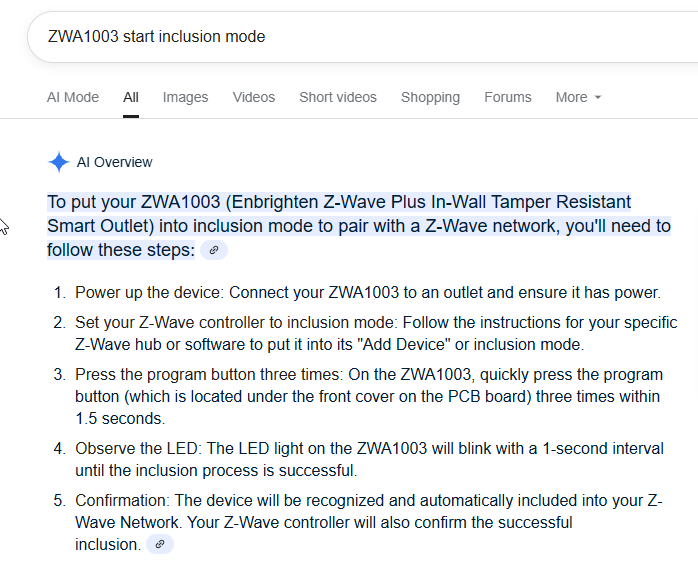
The AI summary says to press 3x, and the z wave alliance instructions say to press once so... 
Finding an actual PDF manual would be the best source but I dont have time to dig around for one at this moment.
If hitting the trash can icon is what you meant by "delete the smart start entry..." ---
I did that.
So, first I'll try one more time to get in inclusion mode.
But, one of my questions was, if that doesn't work, do I need to crawl back up there again to make sure it's in factory reset mode before trying your Smart Start steps you pasted?
Ok, did the three taps and hold to factory reset. Got the five blinks and power on/off like the instructions says. That always works.
Then tried the three taps--nothing. LED stays illuminated.
Started manual inclusion process anyway. Doesn't find it.
At this point, I will follow your instructions, assuming I have "Deleted the SmartStart Entry" by clicking on the trash can icon.
You should not need to factory reset it again if its already reset and has not been included to anything.
If you can power cycle it with a breaker in my sequence listed, that might help.
There are all some devices I think that don't go into SmartStart mode without manually starting inclusion mode for some reason. Normally a power cycle should kick it off.
1 Like
assuming I have "Deleted the SmartStart Entry" by clicking on the trash can icon.
I will try your app first
Ok, app definitely looks worthwhile! Thank you!
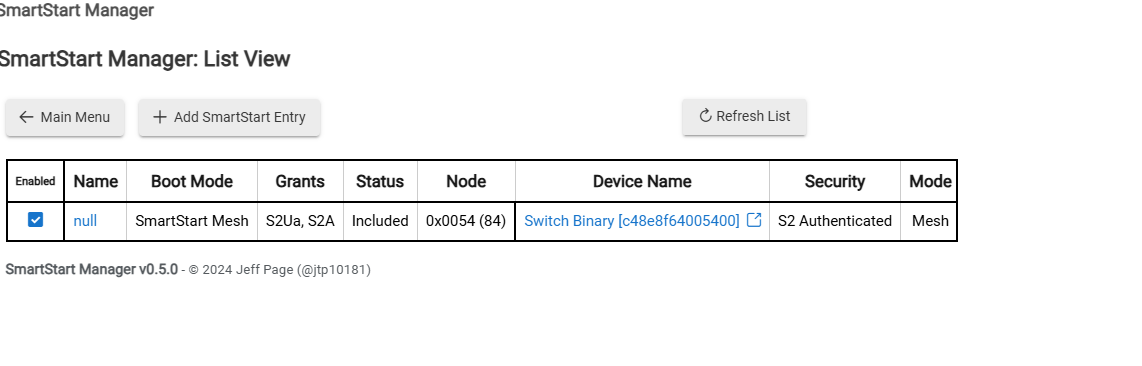
I see this in the app:
Is that the result of the aborted SmartStart process? Should I delete, or somehow fix it from here?
What does your Z-Wave Details page (in Settings) look like -- do you have one or more ghosts from inclusion attempts thus far?
If so, dealing with those ghosts needs to be the new priority.
Yeah, I read horror stories about that, so I checked the zwave details page.
But, if I've never seen a ghost, how do I now whether I have one? 
I do see a new entry there. Do I know it is a ghost because no route is shown?
Is deleting a ghost different than "deleting a smart start entry"?
Actually, it shows up in the device page. Can I just rename it and try it out?
Looks like the device already paired to me.
You might just need to go into that linked device and set the driver and name for it.
1 Like
State doesn't change when I try pushing on/off.
Another switch near by has no issues with a direct route to hub, so I don't think it is a range issue.
And, remember, the smartStart process from the mobile app never responded--I hit the trash can icon after about 1/2 hour.
Should I proceed with the steps you outlined?