In the driver or ?? By default in the driver they don’t do anything, I did add them into Hub Monitor and could add an option to ignore there fairly easy.
lol honestly I'm not sure where these alerts come from, as I use Hub Info, HIA, and Hub Monitor. I was assuming they come from Hub Monitor (given the first 2 words in the notification).

The more I think about it, as long as it comes from Hub Monitor, it's not a big deal. Think I'll just delete Hub Monitor (all due respect!), and move all that stuff to RM where I have more control.
Last Hub Info update was at 0449 today. I haven't hit any buttons to reset it yet in case you had any suggestions of what to look at first.
I have the following error on the app log. It's the same identical error both before and after 0449 when it stopped updating:
app:4172022-06-16 13:00:00.245 errorVariable length limit exceeded for HubInformation_html, value truncated, disposed: 145.15Free Mem421808 KBCPU Load/Load%0.03 / 0.75 %DB Size22 MBMax Evt/State Days31 / 7Last Restart2022-06-15 10:21:42 Uptime0d,18h,27m,56s Temperature95.0 °F ZB Channel0x14 (20) ZW Radio/SDK7.17 / 7.15
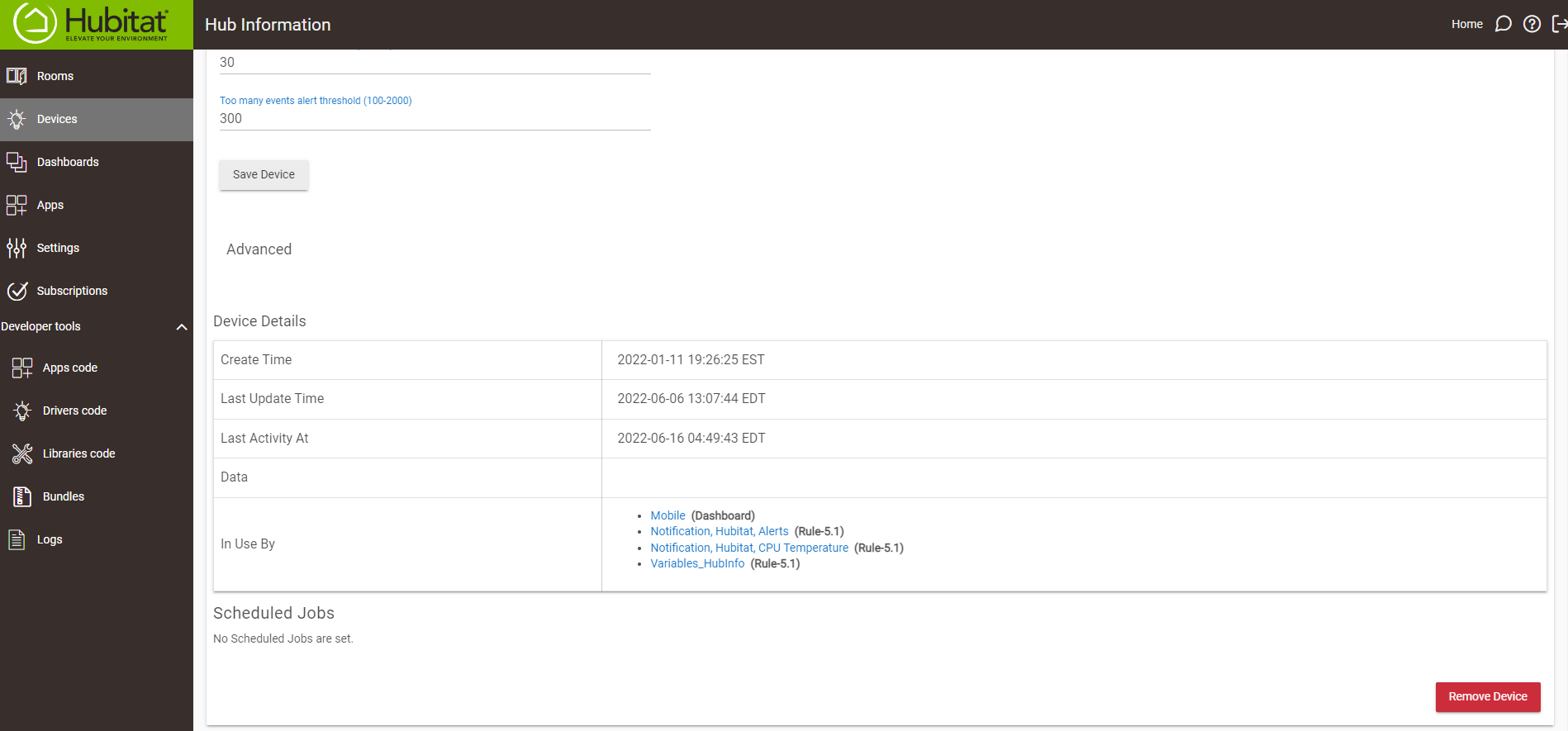
The amount of information being added to the tile exceeds 1024, but the driver checks the length twice so I’m not sure how it is getting past those.

Almost looks like your hub is losing its IP address. New release should fix that.
I just remembered that my router reboots at 0330 daily, that could be the of the Public IP update. 
Would it be able to recover, or could that be contributing to the lack of further updates?
Should recover from the 408, just letting you know on that iteration it timed out without getting a response. The other error is saying that the local IP address for the hub doesn’t resolve to what is stored, changed it to use the local loopback address.
Hub Mesh Data now included:
v2.6.34 contains a JSON string (hubMeshData) with the name, IP, offline and active statuses for each hubMeshed hub connected and a count (hubMeshCount) of hubs connected via hubMesh to this hub.
Interesting thing I noticed.
When I update through HPM on main hub it takes at least a couple minutes sometimes as long as five. On my second hub (much smaller database) it updates in seconds.
Is database the reason for this?
That’s my guess. Believe the hub does a database rebuild everytime it reboots.
I mean when I update Hub Information through HPM. No reboot.
Interesting. Thinking on it a couple of things that could impact including needing to wait for access to the file, compile time (the busier the hub the longer this will take), and possibly the number of other apps/devices already on the hub.
2022-06-30 thebearmay add shutdown command
 I have been secretly wanting this ever since I got a UPS but figured there might be a reason you never included it. Now I can remove the "Hub Controller" device I installed just for that function. Thanks!
UPDATE:
My longest and most complex rule, that I spent the most time making and testing, which never runs because I only loose power maybe once a year.
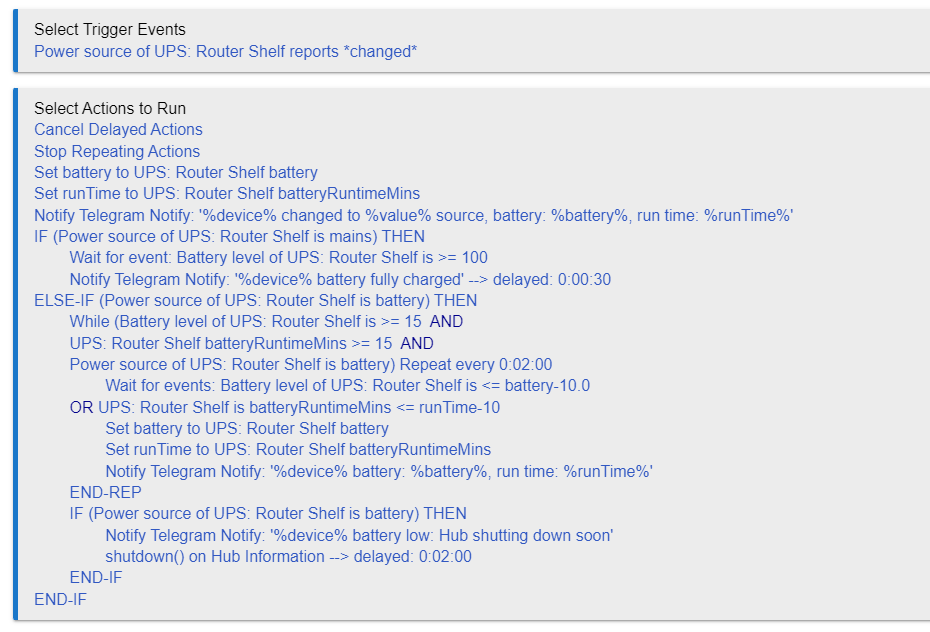
It's a constant work in progress. Reboot was added to handle a loss of DHCP issue - just didn't consider the power loss scenario to add shutdown until yesterday when it came up again.
I know I liked @jtp10181 's compliment of the shutdown addition... And for the most part I do like the neat little package that the driver is (well not so little anymore  ).... but that did get me thinking.... Whether it is worth having a split between control and purely information about the hub.
I'm really only raising this as an interesting topic, rather than a concern... I expose my Hub Info devices through Maker API so I can send the info to InfluxDB / Grafana. Technically by doing that I then make the reboot and now more importantly the shutdown command available via Maker API. I do get to limit the scope of access between local and cloud, but still... Like I said, not something I'm worried about, was thinking more so it might be a useful request for Maker API to include a single setting to stop calls to run device commands, like control of modes or HSM, effectively making the Maker API instance an "info" instance vs an "info and control" instance. The alternative would be to revert these drivers to split between control and info, but that doesn't solve the situation in all cases / drivers.
The work around is to create two instances of the Driver - one without Polling that allows access to the commands, and one with the reboot/shutdown option turned off to allow information only.
Good that you have thought about it, considering the gravity of what the driver provides. The Maker API change, I expect could be something others would like.... I guess we might soon see....
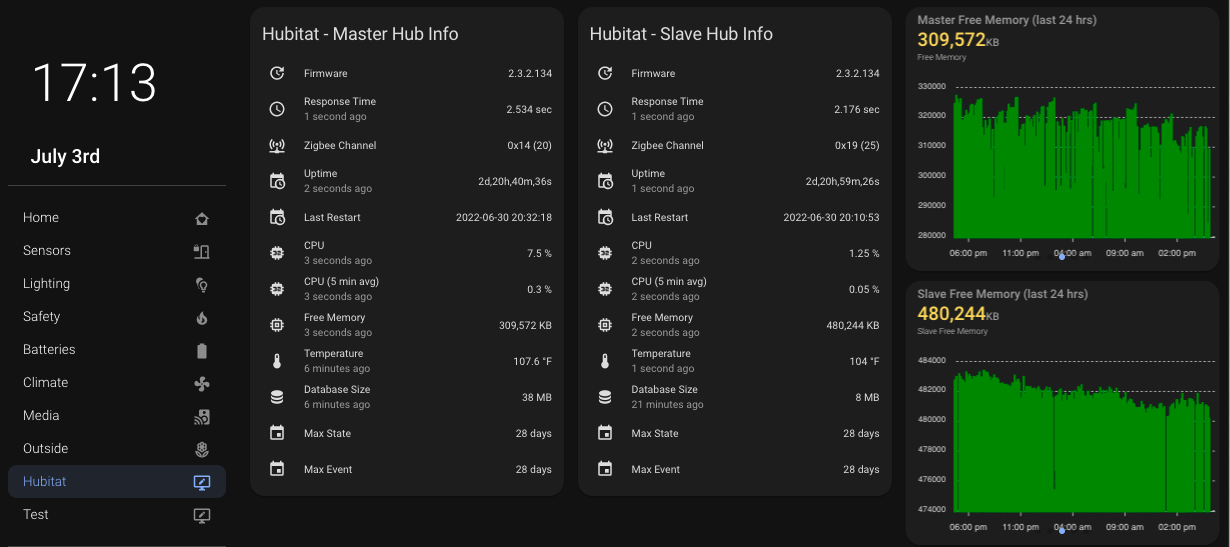
Is anyone using this driver alongside a home assistant dashboard? I've exposed this device to my home assistant via Maker API but I can only get the device to report hub temperature in home assistant. Any info would be greatly appreciated! Thanks!
I've setup Maker API to dump the device info into Node-Red. Once the data is in Node-Red you can setup a flow to transfer the data to an MQTT server in HA. You can then setup individual sensors using the MQTT platform in your configuration.yaml file.
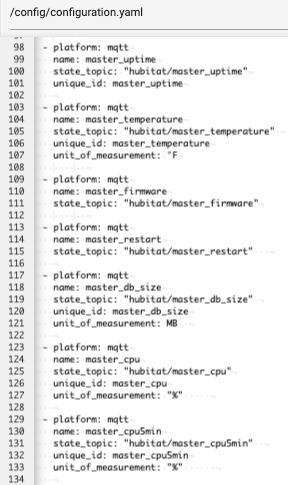
This should give you the ability to add the hub information driver into a HA dashboard.