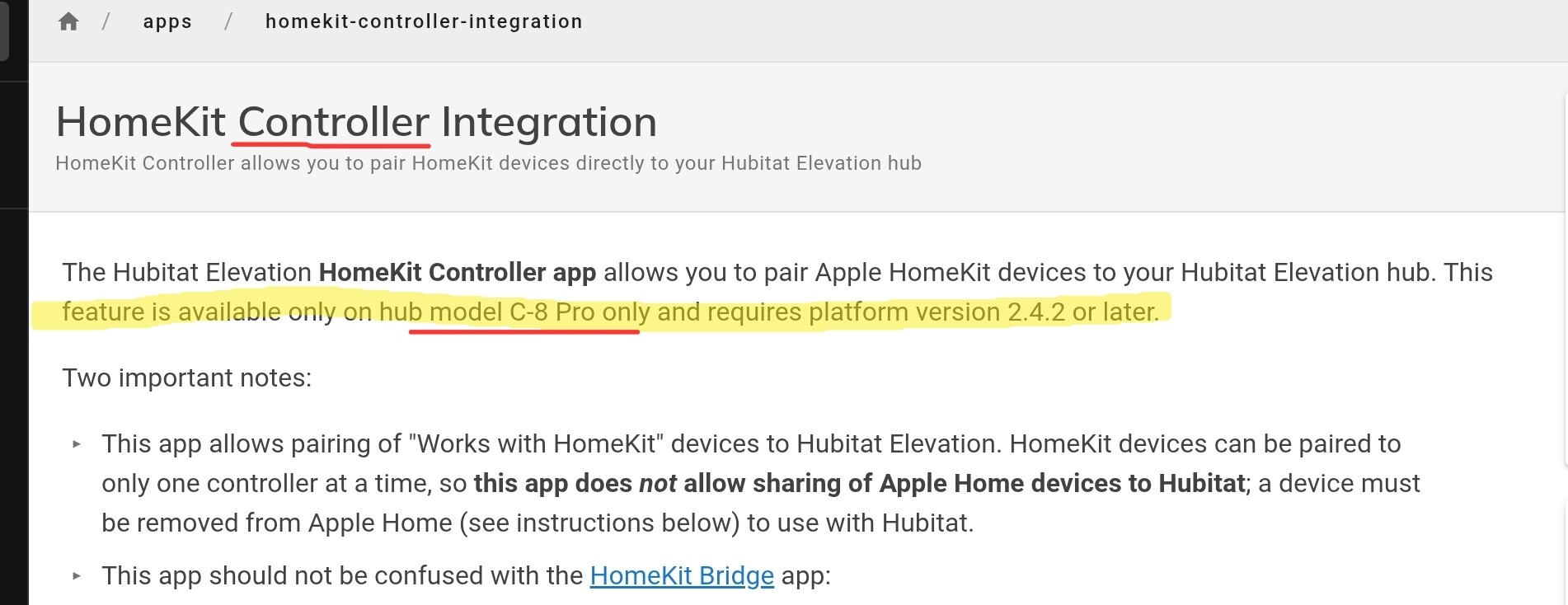
I am trying to remember (and a search did not find what I thought I remembered)....
But I thought the reason it is only available on the C8 pro was memory - that the C7 and C8 had not enough..... Or, am I just getting old and remembering things wrong?
If memory is the issue, does this driver resolve that issue?
@ramset I’ve installed this on my C8 Pro since I could not get my Thermostats to connect properly using the HomeKit integration. Yours worked flawlessly. Very well done.
I purchased a Custom App many years ago for SmartThings and then Hubitat to integrate my ECB TS’s and it has served me well. However, it’s a memory hog. It does however allow many more attributes. With that said, the only one I use that I can’t find with yours is “set fan run time”. With that, I can set the run time in minutes per hour for the fan/blower to run. I use this in a Webcore piston to set fan run times based on outdoor temperatures and indoor average temperatures. I also start and run all 8 of my ceiling fans when the HVAC blower runs.
Thanks John — really glad it’s working well for you.
On “set fan run time” (the minimum minutes-per-hour for the blower): that’s genuinely one of the few settings the ecobee doesn’t expose over HomeKit.
I tested it directly — changed the fan min-runtime on the thermostat and watched every characteristic, and nothing moved. The cloud API has it; HomeKit doesn’t, so there’s no native value to write.
But I added a way to get the same result, plus a few extras — all in the latest update (v0.14.0), so update via HPM or re-import the driver:
Set Fan Run Time (minutes) — runs the blower for the minutes you pass, then returns it to Auto. Your webCoRE piston already computes the run time from indoor/outdoor temps; just call this command each hour with that value and the blower runs that long. It’s driver-timed rather than the ecobee’s own per-hour scheduler, but functionally it matches what you were doing.
Ceiling fans when the HVAC blower runs — already covered: the driver has a fanState attribute that reads blowing when the blower is actually moving air. Trigger your 8 ceiling fans off fanState = blowing.
A few bonus things in the same update, since you lean on automations:
• Hold Until — set a comfort profile or a temperature for N minutes, then it auto-resumes the schedule.
• Boost — nudge the setpoint ± a few degrees for N minutes, then resume (quick warm-up / cool-down).
• onHold — true/false attribute, true whenever the thermostat is on a hold/override (handy for rule conditions).
• alertActive — true when the ecobee has a pending alert/reminder (filter reminders, etc.), so you can notify on it.
Give the fan run-time emulation a try in your piston and let me know how it behaves — happy to tweak. Thanks again for the kind words and the detailed write-up.
@aaiyar — yes, exactly. Because this is pure software (a Groovy driver that pairs to the accessory over the network), it isn’t tied to any special hardware, so it runs the same on a C5/C7/C8. And the approach does generalize — the same HAP pairing/session can talk to other LAN HomeKit accessories, not just ecobees. I’m actually exploring a generic version of precisely that (pair a HomeKit accessory, auto-map it into a Hubitat device); more on that once it’s baked.
@tray_e — I think a couple of things are getting crossed:
• The feature that’s genuinely C8 Pro-only is Bluetooth, and that’s a hardware reason — the Pro has a Bluetooth radio, the C5/C7/C8 don’t. Not a RAM/memory limitation.
• Hubitat’s built-in HomeKit Integration (exposing Hubitat devices to Apple Home) isn’t Pro-exclusive — it’s on the C5/C7/C8 as well.
• This driver is a different animal from either: it’s a HomeKit controller — it pulls a HomeKit accessory into Hubitat — it’s lightweight, and it runs on any hub. So there’s no memory issue for it to “resolve”; memory was never the constraint here. It’s just software making network connections.
Short version: nothing here is gated by RAM. The Pro-only bits are hardware (Bluetooth), and this driver sidesteps all of that by being software that runs on any hub.
Well aware of that. Homekit controller IS exclusive to the C8Pro on hubitat. That is why I was asking if anyone recalled why. I couldn't find the discussion my fuzzy memory was recalling though. But, I thought it was related to lack of memory on the older devices (the only real differences between the pro and the regular C8 are processing speed and RAM)
I reviewed my thermostat’s device footprint, which was 14 kb (thermostat plus 5 sensors).
After some code improvements, performance should improve—please confirm debug mode is disabled too.
While 14 kb poses no concern for Hubitat, the update should reduce it by a third. The % busy metric will also drop noticeably once debug is off. In the updated code version, debug is off by default and if enabled, it turns off after 30 minutes.
Is there by chance a table or something that describes the pro/cons comparing this solution to the others. I think of a few options that try to accomplish the same/similar stuff.
Built in Ecobee support
Ecobee Suite
Built in Homekit bridge
Built in HomeKit Controller
Ecobee through HA with Homekit
Are potential methods just to name a few. A few of those are local as i understand it.
I have tried a few of them and in the end always end up back to Ecobee suite for one reason or another. Thr last option i tried was the new built in Homekit Controller which kind of worked, but would fall on its face when one of my secondary sensors got added. A quick table showing what is supported vs other methods could be very useful for folks understanding how this will help them.
The HAP engine (pairing, encrypted session, port discovery, reconnect) now lives in a shared library (hapCore).
I pulled it out into a library because it’s now shared with my new HomeKit Import (Local) package — a driver set that imports any LAN HomeKit accessory into Hubitat (link below).
Same protocol engine under both, so any fix or improvement to pairing/session/reconnect happens once and benefits this thermostat and every imported HomeKit device — much easier to maintain than two copies drifting apart.
No setup change and no re-pairing — existing pairings are preserved.
Install note for existing users: v0.15.0 adds a required library, and HPM does not auto-pull it into an existing install (neither Update nor Repair brings it in). After updating you’ll see “library not found: #include RamSet.hapCore” until you add the library once, manually:
Thanks so Much @ramset. This won’t work for me as the fan/blower run needs to be random through the hour. The reason for this is….
I use the fan/blower to run all my ceiling fans. I have two Furnace/HVAC systems, and the ceiling fans are associated with each location of the HVAC.
I also have a Whole House fan that I have developed am automation that allows the system to pull cold air up from the basement when the HVAC Blower/Fan stops running and some criteria is met.
This means that the run time through an hour needs to be somewhat random and spaced throughout the entire hour to allow the basement to cool back down.
You are amazing my friend and absolutely love the passion. If/when Ecobee exposes the min fan run time through Homekit, then I can delete the old integration that I have been running for years that is a huge memory hog.
Your case may actually fit better than the native field, because what you want is randomized and rule-driven rather than a fixed per-hour number:
The driver has a Set Fan Run Time (minutes) command — runs the blower for N minutes, then drops back to Auto. Call it from Rule Machine / webCoRE with a randomized duration and start offset each hour and you get exactly the randomized spacing you're describing — more control than the ecobee's own min-runtime gives you.
It also exposes a fanState attribute (inactive / idle / blowing). Your whole-house-fan automation that pulls basement air "when the blower stops" can trigger directly off fanState leaving blowing — no guessing.
So the field you asked about isn't on HomeKit, but the behavior you're after — randomized blower runs plus a clean hook to start the basement pull when it stops — is doable on this driver, locally.
I am back and set this up. Easy to set up and works great, thx! I see you have progressed this further and even added helper apps. I set up contacts one which I used in the Ecobee Suite also. I don’t have vents or humidifier to test. I use a couple of others from the Suite that I can easily replicate as rules I am sure and your heuristics idea for vacation should work so I may be able to remove the suite also.
I have added a Comfort Profile NIGHT in addition to HOME, AWAY and SLEEP. At the moment that is not showing in the selector for Comfort Profile. I am waiting to see it will recognize the change in the profile when it switches to it this evening.
I dug into this exact question and tested it on my own thermostat, so I can save you the wait — ecobee doesn’t expose custom comfort climates over local HomeKit. Two things are going on:
1.	The selector (Set Comfort Profile) is intentionally fixed to Home / Away / Sleep, because…
2.	…those are the only ones on the HAP interface. I added a 4th climate and checked what the thermostat actually reports: the comfort characteristic only carries Home / Sleep / Away / Hold, and ecobee exposes exactly six per-climate setpoints (the three built-ins × heat/cool) — there’s no slot for a fourth. Custom climates are a cloud-only concept.
So when it switches to NIGHT this evening, I expect it’ll report comfortProfile = Hold (and onHold = true) rather than “Night.” One honest caveat: I tested by holding the custom climate, and a hold always masks as “Hold.” You’re about to hit the scheduled case, which I couldn’t cleanly test — so if you’d note what comfortProfile shows when it flips tonight (and grab a Dump Accessories while it’s on NIGHT if you can), that would close the last gap in my testing. I’d genuinely like to see it.
If custom climates are something you rely on, that’s the one area where the cloud (Ecobee Suite) still wins. That said, since NIGHT is really just a setpoint pair, a simple time-based rule (drop the setpoint, or set Sleep, in the evening) gets you the same behavior locally.
I also did the helper apps for the stuff that I have. My HVAC is highly dependable on the open contacts one…
I wasn't sure if the logic still applies to the newer model since i couldn't test. Absolutely stoked to see it holds and it mapped the whole thing — the thermostat, its own motion/occupancy, plus your Kitchen, Office, and Bedroom SmartSensors all came through as child devices. Good to finally have a newer voice unit confirmed on HAP; I only had my ecobee4 to go on.
Now the fun part: your dump actually made me walk back something I thought I had nailed. On my ecobee4 I added a 4th climate, put it on hold, and the comfort value read “3” — so I figured custom climates just collapse to “Hold” and aren’t visible over HomeKit. But in your dump that same comfort characteristic reads 3 while there’s no hold active at all (the hold-end field is the null date).
That tells me it’s reporting the actual active climate index, not “Hold” — which means my driver’s “3 = Hold” assumption is probably wrong, and a custom climate like NIGHT may actually be readable after all.
One caveat that does still hold: the per-climate setpoints are a fixed six (Home/Away/Sleep, heat + cool), so NIGHT’s setpoints themselves aren’t on the HomeKit interface — but which climate is currently active might be.
Could you grab a few readings so I can map it? What the Comfort Profile attribute shows (or the raw comfort value from a Dump) while it’s plainly on Home, on Away, and tonight when it flips to NIGHT — with no manual hold in place each time. If NIGHT lands on its own index, I can fix the driver to report the active climate correctly, customs included.
Setting NIGHT from Hubitat (and its setpoints) would still be limited to the three built-ins, but at least the readout would be honest instead of calling it “Hold.”
I am curious if the comfort profile can be called by name. I had to tweak a few lines in the suite to be able to call a custom-named profile from webcore.
It will be a week or so until I can play with this due to a cross country move. Shutting down our old house tomorrow but 2 Premiums with 2 sensors each are on their way to the new house from Costco. Great timing @ramset, and greatly appreciated!
On “Comfort Profile = Hold” — I’m actually mid-investigation on that. @MikeSas’ dump suggests the underlying value may be reporting the active climate rather than a literal hold, so the readout could get more accurate soon.
On calling a profile by name — honest answer: that’s the one thing local HAP can’t do the way the Suite does.
The Suite talks to the ecobee cloud, where climates have names/refs (that’s exactly why you could patch it to call a custom-named one from webCoRE).
Over HomeKit there are no names at all — the comfort control is a plain numeric index (Home/Away/Sleep = 0/1/2), and the custom names live only in the cloud. So “call NIGHT by name” isn’t on the table locally.
What might be possible once I finish mapping it: if a custom climate gets its own index over HAP, I could let you activate it by index (not name). I’m still testing whether the write even accepts anything beyond the three built-ins, so no promises yet.
The fully-local workaround that works today: NIGHT is really just a setpoint pair, so a webCoRE piston can “become NIGHT” by pushing those setpoints directly (Set Desired Temperature, or the heating/cooling setpoints) on your schedule. Not by name, but same result, no cloud.
And 2 Premiums with sensors — that’s the same class as the unit we just confirmed working, so you should be in good shape.
That's reasonable and how I did it with a previous thermostat. Having direct control with reduced overhead is a much bigger deal.
I reluctantly went back to Ecobee only because my wife had become used to the built-in Alexa. So it is such a treat to find that my biggest pet peeves have been solved.