One thing I didn’t see, which may be hidden in those parameters, is the minimum run time for a fan. That is how many minutes an hour that a fan will run irrespective of cooling or heating..
Unfortunately the fan minimum runtime per hour is not exposed over HomeKit/HAP. I set it to 5 and then 20 min/hr directly on the thermostat and watched every characteristic the ecobee exposes — including the undocumented custom ones — and none of them reflected the change. That setting stays internal to the ecobee; it doesn’t cross the HomeKit boundary. (Same as screen brightness and speaker volume — there are a handful of preferences ecobee just keeps off the HAP surface.)
What you do get on the fan side, all local:
• Fan mode (Auto / On) — readable and settable.
• Actual fan running state (fanState: inactive / idle / blowing) — so you know when air is genuinely moving, not just the mode.
• A manual timed fan-on (e.g. “fan on for 45 min”) registers as a hold, and its end time shows up in holdEndsAt — so a temporary fan run is visible and automatable.
But the recurring per-hour minimum specifically isn’t there to read or set. If that ever shows up, it’d be on ecobee’s side (what they choose to publish over HAP) — nothing the driver can pull that isn’t being offered.
Totally understand. Just offering up things I “don’t” see in driver as possible candidates for your “mystery” values.
Maybe one or more those are associated with the “ecobee Smart Security subscription”?
No, I don't have the security subscription and see it in my ecobee app (i.e. the cloud). They just don't make it available locally over homekit.
Quick follow-up on this — and a course correction that actually ended up better than the original plan.
I did flip motion/presence on by default like I said. But testing then turned up a real problem: when the thermostat device also carries MotionSensor/PresenceSensor capabilities, Hubitat’s HomeKit Integration can’t classify it and silently drops the whole thermostat from the HomeKit export. So “enabled by default” quietly broke HomeKit export for anyone re-exporting the thermostat to Apple Home.
Rather than make you choose between motion/presence and HomeKit export, I reworked it. As of v0.12.0, the thermostat’s built-in motion + occupancy are exposed as their own child sensor device (” Sensor”) automatically. So you get:
• Motion and presence, with zero uncommenting — ever.
• The thermostat stays a pure Thermostat, so it still exports to HomeKit.
• The sensor child can be exported to HomeKit too, as its own motion/occupancy accessory.
• And folks with no remote sensors still get the thermostat’s own motion/presence.
Just update/re-import and Save — a new “ Sensor” child will appear with motion and presence, no code edits. If your thermostat had vanished from HomeKit after enabling the capabilities, this brings it back. Sorry for the brief detour; the child-device route is the correct way to do it.
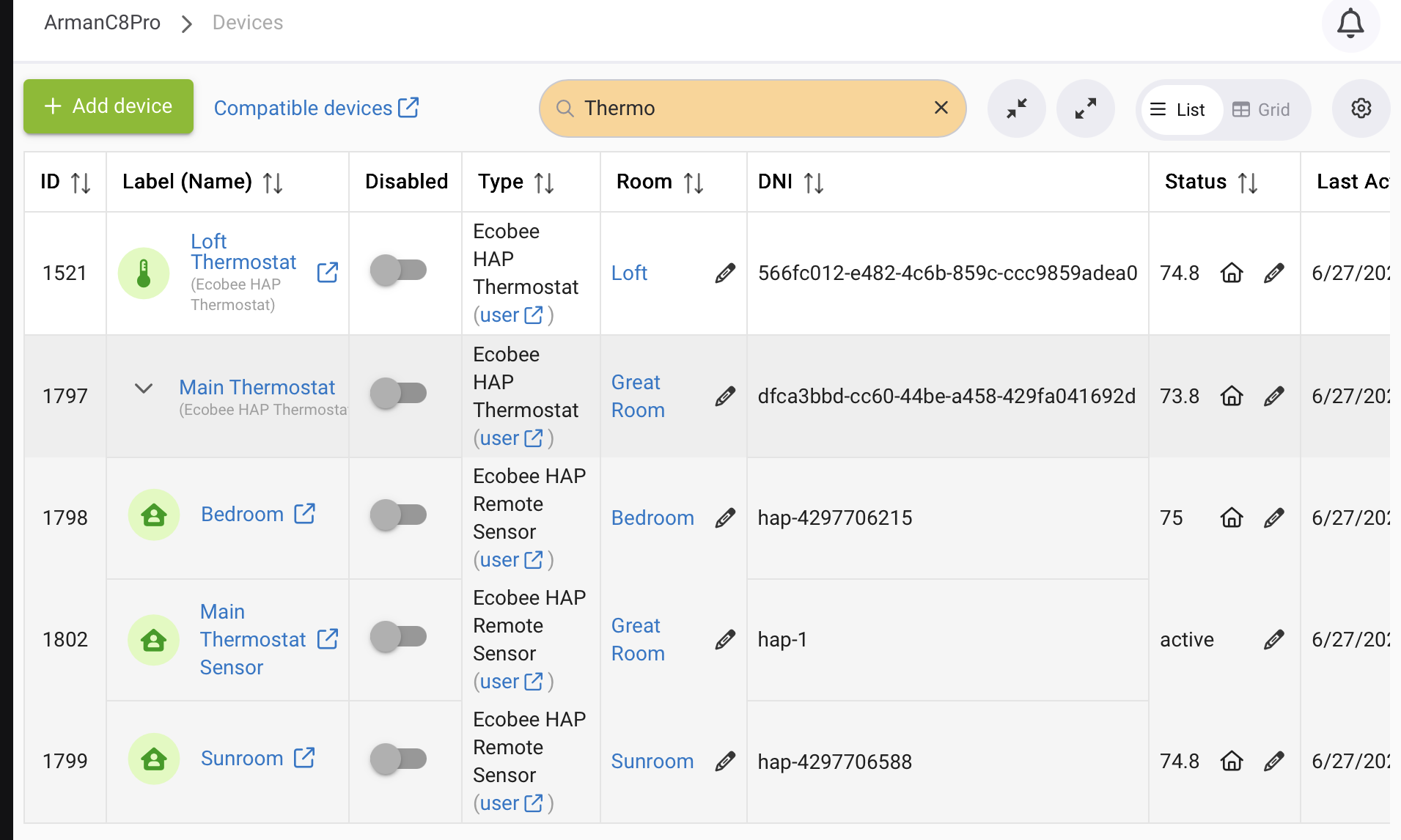
Not too sure why it does that.
Its because I didnt think of multi thermostat support and adding a second (n) one(s) is corrupting the flow (due to hardcoded stiff variables values).
Good find. Update the driver and let me know. I dont have 2 thermostats, so my changes are “theoretical.
Let me know if it works
The main is correct. Have sensor in bedroom and sunroom and in the thermostat itself.
The loft has no remotes, but should have the motion/persistence inside. Should make a sensor child, right?
Yes.
Now, with the updated driver, that one should show up as a standalone device too (properly).
Didn’t work so I unpaired at thermostat, removed the device instance, created new device, repaired, and still no child.
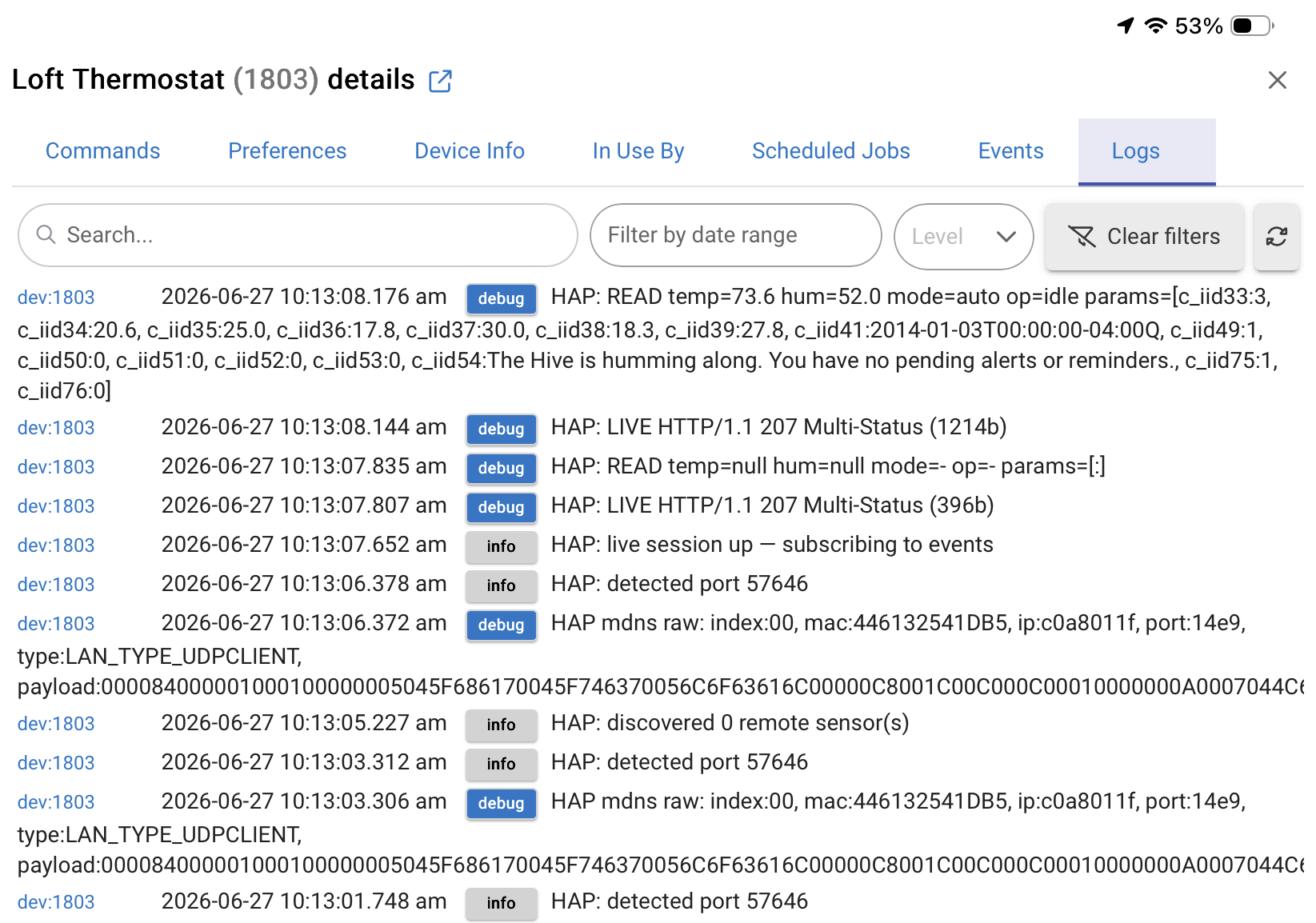
@ramset has confirmed that my “Ecobee3 Lite” doesn’t have motion sensors and I concur that his driver is properly handling both of my Ecobee thermostats.
None of the indeterminacy issues that I had with the HomeKit built in integration.
Thanks Ramset.
If you’re on a model I haven’t mapped (e.g. the 2022 Premium/Enhanced) and something’s missing, update to v0.12.3, click Dump Accessories on the device, and paste the ===== HAP /accessories dump ===== block from your Logs. That shows me exactly which services/characteristics your unit exposes so I can map it.
3 minor nits:
- This DEBUG appears to be permanently ON.
debug HAP mdns raw: index:00, mac:446132FCED30, ip:c0a801df, port:14e9, type:LAN_TYPE_UDPCLIENT………..
-
No way to turn off INFO logging
-
Somehow the “pairing code” box has reappeared and doesn’t want to hide again.
Working great…
All three fixed in v0.12.4 — re-import to pick it up:
• Added an Enable info logging toggle (default on); turn it off to quiet the routine info messages.
• The mDNS raw line is now behind debug logging, so it won’t print unless you enable debug.
• The setup-code box now hides whenever the device is paired (it was checking the wrong flag) — it’ll stay hidden after you re-import.
Glad it’s working great otherwise — appreciate the careful feedback.
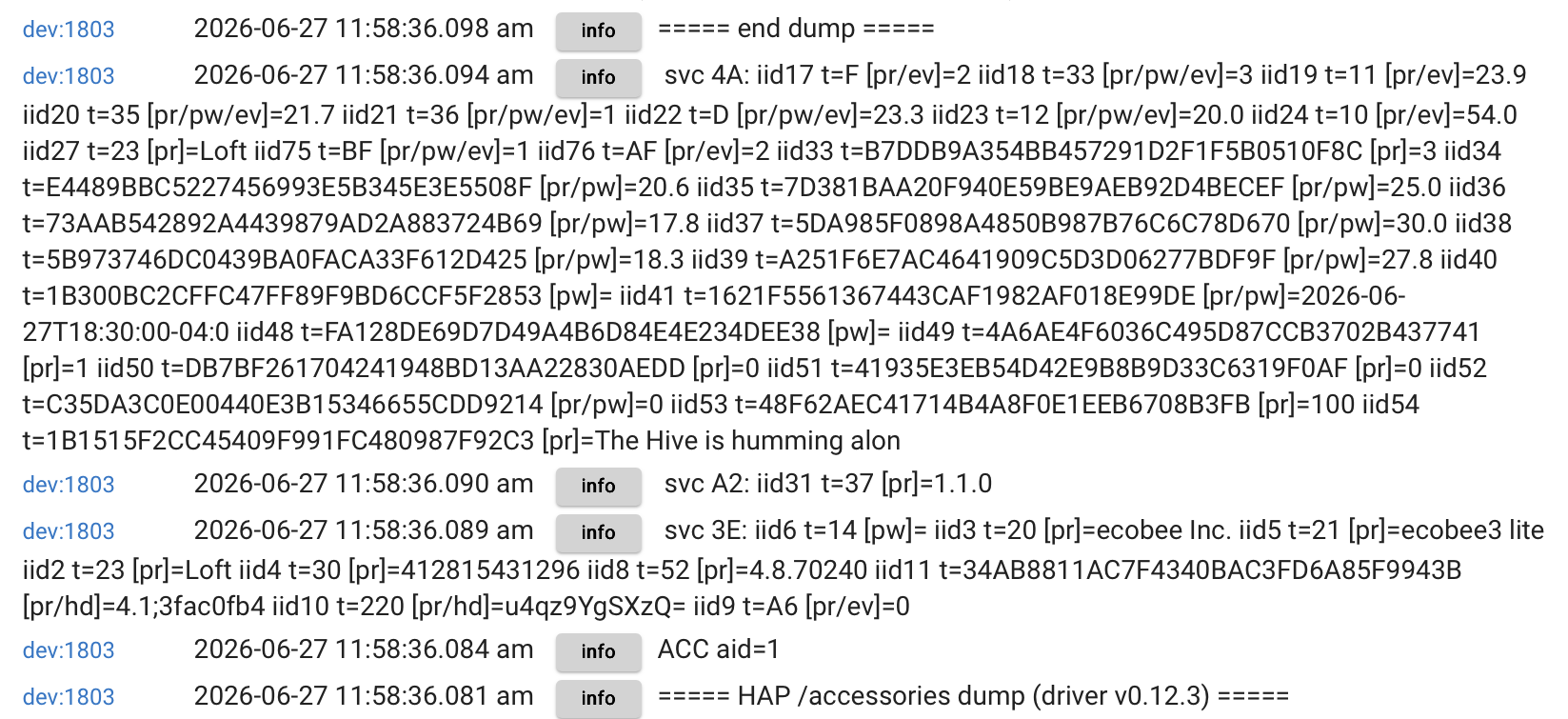
Perfect, that confirms it. Your ecobee3 lite exposes only the thermostat service — no motion or occupancy service and no remote sensors — so there’s nothing for the driver to turn into a sensor child. That’s expected, not a bug. And good news: the thermostat itself has the full control surface (mode, setpoints, fan, comfort profiles, alerts), so everything else works normally.
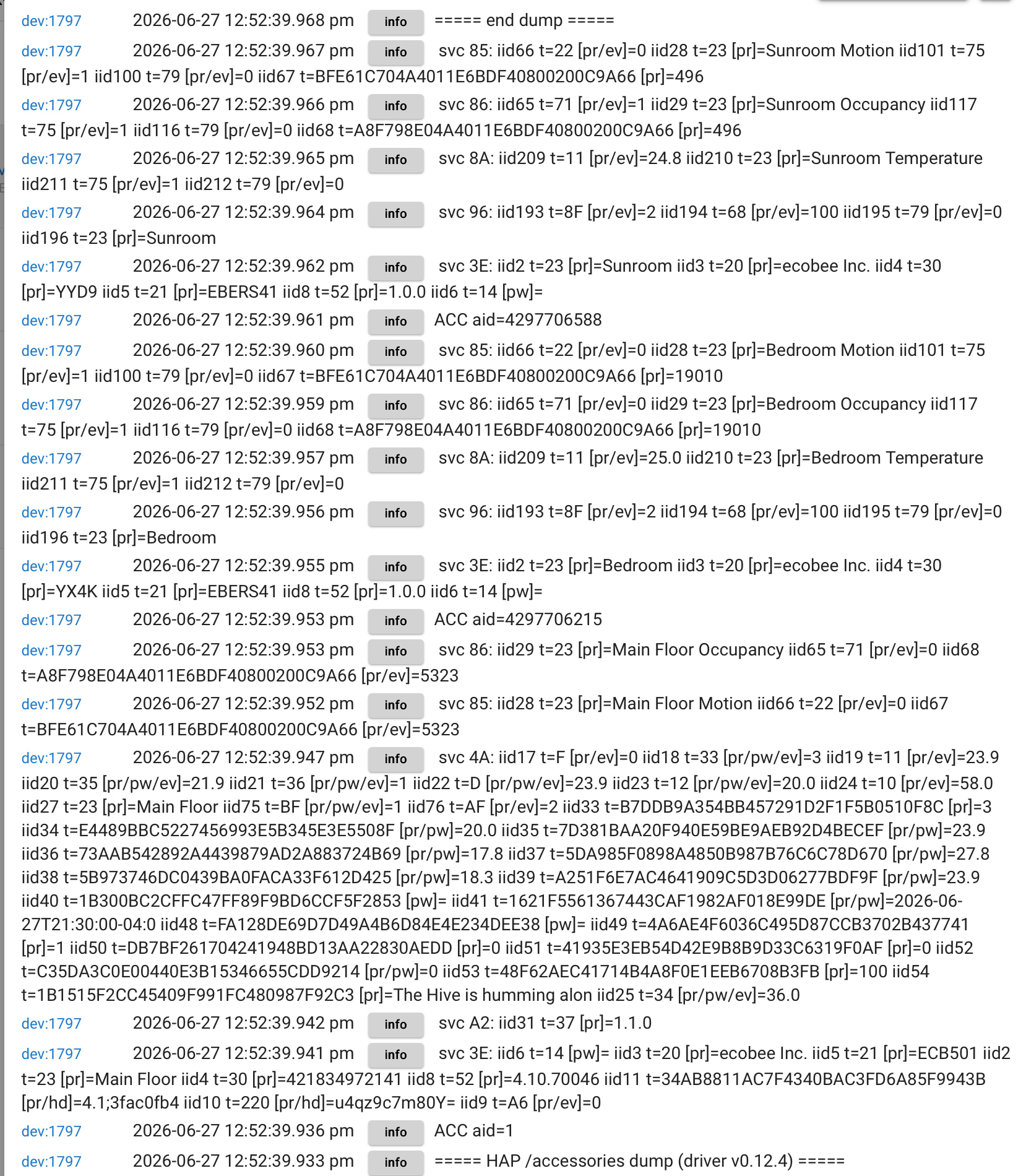
You know … now that I’m thinking about it …
Hold my beer …