Yes I did pair with S2. Do I have to get a whole new accessory to update the firmware 
Theoretically no, and with S2, I think you'd have the same issue if you use the "secondary controller" method of updating. However, I think it's easier sometimes.  You may wish to wait until the updater is updated for S2 devices (assuming that is possible and will happen). However, I think using a Z-Stick or other external/secondary Z-Wave controller is easier (and often faster), so you might want to anyway. Otherwise, it should theoretically work at the moment if you pair it with all S0/S2 options unchecked (you can re-pair with security if you prefer it that way after).
1 Like
See this confuses me, I’m 95% sure I joined two of my inovelli dimmers with S2. I’m using inovelli’s drivers and everything functions as expected (except the devices refuse to respond to a zwave repair)...
I haven't looked at Inovelli's latest drivers--it's possible they updated them recently, though it doesn't look like it. They've also always worked with S0, but last I checked, S2 required some extra work in the driver that most community authors were probably not aware of. I could be wrong about this particular device--especially if it's working for you, which is great! (But then I don't know what the other problem is. )
1 Like
Yeah I’m not sure what the deal is, I definitely entered in the DSK for the two devices, so I’m not quite sure how they are functioning. I should exclude and rejoin without S2 but I’m feeling lazy and don’t want to have to update a bunch of rules and apps again.
@Eric_Inovelli Hi Eric. When will S2 compliant drivers be released for the Inovelli switches/dimmers?
Ok so I paired the switch with no security to my C7 and then I am able to update the firmware on it. Thanks for the tip! Now it shows "Complete device is flashing". Is the flashing completed or something else needs to happen?
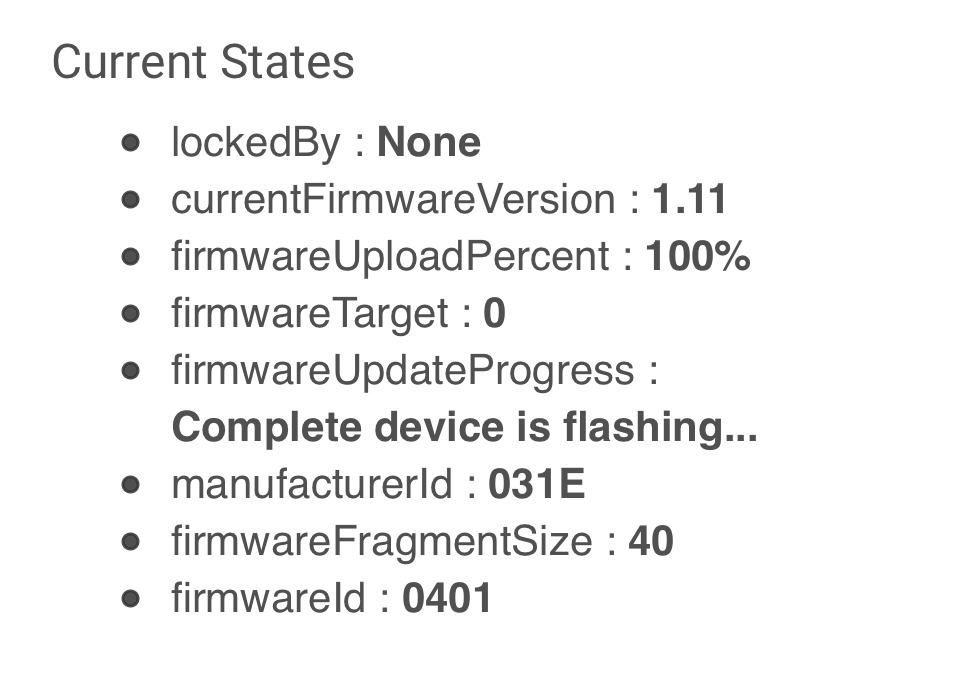
Yep. The "flashing" in that message means that something on the device itself is usually blinking. In the case of the Inovellis, my experience is actually sort of the opposite (LED bar blinks during the update, then the switch goes offline for a minute or two and "reboots" when done).
1 Like
Thank you for your help! The firmware updated successfully
So it does seem the updater needs to be updated to work with S2. Or it could be an issue with the C7 itself 
It's related to S2 (and possibly S0):
Tagging @ericm for this answer
2 Likes
To confirm, you followed the procedure described before about non-secure inclusion, shut down, rediscover, 3 clicks? I was able to get most of my house converted over but am stuck on three GE Enbrighten Dimmers with S2, sounds like the same situation as where you started.
I did 2 of the enbrighten non-secure and one secure. GE devices are single click, not triple click. Although triple click doesn't hurt anything.
On each I would do an exclude, then include. No reboots involved. I only rebooted on the couple of devices that never completed initializing.
I think S0 is off the hook. I just upgraded an LZW31-SN on S0 with both the firmware updater and the binary updater.
I strongly encourage you to not use S0 security unless you have no other choice.
If you have a choice, use nothing or S2, even on a c7 S0 sucks...
Mike - because of the network chatter level of S0? Or ?
Yes
1 Like
Good to know - if we get a choice, any of the S2 options are generally preferred over S0 from that perspective.
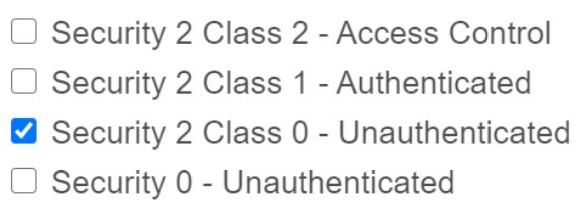
Correct.
1 Like
I agree. I've just been testing every combination of settings to try to narrow down the root cause elements of this bug and to answer questions from the thread.

