Importing the retry bundle and will keep you posted 
Ok, I have the retry version bundle loaded via the latest Govee_Download.zip via a bundle import. I did get an error on setup, but this was because I entered the API and went directly to setup, instead of clicking done first.
I've tried basic on/off, loading effects via LAN, effects loading via cloud and so far no issues, loops etc. We'll see how it does with the evening and morning routines and I'll let you know here. Retrys are set to 2, 3000 ms interval as per the defaults.
In a few of my tests, the app did indeed do a retry. The hub, app and devices are all behaving quite nicely with snappy response using LAN control and LAN scenes. Great job on the code fixes!
dev:8302025-12-12 10:46:34.189 PMinfoGovee Outdr LED-House Level was set to 60%
dev:8302025-12-12 10:46:34.079 PMinfoGovee Outdr LED-House was turned on. No retry needed
dev:8302025-12-12 10:46:33.827 PMinfodevStatusWait(): Max wait for Device status reached. Resetting Device Status state to ready
dev:8312025-12-12 10:46:32.787 PMinfoGovee Outdr LED-Garage Level was set to 60%
dev:8312025-12-12 10:46:32.484 PMinfoGovee Outdr LED-Garage was turned on. No retry needed
dev:8312025-12-12 10:46:31.918 PMinfoGovee Outdr LED-Garage ActivateDIY: 1002
dev:8312025-12-12 10:46:31.915 PMinfoGovee Outdr LED-Garage SetEffect: 1002
dev:8302025-12-12 10:46:30.425 PMinfoGovee Outdr LED-House ActivateDIY: 1002
dev:8302025-12-12 10:46:30.420 PMinfoGovee Outdr LED-House SetEffect: 1002
dev:8312025-12-12 10:46:20.539 PMinfoGovee Outdr LED-Garage was turned off. No retry needed
dev:8302025-12-12 10:46:19.255 PMinfoGovee Outdr LED-House was turned off. No retry needed
dev:8312025-12-12 10:45:44.368 PMinfoGovee Outdr LED-Garage Level was set to 60%
dev:8312025-12-12 10:45:44.115 PMinfodevStatusWait(): Max wait for Device status reached. Resetting Device Status state to ready
dev:8312025-12-12 10:45:41.114 PMinfoGovee Outdr LED-Garage was turned on. No retry needed
dev:8312025-12-12 10:45:40.540 PMinfoGovee Outdr LED-Garage ActivateDIY: 1002
dev:8312025-12-12 10:45:40.536 PMinfoGovee Outdr LED-Garage SetEffect: 1002
dev:8302025-12-12 10:45:39.841 PMinfoGovee Outdr LED-House Level was set to 60%
dev:8302025-12-12 10:45:39.653 PMinfoGovee Outdr LED-House was turned on. No retry needed
dev:8302025-12-12 10:45:38.987 PMinfoGovee Outdr LED-House ActivateDIY: 1002
dev:8302025-12-12 10:45:38.982 PMinfoGovee Outdr LED-House SetEffect: 1002
dev:8312025-12-12 10:45:19.102 PMinfoGovee Outdr LED-Garage was turned off. No retry needed
dev:8302025-12-12 10:45:17.859 PMinfoGovee Outdr LED-House was turned off. No retry needed
In the random information category, running the Govee Pro lights from an ESP32 and 36 volt power supply works a treat:
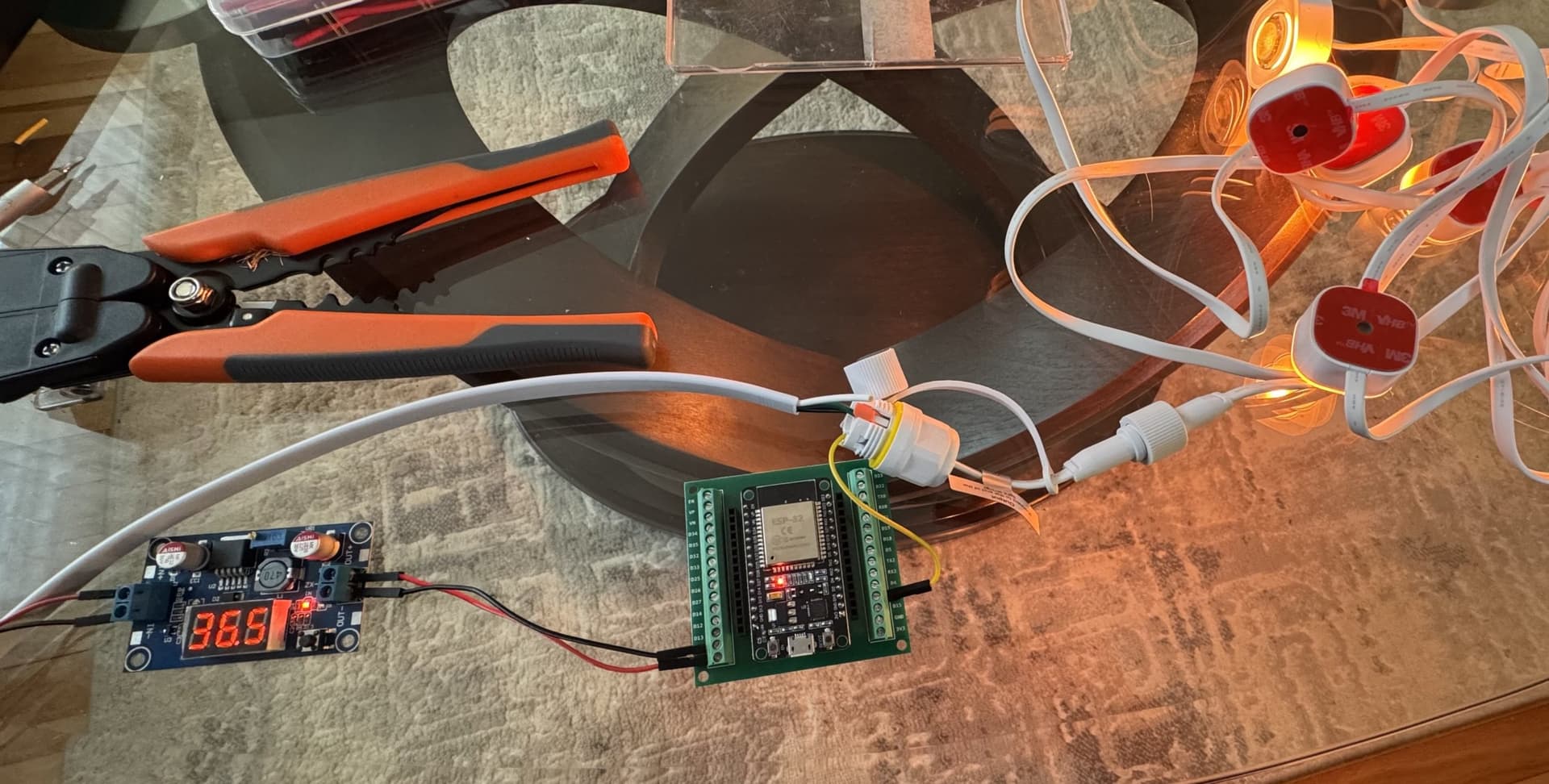
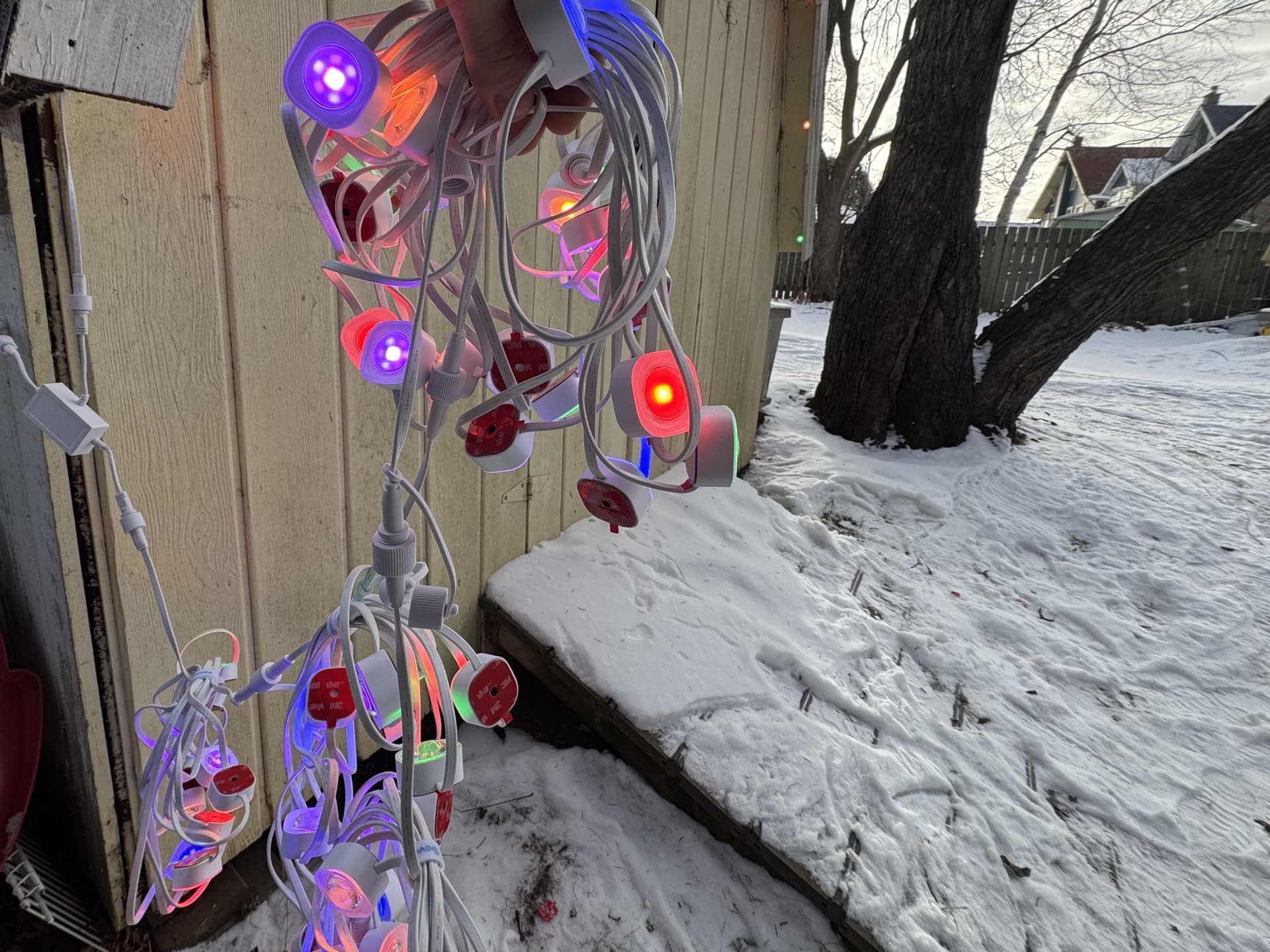
and the ASAHOM type B "T" splitter works 100% to T off a string but still have it magically addressable by the Govee app. Ran a quick test here to see if if would work with 5 strings after the T, and yep..it does. My final setup is Govee power/controller -> 3 Govee Pro strings -> AsaHom splitter input on the corner of the garage. Then 16 feet of Govee Pro extension cable off the Asahom splitter branch to 1 Govee Pro string on our shed. The Asahom splitter output then carries on to address the final 3 Govee strings around the garage. Kind of a game changer!
4 Likes
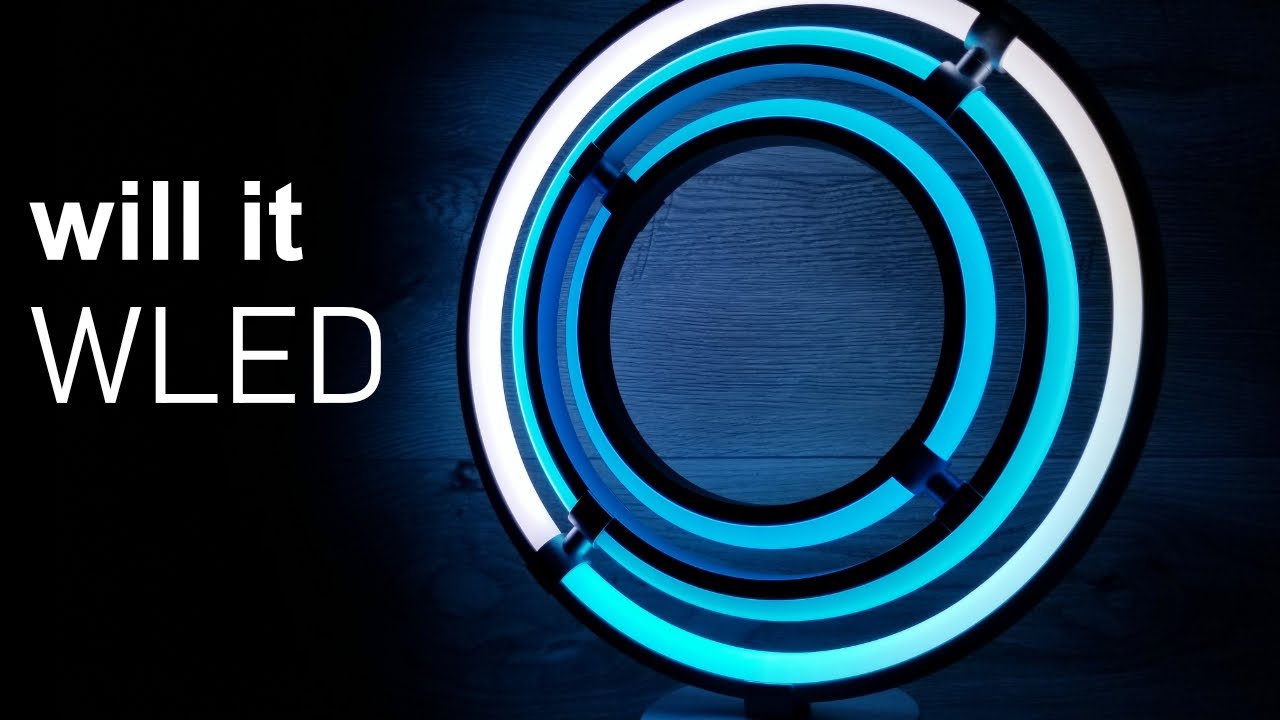
You are like YouTuber Chris Maher. He has started a series "Will It WLED?" Here is episode 7:
2 Likes
Yes…I wished I had gone over a bunch of his vids before I bought the Govee lights! It is nice to know that you can roll your own power and controller for Govee lights outside of warranty. I am going to shoot a quick vid on the build.
@mavrrick58, everything worked a treat on the night timer off, overnight motion triggers, and morning routines as well. In the version pre-retry sometimes the lights would come on, sometimes not. Now v2 looks to be as reliable as the simple built in Govee LAN integration.
2 Likes
I want to change my permanent outdoor lights to WLED but afraid I would screw it up. On others, if you screw it up, you throw away and buy another. Screwing up my outdoor lights means climbing back on roof. 
That light in video I posted is cool. I'm tempted to buy and WLED it.
1 Like
Crazy stuff...but our kind of crazy. 

Just have to be careful about what device to try. Wled seems like it would work well for devices that are RGBIC with the traditional 3 wire setup.
I had a lyra lamp fail and pulled the control board out to look at it. The RGB strip in it has a strage 6 or 7 wire setup thay probably would of been difficult with wled.
1 Like
WLED supports a surprising collection of hardware: Compatible LED strips - WLED Project
I’ve hooked up the Govee string in reverse, and inadvertently fed the ESP32 12V instead of 5V..no issues. I figure the only gotcha would be getting red (36V+) blue (ground), or yellow (data) mixed up.
What wled controlls do folks recommend. My biggest concern with wled is most of the controllers seem very DIY.
Funny, I think that's what many of the DIY'ers think is the best part. 
But I agree, if I was going to get into it I'd want the simpler version...
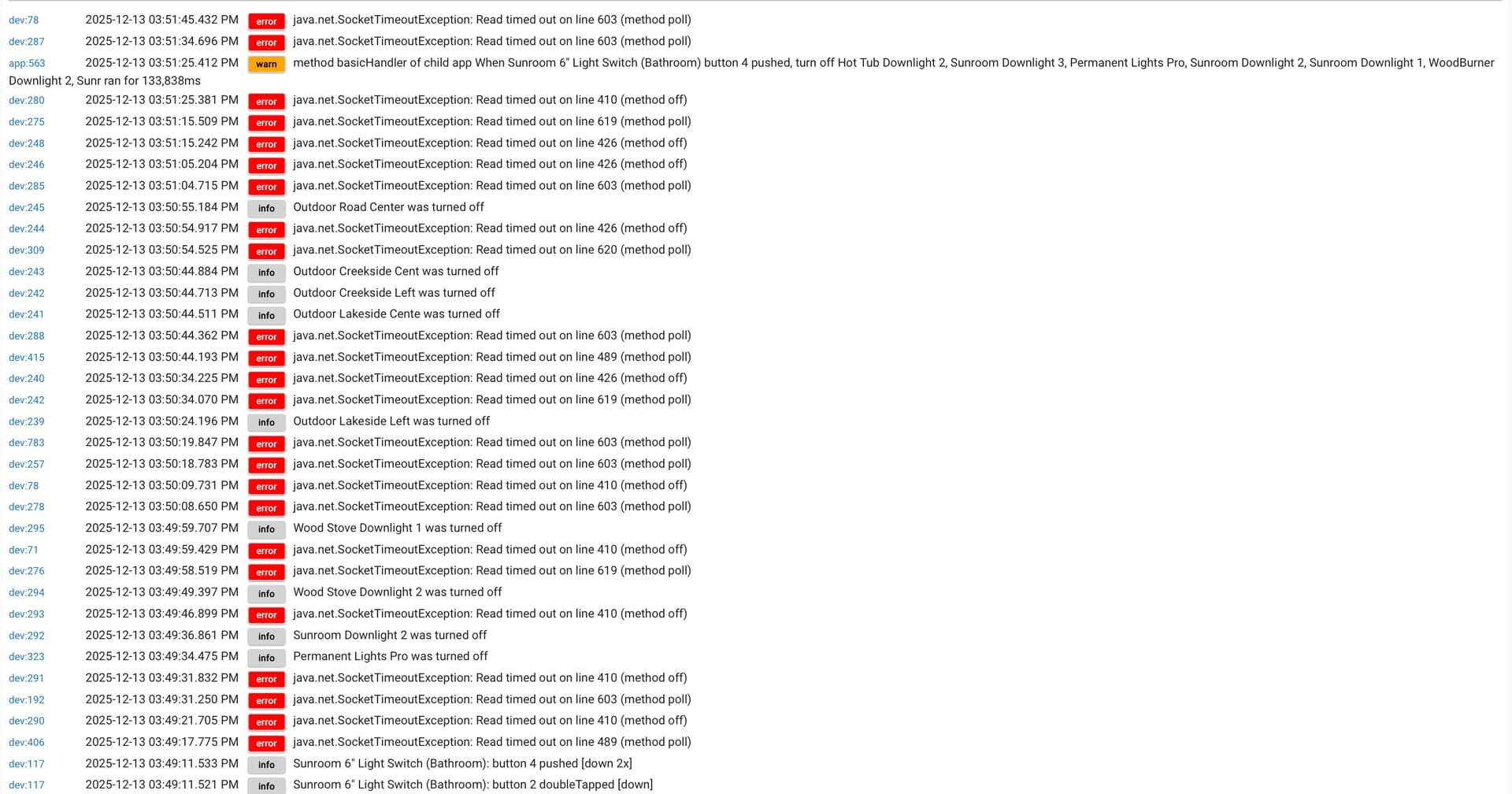
I've been following this group for a while and I'm impressed with the technical acumen of all things Govee in this group. I normally find my answers just reading through the thread. Thank you. But I'm stumped right now. The other day I started to see my system performance slow way down. Looking through the logs, I see a lot of time out errors. I have 82 govee lights (mostly recessed, bulbs and outdoor wall lights). I uploaded my last good backup and now it has the same issues. I am using only the cloud API and a few govee basic scenes. All ZOOZ switches in smart light mode.
I've attached a couple logs. All help is greatly appreciated.
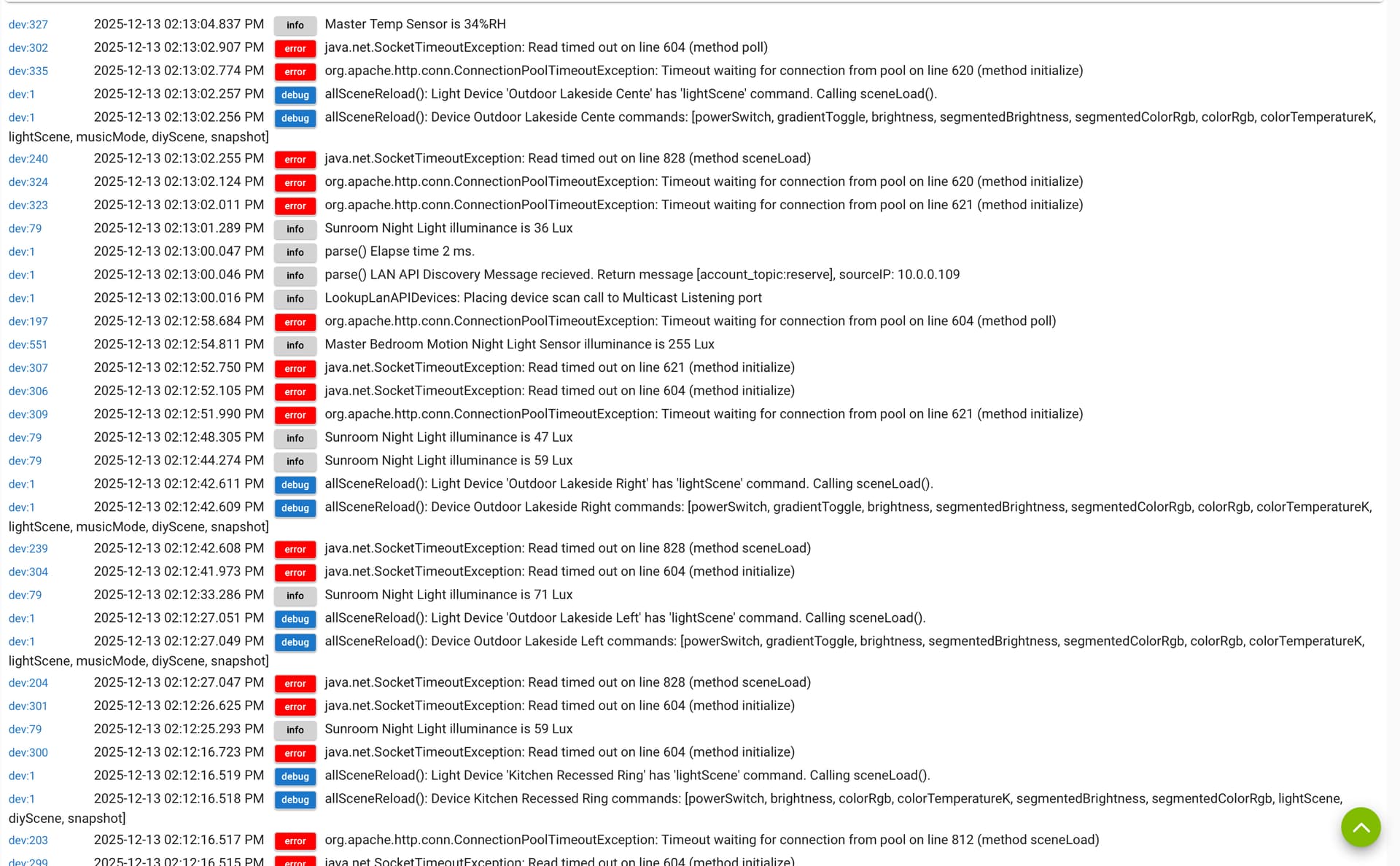
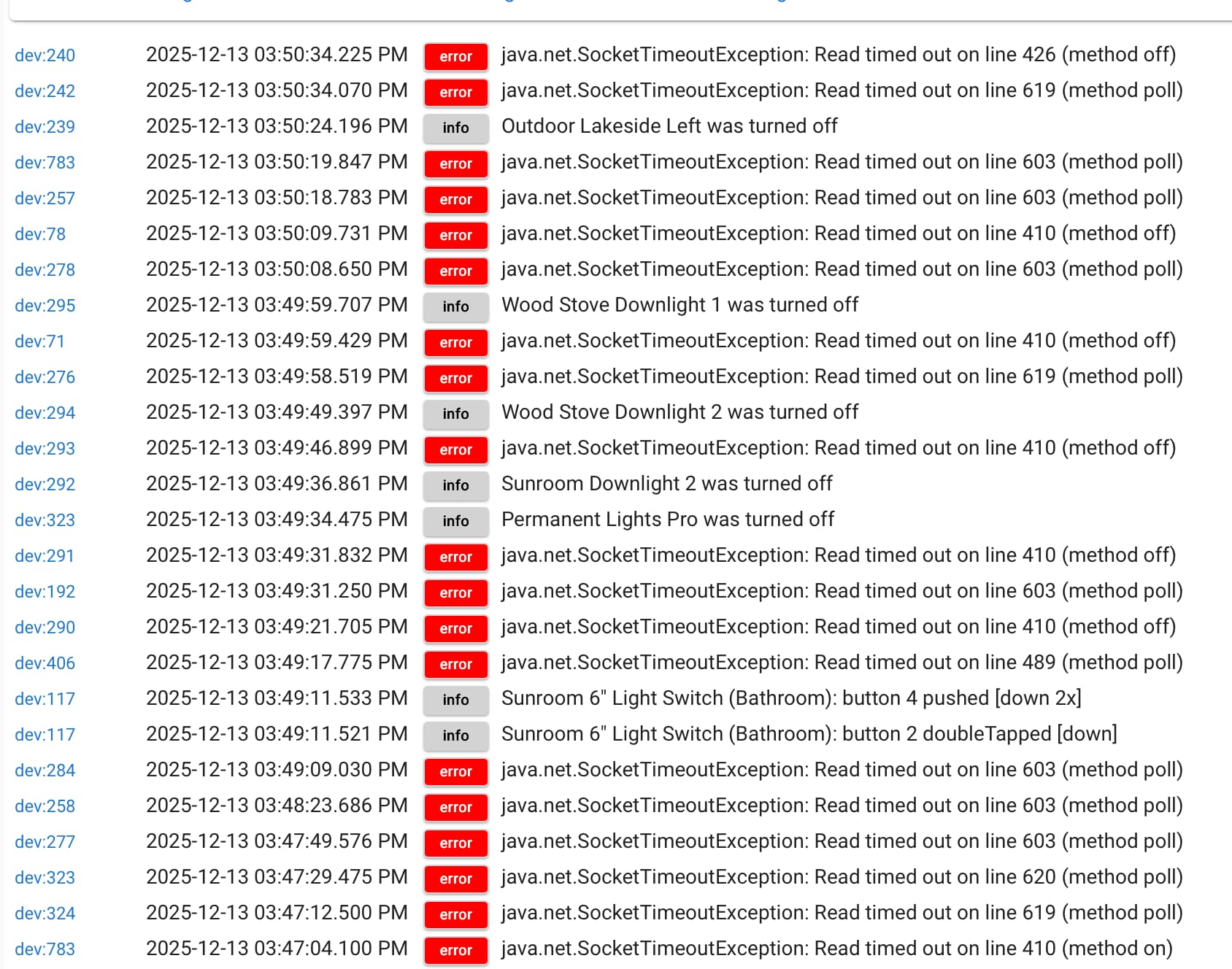
To potentially help @mavrrick58 and others w/troubleshooting:
-
How recently have you updated the Govee integration, and the source of the update (as in from HPM vs. the recently provided "Bundle.zip" download posted in this topic)?
-
What hub (C5, C7, C8, C8-Pro) and what platform version?
Thanks. I updated last night using HPM. Using a C8 Pro.
Timeout messages like that indicate the Govee Cloud is having some kind of problem.
This has been going on for a week or two. I disabled all Govee devices and then the v2 integration app. Then rebooted my controller and enable all Govee devices and the app. Then the time outs only affect the devices I'm controlling at that moment. But by the next day, every Govee device will start randomly timing out. I've also noticed a few of my Govee devices show cloudAPI "pending". But the timeout affects way more than the handful of pending devices. Is there a way to reboot my connection to Govee Cloud? Or, I'm I on the wrong track? Note: All my Govee devices work fine and are quick to respond using the Govee App. Thanks for the help!!
No. Unfortunately when a cloud service has a issue there isn't much we can do but report it to the cloud owner.
Yea, wrong tack. Govee needs to resolve the problem on their end. This isn't a single person issue but everyone. I have most of my devices using LAN API, but some just simply dont support that connectivity option. Because of that i can see the failures on those devices.
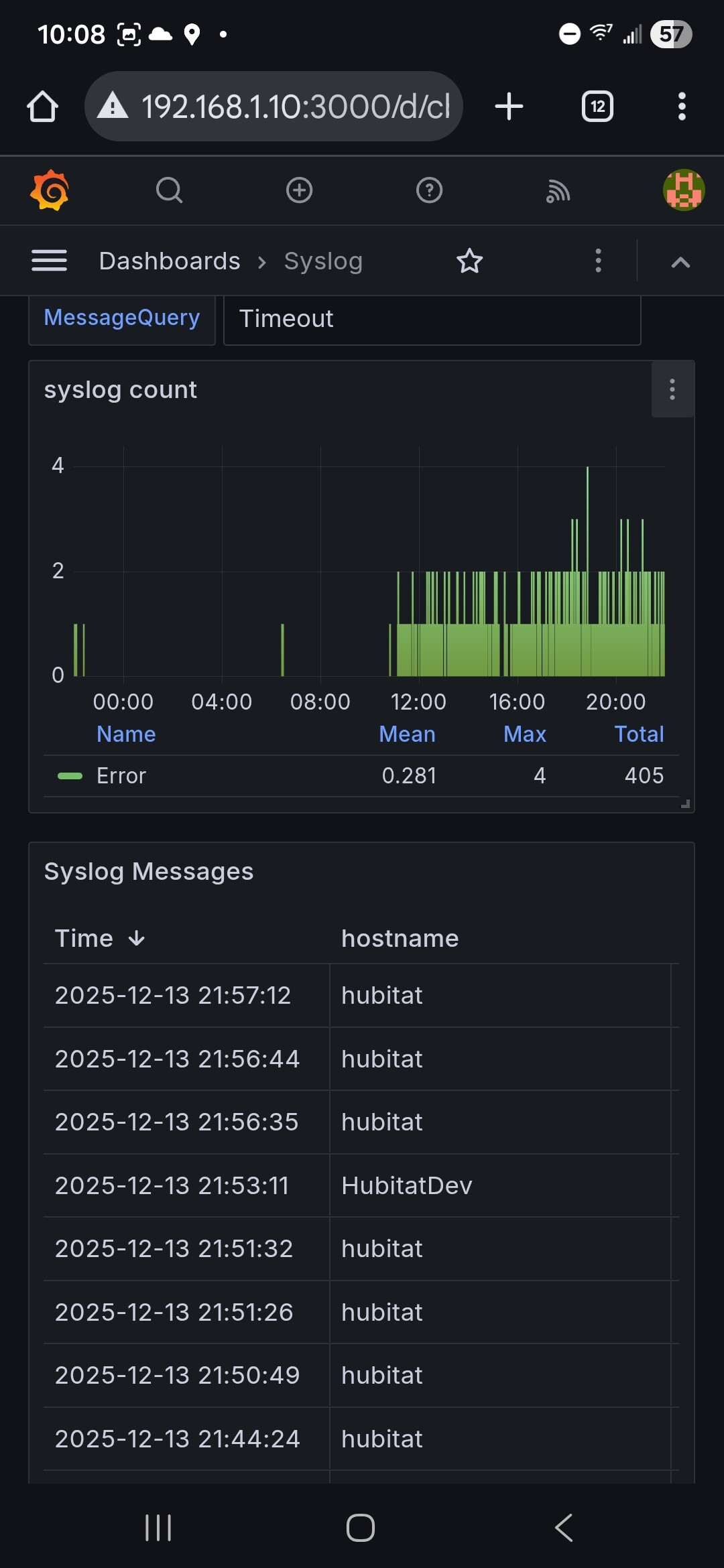
To me it looks like it has been happening since a bit before noon today. I have seen it on and off the last few days actually.
I would suggest everyone having issues opening up a support case with them and explain that you are seeing timeouts when the integration you are using is trying to communicate with their cloud.
Your phone can use both Bluetooth and the Govee Cloud. Also your phone talks to Govee services hosted in the AWS cloud so may not be exactly the same API's as there developer API for integrating expeternal systems use.
Will do. Thanks again.
This one will work for most applications, but it is limited to 24 volts. You just plug in the power supply and connect Power/ground/signal to the lights. It has an onboard mic. There are many similar to this out there as well.
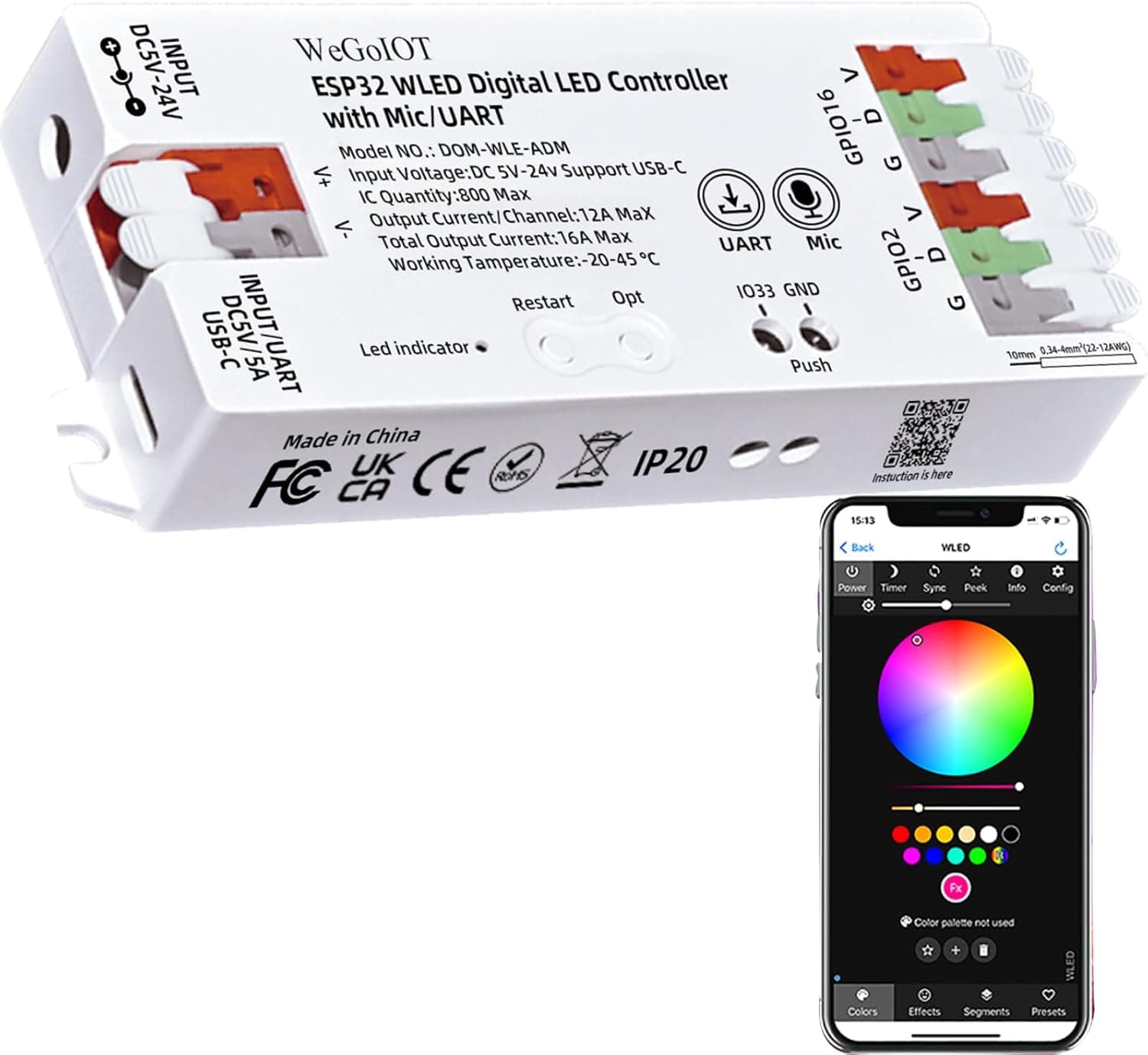
The Govee Pro lights though are 36 volts, so you need a 36 volt power supply connected to the power (red) and ground (blue) of the Govee lights. You could power that same controller linked above via a USB-C charger with just the signal wire "D" from the ESP32 connected to the yellow Govee data wire. I've got some waterproof boxes and standoffs to mount up the bits, for a fairly refined end result that is usable outdoors.
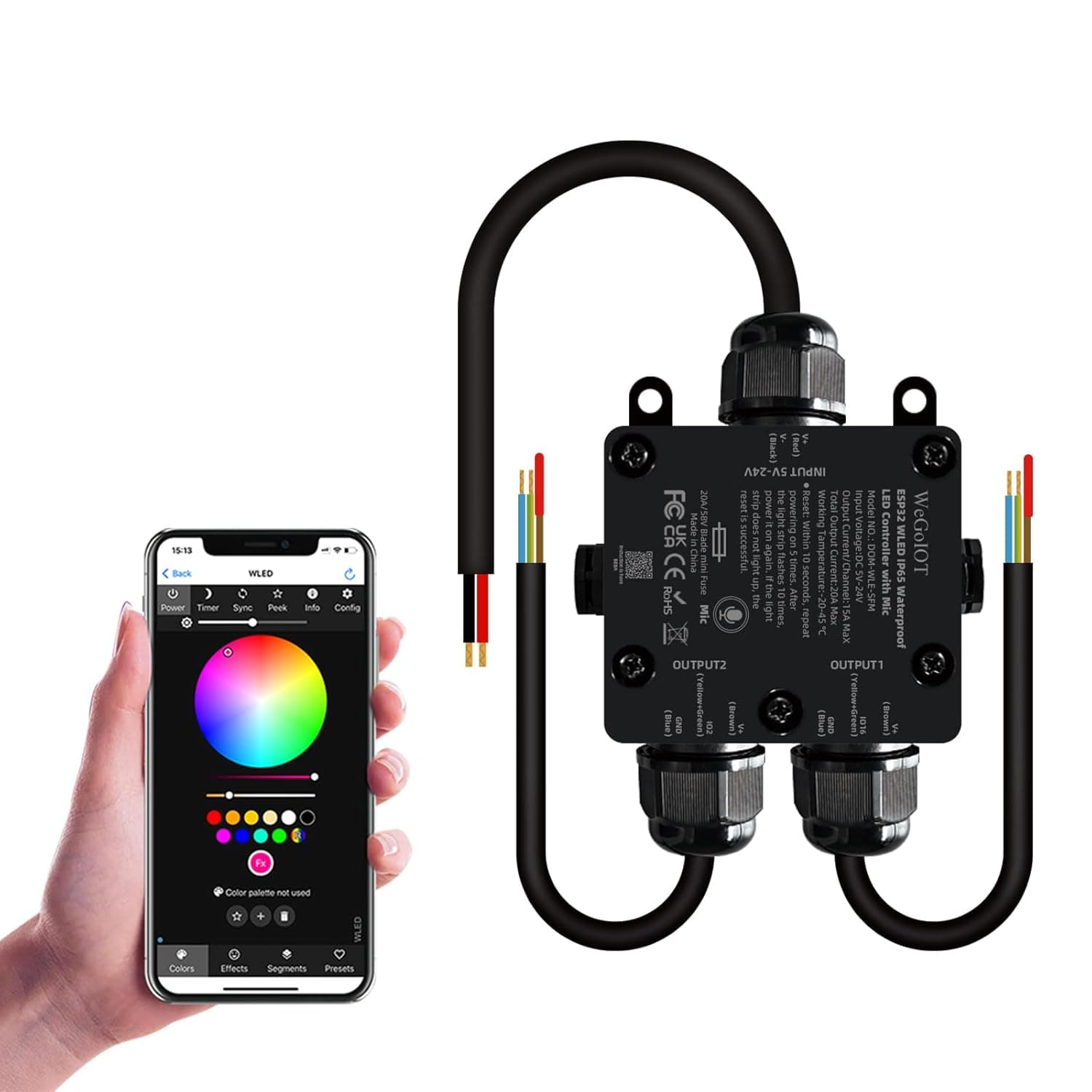
Same idea with this one, but it's waterproof. Both have two outputs so could be programmed to independently control two different strings of Govee lights.
I'm stuck on the correct sequence of steps to take.
Clicked Import GitHub bundle download (updated retry logic)
I don't see an option to "Load" after the import is done....
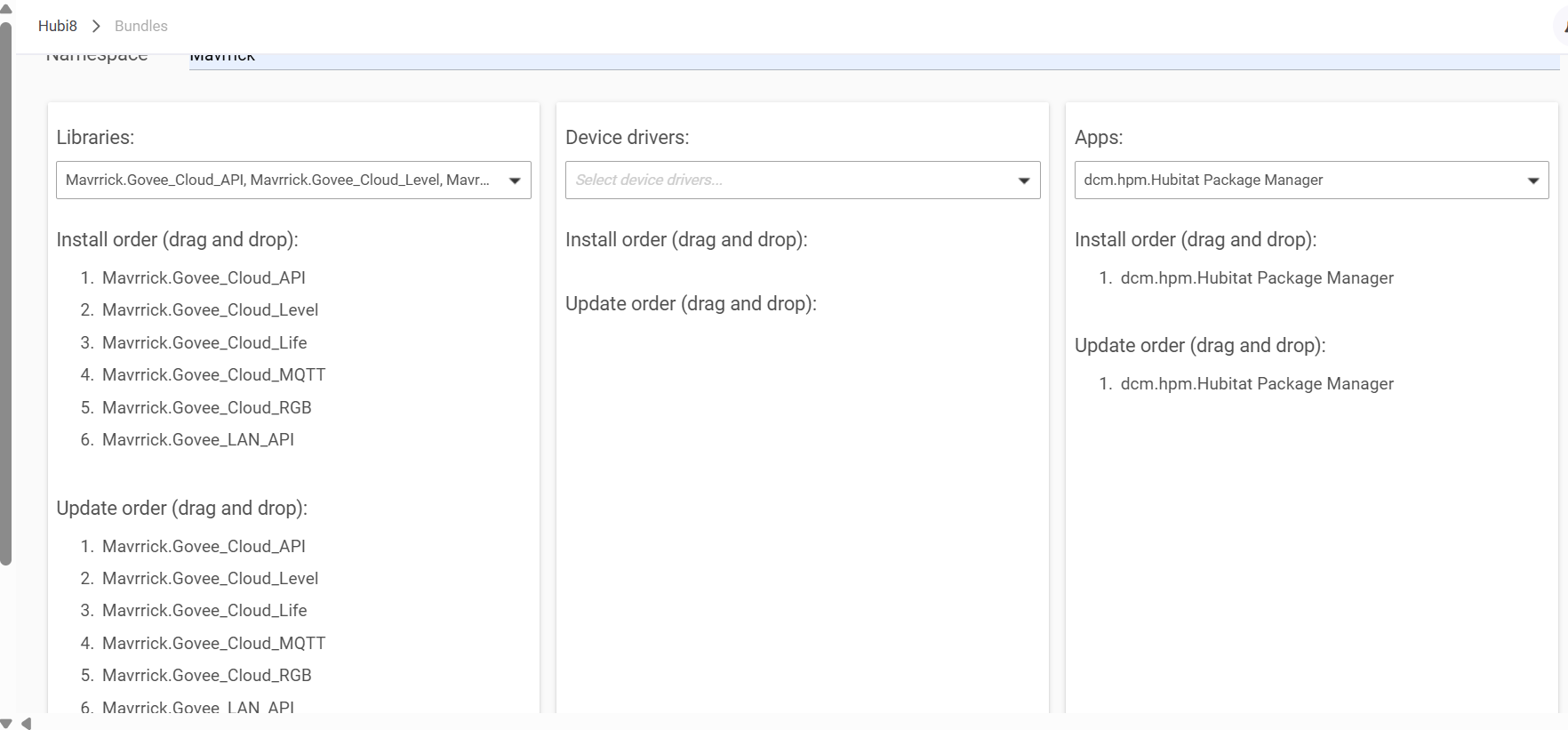
Check the post linked below on how to do it.
1 Like

