It's not possible on any platform to directly bind devices across protocols (e.g. ZW + ZB). However, you can directly bind ZB devices together (zigbee direct binding), or ZW devices together (z-wave direct association).
To control a ZB device with a ZW device (or vice versa, or whatever other mix of protocols), that must be done via hub automation, such as Rule Machine, Button Controller, Webcore, etc etc.
There is an app out there called "Switch Bindings", but its name is unfortunately misleading -- it does not actually bind the devices together - it's simply a different flavor of hub-based automation.
ETA - your understanding of smart-bulb mode is correct... That just disassociates the dimmer's ability to dictate the load power level, and instead ensures the (smart) load always has 100% power.
I am trying to use the driver with a v1 zen76 switch and the driver is giving me this warning message.
WARNING
Unsupported Device Model - USE AT YOUR OWN RISK!
It seems to work fine, but i'm curious why it's saying this when zen76 is on the supported list.
Are you sure you did the switch driver and not the dimmer driver by mistake?
Post the Device Data from the Device Info tab. Mostly interested in the mfg, deviceId and deviceType. That is what the driver uses to verify the correct device. If those are missing you can recover that info using the driver [RELEASE] Z-Wave Universal Device Scanner , and then running the "Get Info" command to repopulate those data values, then switch back to this switch driver and run configure.
I installed the driver, but there was no "get info" command. I ran the configure command and then switched back to the original driver and now it's shows up correctly. So, whatever was missing/corrupted, got fixed. I think the model was showing "unkn" bevore. Thanks.
Yeah if you did the driver instead of the scanner then the configure was a little more intense than necessary but will still fix the device info for you. So you should be good to go.
Good to know. I must have missed it as well. I have two zen75’s enroute.
I have a pair of zen76’s in my garage, both with 360W of leds on them. I’m not having any issues but I know I am asking more of the switch then its rated for.
I did a marathon firmware upgrade for all my zen71 800 lr switches this week to latest firmware (3.70 for my hw) in general preparation to move them from mesh to LR, using the built in (updated ) device firmware updater app. I used your smartstart app and recommended procedures for the migration after that. And I'll post separately on the mostly successful migration of the switches to LR.
I think i noticed this before/read somewhere.. but I always forget after n months of no firmware upgrades; after a successful upgrade, the Device Data section in your driver will not show the new firmware version number, until... I do a full power down the Hub... unplug power etc... AND then go back into the built in Device Firmware Updater App, and go to select the 'target' version.
I haven't been able to get that value to update post upgrade using any other combination of refresh/configure etc... maybe there's a specific fw report/query thats sent for the target version (or hubitat only changes its value after certain events/queries)...
You probably know why.
Or maybe there's an easier way. On the contrary in the device details section, I think I do see the "last Update Time" update to when the upgrade occurred (after some combination of page reloads /refreshes or something (I haven't quiet nailed the exact sequence), but that doesn't seem to need a shutdown to update the value.
If the device is showing "Synced" and you run Configure it will request the version number. Otherwise it skips the version request in a normal refresh or normal settings updates. It probably could just be added to every refresh but I usually try to avoid extra zwave traffic when possible.
Thank you, that makes sense and maybe I knew this or read it before. I've got to add to notes to review for next firmware update (usually 6-18 months later), when I look at the version in Device Data and go 'why didn't the update take?'
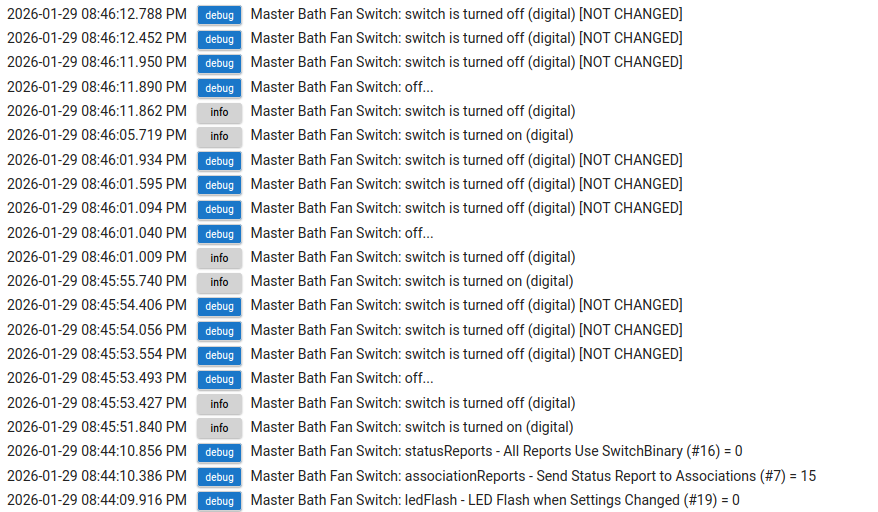
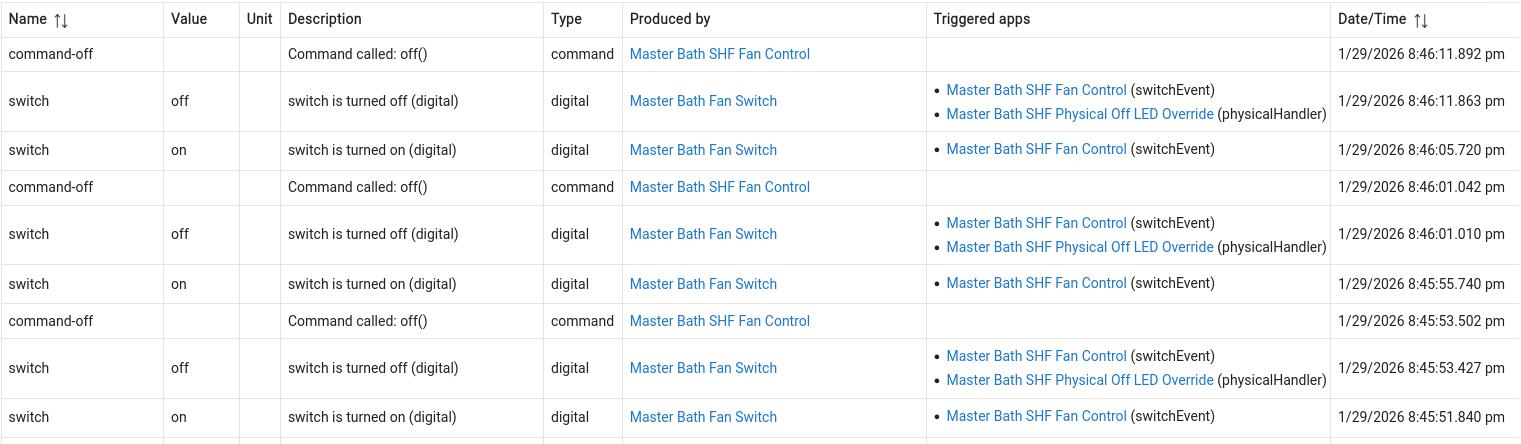
Do the ZEN71s under this driver support reporting "physical" on and off ? I can't seem to get anything out of them other than "digital" on and off when I physically hit the switches.
I've checked the logs and events, in full debug, All physical paddle events are digital on or off.
I have a rule trigger on the switch on or off..that fires... but actions conditioned on physical off, which is not executing..which makes sense considering above.
I am pretty much defaulted on everything in the config.. with exception of rules driving the setLed and setLedMode commands on the switch. But maybe I'm missing something.
I tried a few other of my ZEN71s.. all on latest 2.30 f/w, same thing.
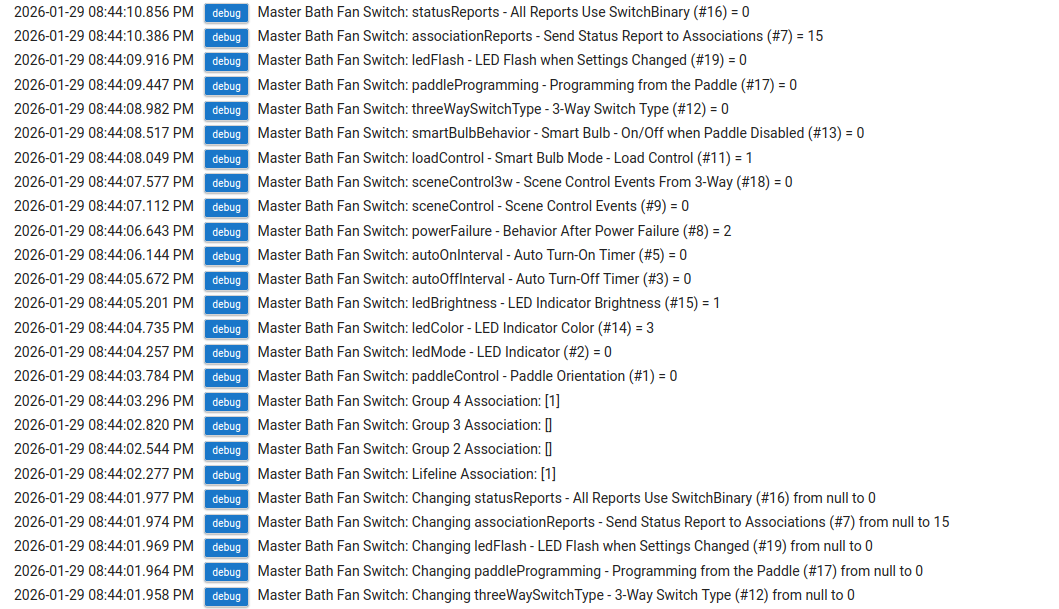
It is supposed to work, run a configure with debug logging enabled and watch for setting #16 "statusReports", it should get set to 0. It is a hidden setting that I force to 0 which causes the physical actions to send a different type of report. Thats how I tell them apart on this driver. Then you could also grab some debug logs of physical on/offs so I can see what is being sent. It should be sending "Basic" reports for physical.
Alternatively you can use the button events to determine physical presses, since those only get sent for physical.
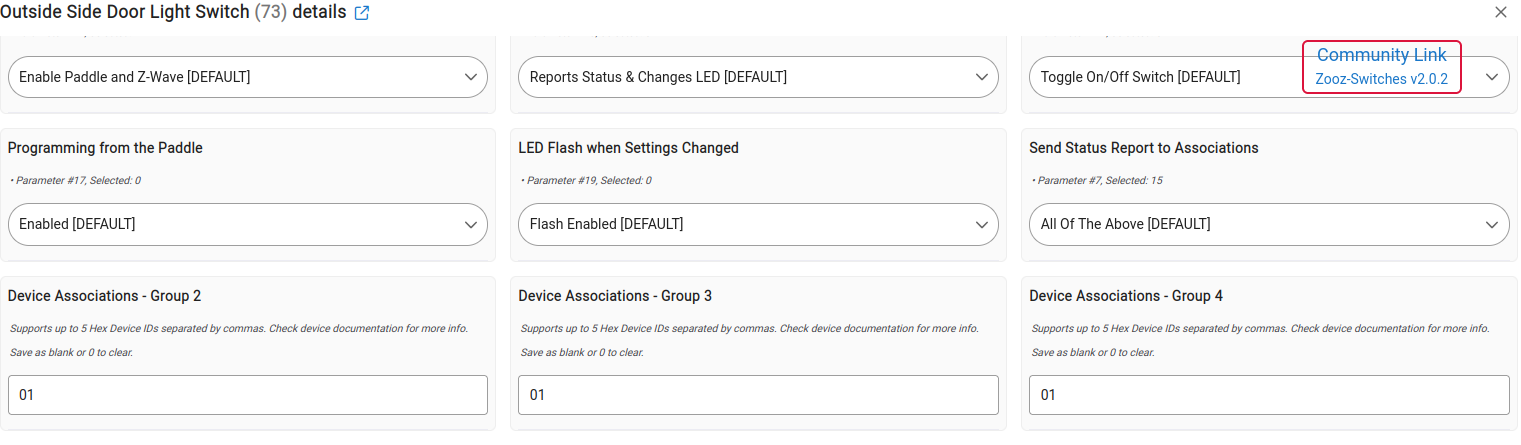
Well, interesting. I did not (intentionally set group 4.. its possible I fat fingered it.
SO I looked at one of my other Zen71s that is also not giving me physical (I dont think any of them are). group 4 was unset there.
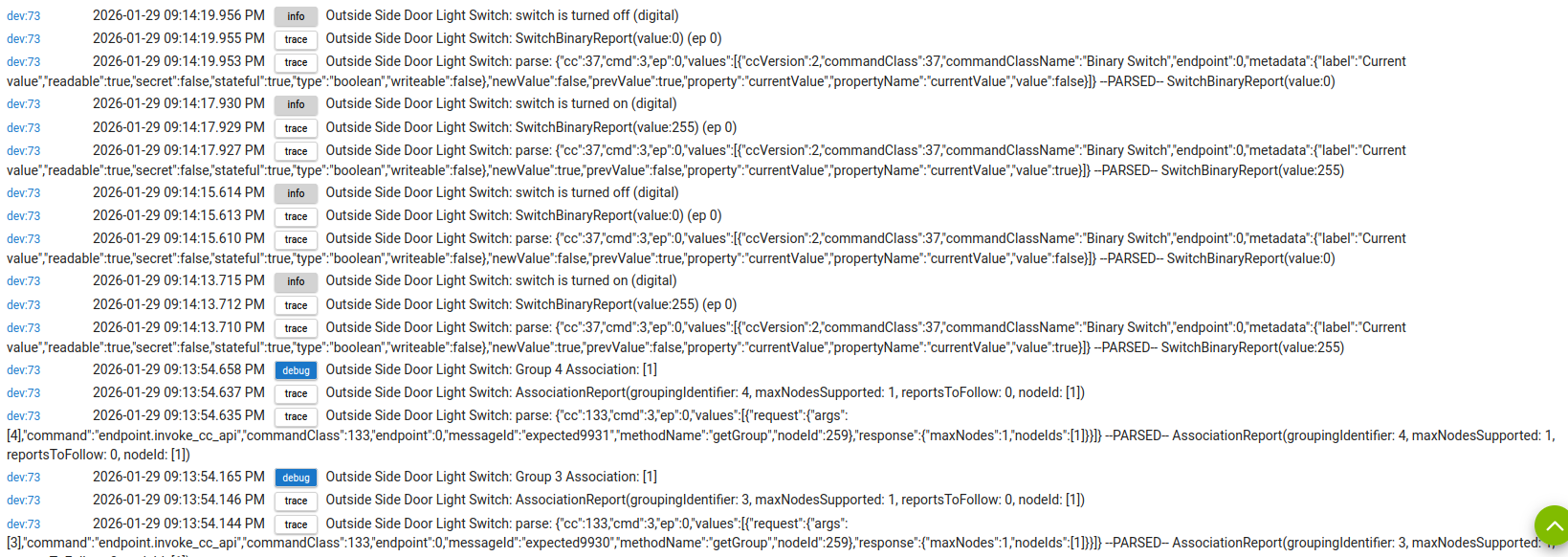
SO I hit configure on that switch... forgot to have debug on.. but then I enabled trace for that switch and hit it physically a few times... and I see lots of group associations. they showed up on configure... I was looking at the perferences screen ahead of that, and they were all 'click to set'.
 think.]