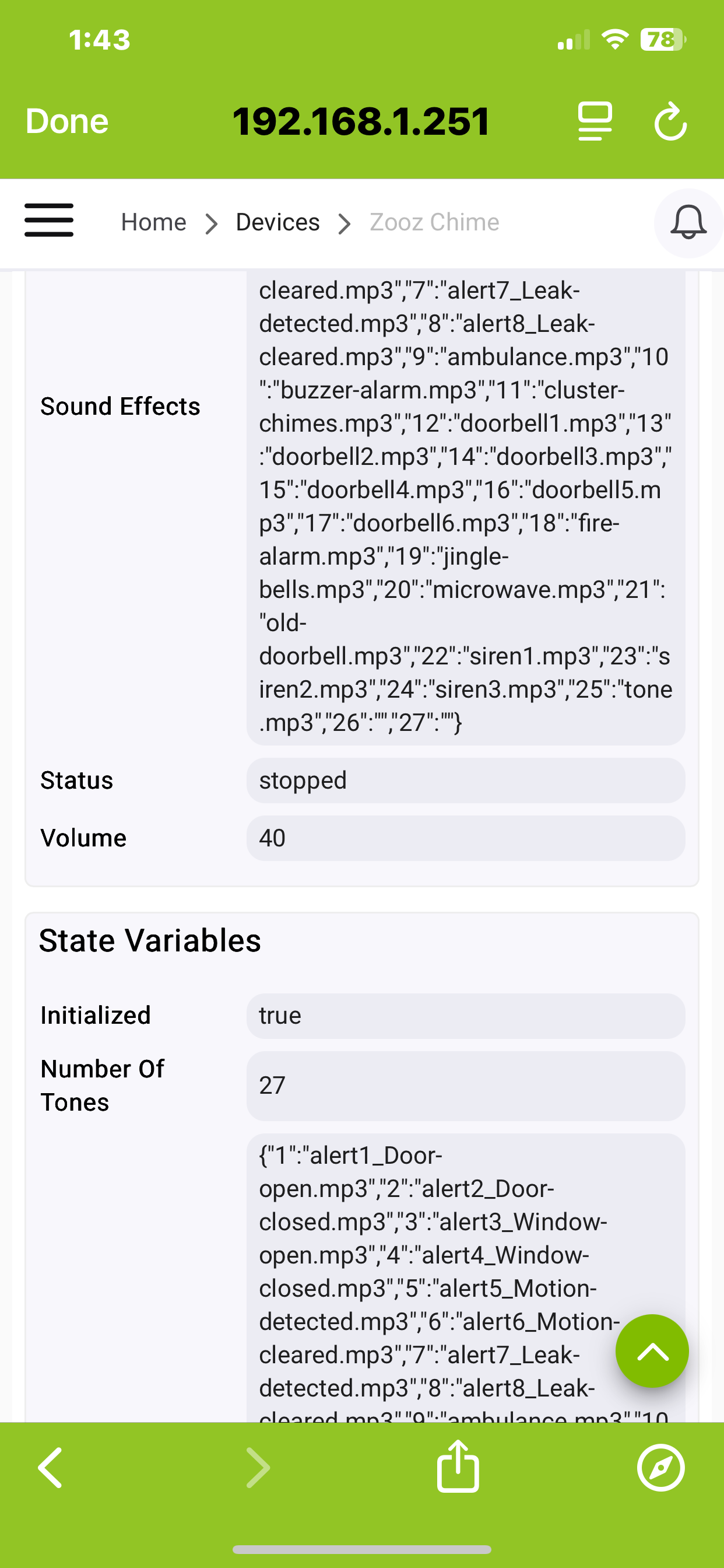
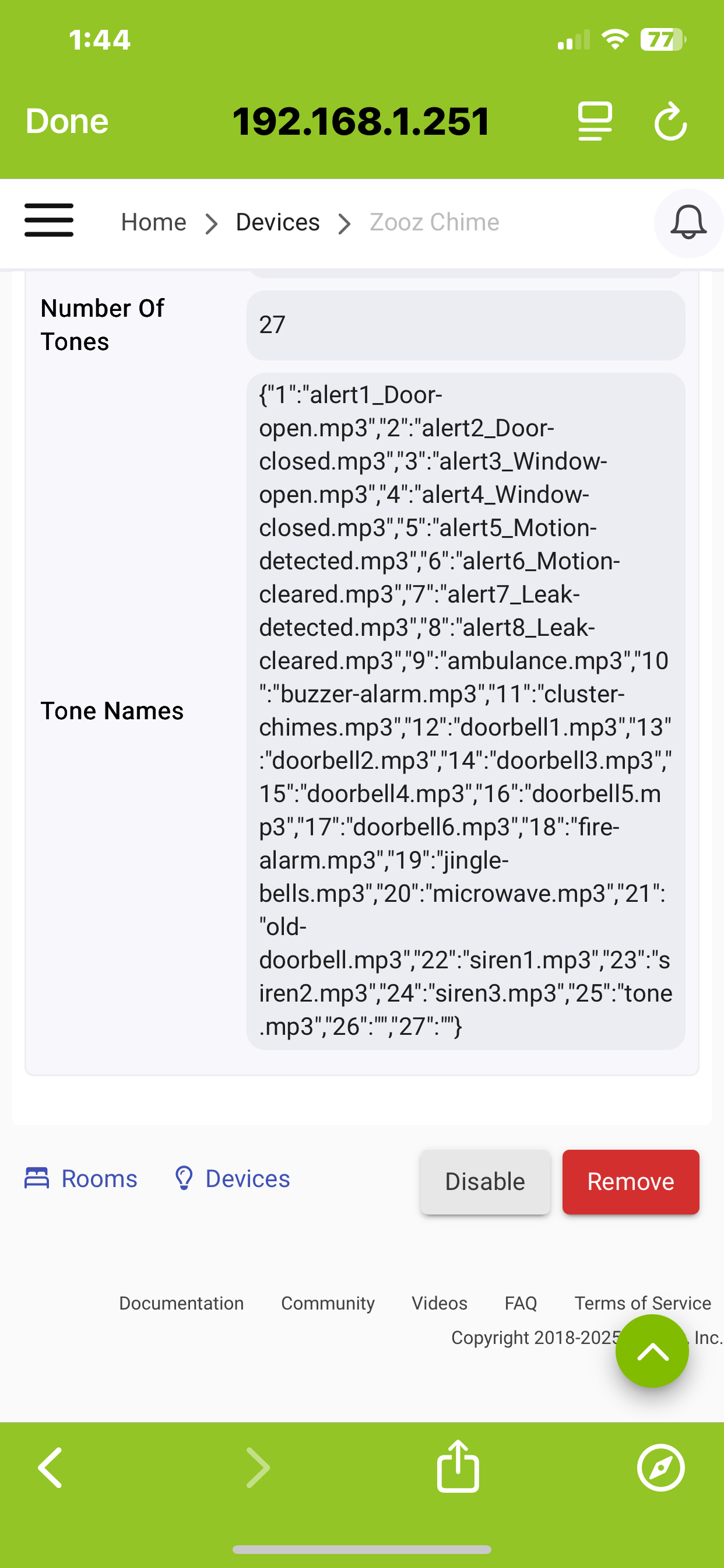
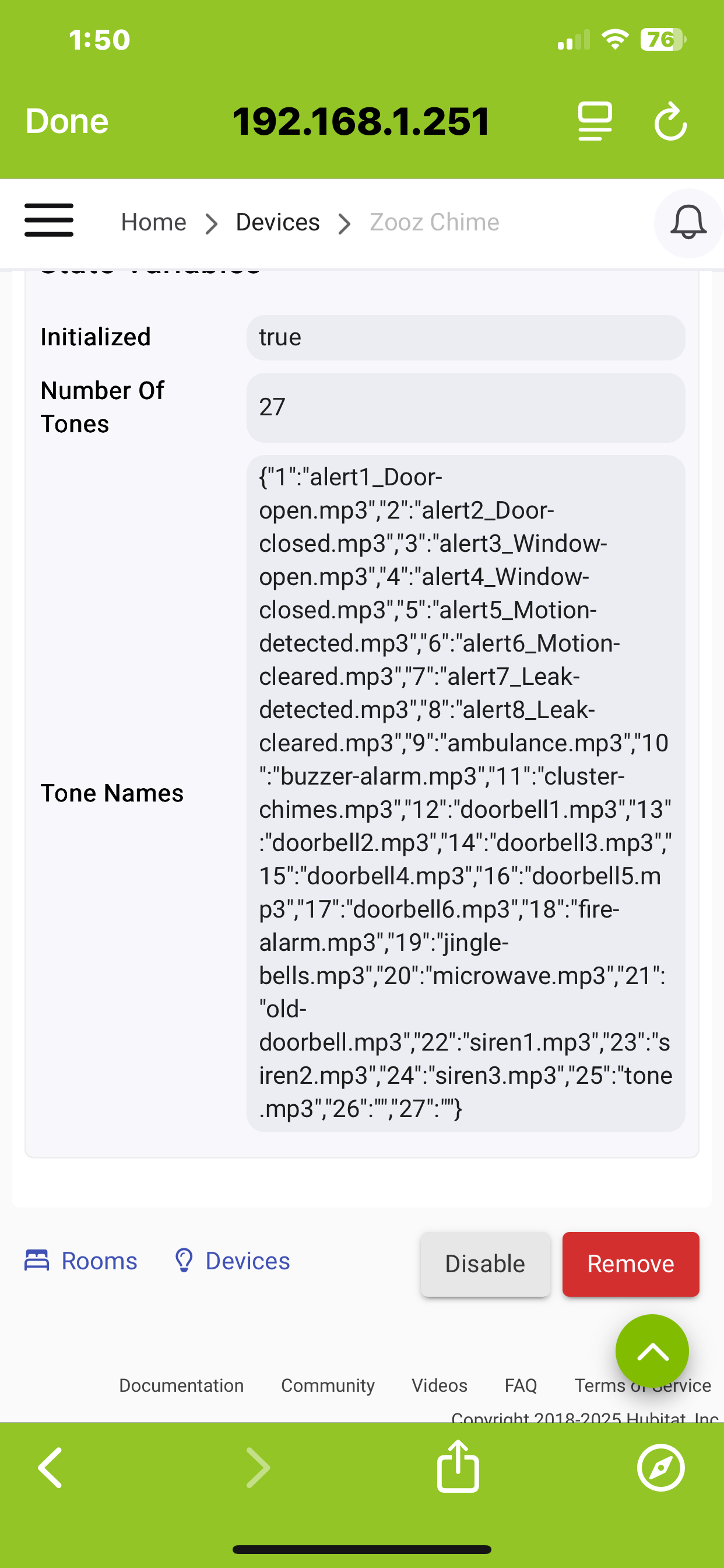
List of the 25 in-built files, nothing specific to smoke/co, but there are several different "siren" sounds. Uploading custom files is super easy .mp3/wav as long as you heed the note I made above

List of the 25 in-built files, nothing specific to smoke/co, but there are several different "siren" sounds. Uploading custom files is super easy .mp3/wav as long as you heed the note I made above
For me, anyway, I can't imagine finding the proper .mp3 sounds will be easy. But who knows? 
I agree. I added a couple beedoop, dings which was pretty easy. They don’t show up properly in the list in the device properties. I added them one by one and figured they’d be 26 and 27. I was correct. A refresh doesn’t make them show up either. I swapped over to LR and after they kinda showed up, but one was just a number.
What is the “Swap App Devices”. Is that an app or a in-built function?
Is there a thread on this? I don’t want to move off topic.
Try pressing configure on the device page and then refresh. I also had this issue, but doing so resolved it.
To get this thread back on track, sort of, I just ordered two of them. Plus a couple of motion sensors, because free shipping and you can't have enough motion sensors.
My $0.02... Unless you are trying to utilize the range claims of LR (which seem dubious in most real-world conditions) or just abhor the concept of mesh for whatever reason, there's no dazzling advantage.
I paired the ZW devices out in my detached garage as LR, but I had no range or mesh related issues with those same devices previously -- they were simply good candidates for me to play around with LR.
The majority of my ZW are paired mesh and I plan to keep doing that. I'm mindful to keep my ZW and ZB meshes in good shape - plenty of well-positioned repeaters, no spammy devices allowed, and all devices are programmed to ensure they don't get too chatty.
One significant LR issue right now is that the built-in ZW firmware updater is not working for LR devices, so that's a bummer... Hopefully that will be fixed soon, but I'm not going to pair any more devices as LR until then (I am planning to eventually put one of these new Z50s out in my garage, so I'd like that one LR).
NVM. Figured it out. Quite easy and quick. Man! Everyone has had some level of pain with things and Hubitat has addressed it. So happy to have this hub and community. Thanks everyone who contributes and helps us virgins make forward steps.
Got one of these. Paired manually no problem. Did some testing with manually entering a sound number. When I enter 3 it says window open which is correct then it goes on to say all the rest of the messages. Have to hit stop.
EDIT: Let it go further after hitting 3. It says all kinds of messages and just keeps going.
Mine does that as well when i try to play the Window Open message.
Discovered this yesterday also, probably a glitch in the stated "beta" firmware. I'm sure @agnes.zooz will let the developers know about this on our behalf
Edit: Just heard back from Zooz through their support forum. They are aware of the the issue. It's the result of a corrupted .mp3 file which they can provide a replacement for.
Thanks for that update -- I posted in that thread inquiring why they can't just post that updated file somewhere instead of all of us individually emailing into support. But progress is progess either way!
Since it acts as a USB drive, the corrupted .mp3 can just be swapped out? Or deleted if not needed.
Perhaps a covert file sharing via forum messages?
So we have to individually request the file from Zooz?
I found this site where you can easily create your own files. I just received my zse50 and have made a couple custom ones. The bit rate is only 96 kbps but it sounds fine to me. I guess you have seen the memory is full so you have to delete to add.
I created a support ticket and received the updated files within minutes. They also can send you some additional files for the oversized ones too. It frees up alot of space for custom files. One caveat is that when uploading the replacement files the file order gets all messed up, as the new files become the last ones in the list instead of maintaing the orignal order.
I'm trying to figure out how the order is determined by the device, I thought it was the "modified" atttribute, but changing that didn't work.
Based on Bartek's respeonse, it sounds like they are currently working to get files posted on the support page too - I think I'll just wait to see how that turns out (since I haven't even unboxed mine yet).
I added a few more TTS mp3’s making note of the order that I added them. No bueno. When I added them to the rules using my noted number, they were not correct. What I thought was added as 1,2,3 turned out to be 3,1,2. Not sure of the logic or how to sort them in file explorer.
Another annoyance is it doesn’t play out loud when on usb only or when using usb connected. I had to run an extension cord to the desktop to plug it up to verify the correct tone played. Also, the new files do not show up in the device info as noted before.