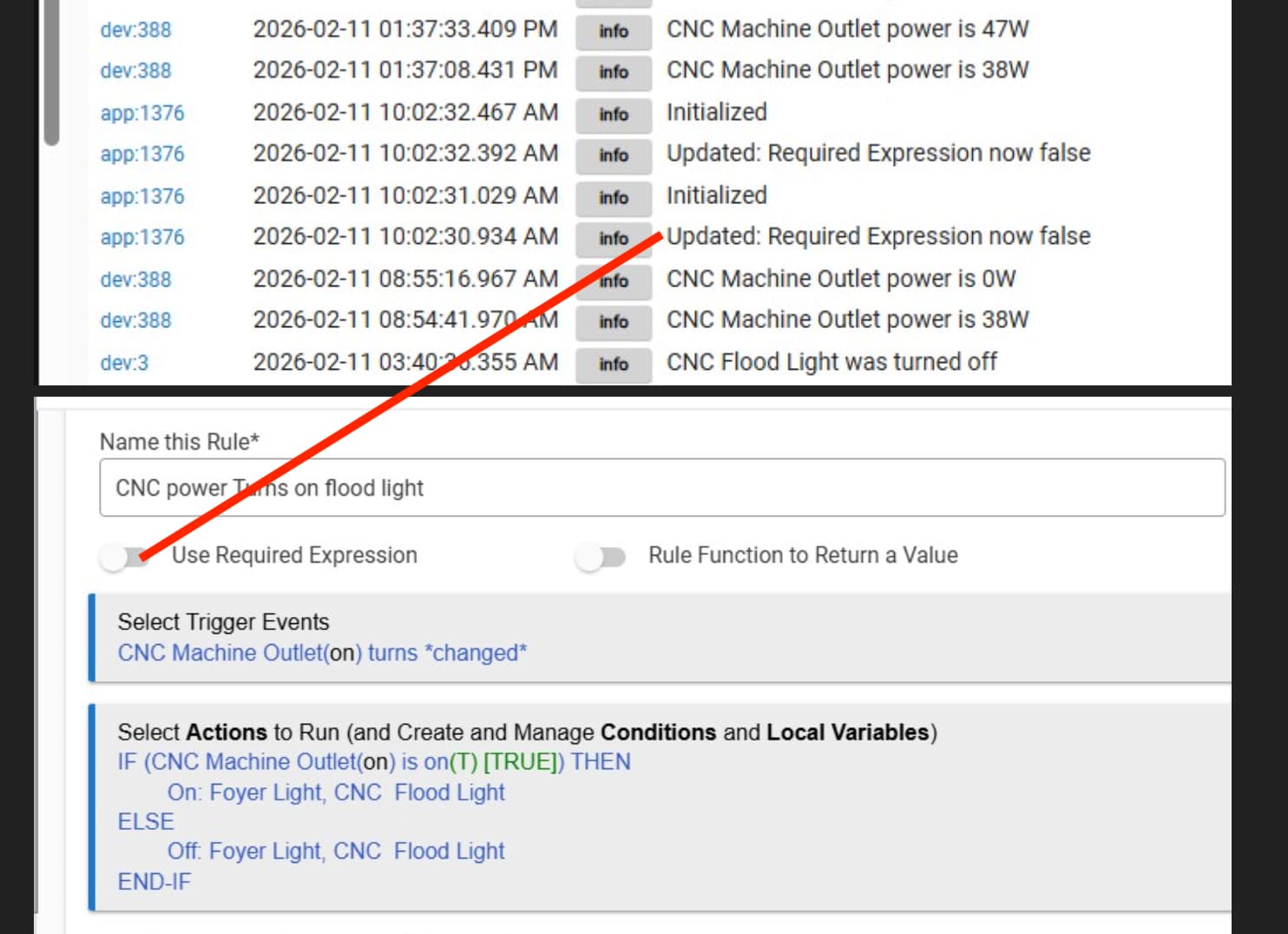
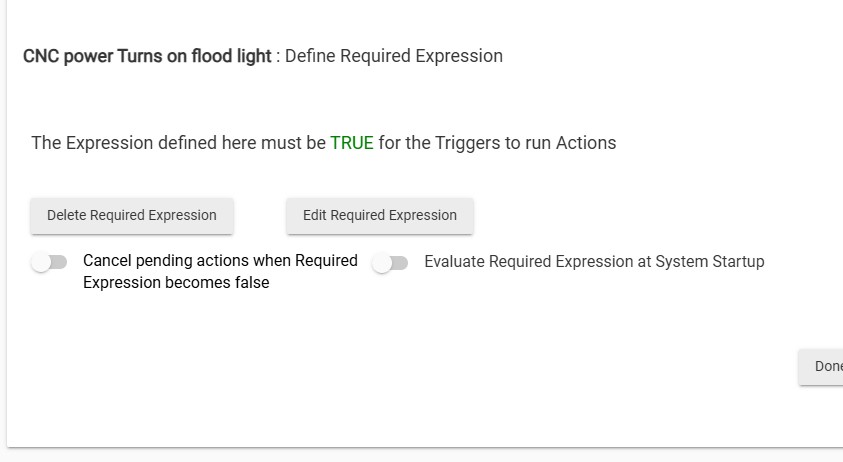
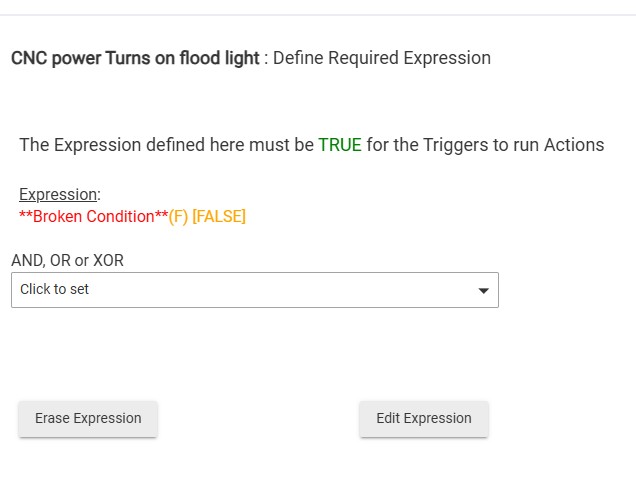
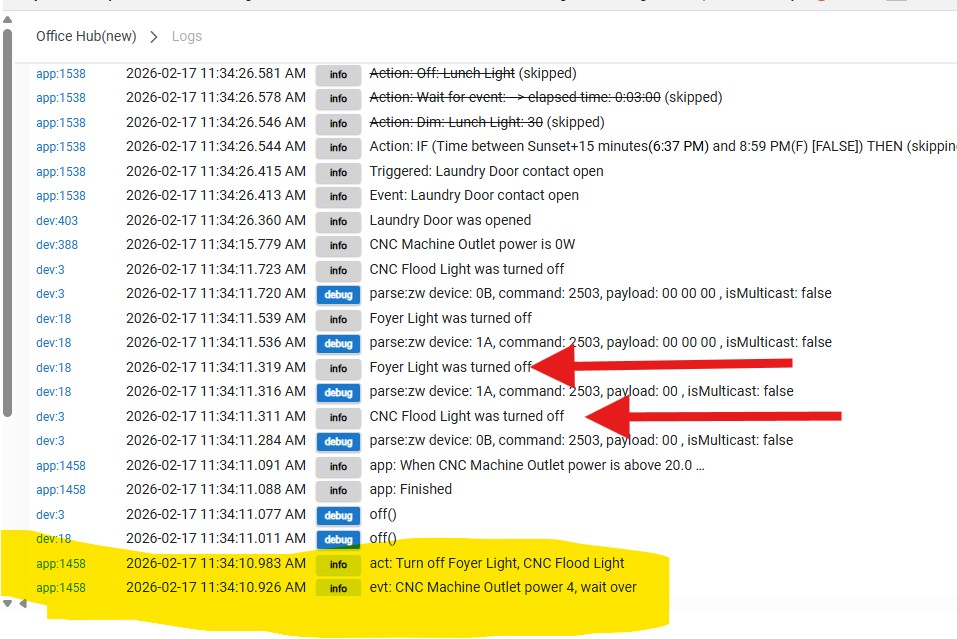
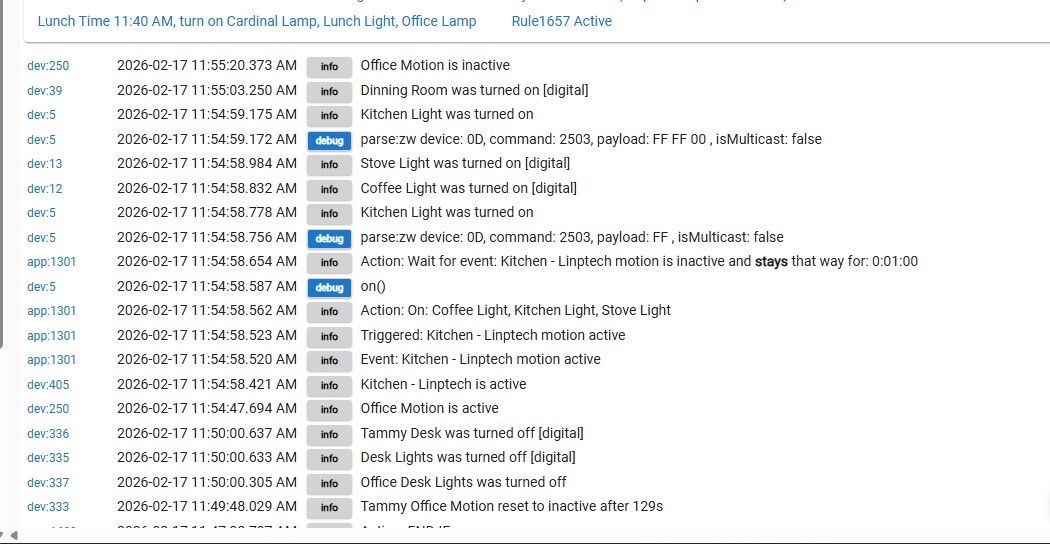
When you hit the "Update Rule" button on rule 1376 (which I believe is the rule shown below), do you still see the indicated note in the logs?
If so, that's the main problem here... You have the ghost of an old Reqd Expression jamming things up, since it's evaluating as False. That's a hub bug, but it could be remediated by either going back into the Reqd Expression and removing everything there, or (more certain to work), just recreate the rule from scratch (not copy) and remove this instance of the rule.
Follow up question -- do you expect this to trigger only when the outlet is turned on/off, or do you also expect it to trigger when the outlet reports changes to its power readings?
As it's currently written, rule 1376 here will only trigger with On or Off (not power readings, like your Basic Rules version does) -- if that's your intention, then that's good.
That is a good catch. There was no required expression mentioned or stated. @Randy513
Did you have a required expression originally? Did you delete the expression? Or, did you just toggle it off? (Shouldn't have to delete it, but it might not hurt to toggle back on and then DELETE the required expression if there is a lingering expression there).
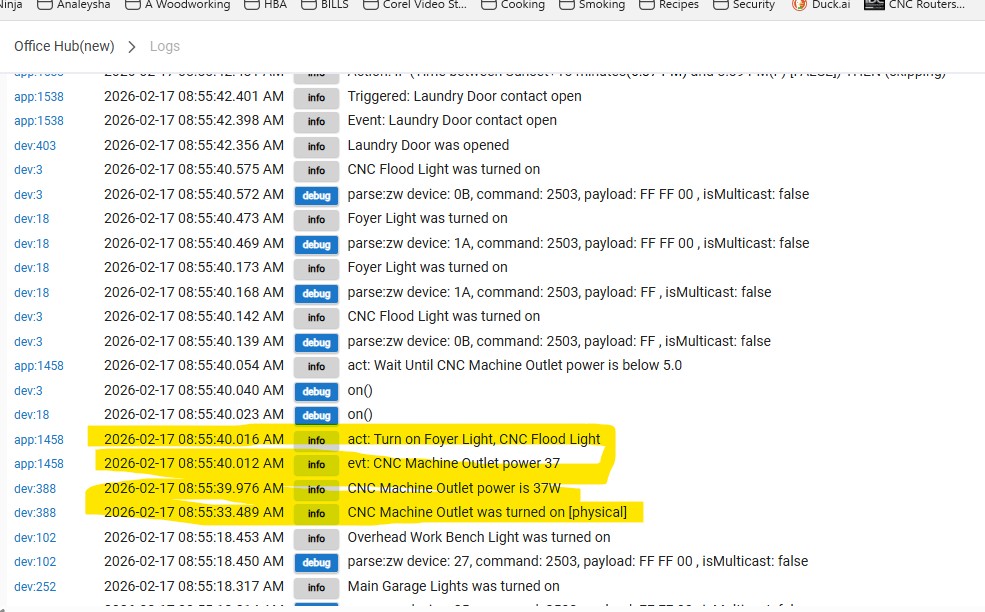
Also, scroll down in your past logs to where the machine switch was turned on. (2026-02-16 09:16:35.053) and post the UNFILTERED complete logs between there and when you turned it off, or at least the next several minutes. (they should still be available) The logs you posted around the time you turned it on are filtered down to the device 388. Looking to see if the Rule says anything in the logs as a result. I am going to guess it does not because the rule thinks it has a required expression per what @hydro311 noticed. If it does have any entries from the rule, they should tell you what is going on.
You could also try running the steps again in a slightly different order:
1 - Open Hubitat ON A PC OR DESKTOP
2- Disable the basic rule that might be conflicting (The power based one - unless it is still disabled)
3- Go to the Logs Section and click Live Logs - moved this one here so when you click done, it gets captured in the logs. Do Not click on any devices or apps or filter at all.
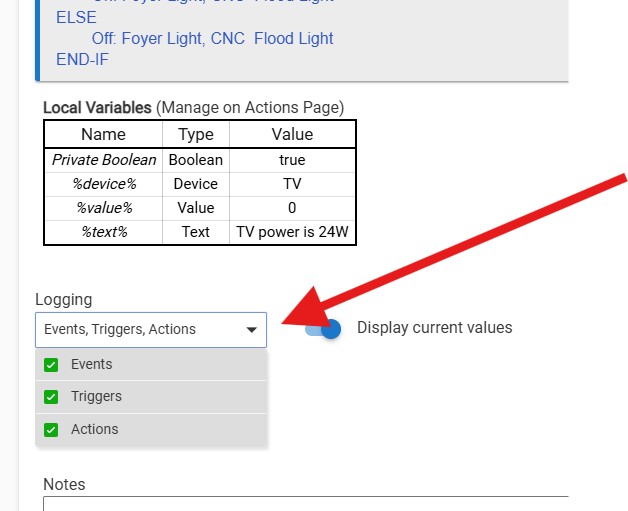
4- IN A NEW TAB - WHILE THE LOGS ARE STILL RUNNING ON THE ORIGINAL TAB: Go to the rule itself, open it, and verify the logging has ALL the options selected and click DONE - EVEN IF YOU HAVE ALREADY CLICKED DONE BEFORE, DO IT AGAIN so we can see if there are messages such as the above "required expressions are false".
5- Go to the CNC Switch, turn it on NOTE THE TIME
6-Visually verify if the lights did or did not come on.
7- Wait one minute
8-Turn off the CNC Switch NOTE THE TIME
9- Verify if the lights are on or off
10- Return to the PC
11- If the logs are full, or have rolled down to the point you cannot see the time noted at step 5, then scroll down to the closest time stamp BEFORE the time you noted.
12-Grab a screenshot of ALL the logs for ALL the devices and apps in the log from that time stamp and up, NOT JUST THE ONES YOU THINK WE WANT TO SEE (Logs showing only device 388 are not helpful as we cannot see what else is happening at the same time)
We already know that you have at least two apps competing at the moment. The logs may show other devices/apps that could be preventing it from working. Without ALL the entries, you are handicapping your helpers.
13- Post the screenshot(s) and tell us the TIME you turn the switch on and off as well as your your observations from steps 6 and 9.
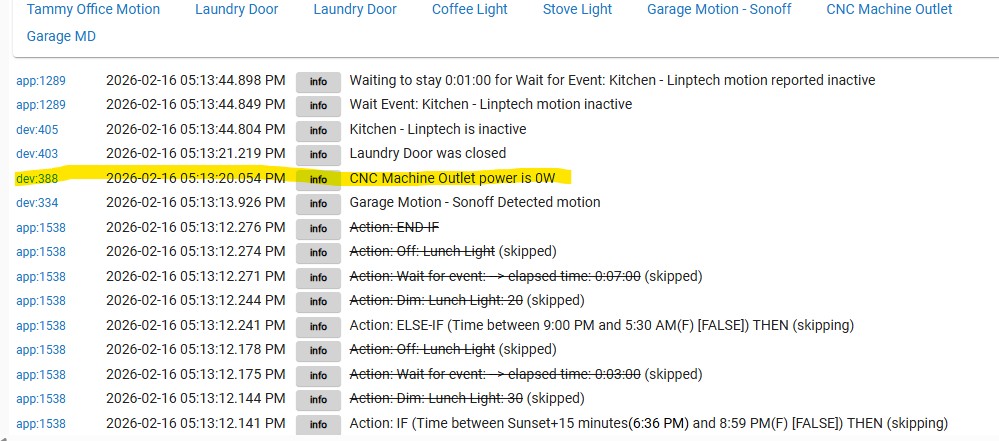
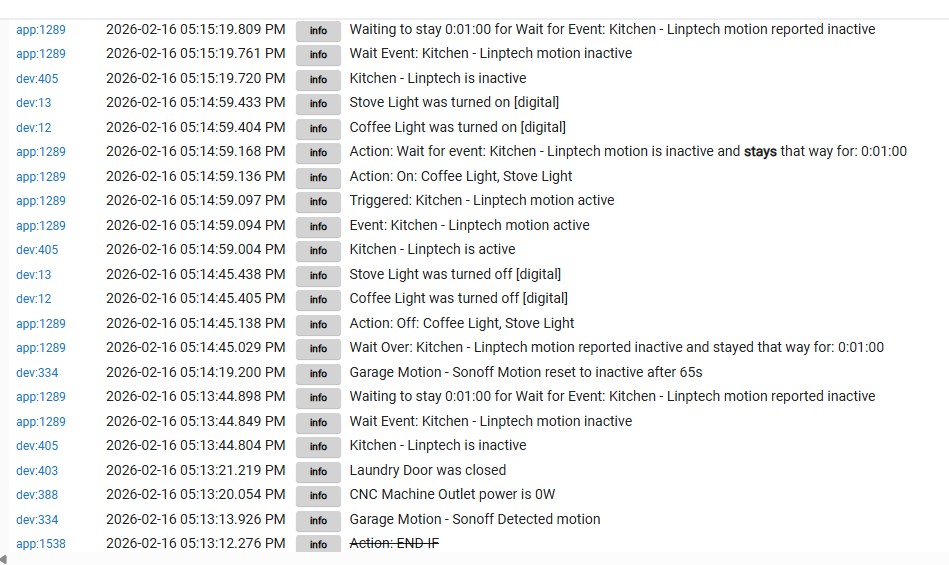
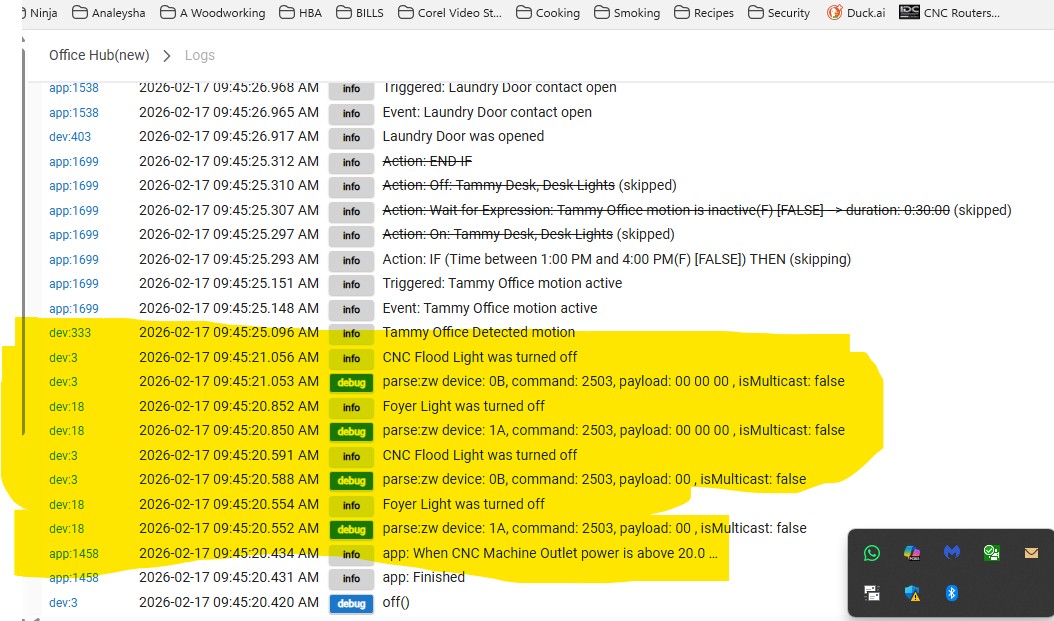
This is not turning the switch on and off. That is reporting power going to zero and rising from turning on/off something attached to the switch. If you aren't turning the CNC machine switch on/off, this rule isn't going to work:
Your other logs are not showing app 1376 at all. So, if you initialized it, then the rule is broken badly, or you missed the log entries. (This is why I asked you to note the time and tell us what time you took the actions - so we could correlate it to the log entries).
When you say you're turning the "CNC" on and off here, what device exactly are you talking about? The "CNC Machine Outlet" itself, or the thing that's plugged into the CNC Machine Outlet?
Ah, tray beat me to it right above here... Anyway, this whole on/off-or-reported-power question is what I've been trying to call your attention to in my posts #48 and #61 above.
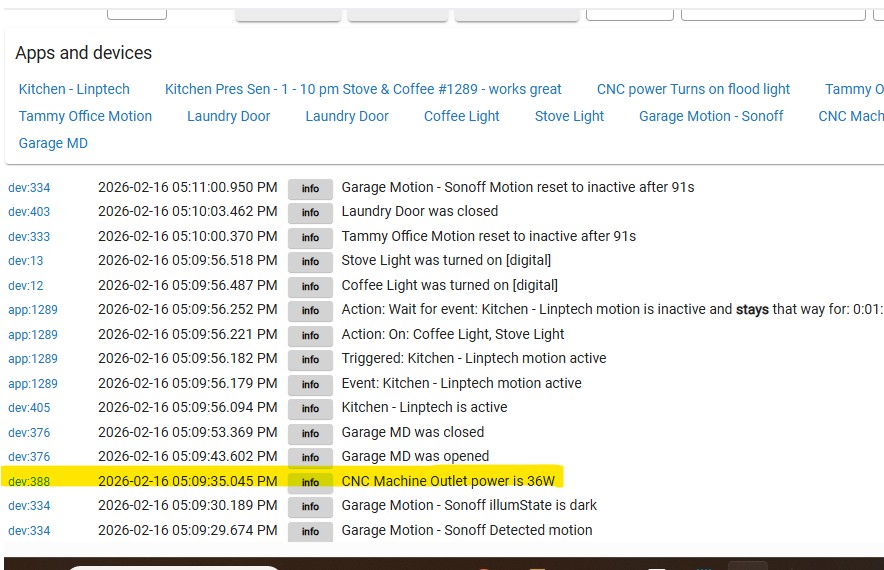
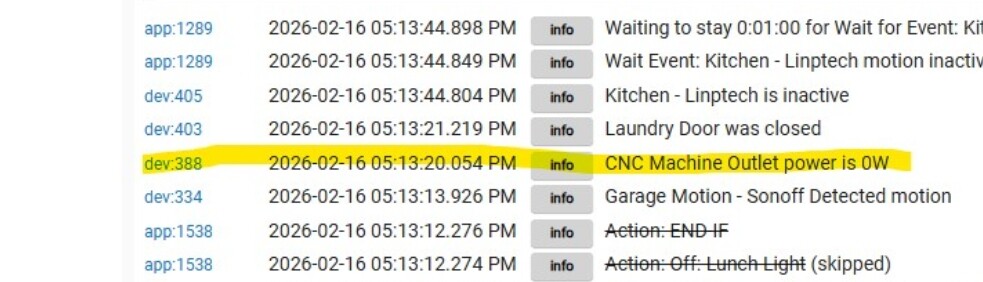
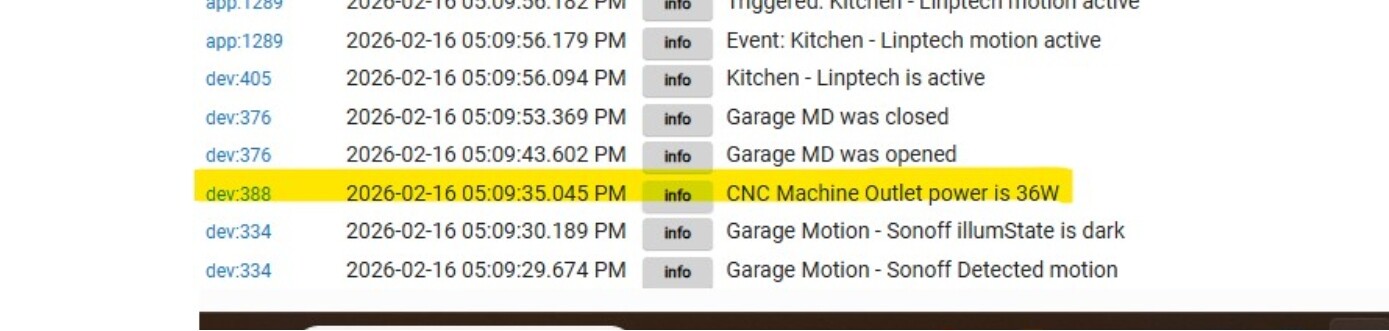
Your logs did not show you turning off the outlet itself. They showed you turning something connected to it off then on (as indicated by the 0 power initially and the 36 W later). The plug does not report OFF at 0 watts. It reports as ON, but with no power being drawn.
So, if you are not turning the "OUTLET" itself on/off, that is mostly why this rule isn't working as you expect.
If you are wanting to use power as the way to control it, it is likely to be laggy (as you noted with your basic rule) and depends on whether there are residual power draws. In order to use power, you need to monitor the power over time, and learn what the power draw is at idle, in use, etc. With the struggles you are having with the basic logic, I am not sure that would be in your wheelhouse just yet.
Today I’m going to run my basic rule again to gather more data. The rule does successfully turn the lights on, but I’m experiencing significant delays. Most of the time there’s about a one-minute lag, and on a few occasions it has taken up to three minutes for the lights to respond.
I was expecting Rule Machine to provide more immediate control, so I’m surprised by this level of delay.
Please let me know what diagnostics or logs you’d like me to capture while testing so we can better understand what’s causing the lag.
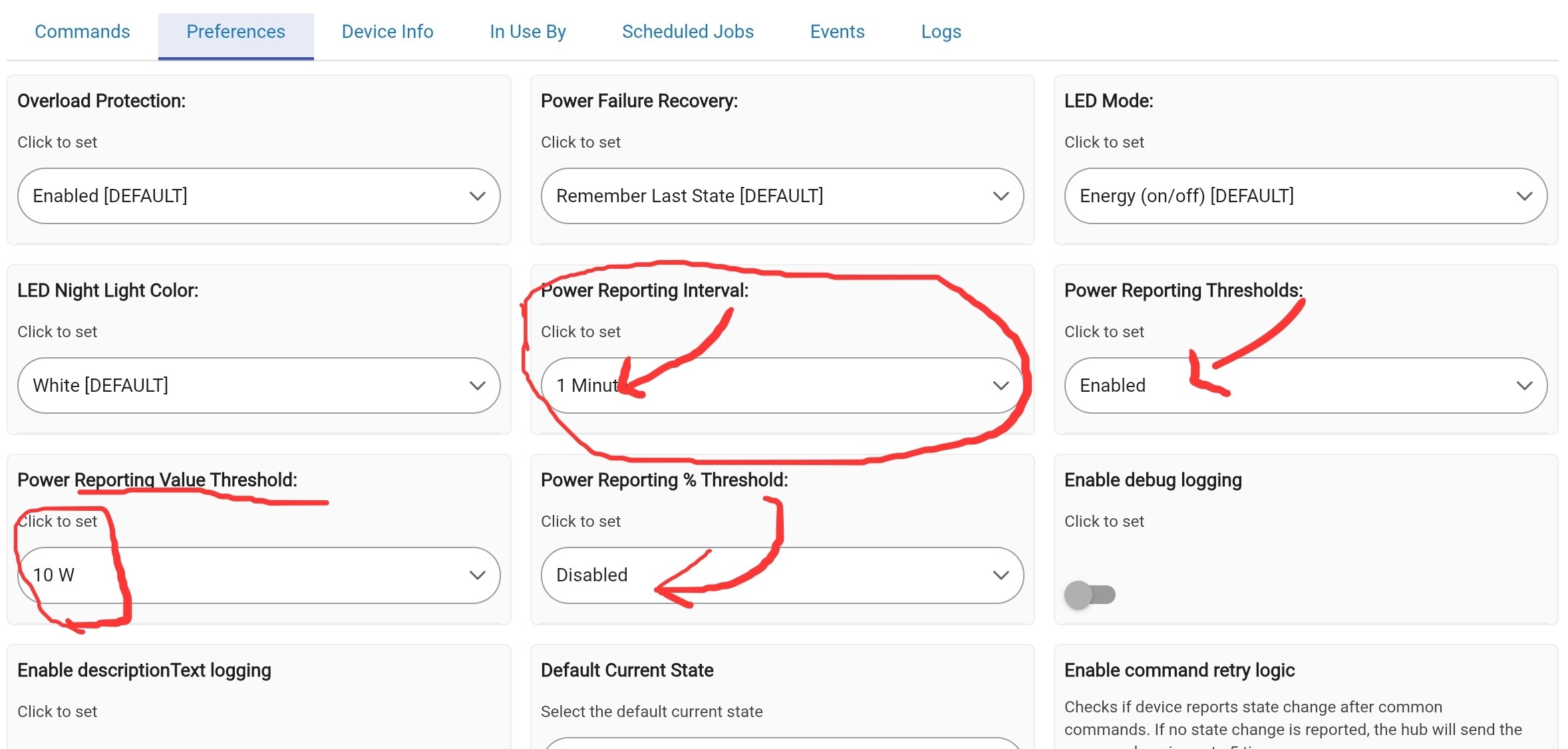
This is because power reporting is based on what the settings of the device are set for: Time based, percentage based, etc.
Again, you appear to not be following the logic very well. You need to actually understand your device, and how the power reporting works.
And you still haven't answered this question:
Or many of the others that have been asked. Maybe, instead of just trying other things without answering the questions, you could just answer the questions so we could get you on a coherent path.
We have asked for unfiltered logs, yet you continue to give us logs filtered. You were asked to show logs from when the rule was updated (clicking done or update rule) and you haven't given us that.
In many cases, you take it on yourself to try things other than what has been recommended and don't tell us your thoughts as to why you did that. But, also in many of those attempts, you ignore advice given and derail the troubleshooting steps you were given.
The outlet is turned on manually at the beginning of each day. Turning the CNC machine on is like turning a TV on and off or turning a lamp on and off. There is power to CNC Machine Outlet (Generic Zigbee Outlet) is on all day long. All I do is turn the machine on and off all day. It does stay on for a few hours at a time. When I turn the machine on the lights should come on and when I turn the machine off the lights should turn off. I hope this is a help.
I hope this answers your question.
at around 10:45 pm everything in the shop/garage is shut OFF. In the morning I manually power on Generic Zigbee Outlet - CNC Machine Outlet. After that I am able to turn the CNC machine on.
I turned the CNC Machine Outlet by hand and then turned on the CNC machine. The lights did come on.
Seems like this thread is still going around in circles. These are the same issues with OP’s troubleshooting methods that have come up several times already.
So just the outlet gets turned on (THIS IS KEY INFORMATION)
NO - IT IS NOT, because from your description, the switch on the machine itself is not monitored (only the outlet to which the machine is connected). The Zigbee outlet turning on and off does not in turn switch the CNC machine on and off, so shouldn't be used to trigger a rule.
So it's pointless using the zigbee outlets on/off status as a trigger for a rule as it is on, even when the machine itself is not running.
Then you need a rule that operates ONLY off the power reporting of the zigbee outlet NOT it's on/off status.
Apologies in advance if I'm misunderstanding the requirement for this relatively basic rule but I've clearly not read every part of this thread as it seems to be going around in circles.
My understanding is that:
The outlet gets turned on at the start of the day and remains on
When the machine itself gets turned on, the rule should trigger and bring your lights on
When the machine itself stops running, your lights should turn off
The outlet gets turned off at the end of the day
The first and last items are irrelevant.
Trigger - power greater than or equal to ??? watts
Actions - turn on lights, wait for event (power less than ??? watts), turn off lights.
How that rule is triggered will depend on the power reporting settings of the device. If it's only set to periodically report power there will be a delay and the rule won't trigger until the next periodic report after the machine is turned on (there will be a similar delay when turned off). Some devices allow you to specify that an immediate report is sent when the power increase/decreases by a certain amount (that would be in teh preferences for your device and would avoid the delay)
AND you need to understand (this is just a start):
How often that outlet reports:
-Is it on a timed schedule?
-Is it based on a percentage change?
-Does it do both? (some do)
My power reporting preferences on my washer plug. NOT RECOMMENDING - Just displaying for awareness of what that might look like for yours. All and well likely it is different. But you can see, there is little in the way of **instant** for reporting options.
-What is the idle draw when the machine is off? (potential lower threshold for supporting not in use vs in use)
-What is the lowest and/or highest power draw when the machine is actually in use (again, potential for detecting when the power is on, but it is not in use)
-Realize that power reporting IS going to be laggy in almost all cases. It depends on the "how often your outlet reports". Understanding that is the difference between you thinking it only works 80% of the time and realizing it is working as well as it can for the method you chose.
Ideally, you need to understand how the devices you are using for automation work in general. Otherwise, this is going to be just "magic theory" to you. Your expectation that power reporting be universally "instant" because it is smart is just one example.
I have given up on asking the OP questions which will only go unanswered. But for those of you with the patience to continue, perhaps the following quote from OP may be useful.
I also asked for clarification to the above post, immediately after it was posted, but failed to receive an answer.
It sounds like this outlet is only powering the logic board for this machine. It does not provide the power to the actual motors. I have seen machines like this which are powered by a power brick similar to a laptop power supply. I asked the OP if that was what he had, but apparently he did not want to answer again.
The unchanging power level is another reason that I believe the machine is powered by a power adapter which draws some power even when fhe machine is turned off. When the machine is turned on it uses such a small amount of additional power that the change in levels may not be discernible.
Maybe he should just plug the motor into the same outlet.
So it looks like he can't trigger the rule on turning the outlet on and off and he can't trigger it on change of power levels.
And yet it worked before ChatGPT told him to change the rule, and he decided to make additional rules, all attempting to do the same thing at the same time. And let's not fail to mention adding required conditions on the status of the TV.
I also asked for clarification to the above post, immediately after it was posted, but failed to receive an answer.
It sounds like this outlet is only powering the logic board for this machine. It does not provide the power to the actual motors. I have seen machines like this which are powered by a power brick similar to a laptop power supply. I asked the OP if that was what he had, but apparently he did not want to answer again.
You are 100% correct I am only powering the powering the logic board. NOT the router. That is on a completely different circuit.
I am not trying to ignore you I simply missed it. I have a lot of things going on in my life right now. Again I am sorry for missing your questions.