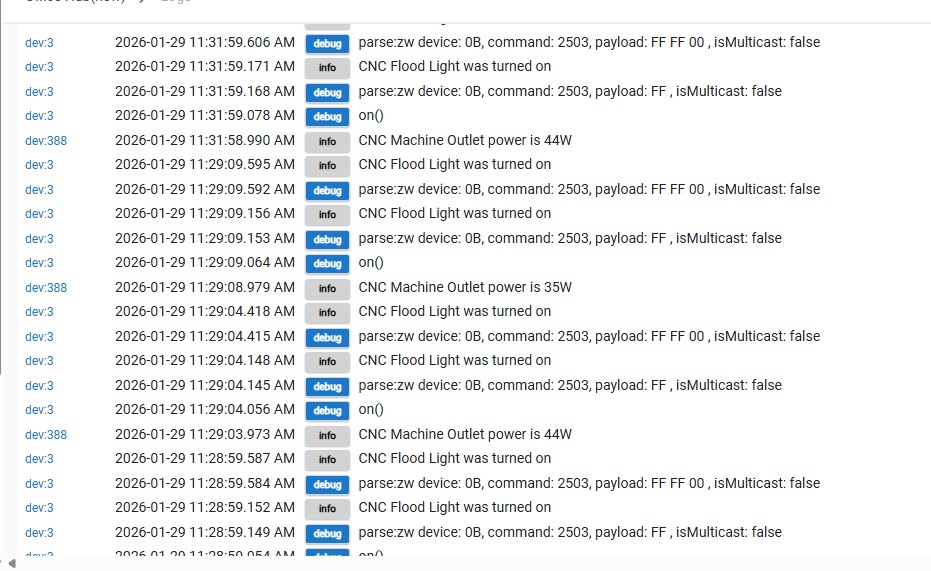
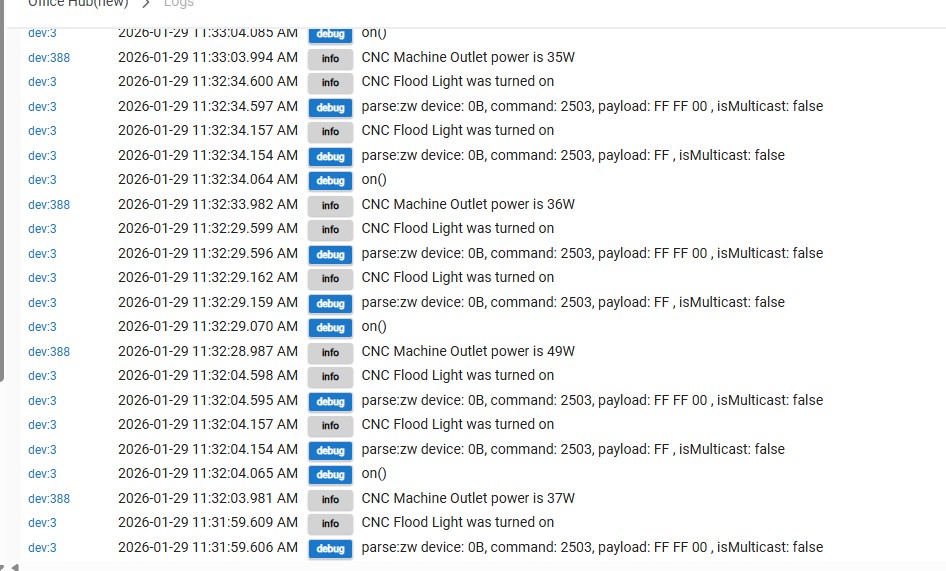
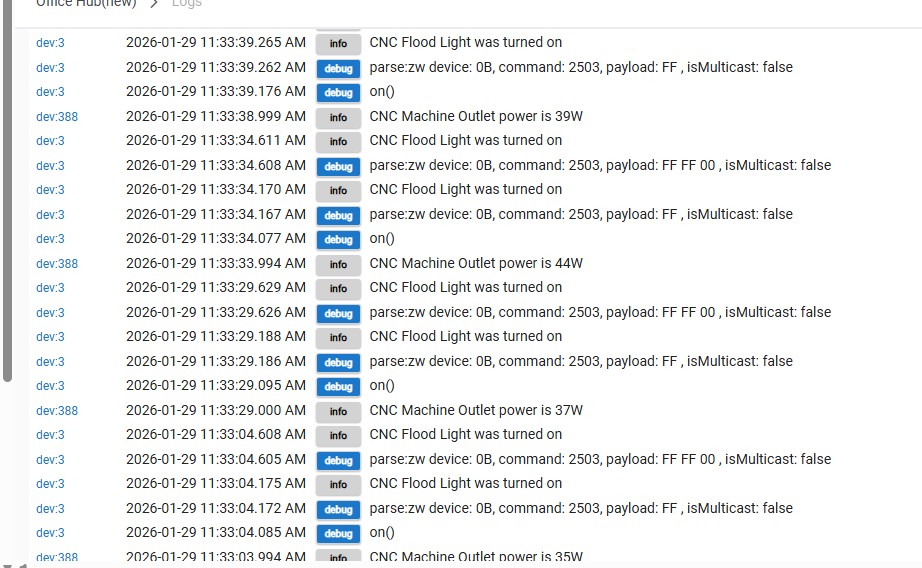
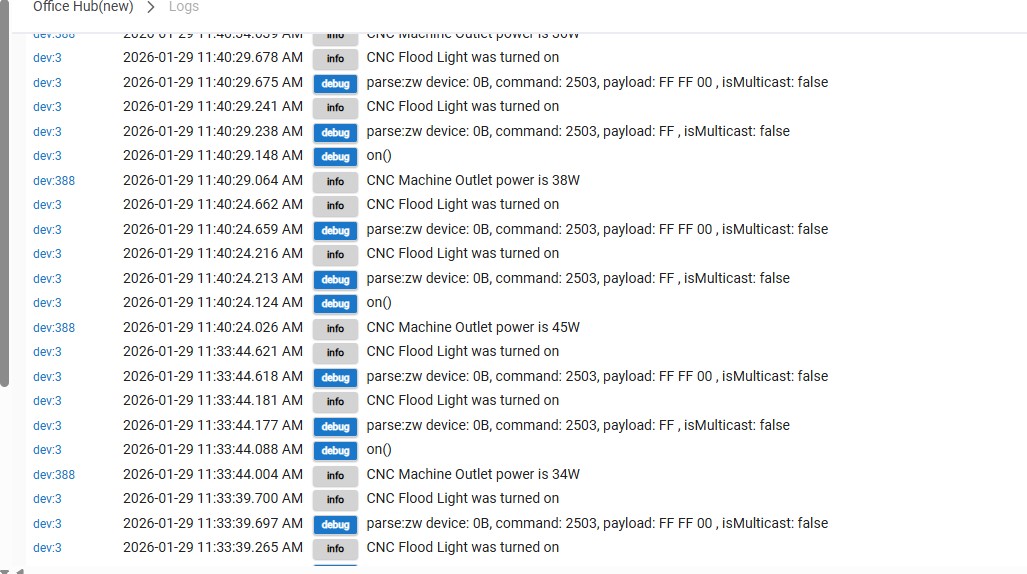
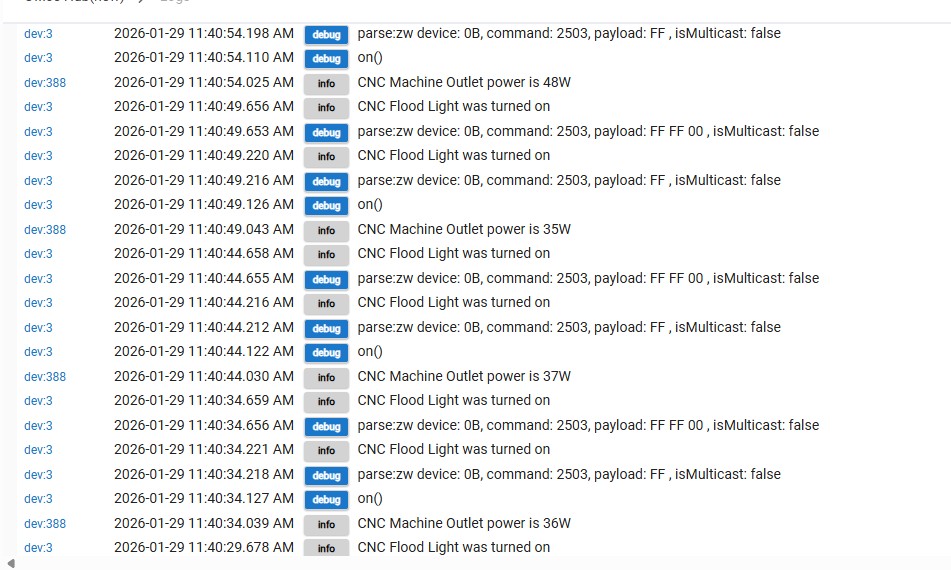
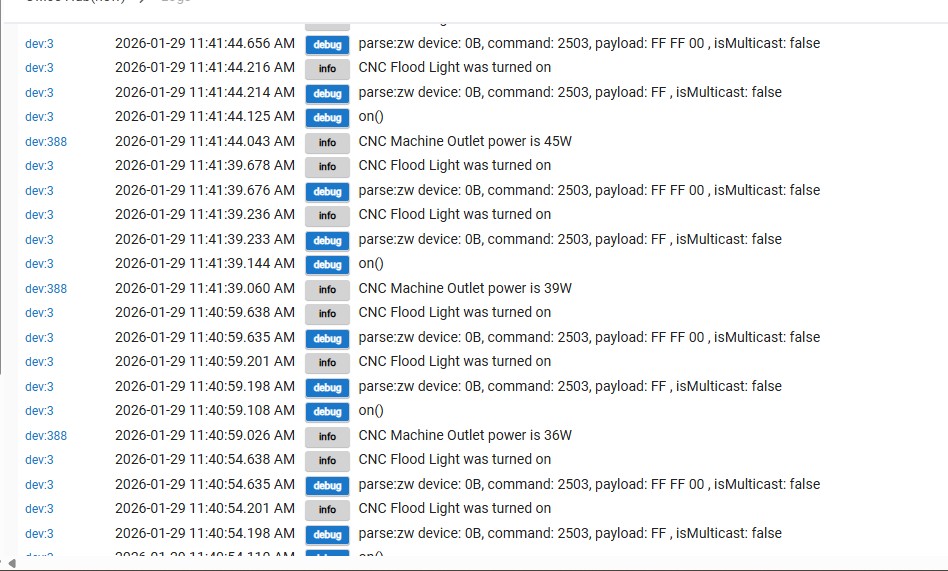
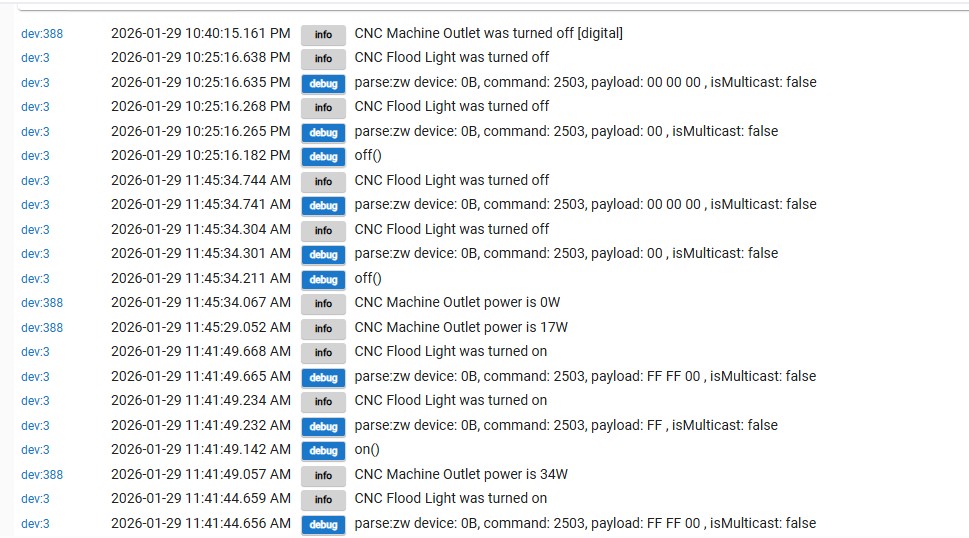
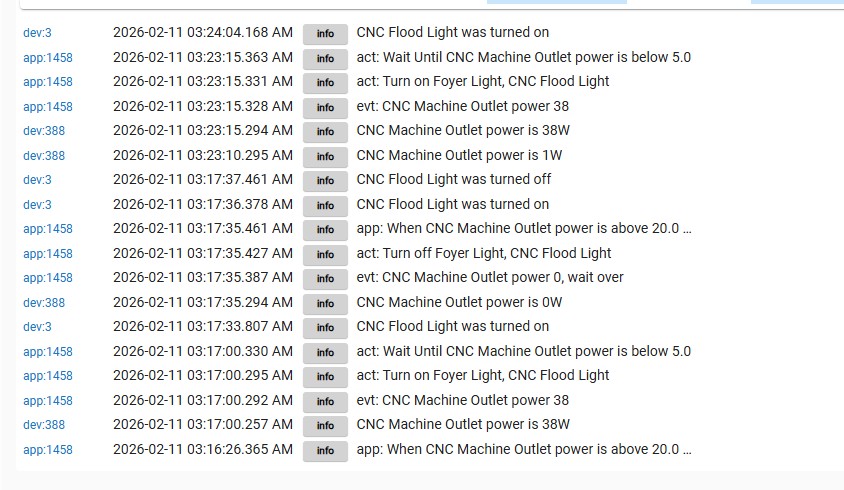
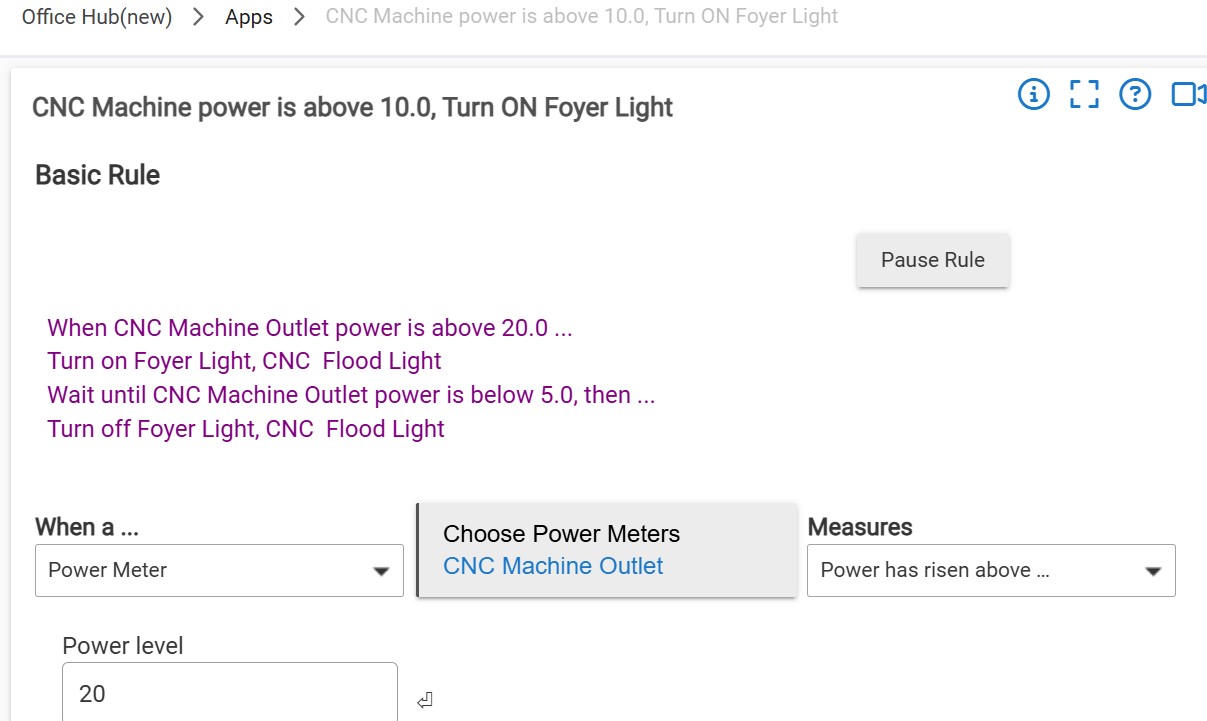
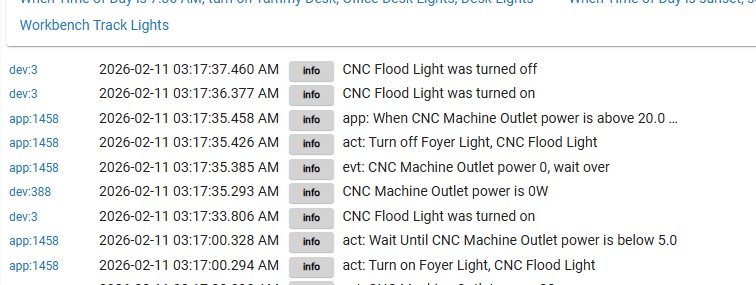
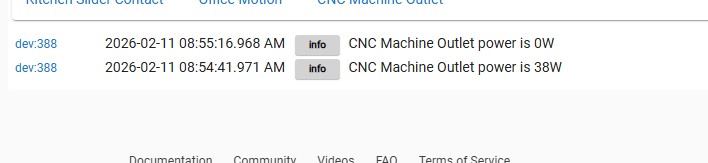
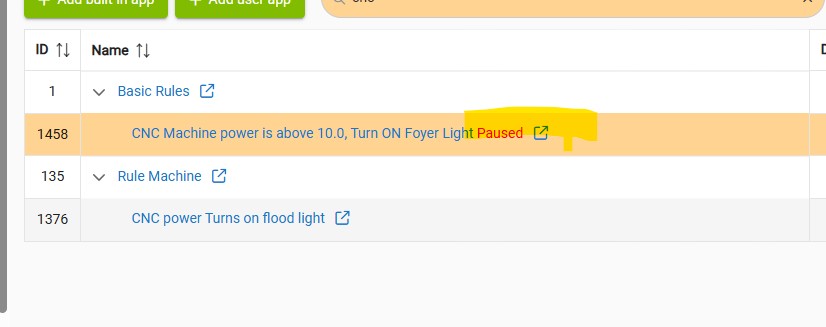
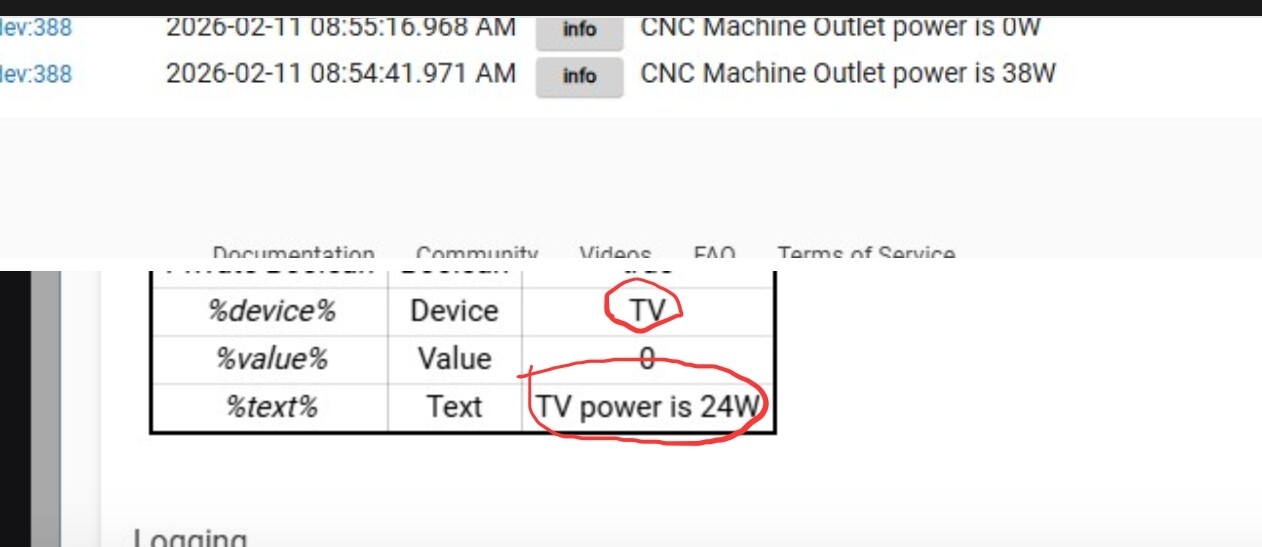
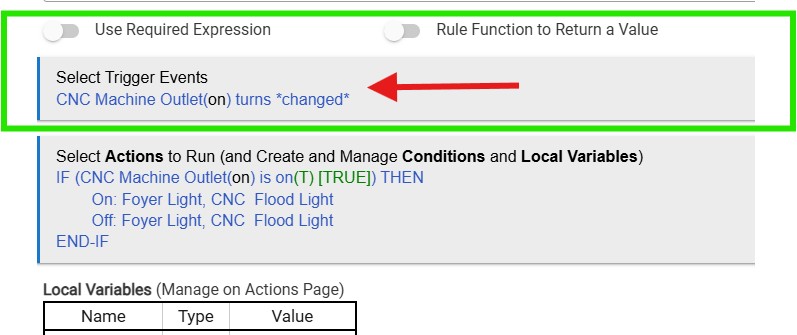
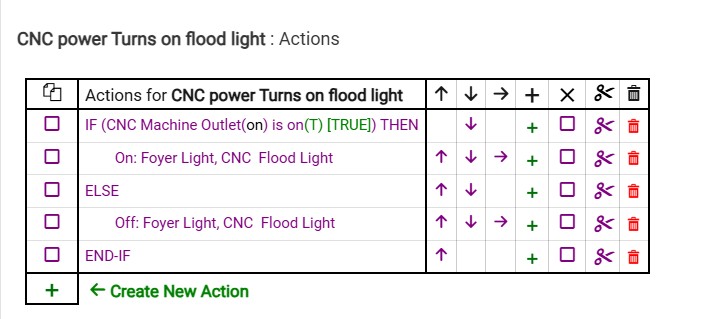
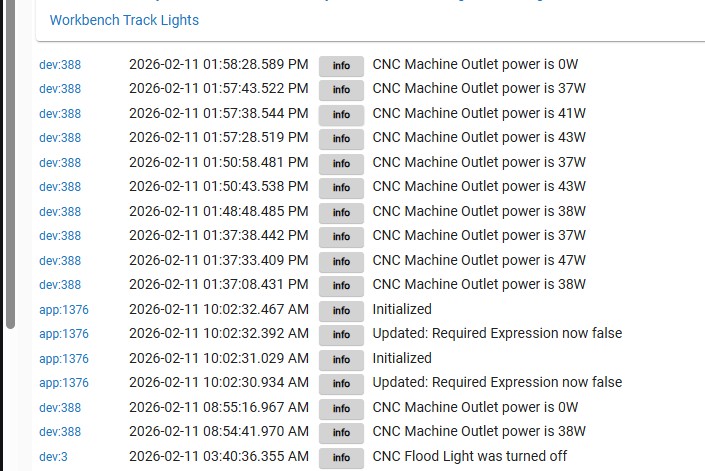
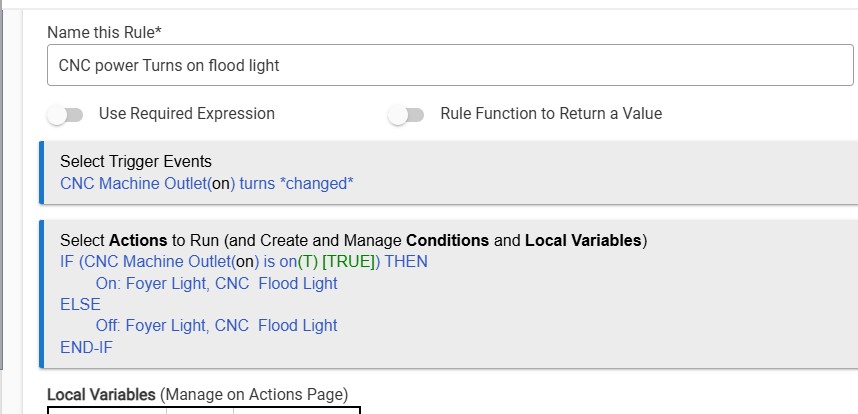
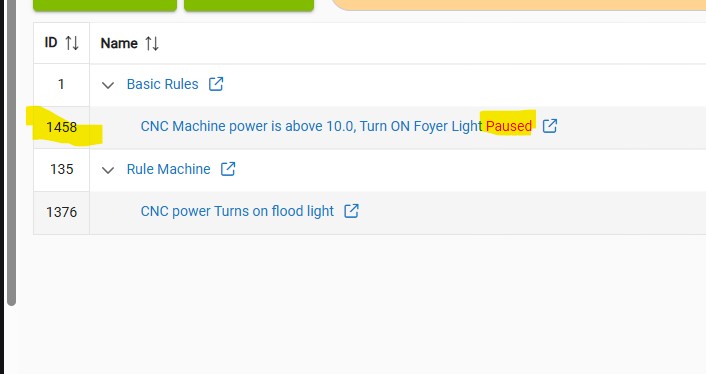
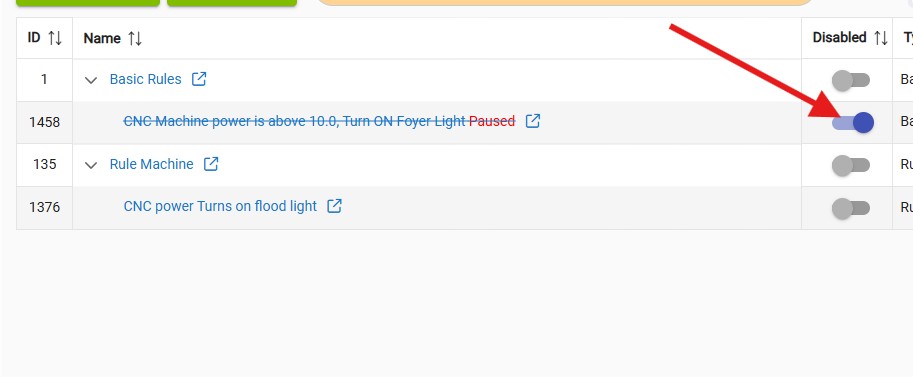
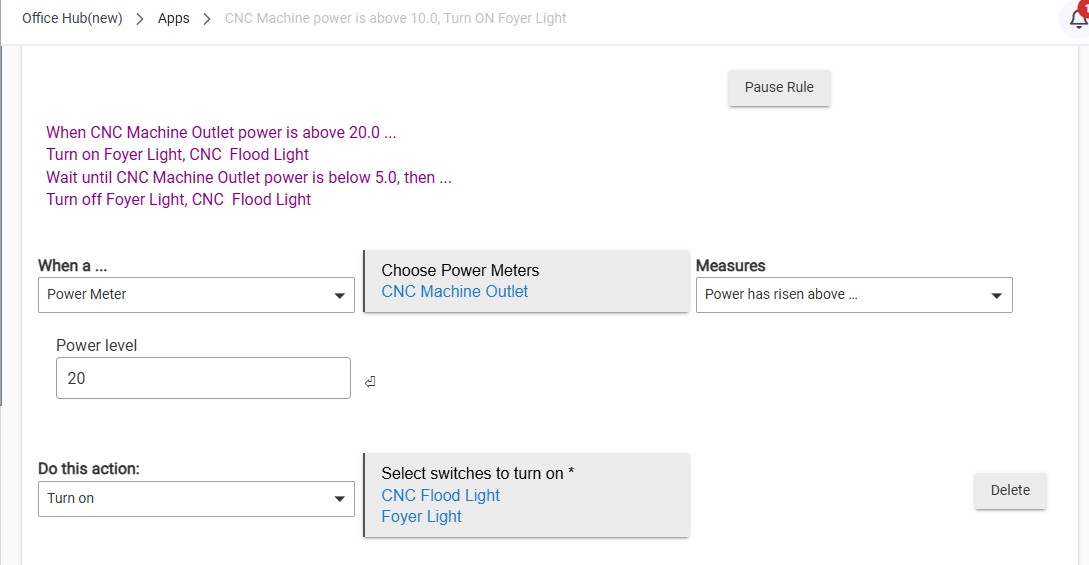
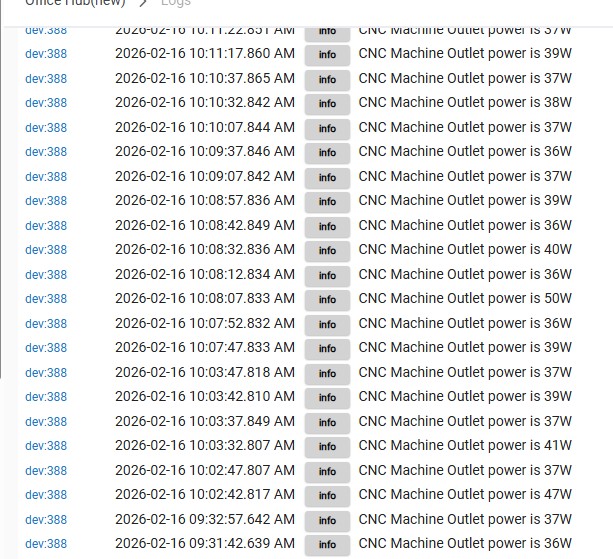
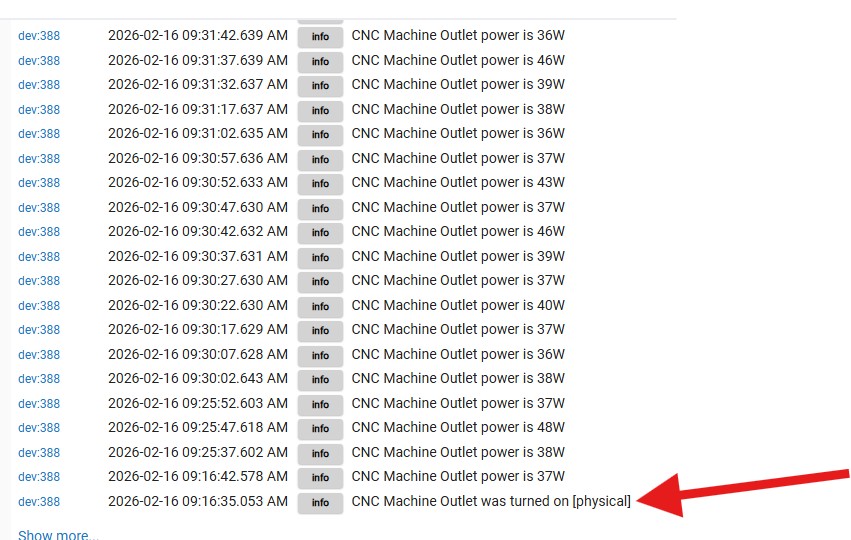
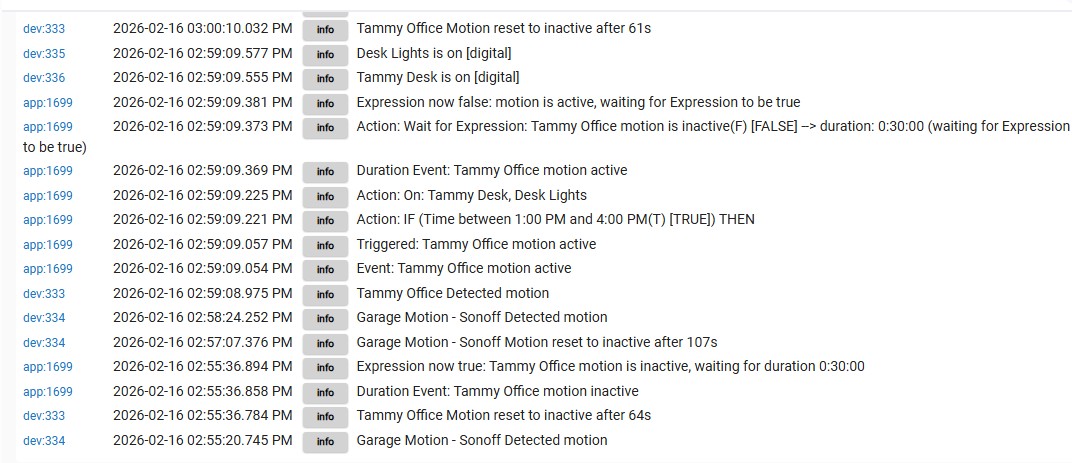
Okay, because there where two rules in the log I provided screenshots for both.
Okay - here are the screenshots.
Okay, because there where two rules in the log I provided screenshots for both.
Okay - here are the screenshots.
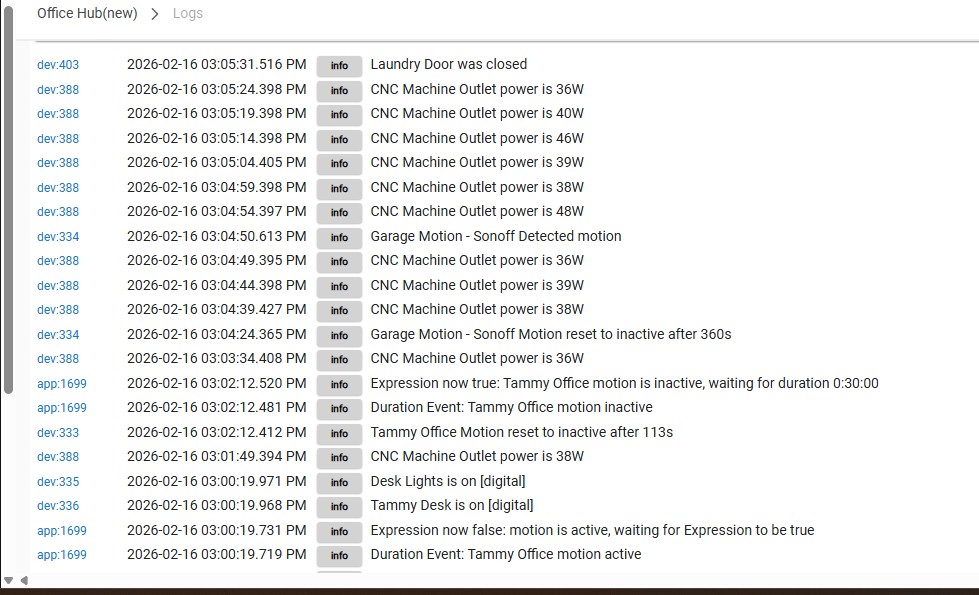
Randy, all those screenshots are still filtered to show devices only.
Do you see the “dev” at the beginning of 100% of the log entries? That’s a quick way to check whether a given log entry is coming from a device or an app.
Please try again to share the app logs from your basic rule.
So if the power level doesn't change when you turn on the machine, how can you control the lights by turning the machine on/off.
Does this machine have an external power brick, similar to a laptop? Is it possible that it is drawing small amounts of power (perhaps 5 watts) even when the machine is turned off? If that is the case then change the threshold of the trigger to a higher value.
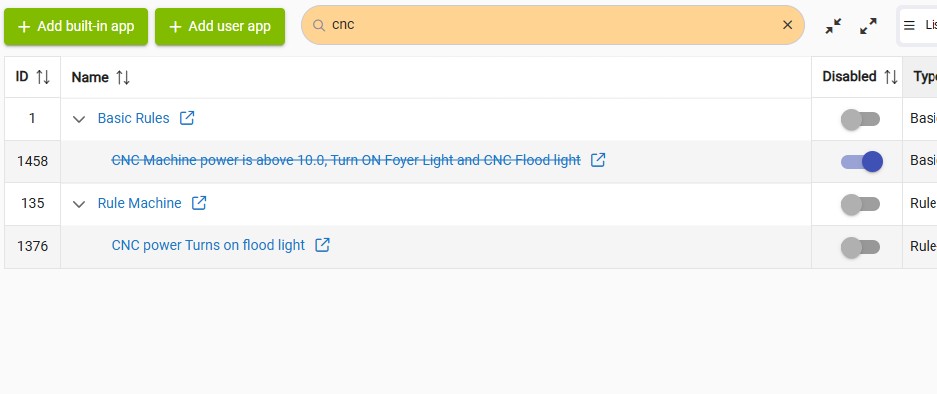
Also , please confirm that the Rule Machine rule is disabled so that it's not conflicting with the basic rule which seems to be the rule you are concentrating on (at least for the moment anyway).
I am experiencing an issue with my CNC machine automation and need assistance.
Here is a clean summary of the problem:
The requirement is critical:
Every time the CNC machine turns ON, the designated lights must turn ON immediately and reliably.
Every time the CNC machine turns OFF, the lights must turn OFF.
This must happen 100% of the time without failure.
If you did not see my earlier post, this is very important because the CNC motors can burn up if they are left in an idle state. Proper lighting indication is part of my safety process, so reliability is essential.
Can you please help determine why App 1376 is not executing consistently and how to make this automation fully reliable?
Still don't understand why you're trying to use both a rule machine rule and a basic rule to do this, despite suggestions to the contrary from me and others.
You're making this harder on yourself, and everyone here trying to help you troubleshoot.
You didn't include any logs from app 1376 (again).
Why did you decide to use power meter for the basic rule (app 1458)? Your rule machine rule is configured to trigger based on the outlet turning on and off. Why use different logic in the basic rule?
From the screenshot of the logs showing your flood light and the basic rule, the basic rule appears to be doing what you configured it to do.
Are you trying to test rule 1376 (RM) while the Basic Rule is enabled? If that is the case, then unreliable results would be expected.
According to your log, the CNC flood light is turning on and off as it should, but the foyer light is not.
Is that what you are observing in real life?
Is that the reason you say the rule isn't working properly ?
Can you control the foyer light directly from the device page ?
Do both lights come on when you press the Run actions button in the rule editor?
I think you should pick either the Basic Rule, or the Rule Machine rule, and delete the other one. Then we can concentrate on getting that working without the added confusion of what you (and the logs) are referring to.
Your Basic Rule evaluates the power reported by the Outlet.
Your Rule Machine Rule evaluates if that Outlet's own power status changes, but has nothing to do with the power it is (or is not) reporting.
Is that Outlet always On (in order to always report the power draw of whatever's plugged into it), or do you routinely turn that Outlet (itself) on and off?
I would encourage you to never use "Changed" as a Rule Machine Trigger state -- for your needs, there is always going to be a better (more specific) Trigger choice to use instead.
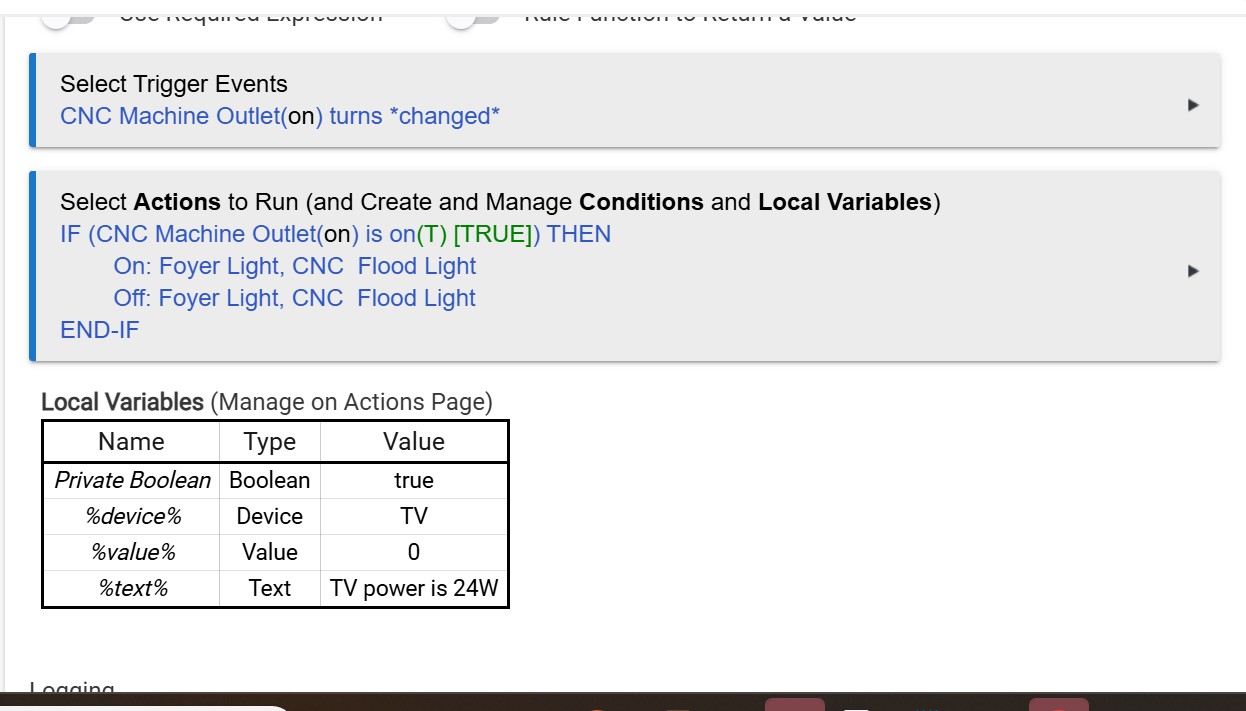
What does the TV device and TV power shown in the second picture have to do with either of those rules?
Also, if this is rule 1376, what exactly are you expecting to happen?
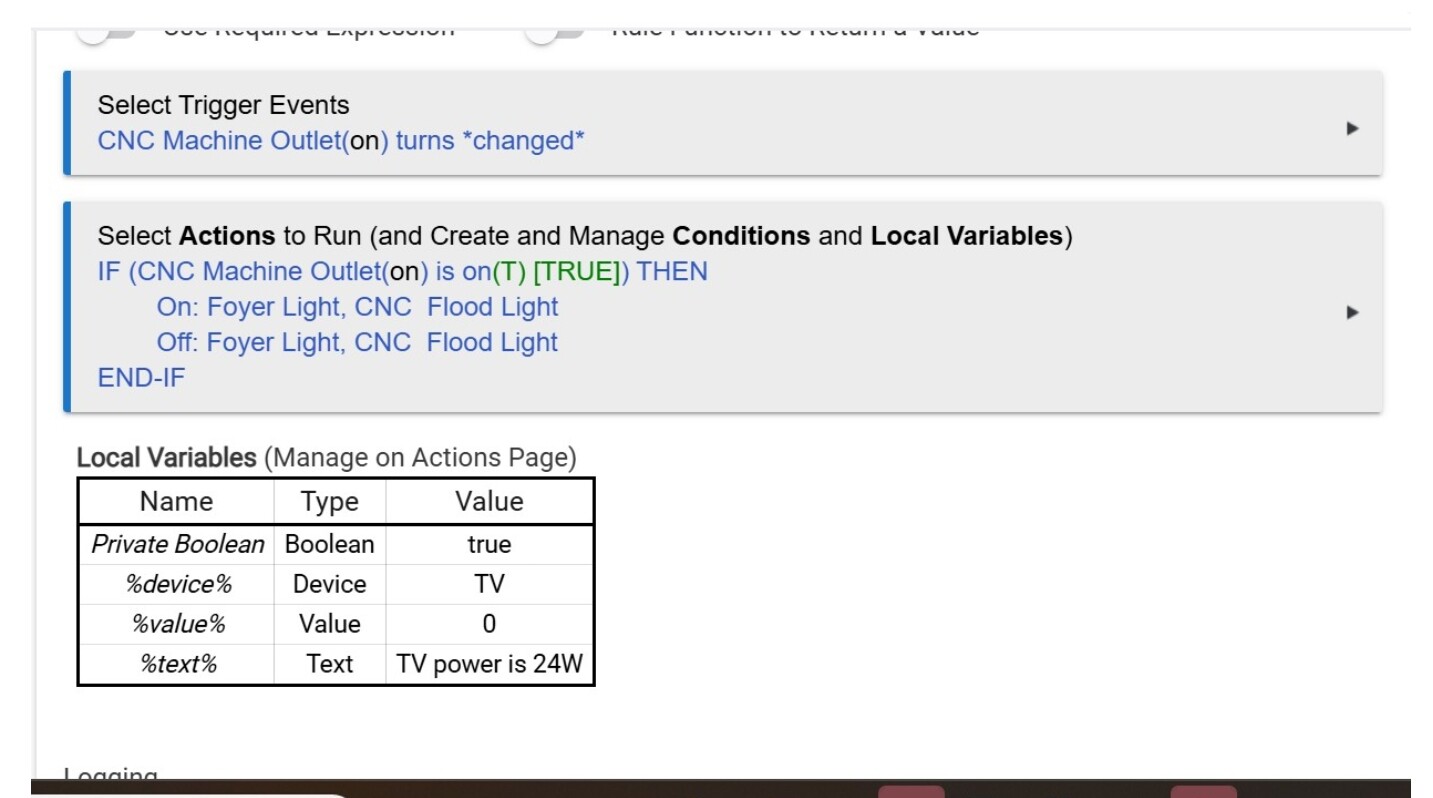
Your logic is telling it when the CNC switch is turned on, it will turn on the two lights and then immediatly turn them off - no waits, no nothing - just off. Without the logs that you have been asked to provide, I would say that might not even be something you would see happen. It would occur, but not do anything visually other than maybe a flicker of the lights.
Think of programming logic like a game of Simon Says.... In the pictured rule, you (Simon) never told the rule what to do when the switch goes off. Only what to do when the switch changes and IF it happens to be on. Computer logic is VERY good at Simon says. It does exactly what the writer (Simon) tells it to, and nothing else.
And again, why are the TV device and TV Power in the stats on that rule? Was this a different rule that you just edited and never installed or clicked done? A screen grab of the WHOLE rule would be helpful (as has also been stated before)
If your intent was to have the lights on WHILE the CNC switch is on, as was stated before, a much simpler version would be to set the trigger to CNC Switch turns on. Then, the first action would be to turn on the Foyer and Flood Lights. The second action would be to wait for event, CNC Switch turns off. The third action would then be to turn off the Foyer and Flood lights.
The other option would be to just add an "ELSE" between the on and off actions in your existing rule. Make sure you click "DONE" or "UPDATE RULE" after any changes you make.
This should work IF you did not change the trigger AND if you clicked DONE or UPDATE RULE before closing out of the rule.
I am assuming
directly above was a BEFORE image. Otherwise, the pictures don't match.
I really don’t mean to be rude, and I wish the OP nothing but the best.
But we’re having the same conversation over and over again about missing log screenshots, rule machine and basic rule automations executing simultaneously, as well as new and unexplained changes/edits to the automations (as suggested by screenshots) before previous questions have been answered.
Good luck to the OP and anyone else that can make heads or tails of what’s going on here.
Just wanted to let you know the lights never came on. 
Not sure what the problem with this rule is. I guess I need to go back to the BR 1458. Even it does not work all the time it still works some of the time.
I did not show that the rule 1458 was disabled too.
Did you used to have a Required Expression for this rule?
It appears that way, since the rule's logs still reference it -- and because it's errantly evaluating as False, the rule won't ever trigger.
@bertabcd1234 - IIRC, you've also been witness to this bug before... With Bruce unavailable, do you know what staff member is watching over Rule Machine these days, and could you please ask them to look into this?
This particular "still evaluating even though it's been deselected" Reqd Expression bug has been coming up pretty regularly in the community for a while now, and it would be great to finally get it fixed.
IF you did not change the trigger AND if you clicked DONE or UPDATE RULE before closing out of the rule.
As a habit I always click on both "Update" and "Done"
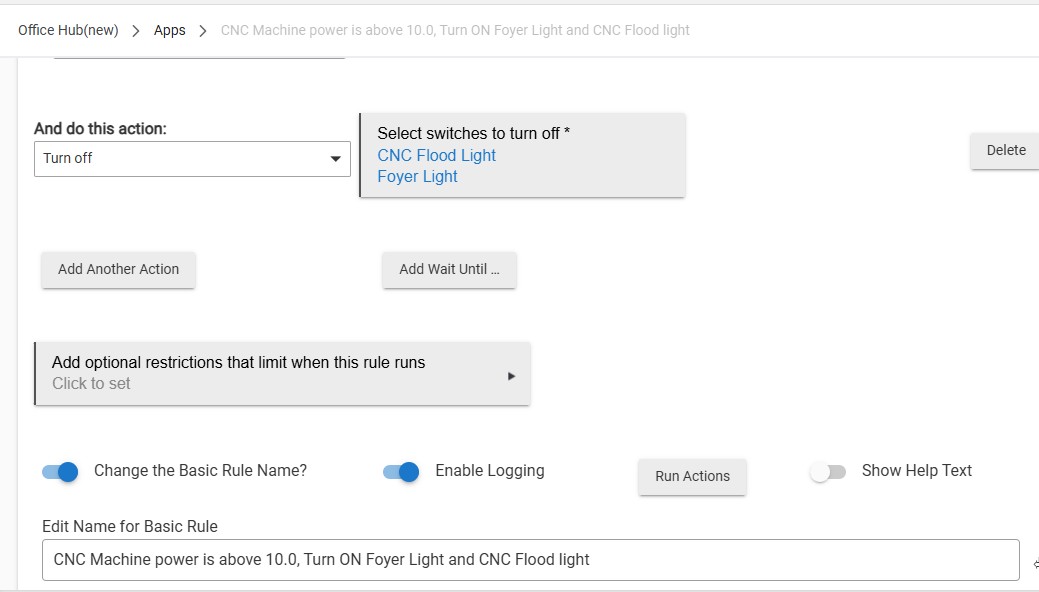
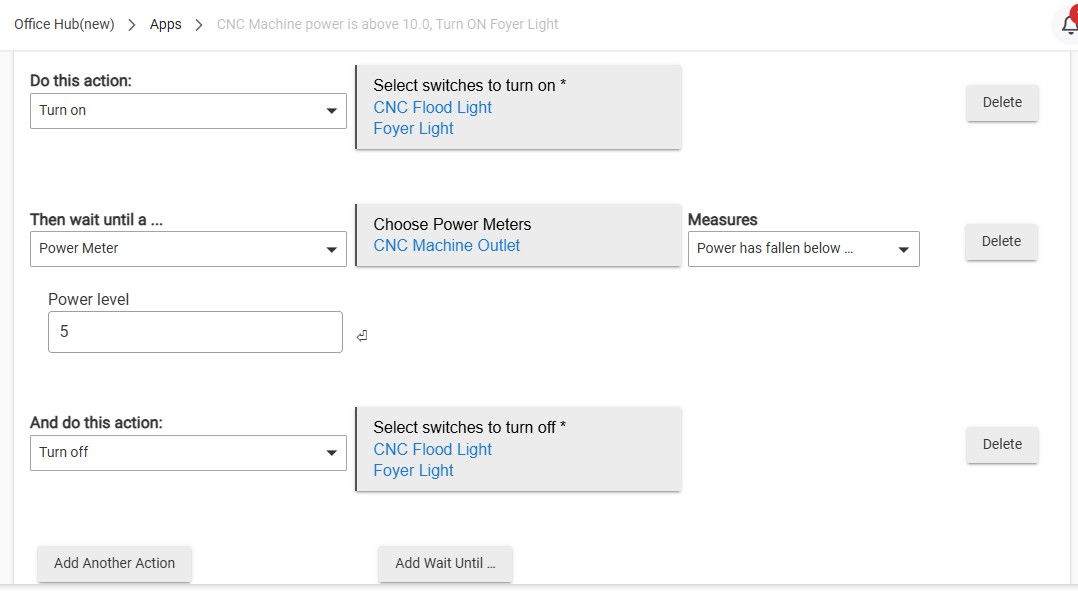
Here are complete screenshots of BR 1458
Is the basic rule disabled or removed? You should not have two apps or rules trying to do the same thing at the same times because they are competing and may cause issues. It is all and well possible that the power draw not ramping up immediately is causing the lights to turn right back off based on the power requirements. Literally, you need to pick one method and stick with it. I would highly recommend it NOT be the power reporting one.
Also, did you do this?
Also, did you explain this? I did not see the last %device% and last %text% in the latest screenshot you posted. If it is still referencing the TV, then you may just need to delete and rewrite the rule from scratch.
If you DID click Done or Update, what you should do (IN THIS ORDER)
1 - Open Hubitat ON A PC OR DESKTOP
2- Disable the basic rule that might be conflicting (The power based one)
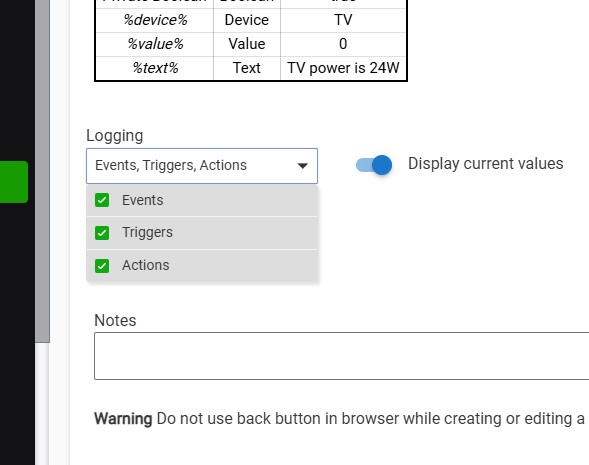
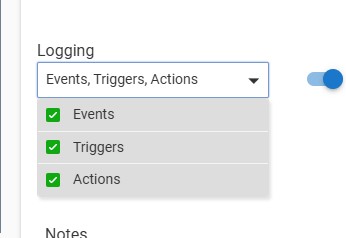
3- Go to the rule itself, open it, and verify the logging has ALL the options selected and click DONE:
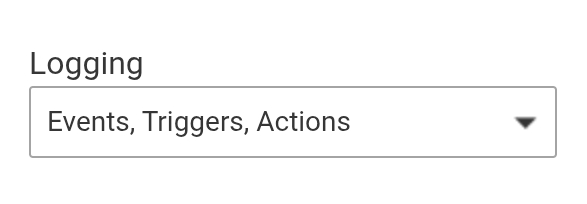
Grab a screen shot as proof.
4- Go to the Logs Section and click Live Logs
Do Not click on any devices or apps or filter at all.
5- Go to the CNC Switch, turn it on NOTE THE TIME
6-Visually verify if the lights did or did not come on.
7- Wait one minute
8-Turn off the CNC Switch NOTE THE TIME
9- Verify if the lights are on or off
10- Return to the PC
11- If the logs are full, or have rolled down to the point you cannot see the time noted at step 5, then scroll down to the closest time stamp BEFORE the time you noted.
12-Grab a screenshot of ALL the logs for ALL the devices and apps in the log from that time stamp and up, NOT JUST THE ONES YOU THINK WE WANT TO SEE
We already know that you have at least two apps competing at the moment. The logs may show other devices/apps that could be preventing it from working. Without ALL the entries, you are handicapping your helpers.
13- Post the screenshot(s) and tell us the TIME you turn the switch on and off as well as your your observations from steps 6 and 9.
First off I want to thank you for putting a lot of time for me to trouble shoot this problem. Next just wanted to let you know I did not forget about all that you have done - just have not turned the machine on. Monday today I am going to turn it on and go through your list.
Download the Hubitat app