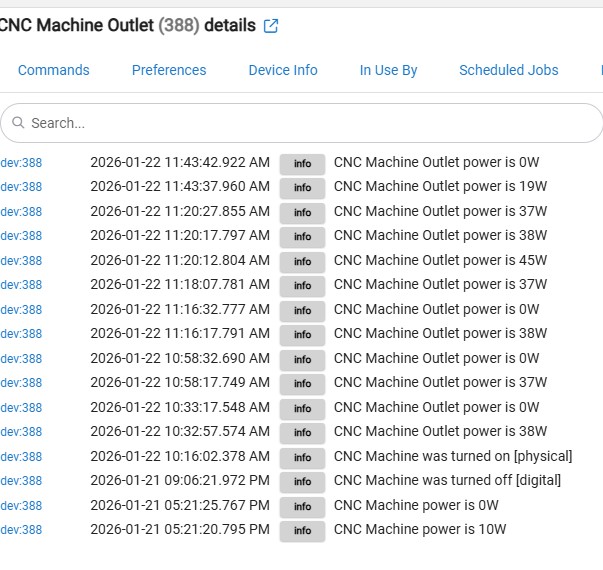
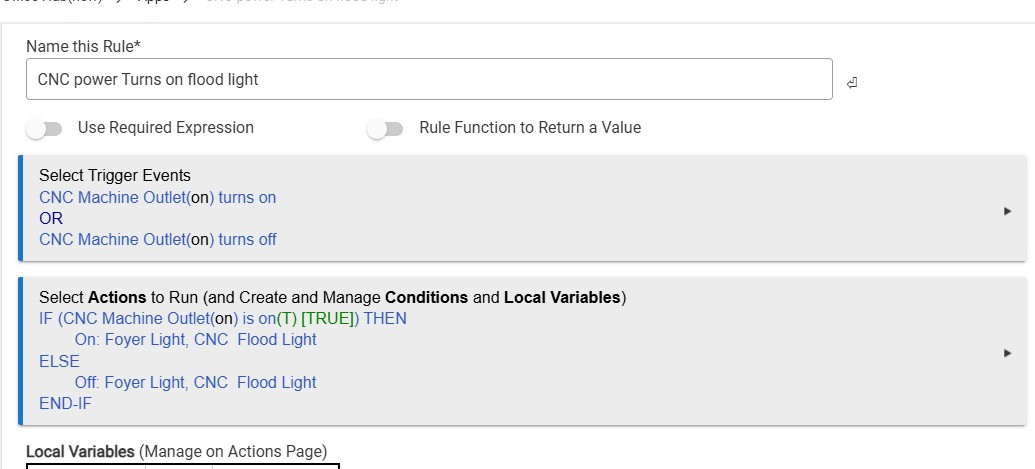
Rule 1376 in Rule Machine is plugged into Zigbee Outlet. The machine voltage ratings are input 100-240 Volt AC 50/60Hz 3.0A Output 24volts 5A.
I need this machine every time it is turned on to turn Flood Light and Foyer Light and when the machine is turned off to turn off the Flood Light and Foyer Light - EVERYTIME. This is a must and this is important to happen every time the machine is turned on and off
This was working fine and then today it stopped. I asked Chat GPT and now the rule has changed. This rule needs to work every time.
Here is How I need the rule to work:
when the machine is turned ON the CNC Flood Light & Foyer Light turn ON and Stay ON.
when the machine is turned OFF the above lights turn OFF.
It should work but you could try something like this:
This would leave the lights on for 5 minutes after machine is shut off allowing time to vacate. The cancel delay is to avoid multi triggering if the person turns on then off the machine a couple times (i.e. re-triggers the rule).
p.s. check your CNC motor size vs the HP rating of your Zigbee switch. Inductive loads have lower current limits than resistive loads. Excessive contact arc can weld the contacts closed permanently or burn them such they never close. Your CNC only draws 3A @ 100-240 VAC? That seems very small.
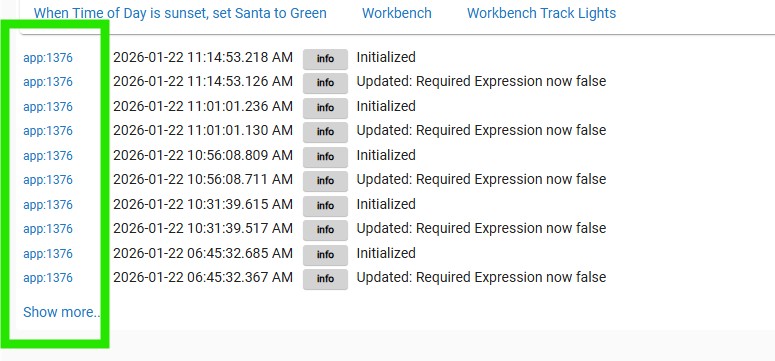
The logs mention a required expression initializing. Did you put required expressions on the rule? Did you used to have required expressions, then remove them but did not hit "update rule" or "done"?
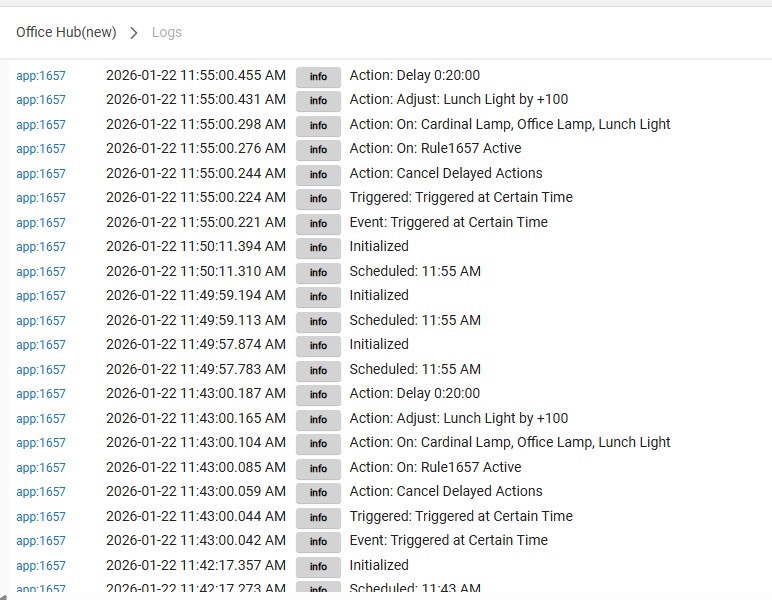
Are you sure that it is app1376? In the logs, you should be able to select the CNC machine, the light devices that are involved, and the rule by name in the dropdown filter list. It would be more helpful to see all of those in one set of logs to see how things are moving.
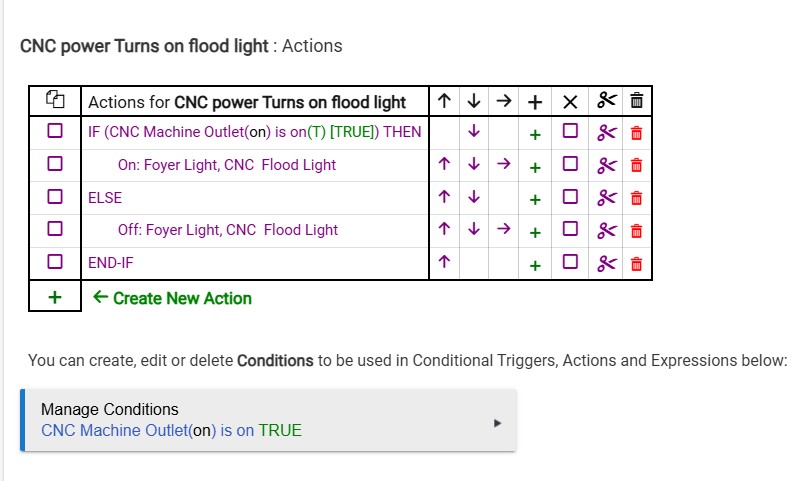
You are triggering your rule when the outlet is turned on and off.
Are you using the outlet to turn the machine on and off or are you leaving the outlet turned on and operating the machine from its own power switch?
Was it your intent to monitor the power consumption of the machine and turn on the lights based on that? If that was your intent you will need to change the triggers.
good point. If the zigbee module is always on and you are monitoring current or power then your trigger needs to be based on that.
You might need some hysteresis in the trigger levels to avoid triggering storms.
It would help if you explained the use case a little better. Things I wonder.
How do you get to the machine to turn it on if all the lights are off? Safety hazard.
If you switch off the machine and the lights go off how do you exit the room? Safety hazard.
If you are sensing current (or power) to decide on lights, surely the system on but not running has a much different power/current profile than when it is running under cutting load. I suppose you need to see (ie lights on) what you are doing without a cutting load to do setups and so on.
This still doesn’t track with the screenshot of your rule.
Your rule has no required expressions (in the screenshot you shared in the OP). The log screenshot indicates the rule corresponding to app 1376 has a required expression.
I manually turn the outlet on for the day. At night before we go to be I have a rule that shuts off everything in the shop.
When I switch off the machine the flood light (right over the CNC machine) goes off. Also our Foyer light inside the house turns off too.
When the CNC machine is turned on, the power level does not change. The cutting load is on a different circuit. The router is what draws a lot and it is not on the same outlet, it is plugged into a separate outlet. I NEVER FORGET the router. Way too loud to forget. What is plugged into the outlet is mostly the computer board that controls the router movements.

 .
.