Nothing strange about that. It's the way Matter was conceived: Multi-admin. (you must still have a thread border router running somewhere on your network though)
It appears that everything seems to be working. Except none of the thread devices show up in the home app. Home automations are still running even tho they don't show up either.
Not sure what to do next. I unplugged all thread routers. Rebooted my wifi router. No luck.
From what I can read it may be a Icloud update issue. But doing all they recommend doesn't help. Other than waiting 24 hours. Will see what happens.
Edit: All the thread devices except one are apparently no longer connected. I was mistaken when I thought automations were still working. The IKEA button I also had paired in HE but it no longer shows up in the Home app but it is working. Not sure about getting that back into Home. All the other devices I assume I’ll have to reset and add back in.
Now that I've calmed down a little and re-assesed everything. Here is what I found.
All the IKEA devices except for one motion detector disappeared from Apple Home. In most cases I was using an Apple Automation to a HE virtual switch for these devices and those automations disappeared also.
I had 2 of the IKEA's paired in HE. The button still seems to work in HE and one temp/humid sensor is still reporting in HE. But I need to get those back into Home also. So not sure how to handle that except do a reset and readd to everything. (Side note, the get setup code in HE doesn't seem to do anything).
I also lost 3 Homepod Mini's from Home.
Conclusion is IKEA went bonkers, I don't know. Something weird happened.
EDIT: Something definitly wrong with Ikea. I added things back in. Then my whole matter network went crazy. Removed the Ikeas, or most of them. and things settled down again. Gonna have to add one at a time to figure that out.
guess you get what you pay for. My Ikea devices keep acting up. Several times a day one or more of them just quit working. Home shows them un-responsive. Wait an hour and they come back up. Then before long different ones drop off. I have a couple other thread devices and they have been rock solid on the same thread network. It's almost like the IKEA's talk to each other and if one goes off it tells another one to go...
1 Like
I have well over a hundred devices on the hub, but majority of them are hard wired.
A couple of month ago I replaced ALL of my zigbee devices (21) with Ikea matter over thread.
Outside of first 2 weeks, where I had to pull the batteries on 2 motion sensors twice and unscrew 4 bulbs once and one bulb twice - everything is rock solid 3 month and counting…
I should add that I got rid of Google hub max prior to thread network setup
My matter/thread is all on Apple home. I have about 20 hardwired matter devices which have been solid. A couple thread devices from another manufacturer which have been solid. Just the IKEA ones that don’t play fair.
Do you have yours tied into HE?
I have a single TBR - Apple TV 4k
All the devices provisioned on Apple home, then all of them paired with the Hubitat Matter controller.
Didn’t have a single issue with the pairing
I should add: devices in use: motion sensors, plugs, bulbs, thermometers and air quality sensors
I have 2 motion sensors. One has stayed connected to Home. The other keeps dropping off. 2 contact sensors neither of which wanted to stay connected. 1 dual button which worked fine for quite some time then gave up the ghost. I gave up even trying to pair them with HE. I have 4 temp/ humidity sensors which seem to be stable. One of them is tied to HE and so far is good. I don’t really need the others in HE so didn’t bother.
I have an Apple TV 4K and one pod mini. I use the Eve app to show connection status and when connected they all show excellent. So it doesn’t appear to be a signal issue but who knows.
Both Myggbett and Kajplats has been rock solid and working fine the 9 days since I paired them to HE via Matter. Since they seems to be stable, its time to buy more Matter devices from IKEA. 
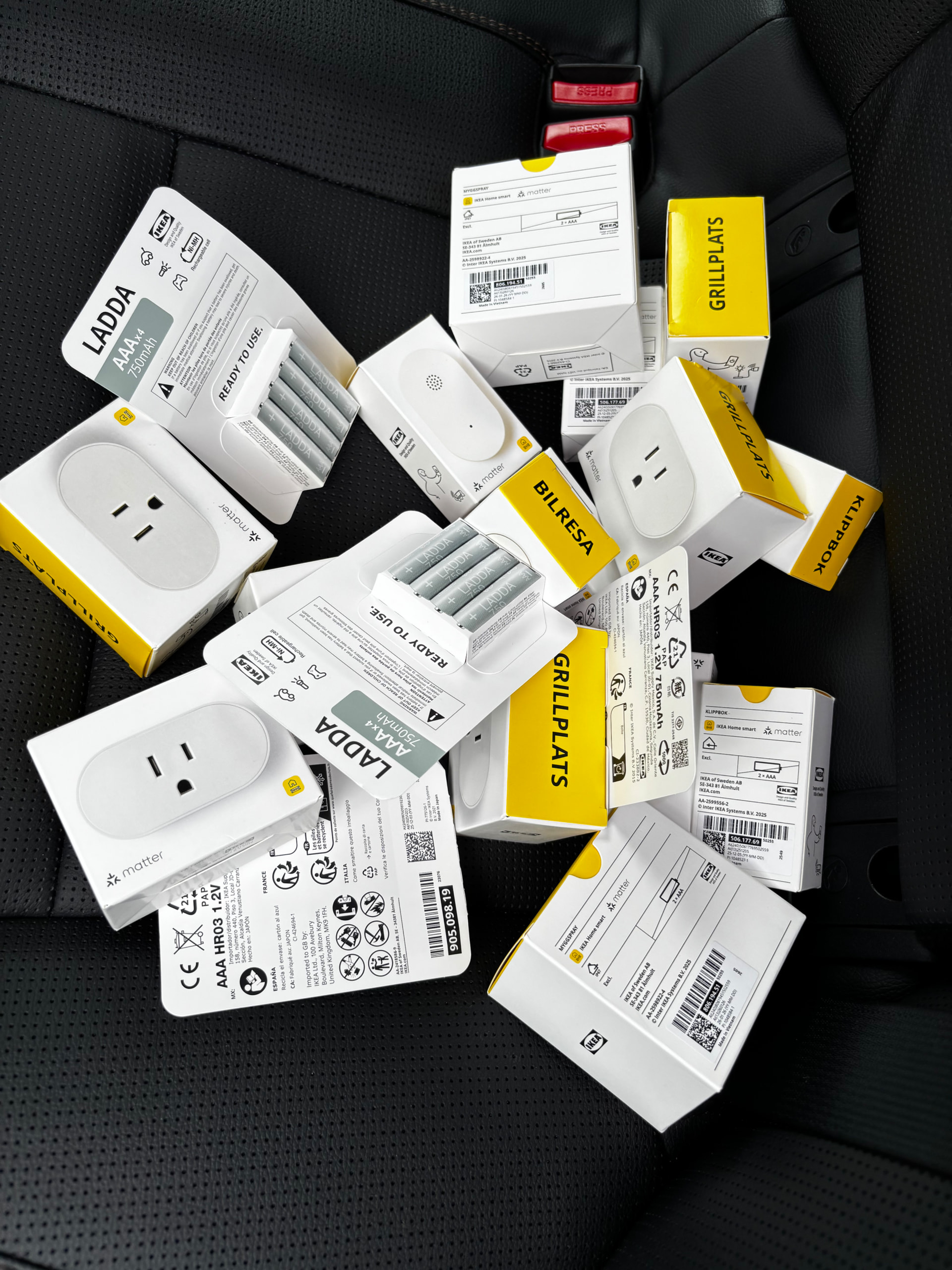
My IKEA devices have been much improved since adding several GRILLPLATS plugs throughout the house. Firmware upgrades may have also helped a lot.
That shouldn’t be enough to make me go nuts at IKEA but here we are.

3 Likes
Sadly, for unknown (for now) reasons, my Matter network almost collapsed two days ago. I have a total of 25 Matter devices, half are Matter over Thread, the rest are Matter over WiFi.
The problem affected both Thread and WiFi Matter devices. Half of them stopped responding, Matter Details page on HE was full of red  marks ..
Lucky, the Philips Hue bridge was not affected - since the past 3-4 months, all my lighting automations fully depend on the Matter Advanced Bridge reliable connection with the Hue hub.
My solution was to disable (in the HE devices page) all these Matter devices that were not working at that time. After a few hub reboots, the Matter network settled down, and the most important for me Matter devices and hubs are working OK now (including Aqara U200 lock w/ codes and Aqara G350 Video Camera)! 
I will be slowly enabling one by one the currently disabled Matter devices; hopefully, I will have the chance to isolate the problematic one. Or, it may not be a particularly problematic device, but a combination of several Matter devices? Who knows...
2 Likes
I have 25 Matter devices tied to HE, only one of which is Thread. Several others only paired to Apple Home. I will occassionally have one quit working temporarily but usually doesn’t last long.
It was all the IKEA thread devices that gave me fits. I have a thread contact sensor from another manufacturer coming to replace the Ikea contact sensor that I couldn’t keep connected. Gonna see the comparison to determine if it is my network or the devices.
May I recommend a preference to disable power reporting except on refresh? While one could just use the generic driver for devices that are noisy reporting power, I like to use the same driver for all devices of the same type and may occasionally want power reporting on demand.
For what it’s worth, this is what ChatGPT had me do, and it worked out OK:
1. Add this new preference
Inside the existing preferences { ... } block, add:
input name: "enablePowerReporting",
      type: "bool",
      title: "Enable automatic power/energy reporting",
      defaultValue: true
2. Replace the entire subscribeToAttributes() method
Replace your existing method with this:
private void subscribeToAttributes() {
    List<Map<String,String>> paths = []

    // Always subscribe to switch state
    paths.add(matter.attributePath(0x01, 0x0006, 0x0000)) // OnOff

    // Subscribe to power-related attributes only if enabled
    if (enablePowerReporting != false) {
        paths.add(matter.attributePath(0x02, 0x0090, 0x0008)) // ActivePower
        paths.add(matter.attributePath(0x02, 0x0090, 0x000B)) // RMSVoltage
        paths.add(matter.attributePath(0x02, 0x0090, 0x000C)) // RMSCurrent
        paths.add(matter.attributePath(0x02, 0x0090, 0x000E)) // Frequency
        paths.add(matter.attributePath(0x02, 0x0090, 0x0011)) // PowerFactor
        paths.add(matter.attributePath(0x02, 0x0091, 0x0001)) // CumulativeEnergyImported

        logInfo "subscribing to switch + power/energy reporting"
    }
    else {
        logInfo "subscribing to switch only (power reporting disabled)"
    }

    String cmd = matter.cleanSubscribe(0, 600, paths)
    sendHubCommand(new HubAction(cmd, Protocol.MATTER))
}
Result
When the option is disabled:
-
Switch on/off updates still happen immediately
-
Health checks still work
-
Manual
Refresh()still power/energy stats.
Edit: See What do I need at Ikea? - #301 by HAL9000 before doing this.
1 Like
That is actually would be helpful
Especially in situations like mine: I have 11 plugs and need active monitoring only on one.
I had to switch back to generic driver b.c. my espresso machine plug was hyperactive during warmup phase.
Like you, I also like to use a single driver for the same type of device.
1 Like
Update on my situation. I had an IKEA contact sensor that I could not get to stay connected to HE. Would work fine in Apple Home, but not in HE.
I purchased, at much greater cost, a contact sensor from EVE. Paired to Home then HE. Installed it at same location that I had the IKEA one at. So far the EVE has been rock solid. Not one issue.
Not sure what that is telling us other than there is something different with the IKEA devices.
If you make the change to disable power reporting that I posted above in What do I need at Ikea? - #298 by HAL9000, disable health checks also for now. The health checks include getting very upset if power monitoring stats aren’t being received.
This was suggested, but I haven’t tried it yet:
Replace this entire section inside deviceHealthCheck() with
// Only perform stale-report checks when automatic reporting is enabled
if (enablePowerReporting != false) {
// Voltage staleness check
def lastVoltage = device.currentState("voltage")
if (lastVoltage == null || (now() - lastVoltage.date.time) > 1 * 3600 * 1000L) {
    logWarn "No voltage report in >1h — requesting voltage attribute read"
    sendHubCommand(new HubAction(
        matter.readAttributes([matter.attributePath(0x02, 0x0090, 0x000B)]),
        Protocol.MATTER))
} else {
    logDebug "Voltage report is recent (last: ${lastVoltage.date})"
}

// Power staleness check
def lastPower = device.currentState("power")
if (lastPower == null || (now() - lastPower.date.time) > 1 * 3600 * 1000L) {
    logWarn "No power report in >1h — requesting power attribute read"
    sendHubCommand(new HubAction(
        matter.readAttributes([matter.attributePath(0x02, 0x0090, 0x0008)]),
        Protocol.MATTER))
} else {
    logDebug "Power report is recent (last: ${lastPower.date})"
}

// Energy staleness check
def lastEnergy = device.currentState("energy")
if (lastEnergy == null || (now() - lastEnergy.date.time) > 1 * 3600 * 1000L) {
    logWarn "No energy report in >1h — requesting energy attribute read"
    sendHubCommand(new HubAction(
        matter.readAttributes([matter.attributePath(0x02, 0x0091, 0x0001)]),
        Protocol.MATTER))
} else {
    logDebug "Energy report is recent (last: ${lastEnergy.date})"
}
}
You can also experiment with multiple Matter subscriptions using different MinIntervalFloor values. For example:
matter.subscribe(30, 600, powerPaths)
In theory, this should mean that power-related attribute changes are reported no more often than once every 30 seconds, with a maximum reporting interval of 600 seconds.
However, I do not yet know whether IKEA’s Matter implementation actually respects this requested minimum interval. This needs to be tested in practice.
1 Like
Reading through the last 100 or so posts have convinced me that my rock solid zigbee, z-wave and some local WiFi devices are not going to be joined by matter anytime soon. Thread and matter still have a way to go.
3 Likes
People who dont experiences problem usually don't post about it. Hence the posts tend to disproportionnely highlight problems. It could be misleading to base a verdict about a technology on such topic.
For instance, I have both Matter over thread and Matter over wifi devices from various companies (including Ikea) and they are all rock solid.
A bit of caution is required. For example, based on this topic, ones could reach a conclusion that people who experience problems are Apple users. 
1 Like
OH that hurt…. Just kidding.
But in my case Matter in general has been great. I have about 20 regular matter devices that I have had no problems with. I currently have 5 thread devices, not IKEA, that are working just fine. It was the IKEA’s that kept giving me fits. And that only when I added them to HE. They were always ok in Apple Home. I am still experimenting with the IKEA’s that I have and right now one of the motion detectors has been doing quite well. Luckily I had no urgent need for any of them at this point.