I am trying to add Eaton outlets RFT9605-T to my hub. I am running the newest software 2.4.1.177. Tried everything. Generic device, Eaton devices from list, reset device to factory strings. Nothing works.
Is it even compatible?
I am trying to add Eaton outlets RFT9605-T to my hub. I am running the newest software 2.4.1.177. Tried everything. Generic device, Eaton devices from list, reset device to factory strings. Nothing works.
Is it even compatible?
What model Hubitat hub?
Have you successfully paired other ZW devices to this hub, or is this the first one?
Is the Eaton receptacle brand-new or was it part of a previous installation -- if the latter, was it excluded from that previous controller?
Have you attempted to exclude the Eaton device on Hubitat?
Although doing an exclusion as the first step of any inclusion may sound unintuitive, it confirms that the hub and device can communicate OK
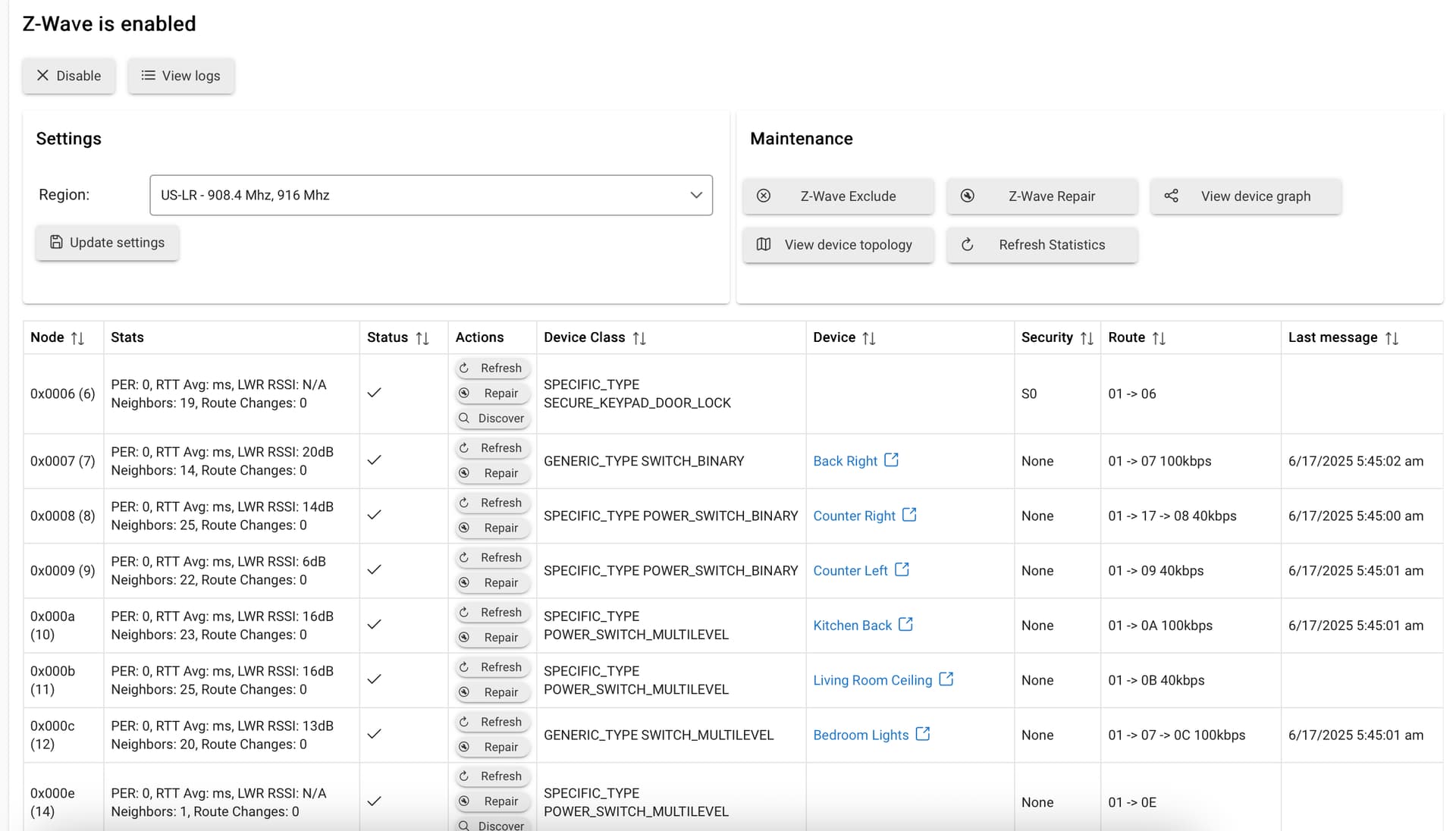
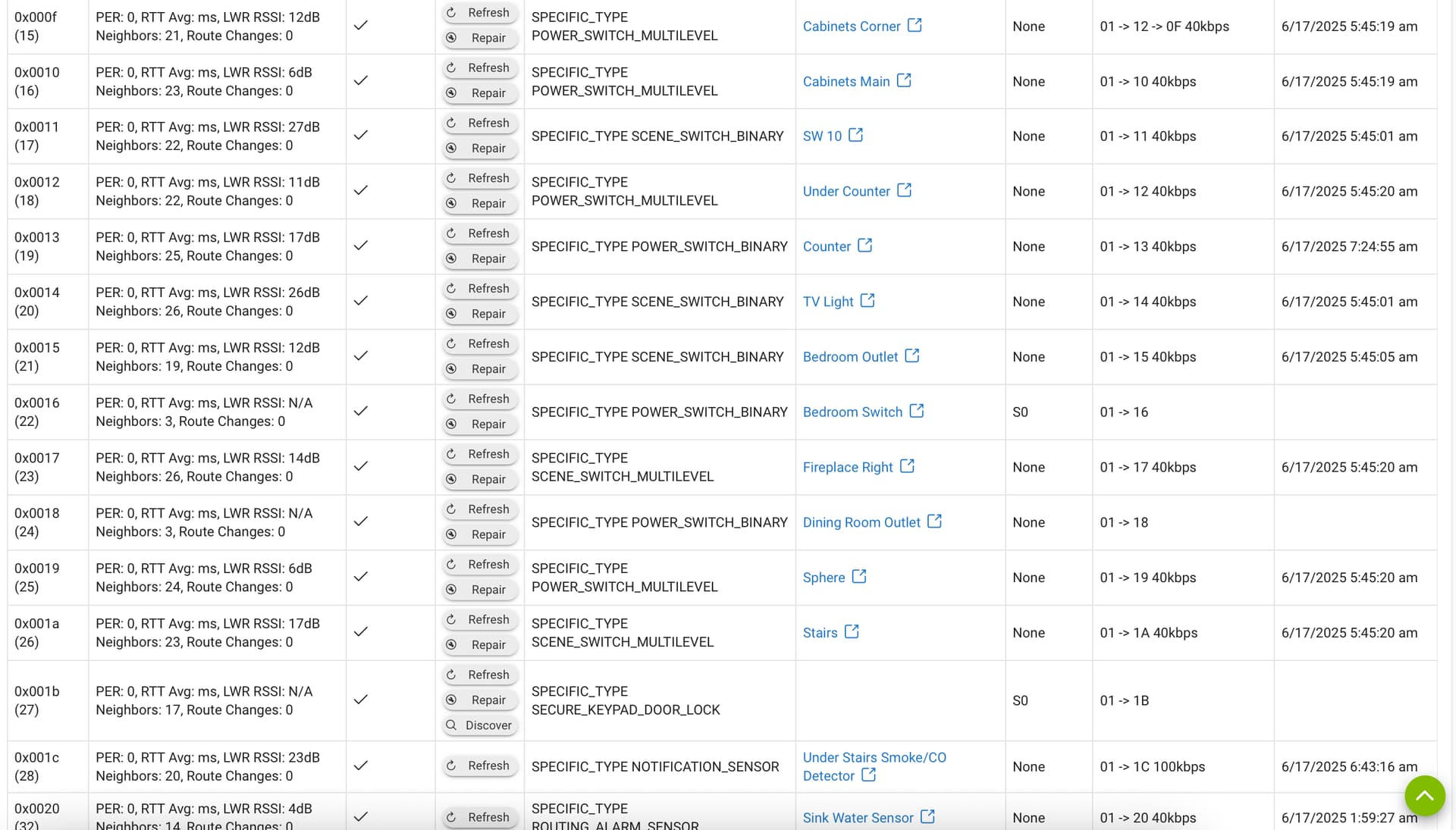
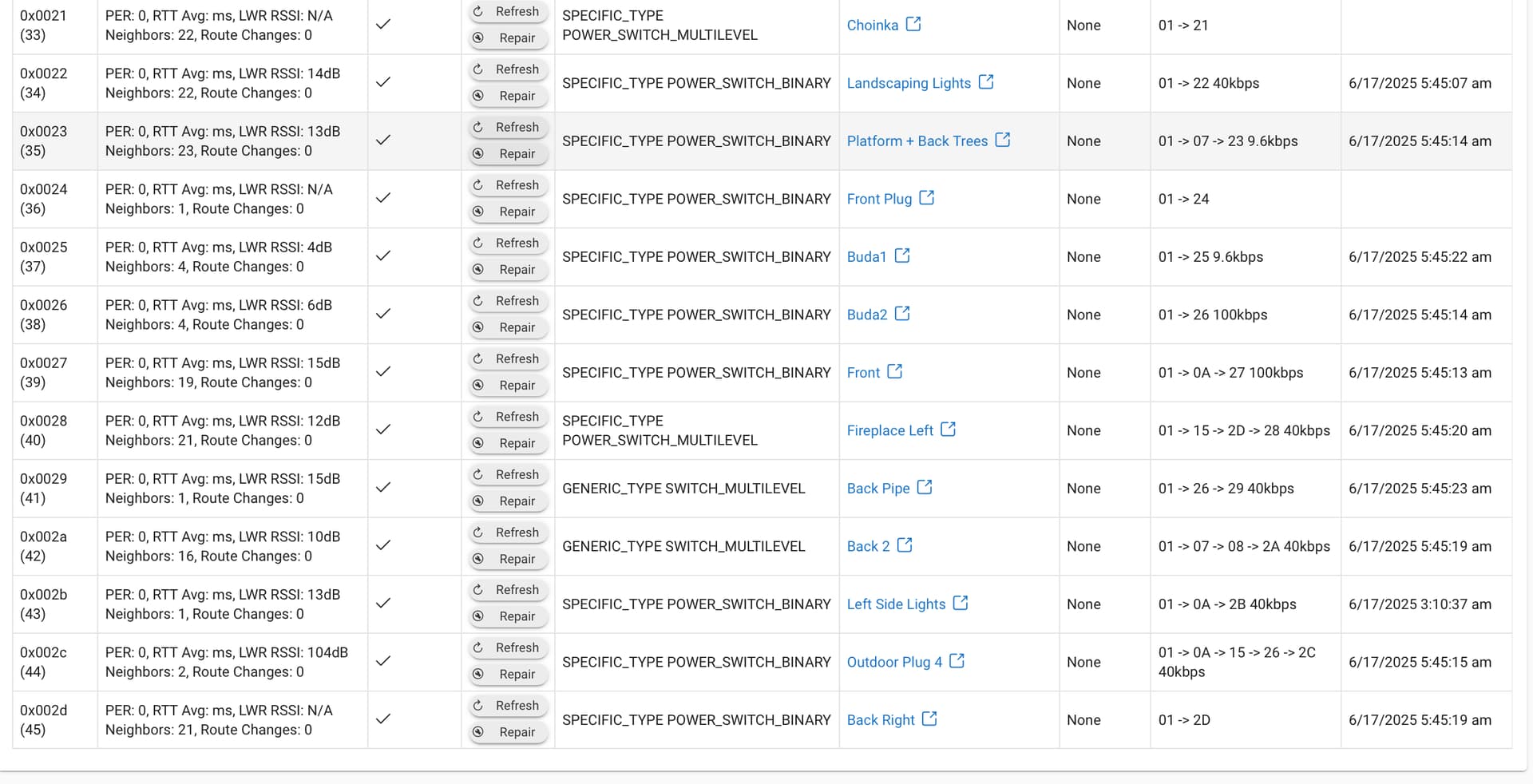
@jwojt Can you post your z-wave details page in its entirety?
Thanks for your responses. I have Habitat hub for a while. This is C-8 2.4.1.177. There are 30+ connected devices (most z-wave).
The Eaton outlet is brand new. It is definitely in pairing mode (just in case did factory reset to make sure).
There isn't much useful on the z-wave details page. Only region and then long list of devices.
While you might be unable to interpret that list, others can. There’s a reason @rlithgow1 asked to see a screen shot of that page. You can black out device names, if necessary. Without seeing details of your zwave setup, we’re all playing guessing games.
To add to what @aaiyar said there is nothing publically identifiable on the z-wave details page. We just need to see it in its entirety. Use windows snip tool to post it.
It's fairly long ....
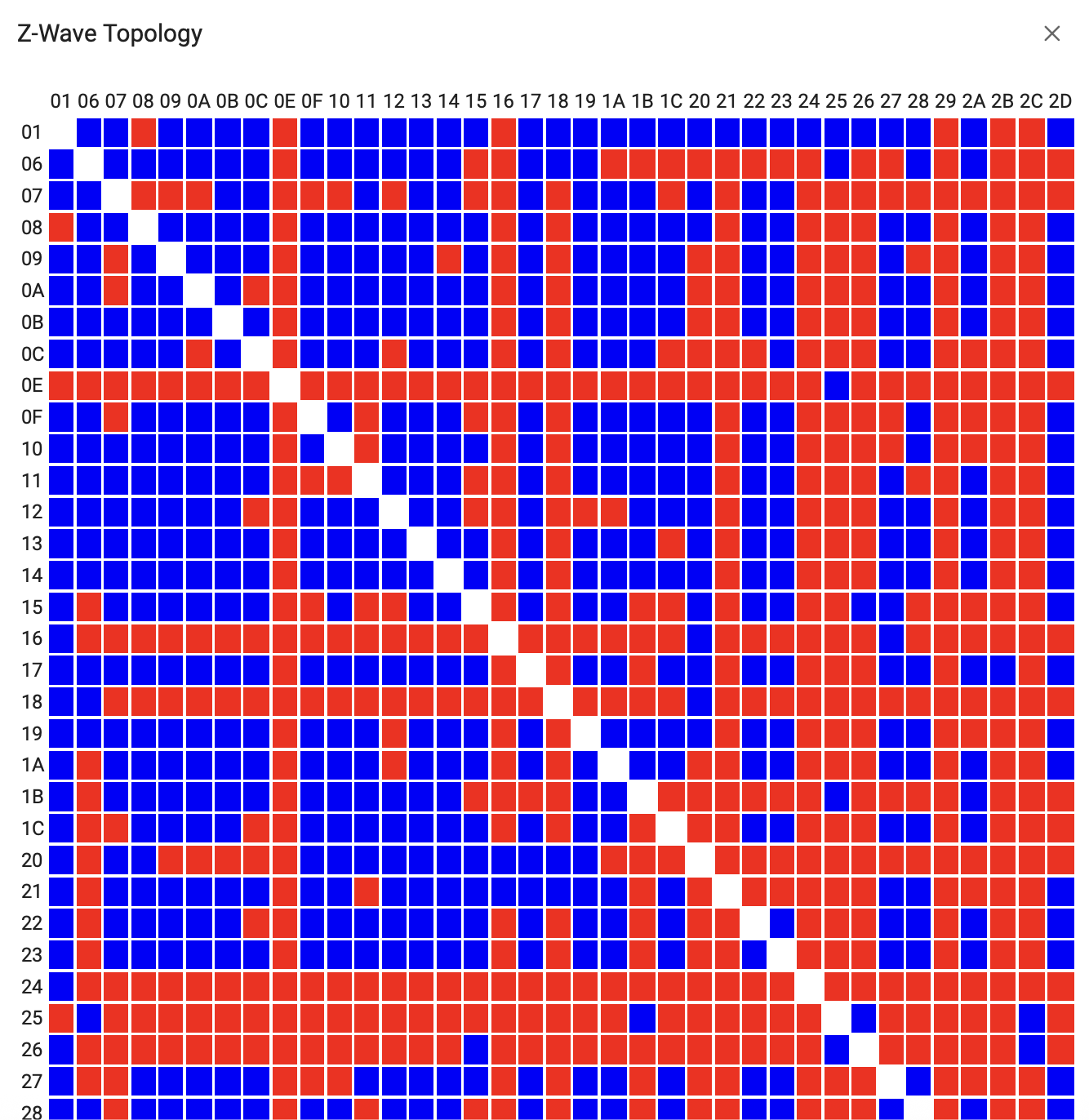
The network topology is interesting too .. not sure it it makes any difference.
Thanks for helping!
J
Nodes (6), (14) and (27) do not have devices attached. Sometimes these "ghost" nodes will block or interfere with pairing new devices. Especially lock ghosts, which is what (6) and (27) are.
Here is the unofficial guide on how to get rid of those:
How To Remove Ghosts using hub tools or a UZB Stick
Make sure you also read the z-wave section of this post:
‼ READ FIRST - Before Posting in Get Help
Download the Hubitat app