Trying to add a couple in in-wall switches - "pending?"

Trying to add these switches using SmartStart. Captures the bar code and displays a message:

not adding pending
Name:
Location:

One of these switches is brand new but I went through the process of resetting it and it completed successfully.I'm not sure about the reset status of the other switch. It's one on the infamous GE/Jasco type (actually an UltraPro). Successfully resetting these successfully is seemingly impossible. I've ordered a new ZOOZ switch.

Nevertheless adding the new switch (Zooz ZEN72) doesn't appear to work, resulting with the message. I've even tried adding all of the 30 DSK code. Not sure about security options. The result is the same - what does pending mean?
Free bump to the top, if nothing else.

I've put in boo coo Z-wave LR devices via Smart Start and I know it can be maddening.

I also had some UltraPros, but they pissed me off when they instituted some policy about selling the good stuff only to 'pros'. So, Zooz now. Much more open. But, I digress.

From what I remember, you have to be pretty quick on the trigger to reset those UltraPros.

@jtp10181 is the resident community expert. His SmartStart app is very helpful.

There are directions, somewhere, for SmartStart. @jtp10181 knows where they are, but they shouldn't be hard to find.

If you're starting again with the ZEN72, I'd use his app and first get rid of anything there that refers to the ZEN72. You don't want it in the table because that automagically kicks off a rejoin attempt.

I've found the sequence is important. Again, AS I RECALL, I think you use the phone app/device/+/SmartStart/Scan the QR code and as it's waiting, ONLY THEN power on the ZEN72, as in flip the breaker.

I think this holds true even for battery devices, ie, put in battery last.

Plus you want to go away from that screen that gave you the message and come back again. Or go to the Device page and see if it's already there. Maybe you should do that first, you never know, lol.

Good luck! Hang in there!

The SmartStart in the mobile app is not very user friendly or intuitive.

You have to close that screen and go back in (or quit the app) to force it to refresh the info. It will always say pending right after you scan the code. There is a good chance the device is already included and you just did not realize it.

I suggest keeping the system logs open while doing SmartStart and you will see when the device pairs.

Someone has a similar issue recently, see this post and below: Smart Start on A GE Enbrighten Smart Outlet ZWA1003 - #34 by jtp10181 (might be some good info above also, sorry its a long thread)

You can also use this app on he hub to see details: [APP] SmartStart Manager for Z-Wave (Long Range support)

1 Like

Hello velvetfoot. Yes I'm getting rid of the one Ultrapro that I have and all GE/Jasco and related devices. But when the ordered replacements arrive I think I may end up having similar problems with SmartSart. I'm unclear if what seems to me to be many security options with these new devices and if they may be part of the problem. At other times in the past (not on Hubitat) using SmartStart would request the last part of the DSK code. In this case I believe I can faintly see in the 'pending' window all or most of the DSK key.
At this pont I'm going to try to avoid SmartStart and see if I can get devices included without it.
Thanks for your reply.

The devices probably have already been included without you noticing, did you read my post above?

Are you sure they did not include? Do not rely on the status in the SmartStart screen, look in the Hub UI, devices page and also Settings > Z-wave Details.

I'd encourage you to reconsider your preference for "manual" inclusions instead of SmartStart (SS)... I was a long-time holdout on using SS -- I just didn't see any advantages.

But then I had to use it for pairing anything LR, and now that I'm using SS, I love it -- especially with Jeff's SS app (for Hubitat, not phone) that he links above -- that is a most excellent companion resource for using & managing SS.

I always take a picture of each device's QR code and store those pics on my cloud drive -- that way, I always have a copies of all those codes.

Too much work, lol.
Why not just save a copy of the table?

OK, I've found and installed the package manager it it appear to operate as expected, showing links to things it can do.
I've tried to use it to install the smartstart app. from the this page https://community.hubitat.com/t/app-smartstart-manager-for-z-wave-long-range-support/137492
Don't think I've succeeded. The PM "View Apps and Drivers" displays the package manager and also a 'null'
The SmartStart app doesn't show up anywhere

HPM just installs the App/drive code to the hub. From there you have to do something with it, for Apps you go to the Apps list on the hub, click the +Add User App, find it in the list and add it to the hub. Then best practice is to hut DONE on the app when it opens to be sure it gets installed. Then the app will be in the apps list to open from there again any time.

If the app is not in the user apps list to install, then you did not install the code from HPM correctly.

1 Like

Deleted the bogus install and the Installed it quite easily right from the package manager. Just did a search using keywords and there it was. Installed fine and looks very useful. So how again does this help me. Is it only when a device only partially installs but shows up as a device? Or does it come into play automatically when using SmartStart?

OK - started to again add a battery powered device. I still get the pending message. The hub seems to know about it but it doesn't show up anywhere. device list or SmartStart app. BTW when I first started up smartstart app it showed a device I have installed and working, indicated it was a smartstart but it wasn't 'included'. All the details looked correct so I saved it to the list. Now it doesn't show up there.

See the tips in my second post of the app thread (there are more in the post itself)

Also, from the sounds of it, you might be creating a mess of your z-wave nodes. You should go to Settings > Z-wave details and post a screenshot of what you have so far.

You can also post a screenshot of the SmartStart list from my app.

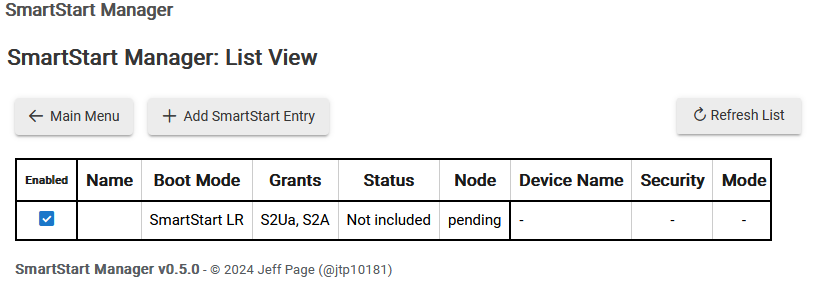
OK followed your instructions to include a ZOOZ ZEN72 in-wall dimmer. Power off, scan device, touch edit to ensure LR boot (displays "DSK has to be 5 digits per block), save . Power back on to in-wall switch. Back to PC screen show SmartStart table. Result:

You should've been prompted to name the device at some point, IIRC.

Like the corresponding (phone) app page, this listing doen't dynamically update, so clicking the "Refresh List" button is necessary to see latest info.

The pairing typically completes quickly once power is applied, but it can potentially take a few minutes.

Yeah, you should have a name there.
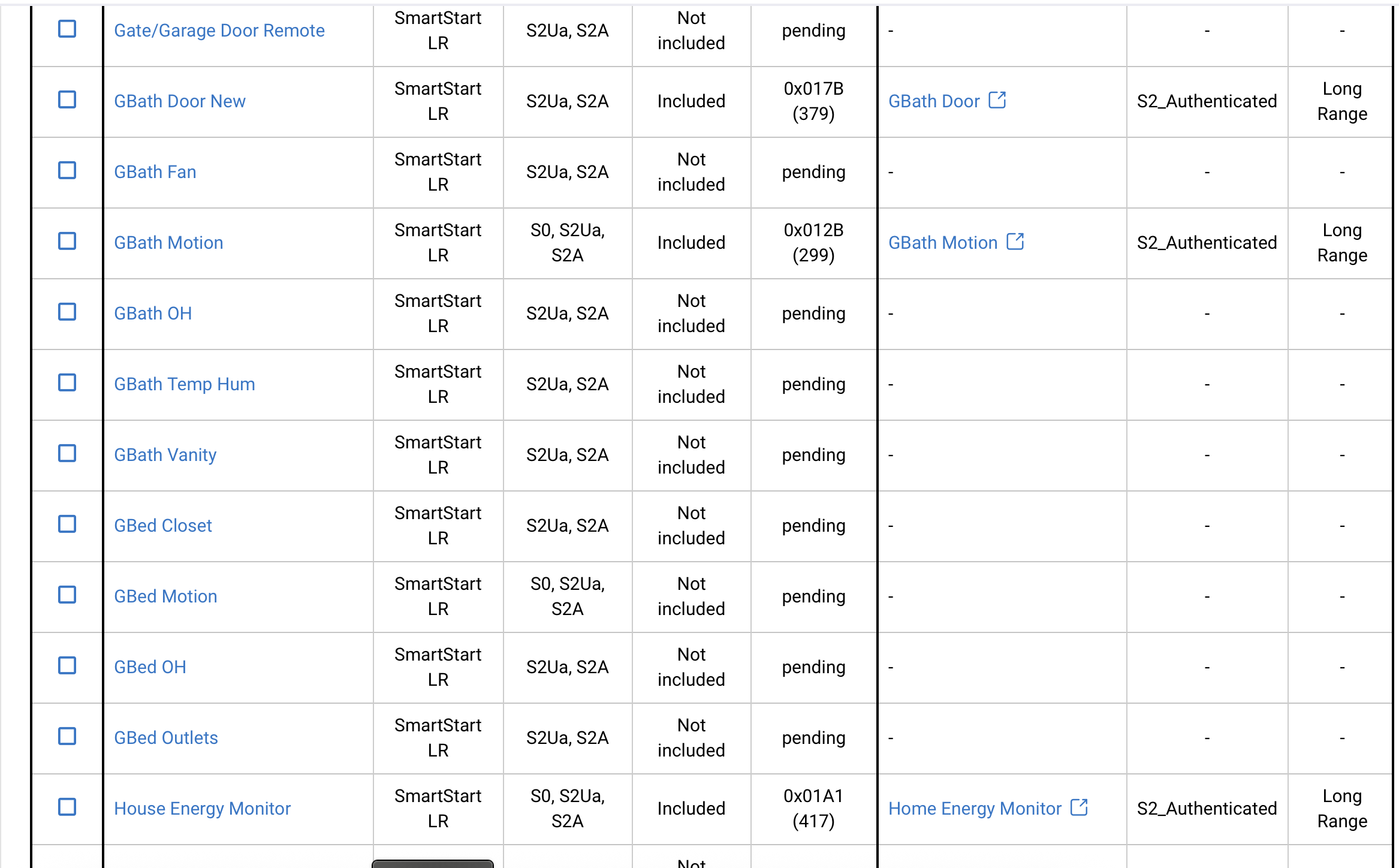
That being said, somehow I have a bunch of devices that don't have all the data (they do have names, however). Says, 'not included', 'pending', etc.
They all work, so I'm not stressing it.
I disable all my devices in SmartStart.

Did you have logs open? Anything about SmartStart?
I assume you clicked the Refresh List button in the app and it stays in pending?

If you already partially paired the device then it may not be going into pairing mode again. You may need to factory reset the device.

This would also be helpful to see the state of your zwave radio:

The very bottom of my post I linked to above has more through steps as well.

You might want to try this first:

Then this is the full instruction

1 Like

I have ordered 2 more in-wall switches. One will go in a location that is more convenient for me to be power of and and on. Hope to be installing by weeks end. I'll update this thread at that time. Thanks much for you help. .

Don't try to save walking up and down the stairs to flip breakers and do a bunch of them at one time like I did. It choked the hub. I'd do one at a time.

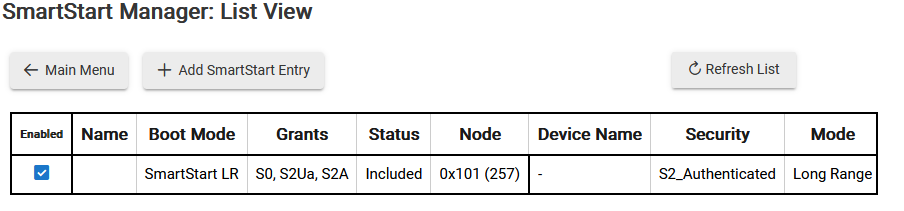
I've tried to do a SmartStart inclusion following the steps you've shown above "full instructions". This is a battery powered device so it was east to power down and up. I attempted to see what occurred in the live log but my timing must have been off. Although no new device appears anywhere this is what now shows up in SmartStart:


It shows Included - mean anything here?

It would probably help if you gave it a name in smartstat.

You will need to check that node in the zwave details to see what’s going on. Might be a failed inclusion.

The device shows up in the details and shows msgs activity: