Third Reality Vibration Sensor Affecting Zigbee Devices

Thank you. I will move it back over to HE tonight when I return home and let it run for a while and screenshot those logs. That is what I put into ChatGPT but honestly I don't believe it really knew. Lol. Thank you and I will get those for you tonight.

I am assuming those logs will be the same regardless if the sensor is associated with a rule or not. Is that correct?

Yes.

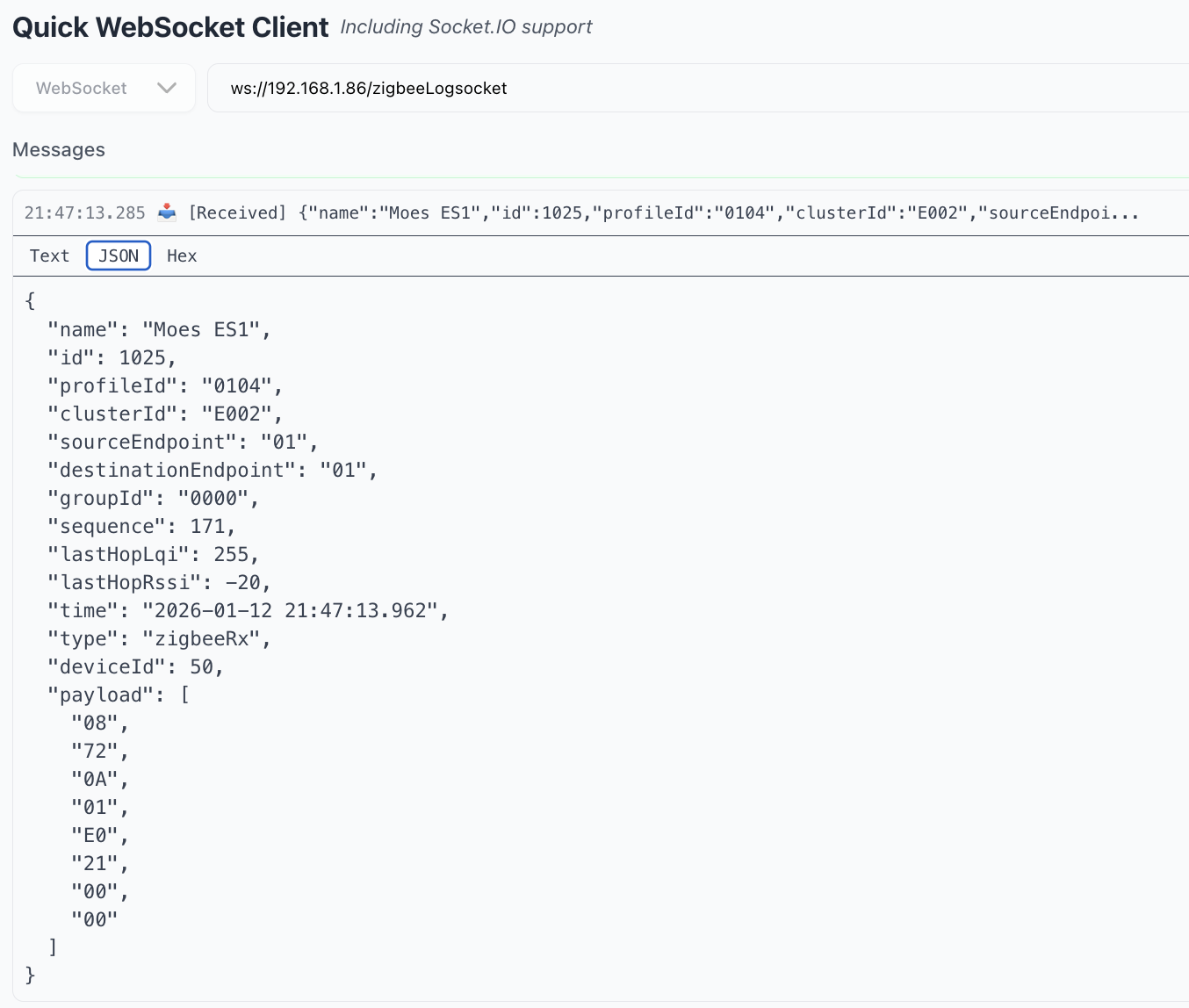
If you feel adventurous, you can access the raw version of those same logs using a websocket client. That will get you more information - the raw logs include the full payload (details of what the message is about, beyond the cluster id). I have found that Claude is able to parse these raw logs directly.

There are extensions available for Chrome (and other browsers I'm sure). Here is a sample using Quick Websocket Client extension on Chrome (replace the IP address with your hub's IP):

You can also use a command-line tool like websocat.

2 Likes

I captured logs all day here yesterday and for a 40-minute dryer run there were over 2,000 messages. The messages are for a manufacturer-specific cluster and appear to be three-axis acceleration values, reported every second.

{"name":"Dryer","id":30944,"profileId":"0104","clusterId":"FFF1","sourceEndpoint":"01","destinationEndpoint":"01","groupId":"0000","sequence":72,"lastHopLqi":255,"lastHopRssi":-60,"time":"2026-01-11 13:14:24.231","type":"zigbeeRx","deviceId":534,"payload":["18","09","0A","00","00","29","01","00","01","00","29","6D","00","02","00","29","DA","FB","03","00","29","99","FE"]}

That's a lot of traffic for a single device. I don't know of a way to configure the device to stop reporting these. Maybe @kkossev has insight.

You could try decreasing the sensitivity by changing the DIP switch settings on the device to see if it makes any difference.
3 Likes

One more thought - might try rejoining the vibration sensor to HE, disconnecting the Linptech while the dryer is running and see if your other devices (what are they?) still have issues.

1 Like

@hubitrep thank you for sharing your findings and especially for the Quick Websocket Client extension on Chrome !

I totally forgot that the Third Reality Vibration sensor is also reporting Three-axis data ... As I mentioned before I gifted this device and can't test it myslef at the moment.

@LearningHubitat you can try the Tuya Zigbee Vibration driver

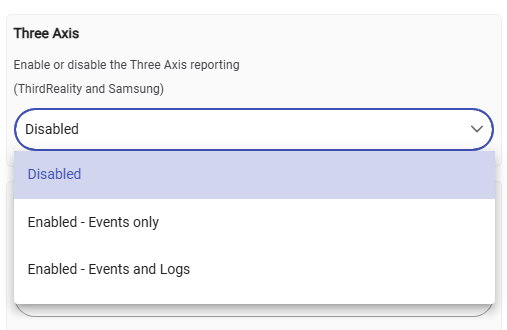
Now I remember that I faced the same flooding problem, so I have added an option to filter the Three-axes reports in the driver :
image
However this is just a software filtering in the driver, there is no way to configure the device to stop sending these frequent messages over the air ... : (

EDIT: actually, we could try unbinding the FFF1 cluster - it may or may not work, but it may be worth trying?

3 Likes

I did a quick test, adding this command to your driver's configureReporting() method and running configure(), then starting the dryer... no luck.

    cmds += "zdo unbind 0x${device.deviceNetworkId} 0x${device.endpointId} 0x01 0xfff1 {${device.zigbeeId}} {}"
1 Like

My apologies I am having Internet outage issues at home so I could not respond until I got cell service. I will try this tonight and report back tonight if I have Internet again and if not tomorrow morning when I have cell service. Also, thank you for bringing up about the three axis. I see that report out on HA but it never rang with me.

Thank you. I am having Internet issues so I could not reply till I got cell service. I have the screenshots you requested yesterday but they are on my home computer so I could not post them. I will do that as soon as my Internet is up. Also as soon as I get Internet back at home I will try this driver as well. Thank you and @hubitrep for all your input.

So I gave it a bit more time tonight, and can confirm that:

  • unbind request = NO_ENTRY response
  • configure reporting request = UNSUPPORTED_ATTRIBUTE response when manufacturer code is supplied, NOT_SUPPORTED otherwise.

Mind you I am not convinced 1 report per second is necessarily problematic (it isn't in my setup).

3 Likes

I disconnected the Linptech and ran the dryer. The same condition occurred. The sensor when active affects some Third Reality Plugs, Third Reality Bulbs, and Sengled Bulbs. However, it isn't the devices right next to it. There is the Third Reality Plug that is three feet away that continues to function properly. I also have some Sengled Bulbs that also continue to function without issue. To make it even crazier some of the Sengled bulbs in the family room work just fine and then another one in the same room doesn't. The family room is the exact furthest point in the house away from the laundry room.

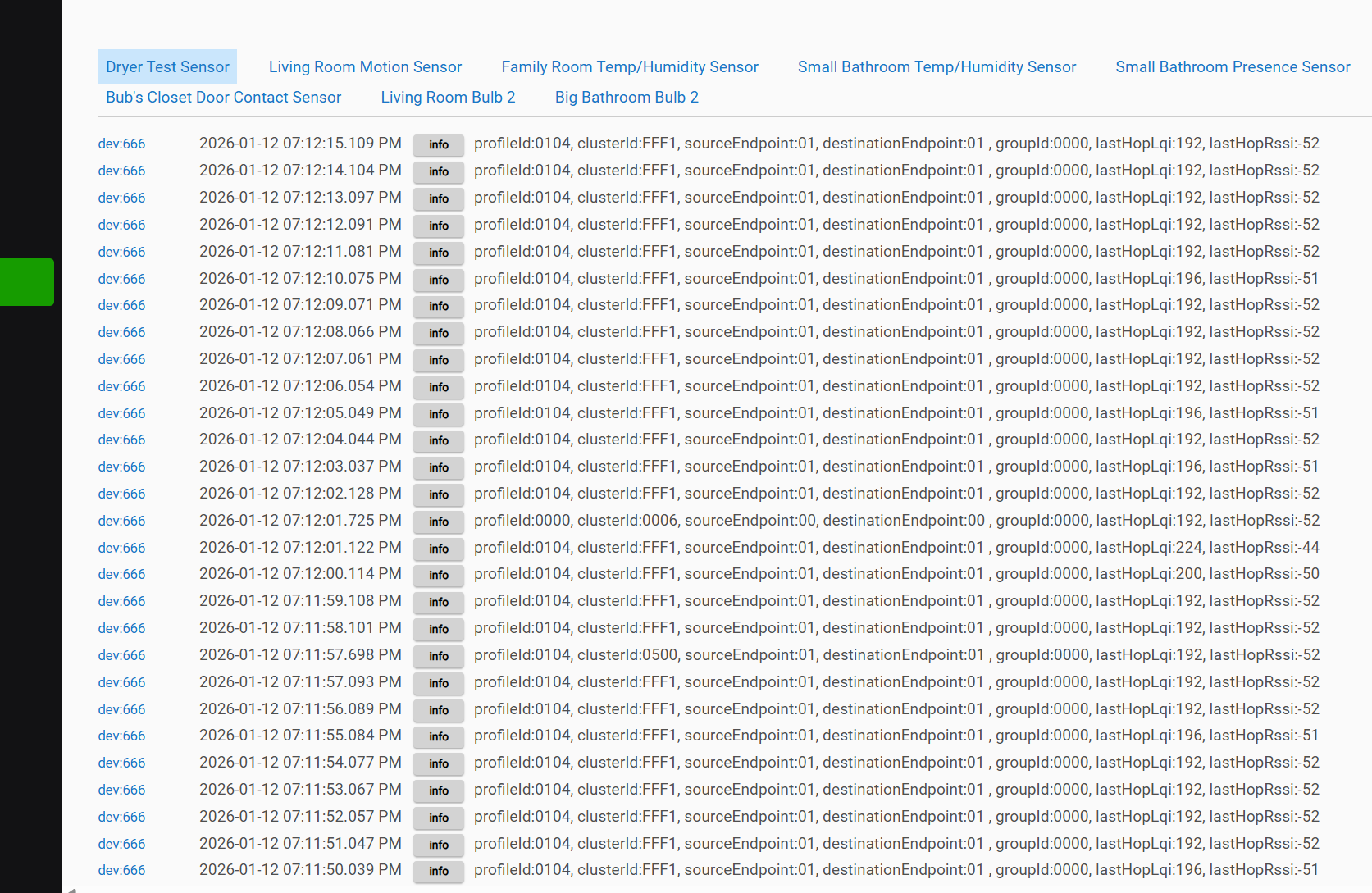
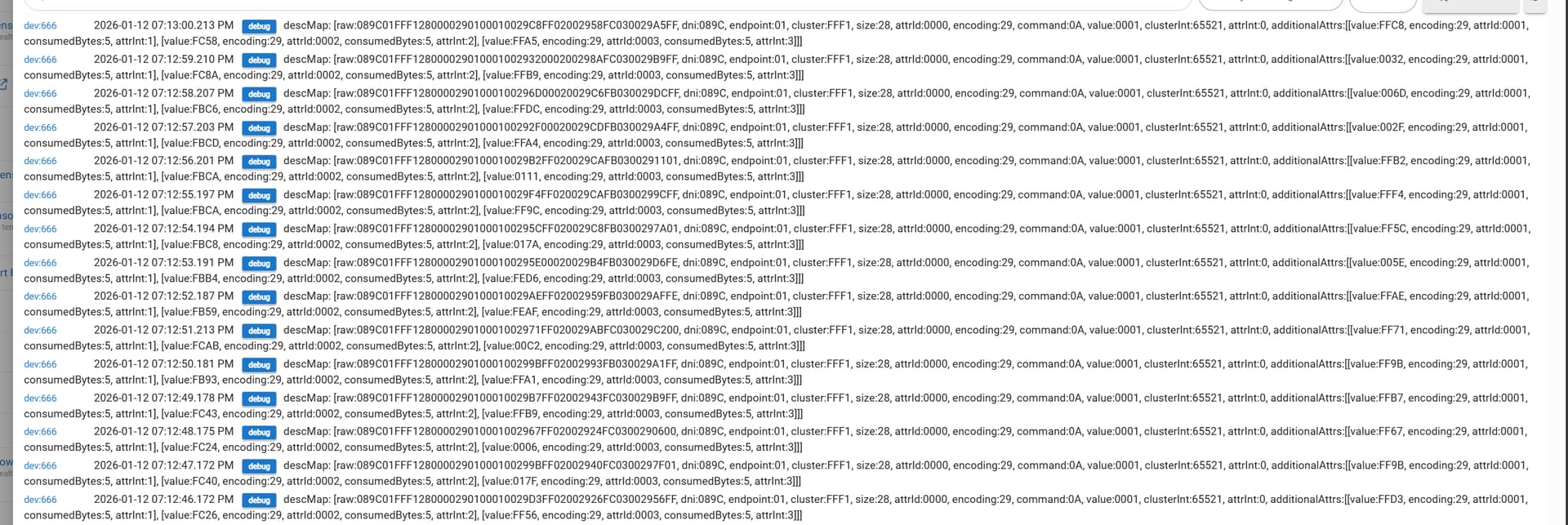
Below is the zigbee logs. I also screenshot the logs from the actual device as well along with the message count. I don't know if these tell you anything.


This count was from a 10 minute run.

1 Like

Those are the same acceleration reports I'm seeing, one every second when active. Those can't be turned off with current device firmware, unfortunately.

Too bad - was worth a shot. The only other thing I can think of trying is pairing the vibration sensor directly to the hub by keeping it very close to it while pairing, then moving the sensor to its laundry room location.

3 Likes

I installed this driver, turned off the three-axis reporting and tried to use it. However, it would not stay active with the driver running. It would alternate between active and inactive so it wouldn't mirror my use case. If I was doing something wrong on getting this to work, please let me know.

@mike.maxwell any thoughts?

2 Likes

I just tried your earlier recommendation of changing the sensitivity. I run it normally on high. I changed it to low. It wasn't sensitive enough as it alternated between active and inactive. I then increased the sensitivity to Medium. That kept the sensor in the active state with the dryer running. After only roughly a minute of running the dryer, I checked the other devices, and they were malfunctioning as usual. So that rules out the sensitivity.

I also removed the sensor and installed it right beside the hub then moved it back to the laundry room as you questioned. Same results.

1 Like

Hmmm... Maybe I am missing something but given everything you tried and the symptoms you describe, it seems possible that the coordinator (hub) is having an issue. Since the vibration sensor is on the list of supported devices, I tagged HE staff.

(One difference between us is in my case the sensor is paired to a C7)

1 Like

You may be correct because it is always the same devices that affects. I have some Innr bulbs also installed on the mesh and they always work perfectly fine with no issue. There is also two Sengled bulbs in the laundry room with the sensor and they work fine with no issue. Sengled bulbs in the bedroom work fine which is across the hall from the family room which has bulbs with issues. I am completely loss. Thank you for tagging the HE staff.

What driver is being used for this device?

2 Likes

The OP was using the built-in TR Vibration Sensor driver (and so am I).

2 Likes

Yes, I was using the built in Third Reality Driver.