
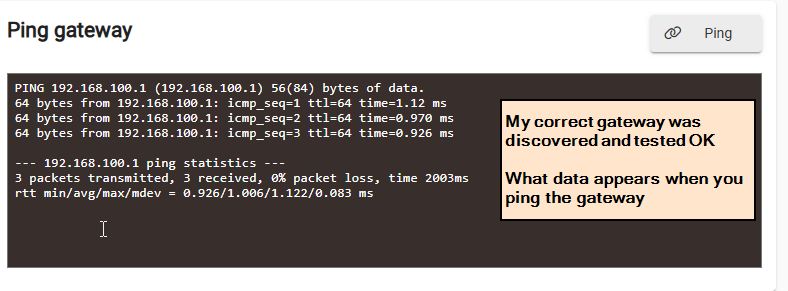
Your test shows that the gateway was inaccessible. That problem would allow you to connect to the hub from your local PC but prevent access to the Internet.
Since the message was "invalid IP address or server name", it would be useful to know what address or server name that the hub was attempting to connect to.
Can you perform the "Ping Gateway" test again, and attach the screen capture to this thread.
Also, next time the problem occurs, don't reboot the hub immediately. Instead please reboot the router. This should also cause the router to reassign the DHCP data to the hub. If that doesn't resolve the problem (like a hub reboot does), it may be useful diagnostic information.
2 Likes
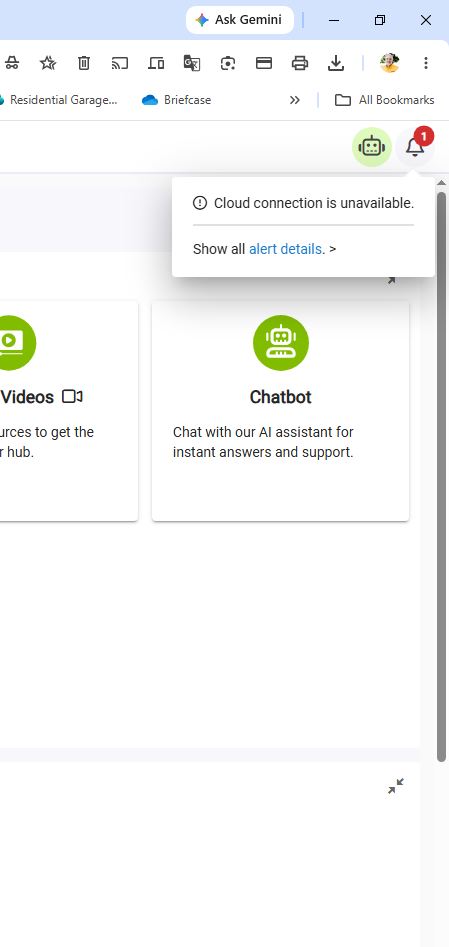
Maybe I'm not being clear. The ping shows exactly like yours. If I were to ping the gateway right now, it would show as yours because right now, everything is functioning perfectly. The web UI works fine, there are no alerts saying unable to connect to cloud, the app works fine and is connected to (Local). BUT, after tonight, that will all change come tomorrow morning. Although the Web UI will work in controlling devices, the ping will then read, "invalid IP address or server name", the app will not connect to local or the cloud, and I'll be back to square one. Once I reboot the hub, everything returns to normal.

No you are being clear, probably I'm not explaining myself very well.
When the problem is occurring, and the ping reports "invalid IP", I am hoping that the screen capture will show what address the hub is attempting to use for the gateway address.
Also a reminder to reboot the router the next time the problem occurs, and see if that will also resolve the problem.
2 Likes
Will do. Thanks
1 Like
After trying and checking just about everything, I suspect it might be my Netgear Ethernet switch. It is an unmanaged switch with built-in energy-efficient protocols. Could this be the culprit?
1 Like
I wouldn't think that would cause the problem, but eliminating it as a possibility is a good idea.
Can you plug the hub directly into the router for one night? It might mean temporarily relocating the hub closer to the router, but that shouldn't affect your automations.
1 Like
That's what I did last night. I plugged the Hubitat directly into the router, bypassing the switch, and the issue is now solved. The Hub, for the first time, had connection with the cloud this morning. We'll have to double-test it, but in the meantime, I ordered a managed switch so that I can remove the energy saving protocol for the port my hub will be plugged into.
2 Likes
That's good news. Of course it will take more than a single night before we can officially declare the problem solved.
It still doesn't make sense that the hub would apparently lose it's gateway information, while still maintaining it's own IP address. If it really was losing that information, then setting a static IP on the hub would prevent that from happening.
I'm not sure that purchasing a "managed" switch is required, unless you plan on introducing VLAN's into your network. From the sounds of it, a simple "un-managed" (i.e. dumb) switch is all you need.
3 Likes
I second Rick's advice about getting an unmanaged switch.
The super-basic unmanaged TP-Link and Netgear switches I've had in service now for 10+ years have never skipped a beat or given me a hint of trouble.
2 Likes
Well, the proof is in the pudding. The issue went away when I bypassed the switch.
Ya, it may be the pin push reset we did yesterday that did it, so I've returned the hub to the switch and will see tomorrow morning if we have connection. It may not be the switch after all. Thanks
Yesterday morning, everything was fine while connected to my dumb switch, but this morning, the app would not connect (spinning). When I walked into the room where my hub is, the light was alternating red to green, but within 30 seconds of walking in with my mobile device in hand, the hub turned solid green, and the app became functional.
Your description of the LED's sounds like the port may have switched to the low energy mode. When data is sent to/from the port, it should return to normal mode much quicker than what you observed (within milliseconds)
It sounds like you are on the right track, and a few more days of experimenting should give you a final answer.
I thought this was indicative of a lack of an internet connection. Quick search result...
1 Like
Hopefully, but prior to walking into the room with the Hub, the app was down for at least 2 hours and probably more. It wasn’t until I got within a few feet of the Hub with my mobile device that it had cloud connectivity. Might this be because of the Bluetooth on my mobile? I will check tomorrow morning and walk in without my mobile.
The flashing red/green light indicates that the hub cannot connect to the router (i.e. the "gateway").
This could indicate that the cable is disconnected, or defective. But you know this isn't the case because your are able to connect to the hub on the local network.
Your earlier observation confirms that the gateway cannot be reached because the address the hub is attempting to reach is invalid. So that is why the LED is flashing red/green.
BTW, the gateway address is only used when the hub needs to connect to the Internet. It is not needed for connecting to devices on the LAN. This fact also matches the problem you are experiencing.
I had asked that you could provide a screen capture when the problem is occurring, so that we could see what address the hub is attempting to use as it's "gateway address".
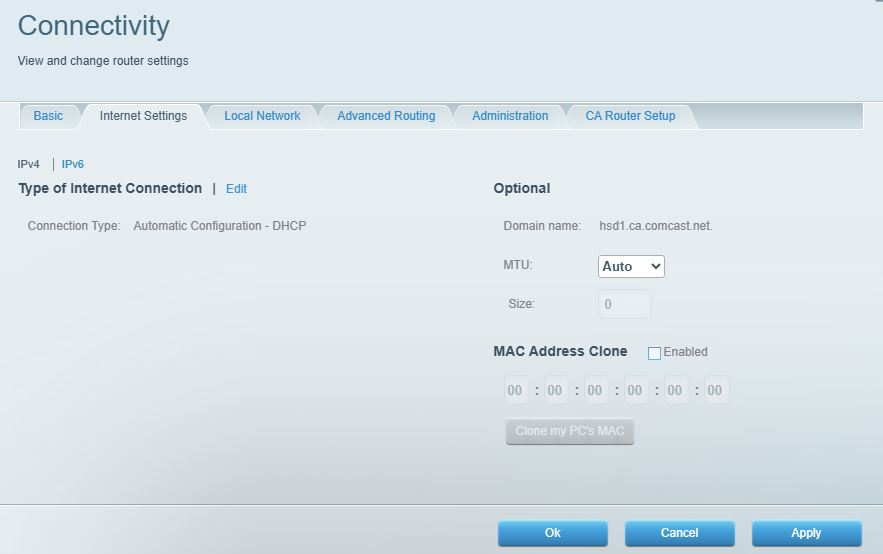
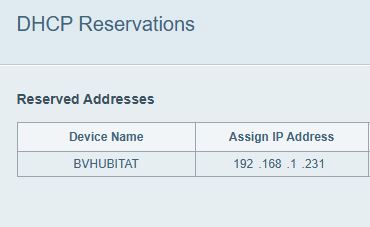
Without that information, the only thing I can suggest is to set a static IP address in the hub. That should prevent the hub from losing the gateway address in the future.