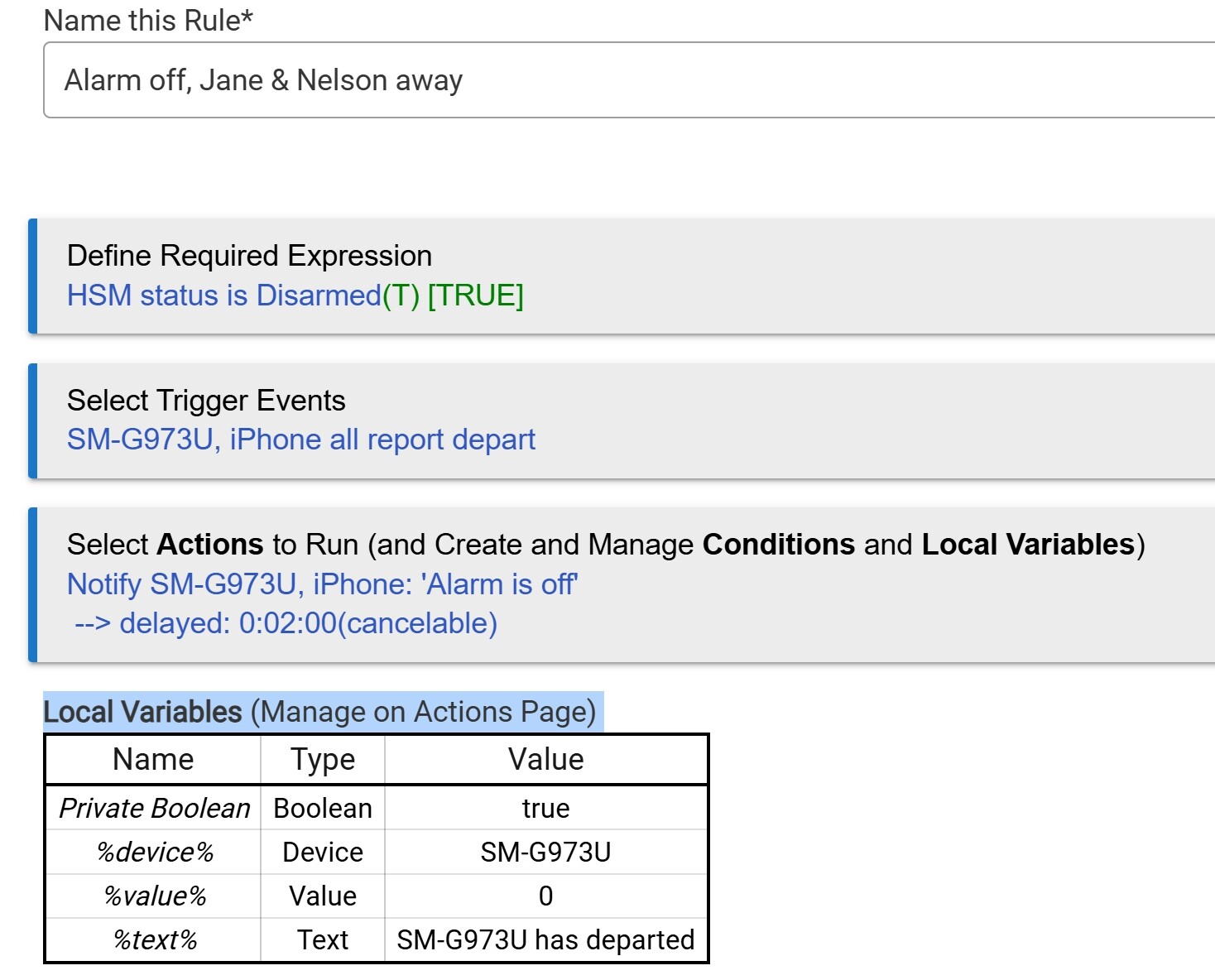
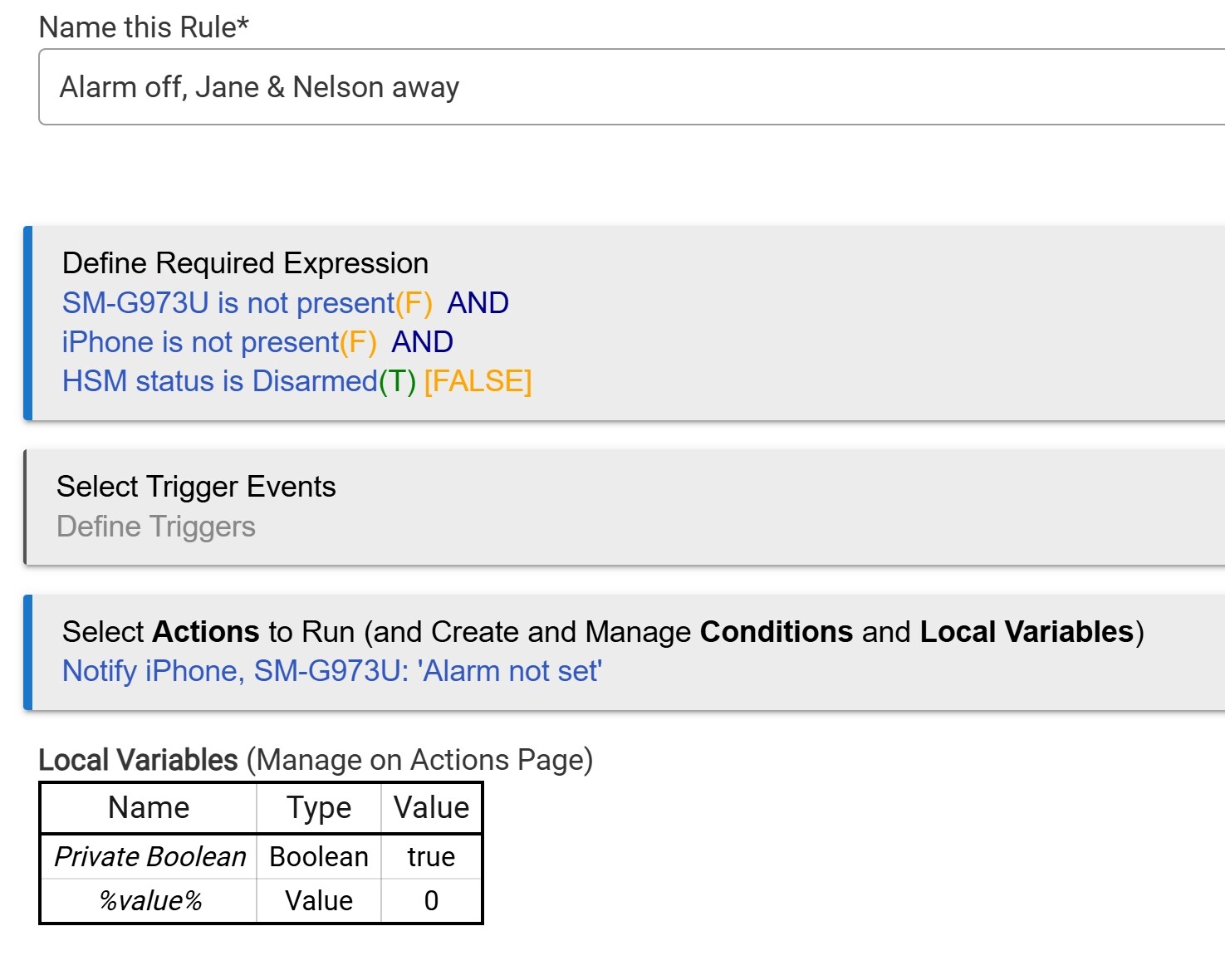
There are two of us that live in our house. Sometimes we forget to turn on the alarm when we are both leave the house. Also we have a house sitter that comes by to check on our cats when we are out of town. I would like Hubitat to remind us to turn on the alarm when we are both not home and to notify us when our house sitter turns off the alarm. I created a rule to notify us when we are both away from the house and the alarm is off but it is notifying us when we are home. What am I doing wrong? (IPhone is Jane's phone, SM-G973U is my phone, Geofence is setup on both phones)
I have no real idea, but I wonder if you could isolate the presence component?
Maybe, make a rule to notify you that you have left the geofence.
Perhaps that needs tweaking.
Guess like most of us, the presence on the app works sometimes. I am using the Combined Presence app for all of my presences automation. Works much better.
What is "the Combined Presence app" and where do I find it?
Thanks
Good Idea. I'll try that.
It is a community app that you can install with package manager.
Start here...author also links to Hubitat Package Manager in his release post.
One HPM is installed you use it to install presence app on your hub.
The hub without Hubitat Package Manager is like a little kid still on training wheels.
Thank you! That made it very easy!
Presence is not updating on my Samsung S10. I found several posts from others stating this is a problem. I would like to try using Combined Presence but cannot find a topic to explain how to use it.
I installed Combined Presence using Hubitat Package Manager. How do I use Combined Presence to determine both of us are not present at home and send a message if the alarm is off while we are not home?
Did you look at the article previously post above?
After reading the thread posted above, you'll need to create a Presence device for each - You and Jane.
Then, use those new Combined Presence devices in your rule. The next thing is to determine what triggers the rule. There are many ways to do it. I would say remove the required expression, and use each of you *Changed* as the trigger. In the actions, if both of you not present and HSM is disarmed, then send the notification.
I did look at article previously posted but I didn't see how to use the Combined Presence app in the references.
How do I "create a Presence device for each - You and Jane." I installed the Combined Presence app but don't see how to use it.
Based on this post you made earlier in this thread, it sounds like you fixed the presence-related issue you had...
Since I haven't seen you mention using any other presence tools (e.g. OwnTracks, HomeKit, Locative) aside from the native app option for either person, what are your intentions with the Combined Presence app?
I guess I just don't see any big wins that app would bring to the table for you, but perhaps I'm missing something.
Follow steps 15-18 in this Guide: [GUIDE] [Requested] Combined Presence with phoneGPS/geofence and Wifi devices setup At the bottom of Combined Presence, you'll see the setting to create a device, e.g. "Nelson presence" and then another Combined Presence for "Jane presence". That is the device you use in rules.
As @hydro311 mentioned, if you are only using one presence tool, then Combined Presence would be overkill. On the other hand, setting it up and using it in your rules now means easier work in the future when you add presence inputs into the Combined Presence, such as Apple, Alexa, Google, Life360, Owntracks, etc.
No, the presence does not update on both the Iphone and Samsung Android phone.