Yes, @kkossev has kindly added the device profile: TS0601_MUVJRJR5_RADAR
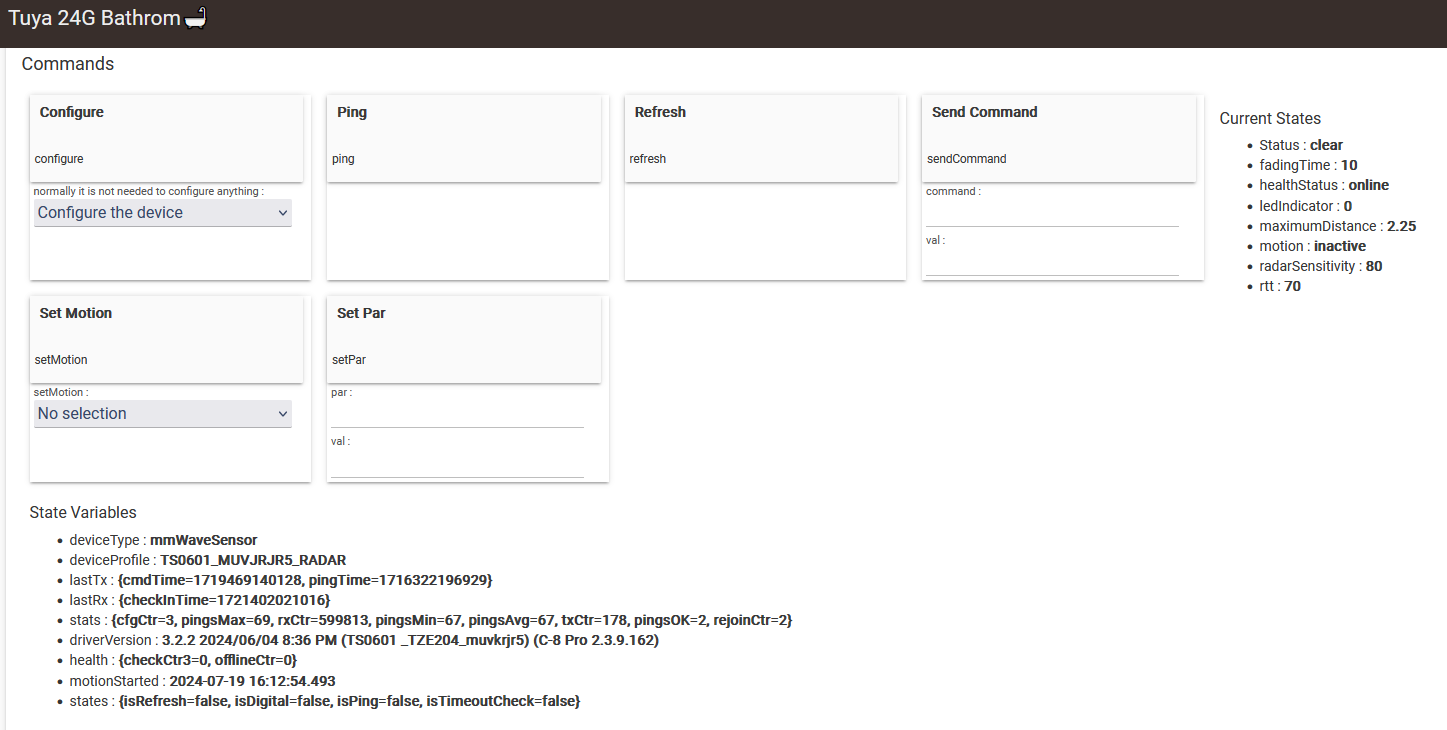
See mmWave sensors thread:
Do we know if the following is supported by either driver? I can't find am model number on it: https://www.aliexpress.us/item/3256806084807998.html
Almost all of the known Tuya-based mmWave sensors are supported in the Tuya Zigbee mmWave Sensors driver.
So I would estimate 90% chance to work with this driver. If not, please post the device model/manufacturer in the mmWave sensors driver thread,
Hi Guys,
Trying to get an Ikuu Combination wall powered sensor working:
Tried using the driver in this thread but may be doing something wrong. My knowledge level is pretty low.
This is the properties from the device.
Any help would be appreciated.
Thank you
This is a new device that is not supported in HE yet.
What is the default relay activation mode - does it turn on when a motion is detected?
This driver does not have a relay or other actuators capabilities, it is sensors driver.. I can try to add relay control, but this will be a custom command that you could use in RM 5 rule - as example, "sendCommand relay on", "sendCommand relay auto". Will this work for you? (no standard commands on() and off() will be available).
Hi Kkossev,
Thanks for your quick answer and apologies for my delay.
In regards to the relay, me personally I'd just like to get the 4 different sensors working and will not be utilising this; however, I'll do my best to answer in case this helps.
I have added a light into the sensor.
Motion does trigger the light to turn on for a second then will turn off.
There is a physical button on the face plate as well. This also turns on the light which does not turn off.
Currently the device is reporting motion to Habitat, however the state never seems to return to inactive like my other sensors.
Let me know if there is any information I can provide to assist with adjusting this / getting the other 3 sensors working.
Appreciate all.
I have a new zigbee multisensor from Aliexpress
It basically is for motion but it also has a illuminance detector.
I tried the 4 in 1 driver but neither motion is reported fine nor there is any sign of illuminance.
is there another driver for this one ?
I am unaware of other published community drivers that handle the different types of TS0601 motion sensors.
I can help if someone is willing to create a driver for this device (or modify this driver).
I don't think I can create a new driver from scratch. But if you guide me I can try adding the device to this driver.
What is required ?
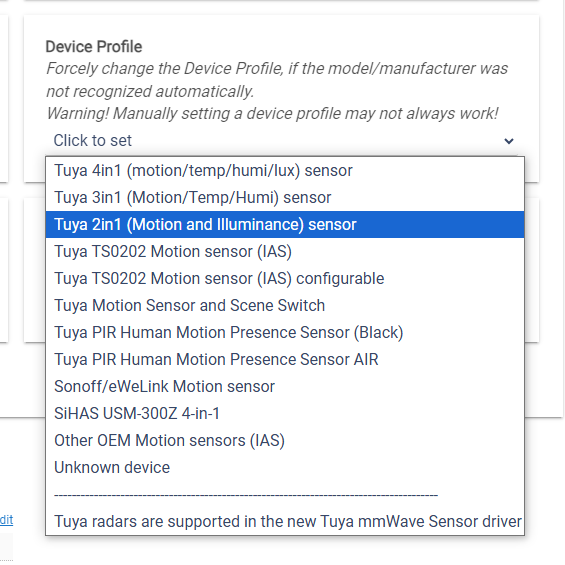
First, select a device profile that may be closest to the new device. In this case it could be the "Tuya 2in1 (Motion and Illuminance) sensor" :
Next, analyze the debug logs. You should see a repetitive pattern of messages the device sends when the motion sensor is activated and another set of very similar logs when the motion sensor is deactivated.
Most probably this device uses another 'Data Point' for reporting the motion state changes. Or if we are lucky, it may turn out that all we need to do is to add the device fingerprint (model, manufacturer, inClusters) to an existing 'Device Group'
Ok. Done.
Here's a part of the logs
Balcony Sensor parse: descMap = [raw:catchall: 0104 EF00 01 01 0040 00 3E3A 01 00 0000 02 01 00070104000100, profileId:0104, clusterId:EF00, clusterInt:61184, sourceEndpoint:01, destinationEndpoint:01, options:0040, messageType:00, dni:3E3A, isClusterSpecific:true, isManufacturerSpecific:false, manufacturerId:0000, command:02, direction:01, data:[00, 07, 01, 04, 00, 01, 00]] description=catchall: 0104 EF00 01 01 0040 00 3E3A 01 00 0000 02 01 00070104000100
Balcony Sensor standardParseTuyaCluster: unprocessed Tuya cluster command 11 data=[00, 06, 42]
Balcony Sensor parse: descMap = [raw:catchall: 0104 EF00 01 01 0040 00 3E3A 01 00 0000 11 01 000642, profileId:0104, clusterId:EF00, clusterInt:61184, sourceEndpoint:01, destinationEndpoint:01, options:0040, messageType:00, dni:3E3A, isClusterSpecific:true, isManufacturerSpecific:false, manufacturerId:0000, command:11, direction:01, data:[00, 06, 42]] description=catchall: 0104 EF00 01 01 0040 00 3E3A 01 00 0000 11 01 000642
Balcony Sensor Tuya check-in (AppVersion=37)
Balcony Sensor parse: descMap = [raw:3E3A0100001801002043E2FF2037E4FF2001, dni:3E3A, endpoint:01, cluster:0000, size:18, attrId:0001, encoding:20, command:0A, value:43, clusterInt:0, attrInt:1, additionalAttrs:[[value:37, encoding:20, attrId:FFE2, consumedBytes:4, attrInt:65506], [value:01, encoding:20, attrId:FFE4, consumedBytes:4, attrInt:65508]]] description=read attr - raw: 3E3A0100001801002043E2FF2037E4FF2001, dni: 3E3A, endpoint: 01, cluster: 0000, size: 18, attrId: 0001, encoding: 20, command: 0A, value: 43E2FF2037E4FF2001
Balcony Sensor Motion is active 1s
Balcony Sensor (DP=0x65) unexpected : motion event 0x65 fncmd = 96
Balcony Sensor NOT PROCESSED from deviceProfile Tuya cmd: dp=101 value=96 descMap.data = [00, 05, 65, 02, 00, 04, 00, 00, 00, 60]
Balcony Sensor customProcessTuyaDp: dp=101 dp_id=2 fncmd=96 dp_len=0 descMap.data = [00, 05, 65, 02, 00, 04, 00, 00, 00, 60]
Balcony Sensor standardParseTuyaCluster: command=02 dp_id=2 dp=101 (0x65) fncmd=96 fncmd_len=4 (index=0)
Balcony Sensor parse: descMap = [raw:catchall: 0104 EF00 01 01 0040 00 3E3A 01 00 0000 02 01 00056502000400000060, profileId:0104, clusterId:EF00, clusterInt:61184, sourceEndpoint:01, destinationEndpoint:01, options:0040, messageType:00, dni:3E3A, isClusterSpecific:true, isManufacturerSpecific:false, manufacturerId:0000, command:02, direction:01, data:[00, 05, 65, 02, 00, 04, 00, 00, 00, 60]] description=catchall: 0104 EF00 01 01 0040 00 3E3A 01 00 0000 02 01 00056502000400000060
Balcony Sensor Detected motion
Balcony Sensor customProcessTuyaDp: dp=1 dp_id=4 fncmd=1 dp_len=0 descMap.data = [00, 04, 01, 04, 00, 01, 01]
Balcony Sensor standardParseTuyaCluster: command=02 dp_id=4 dp=1 (0x01) fncmd=1 fncmd_len=1 (index=0)
Balcony Sensor parse: descMap = [raw:catchall: 0104 EF00 01 01 0040 00 3E3A 01 00 0000 02 01 00040104000101, profileId:0104, clusterId:EF00, clusterInt:61184, sourceEndpoint:01, destinationEndpoint:01, options:0040, messageType:00, dni:3E3A, isClusterSpecific:true, isManufacturerSpecific:false, manufacturerId:0000, command:02, direction:01, data:[00, 04, 01, 04, 00, 01, 01]] description=catchall: 0104 EF00 01 01 0040 00 3E3A 01 00 0000 02 01 00040104000101
Balcony Sensor ignored motion inactive event after 5467s
Balcony Sensor patch for inverted motion sensor 2-in-1
Balcony Sensor customProcessTuyaDp: dp=1 dp_id=4 fncmd=0 dp_len=0 descMap.data = [00, 03, 01, 04, 00, 01, 00]
Balcony Sensor standardParseTuyaCluster: command=02 dp_id=4 dp=1 (0x01) fncmd=0 fncmd_len=1 (index=0)
Balcony Sensor parse: descMap = [raw:catchall: 0104 EF00 01 01 0040 00 3E3A 01 00 0000 02 01 00030104000100, profileId:0104, clusterId:EF00, clusterInt:61184, sourceEndpoint:01, destinationEndpoint:01, options:0040, messageType:00, dni:3E3A, isClusterSpecific:true, isManufacturerSpecific:false, manufacturerId:0000, command:02, direction:01, data:[00, 03, 01, 04, 00, 01, 00]] description=catchall: 0104 EF00 01 01 0040 00 3E3A 01 00 0000 02 01 00030104000100
Logs stop at some point and the motion reported is "active" does not change.
I see 2 types of messages and data is changing
00030104000100
00040104000101
00070104000100
Thank you!
I am currently working on the TRV driver and must concentrate on it, but I will return to this sensor later today.
ok. thank you. if I could understand what I have to look at , maybe I could do it without an extra load to you , but unfortunately this is very complicated for me.
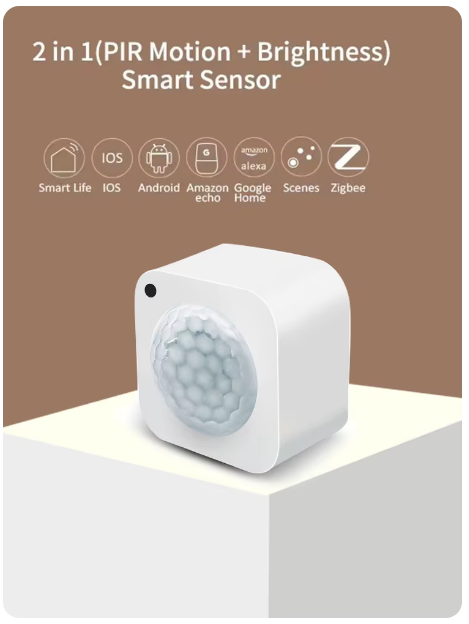
Is the device this one ?
AliExpress : (link)
Do you see a 'model number' MYQ-ZMS03 printed somewhere on the box?
yes that is the device. But I don't see any model number on the box.
Update manually the driver to the new version 3.3.1 "2024/10/26 12:47 PM"
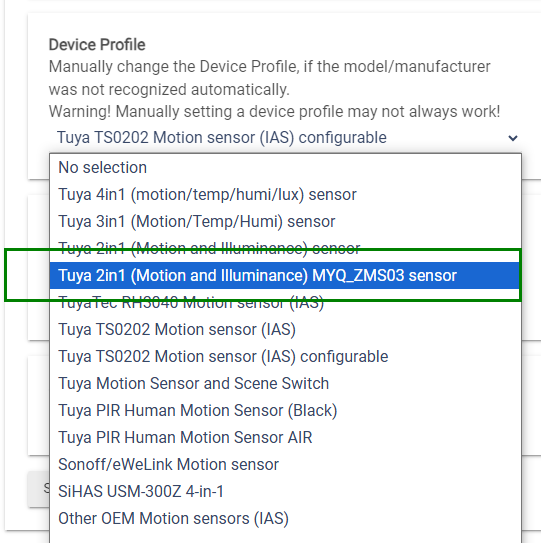
From the Configure drop-down menu select 'LOAD ALL DEAULTS' option and click on the button above. Refresh the device web page (F5), You should see * deviceProfile : TS0601_2IN1_MYQ_ZMS03 in the State Variables section
I added a new device profile group for this sensor, it didn't match 100% to the existing groups
Let me know if it works?
it seems to work.
motion sensing works fine.
also reports illuminance.
thank you
so for the 4 in 1 HPM has

but your github has ver. 3.3.1
I was going through the exercise of making sure HPM would update as much as possible....do I just stay w HPM or switch to 3.3.1 ?
Thx
Are you using this driver for PIR motion sensors only?
yes : )
Download the Hubitat app