Which driver should I update, I have the two (HPM issue I think!) or am I better waiting for the release via HPM? I don’t want to break anything.
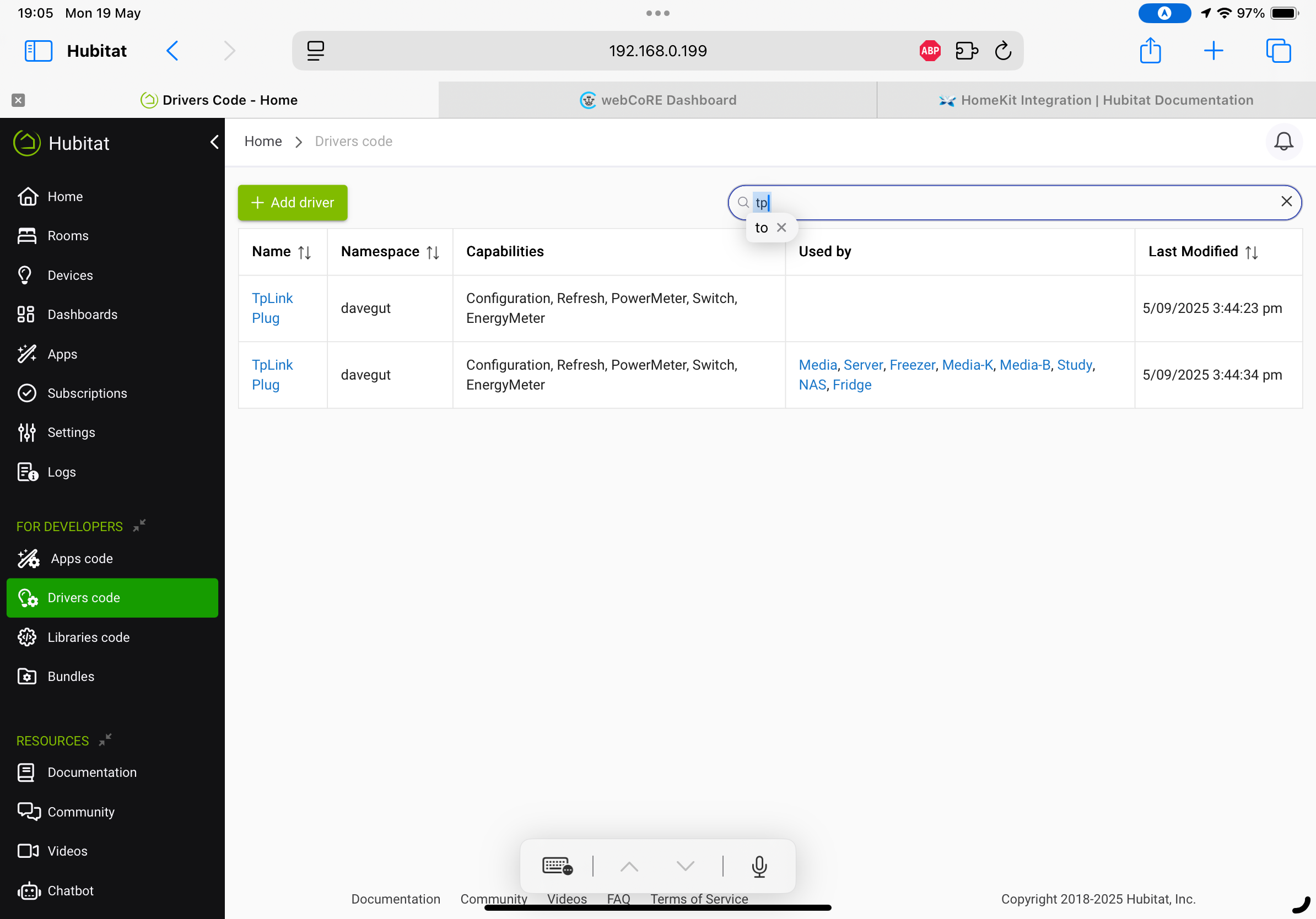
The app that is used-by your devices (second on the list). And yes, it is an issue in HPM that I created. No ready resolution. Caused by a product structure change and HPM limits. Does not impact operations.
I’ve updated successfully and tested. Turned the plug off for 10 mins, switched back on and the two scheduled jobs were there.
I think the driver is still the same version number (2.4.1a), no it sure if it should have changed?
Good. Version will change on final driver creation.
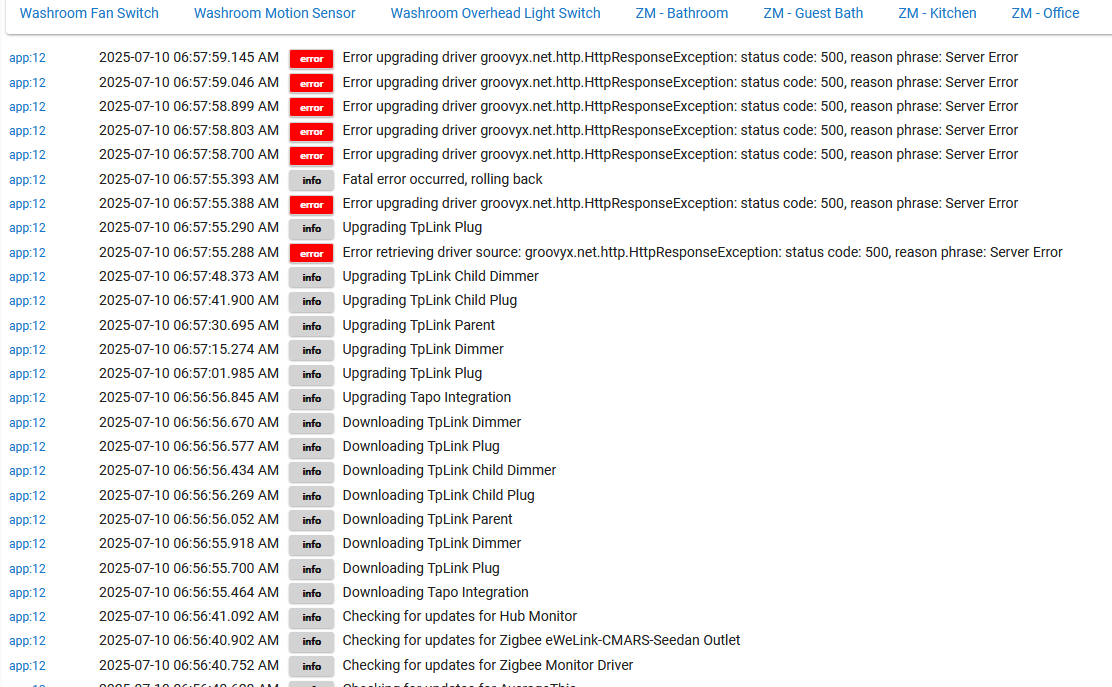
turned on debug, ran hpm repair, and it ran clean, then showed no avail update.
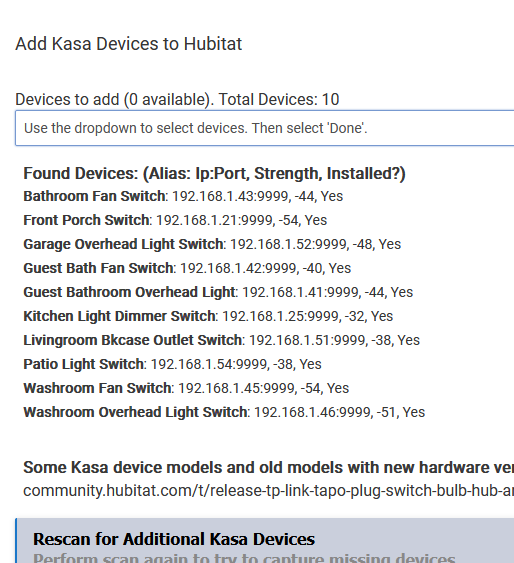
But in my drivers list - its strange - only 2 devices show using a driver out of 10.

opened a device and find it is using 'Kasa Plug Switch' not TP Link device driver - This model is a KS200.
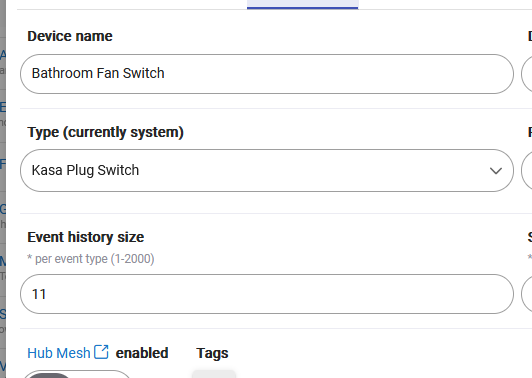
Should it be a TP Link Child Plug instead?
First log page. HPM log? I did not have any issues and I am by no means other than an HPM user.
First App page: NOT TP-Link nor TAPO?????? This is Kasa. Note the KASA Bathroom Fan is on the List (see below)>
First Driver page. tells me these are the TAPO devices installed, not KASA. Since you define the drivers to install, the information is useless except that the drivers were reloaded today.
KS200 Device Page. Apparently, this is a KASA device. The KS200 is a Kasa switch, and never a child device (except to the app).
So, Hard to help you.
So I have a single p100 that used to work before my migration to the C8 but now doesn't.
If I search for the device it tapo integration it finds it. Sets the right IP shown in the device page. But does not control nor get updates. Also shows comms error as true.
If I click configure on the device page it changes the device ip to the wrong one.
If I search in tapo app it returns to the correct ip.
I'm not sure why this device is now a problem. My other p110 devices are ok.
Another weird one.
for the device:
What is the IP address in your Router?
What is the IP address in the Tapo Phone App?
What is the WiFi Strength in the Tapo PHone App? (Tapo phone app, device info, click the wifi network to get the RSSI number).
What is the IP address after search in the tapo integration?
What is the IP address after Configure?
ToDo (please):
- Turn on Debug Logging for the P100 in preferences, Run save preferences.
- Go to the tapo integration app and run find devices.
- Wait 5 ninutes, then open the P100 and run configure.
- Open logging and the tab for the P100.
- Private Message the logs from when you did the first step until now. These must be in TEXT format, not a picture.
- Include the above IP address information in this PM.
Things to try (in order) (after getting the above data - will help me understand for future changes in the app/install instructions):
- In your router, f you have not already done, assign a DHCP Reservation for for the P100? If you have done so, verify the DHCP reserved address is that of you P100 in the router.
- Do a backup of your Hubitat C8 and reboot using both advanced options.
- Uninstall and reinstall the P100 plug from the tapo integration.
Thanks a lot to @djgutheinz for the detailed directions to resolve through the PM. After removing the device and adding it back in, rebooting hub with advanced options... We noticed that my driver and app were stuck at 1.4.1b.. updated it by importing the app code and driver code again and now the device is on 1.4.2b and it works again.
Weird that the device worked fine on the C5 with those versions and that it was only a single isolated device. But hey it's working now so happy days.
I did say weird one.
You also mentioned the Tapo phone app listing devices as off-line. For you and others using KASA and TAPO devices, see the below explanation.
Both phone apps do not communicate to devices when they are not the focus window. When they become the focus window and are on the local wifi, the app will:
- sends a Global UDP message to port 20002 (traditional Tapo devices), 20004 (battery Tapo Devices) and 9999 (Kasa devices).
- mark responding devices as on-line, non-respondents as off-line
- Try again for several tries then give up until the user tries to select the off-line device.
Note: If you have both the Kasa and Tapo phone app on your phone or as an Alexa skill, you can combine all into the Tapo Phone App and then (if happy) delete the Kasa phone app.
Why: It is an issue in a lot of routers.
- Many Tapo/Kasa firmware releases note "improve wifi connectivity" as one of the fixes and I don't think they are alone on this,
- Many routers appear to have a limit on how many wifi devices (total) that they can handle simultaneously. I have stared at my router and seen device(s) drop off and on the list of active devices - so I know it happens. I have actually seen a pair of devices (not kasa nor tapo) ping pong on-line and off-line on my router. On-line research confirms an issue (at least on older routers).
Impact on my integrations:
- In the app, during discovery, the first discovery pass may not catch all devices. That is why there is a button to retry after exercising the device through you phone app (TP-LInk appears to have a way to force reconnect???).
- In the devices (drivers), there is logic to determine that a valid response has been received from the device for each command sent (either no response or an invalid response are handled). If not, error handling techniques are used beyond a simple retry to reconnect to the device. Basic three
- Simple retry (usually successful)
- Reconnect to secure Tapo devices then retry
- Check for IP address change, then reconnect and retry
- Usually 4 retries, then a commsError is declared and the device configured accordingly.
Note on Matter devices: My two Linkdin Matter bulbs (have highest lumens) appear to have a similar behavior (both when commanded from Amazon Alexa direct or from Hubitat). I will sometimes call an on-off and it can take up to 30 sec or so to respond. This is more frequent than my Hubitat-connected Tapo/Kasa devices.
I only have 88 devices connected right now though  I have many esp devices that brings that number up.
I'm running an older orbi mesh setup... It's been ok mostly... One day I'll change to a Unifi setup and then actually know that my devices are falling off though.
Ah ok.
My kasa devices are in the Tapo phone app already. I just wasn't sure if I'd lose something by removing the kasa phone app so left it there for a rainy day. Mainly I noticed that I still need both integrations in hubitat to get both device types in, so assumed removing the kasa app that may potentially need to manage the kasa devices one day may cause problems..
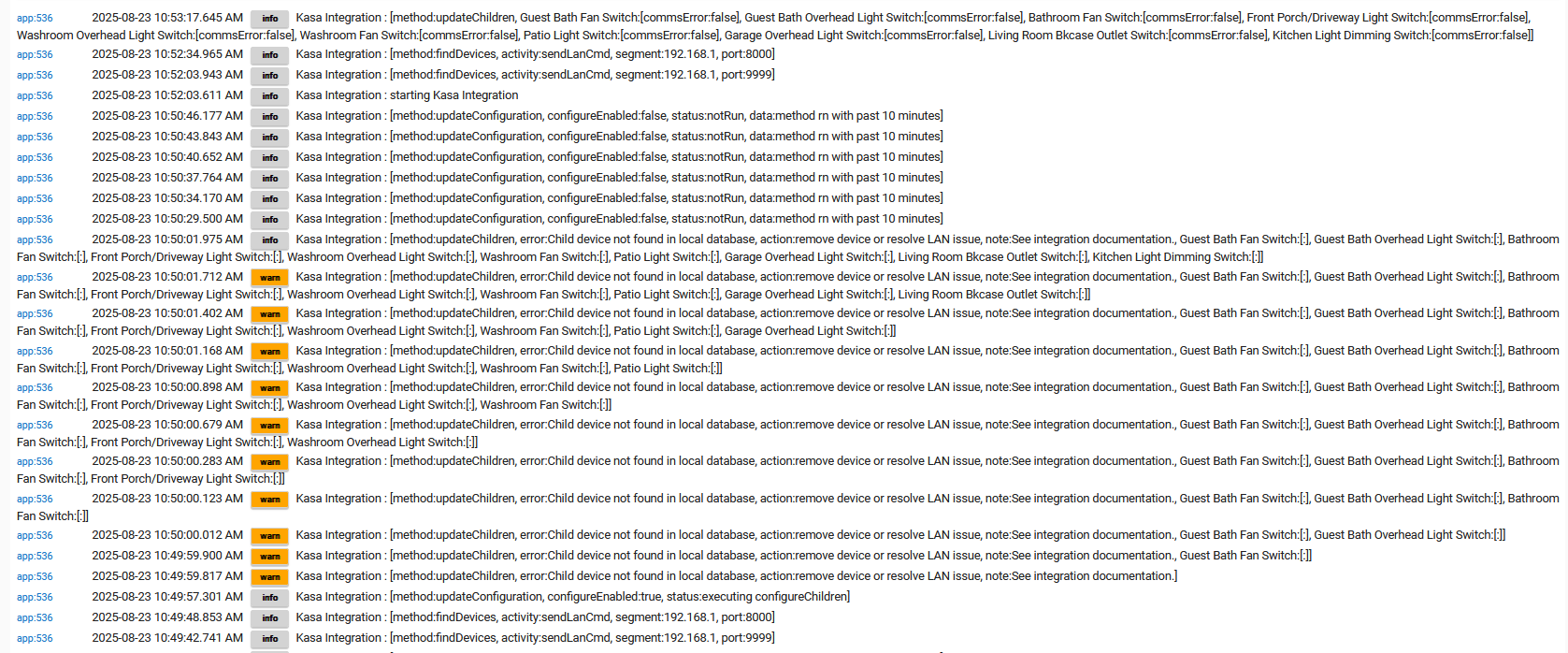
Looking for comments about this - I recently had issues and needed to debug rebooting over and over. While scanning logs for explanations I saw this and wondered if it had any impact on my boot time. I am NOT having any KASA device problems - just wonder if the Kasa devices are loading before the actual app loads? Is there any concern here?
This log snippet is after a reboot and starts at 10:49 - exactly when the he c7 begins to complete a reboot and the web GUI starts to load. I see the app start at 10:52, but the devices begin reporting warnings at 10:49-50 ish - then clear up once the app is doing it's magic.
Please verify hub software version.
No major impact. Total time is the time to add adevice to the message text and fire off the message.
I could not duplicate on my C8 hub. It is probably an artifact of you scanning Port 8000 and Port 9999 for devices (set on the app start page). Note: I can't fix without having a means to test the fix (would have to use port-forwarding).
Thank you for commenting. I'm not concerned with this and am not hoping are expecting anything to come of it! thanks for reading.
I had a KASA device from sometime back on port 8000, the other 9 are on port 9999. I've changed all devices to use 9999 and removed the 8000 from my Kasa app.
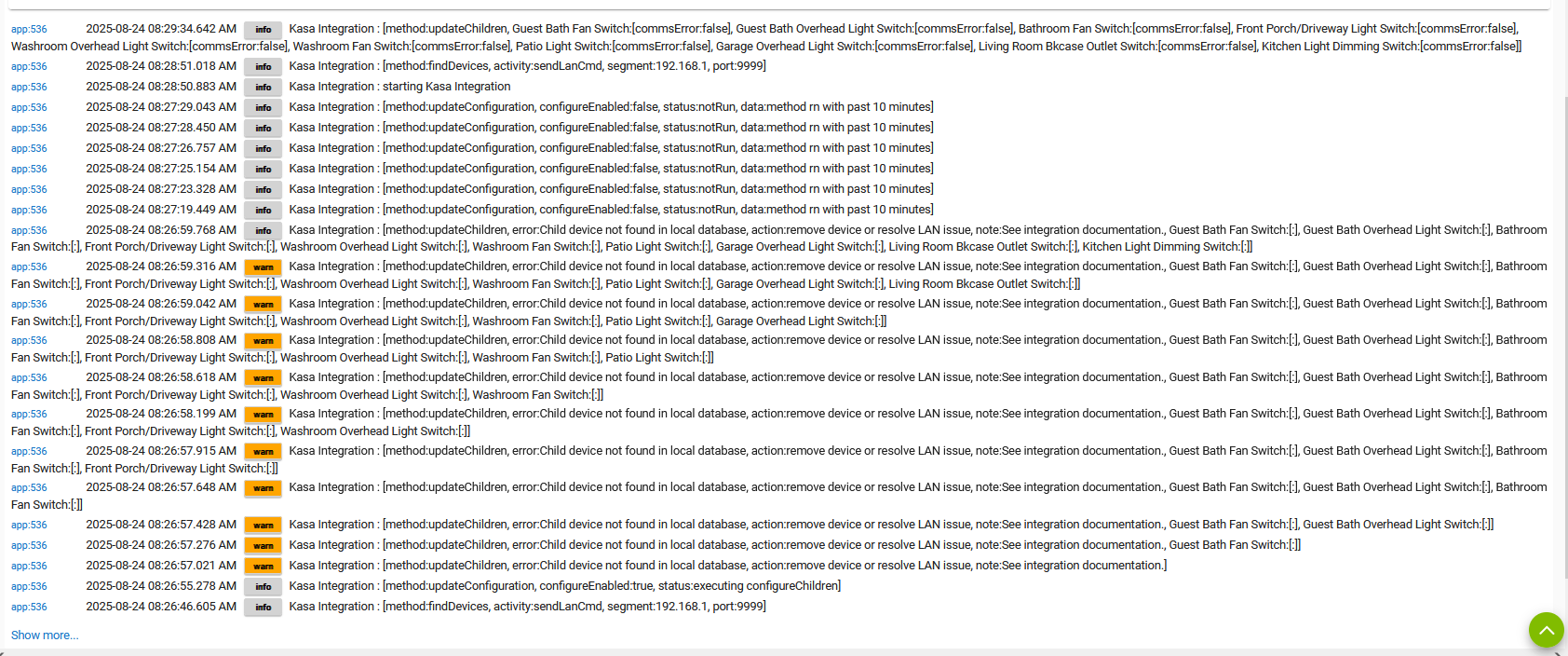
I believe I'm on latest version -
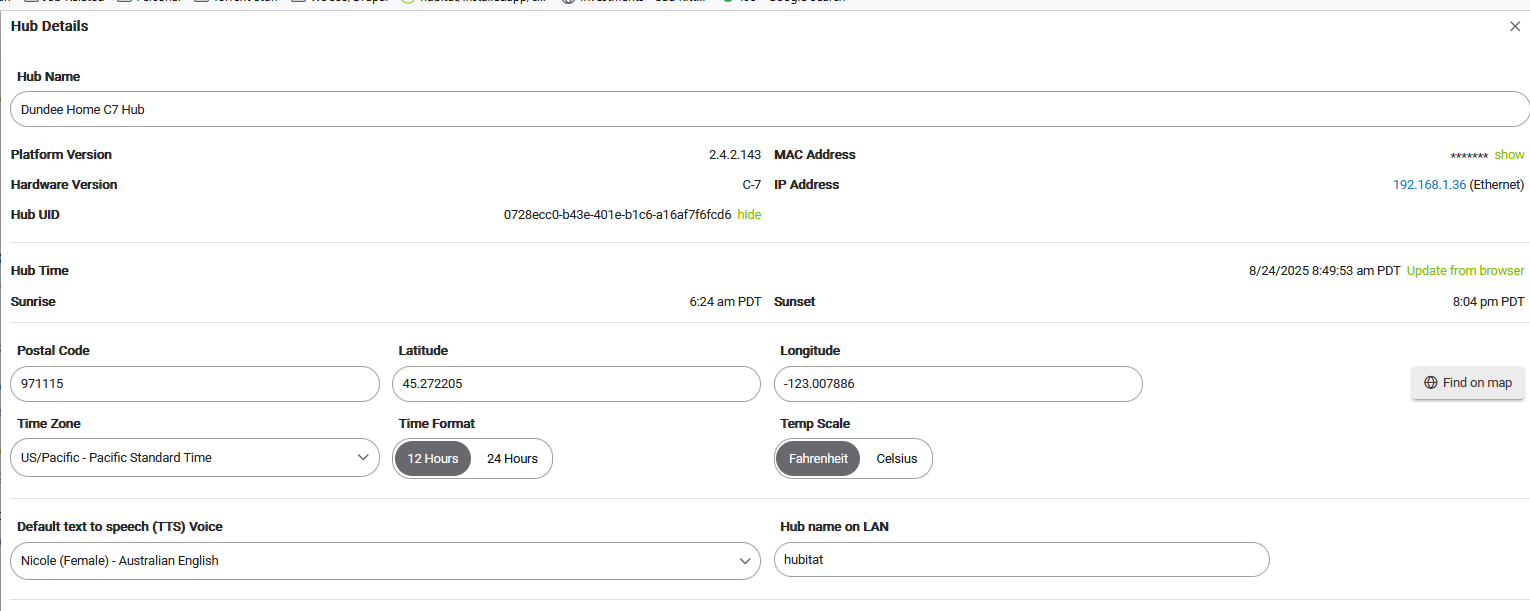
I will look at the code and see if there is anything I can fix. Again, I can not duplicate - doesn't mean it is not real.
Priority is low since operation is not impacted.
First, thanks for creating this app and these drivers.
This is more of any FYI. I added an EP25 plug via the Tapo Integration. The plug functioned fine with the Tapo phone app but I couldn't get it to turn on with the Devices tab in Hubitat. After futzing around for 5-10 minutes it started working. Then I physically moved it to the desired outlet in a closet and the same thing happened: the Tapo phone app could control it but Hubitat couldn't, but after several minutes it worked fine. I chalked it up to some weird timing issue.
This morning though it was again unresponsive. I tried the Configure and Refresh buttons on the device tab many times, I tried unplugging it and plugging it back in, controlling it with the Tapo phone app then trying the devices tab, and even rebooting the hub. Nothing I did allowed me to change is state. The only suspicious log message I saw was a warning:
2025-08-26 05:46:27.774warnHall closet plug-2.4.2a: [method:parseAesHandshake, respStatus:ERROR parsing HTTP resp.data, respData:{"error_code":1003}, error:java.lang.StringIndexOutOfBoundsException: begin 0, end -1, length 4]
The Tapo app says the plug has the latest firmware. I believe the Tapo Integration and driver are the latest (2.4.2a). I have a C-8 hub running 2.4.2.138.
After reading through this thread I decided to try removing the device and re-adding it. This worked! One thing I noticed was that the Protocol changed from AES to KLAP. I don't think I did anything that would cause this to change.
Anyway, it seems to be working now.
The plug was originally AES protocol. When the update occurred, Tapo changed the protocol to KLAP. The Hubitat tries to do this update when there is a comms error; however, it is by no means perfect (LAN issues most common problem).
For all - before installing into Hubitat, verify that the device is the latest firmware. Tapo is updating devices from AES to KLAP and the delivery configuration may be the AES firmware version.
TAPO ROBOVAC Max no longer working.
From this integration developer:
Tapo has chosen to update the Tapo Robovac (at least the VAC) to a new security protocol. Existing installations on Hubitat may be affected. (Mine is one of the devices.) I will work on fixing once I can determine the API for the new protocol (may be never).
This change was auto-distributed on or about Oct 10. Version is 1.30.
If you use the Tapo Robovac with this integration, check it for operation and disable or remove the device if it is not working.