I dont think its working…
After unplugging, I could see the wifi error symbol on the device page. Also there were 3 scheduled jobs (retry, power, comms err)
Waited approx 5 mins and plugged back in
Tried refresh nd power on - both didnt do anything
Tried config - plug connected and power on (& initial power reading worked) But noticed no scheduled jobs now - is that correct? I assume the refresh job provides the periodic power levels?
So the socket is controllable, but not reporting power levels.
I’ve attached a few screen shots
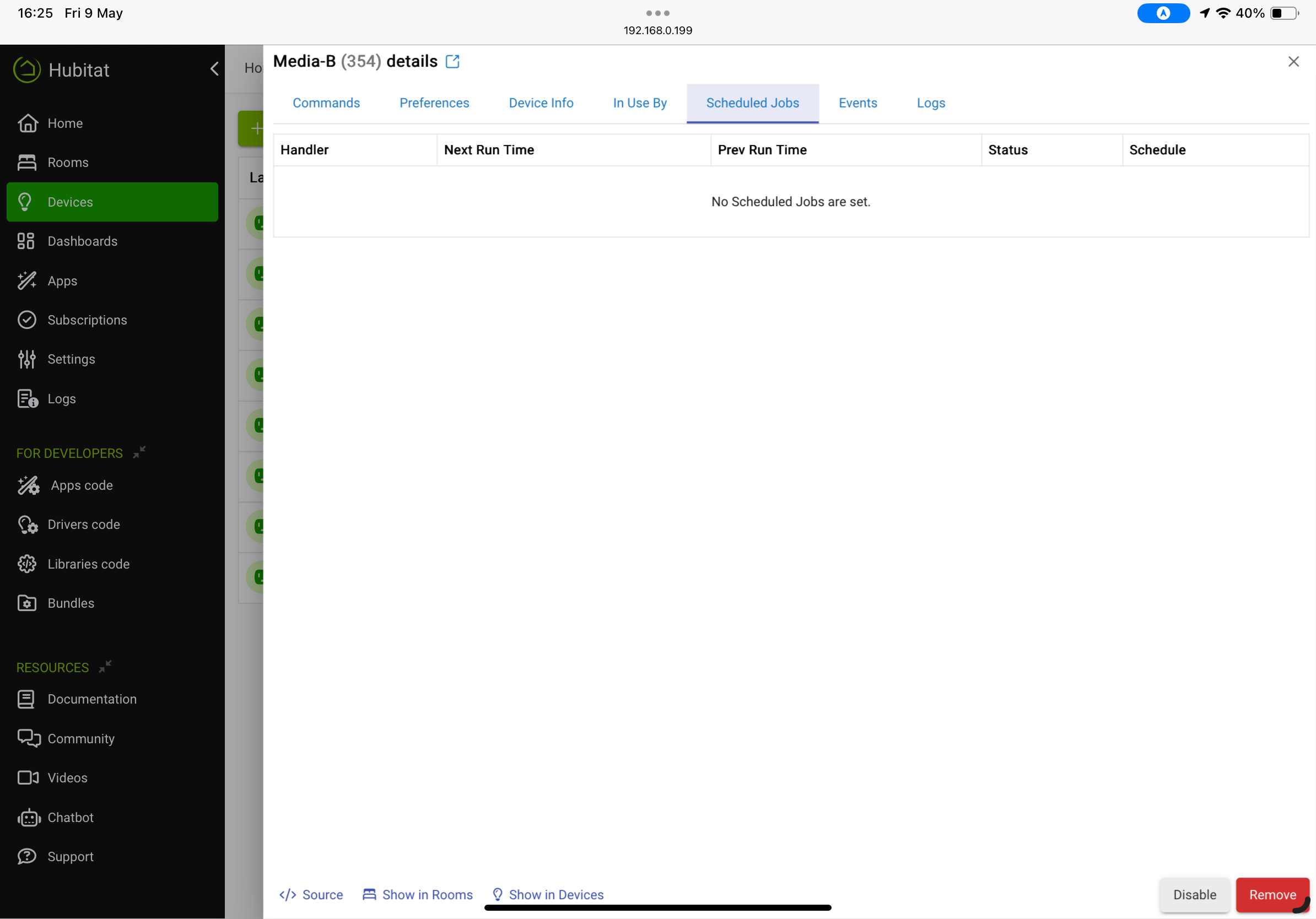
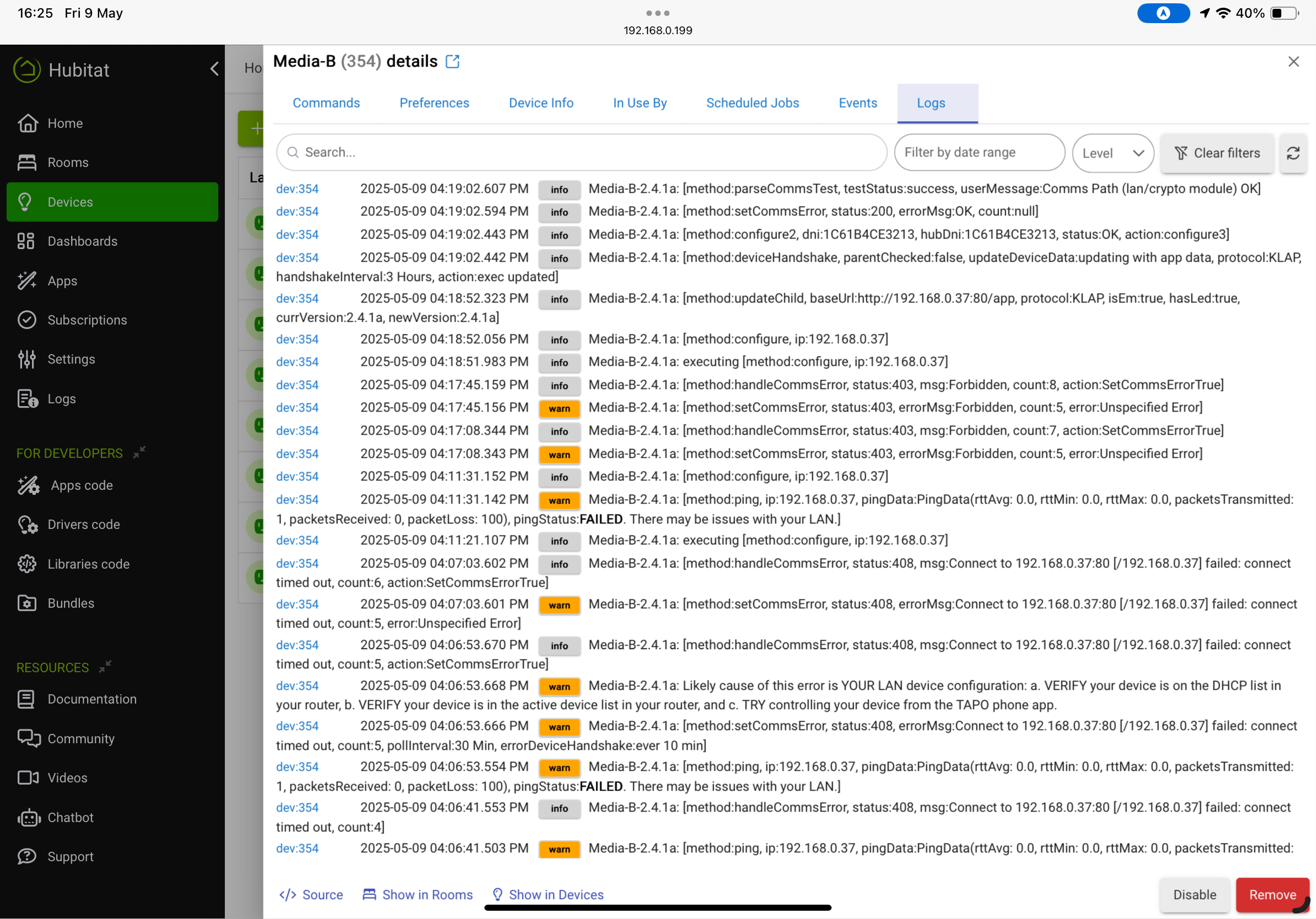
Just checked again, and no scheduled jobs.
Went into the preferences screen and hit save, then I have this in scheduled jobs
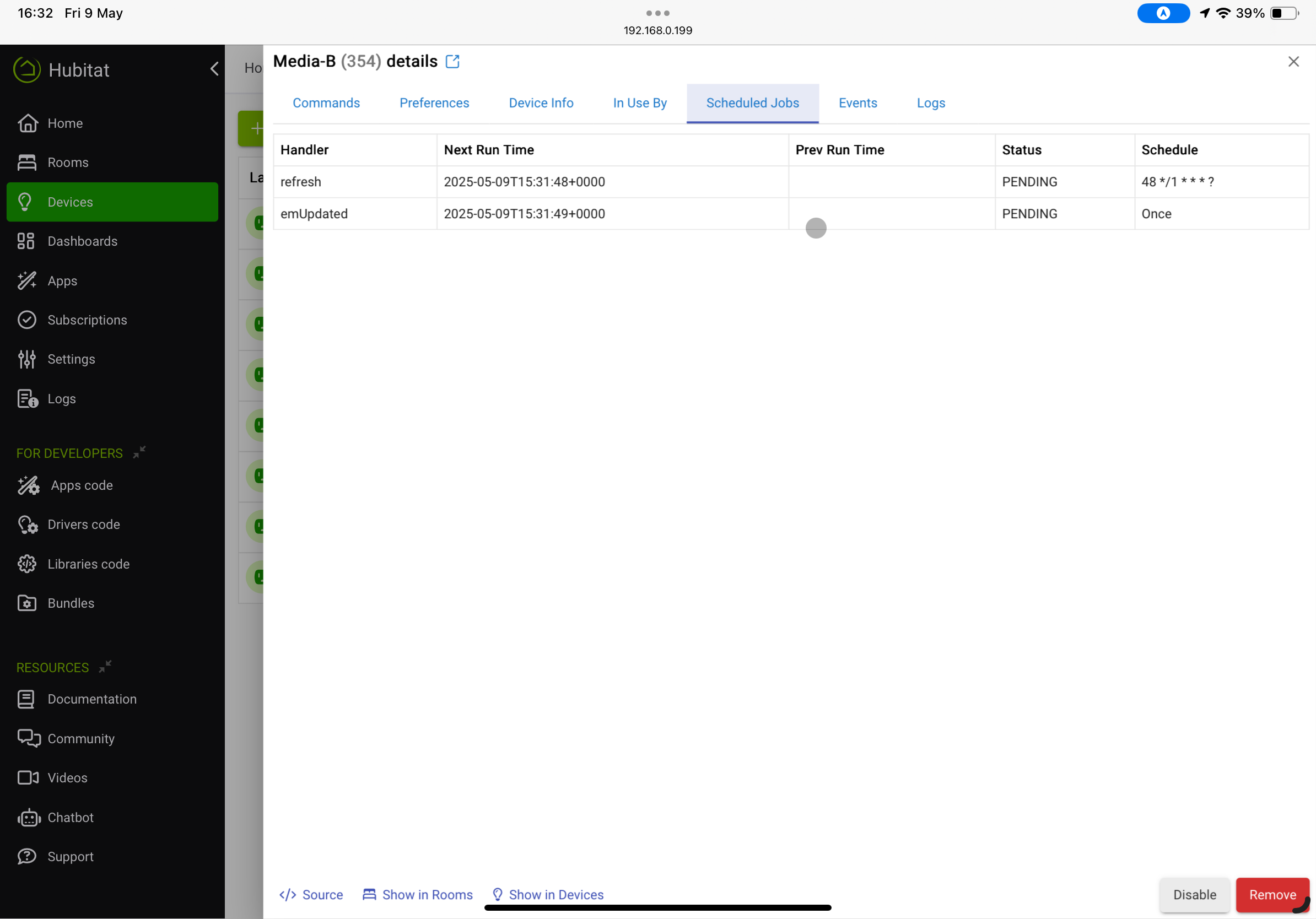
and this extra line in the log
dev:3542025-05-09 04:31:42.325 PM
info
Media-B-2.4.1a: [method:updated, commonUpdated:[commsError:false, pollInterval:1 min, logging:[logEnable:false], updateDevSettings:Updated]]
Power is now updating correctly
Good. Again, do not delete. The duplicate drivers is an artifact that I can not get rid of in Hubitat (sigh). I need to think of how to get rid of it in a future edition. I HATE HPM.
I deleted the unused Tplink plug driver I had (two). Repaired tapo in hpm. But in the device page for my plug with em I still see 2.3.9a at the bottom of the device page.
I checked what hpm thought and it says * Plug, Switch, or EM Plug v2.4.1a (driver).
I clicked configure, refresh, search for new device's in tapo_install and it shows the plug as existing.. still v2.3.9a on device page.
Do I now do a manual install of the TpLink Plug driver?
Edit: I see in the log the device likely has the latest version? Contrary to the device page.
Living Room TV-2.4.1a: [method:updated, commonUpdated:[commsError:false, pollInterval:1 min, logging:[logEnable:false], updateDevSettings:Updated]]
Refresh in scheduled tasks is still pending. Plug turns off and on still.
did you complete the installation using RUN APP -> Scan for Devices and Add -> Next -> Done.?
Also refresh the device page (it does not update automatically except on a save preferences).
Yes. The device shows as a current device during the scan.
Yes I refreshed/reloaded the device page.
Ok I'm at a loss now other than roll back to an old driver (how can I get them?).
I have updated in hpm originally. Energy and Power stopped working but on off worked for all tapo em plugs.
I went to the add section on app page. Git this
Device Discovery Complete . Devices available to add 0. Total devices: 5.
One of which was the device of interest, amongst other em plugs that also don't read power now.
I went into the device page, clicked configure and also refresh.
Device page still shows this
| Base Url | http://192.168.1.49:80/app |
|---|---|
| Protocol | KLAP |
| Tp Link Type | SMART.TAPOPLUG |
| Type | Plug EM |
| Version | 2.3.9a |
However the logs show mentions if 2.4.1a
I have gone into the device page. Found the link to the driver in its details. Then imported and saved.
I scanned for the device again in add new device in tapo app.
All still the same for multiple devices.
I'm at a loss now other than roll back a version for the plug driver (if that can be provided). Or remove all of tapo and reinstall (of which I really don't want to do as it will break many rules).
OK, peter. I was finally able to duplicate (but not sure why this occurred).
Issue: App was not updated as a part of the driver installation.
Corrective Action:
- Re-install update:
- If you used HPM to update, run HPM then "Repair"
- Otherwise complete a Manual Update (error here in instructions)
- Driver: Update using the driver-edit page "Import" function and the following file location:
-
https://raw.githubusercontent.com/DaveGut/tpLink_Hubitat/main/Drivers/tpLink_plug.groovy
- Note: This will rename the driver to TpLink Plug.
-
- App: Update using the app-edit page import function and the following file location:
- Driver: Update using the driver-edit page "Import" function and the following file location:
- Open the App
- Run 'Scan for devices and add' (This will update the device data)
- Select 'Next' then 'Done' to properly exit the application.
- Open the Device in a new page.
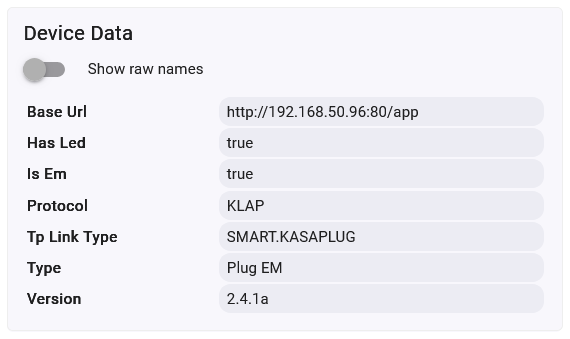
- Device Info Page should look like the below:
- Go to Command page and try the ON command.
- Device Info Page should look like the below:
- If this fails, a complete uninstall/reinstall will be required.

I'm thinking of updating (import) every "tapo_device_install" as well as the "Tapo Integration"? Using the link you have in your post above?
I assume deleting the duplicate apps is less chance of breaking devices, but I'd still need to know which app is being used in case I delete the current one? So maybe just leave them all which is no problem for me as it's out of sight.
I would delete all devices and the app. Delete the code through HPM, delete any remaining drivers, and then start over. Somewhere along the way something went wrong.
Dave
Could I change all tapo em plugs (I only own the tapo plugs) to a virtual driver while I do a complete uninstall and reinstall? Is there a virtual or dummy device that has the same attributes so I won't break any rules?
I have a lot of rules that I don't want to break when I remove drivers/devices.
Could I copy the driver(s) I use and rename them to a a temporary name. Make new device's that use those temporary drivers. Change my rules to point to those temporary devices. Remove all of the tapo devices and drivers + app. Then change all the devices in my rules back to the new device's once I install them all again.
Or am I over complicating it? I'm pretty sure if I delete my tapo devices without changing the devices over in the rules that it will break the rules yes? I'm trying to see how I can create fake devices that are a switch and have power readings so I can swap them into rules before I delete the real tapo devices.
I will Private Message you in about 30 minutes. You can't create the virtual device. But we can clean this mess up and get HPM also correct. It will take some work on my part and yours to assure a full clean-up (only other option is remove/replace).
PS - This is why i hate HPM.
@djgutheinz - I just got a new Tapo RV30 Max Plus robot sweeper today. Installed this integration but it doesn't seem to want to pick up this device at all.
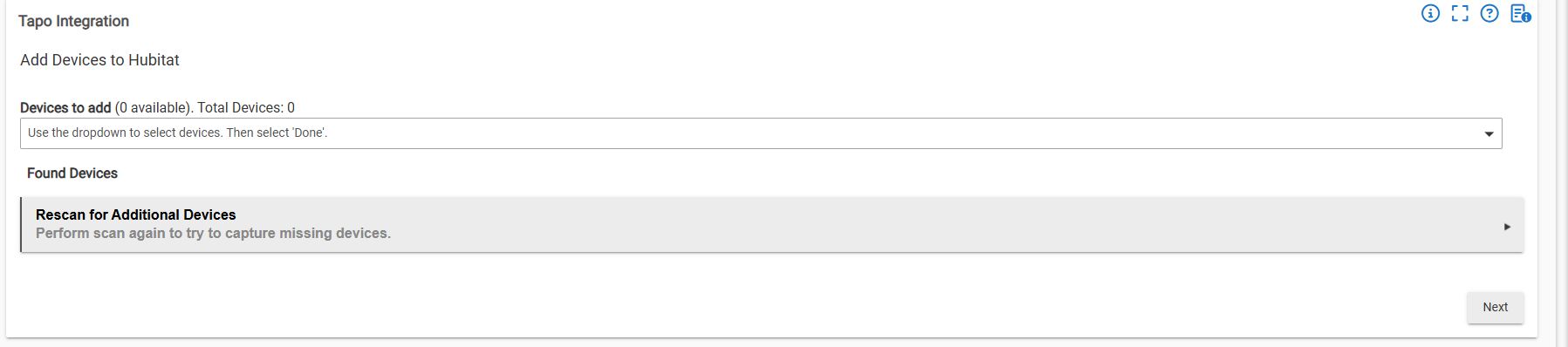
The Sweeper and Hubitat Hub are on the same subnet, I'm seeing this error in the logs:

I can message you the full logs if needed but so far can't get this integration to pick up this sweeper.
It works fine with the Tapo app as well.
RV-30 Issue: Later RV-30 Robovac firmware updates may not work with this integration. Tapo has changed encryption from AES over HTTPS to KLAP over HTTPS for the later firmware updates.
Note: This protocol is different than the normal KLAP protocol (slightly). It will not automatically switch to KLAP and run as other devices. Developer will try to figure out minimum means to fix this issue and allow for an update if the protocol changes in the future for other Robovacs.
Do you have any further thoughts on the issue of power energy reporting stopping on the tapo plugs?
This seems to happen following a comms error to the plug. I’ve attached screen shots from an incident today. You can see the comms error in the log, I noticed this and checked on scheduled jobs and there were none there. Going into the preferences tab and hitting save seems to resolve the issue. The two scheduled jobs shown appear at this point.

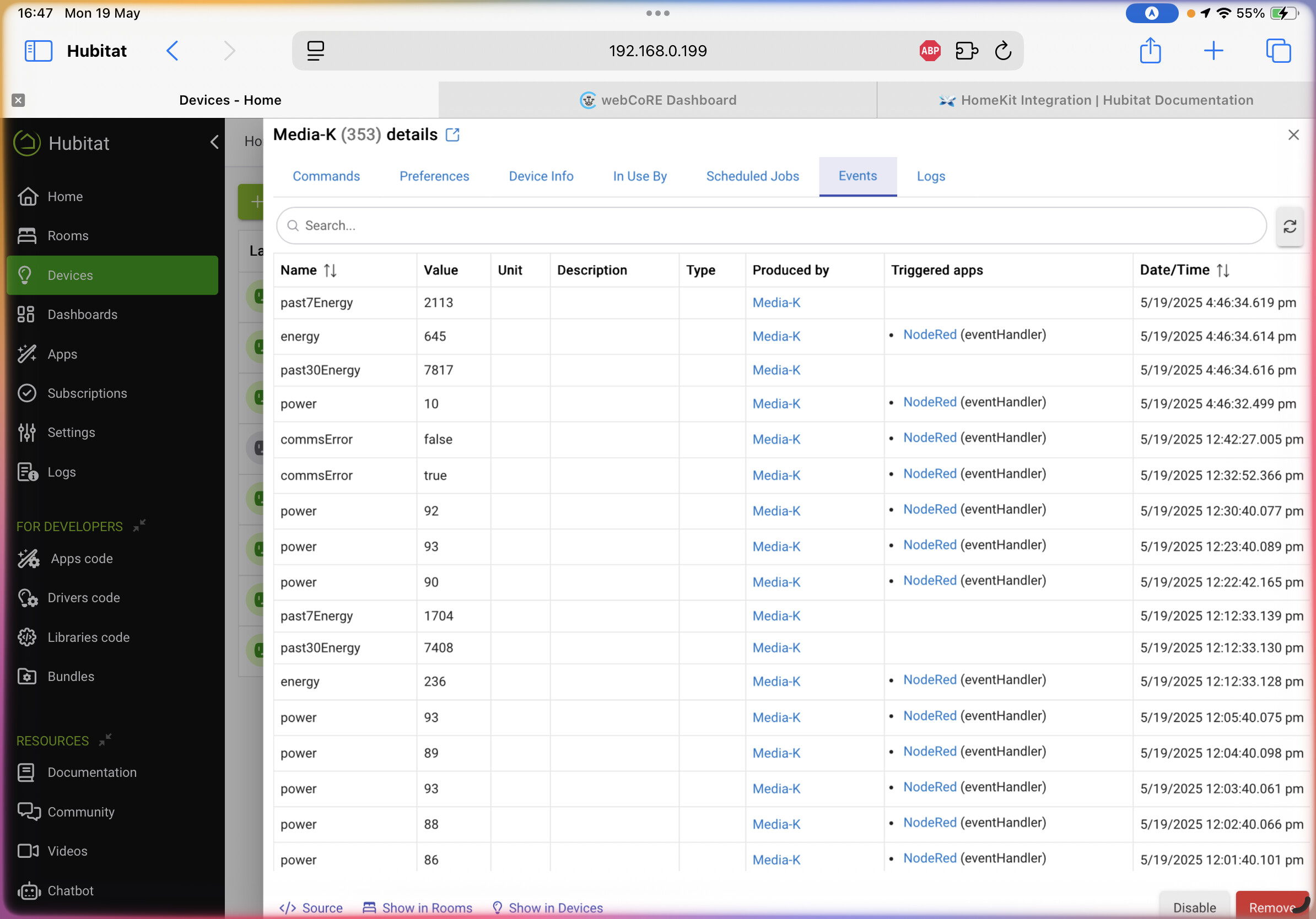
Have an idea. I will look at over the next few days.
Thanks.
Let me know if you want me to test or try anything out. I should be able to reproduce the issue.
Once I figured it out, it was (as usual) an easy fix.
Interim fix for driver at: https://raw.githubusercontent.com/DaveGut/hubitatTest/refs/heads/main/TpLink_Plug_1.groovy
You can update this by opening your current driver and using the import function - inserting the link above into the URL field.
Issue: Method setCommsError (no error) unintentionally cancels schedule jobs due to missing quotes around "errorDeviceHandshake" (then intended job to cancel).
Resolution: Verified issue. Corrected code and verified works as planned.
Release: Version 2.4.1b to be release later this week incorporating this error correction and adding the capability to handle the NEW transport protocol for the Tapo Robovac.