[RELEASE] Rain Bird LNK/LNK2 WiFi Module Controller v0.1.0.0
Author: @MHedish
Category: Device Drivers → Utility / Irrigation



Advanced Hubitat driver providing full local LAN control of Rain Bird LNK/LNK2 WiFi irrigation controllers — including zone, program, and rain delay management. Features automatic time sync, telemetry, adaptive refresh, and support for ESP-TM2 and ESP-Me controllers.
 Overview
My next abandonware release. 
This time, the original author, @craigde, even shared earlier this year that he abandoned his beta driver a few years ago. 
I was never able to get that five-year-old code to work, but it did plant the seed for this, and it had a helpful opcode reference for older firmware. Thanks, @craigde! 
You should know, this driver is helpful for more than just monitoring your controller; you can use it to integrate any motion detectors and/or event-driven security cameras to automatically deal with folks like this:
- Driver drenching! Aussie's hilarious 'sprinkler solution' to people parking in his driveway
- 'Tinkler sprinkler' stops pubgoers from using man's driveway
- Orbit Yard Enforcer In Action
This driver not only allows for integrated Hubitat monitoring and control, it addresses a major Rain Bird oversight: time synchronization. The internal real-time clock (RTC) is notorious for drift, yet Rain Bird has no way to automatically update the RTC or for addressing Daylight Saving Time adjustments.
Their solution is either directly through the front panel or manually through the mobile app, despite being Wi-Fi connected (NTP). Not anymore; this driver recognizes DST and automatically sets the controller for you. The RTC is kept within +/- 5 seconds (typically <2) of the Hubitat clock.
All events and telemetry are fully Rule Machine and WebCoRE compatible, enabling precise automation and monitoring with minimal resource overhead.
It communicates directly with your Rain Bird controller over LAN — no cloud, no accounts, no internet dependency.
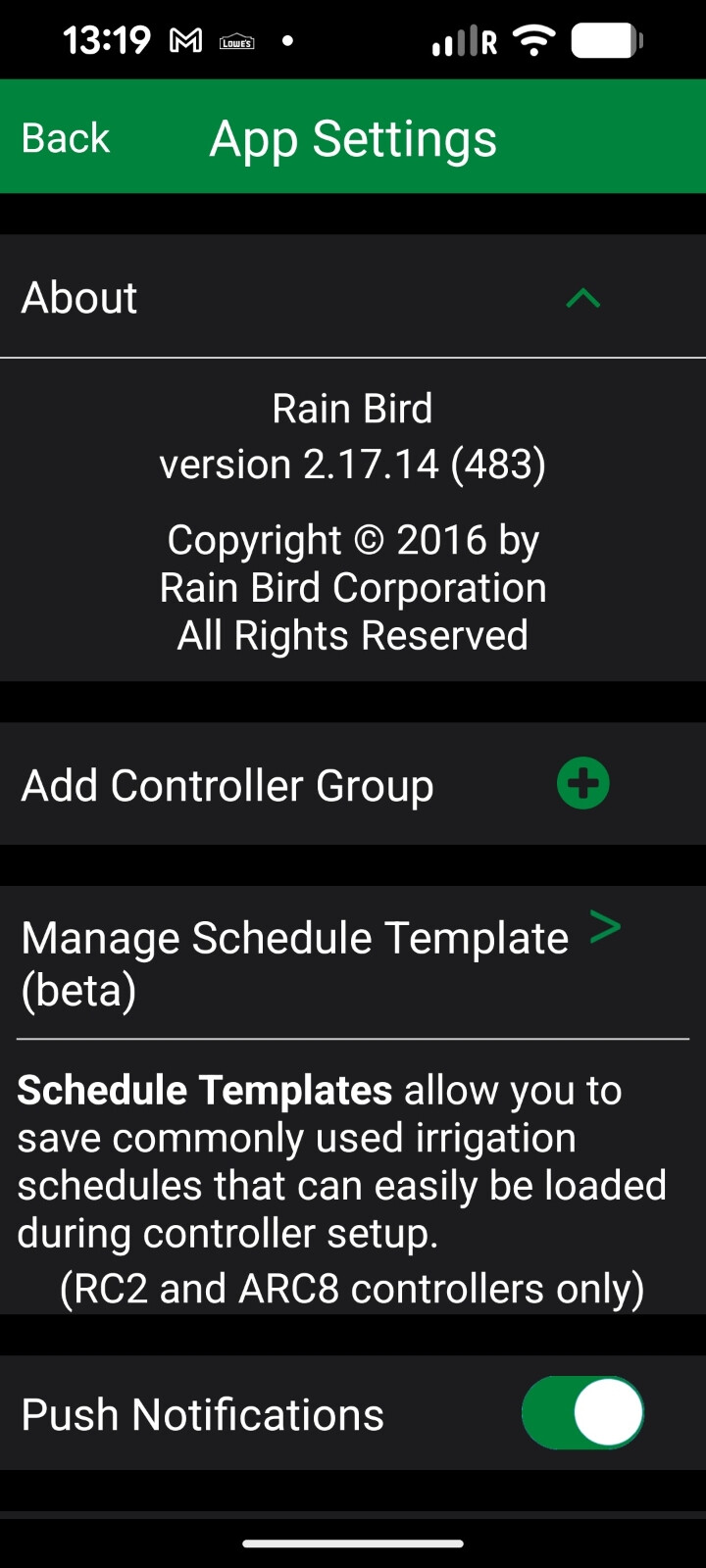
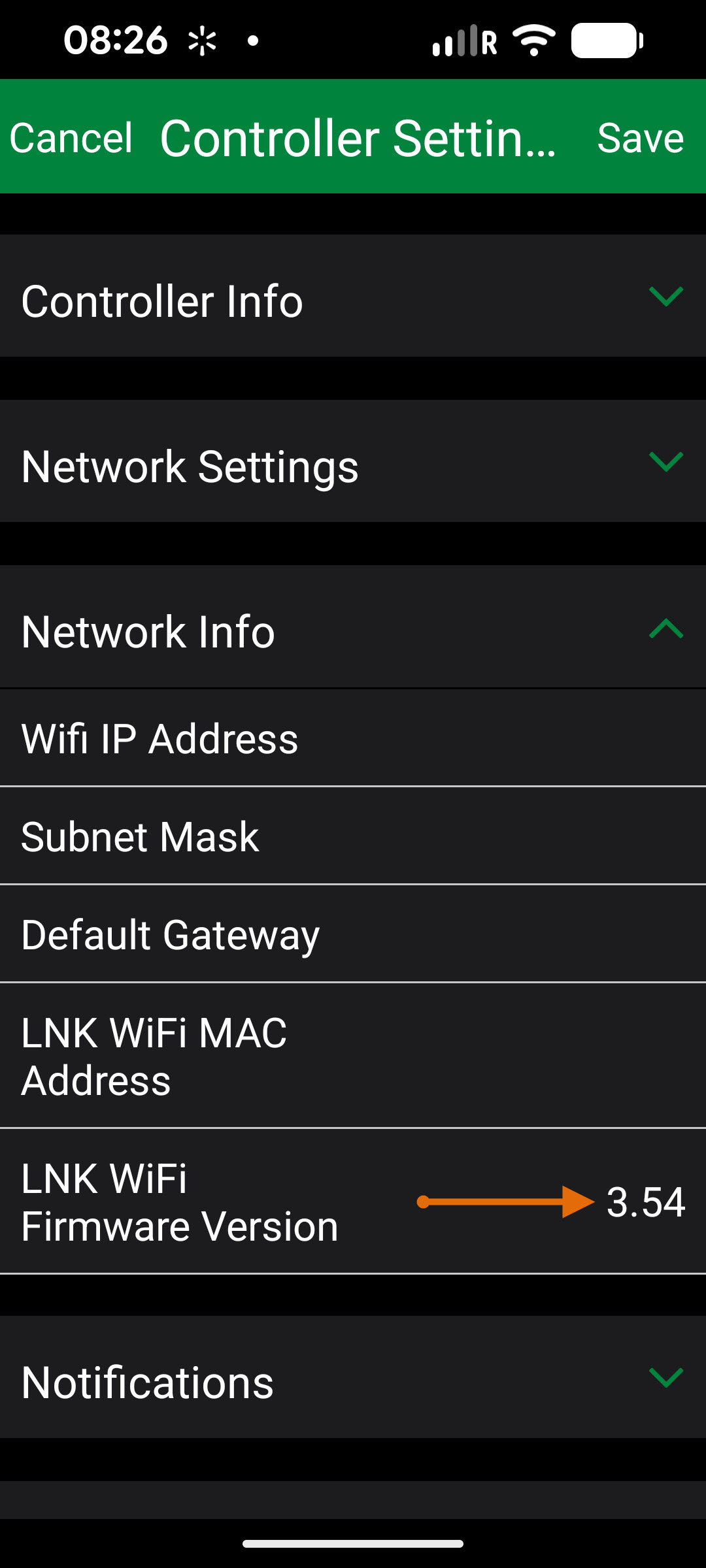
There are many versions of controller firmware out there, and none of them are field upgradable, so YMMV when it comes to capabilities, but this version of the driver does everything I need it to. 
See the Changelog for full release notes.
 What’s in v0.1.0.0 (Release Candidate)
 Hybrid + Modern Firmware Convergence — validated on firmware 2.9 and 3.2
 Switch & Valve capabilities: dashboard integration for on/off/open/close parity
 Time sync reliability: hourly drift checks, DST detection, and random offset scheduling to reduce hub load
 Deterministic refresh engine: resilient pacing and adaptive polling under watering conditions
 Diagnostics:
 testAllSupportedCommands() now emits firmware and module identity
 Installation
Option 1: Hubitat Package Manager (Recommended)
- Open Hubitat Package Manager (HPM) from your Hubitat Apps list.
- Choose Install → Search by Keyword.
- Enter
Rain BirdorIrrigationin the search box. - Select Rain Bird LNK/LNK2 WiFi Module Controller from the results and install.
- Once installed, open the new device’s Preferences, and enter the Rain Bird Controller IP address and Rain Bird Controller Password. Click Save Preferences.
Option 2: Manual Installation
- In Hubitat, go to Drivers Code → + New Driver.
- Click Import, then paste this URL:
https://raw.githubusercontent.com/MHedish/Hubitat/refs/heads/main/Drivers/RainBird-LNK/RainBird-LNK-Wi-Fi-Module.groovy
- Click Import, then Save.
- Go to Devices → Add Device → Virtual, then:
- Name your device (e.g., Sprinkler).
- Under Type, select Rain Bird LNK/LNK2 WiFi Module Controller.
- Click Save Device.
- Enter your Rain Bird Controller IP address and Rain Bird Controller Password under Preferences, then click Save Preferences.
 Verification
- A Configure command will automatically run once you save preferences and will populate that attribute panel.-
- Confirm the firmwareVersion and zoneCount attributes populate.
- Run a short Run Zone (1, 2 min) test to verify control.
 Optional: Diagnostics
- Execute testAllSupportedCommands() to validate controller capabilities.
- Review output in
LogsordriverStatus.
 Key Features
 100% local control — no cloud API required
- Adaptive opcode negotiation for LNK and LNK2 controllers
- Auto Time Sync keeps controller time accurate
- Per-zone and per-program control with dynamic detection
 Rain delay and rain sensor status integration
 Telemetry-rich diagnostics and event logging
 Cron compatibility fallback — supports both pre- and post-2.3.9.x Hubitat CRON parsers
 Designed for Hubitat C-7 / C-8 / C-8 Pro (AES-128 LAN encryption)
Compatibility
| Controller | WiFi Module | Firmware | Status | Notes |
|---|---|---|---|---|
| ESP-TM2 | LNK / LNK2 | 2.1 – 3.0 |  Stable Stable |
Tested on 2.1 and 2.9 |
| ESP-Me | LNK / LNK2 | 2.9 – 3.2 | Stable |
Multi-zone hybrid support |
| ESP-Me3 | LNK2 | 4.0+ |  Partial Partial |
Extended telemetry not yet implemented |
| ST8 / ST8i | LNK | 2.5 – 3.0 | Limited |
Basic zone control only |
 Hubitat Platform
| Platform | Version | Status |
|---|---|---|
| C-7 / C-8 / C-8 Pro | 2.3.9+ | Fully supported |
| C-5 | 2.3.6+ | Works (slightly slower crypto) |
| C-4 | — |  Not supported Not supported |
Common Commands
| Command | Description |
|---|---|
| Advance Zone | Jump to the next zone (firmware-aware) |
| Off/Close | Same as Stop Irrigation |
| On/Open | Same as Run Program 'A' |
| Refresh | Force telemetry update |
| Run Program (A–D) | Start controller programs |
| Run Zone | Start a zone for a specified duration |
| Set Rain Delay | Apply a rain delay (0–14 days) |
| Stop Irrigation | Halt all watering activity |
Exposed Attributes
| Attribute | Type | Values / Notes |
|---|---|---|
activeZone |
number | Currently active zone number |
autoTimeSync |
boolean | Whether auto time synchronization is enabled |
availableStations |
string | List of active zones/stations detected |
clockDrift |
number | Time drift between hub and controller (seconds) |
controllerDate |
string | Controller-reported date |
controllerTime |
string | Controller-reported time |
delaySetting |
number | Rain delay duration (days) |
driverInfo |
string | Driver metadata including version and mode |
driverStatus |
string | Current driver health or command response |
firmwareVersion |
string | Controller firmware revision |
irrigationState |
string | watering, idle, or off |
lastEventTime |
string | Timestamp of last received event |
lastSync |
string | Timestamp of last successful time sync |
model |
string | Controller model identifier |
programScheduleSupport |
boolean | Indicates if controller supports program retrieval |
rainDelay |
number | Current active rain delay days |
rainSensorState |
enum | bypassed, dry, wet |
remainingRuntime |
number | Seconds left in current watering cycle |
seasonalAdjust |
number | Active seasonal adjustment factor (%) |
serialNumber |
string | Controller serial number |
switch |
enum | on, off |
valve |
enum | open, closed |
waterBudget |
number | Seasonal watering percentage |
watering |
boolean | Indicates irrigation is currently active |
wateringRefresh |
boolean | Internal refresh flag during watering |
zoneAdjustments |
string | JSON string of per-zone runtime adjustments |
zoneCount |
number | Number of detected zones |
 Diagnostics
Command: testAllSupportedCommands
Tests controller for all supported opcodes and emits results to driverStatus and log.
Also reports firmware and module diagnostics (LNK / LNK2).
Troubleshooting & Common Issues
| Symptom | Possible Cause | Recommended Action |
|---|---|---|
| 503 Service Unavailable | Controller is processing or rate-limited | Allow 2–3 seconds between commands; driver auto-retries with adaptive pacing |
| Clock drift | Controller RTC inaccuracy | Enable Auto Time Sync (default) to maintain accuracy |
| Controller unresponsive | DHCP renewal or IP conflict | Reserve static IP for the controller in router's DHCP settings |
| Zone list empty | First refresh incomplete or older firmware | Click Refresh, wait 10 seconds, then recheck zoneCount |
| Rain delay stuck | Controller cache sync | Run Refresh or Stop Irrigation, then retry command |
| Sluggish updates | Poll interval too long | Lower Refresh Interval to 2 minutes during active watering season |
| Repeated log noise | Debug mode active | Debug logging turns off automatically after 30 minutes |
Tip: For the most reliable operation, use a reserved DHCP IP and enable automatic time sync.
 Best Practices
Time Synchronization
Rain Bird controllers lack NTP or any remote clock-set capability, causing significant drift over time. The driver’s Auto Time Sync function compensates for this limitation by:
- Automatically comparing controller time to Hubitat every hour.
- Correcting any drift greater than ±5 seconds.
- Adjusting for DST changes and randomizing sync intervals to prevent network bursts.
Recommended: Keep Auto Time Sync enabled at all times. This ensures that program start times and watering schedules remain accurate — even after power loss and DST adjustments.
 Refresh Interval Tuning
The refresh interval defines how often Hubitat polls the controller for status updates.
-
Active Season: 2-minute refresh (recommended for zone monitoring and dashboards)
-
Normal Operation: 5–15 minutes to balance performance and network traffic
-
Winterized / Off-Season: 60–480 minutes or manual refresh mode
When set to manual, the Automatically sync Rain Bird to Hubitat clock preference will still keep the clock synchronized once an hour while not polling the controller for other status information. -
If you choose the Increase polling frequency during watering events option (default), the polling will go up to once every 5 seconds during a watering event to give you almost real-time information. When the watering is over, the polling will go back to the frequency you had set before.
Use shorter intervals during watering periods for near real-time zone feedback. -
It's still best to allow the Rain Bird controller to manage automatic watering, but if you want to manage it within Hubitat, you can now use Hubitat’s Rule Machine or WebCoRE to automate watering windows, including the water budget attribute to reduce watering based on the forecasted weather.
-
Avoid scheduling overlapping zones to minimize command queue congestion.
-
When creating custom schedules, leave 3–5 seconds between zone transitions for pacing stability.
-
You can create a routine to update refreshInterval to one minute just before your scheduled watering event and then monitor/record the program status via Hubitat. Set an event for watering==false and then reset the refreshInterval to either 15 minutes or manual.
 Security Camera
If you are going to use this to deal with porch pirates, stray animals, or people that can't read no parking signs like the examples earlier, be sure to capture it on video for the rest of us to enjoy. 

🖧 Network Stability
- Reserve a static IP for your Rain Bird controller in your router.
- Ensure the Wi-Fi signal to the LNK/LNK2 module is at least −65 dBm or better.
- Avoid placing the module near metal enclosures or irrigation boxes with poor reception.
Following these best practices ensures precise irrigation scheduling, minimal drift, and consistent LAN reliability — even on controllers without native NTP or cloud sync capabilities.
 Feedback
This driver has been validated against firmware 2.9 and 3.2. Any other platform additions are welcome.
Please report feedback or findings in this thread to help continue improving the integration, and I can promote this from RC to Production. 
 GitHub Repository:
 Rain Bird LNK/LNK2 WiFi Module Controller (Hubitat Driver)
 License: Apache License, Version 2.0
 Author: @MHedish
 Acknowledgments: Thanks to the Hubitat community developers whose earlier work made this driver possible, including @cragide and @allen.porter.
🩵 Support & Credits
Developed and maintained by Marc Hedish
Documentation by ChatGPT (OpenAI)
License: Apache 2.0
 Support development: paypal.me/MHedish

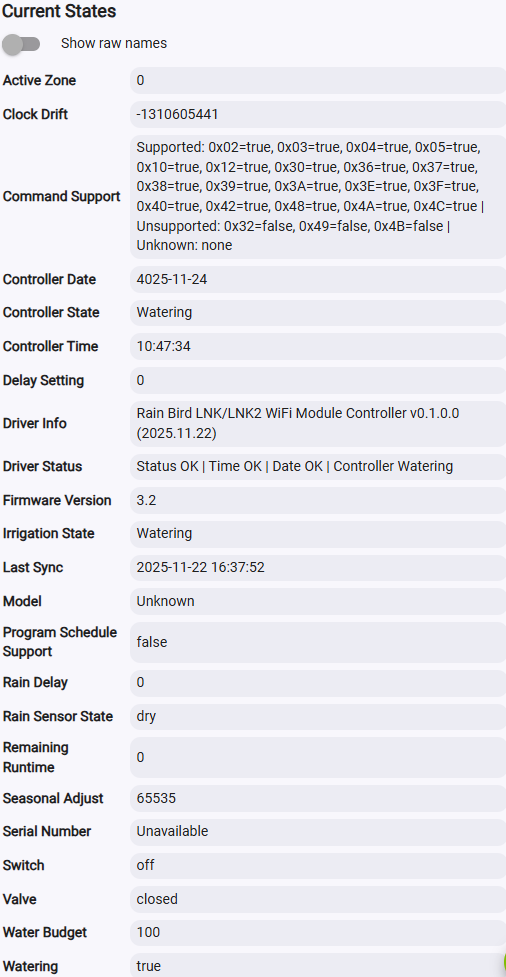

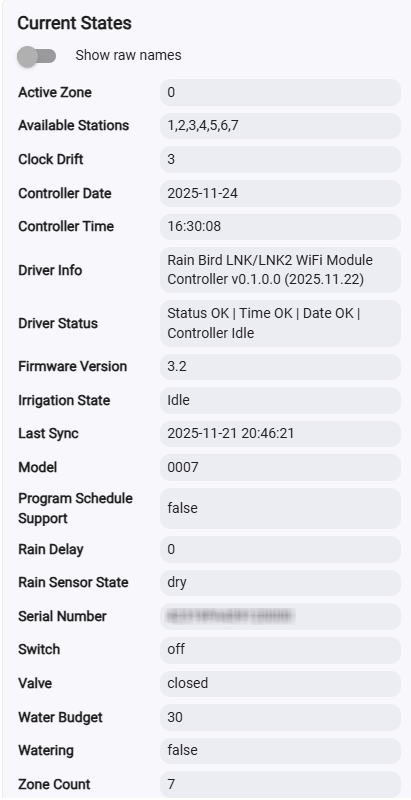
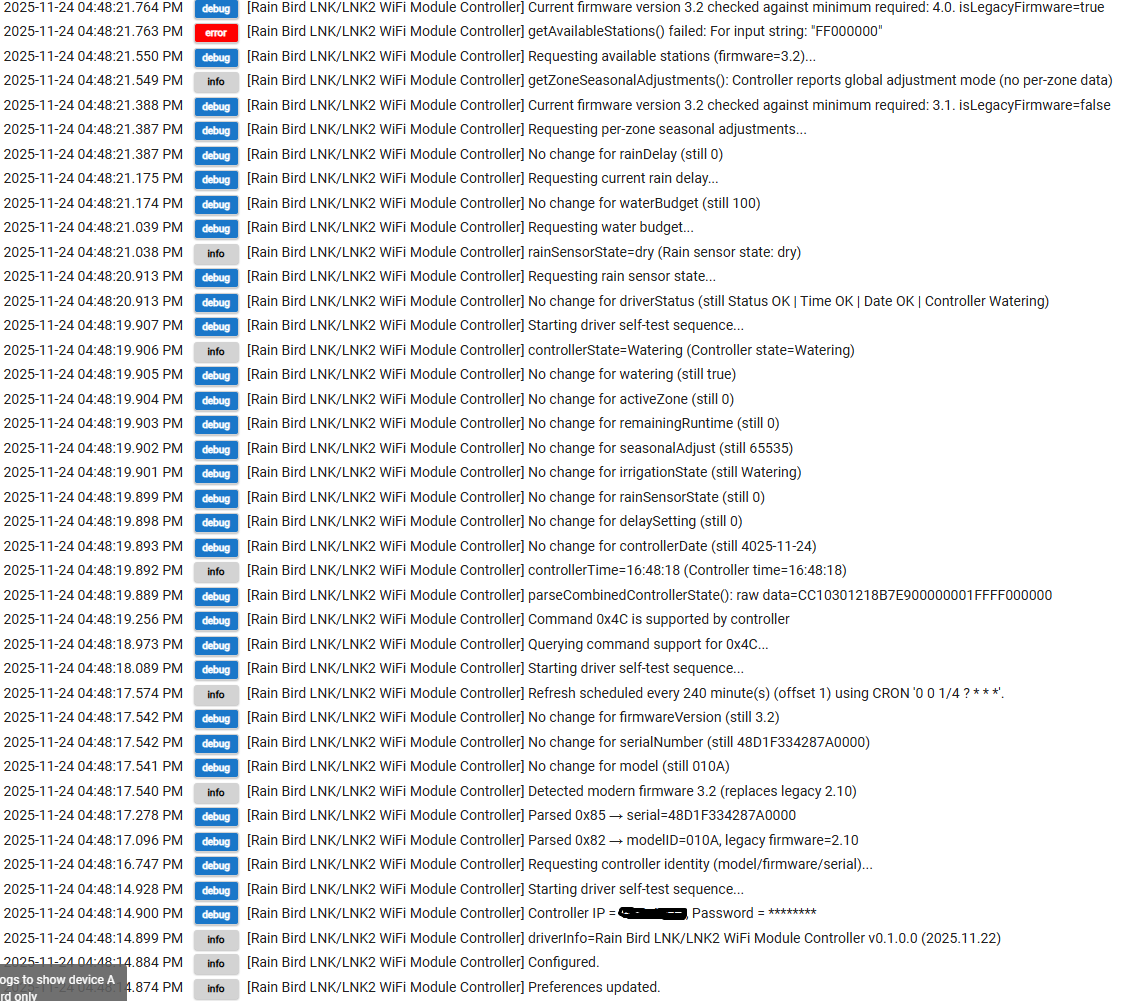



 The firmware of the LNK/LNK2 doesn't change things.