Had the first rain in a while here and, well, looked in to why the rain sensor never changed from 'dry' to 'wet.' Turns out legacy firmware (≤3.0) does not report the rain sensor status.
I updated the driver to reflect 'unknown' on legacy firmware accordingly.
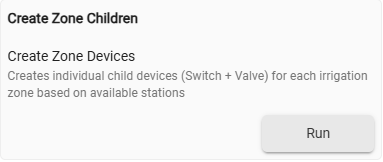
Manual Zone Device Creation — automatic zone creation replaced with a self-healing manual command Create Zone Children
This version will create child devices, one for each zone, to help automation. You can use on/off or open/close on the child device rather than calling the parent device and passing a zone number and duration.
@MHedish first of all, my best wishes for this new year.
I’ve been using this driver for about two or three weeks, but didn’t try it extensively until today.
I have two controllers, one for the front yard and one for the back yard. Same controllers (ESP-TM2), and just noticed they have different firmware (Front 3.2, Back 2.10)
They use a different WiFi dongle, therefore the driver shows a little different options. (Because of the firmware difference?).
None of them creates child devices.
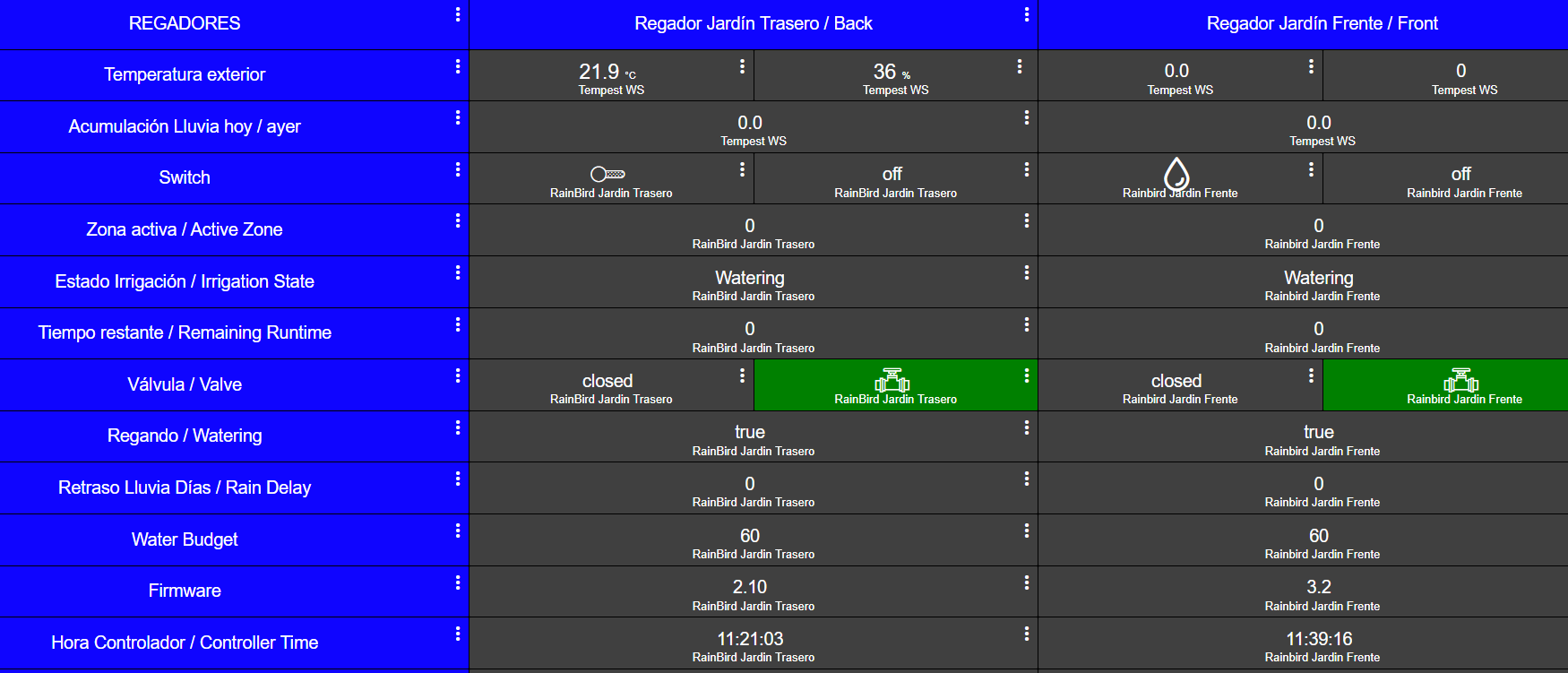
I created a Dashboard with basically three columns, (Attribute, Back Controller, Front Controller).
Something is not working right and I just need some help to know if I am doing something wrong.
When any of the controllers is running, some attributes do not change, and I only notice that the ones that update are Active Zone and Remaining Runtime.
Irrigation State always shows “watering”, and only briefly change to “Idle” for a second or two, and then going back to Watering.
That 2.10 firmware is really old and doesn't provide much to work with. The 3.2 should work well.
Unfortunately, Rain Bird firmware is not field upgradable. Personally, my 8 year old unit is stuck at 2.9.
The Wi-Fi modules have their own firmware. The Wi-Fi module doesn't update any access or add features the old firmware of the controller. It also doesn't change what's available for us to control/monitor. It's really just a bridge.
Warning: Do not try to upgrade the Wi-Fi modules to later firmware; you'll end up locking yourself out of local control. @CaptWoody updated the firmware, and we both then learned it ended up removing local auth and forces cloud only now.
The 2.10 firmware doesn't let us know when its "watering." The driver also can't read the number of zones you have. About the only thing we can do is turn on/of a particular zone.
On the other hand, you shouldn't have any issues with the 3.2 firmware.
Are the attributes (serial number, date'/time, etc.) populating? Have you turned on debug and noticed any errors/messages indicating why something isn't able to populate?
I just noticed both units show different firmware versions, changing from 3.2 to 2.10 randomly.
Right now both show 2.10.
Attributes updating that I can notice are:
Active Zone
Clock Drift
Controller Date
Controller Time
Delay Setting
Dr Info
Firmware Ver (Changes from 2.10 to 3.2)
Rain Delay
Remaining Runtime
Serial Number
Not sure why the reported firmware would change. That's not right.
I'm presuming you have the driver set up for two separate devices, each pointing to the IP of the respective controller.
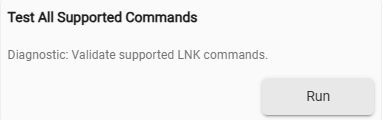
There is a diagnostic button on the preferences page:
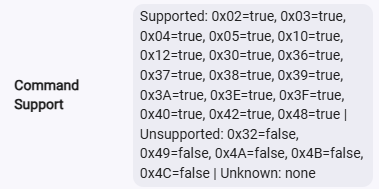
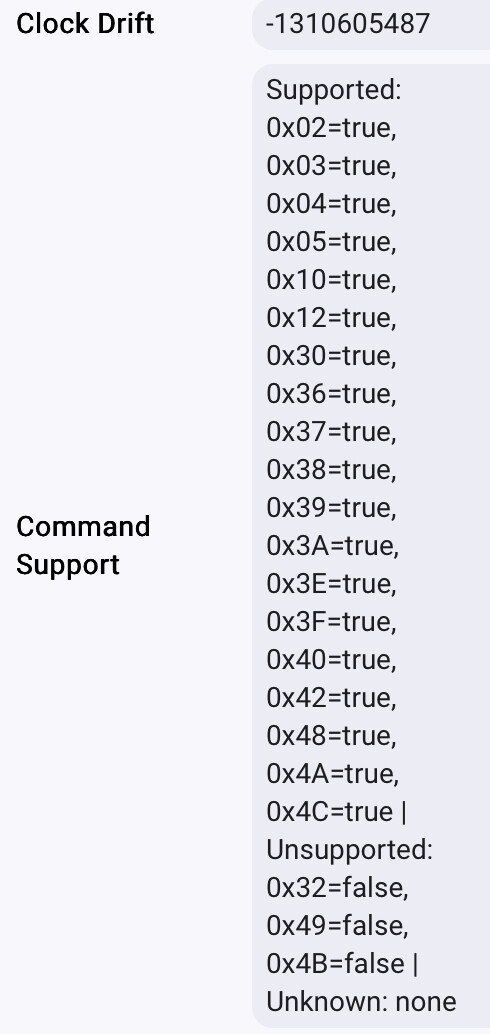
Turn on "Enable Debug Logging" and give that a run. It will populate the commandSupport attribute:
I'm curious to see what is supported on 2.1 firmware.
You mentioned the child devices aren't being created. With debug on, what do you get when you run:
You should see a child device for each of the zones you set up under the "Number of Zones" preference. I doubt that old firmware will auto-update the number of zones. The commandSupport report will let me know.
When I hit Test All Supported Commands, it goes to Firmware ver. 3.2.
When I hit Configure it goes back to Firmware ver. 2.10.
This only happens on one device, the other one goes from 2.10 to unknown to 2.10.
And about Child Devices, I just discovered that I haven’t installed the Child Devices Driver, so I installed it and now it works perfectly (it doesn’t).
Your firmware isn't changing; the issue is the process of trying to determine which firmware is actually on the device. Really old firmware like yours doesn't accurately report versions. The changes your report here are my driver trying to determine which commands work. It's seeing a command that
Configure runs getControllerIdentity(). That gets the firmware directly from the controller. It's authoritative to what's in the silicon. Test All Supported Commands asks the controller what it thinks is can do. Based on the supported command list, its saying the controller can do more than it actually can. I've discovered this is just how the ancient firmware works. It misreports its capabilities. That's why you're seeing both.
The drive asks, "What can you do?" but that list just isn't accurate. You actually have 2.10 firmware, and despite reporting "capabilities," it just can't do it.
Rain Bird controller firmware is not field upgradable. You cannot change it.
The only firmware you can update is the Wi-Fi module (the LNK2). That firmware is upgradable, but that won't change the capabilities of the unit at all. It only affects the Wi-Fi module. I recommend you do not upgrade the Wi-Fi module. If you do, you'll lose the ability to log in the controller via your LAN. @CaptWoody learned this the hard way.
There really isn't much we can do. You have an older device that because of that age misreports capabilities, and it can't be upgraded or patched.
The only real upgrade path is replacing the controller.

 Manual Zone Device Creation — automatic zone creation replaced with a self-healing manual command