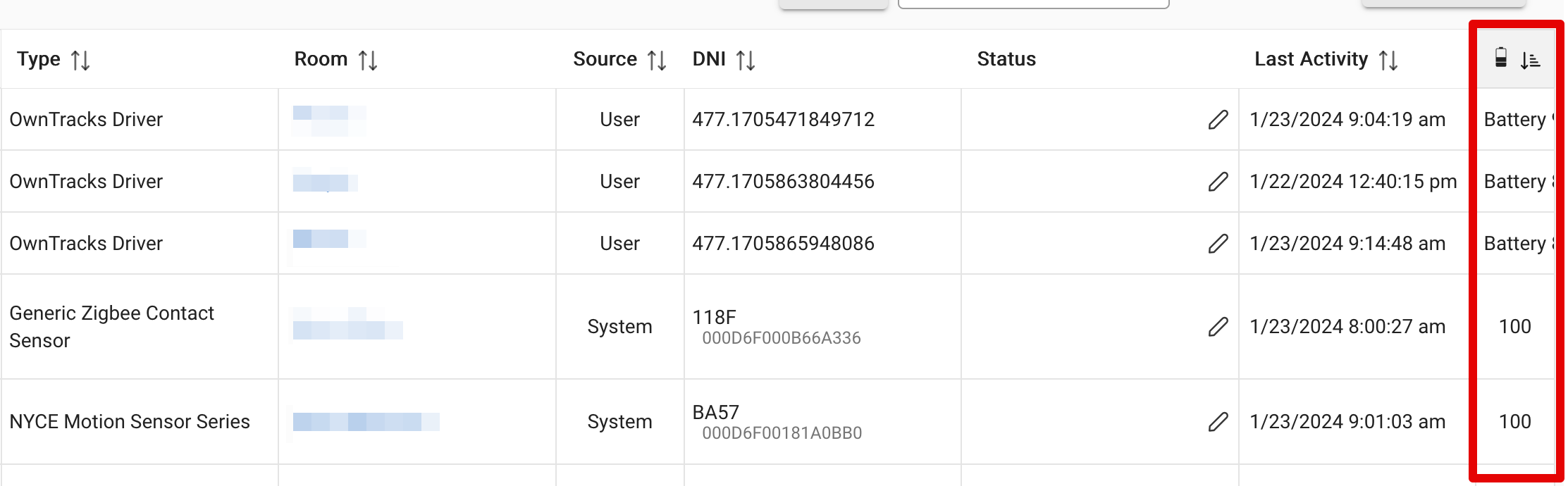
Re battery status, I noticed the Devices table in Hubitat doesn't display it correctly.
1 Like
I think it's because the "Battery" attribute has the "Battery" label in it, rather than just the percentage.
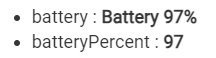
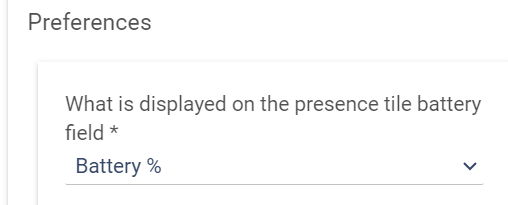
So the new Battery field on the Devices tab is showing the label and the % and the % gets cut off...If the display option for "battery" attribute was changed to show just the number (like "batteryPercent" currently does) then it will display as expected on the Devices tab.
1 Like
Hi, @lpakula and @nh.schottfam,
I will do my best to clarification the issue with the "status" state in OwnTrack for Habitat Presence Detection (OfHPD) and its integration with Webcore, give my limited understanding of the programming side of Webcore (that is why I have tagged @nh.schottfam; hopefully he can provide some better detail).
To recap my understanding is (and please correct me where I have gone off the tracks), there are various current states in OfHPD that display either predefined or dynamic data.
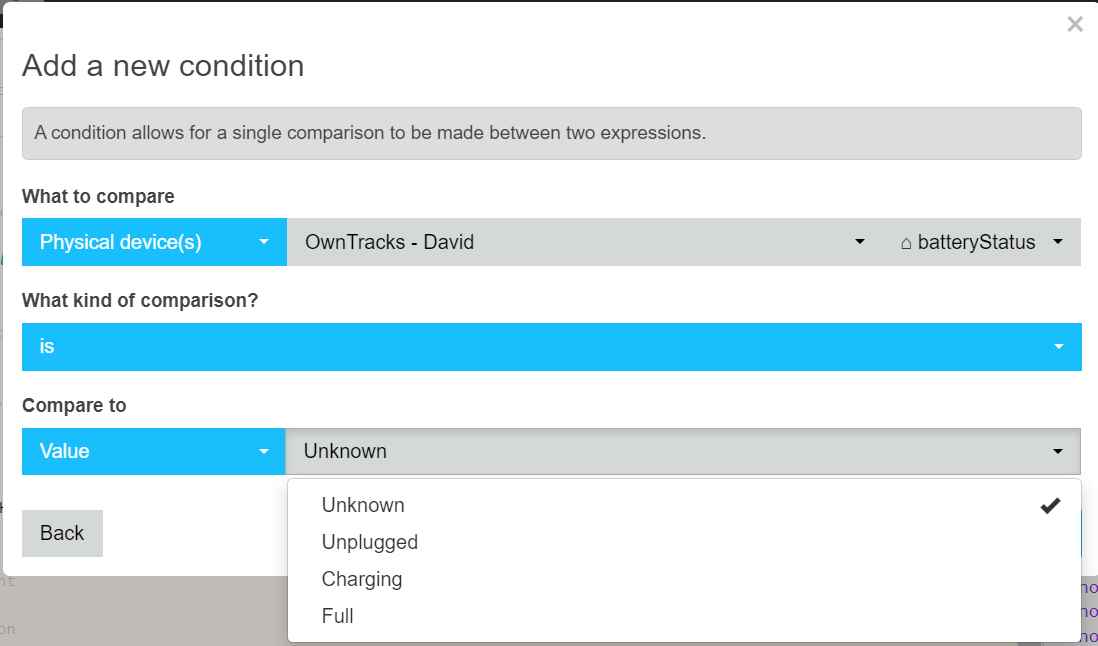
For instance, the "battery status" state shows a predefined status like "Battery Status: Full or Charging or Unplugged," and conditions can be set up in Webcore to trigger events based on this predefined status selection (refer to the attached screenshot).
Similarly, the "transitions" state displays dynamic data, indicating entries and exits from a region. In Webcore, conditions can be created based on this dynamic data, which needs to be defined manually input by the Webcore user as they are more dynamic (see attached screenshot).
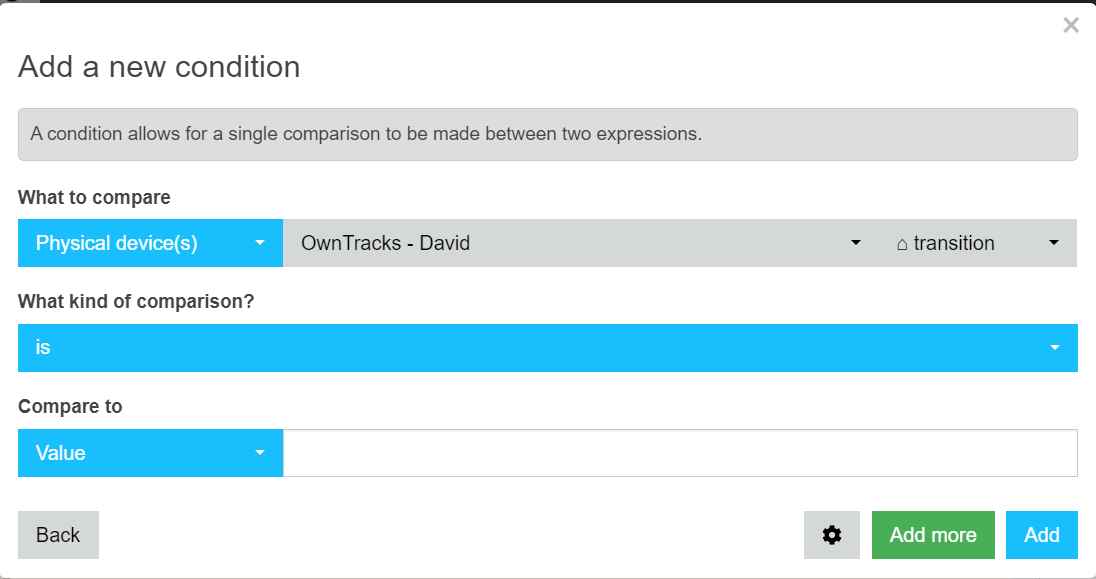
However, the challenge lies with the "status" state. It displays dynamic information such as route names, lat/long, or future addresses, similar to the "transitions" state. Currently, it appears to show unrelated data in Webcore, and I believe it should be more aligned with the dynamic nature of the "transitions" state (refer to the attached screenshot).
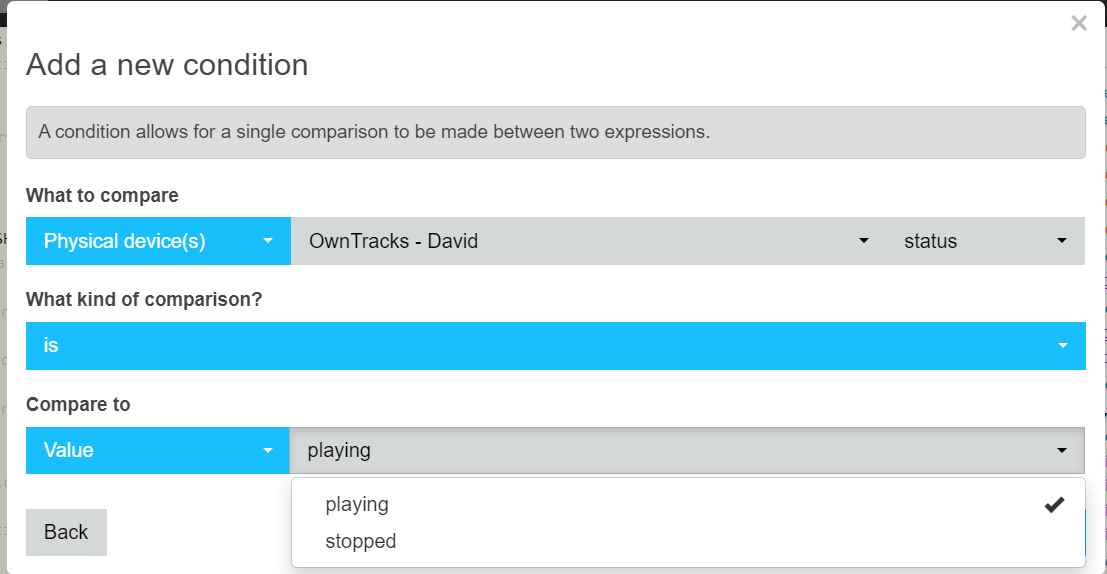
I've checked the custom attribute list, and unfortunately, "status" is not listed there. I suspect there might be a configuration issue causing this discrepancy. To confirm, when I write a Webcore expression, the response is correct (refer to the attached screenshot).
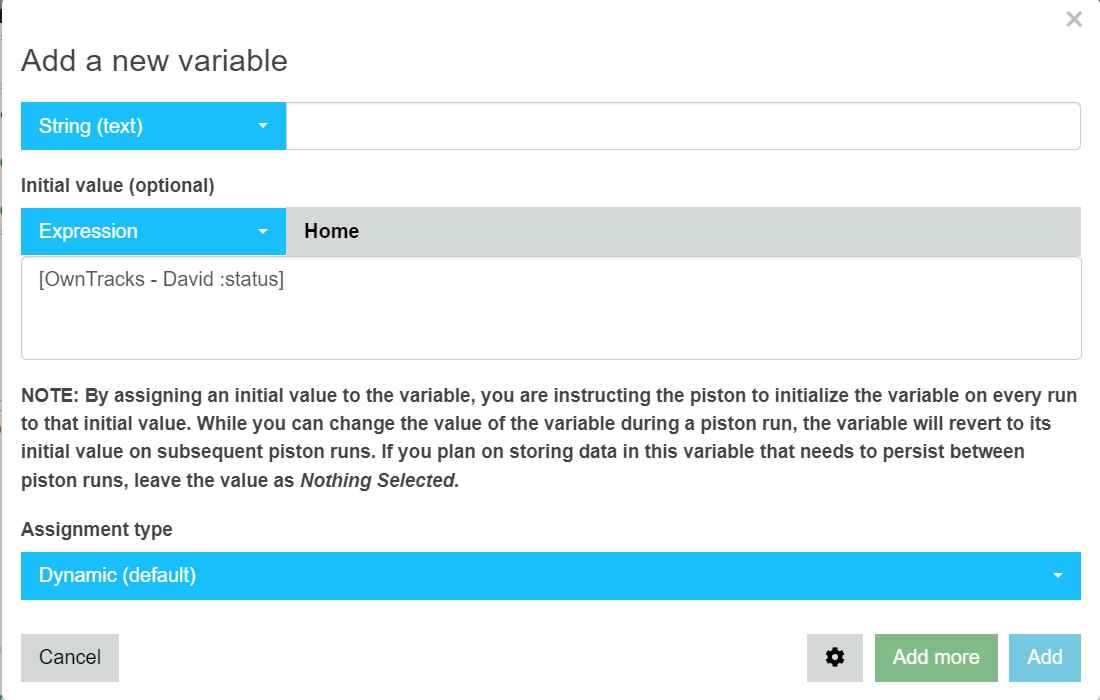
I hope this explanation provides a clearer picture of the issue. I would greatly appreciate it if @nh.schottfam could offer additional insights or clarification if needed.
Please let me know if there's any more information required to assist in resolving this matter. Thank you for your time and assistance.
Cheers,
David
Edit:
In a nutshell, why is the "status" displaying any information, let alone showing "Play" or "Stop"? Ideally, should it not function similarly to "transition," "lat," or "lon." Is there a specific reason behind this behavior?
Not sure where I'm going wrong. Installed from HPM, followed the instructions to alter the settings in the iOS app (http, Device ID, User ID, copied the url from Hubitat app and pasted). No user device was created automatically, I added a device and assigned it the Owntracks driver. However when I send an update from the phone it doesn't update anything on the HE side. In the app I can't select my device as a family member to monitor - there's nothing available.
Edit: Fixed. Doing a copy on the Mac followed by a Paste of the url on the iPhone left a trailing space after the url. Once this was deleted, an update created the device successfully.
3 Likes
hmm... ok. I named my user "Brian" and have tried uploading the image as brian.jpg and Brian.jpg with no luck. i can try downloading an image and using it to see if that makes a difference.

Maybe Try this? It's working for me:
Yup, I see what you mean. Let me get that switched to just a number.
I'll take a look at see. Status is nothing more than a text field right now. I suspect Webcore is expecting it to match a playable device, hence the play/stop?
I'll check the support driver capabilities. I might not have exposed enough to be readily consumable (but they should be pullable from the extend attribute boxes)
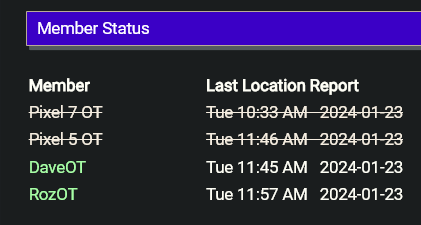
How do I purge old members?
I have deleted them from within the app but they still show in the status.
PS: The reason for the delete is that adding the thiumbnails requires no spaces for a valid upload in the file storage of HE. I had to recreate the 2 users devices.
What does this warning mean:
"OwnTracks: The 'Latitude', 'Longitude' and 'Radius' of the selected home region in the Hubitat OwnTracks app does not the corresponding region in Jani's mobile app. Select this member to have their regions updated or manually"
I noticed that my location did not update and I had to manually update my location in owntracks application. (play store version). Is that again play store version problem or something else. It seems like it says somebody changed home region lat, lon or radius and phone did not know these changes. I haven't changed home settings at all though..
You mean specifically frontend? I finally got mine to work today after a day or so of futzing around with it on my Synology... but it is s---l---o---w!!! Anyway, this is my experience... in no particular order.
I installed nginx, since it appears to reference it in frontend but I didn't have it running. Not sure if this was needed or not, but it's there now for me. That's really straightforward to add to Docker.
Inside frontend, I set SERVER_HOST to the IP address of my Synology box, and mapped local port 8089 to container port 80 (8089 was a random choice).
After this still didn't work, I noticed that the launch command seemed wrong; it was adding an extra /bin/sh -c in front of the command. So I went under Advanced Settings, Execution Command, and pasted in the correct line:
/bin/sh -c "envsubst '\${SERVER_HOST} \${SERVER_PORT} \${LISTEN_PORT}' < /etc/nginx/nginx.tmpl > /etc/nginx/nginx.conf && nginx -g 'daemon off;' || ( env; cat /etc/nginx/nginx.conf )"
After this it suddenly worked. For reference, I grabbed that command from :
Can you check the HE app to see if you are running 1.6.23? There was an issue in the previous version that would display that error (and should not have) when a member left home. The warning is supposed to catch a mismatch if the hub lat/lon/radius said you were home, but the phone's region for lat/lon/radius disagreed (or vice versa).
When you select the members to delete, can you click the screen to expose the "delete" button? Clicking "next" aborts the process (need to do a "cancel" instead of "next" I think to make that clear).
Ok, I looked more, and no clue why WebCore is doing this (saying it's a WebCore issue.  ) If I click on the Hubitat Rule Machine, make a rule and try to trigger on a custom attribute called 'status' from the OwnTracks driver, then it allows me to filter on an text I like. Maybe Webcore is assuming a 'status' attribute is a field from a media playback device? Using 'status' as an attribute is 99% random. The 1% was matching it to Life360+. If there is a better name for this, it can be changed if it's breaking WebCore.
For me, it's purely an information field when I look at a user. What it is labeled doesn't matter to me! 
1 Like
How di you install nginx in Synology docker?
Did a quick release to fix a couple things for people:
- @dnickel the delete button is always visible on the delete members screen. Select member(s) and click 'Delete' and they should be instantly deleted.
- @jbaruch The driver will just display the battery % number (after you upgrade, you need to get a location update from the each member to change the field).
4 Likes
Hi,
@lpakula could something like this be added to the batteryField presence tile?
I tried, but it only shows the text, not the return from google. (this came from the life360+ driver. (typos are mine so it would display)
String theMap = "8ttps://www.google.com/maps/search/?api=1&query=" + data.lat.toString() + "," + data.lon.toString()
batteryField = "At: <a "href"='${theMap}' target='_blank'>
"
Thanks
Isn’t it bizarre that of the three people who are home, and arrived at the same time, one of them isn’t present though it is “Home”.
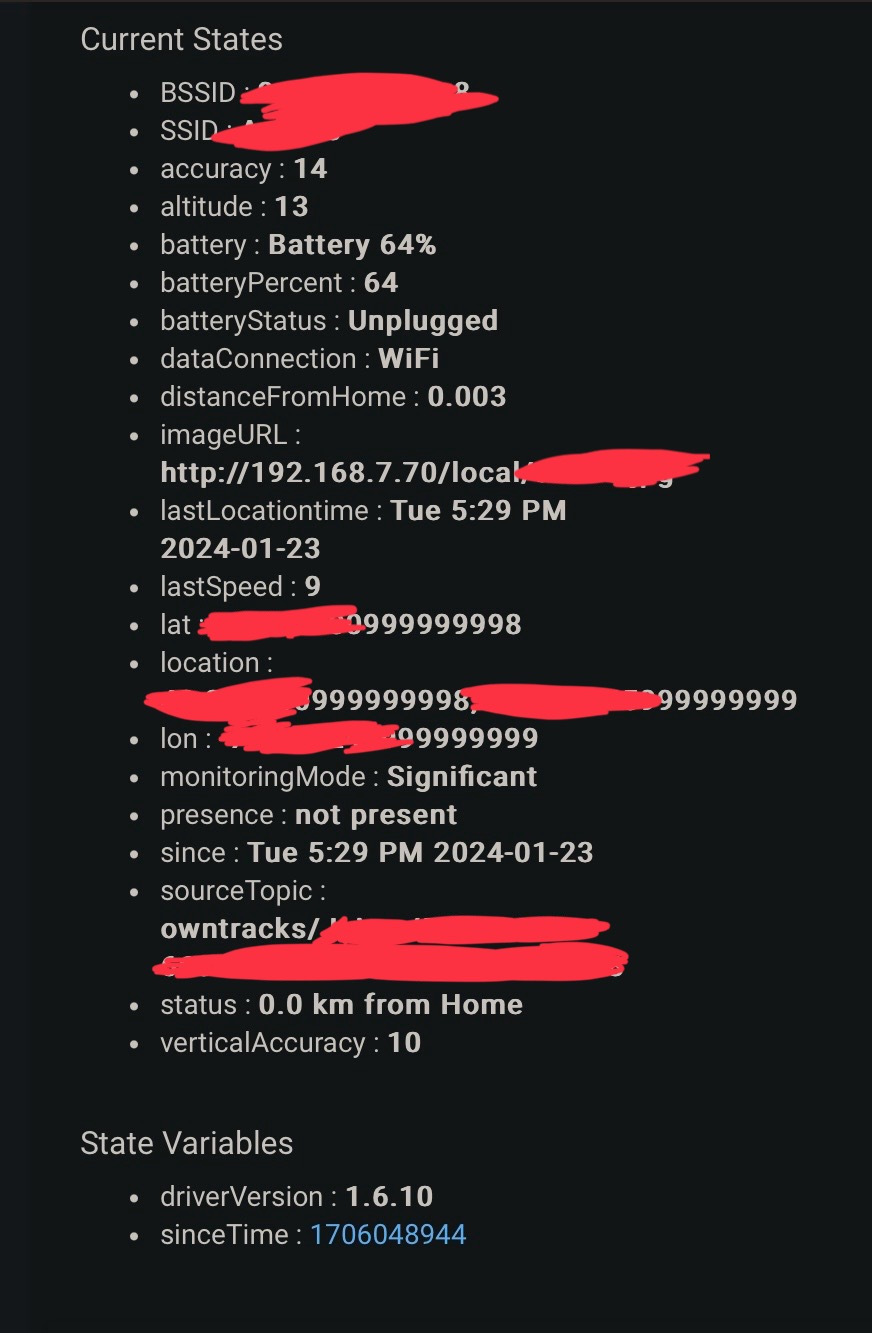
webCoRE is currently having the built in definition of status variable (from HE capability docs) override the custom use of status in the driver for the enum values. Likely should be addressed for cases where the driver overrides this.
- the workaround you show with expression should be fine
- fix is more complex than it seems, as webCoRE has device variables, so the IDE does not know what device you are working with when indirected via the variable. This is why things are hard when folks decide to override built-in attribute definitions....
What is the radius for your home? It's showing that the user is 0.003m from home, which makes me think your home radius is VERY small. I'd recommend 75m as the smallest radius to deal with errors in what your phone reports for location.