[RELEASE] New Netatmo Weather Station Integration

[RELEASE] New Netatmo Weather Station Integration

I put together a new Hubitat integration for Netatmo Weather Station devices: Netatmo Weather Station Connect.

This is for Netatmo Weather Station base stations and modules. It does not support other Netatmo product lines.

I built this partly as a learning project and partly because I wanted a fresh implementation centered around current OAuth handling, discovery, polling, and child devices after recurring issues with authentication using another integration. This isn't meant as criticism of existing community work; it's simply another option.

The main design goal was to keep responsibilities separated: the parent app handles Netatmo OAuth, API calls, discovery, polling, data normalization, and child-device management, while the child drivers only consume normalized data and publish Hubitat events. That should make the integration easier to troubleshoot and maintain over time.


Supported devices

  • Base Station
  • Outdoor Module
  • Additional Indoor Module
  • Rain Gauge
  • Wind Gauge

Features

  • OAuth-based Netatmo authentication
  • Station/module discovery and selection
  • Child devices for supported modules
  • Scheduled polling and manual refresh
  • Diagnostics for troubleshooting missing/stale values
  • App-level unit preferences for temperature, pressure, rain, wind speed, and wind direction display
  • Daily min/max temperature values where Netatmo provides them

Installation

Install with Hubitat Package Manager (HPM) by searching for Netatmo Weather Station Connect.

If you prefer not to use HPM, you can also install manually from the source files in GitHub. Install the drivers you need first, then the parent app.

Full setup does require creating a Netatmo developer app, entering the client ID/secret in Hubitat, and copying the Hubitat callback URL into the Netatmo developer app settings. The README walks through that in more detail:


Testing status

Base station and outdoor module support have been tested live on my Hubitat hub.

Indoor module, rain gauge, and wind gauge support use the same parent-to-child update pattern and normalized Netatmo API data, but I don't currently have all of that hardware available for full live testing. I would especially appreciate feedback from anyone with:

  • Additional Indoor Module
  • Active Rain Gauge
  • Wind Gauge

Rain and wind values depend on what Netatmo returns for active/reachable modules. If a module is stale or unreachable, Netatmo may return metadata such as last_seen and reachable=false without current dashboard_data values.


Notes and limitations

  • This supports Netatmo Weather Station devices only.
  • It is not intended as a drop-in replacement for other Netatmo integrations; dashboards, rules, and automations may need to be updated if you switch.
  • Polling updates existing selected child devices; manual sync creates child devices.
  • Child devices are not automatically deleted.
  • The integration depends on Netatmo API availability.
  • Wind speed units include km/h, mph, m/s, and knots. Wind direction can be shown as angle, text direction, or both.
  • This is an independent Hubitat integration and is not affiliated with or endorsed by Netatmo.

Feedback and bug reports are welcome here or as GitHub issues. Reports from people with indoor/rain/wind modules would be particularly helpful.


Changelog

v0.3.0

  • Added additional Netatmo fields, including base station absolute pressure, sound pressure level, firmware, battery voltage, data types, and optional health fields where Netatmo provides them.
  • Expanded field diagnostics to show more raw and normalized metadata.
  • Improved base station timestamp handling when Netatmo does not provide last_seen or last_message.

v0.2.1

  • Added scheduled-poll stale detection in the parent app UI.
  • Added Reschedule polling to refresh Hubitat’s scheduled poll job.
  • Improved scheduled-poll error handling so unexpected failures update app status instead of failing silently.
  • Clarified setup documentation, including that package installation alone does not create child devices.

v0.2.0

  • Added daily minimum/maximum temperature values and timestamps where Netatmo provides them.
  • Added knots as a wind speed unit option.
  • Added wind direction display options: numeric angle, text direction, or both.

v0.1.1

  • Added Run poll now.
  • Improved first-poll status text.
  • Added Clear field diagnostics.

v0.1.0

  • Initial public preview.

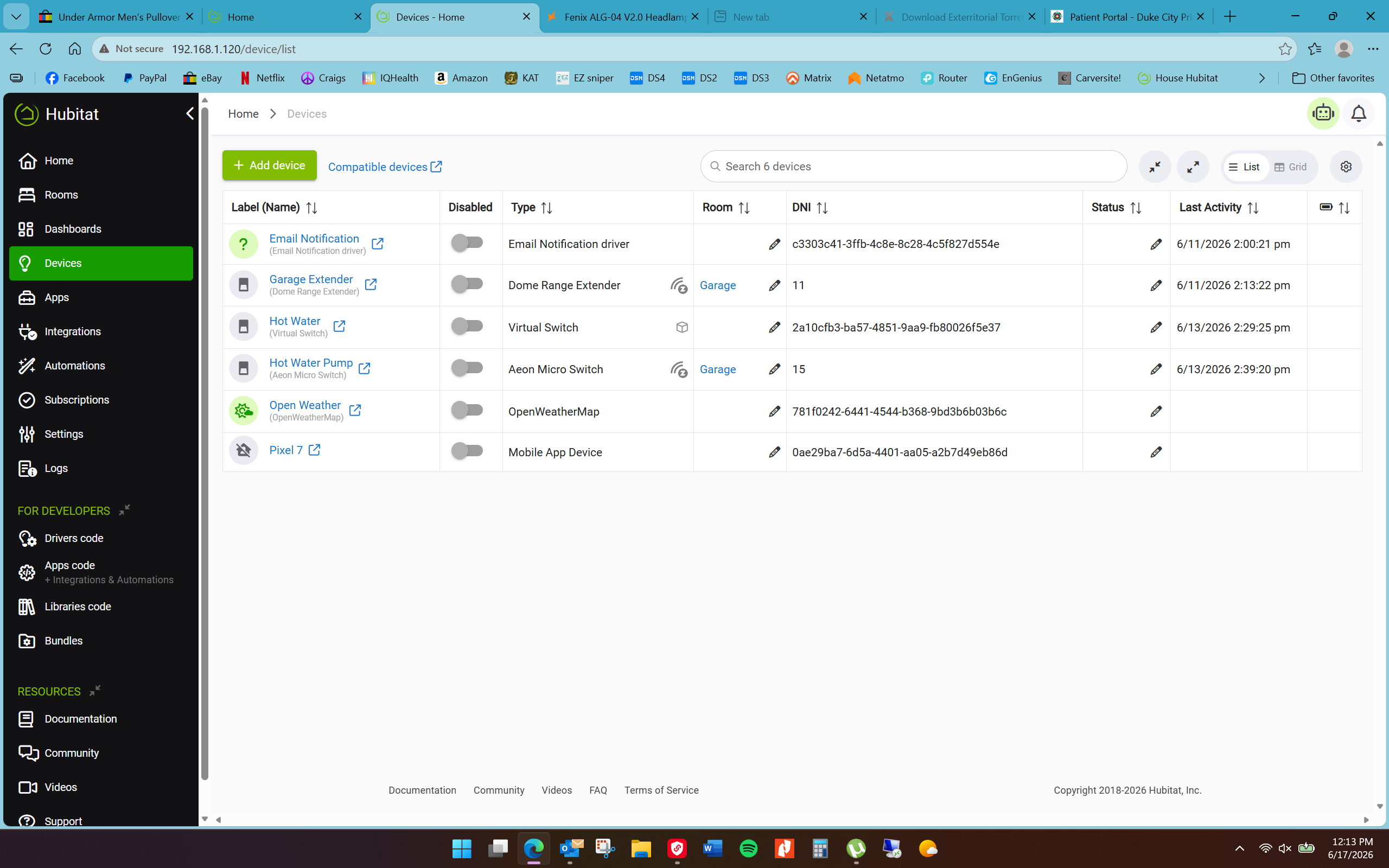
I’ve gone thru all the hoops to install the capability to use my Netatmo weather station as outlined

above, but it does not appear anywhere, or even as a device. Is this normal? See screenshot.

EDIT: Please disregard my initial reply here and see my later reply for the actual details.

Short version: Nothing changed on Netatmo’s side. Based on what you described, I suspect the missing step was opening Netatmo Weather Station Connect under Integrations after installation so it could connect to your Netatmo account, run discovery, and create the selected child devices.

The separate update issue I noticed in my own setup appears to have been Hubitat scheduling-related, not a Netatmo API change. I’ve since released updates that make the integration more resilient and clearer about polling/setup status.


ORIGINAL: Netatmo must have changed something. I just checked and it was working perfectly for me until it stopped updating last month. (I clearly don’t pay much attention to it.) I’ll have to dig into it over the weekend. Sorry about the hassle! Hang tight.

Please don’t blame yourself just yet. Should I see Netatmo in ā€˜Devices"ā€˜ ? I’m new at Hubitat. I just dumped Homeseer to join the Hubitat following. It’s more than likely me!

@brossow Just wondering, what does yours do that the one I actively maintain doesn’t?

I’d have been happy for you to improve the existing integration and submit a Github pull request - it seems a bit silly to have multiple integrations for the same solution. Most of the issues ppl have with the current integration are caused by Netatmo maintenance or incidents taking down their servers.

Hmmm, you were right, there were some issues I hadn’t previously been able to fix - luckily Opus 4.8 is a better programer than me and Im just testing some major improvements atm.

EDIT: v1.7.0 has been released.

v1.7.0 - Major overhaul of OAuth token handling and security improvements, added user-selectable polling interval, a default 50 dB sound threshold, opened the Connect button in a new tab.

As I mentioned in my original post, this was partly a learning project and partly an attempt to solve an ongoing problem I’d experienced in my own setup. Once I had it working reliably, I decided to share it in case it was useful to anyone else.

I intentionally built it cleanly from the ground up with a different internal structure: parent app for OAuth/API/discovery/polling/normalization, and child drivers that only consume normalized data and publish Hubitat events. That approach made more sense to me than trying to patch inherited code, especially since I was using it as a learning exercise.

I’m not trying to turn this into a competition or suggest there shouldn’t be other options. If your integration works well for people, that’s great. This is just another option for anyone who prefers this implementation or wants to try it.

1 Like

@cbkoerner ~ Quick update: I dug into this more, and I don’t think Netatmo changed anything after all.

In my own setup, the Netatmo API path still worked when I manually refreshed a child device, but scheduled polling had apparently stopped running. That points to Hubitat’s scheduled job not firing rather than a Netatmo API change. Sorry for my earlier rushed reply. I wanted to acknowledge your issue quickly, but I hadn’t read it carefully enough yet.

This does not appear to be the source of your issue, but I’ve since published updates with a few polling/setup improvements:

  • Added scheduled-poll stale detection in the parent app
  • Added a Reschedule polling button
  • Added stronger error handling around scheduled polling so unexpected failures show up in the app status/logs
  • Clarified the setup instructions in the README

For your setup specifically: installing the package does not create Netatmo devices by itself.

After installing, open Netatmo Weather Station Connect under Integrations and go through these steps:

  1. Enter the Netatmo client ID and client secret that you generated in the "Netatmo Developer App Setup" section of the README, then click Done.
  2. Reopen the integration and authorize Netatmo.
  3. Run Test getstationsdata.
  4. Run Refresh station discovery.
  5. Select the modules you want.
  6. Run Create/update selected supported devices.
  7. Choose a poll interval and click Done.

After that, your Netatmo equipment should appear under Devices.

If you’ve gone through those steps and still don’t see child devices, let me know what you’re seeing in the integration page and logs, and we can narrow it down.

Quick update: Netatmo Weather Station Connect v0.3.0 is now available.

This update exposes more of the data Netatmo already returns through the Weather Station API. It also includes the recent polling reliability and setup-documentation improvements from v0.2.1, which I had not separately announced here.

Notable changes:

  • Added base station absolutePressure from Netatmo AbsolutePressure
  • Added Hubitat's standard soundPressureLevel event for the base station's Netatmo Noise value
  • Kept the existing custom noise event for anyone already using it
  • Added lastMessage support from Netatmo last_message
  • Added firmware, Netatmo data types, and battery voltage where Netatmo provides them
  • Added non-sensitive station place metadata for the base station: city, altitude, and timezone
  • Added optional health index/status fields where Netatmo provides health_idx
  • Expanded Inspect available fields diagnostics to show selected raw metadata and normalized metadata
  • Clarified base station timestamp behavior: if Netatmo does not provide base station last_seen or last_message, those show as Not provided instead of leaving stale old values behind
  • Added scheduled-poll stale detection in the parent app UI
  • Added Reschedule polling to refresh Hubitat's scheduled poll job
  • Improved scheduled-poll error handling so unexpected failures update app status instead of failing silently
  • Clarified setup documentation, including that package installation alone does not create child devices

The base station noise value is exposed as numeric sound pressure level only. It does not create a threshold-based detected/not-detected sound event.

Update through Hubitat Package Manager, or install manually from the source files:

After updating, run Run poll now or refresh a child device if you want the new attributes populated immediately.

Honestly, that’s not significantly different from the existing Integration that Cybermage wrote:

OG integration is a parent app + child drivers setup:

  • The parent app does all the heavy lifting — it handles the Netatmo login (OAuth), talks to the Netatmo cloud API, discovers your station and modules, and polls for new data on a schedule (now selectable: 5/10/15 min). It converts everything into your chosen units (°C/°F, mm/in, mbar/inHg, wind units, 12/24h time), builds the dashboard Summary/Overview tiles, and then pushes those values down to each device.

  • The child drivers are intentionally "dumb." They don't call the API themselves — they just hold the capabilities and attributes so the values show up in dashboards and rules. Hitting Refresh on any device simply tells the parent to re-poll everything.

That's why all the settings (units, time format, polling interval, sound threshold) live in the Connect app rather than on each device — the parent is the single source of truth, and the drivers just display what it sends them.

Data flow in one line: Netatmo cloud → parent app polls & normalizes → pushes events to child devices → dashboards/rules.

I’m going to leave this here.

The parent/child structure is common for this kind of work, and I didn’t say otherwise. My point was only that this is a clean implementation with different choices around setup flow, diagnostics, normalized data, polling/status visibility, exposed attributes, packaging, and how I want to maintain the code.

I’m not interested in turning this thread into a comparison or debate about which Netatmo integration people should use. I built this originally as a learning opportunity for myself after spending months frustrated with recurring issues in my own setup. It turned out well enough that I decided to share it for anyone else who may find it useful. If people prefer another integration, that’s completely fine. It’s not Highlander; there can be more than one.

Please keep further replies in this thread focused on support, feedback, and bug reports for Netatmo Weather Station Connect.

1 Like

You really need to find a significantly different name, this will cause confusion with ā€œNetatmo (Connect) - Weather Stationā€. Eg use the word ā€œIntegrationā€ instead of ā€œConnectā€.

EDIT: Thank you @brossow and if you could please do the same in HPM it would be appreciated. That way folk will know it isn’t a fork of the integration I’ve been supporting for the last 4 years (and by inference don’t think the one I support has been abandoned).