Yes, I got stuck with that happening as well. Some items are buy only one at the price given. That is why it is tricky to find a cheap price you can buy multiples of. I recently also ordered some leak sensors, temp/humid sensors, and soil moisture sensors. I paid between $4-$6 per item after hunting down the good prices.
1 Like
I had the same issue. I initially selected 1, then I tried to go back and change it to 2 with no success. I only need one at the moment so I went with that. My guess is a second order at a higher price will permit a larger qty.
1 Like
I monkeyed with that for a while and could not fiquire out why it would not let me add more. I dont remember how but it was like Chris said, somehow just one for .99. Then I was able to add all the others at the higher price.
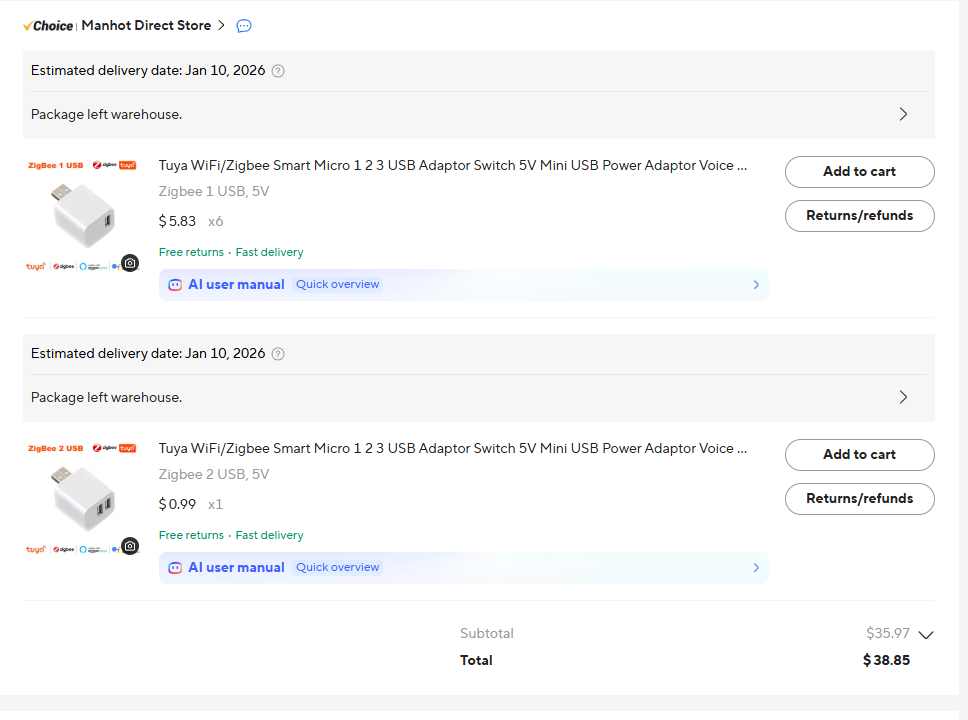
The usb micro switches arrived yesterday so 11 days to get, not bad. They pair really fast however mine paired as device. Changed them to generic zigbee switch and made a rule to power cycle once a week. My presence sensors do not seem to freeze up that often compared to how they used to but it seems they are more likely to do it after a hub restart like when I update. I was trying to find a RM trigger that can be triggered after a hub restart but can't find it. Is there a such thing?
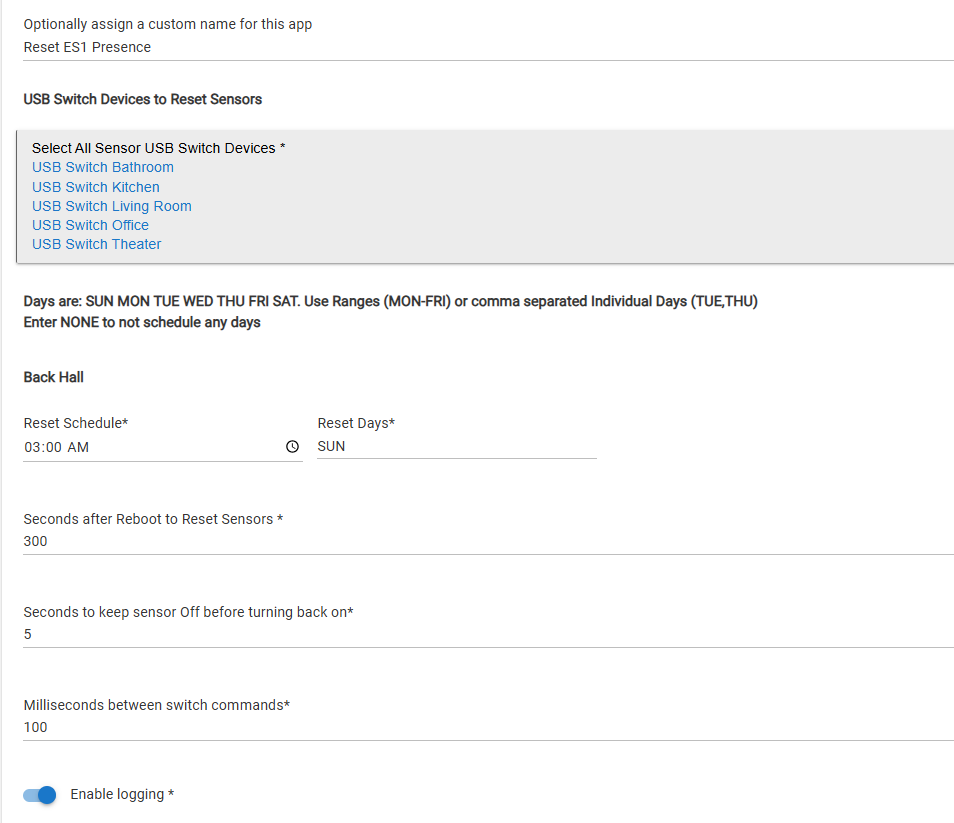
I posted this above if you want to play with it.
Edit: 2/28/26: updated that app, works better now with using scheduling for delays instead of using pauseExecution. Reboot resets are working.
It has been working for my weekly restarts, but I haven't tested the reboot part yet, since I still haven't had to reboot since adding it. I probably should test that today.
It lets you set a schedule for resets and it should reset your devices after reboot, with the delay that is set in the app settings.
Edit: to answer the question, you need to use Location, systemStart as a trigger for a rule if doing it in RM.
1 Like
Thanks Chris. Just installed it.
So, did you test the reboot part, and did anything blow up?! 
Dang... I forgot to get to that again 
I can't complain about having a stable hub that is giving me no reason to reboot, though.
1 Like
Some of the best boring there is... 
I had a few lagging devices this morning so I rebooted. I checked logs and all the sensors did restart 300 seconds after hub reboot. The sensors are all still working, so I assume the reboot reset worked to keep them active.
My hub is pretty busy after a reboot, but five minutes seems to have been a good enough delay to restart them.
1 Like
Thanks for checking on this, nice to know it's all good. I have two Sylvania light strips that can get a little needy after a hub reboot, a quick disconnect/reconnect from power straightens them out. I may put them on Zigbee plugs and give the strips a restart via your app after any hub restart. Thanks!
Quick update: I'm two weeks into testing keeping my Linptechs online via RM doing a daily change to the motion senstivity setting (change to low, then back to normal desired setting) for three of my Linptechs. This replaces rebooting them weekly via smart plug.
Been successful so far, the three Linptech have stayed online, not seeing any issues. Will let the test run for a month, and if they stay online I'll switch my other three to the same rule rather than rebooting. If it ends up working I'll have a bunch of smart plugs I can put to use in other spots. 
1 Like
One of mine locked up on inactive yesterday, 1st time I've seen "inactive" and only time I've seen a lockup since once a week power cycles that started around the 1st of this year.
1 Like
Bummer...I've never had any issues w/a weekly 4am reboot. The good news is it's easy to adjust the power-cycle schedule to a somewhat shorter duration.
I cycle mine twice a week at 4am with inexpensive Kasa WiFi plugs. No drop outs since Feb 2024.
1 Like
OK...looks like it's now a little over four weeks since I started testing keeping three of my Linptechs online via a daily change to the motion senstivity setting (change to low, then back to normal desired setting) via RM. Doing this instead of rebooting them weekly via smart plug.
Happy to declare an intermediate victory! All three have stayed online the entire time. (I have rule set up to message me if any of them ever reported offline and it has never fired.) By intermediate victory I mean that's just half of my Linptechs.
Going all in starting this week...will add the other three Linptechs (who are involved in some of my most frequently used lighting automations) into the same rule and take them off their weekly reboots. I'll know pretty quickly if they go offline, not only from my notification rule, but also because my wife will be quickly and directly affected if these other three Linptechs go offline. You know what I mean..."Honey, this stuff isn't working again!!!"
Wish me luck.
Is anyone else going to join me in this testing? Where's the solidarity?!
2 Likes
I have another GE Z-wave switch not responding. Now this one is for my office fan. FYI I never touch the fan, the pull string.
- Has no light coming on under the rocker switch
- I can not turn the fan on or off manually at the switch.
- Tried to turn it on with my computer and with my phone Hubitat app. No response.
- Today is Saturday and it did turn on around 4:00 am. And then turned off - by schedule. It was after that I tried all the above.
- I could give you a screenshot of the log but it lies. It says it is on but it’s not.

Does this mean the switch is toast?
FWIW, you're posting about your switch in the wrong topic...this topic is about the Linptech mmWave motion sensors. And yes, does sound like the switch is going south, time to go shopping.
1 Like
Oh - sorry
Thanks
1 Like
Absolutely not a problem, we all do that sometimes!