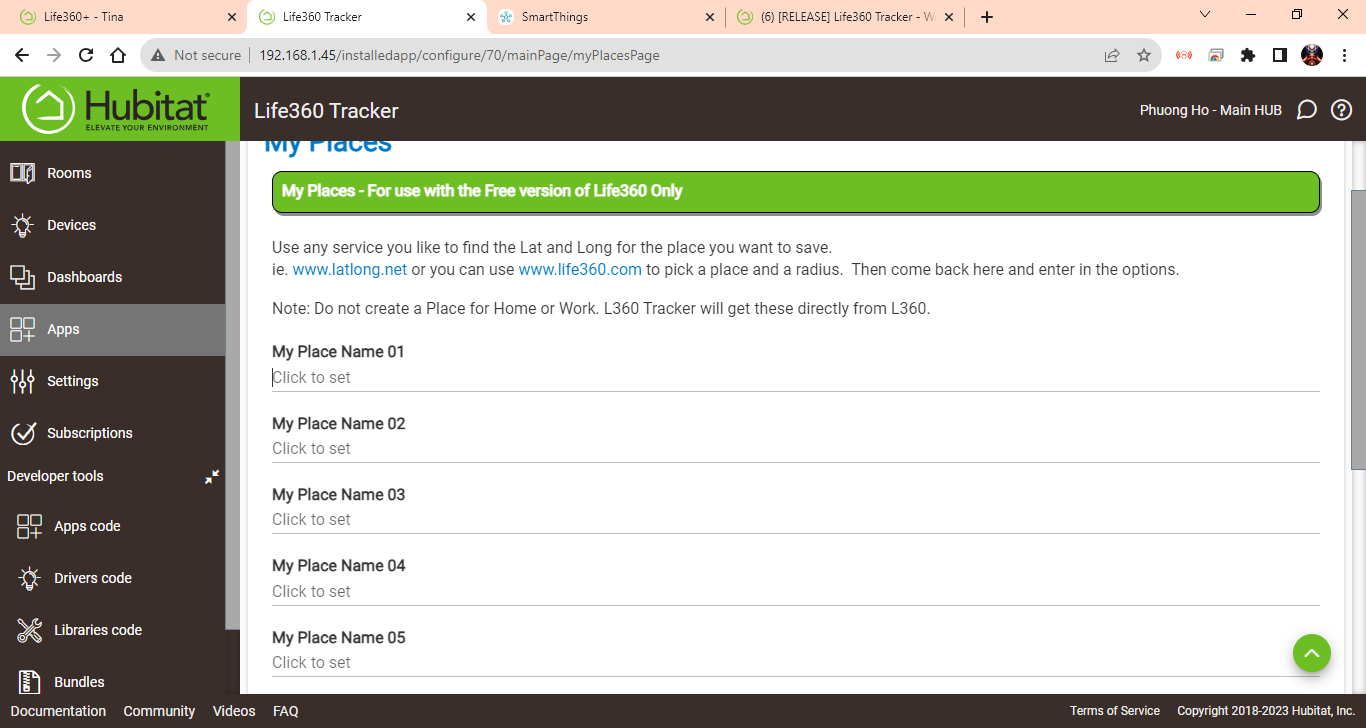
I don't have anything setup in 'My Places'
Okay, still need this...
Hi @bptworld just noticed error messages in the log file for every child app I created with Life360 Tracker

Any ideas what causes this?
Thanks in advance
Need a DEBUG log, see post # 1
Did you select a Life360+ user device AND a device to send the push notification to?
Thanks
Edit:
New version 2.2.3
Added more catch code to push messaging
Yes beside the Life360+ user I added a device to send push notifications. Isn't it the way to set it up?
Thanks
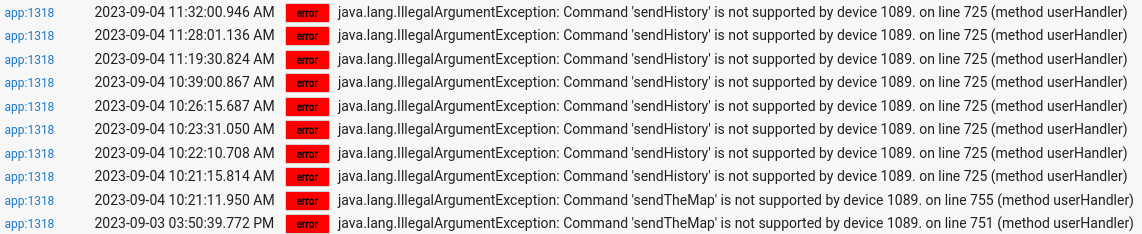
Still waiting...
gotcha, will send you tomorrow. Have to wait until one of the Life360 devices is leaving again.
Thanks for your help
sent you some debug logging via PM today. Hope that helps
How do I define the "Home" place? In my Life360 circle, we named each of our houses, so there is no place called Home.
New version available
Just choose the one you are currently at the most
@bptworld
After some moving around this afternoon I found still error messages in the log file.
I will provide debug logging tomorrow if necessary. Please let me know.

After update to the latest rev.
New version...
2.2.5 - 09/07/23 - More changes to make it work with Life360+
1 Like
thanks will try it out
still seeing error messages in the logs
That's my fault - I removed these 2 methods from Life360+ when doing some cleanup at one point. I didn't see anywhere they were called.
I went back to the original version to see if I could just re-add those methods. I can but still not sure exactly what they do - at least that sendHistory() one:
def sendHistory(msgValue) {
...
        try {
            if(state.list1 == null) state.list1 = []

            getDateTime()
            last = "${newDate} - ${msgValue}"
            state.list1.add(0,last)
It looks like this method just adds whatever is passed to it (msgValue) to an array. It doesn't look like it does anything with any of the driver state data...
Is it actually used for anything in the Life360 Tracker device? Or, is it just the error in the logs that's the problem?
It's just a list of the last 10 location messages. It populates a device attribute so it can be displayed on a dashboard.
It looks like input options in the tracker child app, about maintaining history logs, is what calls the method in the driver to compile the last 10 history location messages. I wasn't really using the history attribute for any of my dashboard tiles.
sendTheMap must be about the additional input regarding a clickable map being added to the history. I unchecked them all on my child apps.
This little activity made me realize maybe I don't fully know the intent behind the Life360+ driver and what I can do with it with or without the Tracker.
I re-added 3 commands to the Life360+ driver to support Life360 Tracker. They should be there if you update it via HPM (version 3.0.19)
I didn't do much testing as I don't have this app/driver installed so please let me know if you see any issues
2 Likes
Is there a way to "manually" set the presence as "arrived" or "departed" in any of the created devices? The Life360 Connector devices had that functionality.
What I used it for was to manually toggle the presence if for some reason the presence wasn't registered, such as internet issues to home and Hubitat. Today, there was another issue. When I left home today, I had my wife's phone while on a call with the carrier to fix issues with my own phone. When she returned, sans phone, of course HSM started doing its thing. I have a Reset HSM button that will manually set all users to "arrived" as well as other things. But since switching over to Life360+, I can't do the "reset" and get HSM to shut up.

