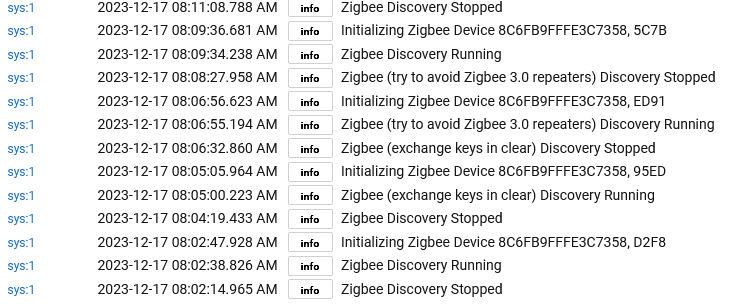
I picked one up but am struggling trying to get it to pair. Gets stuck on initializing device every time. I got it to pair once using "Avoid Zigbee 3.0 repeaters mode" but it wasn't responding. After a factory reset, I can't get past initializing this morning..
I don't have high hopes, but did see in another thread where a user got it paired and was working with the Tradfri motion driver.
Hi !
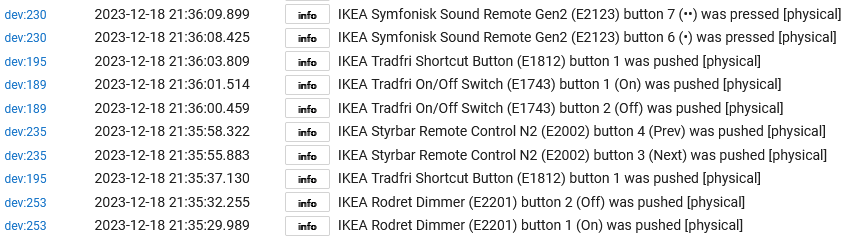
I'm using Rodret Dimmers as ON OFF Switches with your drivers.
It works beautifully, but if don't use them for a while looks like they are sleeping and don't work, it needs a few pushes before they react, any ideas ?
Robert
On every event sent by the device, the driver compares the "lastCx" state variable against the current driver version and, if there is a mismatch, it will auto-start the configure process, but it will also waste the event that triggered it. This should happen only once after a driver update. Maybe this is what you experienced. Check the logs and, if you see a lot of "auto-configure" messages when you push the buttons, then you found a driver bug.
Note: This auto-configure behavior was implemented because there were some reports of folks switching to this driver (from other drivers) without clicking the "Configure" button (so of course nothing worked). I thought it would be nice to automatically click the button for them to reduce the WTF/min factor
Possibility 2
Other explanation might be if you keep the remote in Room #1 for a while, then take it to Room #2 (far apart) and immediately click a button.
In order to send the push event, the device will try to contact its parent device in Room #1, will fail to do so, therefore it will search and select a new Zigbee router in Room #2 as its new parent. This parent switching procedure takes 1-2 seconds and your push events might get lost during this time.
I am out of ideas. Maybe look at the Zigbee graph to see if the remote is directly connected to the hub or via a Zigbee router devuce. And if the picture changes when you push the button and those log messages come up.
I should buy a C8 just to be able to help troubleshooting issues like this (if it is a C8 issue in the first place).
Hey, again !
Some are connected directly to the hub, others through other devices.
It happens at random, different ones most of the time, some are repeat offenders
In any case many thanks for your work and attention
Robert
First thanks to everyone contributing. I unpacked my C8 a week ago....
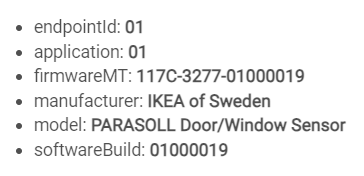
Any chance of getting IKEA PARASOLL Door/Window Sensor E2013 to work?
It pairs but I can´t get it to report its Open or Closed status.
Cheers!
I started the base work for Vallhorn (link removed), Somrig (link removed) and Parasoll (link removed).
Beware that this is untested / pre-alpha code, my Vallhorn and Somrig will arrive in 3 days. Parasoll is not available in my country yet, so no promises there.
@dandanache So my Vallhorn motion sensor arrived today. FWIW, it paired as a Frient Motion Sensor which literally didn't seem to function at all. I tried your driver. Seems to pick up motion well. It gives an illuminance number but I'm not sure what to make of it. I have a Hue motion sensor that reads 652, while the Vallhorn reads 26242. It reports powersource battery, but no battery level, and I don't think there is any way to plug it in so powersource is prob not useful. Thanks for your effort on this!
I just switched my vallhorn to your alpha code from github. Seems okay, but I'm not home to make it trigger motion.. I will report back when I know more.
@magasser Is yours paired to a C7 or C8? I couldn't get the thing to pair with my C8, but paired right up with the C7.
So after changing to the alpha driver, the vallhorn went unresponsive. I swapped back to the tradfri driver that was kinda working but still doesn't respond.
I brought it back down to the house, but no matter what I do, this thing simply will not pair to the C8.
Not sure if that's a limitation in the hub / software or the device itself or it's firmware.
Hi Dan !
A little more background info. At the begining with the C8 I had lots of problems with Aqara sensors falling of the network, aftera while and a few updates on the C8 this problem went away, my Zegbee network has been solid for a few months.
I paired 7 Rodret Dimmers to my system, that's when all went haywire ! as you know they were falling off the network, also some of my Aqara started to play up, diconnecting from the network.
I removed all the Rodret Dimmers and everything went back to normal ........
Something to think about
Robert
Hi Rob,
I don’t think that the Zigbee mesh stability issues are related to the Rodret remotes, most probably the same ‘effect’ in your environment could happen if you pair 7 of any other type battery-powered Zigbee devices.
How many mains-powered Zigbee devices (acting as repeaters/routers) you have?
Hmmm.. that’s more than enough for a good Zigbee mesh… If you look at the Zigbee mesh graph, do you see the Aqara battery-powered devices using the Zigbee repeaters?
What is your C-8 power level setting? (You can try lowering it to 8 or even 4, if the repeaters are not used by the end devices)
Anyway, whether a Zigbee device stays connected or is falling off the network does not depend on the driver used in any way.
Hi again !
the power setting is 20, it has been from the begining, about 50 % of the devices are connected directly to the HUB, the others are connected through the IKEA outlets. Only one repeater is being used, connect to an IKEA outlet.