Another thought, add in a manifest entry that dictates the replacement method.
in your example, the repair() will do the work but the "else" won't be there when it returns.
I have a thought or two, but need to play a little bit to determine if they're viable. Might be a day or two.
@jtp10181, you've read my mind ... I had a similar problem once and I've solved it using a helper app - it worked like a charm.
Could it be something like this (I don't know if it is feasible - just doing some brainstorming):
First, "detach" the repair() function from main HPM app and move it to another app (a helper), so it could be called asynchronously.
Second;
a) When doing an update, HPM check if the apps to update list contains itself (any order)
b) If HPM identifies an update on itself, it calls the helper repair () app asynchronously (call and forget) to repair just HPM app
c) helper repair() do its thing (repairs HPM)
d) If helper repair() identifies that HPM is the one that has been repaired, it displays a message telling the user that the HPM has been updated and the HPM update should be re-executed and, upon user confirmation (proceed?), helper repair() do an asynchronous call on HPM (call and forget)
As I said, just brainstorming ...
I've installe HPM and then installed two apps through it (Ring Integrations, app and drivers and also Aqualink app), both installed fine and i can see then under "View app and divers" but where do i actually see the apps, so i can manage them? They're not showing up under the Apps tab, where all installed apps are.. what am i missing? Thanks.
You will need to then 'install' the app. Take a look at a couple of the app's here (like AirPlay). It will give an idea of next steps to get an app running. You migh also look at the forum for those applications, the author will often guide you in the install if special.
After you Install them into the hardware you need to Install them into the software. 
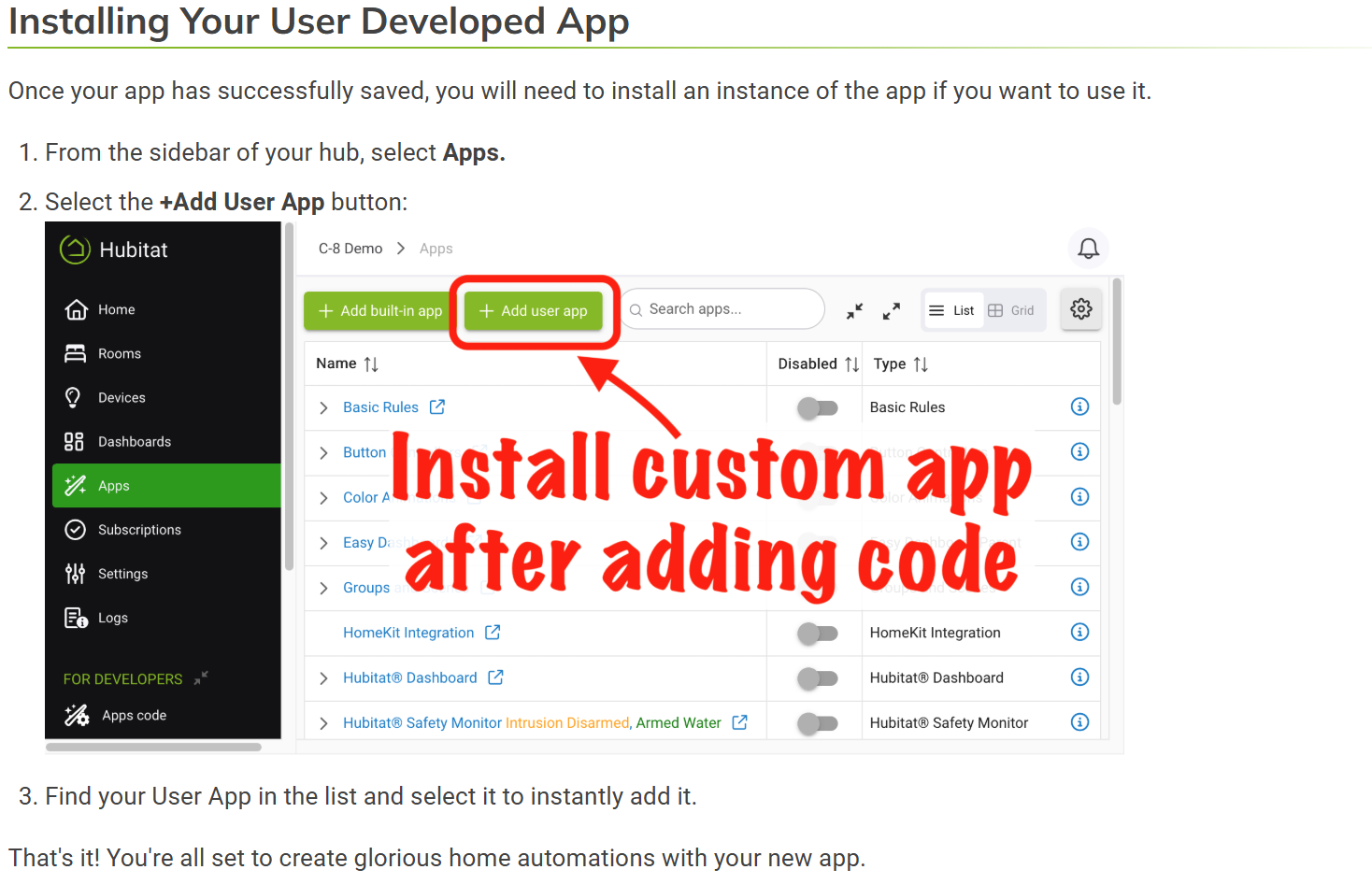
Thats what i thought as well, but when i go to "Add User app" neither of these apps are there. I see Package Manager there and other user apps i manually added previusly
Figured it out.. well.. after rebooting the hub Ring App now showed up as available to install. The other app (aqualink) isnt an app, those are just drivers. So need to figure out how to use that. But all good now. Thanks for the help @Ranchitat @Bloodtick_Jones
I think it's critical to understand that Hubitat's built-in Apps and drivers, their Code, has an advantage. They all exist on the hub, all the time.
Community created Apps and Drivers (code) are NEVER on the hub... until they get added.
After that, they are identical. They both exist and can potentially be used... or not.
HPM does one main thing... it manages/simplifies the process of getting Code onto the hub. It does nothing about using that code, but then neither does the hub itself. HPM just levels the code-on-your-hub imbalance. 
Hubitat can update their built-in code anytime and when you update to the latest Platform, you get that updated code automatically.
HPM again, tries to level that too. Daily, it checks to see if anyone has updated code you have asked HPM to manage, and will offer to update it for you.
Hubitat does "force install" a very few bits of built-in code, that you can optionally uninstall. Basic Rules, for example, comes pre-installed on brand new hubs.
HPM's attempt at leveling is to allow developers to mark their Code to be installed immediately after the code is brought to the hub.
But that's it... HPM is never intended to "install" the code. As I've said here more than a few times, HPM simplifies by clicking the "fetch some community code" for you, and little else.
Great explanation - thank you!
v1.9.7 Add ability to individually select apps/packages to include Beta Channels
- display Release Notes for Installs (prefInstallVerify)
As noted above, updating HPM itself can result in the hub appearing to not complete the update. As explained, the upgrade works, causing the code to shift and throw an error as it tries to execute code that isn't in the same logical location after the upgrade. Simply click the Apps button in the left menu and start HPM again. You'll see the latest version in the upper right corner.
Thanks again to @mavrrick58 for the main improvement.
Mine did the same.
I did a repair on HPM and it now shows the update from 1.9.6 to 1.9.7, but now several apps that were showing update available before I updated HPM (I did NOT update them, only HPM) are now not showing updates available.
In the log it shows "Skipping a bad manifest " for all the packages.
I got that also, if you had the beta setting enabled go into the HPM settings and either turn off beta, or pick which packages you want to get beta updates for (new feature).
Seems like if the option is on but nothing is selected it causes issues.
I unchecked that "pre-release" option, same result.
I reran the matchup, same result.
Tried install new, throws a ton of
Invalid category found:
Invalid tag found:
Not sure if I should uninstall HPM and re-install/matchup or just restore last night's backup at this point.
I am going to take a look at this. It obviously shouldn't be happening.
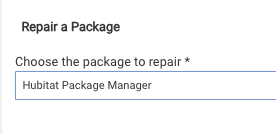
I pushed a replacement. Once Github cycles the file, a Repair of HPM will cure this.
You da man.
Repair fixed it and I was able to run those other updates without the errors.