[RELEASE] Hubitat Automation Map

Map View

The map layout is good. The unconnected appa are at the bottom with the rest of the map above them.
When returning to the full map it should be the same layout without the item movement that occurs now.

Hub Variables

Great start. Need some things done before I can tell if your selection is complete and correct.
Hub Variables need names and only one entry on the map for each Hub Variable.
A Hub Variable should have a connection to each app that references it.
Hub Variables must be connected to their associated Variable Connector.

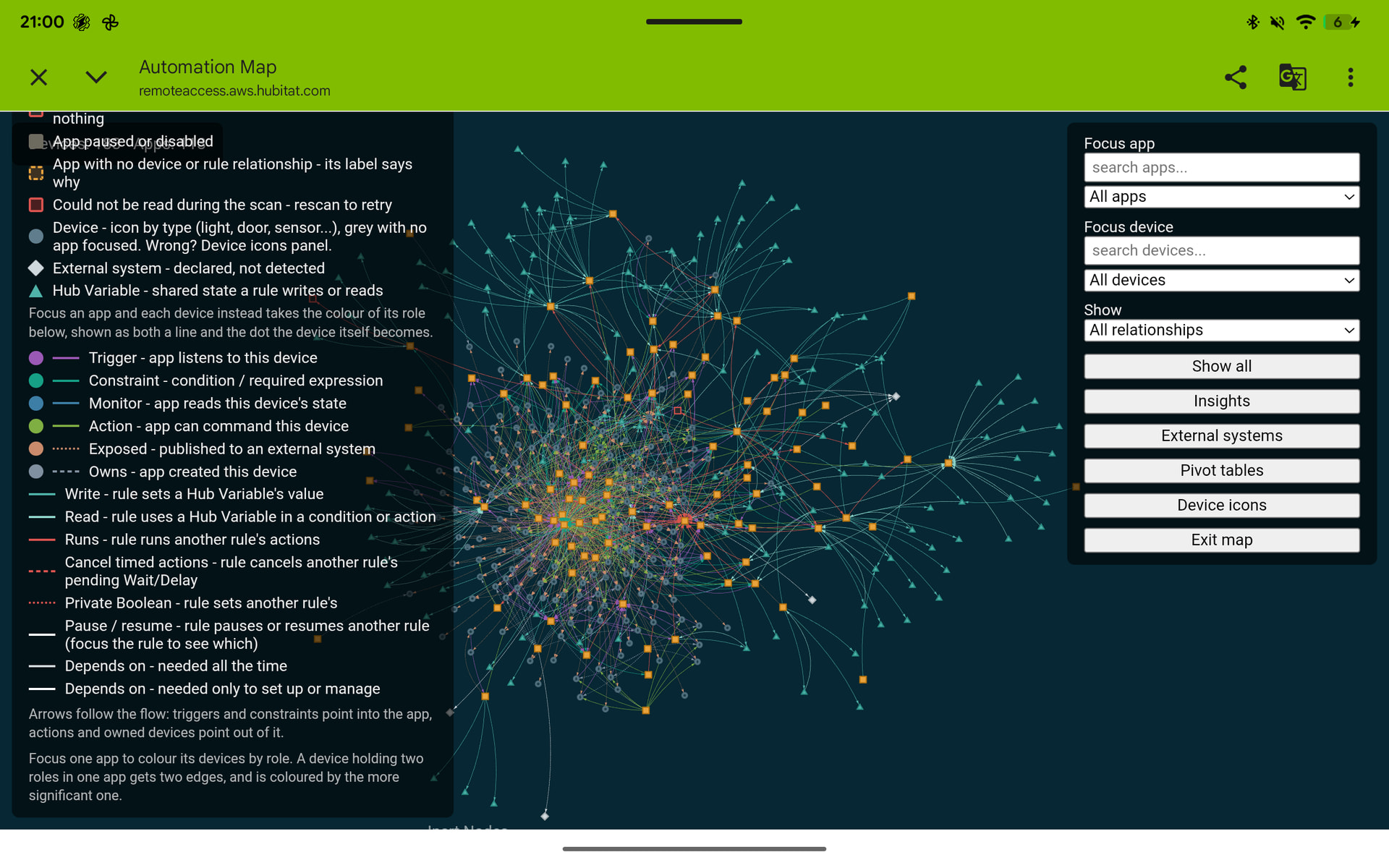
Legend

Improve the legend on tablets and smaller displays do one of the following:

  • make the legend scroll with the map
  • make legend shorter to fit it smaller tablet space

The legend states that devices have colors based on how they are connected to the apps. That is not happening, probably because devices can be connected in multiple ways.
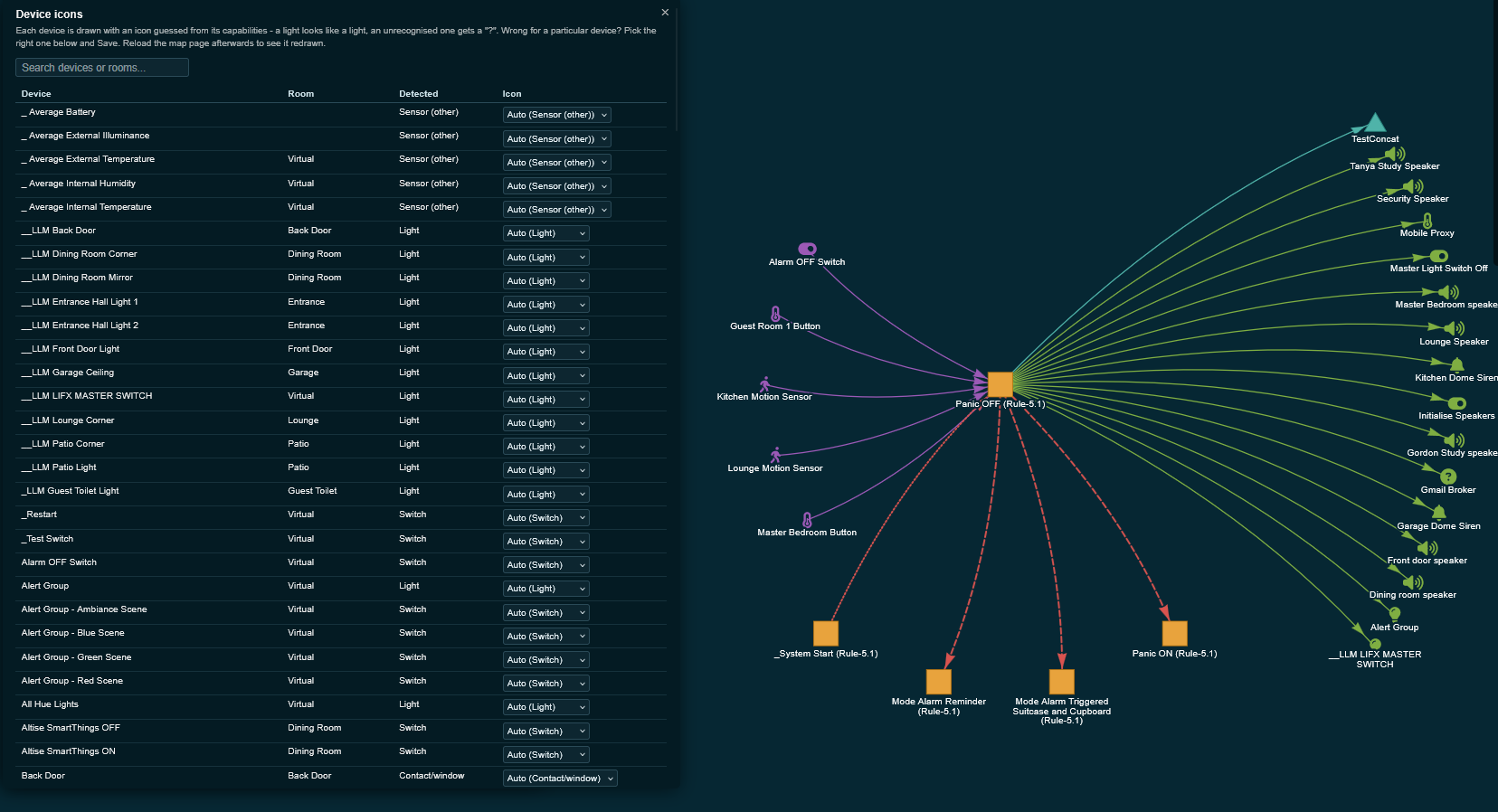
Suggest that device icons be used instead.
Update the legend to show the new setup.

Picklists

Suggest that the app icon and the device icon be displayed to the left of the app or device name in the picklist.
Suggest that multiple apps and or devices can be picked at one time to show the interconnections.
A selection checkbox for each item would do the trick.
All of the selection check boxes should be checked for the initial map display.
Then the user can deselect apps like Maker API to make the details of the map easier to see.
There should be grouping options for apps and devices.
For apps by parent-child relationship that is alpha sorted by parent app or by app, integration and automation at the first level then by app name within the group.

Extending the displayed map

There should be a way to extend the visible portion of the map by selecting individual devices at the edge to add apps and/or devices connected to it.
Possibly add an Extend a Level button to extend the map with all the apps/devices directly connected to the edge of the map.
There should be a way to hide an app or a device and all of the connected apps/devices down stream of that app/device.
Thank you so much for this. This is a game changer for me.

I have been wanting to rebuild my security system that I’ve built within my hub ecosystem over the past year or two, because I was literally learning how to do all of this as I was building it. Because of my own lack of knowledge and understanding, and in an effort to protect myself from those things causing my security system to fail, I stuck to incredibly simple approaches for everything which meant essentially; a rule for every action, not useling any capabilities i didn’t perfectly understand. (OK not quite that simple but the rules were very straightforward and did not combine too many tasks or processes in one).

For months, I’ve been wanting to rebuild now that I am much more familiar with the system and the hub and I’ve been slowly pulling all my rules out, organizing them in Excel trying to figure out how to rewrite them and to combine them more efficiently, and it was just a huge nightmare because there’s no good way to export everything into an organized editable environment for a human to read and actively change.

When I discovered that your Automation Map exported not only all of my rules for automations, but their relationship to every other aspect of my hub, essentially every detail of what my system is and does, I finally saw my opportunity. No, the export is not something I can really make sense of or utilize myself, but it is ideal for AI.

Over the past few days, I have been providing that export as well as some additional documentation and instruction to my AI, and it has been developing the new architecture and behavior of my security system. I just completed the very first actual build out of the new arming rule, a rule built entirely by my AI, with information predominantly from this export. A rule which used to be seven separate rules that all fed into each other, one triggering the other. Not only does it work perfectly, but it’s a fraction of the time, (10-12 seconds for all actions vs my old rules total of 60-70 seconds), a 10th of the number of commands being sent (start to finish activity fits on one monitor screen of the live logs, whereas it used to be pages upon pages of live logs), and so much easier to edit or adjust in the future, having it all in one clean rule.

I’m aware that your automation map didn’t design any new rules for me, but I have been wanting to do this for so long and the sheer amount of work to prepare it all, and to figure out the right way to write it was just so overwhelmingly cumbersome and complex that I’ve just been avoiding it. I knew my AI could make this so much easier for me if I could just get the information to it in a way that made sense to an AI and was clean and organized in a way that I could not possibly get it. Your automation map is an AI’s best friend. It knew everything about my system after I showed it the export. I’m not sure I ever would’ve done it if I didn’t have such a clean and comprehensive scope of my system that I could pass to my AI so that it could do the majority of the work.

Thank you so much. I’m so happy to be able to finally do this, this is a really great app you created.

Thanks @KRS - that is what motivated me to write this app. I’ve also tested plumbing a local AI directly into my hub, which has opened up a whole new realm of automation possibilities.

Wrt Automation Map - there is a significant v2.0 upgrade in progress that may help you - It includes:

  1. Improved Rule Machine flowchart decoding
  2. Rule-to-rule relationships
  3. External systems identification and classification
  4. Hub Variable lineage

I have been working with @JimB and @thebearmay to add features, polish and a healthy dose of common sense. Hoping to release it towards the back of next week if things go well.

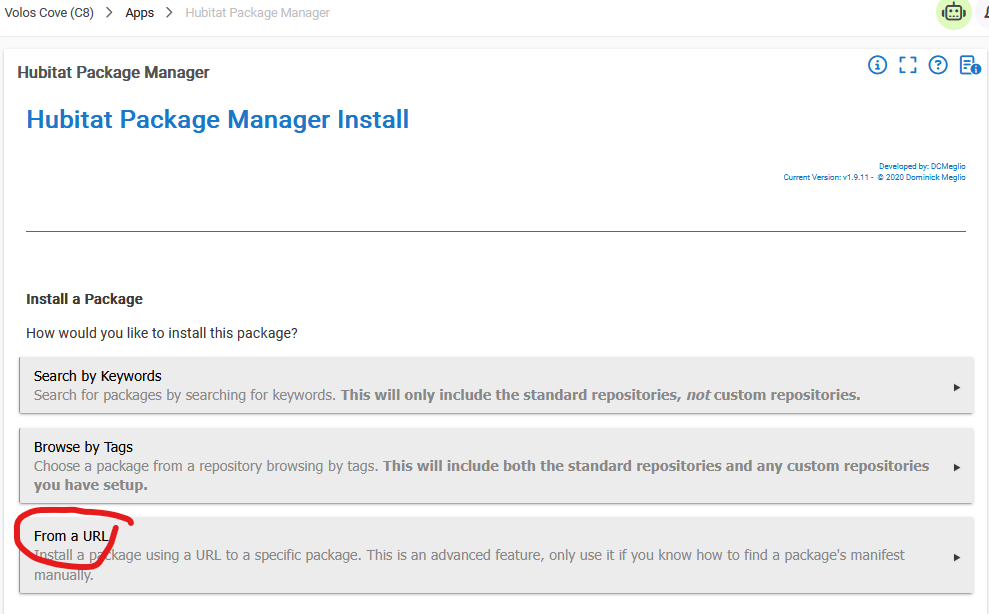
I'm looking for testers, so if you're willing, you can grab a preview via the private URL below. It installs alongside your current installation as Automation Map (Dev), so you can test it without disturbing the current version and simply delete it once v2.0 is pushed to main.

"https://raw.githubusercontent.com/GordonThelander/hubitat-automation-map/dev/packageManifest.json"

Very cool! Already installed and will poke around in it tonight. Thanks!

Device icons added now

Device icons look great.
Please change the legend so it is pinned at the top, at the same height as the commandbox. On my tablet, I cannot see the top of the legend.

Hi Jim,

Thanks again for the detailed feedback. I’ve reviewed it against the current v1.9.5 development build.

Several of your requests have now been covered:

  • Unconnected apps are placed in a dedicated shelf beneath the connected map. Their positions are preserved when focusing on an item and returning to the full map.
  • Hub Variables appear once, by name, with direct read/write connections to every rule using them.
  • Parent/child app relationships are now recorded consistently in both directions. Container panels list their children alphabetically and allow direct navigation to them.
  • App and device selectors are searchable and alphabetically sorted.
  • The legend has been moved to a more accessible position and can be collapsed, which should make it considerably easier to manage on a tablet.
  • The legend now explains that device icons represent device types, while colours represent the role a device plays in the selected automation.
  • Focusing on an app or device provides a deliberately arranged local view of its immediate relationships rather than another random force-directed layout.

Some of the more extensive interface requests have been backlogged until after the v2.0 release:

  • Multi-select app and device picklists with checkboxes and icons.
  • Hierarchical parent/child grouping inside the picklists.
  • Dedicated Variable Connector nodes between Hub Variables and rules. The present implementation connects rules directly to each Hub Variable.
  • Incrementally extending the map by individual branches or additional levels.
  • Hiding a selected node together with its downstream branch.
  • Further tablet-specific redesign beyond the repositioned, collapsible legend.

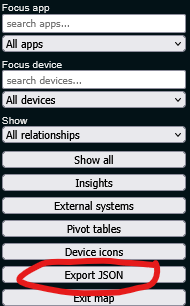
The build also now includes an AI-friendly JSON export. It contains the complete mapped structure: devices, apps, stable IDs, relationships, Hub Variables, parent/child links, decoded rule flows, external systems and precomputed findings, together with schema explanations, scan provenance, summary counts and known limitations.

For the moment, a user can simply export the JSON file and attach it to an AI for analysis. That provides a useful and low-complexity interim solution without requiring a local service or sending anything automatically. It also establishes the data foundation for a potential MCP integration later, should there be sufficient demand for direct, interactive AI guidance.

My priority now is to stabilise the development build and release it later this week. For this final testing pass, could you please concentrate on errors, incorrect relationships or results, broken controls, failed scans, layout failures, or anything else that prevents normal use? I’d like to hold further feature requests and minor UI refinements until after v2.0 so the current build can settle and ship.

TIA,

Gordon

Thanks for the update. Didn't expect all of my ideas to make it into the app.

All of the controls worked as expected.

Issues found:

  • Local Variables are identified as Hub Variables. Not sure that we need to see Local Variables.
  • Hub Variables should be identified by a single icon so all connections for each Hub Variable can be seen.
  • Hub Variables and their Variable Connector devices are not connected

Had one error on a scan where the scan hung up on the last app for a number of minutes. Exited the app and when I returned the scan was complete.

A future idea would be a search on Hub Variables.

Thanks Jim

I will log these Variable requirements to the backlog, but I'm not sure i understand you fully, so I may reach out to you separately to get a better understanding.

That error is concerning though, are you on v1.9.6 and any errors in your logs please?

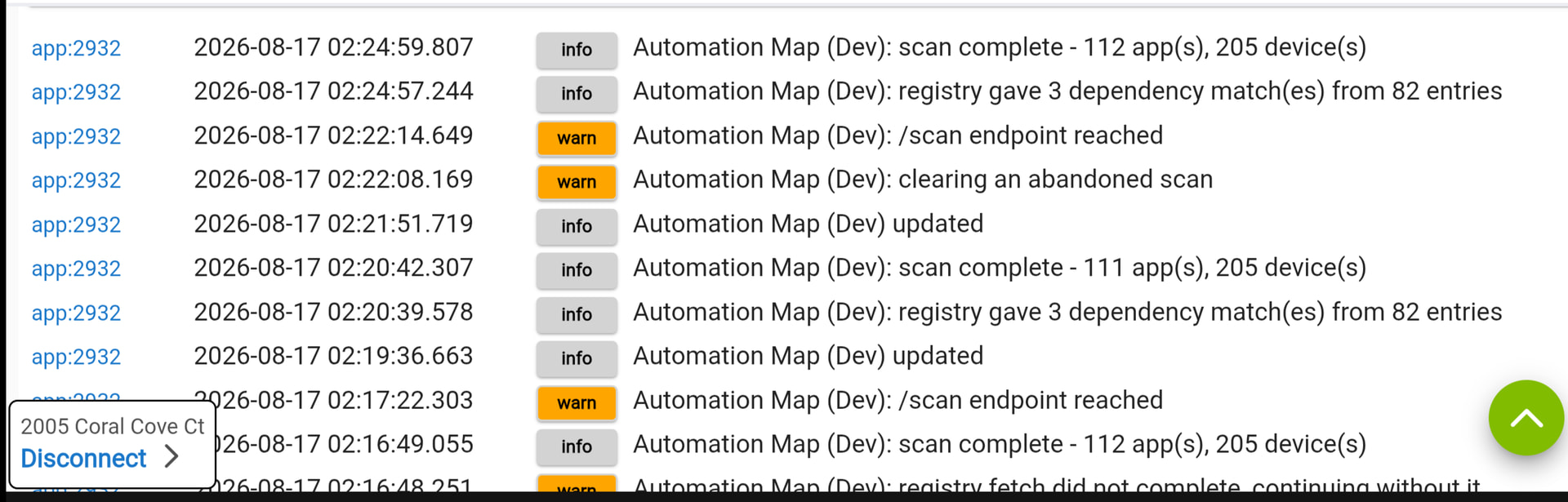
On the latest version. Loaded it this morning. Here is the log. The abandoned scan is when it hung up for several minutes.

On the scan hang: found the cause.

After the last app, the scan schedules one more background step to build the map, and occasionally that scheduled call just doesn't fire.

The scan is actually fully done at that point, it just never wraps up on its own until something reloads the app's settings page - which is exactly why exiting and coming back finished it. I don't want to push a fix mid-test and risk interrupting what you're doing, so it'll land in the next release.

Not really doing anything but testing at this time. Trying to think through how best to use the app.
Recently I used Google Sesrch AI to build an app from a group of rules. Fed the AI screenshots of the rules from triggers through to variables.
So I would use your app to collect all of the connected rules. If you would provide a script to collect a screenshot of each app, that would be a timesaver.

The JSON export is already AI ready and self describing, just import the file into your favourite AI.

[RELEASE] Automation Map 2.0.0

Significant upgrade to the initial version.

What's new:

  • Rule-to-rule links and Hub Variable read/write edges, so the automation between rules, are now detected, not just app-to-device
  • External systems are declared and drawn as their own nodes, so you can see what breaks if a cloud dependency goes down (editable)
  • All app are discovered now, even ones that touch no device
  • New analysis tools:
    • Insights (contested devices, orphaned apps, broken references),
    • Pivot tables with CSV export,
    • Device icons with manual overrides and notes
    • Rule flowcharts now decode Rule Machine 5.1, Notifier and Visual Rule Builder 2.0
    • Click-through drill-down with full Back/Forward, a collapsible legend, and non-overlapping panels
    • Export JSON: The whole map as one self-describing structured file, engineered for handing to your favorite AI assistant for deeper analysis or more

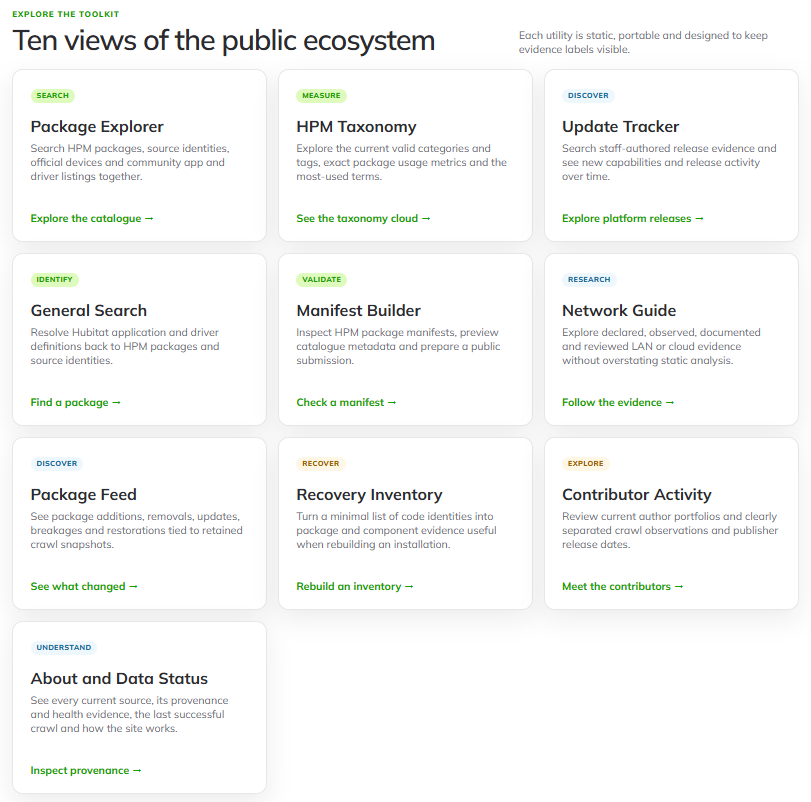
Sidecar: Community Utilities. This is a separate site, linked from a button on the map page with ten useful tools built from public Hubitat and HPM metadata with search packages by source identity, validate a manifest before submitting it, see what changed in a release, rebuild an install inventory from scratch, etc. Exploratory, but it should save people a lot of time.

Appreciation to @JimB @thebearmay @kkossev for your testing and guidance

Can you elaborate? I am 1/2 in 1/2 out with AI on non-dev work - will it help find issues?

Update: thanks to this mapping I was able to utilize AI to rebuild and dramatically improve my security systems architecture and behavior, and at the end of the day it enabled me to turn my very crude 55 rule alarm build into a much more effective and reliable alarm build consisting of only 18 rules. Nothing lost, actually added more features. Thanks again!

Hi there, it really depends on your hub's setup, the more sprawling and tangled it's gotten over the years, the more there is for an AI (or you) to actually find.

The map itself already surfaces some issues with no AI involved. The Insights panel flags contested devices (more than one app leaving it in a lasting state), devices nothing references, apps with no device or rule relationship, broken rule references, etc - just from local analysis derived from the scan.

The AI export goes further: it hands over an instruction led structured file, every device, app, connection, external system, Hub Variable, and each rule's decoded logic, to an AI assistant, so it can reason across your whole setup at once instead of you clicking through app after app. That's basically what KRS describes in his feedback

So, if your hub's small and you already know it cold, you probably won't learn much new from it. If it's sprouted horns, hooves and a tail over years like most of ours have, it's a good way to get a second set of robotic eyes across it.

Awesome , thanks for the feedback!

What I have found is that my previous AI automation creation went alot smoother by supplying a screenshot of each rule and the Hub Variables. Even with giving more explicit instructions this time.
I am using Google Search AI. Perhaps it hasn't seen enough examples of your json file.

Hi there,

I suspect that Google Search is just is Gemini acting as a basic reasoning layer over Google's search. and not a proper LLM.

I prototyped and tuned the export on OpenAI and Claude and it worked well.

Just tested my export on https://gemini.google.com and it came back with quite a bit - maybe try that if you prefer Gemini?