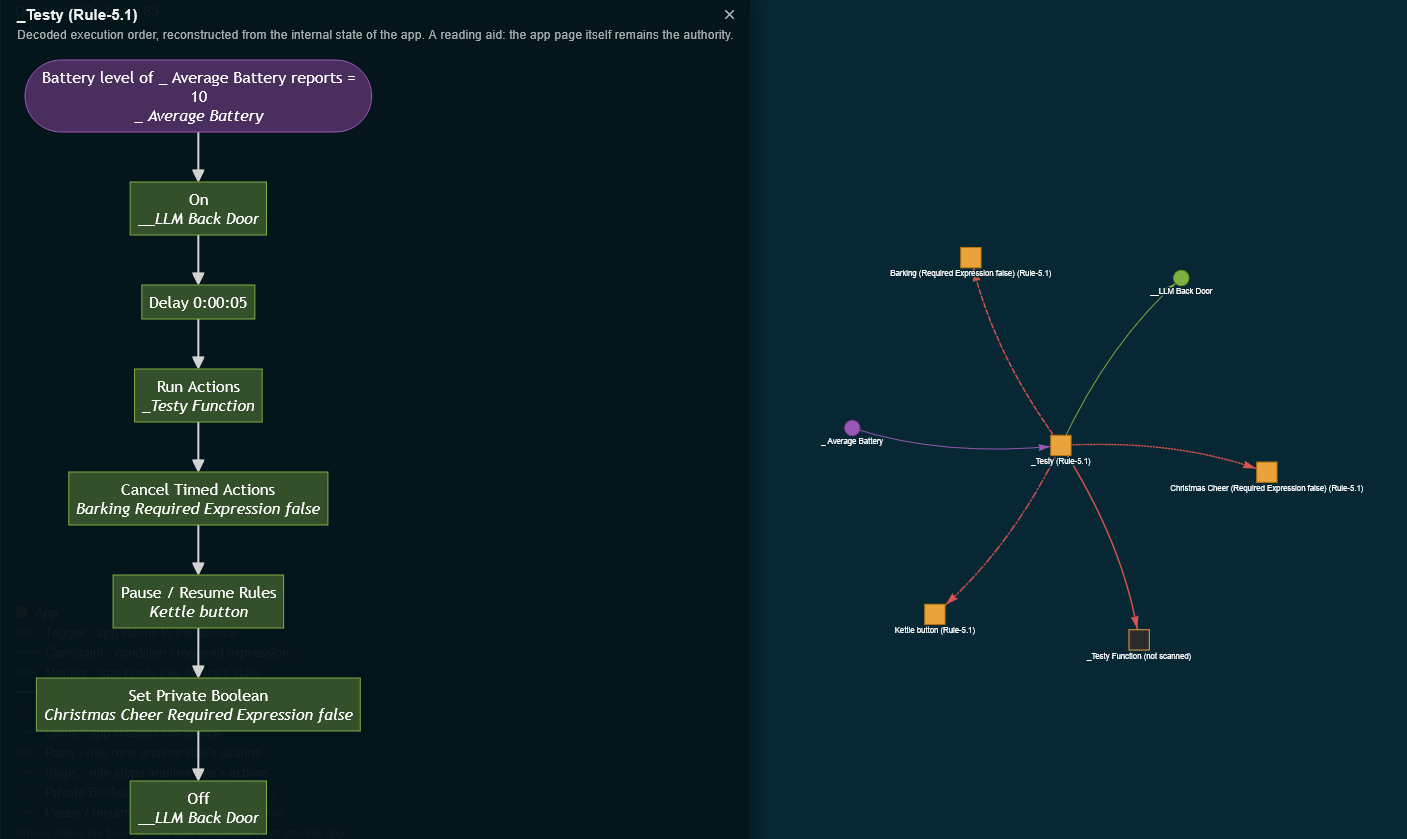
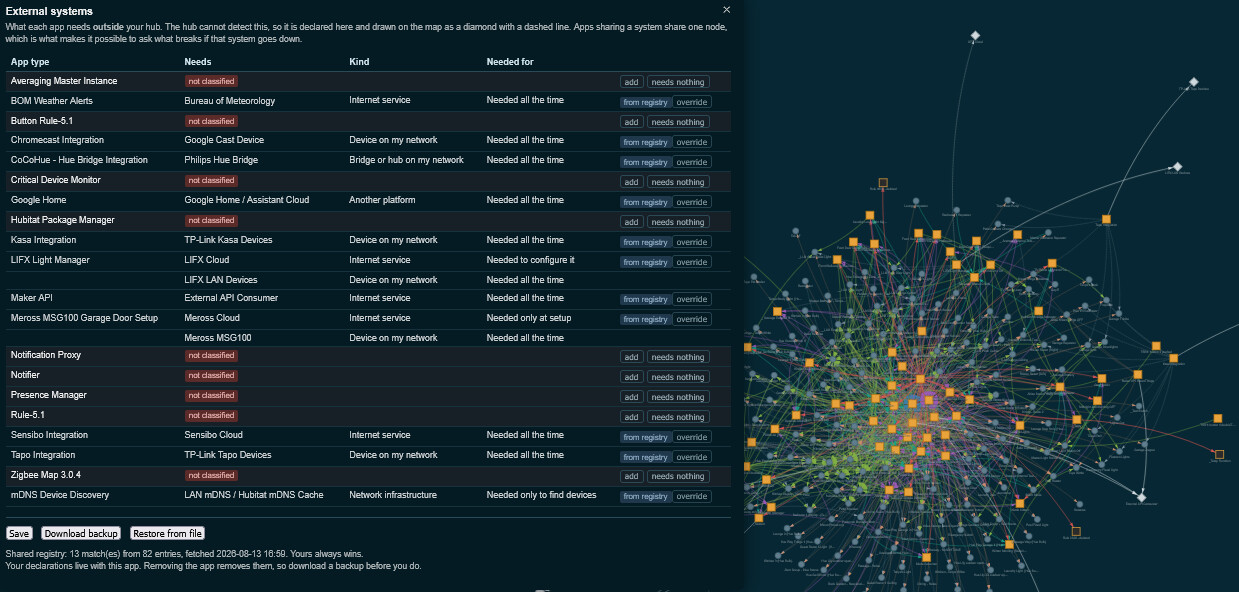
Automation Map: App and device relationships, with Rule Machine flowcharts
Hubitat shows which apps use a device, but not how they use it, and reading a rule's logic means opening the rule. Automation Map builds a map of the relationships between apps and devices on a hub, classifies each relationship by role, and renders Rule Machine rules as flowcharts.
Relationship roles
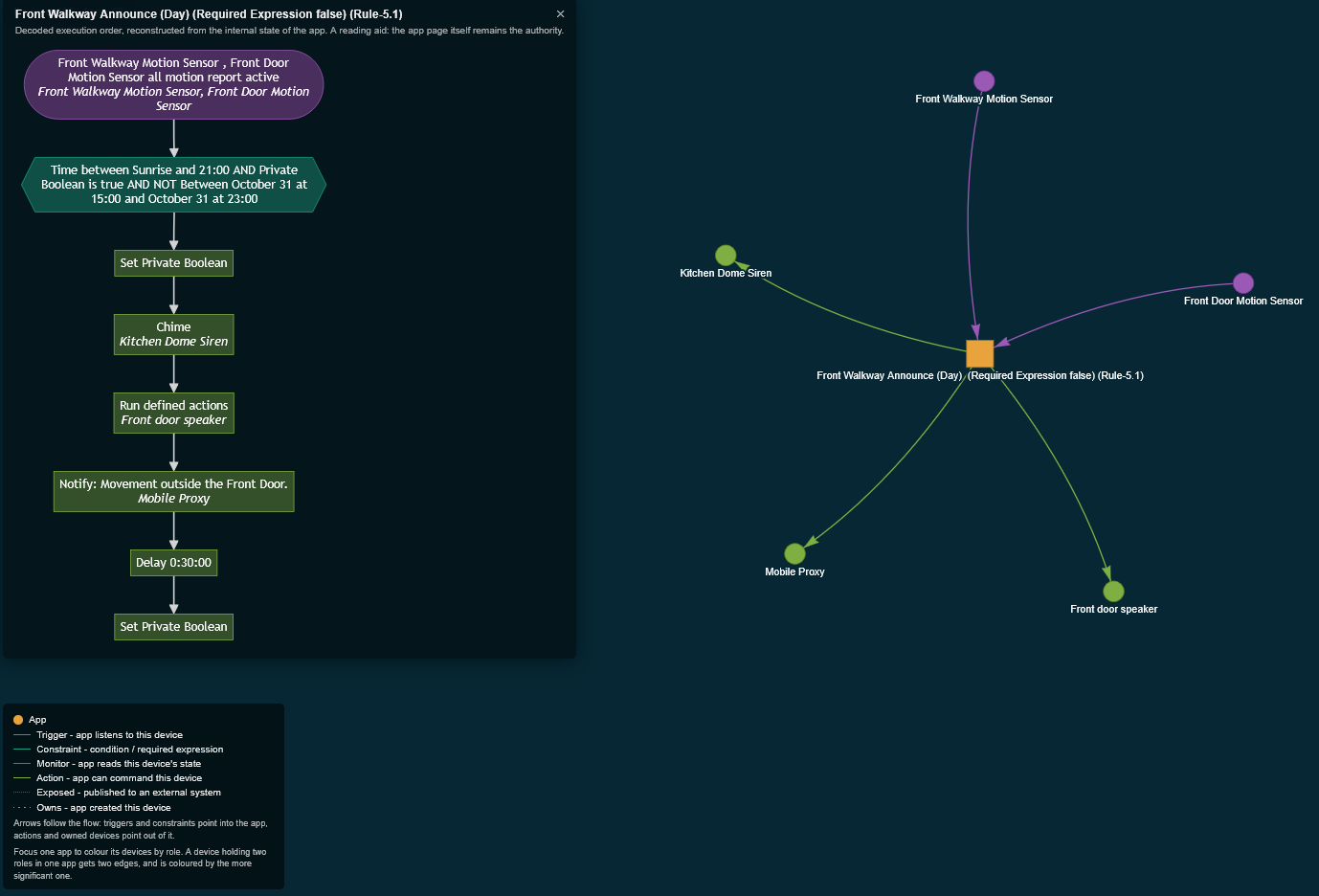
Each connection between an app and a device is classified as one of the following:
| Role | Meaning |
|---|---|
| Trigger | the app subscribes to this device's events |
| Constraint | a condition or required expression |
| Monitor | the app reads the device's state but cannot command it |
| Action | the app can command the device |
| Exposed | the device is published to an external system, such as Maker API |
| Owns | the app created the device |
Roles are properties of the relationship rather than the device. EG: A motion sensor may be a trigger in one rule and an action target in another, so a device can carry different roles in different apps, and more than one role within the same app.
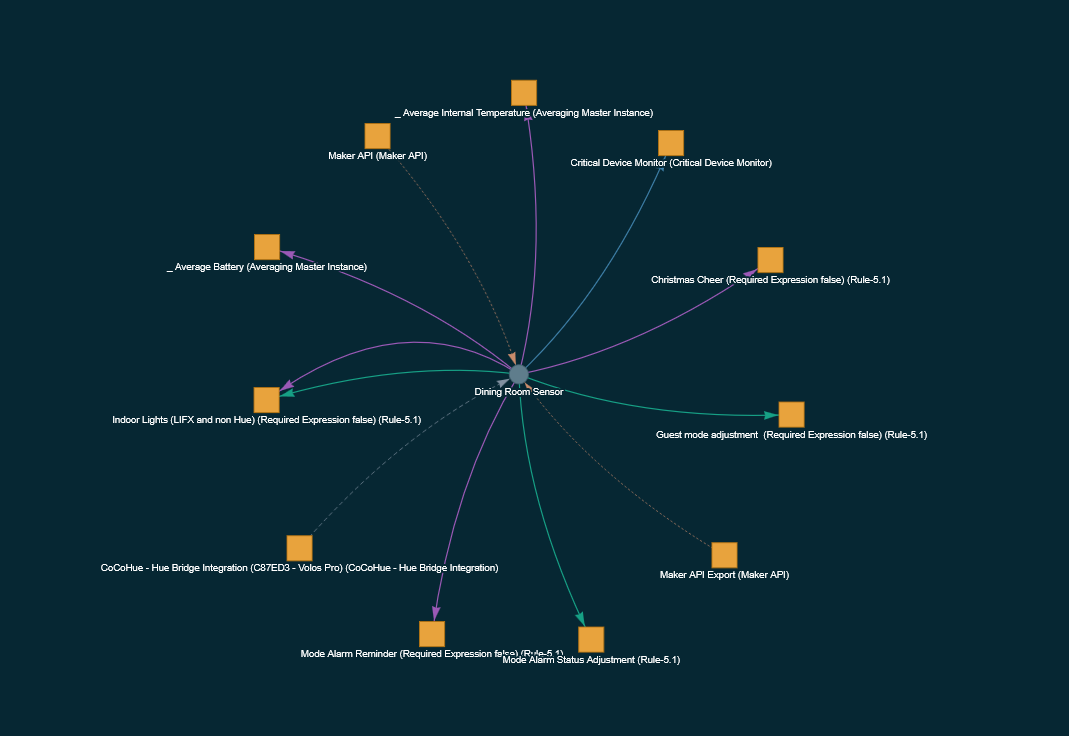
Rule flowcharts
Selecting a Rule Machine rule renders its structure: the trigger, the required expression, and the actions in execution order, including waits with their timeouts and IF / ELSE-IF / ELSE as branches.

Conflict and orphan detection
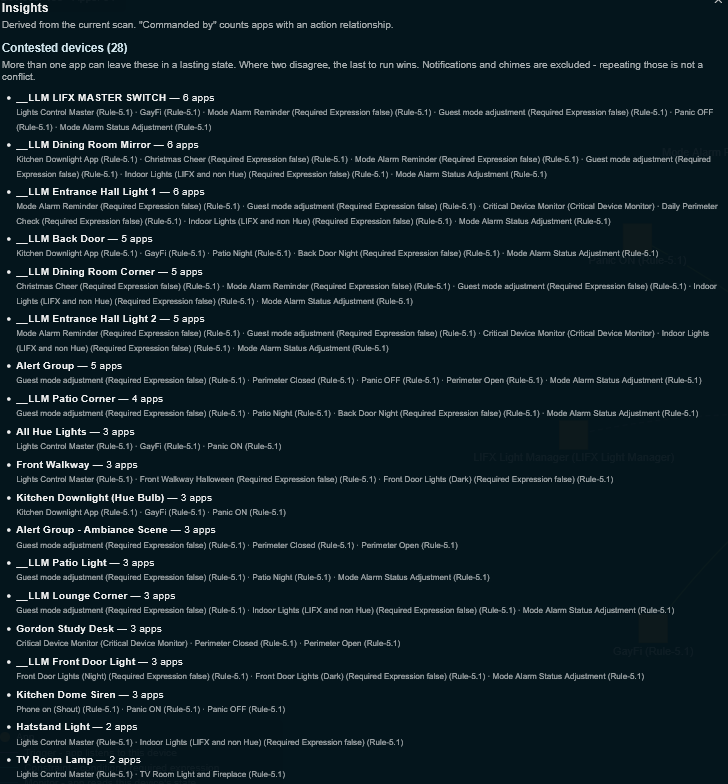
The Insights panel lists devices that more than one app can leave in a lasting state, and devices that no app references. Conflict detection is limited to stateful capabilities (switches, dimmers, locks, thermostats and similar) because two apps sending notifications to the same device is not a conflict, while two apps setting the same light is.
Whole-hub view
The unfiltered view shows all apps and devices at once. On a hub of thus can be too dense, and is intended as a starting point rather than a working view; selecting an app or device filters to that subset. Both selectors have search fields, and clicking a node navigates to it.

Implementation
There is no published API for enumerating installed apps and their device references. This app queries the hub's internal endpoints (the ones the administration UI uses) through a request the hub issues to itself on localhost.
Roles are derived from platform-level data: an app's child devices, its event subscriptions, and the capability type of each device setting. Rule Machine's own settings naming is used to separate triggers from conditions within a rule.
Tested configuration
- Hubitat C-8, platform 2.5.1.142
- 193 devices, 64 installed apps across 17 app types
- 41 Rule Machine 5.1 rules, each decoded flowchart verified against the rule's own page
- Integrations present during testing: CoCoHue, Chromecast, Google Home, Kasa, Tapo, Sensibo, Meross, LIFX, Maker API, Notifier, Averaging Master, and several custom apps
- Installation, removal and reinstallation through Hubitat Package Manager, from a hub with no prior state
- Hub Login Security disabled
The relationship graph is built from platform-level data and handled all 17 app types, including integrations it has no specific support for. Flowchart decoding is the component tied to a particular engine.
Limitations
- The app is read-only. It does not command devices or modify apps.
- OAuth must be enabled, as the map is served as a page from the hub. Package Manager enables it during installation; a manual Apps Code installation does not.
- The internal endpoints used are undocumented and may change in a future platform release. The app reports this rather than displaying an empty map.
- Flowcharts are produced for Rule Machine 5.1 and Notifier. Rules on other engines appear in the graph with their device relationships and are reported as undecoded.
- Desktop browsers only. Smaller screens are shown a redirect notice.
- The browser viewing the map requires internet access, as the graph and flowchart libraries are loaded from a CDN. The hub does not.
- Behaviour with Hub Login Security enabled has not been tested. The app detects the failure and identifies it as the likely cause.
- Only apps referencing at least one device are discovered, as discovery works by asking each device which apps use it.
- A scan of approximately 190 devices and 60 apps takes about two minutes and runs automatically on first installation.
Installation
EDITED: Hubitat Package Manager by searching for "Automation Map"
Notes
Two configurations remain untested: Hub Login Security enabled, and rule engines other than Rule Machine 5.1, including Rule 4.x, Room Lighting and Simple Automation. These appear correctly in the relationship graph but produce no flowchart. Reports from either would be useful.