[RELEASE] Hubitat Automation Map

I ran this today and I found it interesting and can see several use cases for my future plans.

I have one suggestion and a couple of findings. My one and only suggestion is to list the date that the last scan was done on the app page (maybe next to the scan button?). On my C5 hub with 322 devices, 444 apps, 91 hub variables, 3662 edges, and 278 decoded Rule Machine flows it took a long time to run. Long enough that it is not something that I would want running on a daily basis, unless i could control at what time it ran, and probably not even then.

I took the exported json and tried to feed it into Gemini. I tried with no prompts other than "review the attached." I tried with more specific prompts in several different ways and Gemini always bombed. Either generating responses completely unrelated to the file or more often with "hello, what can i help you with". I could never get Gemini to interact successfully with the export.

I then proceeded to upload the json to Grok and asked it to review and offer any insights. Grok read the file, offered come general information and then was able to dig deeper into the file when prompted.

I was pleasantly surprised that neither your app, nor Grok, could find anything wrong the devices and rules on my hub.

I have a full function sprinkler controller built within RM using lots of rules and variables. What I found really cool was that Grok stated that it would be able to build a solid working start to a groovy application to replace the RM rules and variables. I can see me exploring this further.

Thanks for a nice addition to the toolbox.
Thanks for running it, and also for the detail.

Your C5 is a genuinely useful data point, and your footprint is a good bit larger than anything else that's been tested so far on a single hub (as far as i know).

Last scan date/time

Good suggestion. The app already tracks this internally (used for the abandoned-scan recovery and the AI export's timestamp), it's just never been surfaced next to the Scan button itself. Small addition, and I just included it in the 2.0.4 release for you.

Scan speed on your hub

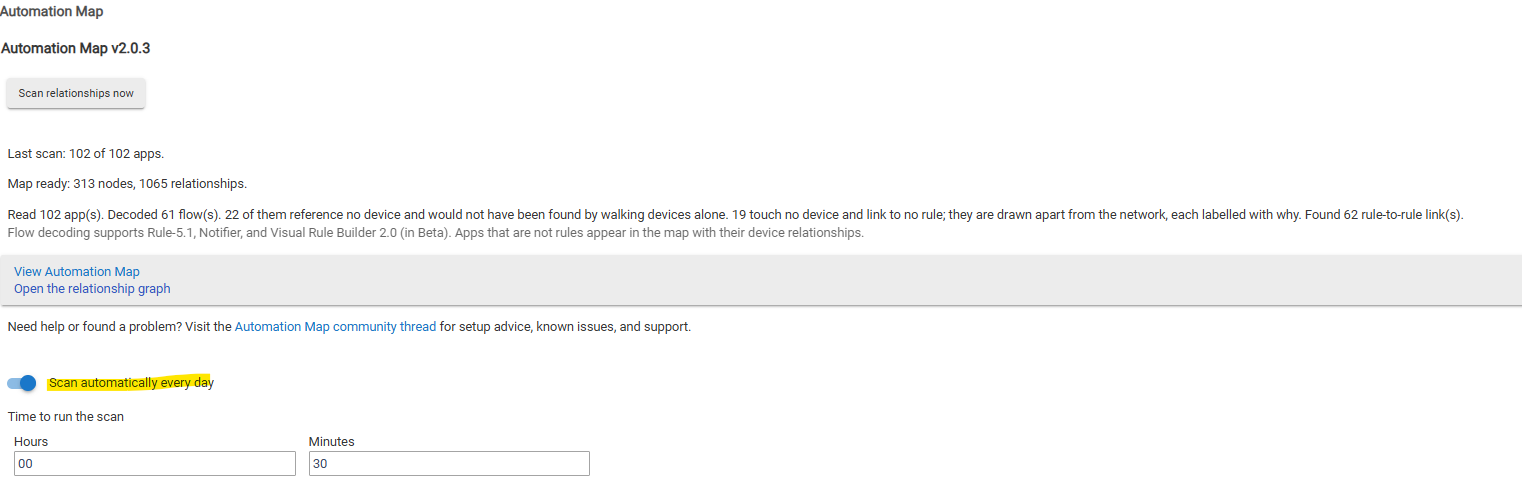
A few things worth knowing. First, you don't have to run it manually: there's already a scheduled scan built in, on by default hour is 00:30, but it's changeable in the app's settings, or you can turn scheduling off entirely and only ever scan by hand, just toggle the below switch.

On the scan performance itself: I have tried pushing the curve, but what I found is Hubitat's own scheduler behaving unpredictably once you lean on it for rapid, repeated rescheduling - so i built in a throttling mechanism to compensate. I can't see or control this from the app's side, just the platform protecting itself and holding up cleanly.

Your device/app/variable/edge count is honestly bumping up against the ceiling I estimated a while back - you're past it on edges alone, and that it completed at all is a great sign, especially on a C5. I'll re-baseline my sizing estimates accordingly.

Gemini vs Grok

This is not the first report of Gemini not performing well on this. Another user had the same experience with Gemini failing to engage with the export properly, while it's worked fine for me on Claude and OpenAI (my preferred AIs for coding). Perhaps it's an issue of how Gemini handles a file this size or structure - useful to know it's not a one-off. I have never used Grok for this type of thing, so can't comment.

Sprinkler controller - give it a bash, it's pretty easy using the latest AI coding assistants.

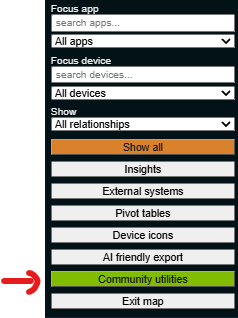
Did you manage to check out the Community Utilities?

Thanks again - really useful report.

Gordon

I apologize, I completely missed the time selection option. It's nice to see that it's already available.

I know I'm pushing the C5 but am now at a point where I'm no longer adding much to the hub anymore, just refining what I already have.

I have been in using Grok and Gemini for awhile. I have not had any real serious AI needs so I'm using the free versions. My experience with these two working with Hubitat CSS has been that Grok is more robust in offering better advice but it's less accessible. If you access it during the work day it will often respond that it's too busy to process the free users where Gemini will always respond if it understands the prompt. When I return from our next vacation I'll experiment with creating groovy. We are approaching irrigation season here and maybe it will even lighten the load on the hub.

Thanks again.

Hi all,

Automation Map 2.1.0 is now available, upgrading from 2.0.4.

Faster scanning
A scan that previously took roughly two minutes should now complete well under a minute on a similarly sized hub. The app now uses bulk device listing and bounded concurrent discovery instead of walking through everything sequentially.

Hub Variables
Hub Variables are now included in the map, pivots, comparisons, and AI-friendly export. Variable Connectors are linked to the Hub Variables they represent.

More useful Insights
Each finding now explains what it means, why it may be normal, and what to check next. The same guidance is included in the AI-friendly export.

Better External Systems classification
Common integrations such as Hue, LIFX, Tapo, Meross, Chromecast, Google Home, Sensibo, Kasa, etc are now classified automatically instead of appearing as unassessed. Your own declarations always take precedence over reviewed defaults and registry matches (with the ability to export settings if required)

Hubitat Update Tracker
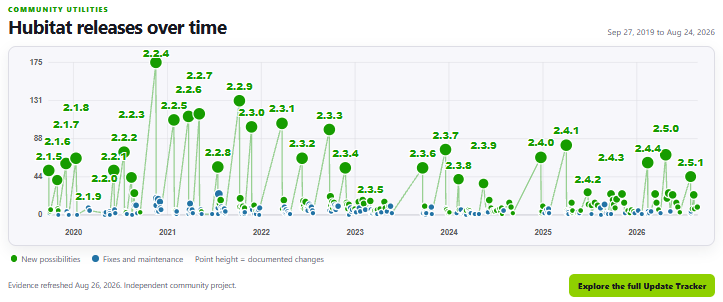
The map now includes access to a visual history of Hubitat platform releases, showing when new capabilities, fixes, and maintenance updates appeared, with links to the supporting release information.

Enhanced AI-friendly export
The export now provides richer structured information about apps, devices, relationships, Hub Variables, Connectors, external systems, scan completeness, and actionable findings. It also explains important limitations so an AI is less likely to draw unsupported conclusions.

Baseline comparison
You can compare two AI-friendly exports to see which apps, devices, Connectors, and Hub Variables were added, removed, or changed.

Please post here or open a GitHub issue if you encounter any problems / have any suggestions for future enhancements.

Thanks again to all the friendly testers and other contributors :+1:

Automation Map 2.2.0 is out, upgrading from 2.1.1.

Device discovery now walks the complete device tree the hub returns, not just the top level. A device created by another device's driver rather than an app (Shelly, Bond, and Matter bridges were the reported cases) could be nested under its parent and invisible to the previous flat read. Thanks to community tester @oldcomputerwiz for reporting this and confirming the fix on his own hub, where Automation Map and Hubitat now agree on the exact device count.

Local Variables get their own nodes on the graph and in exports now, correctly told apart from Hub Variables and Variable Connector devices instead of being lumped in with them.

The Apps, Devices, Hub Variables, and Local Variables dropdowns are each a single searchable control now instead of one long scrollable list.

The automatic-scan time field shows its real default instead of appearing blank and I also added a diagnostic-logging toggle for troubleshooting, off by default / off on a timed hour after trigger.

Refreshed the visual style.

Fixed two scan-completion timing issues that could leave the map looking stuck, or briefly hide the map link and counts, right after a scan actually finished. Fixed a related timing issue in registry lookups that could leave dependency information incomplete under specific conditions.

Post here or open a GitHub issue if you hit something.

Cheers,

Gordon