That will change the stack to what it should be for the C-8, and it is recommended that you change it if it isn't on the right stack, but if you don't a future release will force it there.
2 Likes
My c8 is on the wrong stack. Apparently there was a bug from upgrading?
My C8 is using the standard stack, but I'm not having any issues (although the unknown child records have shown up again).
- zigbeeStack : standard
- zigbeeStatus : enabled
- zigbeeStatus2 : enabled
Zigbee is turned off on my C7.
Me too - i.e., a C8 running the standard stack but no Zigbee issues that many are having. Hmmmm. Maybe, I'd prefer to stay on the standard stack?
1 Like
Set the zigbeeStack to the new stack, rebooted, and the child records have gone away.
My C-8 is on the new stack and I haven't had any issues since the firmware release that added the option to rebuild the ZigBee database. Think that was around .112
Thanks for that information. I'll change to the new ZigBee stack and see how it goes. If things don't work out, I can revert easily enough.
1 Like
I expect that the next release will force the C-8 to the new stack, C3/4/5/7 to standard stack, and remove the endpoint to switch.
4 Likes
It seems to me that those of us that were running the new stack on our hubs prior to migration, ended up with the new stack on our C-8s and those that didn’t, ended up with the old stack and lots of issues for some.
1 Like
Anyone else having issues with the driver after updating to .118?
I'm using hub monitor and am getting notifications for updates every 5 minutes.
When i look at the Hub Information Driver device page, I've actually got part of the hub reboot page showing on the page.
I've rebooted twice and it's still there.
I don't think this is an issue with the driver, i think it's the update has .
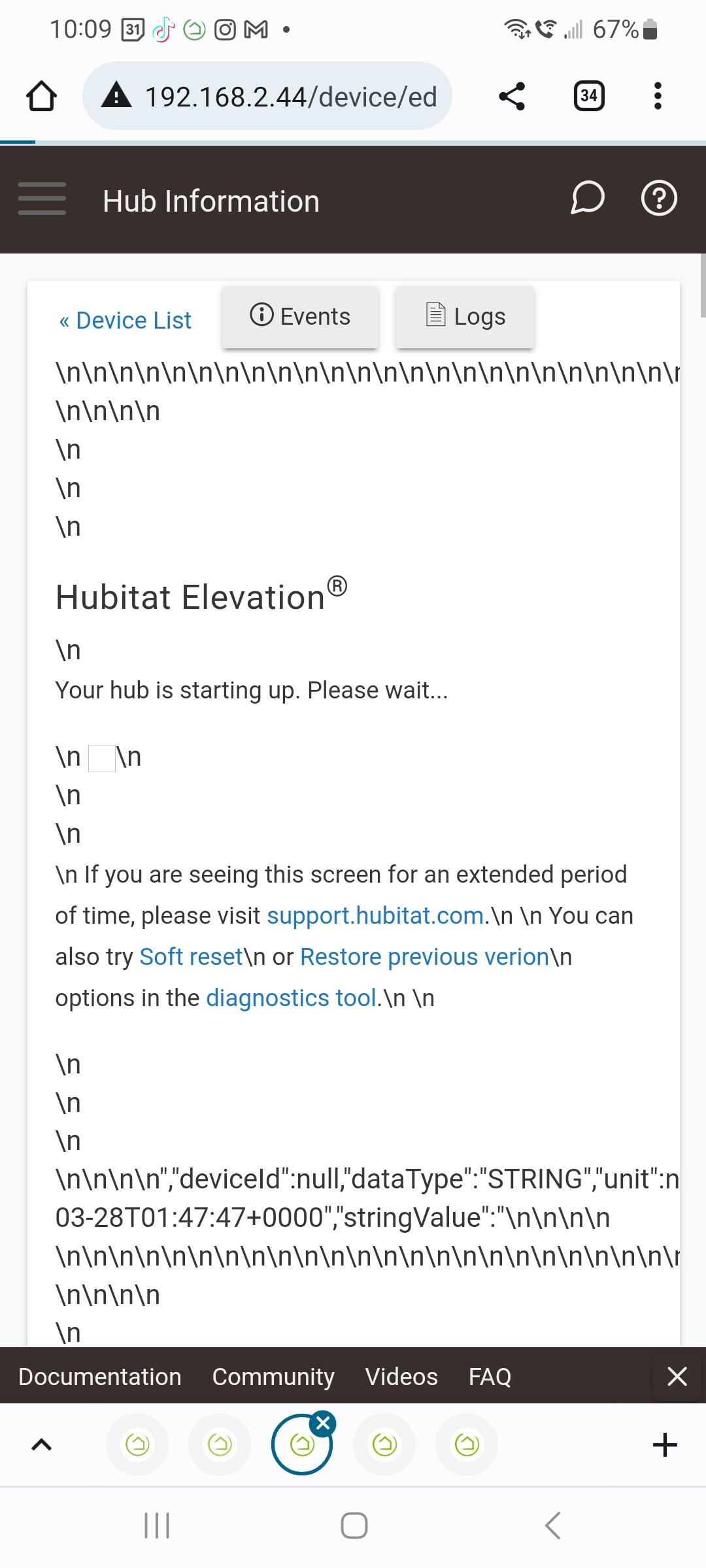
Hit the refresh button on the driver...
I'm trying to, but the page is auto-refreshing before i can scroll to the refresh button.
Edit: managed to hit the configure button on one of the loops and that seems to have resolved the problem.
Side note: I was getting notifications every 5 minutes from Hub Monitor that there was an update (before and after the actual update). Is that normal?
Perhaps you could add an automatic data refresh on reboot to the driver? I did this using RM to ensure version info etc was correct after an upgrade.
The driver does a refresh of the base data 5 seconds after it comes up (any sooner and some of the data reflects pre-boot values), and then restarts all of the poll queues. So, depending on your fastest poll most people will have a poll refresh in the first 5-10 mintues.
The Hub Monitor is subscribed to driver uptime change event (every poll run updates this value) and checks for values that are outside of threshold limits each time it is notified that there is a change event. In your case that means. something was doing a poll every 5 minutes.
General cause of this is that a query of the data caught the hub before it finished initializing completely. Normally this get trapped and handled so I need to review the code to see why the trap missed this one.
1 Like
That might be too short a duration for some hubs. I set my rule to do it after one minute on my secondary hub.
Edit: Nevermind. In case anyone has this "problem," I'm pretty sure I fixed it by turning off the "Always use Output file for HTML Attribute" switch.
I feel like this has to be a lack of understanding on html tiles, but could someone guide me in what I'm doing wrong? The vast majority of the time, when I go to my dashboard, I see this:

If I click that tile, I get the Hub Information

But sometimes when I come into that dashboard, the information is just there on the tile and I don't have to click into it. That is much more preferred, but I'm not sure how to get that to happen every time.
These are my tile settings:

edit:
And these are my Hub Information Driver settings, maybe I don't have one of these correct?

The driver will use that if the html attribute exceeds the 1024 character limit, but if you want to you can have it always create the file and display it from the link using an iFrame tile.
I know I do have a 5 minutes as one of poll settings.
I'll take a look at that when I get home from work and adjust that setting.
v3.0.25 Changes
- Checks make sure that the hub has finished restarting before updating an attribute
5 Likes


