Yes, you’re connecting to localhost (127.0.0.1), i.e your Hubitat, and not your computer running HASS.
Replace 127.0.0.1 with the LAN address of your HASS host.
Yes, you’re connecting to localhost (127.0.0.1), i.e your Hubitat, and not your computer running HASS.
Replace 127.0.0.1 with the LAN address of your HASS host.
thanks, sure you are right, but afraid i do not understand; 127.0.0.1 is my ha local host, not my he one
That address is your HASS host’s loopback IP address, and not it’s LAN (ethernet interface) IP address.
thanks, and sorry for my ignorance, but where do i find the relevant lan ip address?
I don’t know what you’re running HASS on, so the simplest foolproof method would be from your router.
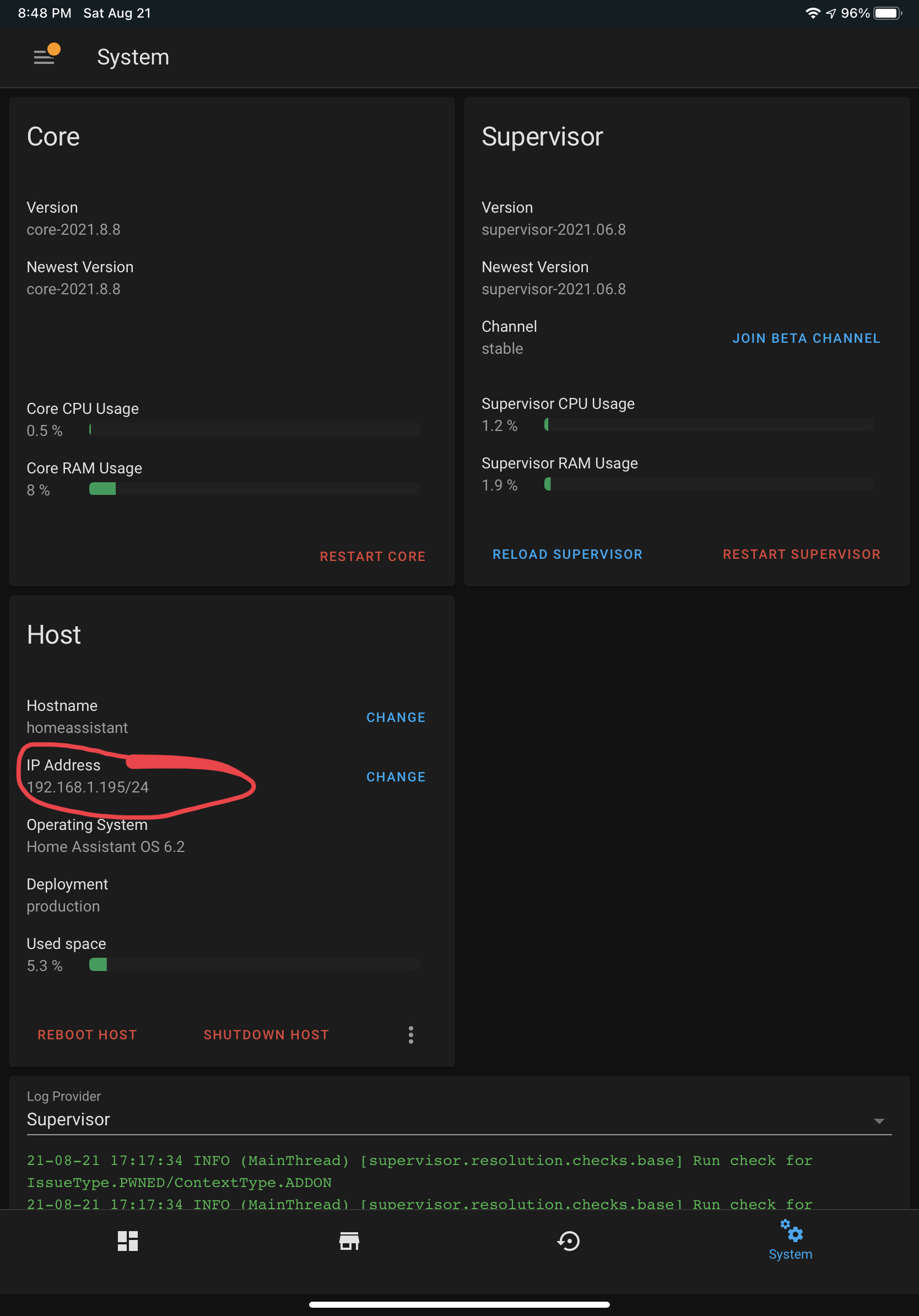
If you’re running Supervised Home Assistant, simply click on Supervisor, then the System tab, and you should see the following, which shows you the IP address being used by HA. Be sure to reserve this address in your router’s DHCP server, to prevent it from changing. Always a good idea to do that for your Hubitat Elevation hub as well.
thanks, worked!
I wonder, I use the presence device type, imported from HA.
When the mobile phones are in the house I see each 30 seconds an update of the status.
There are 5 phones.
I it possible the import of the 5 devices every 30 seconds has impact on the performance of my HE?
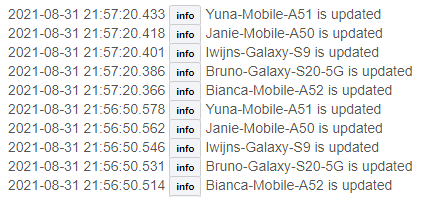
I doubt it is impacting your Hubitat Hub's performance all that much... It is interesting that Home Assistant is sending out the same update over and over again...  There is no way to control this from the Hubitat side, though, that I know of.
Yes, only If the phone is on the Wifi network, if it is offline, the log is stopping. 
I wonder if it is caused by the phone's WiFi going to sleep to save battery power? Most phones, when not in use, will do this periodically. Which method of "Presence Detection" is Home Assistant using for determine if the phone is "Home" or "Away"? Is it a Geofence? Or is it using whether or not it is connected to your home WiFi? Or some combination of both?
No, it does not makes a difference, I think it is by design by the integration (AVM FRITZ!Box Tools) in HA
Connected to the home WiFi or not
Hello, was looking for a little assistance. I was trying to bring over my MyQ Garage from HA, but it does not show up. Other devices show up, but not the garage door. In the list it only shows the MyQ gateway. Was wondering if I am doing something wrong? Any ideas?
Hello.I just installed fordpass in ha and in he I don't see the lock i've look at the list and lock is not available. Generic component lock does exist is it something that you can had ? I'd love to lock my truck at the same time than my house
You could create a virtual lock in HE and then add it to HA using the Hubitat integration. Once you have the device in HA just create an automation in HA to lock or unlock the truck using the HE virtual device.
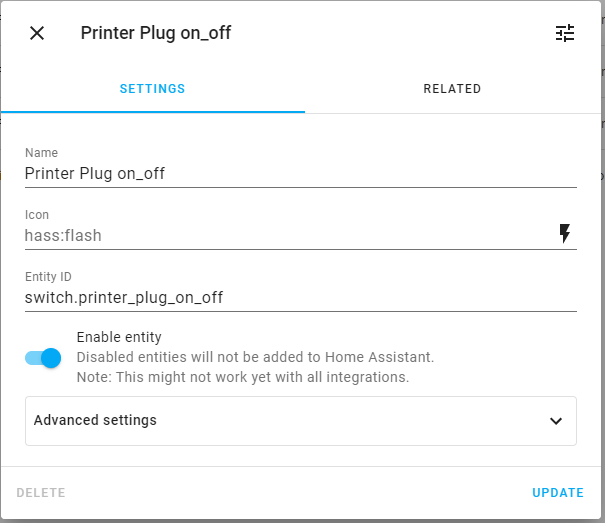
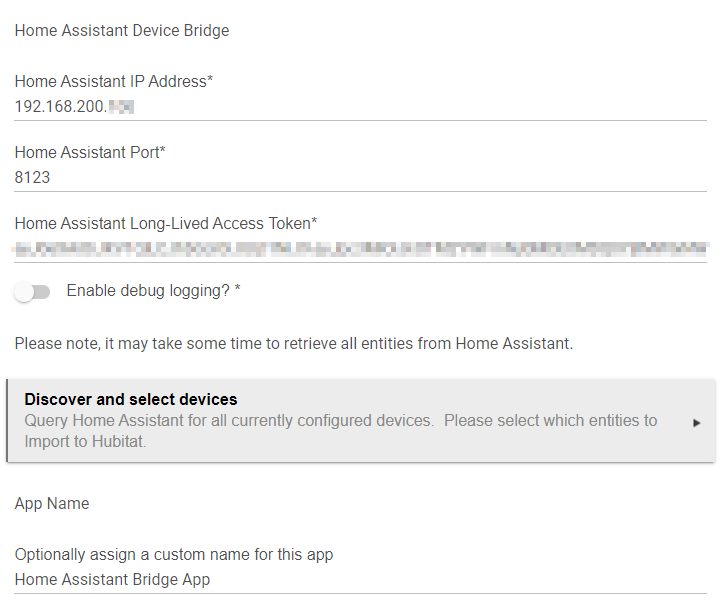
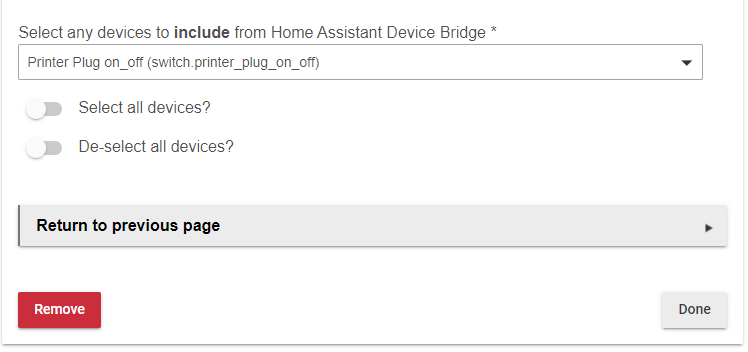
Thanks for creating this bridge and writing up the instructions, I think I've followed them right but am not seeing the device I've tried to bridge in Hubitat. I have a Innr Zigbee plug linked to Home Assistant and am trying to make this available on Hubitat but not seeing it appear as a device. Screenshots of what I think is relevant:
Home Assistant Entity:
[entity_id:switch.printer_plug_on_off, state:off, attributes:[friendly_name:Printer Plug on_off], last_changed:2021-09-17T07:56:55.346371+00:00, last_updated:2021-09-17T07:56:55.346371+00:00, context:[id:f12d193247d895968ef4aa3fcdc1b792, parent_id:null, user_id:f1da62e15f2441669cd5d5637c72659a]]
Any pointers would be appreciated.
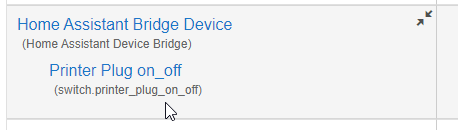
Will you please enable logs for the HomeAssistant Hub Parent device and then toggle the switch a few times in HA?
And as if by magic:
Thank you 
Hi
I am using a Tuya compatible switch in HA, please please can you add the power and the current variables (amps) if possible, this is used on a water heater and I would really like to see the power usage as a main choice and the amps as a "nice to have"
Many thanks
How does HomeAssistant report the power? Is it a separate entry with device_class power under sensor?
Download the Hubitat app