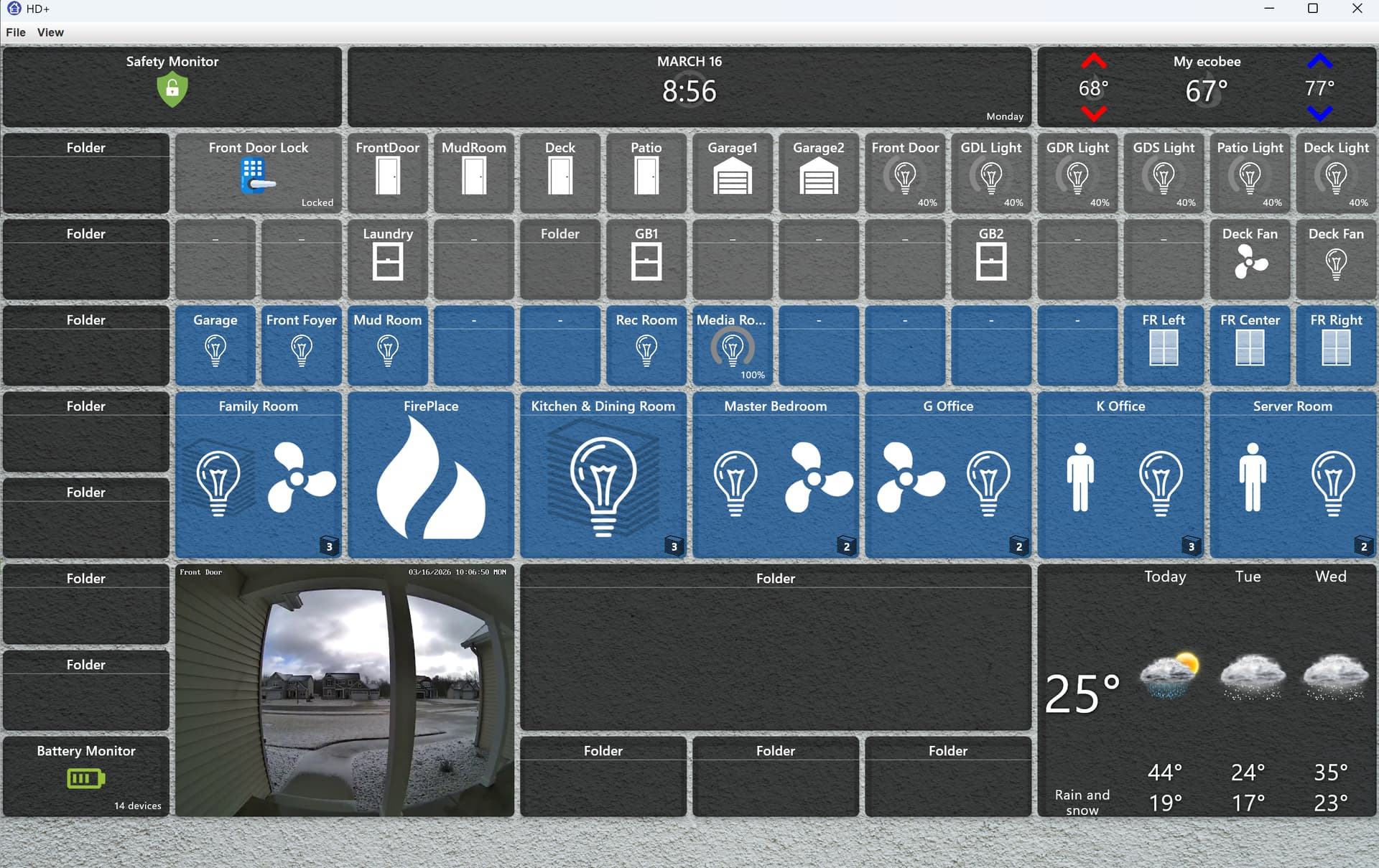
When I tried Drag n Drop this time. It moved better. I have wider tiles and it causes problems moving them around. Also, adding blank tiles makes no sense to me. If you don't select a background color. Its there somewhere on the screen, but you can't see it. Drag n drop blank tiles doesn't work. It selects multiple blank tiles and nothing happens. Simple moves worked mostly. But nothing would save. It always went back to where I started. Ctrl+ did nothing for me. I really don't plan to use Win11 with this dashboard. I plan to keep my tilebuilder room dashboards. The Apple version I am excited about and hope the process is to restore my HD+ backup with a few tweaks. Thanks for the hard work.
MacOS 1.0.457 & 1.0.464
The image tile refresh seems to have gotten broke in 1.0.457. Once the url is added, the image remains unrefreshed. If I edit the tile, delete the url, then repeat the edit and re-add it, I get the same old image - it must be loading an image that's cached. The url I'm using is my broadband monitor timeline:
https://www.thinkbroadband.com/broadband/monitoring/quality/share/45d6f28a52dec6b290d1fe97eb56cb3749a2688d
...which I append .png to show the image in the tile
MacOS 1.0.472
Space Tile:
- Working great now with regard to colour setting.
- Applying the colour change to 'all space tiles' currently only affects the single tile being edited
- Space tile currently has square corners and doesn't follow the corner rounding setting of other dashboard tiles
Video Tile:
I noticed this on the previous versions. At some point when the app is idle, MacBook closed etc; going back to the dashboard the video tile has a frozen image. Clicking on the tile to go full screen gives a live view but closing it to tile view restores the frozen picture. Using the Macs menu bar View > Refresh Devices doesn't restart the stream in the tile. Quitting the app and restarting is needed. I wonder if some forced refresh could be added every x minutes to get around that (hard coded or otherwise)?
Joe, This is FANTASTIC News!!!
I've been using HD+ On Android for several years and its Hands DOWN the best DB out there for Hubitat. To be honest if I did not stumble upon HD+ I was going to ditch Hubitat and jump to HomeAssistant, I've purchased 5 Hubs from Hubitat and the lack of a native (HA competitive) DB solution is the biggest fail (IMO, I'm sure I'll get some hate mail coming my way) of the whole platform.
But Thankfully, you without knowing it retained a customer for them.... I seriously doubt I am alone on that thought and feelings. I think Hubitat should buy HD+ from you (Provided you were open to sell) and include it as their native primary DB offering completely.
Anyway this was not meant to be rant of the old but a Thank you for all your hard work, and I think you should charge for the App (I'm sending you a little PayPal love either way!) My wife is on iOS and she gets so mad that my Pixel DB's look so much better, when I just shared this news with her.... WHOOT HOOT is all I heard!
Thank you to your Family as well for sharing your time with the community to bring HD+ to us!!!
Cheers'
Alex
1 Like
I found the bug.. adding multiple space, section (and other) tiles gave them all the same ID. It should be using a unique ID for each one.
I haven't really used space tiles much but the idea is they're supposed to be transparent. The way the app works is everything flows in a grid (left -> right, top -> down). The grid logic basically tries to fill in any empty spaces. The space tile just takes up space if you're trying to position certain items a little differently.
I want the space tiles to be 'visible' in edit mode just so you can see them - but hidden otherwise (see images below)

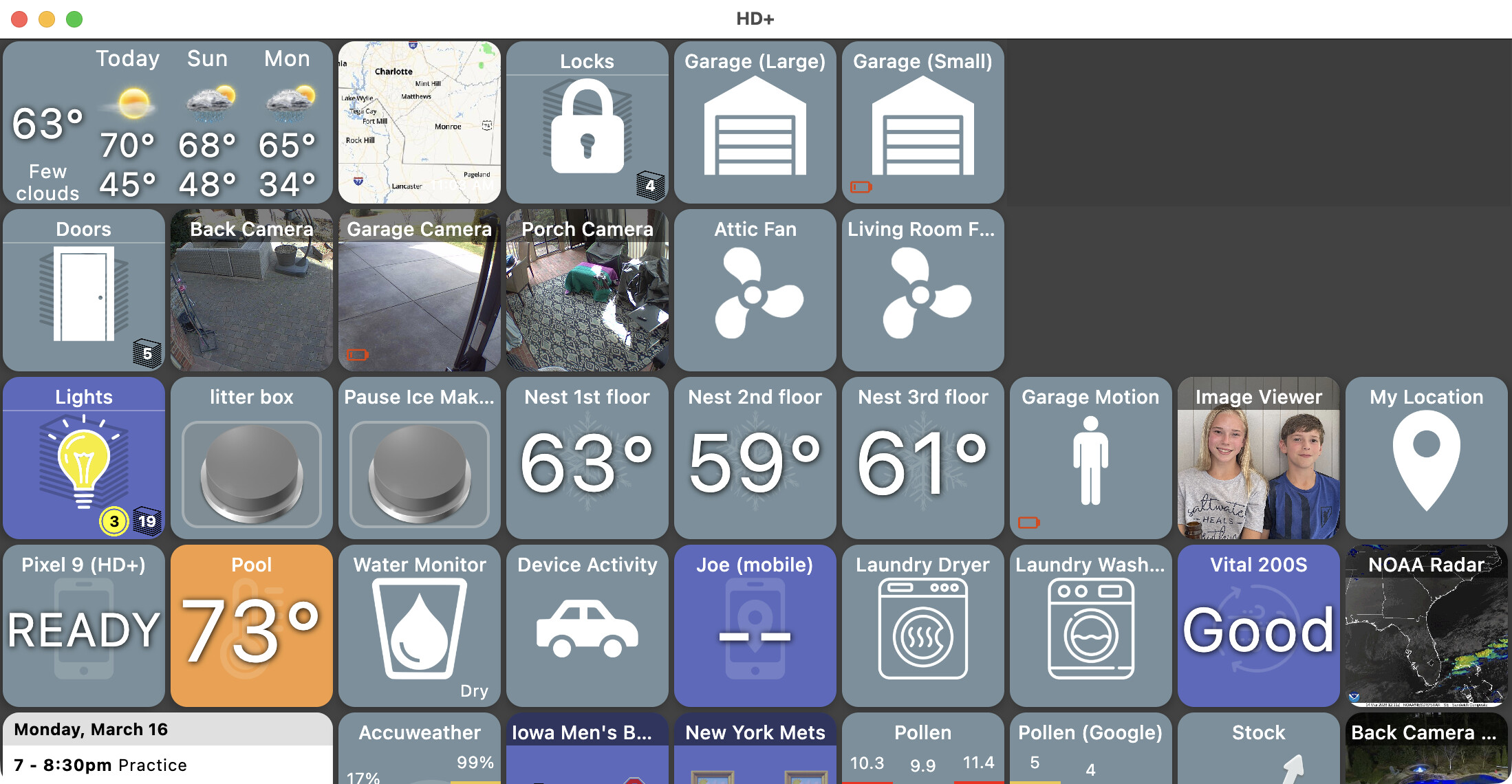
It sounds to me like you're trying to give the space tiles a background color but I don't quite understand why. It seems to me like they'd look weird just being empty rounded tiles.
If you want to change the background color or set a background image that's shown below (both fully opaque tiles and fully transparent tiles)
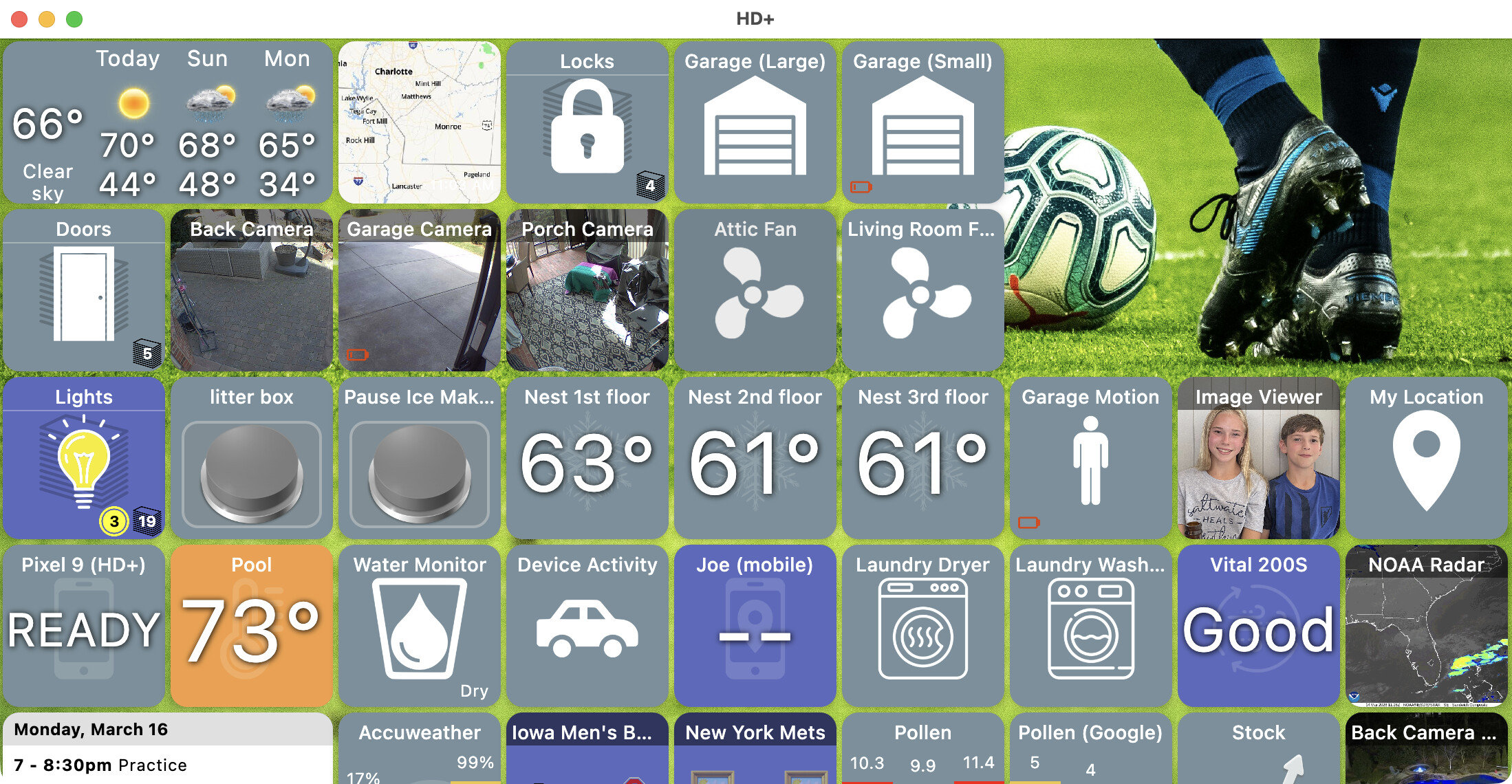

On one of my Android tablets I have a rotating background image similar to the one above.. so the tablet works kind of like a photo frame but with weather displayed on top.
Anyway, not there yet with the iOS/desktop version but getting there
1 Like
Yes - this is exactly how I have the dashboards set up on my Fire HDs. Rather than spaces I have empty 1 x 1 tiles with the same colour and corner rounding as the other tiles (the background is a darker solid colour for contrast so I can 'see' the button shape better). I actually think the spaces look weird, a bit unfinished, but appreciate others think differently...
I understand the empty tiles are invisible unless in the edit mode. In the version before the current one, EVEN in the edit mode they were blank or invisible. I had to add a background to even see the empty tile in the edit mode. Current version now puts the symbol in place of a blank just like the Android version. So I can now see the empty tile in the edit mode. But there are problems. if I create more that 1 empty tile and try to move them, for me they collapse together and you end up with one empty tile. Personally, I like the old fashion method of the legacy dashboard better, click up, down, left, right. For me even the legacy dashboard's Drag n Drop doesn't work well. Appreciate all the hard work you are doing.
I think the idea/intent is that the Windows, Mac, iOS versions match the current HD+ for Android closely, which uses drag and drop.
lol.. yeah, some device types a definitely still a work in progress. I started with my devices and worked towards getting them to look good enough to release but figured there's a lot of devices (or tiles) I don't normally use so that's why this feedback is helpful.
if I create more that 1 empty tile and try to move them, for me they collapse together and you end up with one empty tile
That's a bug I just found this morning.. every space (or section) you create uses the same ID. So the app literally thinks they're the same tile.. creates for some very weird behavior. It's fixed and I'll try to get a few more things in and push another update later today.
The nice thing for me is -- even though the desktop version isn't the priority** (at least I'm guessing it's not as much as iOS is) -- any fixes here apply to iOS as well. So, the desktop version is a great way for me to test and iterate through versions without all of the App Store waiting around.
** that said it's kind of fun to have too.. I've tried to add a few desktop only things like tray icon and keyboard shortcuts.. I'm still trying to figure out how to make that little tray icon UI look.. the idea was to be able to set your favorite devices so they'd be easy to toggle. Kind of an afterthought but if you've seen some good examples I'm open to ideas.
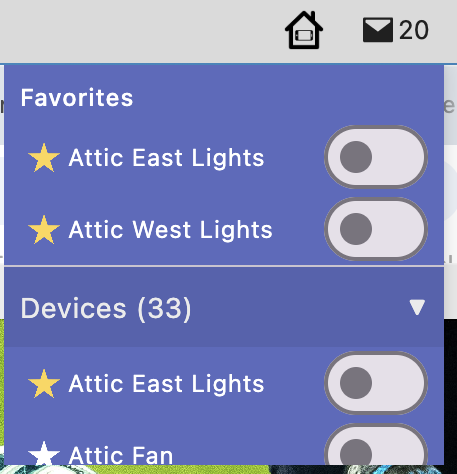
I kind of like the Mac control center one.
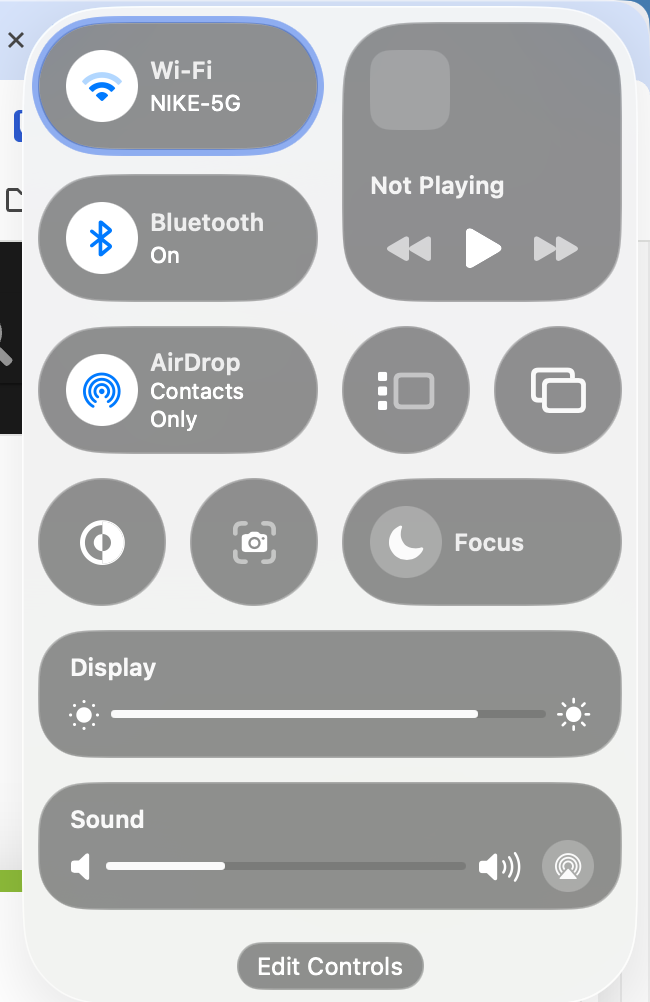
Yeah, that was never perfect either depending on tile sizes. That's the complicated part -- if all tiles are 1x1 drag and drop seems to work really well. But, those larger tiles moving around force the app to re-arrange tiles on the fly -- filling in any available space.
I've often thought about also adding some kind of very simple list re-ordering as an option.

Even that might not work as expected though and here's why. Say you have a 3x4 grid visible on your phone:
[x][x][x]
[x][x][x]
[x][x][x]
[x][x][x]
And you have 4 devices, [a,b,c,d]. Only [c] is a 2x1 tile. The grid would show like this:
[a][b][d]
[ c  ][x]
[x][x][x]
[x][x][x]
It does this because [c] won't fit in a 1x1 tile and rather then not show anything there it uses the next tile that would fit.
Anyway, there's certainly other ways to do it.. but I will say the reason I started HD+ to begin with was - I created a Hubitat web dashboard and noticed how the devices wouldn't automatically just 'fit' on the screen.. I'd get it to look good on 1 device but the next would look bad and need its own layout
1 Like
I asked before if the the 'Shortcut' item in the add-ons was going to be added. I have a few sub desktops that I click off my main one and I access them via shortcuts. (Camera, Weather etc..)
That being said, I was wondering if there was a way to program said shortcut to a video icon. I ask because I show my front door cam on my main page and have another tile shortcut to point to a camera desktop that shows all my camera's.
So it would be nice to reclaim some screen space by having one tile do 2 things.
Example:
(1) Video tile that shows live feed of a desired camera
(2) Selecting this tile, instead of enlarging the video, redirect to another page or desktop.
As for the space tiles, I do use them for spacers and placeholders. I also use backgounds on them to spruce up teh desktop. I usually do a solid color background, but I will play with some images later on
The Drag n Drop in HD+ works very well. I use many sizes of tiles and once you get catch on how it reorders them and anticipate it, very quick and simple. However, I pray when IOS comes out, it will accept a HD+ backup to restore from and not need much adjustment. I've been using HD+ from the beginning and I have taken advantage all the new stuff you have created. If I had to recreate everything, I may not do it for my wife and let her keep the ones I created for her already.
I did some research into this one a little while ago - guessing when you asked. On iOS it doesn't look like any app can open any other app like I'm able to do on Android 
I think the best I'd be able to do is use custom URL schemes which the other app first has to define (ie: myapp://). There's a long list of apps that support these here. So, at least that's 1 possibility.
Of course it could still open another 'desktop' by loading a config file. In that way you could have a shortcut in desktop A that points to desktop B and vice-versa. That was always pretty complicated -- so much so that I remember creating a video showing how to do it (here)
Anyway, shortcuts are still on my list -- just haven't gotten to them yet.
(1) Video tile that shows live feed of a desired camera
(2) Selecting this tile, instead of enlarging the video, redirect to another page or desktop.
I'll add it to the TODO and think about it some more
Yeah I'm seeing how useful this would be to others too. I'll try to get it to open/import the Android HD+ format for backups.. there might be some things that won't port over but hopefully the bulk of it.
iOS 1.0.462
Video Tile - I've tried the same camera url on iOS that I have working in the MacOS version. In iOS I'm getting the same connection error as previous:
03-15-10:01:29 [E] UI HD+VideoPlayerContent.ios: VideoPlayerContent: error creating player: The coroutine scope left the composition
As the previous version, I'm unable to edit the url or delete the tile once added.
I wish I could live up to the "Coming Soon" tag... Let alone attracting stalwarts like @Royski ... 
1 Like
I just pushed version 1.0.482 (desktop) with the following changes:
- fix adding multiple space/section/etc tiles
- CMD+E edit mode
- edit mode / unsaved changes
- refactor theme support
Most of the work is around edit mode - lots of changes behind the scenes. I'm also working to finish the theme support which needs some explanation. I've tried to make it simple but it's fairly complex behind the scenes which I'll try to explain:
-
By default HD+ uses a theme "Highlight ON/OFF" which defines 1 color, Blue, for any device that's 'ON' and another color for any device that's 'OFF'. It doesn't define any other customizations like custom icons or colors.. just the default ones displayed in WHITE.
-
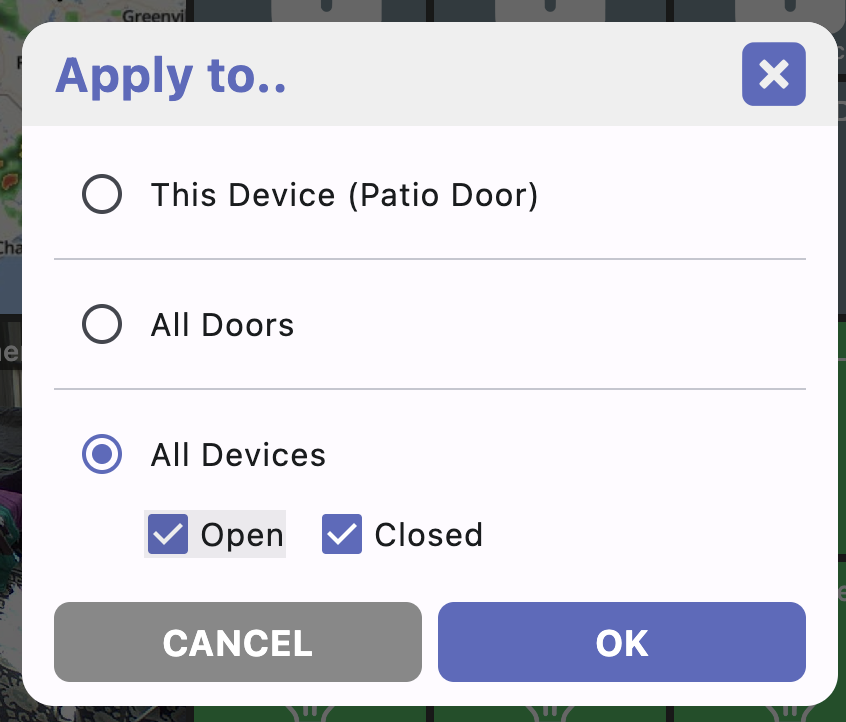
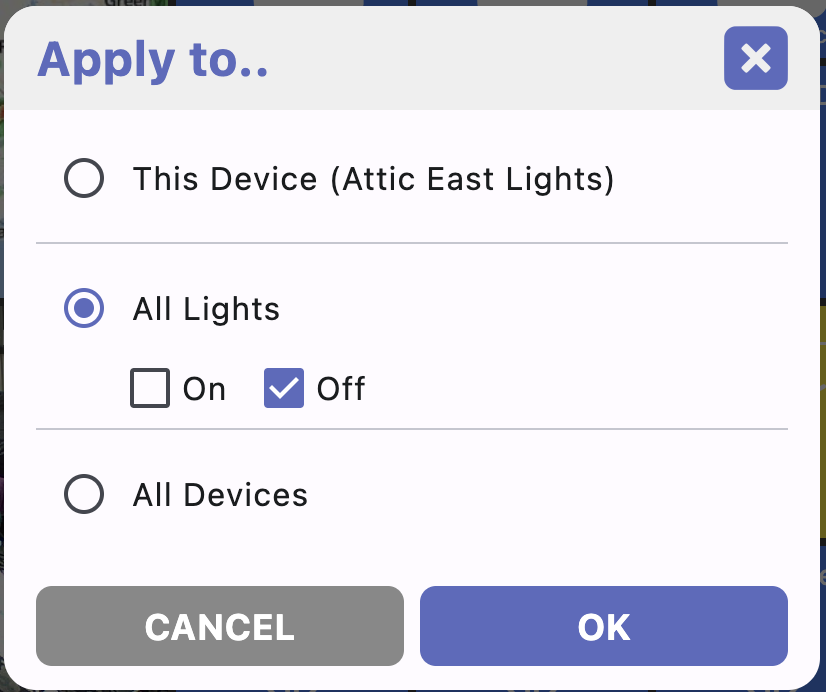
At any point you can change a given DEVICE (ie: "Front Door Lock") -- the icon, icon color or background color (others in the future). You can change this for either the ON state (unlocked), the OFF state (locked) or BOTH. That's what this "Apply to.." dialog is for:

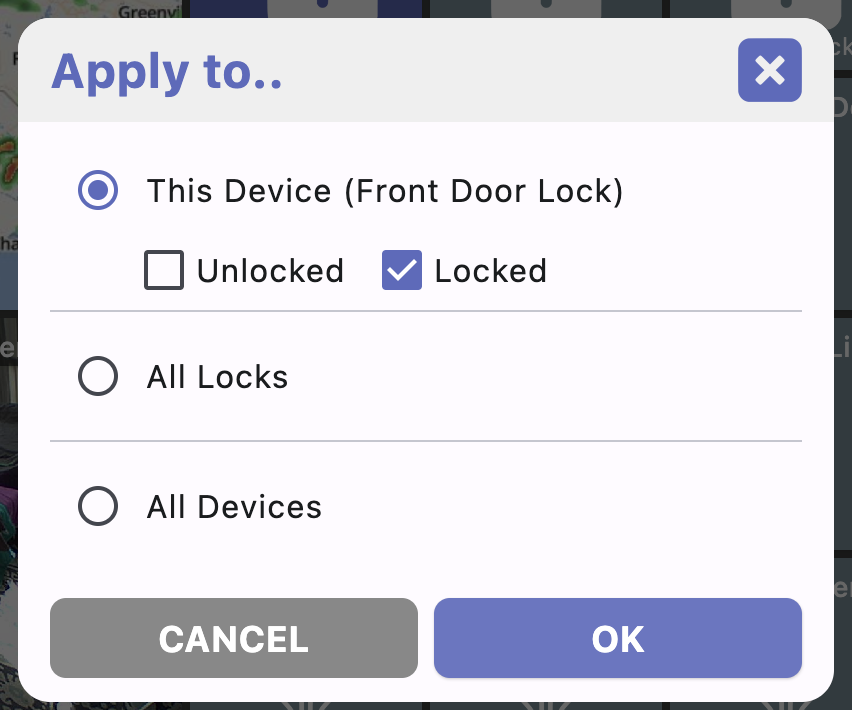
DEVICE changes override any THEME you have selected
All this is probably fairly straightforward so far.. you can change the background color of any device and it'll override the currently selected Theme's color.
-
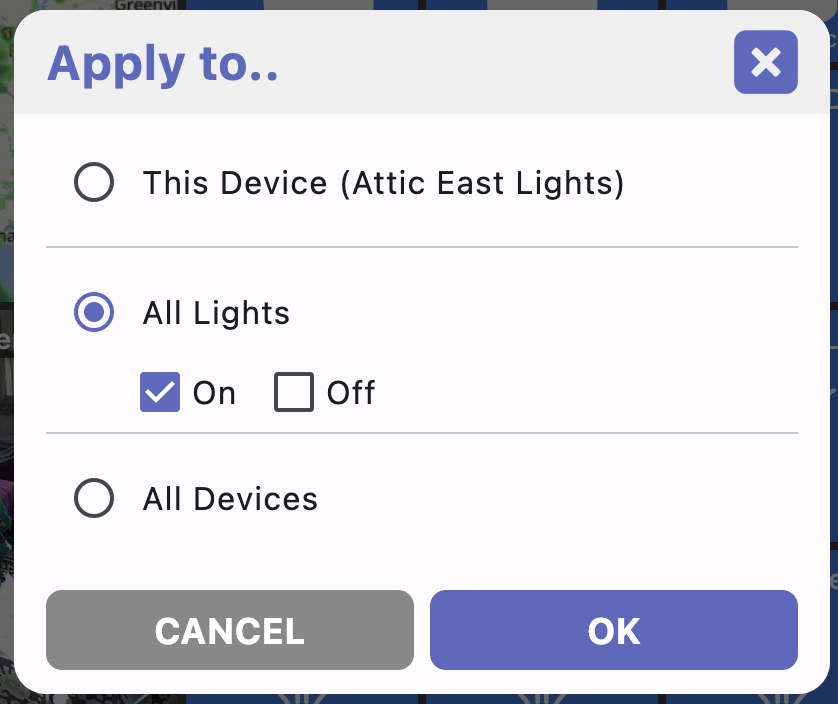
Things get complicated when you want to change all devices of a given 'type' (ie: ALL LOCKS). Say you want all locks that are unlocked to have 1 icon and all locks that are locked to use another icon. Just EDIT that device and select "all locks -> locked":
-
When you do this, you're creating a custom theme. You can go through and change the other devices types (lights, folders, etc) to customize them. Any device that hasn't been customized just uses a default color (gray)
-
If you want to change ALL devices - EDIT any device and select "All Devices". Note you may also see ON/OFF checkboxes below this depending on the device you're editing
-
NOTE: Changing ALL devices will remove any device type configuration
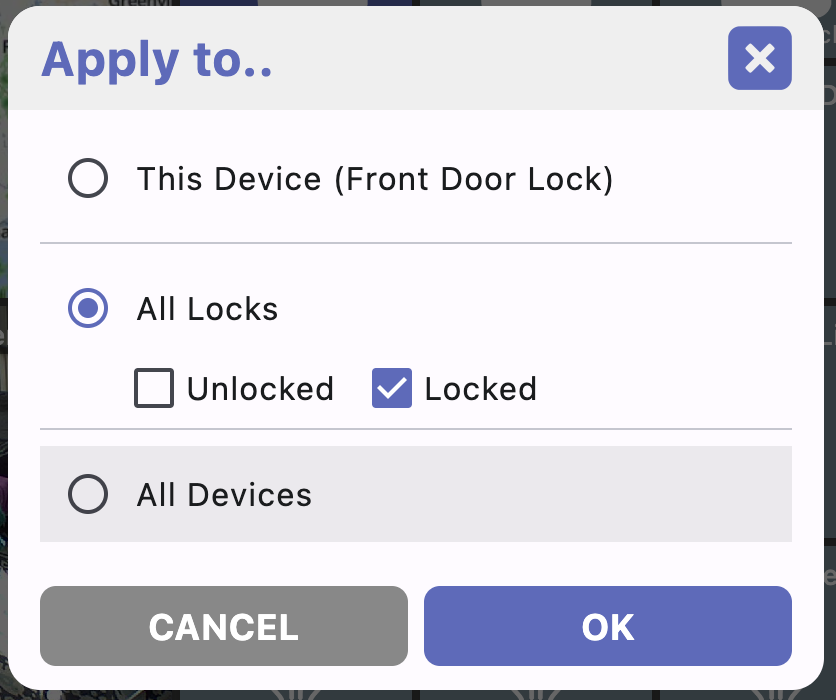
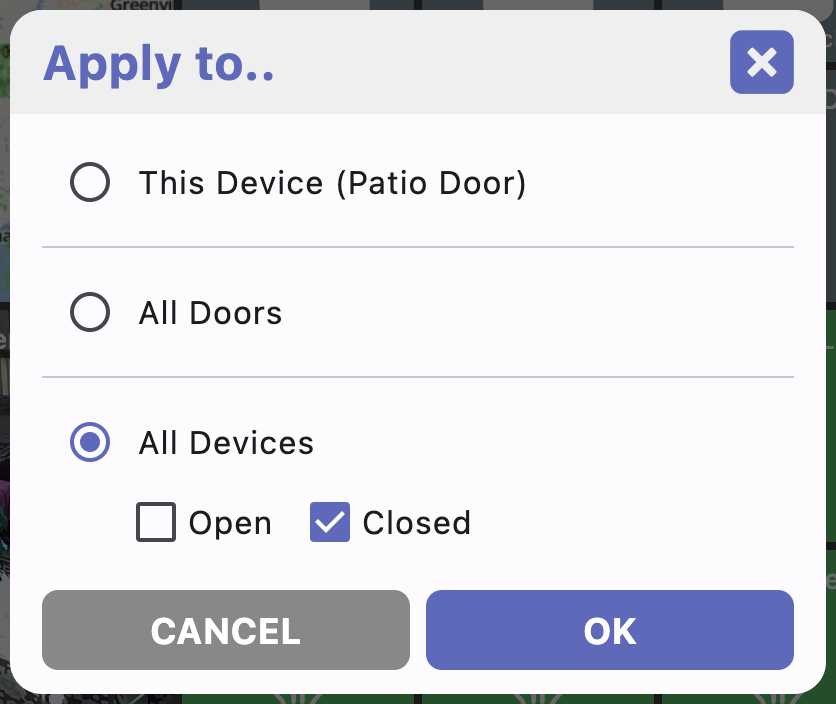
It's easier to understand with an example.. I'll also create some video's showing how to customize things too when I get some free time. But, here's 1 example:
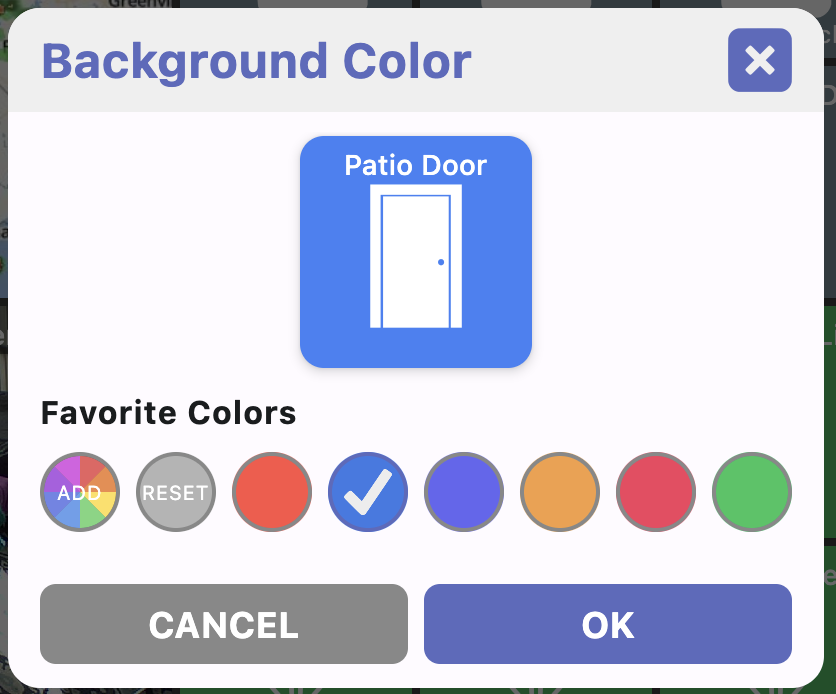
Say you want ALL tiles to have a BLUE background by default. And you want all LIGHTS to have a YELLOW background when ON and GREEN background when OFF.
- EDIT ANY tile -> Background Color -> All Devices (select both ON/OFF checkboxes if they show up) -> select BLUE color
- EDIT any LIGHT tile -> Background Color -> select All Lights -> ON checkbox -> select YELLOW color -> OK
- EDIT any LIGHT tile -> Background Color -> select All Lights -> OFF checkbox -> select GREEN color -> OK

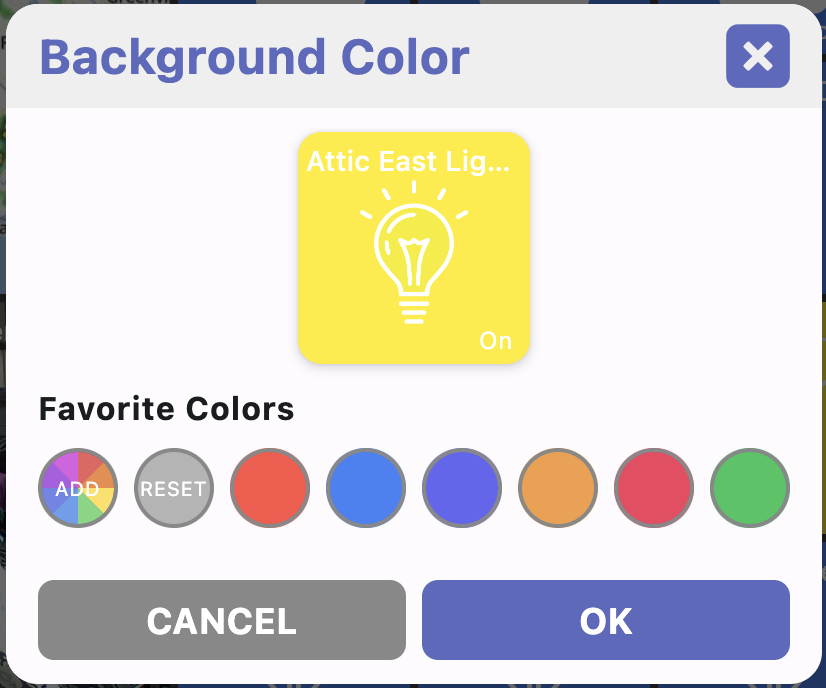
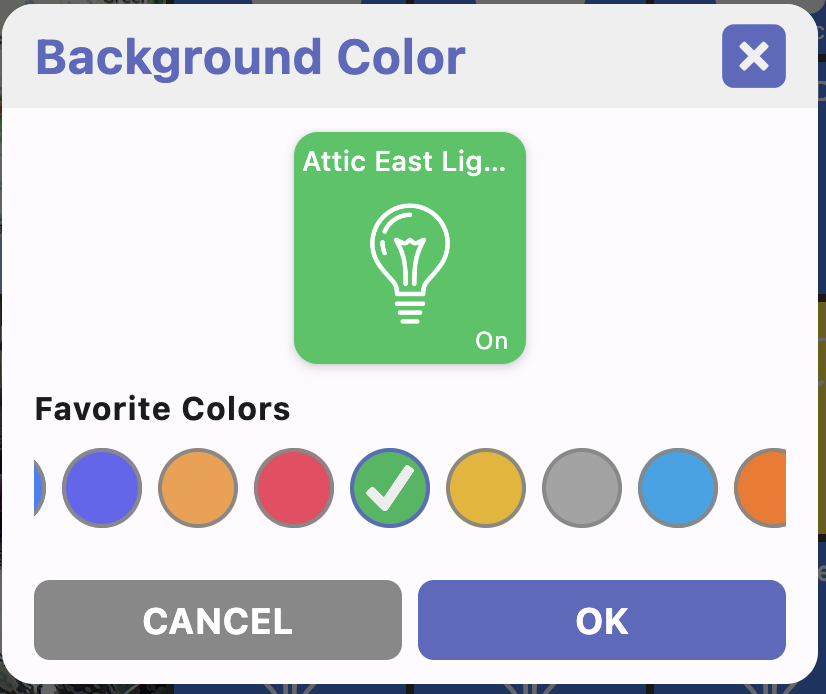
At this point, lights that are ON use the yellow background; lights that are OFF use green; everything else uses blue.
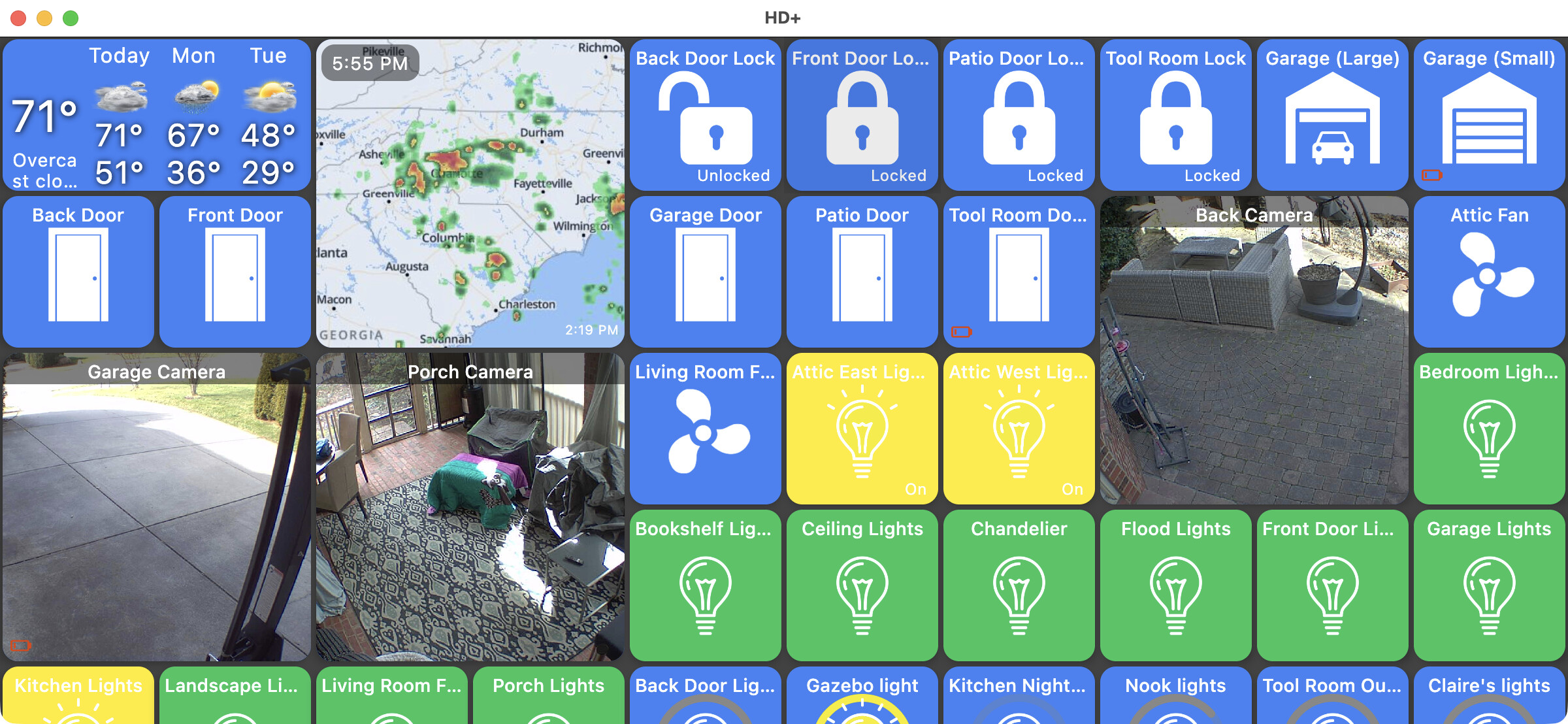
Hopefully that makes a little sense.. it's very similar to how the Android version works too but I'm not sure I ever explained it in that detail before.
The key takeaway is -- if you want a custom theme - the ORDER you make changes matters. Start with "All devices" and then any specific device type (locks, doors, etc).
Device specific changes ("Front Door Lock") doesn't mess with the theme so that can be tweaked anytime and always takes precedence.
The last note I want to say is -- all of this is still a work in progress so it's possible something will change and break any customizations you've done.. I try not to do this but it's always possible.
Also, if you ever way to completely reset any changes you've made to the theme -- just change the current theme (nav drawer -> theme) from Custom to any of the pre-defined ones. Or, you can logout and that'll reset from scratch including any specific device changes.
whew.. that was WAY too long... 
2 Likes
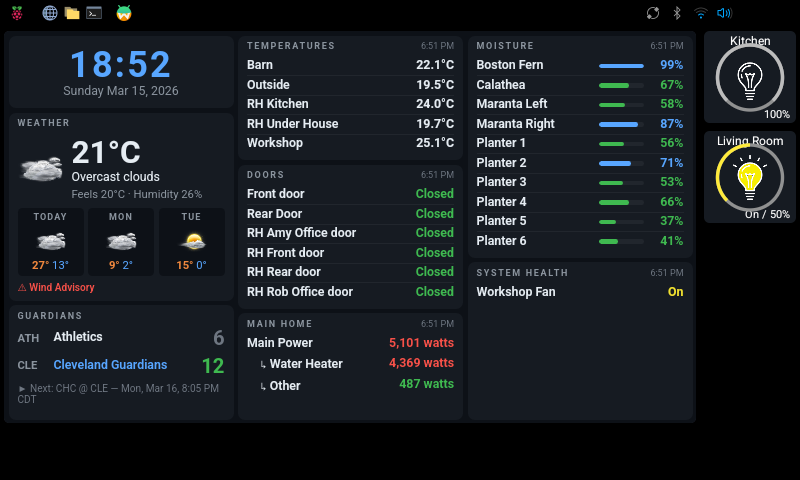
Thank you for making this. I just finished putting HD+ on my raspberry pi through the Waydroid emulator. One thing I noticed is the Webtiles OpenGL refresh calls (I have a very chatty network so the refreshes are quite often) will blank the screen for a second. I am hoping the direct linux import (avoiding Waydroid) will fix these screen blanking issues.
Here's my 7x4 webtile interface.
MacOS 1.0.482
Edit mode - I can no longer get into edit mode. When I pull out the side menu and click 'Edit Mode' it just returns to the standard dashboard screen without the ability to edit anything.
Win Desktop: Is there a link somwhere to the 'built in images' icon tab? I use a couple of these for my android desktop and I (edit: DON'T) think that this is a high priority at this point. I was wondering if these image/icons were available elsewhere for the time being?
I enclosed my current windows desktop. This shows why I wanted 'spaces' that were colored and rounded. These are placeholders for future expansion and I currently using 'folders' instead of 'spaces'. The folders on the left are for the 'shortcuts' I have on my android screen