This fixed it for me..thanks
1 Like
can you see if there's any errors in the log (about -> view logs) that might be relevant? If so can you send them to me?
Hmm.. I might need to implement that! Another one for the TODO list 
1 Like
Currently on opening the app it gives this entry once:
03-11-07:07:19 [E] UI HD+VideoPlayerContent.ios: VideoPlayerContent: error creating player: The coroutine scope left the composition
Then on each connection attempt:
03-11-07:07:24 [E] UI HD+VideoPlayerContent.ios: VideoPlayerContent: playback failed
I’ll delete and reinstall the app to remove that tile and try again to see if there’s anything different. As it won’t let me delete that specific tile (all others are deletable) that’s the only way at the moment.
MacOS 1.0.444 - Was Locked out, now sorted
TLDR
I'm not sure whether this occurred on the previous version and I was unaware. I noticed that I was unable to control devices this morning 'no route to host'. I checked the IP address, app ID and token - all were correct, so I logged out. I now cannot log back in - I just constantly get the 'no route to host' error. The hub is accessible and everything is functional on my other tablets running HD+ with the same instance of maker api.
Strangely on this occasion, even if I delete the hidden folders I don't seem to be able to start from new/do a fresh install (the installer prompts 'update' and 'uninstall').
Edit: I managed to fully delete the app by also removing the .jdeploy folder. Unfortunately on reinstalling I still have the 'no route to host' error so can longer start the app.
I've eventually got back in. The issue ('TLDR' above) was that the app didn't have permission to find devices on the local network - I hadn't changed anything. Eventually I got a prompt to allow the app permissions and once granted it worked.
- The custom time/date is working well
- Max tile width is able to be set greater than 4
- The 'space' tile doesn't honour colour changes and reverts to a gap in the dashboard. Ideally (like HD+ Android) it would allow an empty tile that can be coloured the same as the surrounding regular tiles
Regarding layout on MacOS, it would be good if the layout could be preserved between window mode and full screen. Currently, as it's based on tile size, the grid dimensions change between normal and full screen mode so that the dashboard layout gets scrambled. Ideally the dashboard grid would remain the same dimensions, with the tile size increasing/decreasing to suit (not sure whether that is possible)
I've seen this prompt too -- and yeah I think I also noticed the prompt showed up in the background so I almost missed it. It's a Mac OS prompt so I'm not sure I can control it but I'll do some research
Hmm.. that might be possible.. let me think about it. I would want do the same thing for iOS if you rotated the device too. For Android I tried to come up with how big the grid should be based on the screen size (ie: "3") and then you could adjust that in settings. But, instead of saving the total grid size (5) I'd just save the difference (+2). Then, if you rotated the device it'd come up with another ideal grid size and apply the difference.
It'd be easier to just save the total grid size and then just grow or shrink the tiles regardless of screen size changes.
My thinking was if you have a tablet in landscape and the grid size is 7 -- rotating the device would end up with really small tiles that wouldn't look good. But, I do see the other side where the layout/order would stay the same.
The 'space' tile doesn't honour colour changes
I haven't tested space tiles yet. Actually, something else I haven't tested is changing the color of all tiles either.. that might not have been fully implemented yet
@jpage4500, looks like "Music Player" devices now have volume and playback control.
I also have 4 devices that I set to HD+ type "Speaker". They have a volume control attribute, but the volume control is missing, per screenshot below. These do provide volume control on the Android app...
Marc
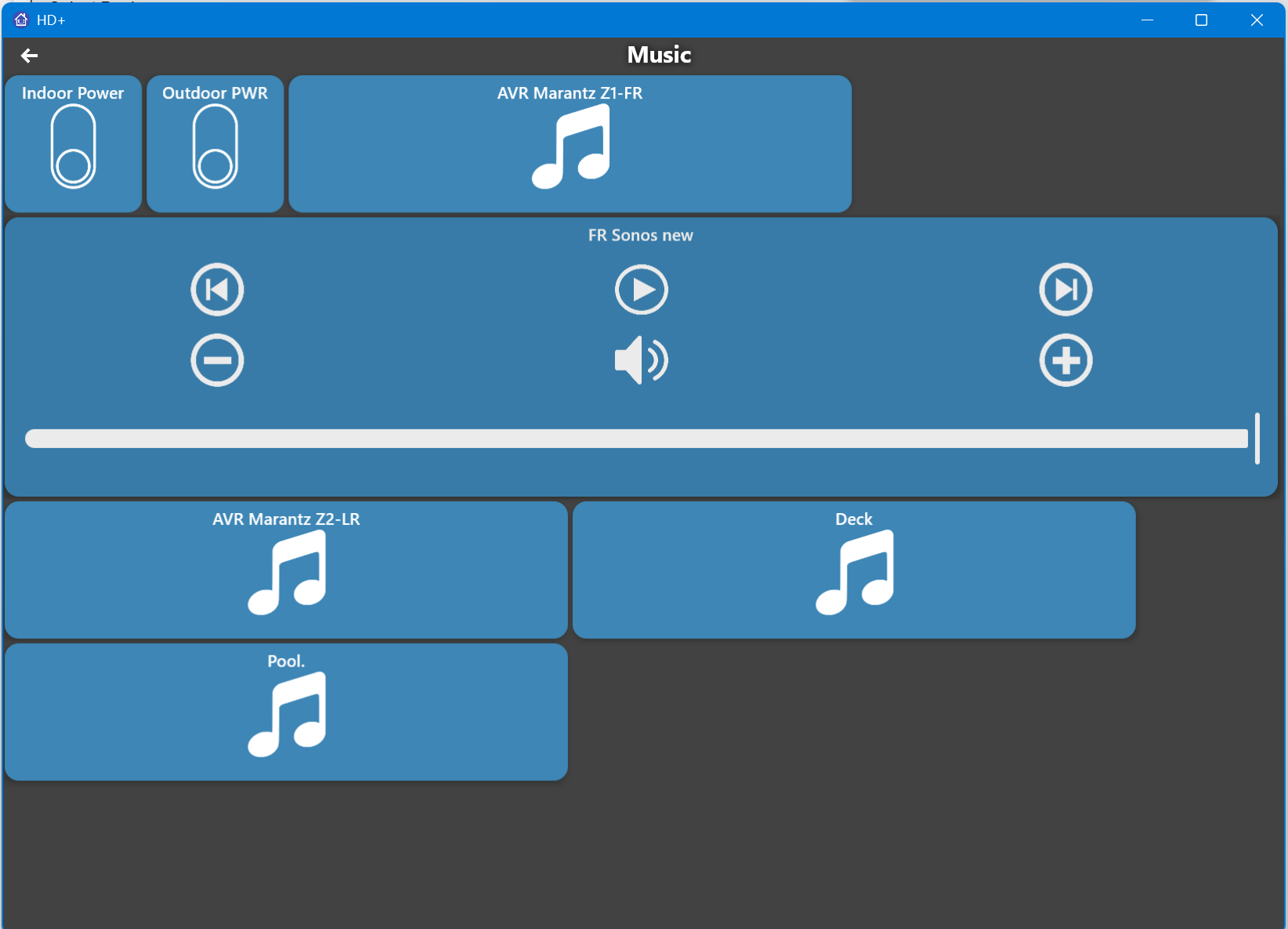
I didn't finish or test any of this yet.. I started working on it and got distracted by some other bugs.. So, definitely not the final version!
Yeah it's much easier for the end user in iOS, as you can just go to Settings > Apps > HD+ and see all available permissions to enable/disable them. In MacOS however it's in Settings > Privacy & Security > 'some_permission', in this case 'Local Network'. There you can see which apps have the permission and turn it off if you want, but apps that haven't requested it will not be listed. You're reliant on getting the prompt.
I never thought of that. I was only looking at it from the perspective of a laptop/PC user where portrait isn't a requirement.
True, I suppose there is no one single 'best' way. As said, I'm only testing to provide feedback on MacBook so don't let my ramblings throw you off course!
On windows 11 version, there is no show content off for folders. I have tried https://www.jdeploy.com/~hd-dashboard to check if newer version available (should I check there?) and get server 500 all morning.
I had to move where to get the desktop app to Releases · jpage4500/HubitatDashboard · GitHub (has to do with where the files are stored); if you had an older version of the app (I think 1.0.419 or lower) that came from that site originally it won't be able to update either.. 
Thank you for quick response. I have reinstalled from GitHub. Very interested in seeing the iPhone version when closer to production. I have Android and my wife has Apple. I will not be able to test much on her phone. So it has to be close to working. I know she will like it when she uses it. Hopefully, I can restore my Android backup and not have to setup too much.
Will I need 2 Maker APIs setup or share one? I will continue to test the Windows version when updates available. Thanks again.
@jpage4500 This is awesome, thank you for all the effort!!
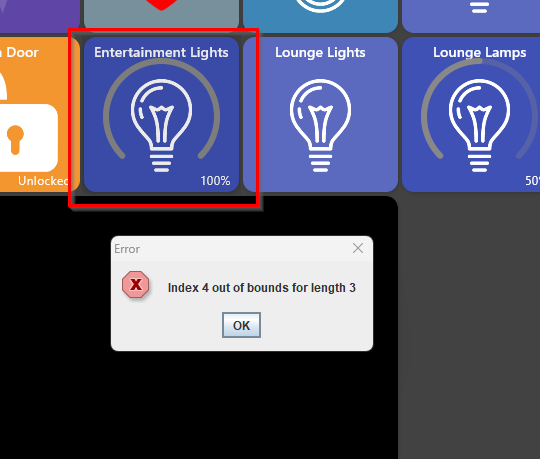
Small issue if I right click a Dimmable RGB Light, the Windows app throws an error and then crashes. Although if I do this in edit mode its fine. 
1 Like
I get the same index error.
1 Like
Win11:
- Device Tile: Cannot copy Device.
- Add a 'Section Divider', it works; Add a second and try to move it into position, both dividers move together. Adding additional dividers and they all move in unison.
- Create folder: add multiple devices works, device count is correct---Folder only shows 2 icons
MacOS 1.0.457
@jpage4500 I just grabbed this version and there's some progress on the video tile with regard to my Hikvision cameras using RTSP:
- Sometimes I'm getting the video in the tile, but it goes black when clicking to full screen
- Other times the tile is black, but I get the video when clicking to full screen
- In full screen I get clear audio
- The video is cropped rather than fitting the tile currently
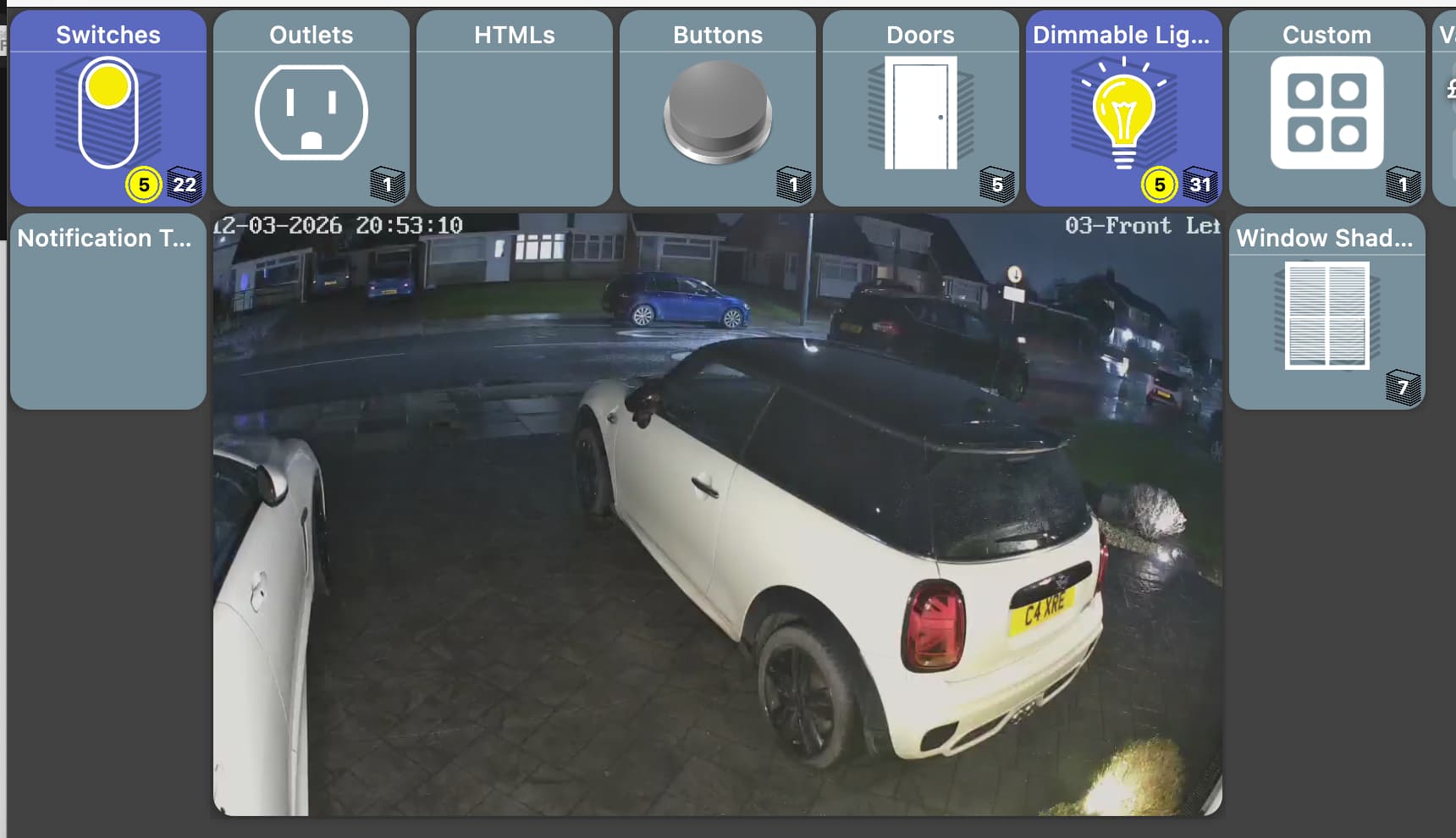
That's connecting to 1280 x720 resolution H264 stream at 10 fps.
Edit: Just tried switching the stream from H264 to MJPEG (which doesn't work well on the Android version on my Fire tablets) and that (MJPEG) works great (bar the cropping) in both tile view and expanded view. Reloads the video snappily and again the audio is turned on when expanding 
1 MakerAPI setup is all you need
will continue to test the Windows version when updates available
I fixed a crash and several other changes.. still a ways to go but making a lot of progress.
I did push new versions for desktop and iOS today.
The biggest changes are to drag and drop. It's really starting to come along nicely. There's still issues but it's come a long way from the original. Also, the latest version adds an 'undo' button - so if you don't like the way re-arranging turns out you can undo the changes.
FWIW - I only even attempt to play audio in full screen mode
- The video is cropped rather than fitting the tile currently
I'll probably add the same setting for images - fit or full with fit cropping the video so everything fits and full zooms in to fill the entire tile
1 Like
I see now that the -space- tiles are now visable. Is it possible to have the spaces take on the same format as the regular device tiles (i.e. rounded corners, etc)?
On a personal note, it must be exhausting trying keep with these changes and issues. I for one appreciate it very much. Thanks again
I have updated to latest version for Win11.
Variable Date, I see a change for variable date. I was getting 2 dashes "--", now getting YYYY03122215 PM, on HD+ i see 9:15 and If i click it, I see 9 15 PM where you change time. clicking Variable Date tile does nothing to change time.
Variable String, This displays correctly if there is no new line in string.
HD+ displays multiple lines. Example A something something
B something something
C something something
Win11 only displays A line, lines B & C do not display
Drag n Drop. No longer works at all for me and I am unable to design screen.
Index error fixed.
Folder, Missing show contents as in HD+, I prefer to see Icons and no devices in folder view. To me too cluttered. Works in HD+
thanks for your hard work.
Try with the latest version (1.0.464) - the latest version auto adjusts items while dragging. There's still some glitches - especially if you're dragging large items. But, let me know since I don't have Windows to test with.
Also, does hitting "CTRL+," open and close the nav drawer? "CMD+," does on Mac - just want to make sure Windows works too
I haven't finished any of the Variable Date/String work yet. I don't think I've tested folders not showing their contents yet either.