Can the iOS or Windows app share dashboards with the Android version? Through the hub?
I think it's iOS 14 - that was the lowest value I could select in XCode
I noticed variable dates do not display
added to my list. It should be easy enough to test that one
drag and drop to work intermittently
Yeah, I've had to implement my own drag and drop so it's still a work in progress. I'm primarily testing on iOS but I'll spend a little time testing the desktop version too. You'd think a grid like this would be something that's been done many times before but surprisingly not.. so, a lot of this has had to be written from scratch.
yes and no.. I did change the config file format from the Android HD+ version. It's very similar but there were just some areas I wanted to simplify but never could with the existing android version since it'd break everyone's config files. So, this new app lets me start over in that sense.
I am looking at being able to import an existing Android config file though.
You can share config files for this version of HD+ though - between any of the platforms. And eventually if I release an Android version that too.
Hopefully not too confusing
I'm hiding the top bar by default which makes it harder to figure out how to open the side nav drawer but also gives more space to the devices. It's something I did in the original Android version too to maximize the space for a wall mounted tablet. Obviously the desktop version has more space to work with so I'm open to showing it with a setting.. it'd look something like the screenshot below but with a little menu icon in the top-left. I'd also want to use the extra space for other things too so it's not just the menu icon.
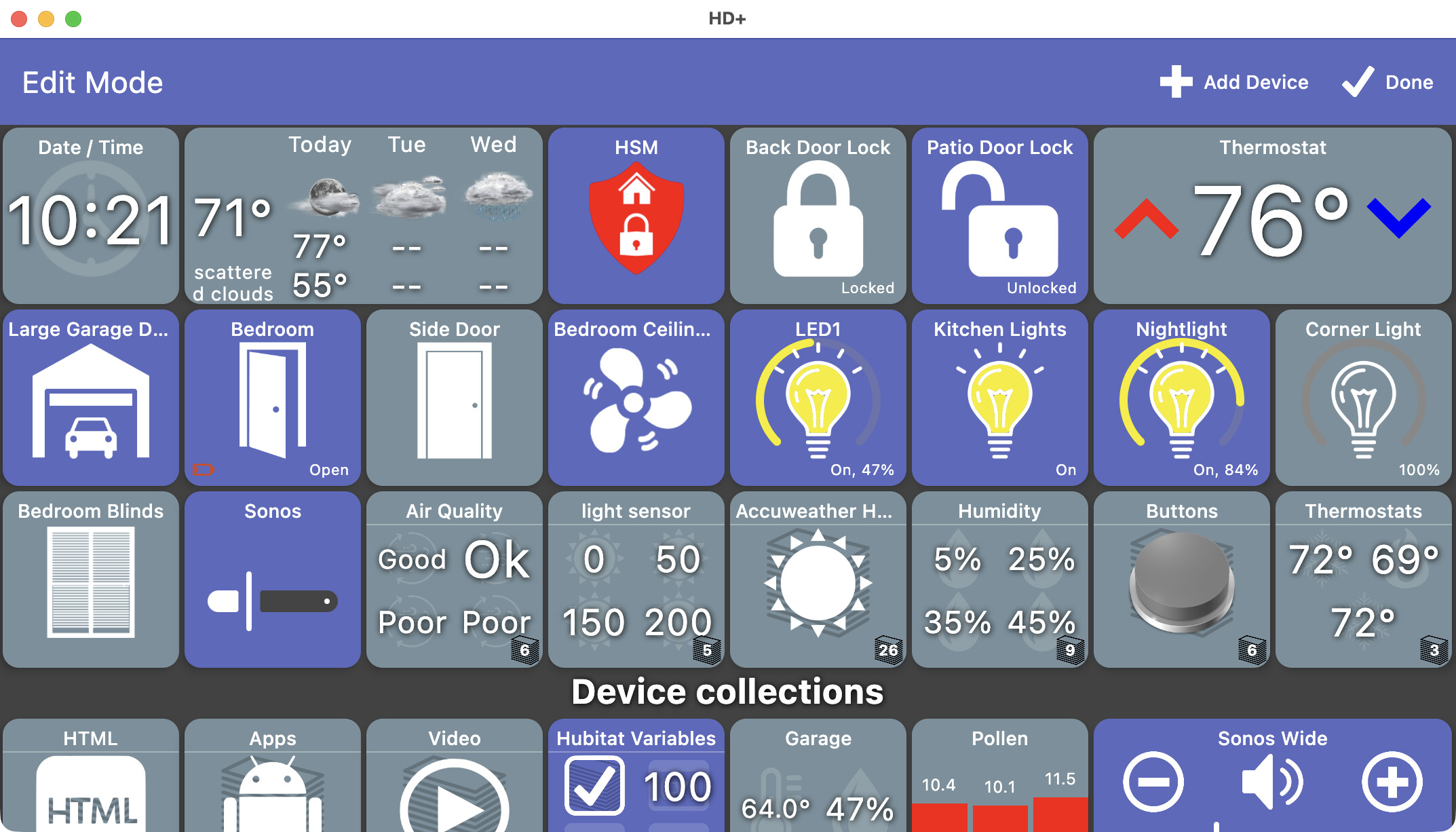
I tried different keyboard\mouse things to cause something to show up
not a bad idea.. I can look into adding keyboard shortcuts for the desktop version.. maybe "CMD+," (on a Mac) could open the nav drawer since it's kind of the 'settings'
What app did you use to create that animated gif? I've tried a few apps in the past but never found anything great and that didn't create some HUGE gif file!
1 Like
I just came across it online a few days ago. Limited to 30 seconds and 10fps but handy for demonstrating things:
1 Like
All of my testing has been with devices from MakerAPI so I haven't really tried adding image/video tiles manually yet. I add them using a Hubitat virtual device called HD+ Tile.
Anyway, I'll make sure you can edit the URL.. should be easy to add
The image tile doesn't refresh/update as it does in the Android app
Same as above -- my images all auto-refresh too but I need to add a 'refresh' setting when manually adding an image
So maybe I'd need to have specific Java extensions pre installed for it to work?
I think I've made a lot of progress on video tiles and will push something out today or tomorrow. I'll need help testing but it's working pretty well on my 2 cameras so far.
Time/Date Tile - Currently clock only in 12hr format
yep, that one's on my list
Variable Tile - I've a tile on my Android HD+ dash which is a time variable (wakeTime). I enter a time in there and it performs some actions via Rule Machine. I can't format that to show a time currently.
I haven't done much with variables yet but that's on the list too
Copy Tile
I don't think I've fully implemented this one much beyond the setting itself. Probably should have hidden it until ready. There's likely a few settings like this. I wanted to copy the Android version of HD+ but still plenty of work left 
I hope I'm not flooding you with too much information
No worries - there's a lot of features I don't regularly use so detailed reports like this are needed!
1 Like
Thanks Joe. I'll keep an eye on this post and try things out as they appear on my MacBook. I'll pm my e mail to be added to test flight when you get to that point.
1 Like
On Windows:
I was playing around with this yesterday and noticed the following:
- Adding a "space" occupies the space when configured, but can't be seen. If I change the space background, it doesn't work.
*Built-ib Icons aren't show up, yet shows a count of 126 images. Only see gray boxes. - I see the "Shortcut" add-on is missing. I use this on my android tablet to bring up other Hubitat Desktops.
I am very impressed with HD+ and it has softened my need to go on to HA. I have a "wish" list for the Android version, but given the time and effort that is being spent moving to the new platform is welcome addition. Looking forward to whats ahead.
Thank You !!!!
I tried to push an update last night but ran into a glitch and had to change a few things up with the installer. Long story short - you need to re-install the app. From that point on, auto-updates should continue as normal without having to re-install again
Also, the installer page didn't update correctly so for now please use this page to download the desktop installer: Releases · jpage4500/HubitatDashboard · GitHub
It's not quite as easy to use.. but just pick your platform, un-zip and run. Once the main jdeploy page is updating again I'll update the instructions.
version 1.0.432
changes:
- video tile
- prevent crashes

- should also work with Windows now too (haven't tested that though)
- change URL
- many other changes to get it to be more efficient
- prevent crashes
- date/time tile
- adjust time offset (ie: +1/-1, etc)
- change date/time format (still need to add a custom format but if you have any that are missing from the list let me know and I'll add them)
- image tile
- change URL
- change refresh rate
I think that's the main changes.. the reason I pushed it was to try and get the video crash fixed so let me know if you still see that. Still have plenty of items left on the list though!
2 Likes
The iOS version was just approved for testing. I added everyone who sent me their email address and also was able to create a public test link that anyone can use to test:
I'll keep working on my TODO list and try to push updates every few days or more often if necessary.
Hopefully soon I'll get Apple to review it to go public in the App Store
3 Likes
@jpage4500 Just installed the latest win64 version, per your last post.
I can't get the window to close. I've the "x" in the upper right corner and I've done a right-click-close-window on the icon in the task bar -- it would not close. I can minimize it.
Update: I can get rid of it by doing an "end task" in the windows task manager.
I tried sending a debug log, but I get the error "Error Logging not configured".
Here is what I see in the debug log:
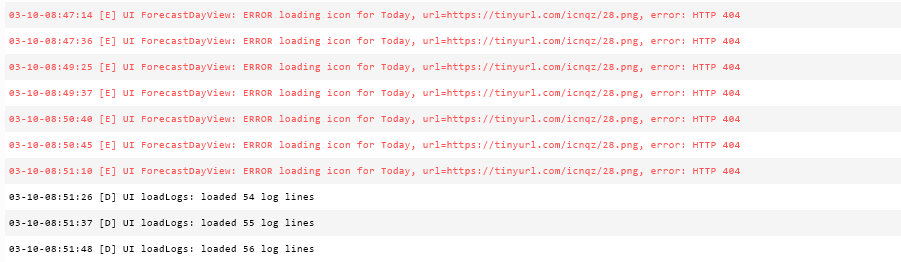
Thanks!
Marc
thanks!
I'm still trying to work through my automated build setup so I can just work on the changes and then have a build server do the actual building and publishing.. which is always a PITA. It took me a while to get it just right on Android and I'm going through it over again for iOS and desktop.. but, I'll get there!!
1 Like
MacOS 1.0.432
Threw me a little curveball with the reinstall. I'd removed the leading period from the .hubitat-dashboard directory to save me constantly unhiding/hiding all folders. The manual installation recreated the hidden folder so I had two directories (note to self 'unhide only when needed'!)
Video Tile - It's not working with my Hikvision cameras, just a black screen (rtsp) but I'll have a play with the various url options for Hikvision to see if I get anywhere. Importantly it's no longer crashing which is the main thing.
Date/Time Tile - If you can please add (using today as an example) 'Tue 10 Mar 17:21' which is how I have my HD+ dashboard on Android. Maybe I used custom for that as it shows 'EEE dd MMM HH:mm' when I edit the tile on my Fire. Happy to wait for a 'custom' option if that's the way to go. In the UK it's 10/03 today rather than the US 03/10, so my example is perhaps more 'english'
Image Tile - A little bug on this. The url option is working and the image 'Fit' is working as it should. However if you go into the url options > url and click ok it keeps appending the refresh time to the url which makes it difficult to know whether the selected time is being honoured. IE: set the url http://myImage.png add a refresh time of 60 seconds makes it http://myImage.png?refresh=60 which is fine. Go back into the url and just click ok it becomes http://myImage.png?refresh=60?refresh=60 so the url can keep growing each time. Allowing a larger grid size would also be good; my Android HD+ is 5 x 3 and currently max width is 4.
The app saves logs and devices to that folder but it'll just be re-created next time you start. The devices that are returned from MakerAPI will get re-created automatically but if you want to remove any virtual devices (ie: ones added from the app) you can move them - they all start with "ID_"
The only caveat there is -- if you delete/move a folder it won't automatically re-show any of the devices inside it on the main dashboard. You'll have to use the More Options -> Unhide option.
It's not working with my Hikvision cameras
glad it's not crashing at least. I would think that FFMPEG would be able to handle most video formats. That's what the desktop version is using. But, obviously there's more to look into. Once I fix the 'send logs' maybe there will be an error in there that I can go from to figure it out..
Date/Time Tile - If you can please add (using today as an example) 'Tue 10 Mar 17:21'
yep.. custom too coming soon
it keeps appending the refresh time to the url
thanks - I'll fix it. It should be appending the next refresh time in ms (ie: 12345678988). The reason is -- I want to make sure the image loader doesn't just see the same URL and return the cached version. I had to do something similar in Android as well.
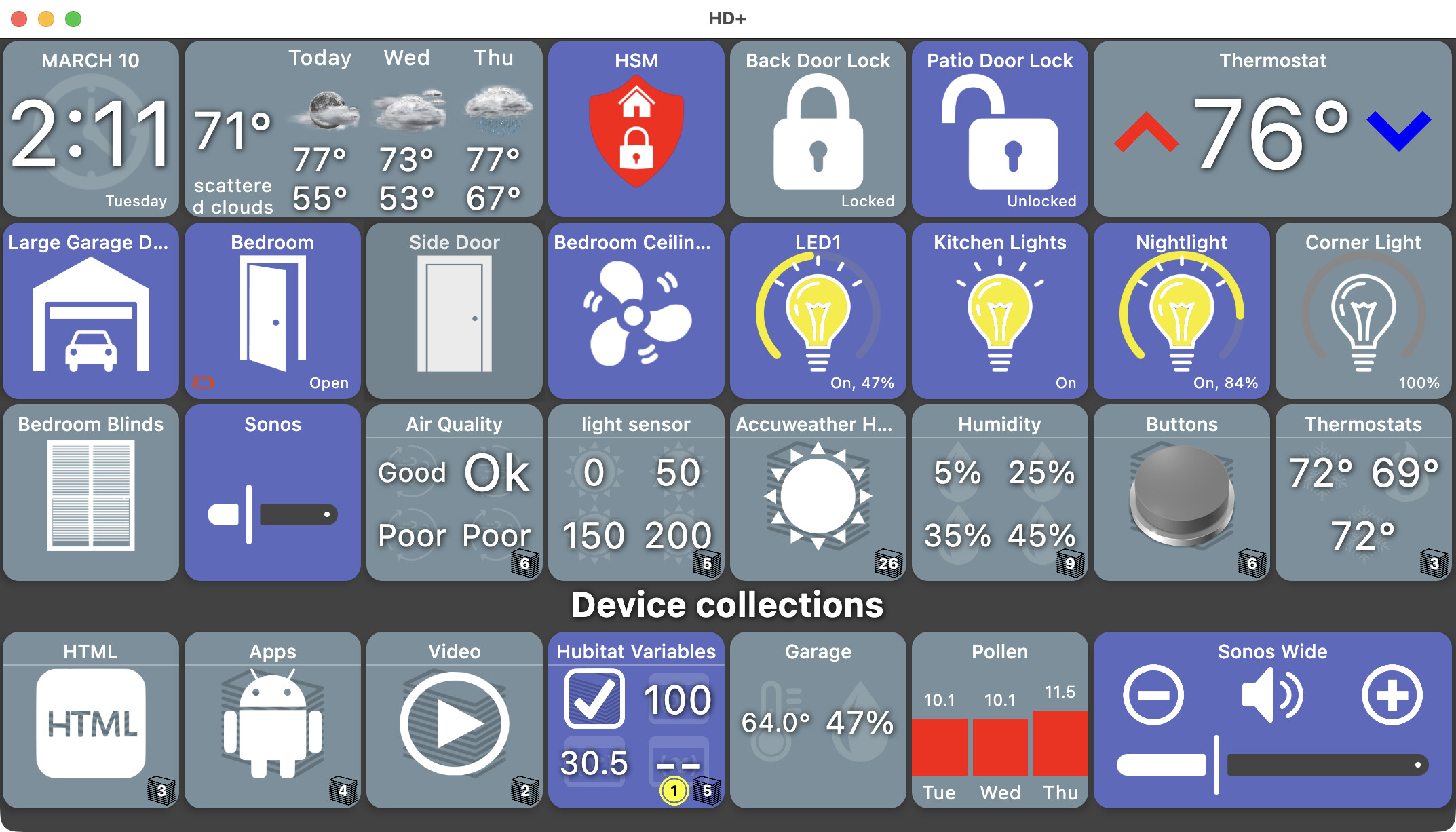
currently max width is 4.
hmm.. didn't know that. The desktop should allow for quite a few. It works different than iOS/Android because you can resize the window.
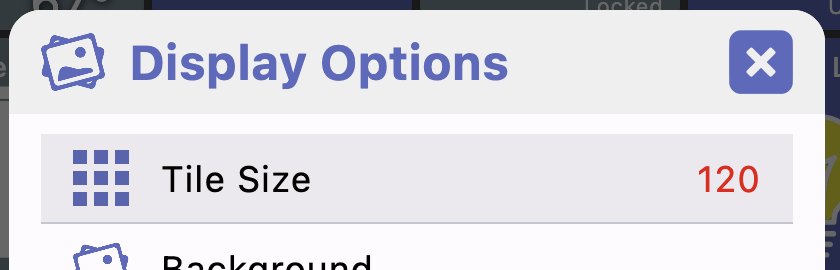
Does changing this setting make a difference?
Downloaded new file for windows: Can't close the program. Can only close with taskmanager. Otherwise it hangs on my desktop (surface pro)
I think ffmpeg is what's used to get my Hikvision Cameras into Apple Home via 'cameraui' which I have running on a Pi for that purpose. I know that a lot of browsers etc won't work when the username and password is sent in plain text within the url as it is in this case (rtsp://admin:password@192.168.0.123:554/Streaming/Channels/2/)
No it's the same. Editing the tile size, the plus greys out once it's set to 4:
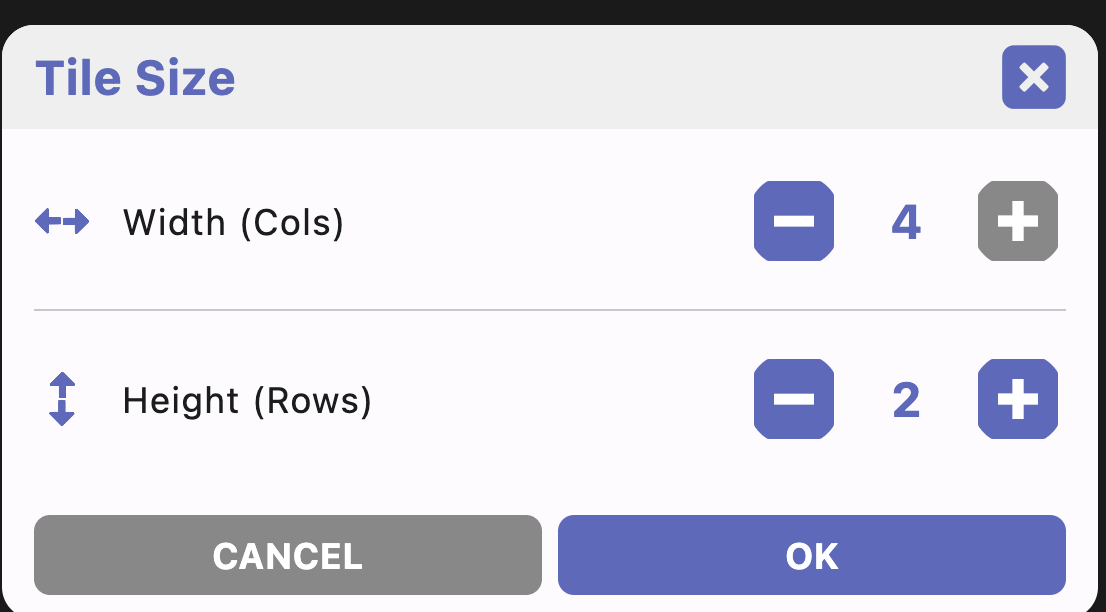
The X button didn't actually exit the app on Mac (I could always still quit with CMD+Q though).. that's fixed in the next version so let me know if it also fixes this.
I see.. I was thinking of the total grid size. I updated it in the next version
I think ffmpeg is what's used to get my Hikvision Cameras
The current version's logs didn't work (I left out an API key in the build process).. next version should work though. I'm curious if any errors in it.
If you have an iOS device let me know if that works (or doesn't) too. iOS video is an entirely different component using the built-in Apple video player
I've tried on iOS but not working there either, It's just continually trying to connect. Currently I'm unable to edit the url for the video tile, but I can't delete the tile either. I don't get a pop up menu by long pressing the tile or tapping it while in edit mode. I wonder if the repeated connection attempt is stopping me accessing that.
I backed up the dashboard to the hub and deleted the video tile from that file. However currently the restore only gives the option for the locally backed up file so I'm unable to delete it. I do think (pessimistically) that the Hikvision cameras might prove difficult. I install a lot of Hikvision and historically browser support and the like has been woeful requiring the installation of web plugins and controls.