I’ll try to reproduce this and get a fix out
I added a setting in the next version
1 Like
The code treats an empty space “ “ the same as removing that custom name - which reverts back to showing the actual device name. I’ll add logic to just keep the space
>> Also, did you forget the battery percentage (%) and the option to remove the decimal places for the temperature?
Just added them both
1 Like
I've been using HD+ on macOS, and wanted to report a few bugs I've run into. Happy to provide logs or more detail if useful.
App: HD+ for Mac, version 1.0.1076
Platform: macOS Tahoe 26.5
1. "Check for Updates" always reports I'm on the latest version
A new version has been available for more than a day now, but the in-app "Check for Updates" still tells me I'm on the latest version — it never picks up the new release. I have installed it directly, not via App Store.
2. Tile reordering inside a folder doesn't persist across sessions
When I reorder tiles inside a folder, the new order sticks fine during the session. But if I fully quit and reopen the app, the order reverts to the previous state.
Steps to reproduce:
-
Open a folder and reorder its tiles
-
Fully quit the app
-
Reopen it — the app correctly reopens inside the folder (nice!), but the tile order is back to the old state
So the "reopen inside the folder" part is remembered, but the tile order within the folder is not.
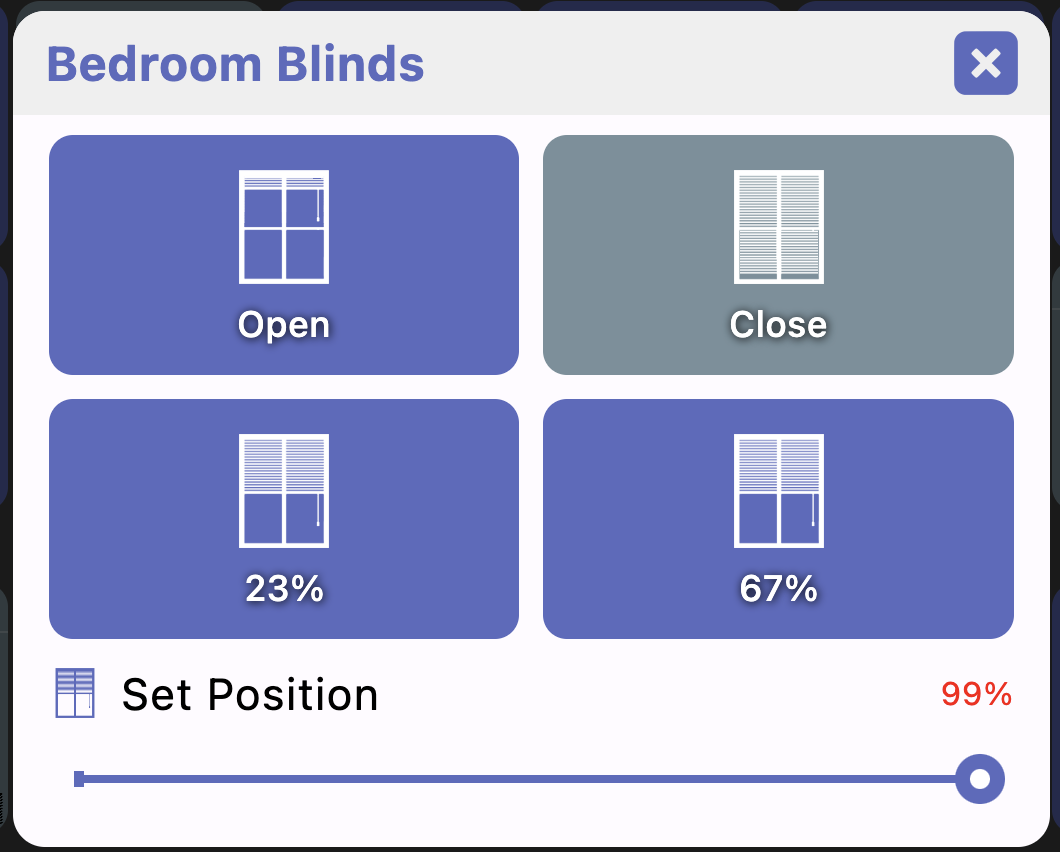
3. Shade tile only offers open/close — no percentage (minor)
On the shade-type tile I only get Open and Close. The Android version additionally lets me set a percentage, and it remembers the last two percentages I picked. Would be great to have that parity on Mac.
4. Button tile custom icon doesn't apply (minor)
On a button-type tile I can go through the flow and pick a custom icon image, but the tile icon never actually changes — it keeps the default one.
the JDeploy installer (desktop installer) should automatically check and update the app each time you start it. So, just exit and re-run the app should be enough.
The only exception there is if you un-checked the ‘auto update’ option in jdeploy installer. In that case I don’t think there’s a great way to update.. at least not trivial.
I’m fixing check for updates to actually find any updates in case you’re not auto-updating or exiting the app.
>> Tile reordering inside a folder doesn't persist across sessions
This should be fixed in the next version
>> Shade tile only offers open/close — no percentage (minor)
Done - the last 2 buttons are the previously selected positions (50% and 25% by default)
>> Button tile custom icon doesn't apply (minor)
I fixed this for single button devices. I haven’t done anything for multiple button devices yet though
1 Like
version 1.0.1116
- add support for text-only widgets (ie: temperature)
- allow selecting attribute to display for widget
- add window shade dialog with custom positions
- allow custom button icon
- fix bug: save folder order
- fix desktop check for updates button
- fix updating widget state and toggle logic when out of date
- android: fix widgets not updating in background
- fix gametime HTML
- obey background image setting for accuweather and stock views
- add temperature precision setting to display options
- multi-sensor obeys background image setting
- apply background image setting to folder/custom tiles
- add show advanced option to display options - used to hide more advanced settings
- add display option setting to show/hide background images (behind text)
- don't allow back device tiles to be selected in multi-select
Lots of fixes in this one
Also several Android widget changes/fixes including supporting text only widgets like Temperature (display the current weather/temp on the homescreen)
3 Likes
I’m seeing two things with video via RTSP from a Unifi NVR. The video tile will freeze though no error message or anything is displayed, basically stuck on a frame. The second is the possible reason for the freezing, I’m seeing a 30 second delay in the output, the app is buffering 30 seconds per video tile. I have five video tiles on my dashboard, which would mean the app is buffering over two minutes of video.
I did see a crash log come in – not sure if that’s from your device or not but I’m reviewing it now to see if there’s anything I can fix
Yes, I uploaded them by accident late yesterday. I was using H.265 streams, though I’ve since tried H.264 streams and experienced the same issues. Also, I don’t have issues with the same streams (both H.265 and H.264) in the prior app if I use the custom RTSP driver, they don’t work with the ExoPlayer driver. I believe the issue with ExoPlayer is the audio.
Thanks, appreciate the help.
Did you say that you updated the tile name to accept a ‘space’? Or is there another method to remove the tile device name?
the tile name to accept a ‘space’
both fixed in the next version
1 Like
version 1.0.1128
- several video related improvements
- fix displaying wikimedia album art
- when displaying album art make title more readable
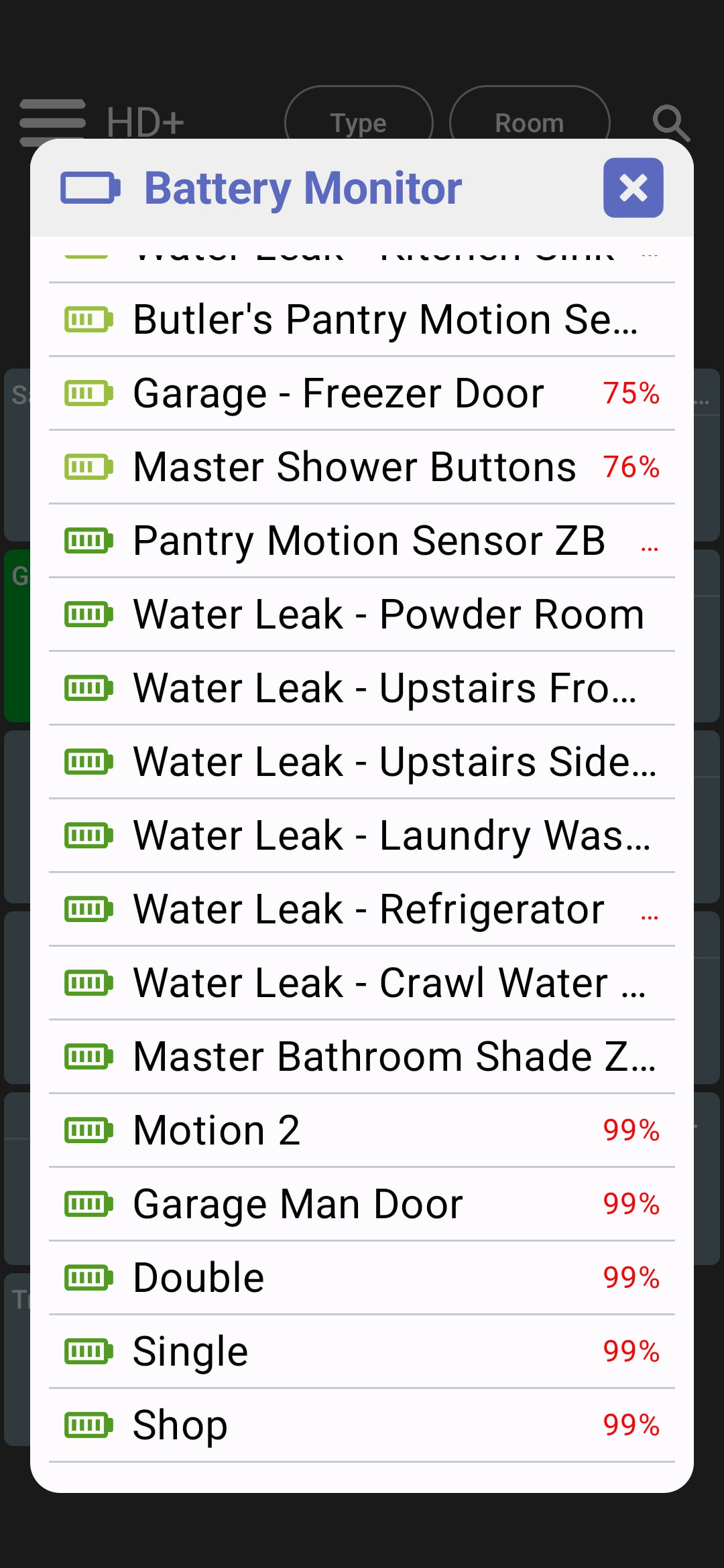
- fix battery monitor truncating battery levels
- allow clearing device title using empty space for name
- better music player album art support
- better handle video not connecting to camera
- fix video timeout option
Several smaller changes in this version. There is a little work on improving RTSP video as well but it'll need testing to see if it helps much or not.
Also, I've noticed Google Play has been really slow lately on reviewing the app - they still haven't approved the previous version! iOS has been faster but still takes up to a week 
If you really want to test these changes ASAP the best options are:
- desktop -> instant, just restart the app
- iOS -> use the TestFlight link at the top
- Android -> use the Google Play Beta (a couple of days) or side-load the apk (instant, just open about -> check for updates)
2 Likes
When I do about → check for updates it wants to open Google Play, not seen it try to download or check anything.
Really like the feel of this dashboard compared to the Android version.
Is there any chance that the custom theme be a global setbup so all my dashboards use the same theme?
The latest update made load of devices that were in folders copy to the main page. However when I try to remove them from the main page it remove them from the folder.
I have had that happen prior to the most recent update.
that means you're on the google play version of the app -- and google doesn't allow apps to check for updates outside of this. If it were the sideloaded version it would actually check for and do the update
If you mean you have a bunch of customizations on 1 dashboard and want them to be used by other dashboards there's a couple of options:
-
if all dashboards are the same - make 1 dashboard auto backup to the hub so any changes you make are automatically pushed there. The others can auto import from that same backup every hour or so so they're all in sync. I'll add a TODO to document how to do this and get back to you when it's done.. it is documented above somewhere (which isn't easy to find I'm sure). Bottom line with this setup is you can make changes from 1 device and all the others will update to reflect any changes
-
if they're all different, you can still import from the hub's file manager and make changes from there. I personally use the desktop app to make changes since it's faster than on a wall mounted tablet and then use the file manager to backup -> restore on the tablet
1 Like
looking at this now.. not sure what changed it yet though. I might need some help reproducing it. Did every device that was in a folder now also show on the main screen? I'm assuming no search/filter was active since that does pull devices from everywhere (flat list). Were some devices/folders not affected?