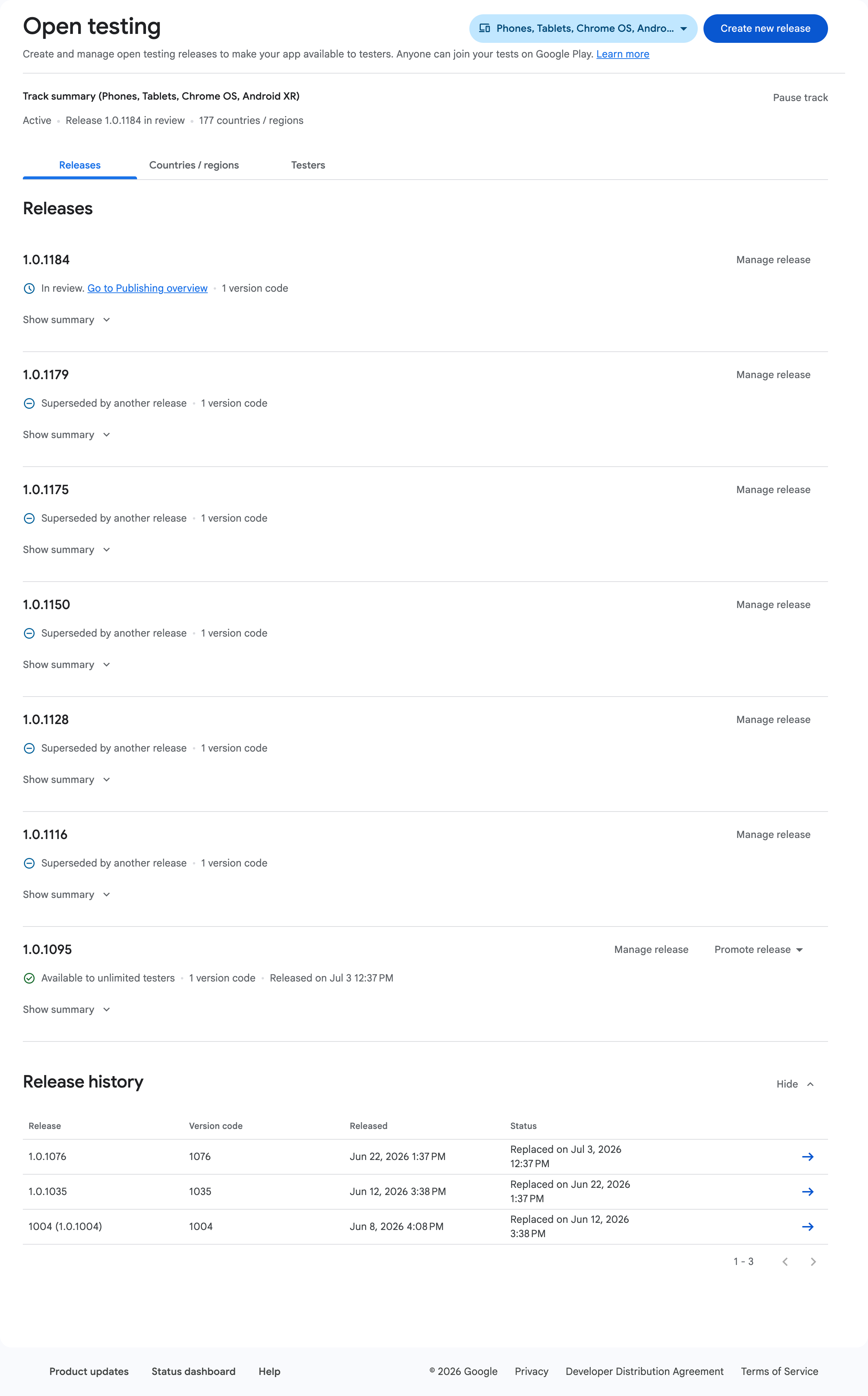
@jpage4500 are the changes you’re talking about pushing to the beta version of the app? My app hasn’t updated since December.
Google Play review has slowed to a crawl.. worse, every submission cancels the previous one in review so effectively starts the review process over again.
It used to be the beta version would update in less than a day. I’m not sure what the holdup is.. I’m guessing/hoping it’s something like a first time review of Android Auto feature and once that passes future updates will be quick. But, I’m not sure.
Is there any way to disable the asterisks from showing every time a device is updated or changed?
How do I rearrange items in a folder?
Do it the same way as you would outside a folder: open the folder, start edit mode via the side menu, press and hold the device or icon you want to move, and drag it to the desired position within the folder.
The side menu does not appear to work within a folder if you are using gesture navigation. It just sends me back to the parent folder. In the main window, the side menu pulls out just fine.
I don't have any issues in using the side menu with a folder. Just tried it out. Any special settings in your set-up?
I'm using gesture navigation as well.
EDIT: I thought this was asking about the multi-platform version originally.. yeah, the side menu swipe does sometimes conflict with the OS level swipe gesture. Try swiping from different parts of the screen (ie: bottom or top). Also, try starting a little bit from the edge of the screen
@jpage4500,
I am using the original HD+ app (latest version), not sure when the gesture behaviour changed, but now when I swipe from a folder, the HD+ app exits to android home instead of staying in the HD+ app?This is quite annoying and now I have to remember to use the arrow in each folder.
I can also confirm that the swipe back function works fine on your orange coloured background HD+ app (blue one is not working any more).
Would be great if you can restore the swipe function again.
I'll check and/or fix
EDIT: found it.. Google Play requires all apps to target the newest version of Android by end of this month or they'll remove it.. and when you target a newer version you have to deal with all of the changes that happened with that new version. One of the changes was this:
On Android 15+ with targetSdk ≥ 35, predictive back is enabled by default
I'll push a new build with this fix
Same here
Thanks for the quick fix, all working again! 
@jpage4500 any idea if the constant asterisk popups can be disabled? I have some devices that are polled regularly and its constantly lighting my dashboards up with asterisks
It would take a bit of work - I'm guessing this is a device that's pushing lots of updates to attributes that aren't displayed anywhere (otherwise, the asterisk would be warranted - ie: door open/closed/open/etc)
I've thought about doing something like this in the past but never got it all figured out. I'll try to spend some time to think through some options -- but my first place to implement it would likely be the new multi-platform version
maybe try @garyjmilne Tile builder? grid? You can basically simulate any tile (at least all I've ever tried) and take control of the update speed this way.
I also check my device drivers - sometimes drivers will update values that aren't changing. I wrote this little routine that clears a lot of my log redundancy in case your into this sort of thing - basically it just checks the value its about to update and if it's not changed, it bounces out:
// State-De-Duplication Helper Routine
private void sendIfChanged(Map args) {
if (!args || !args.name) return

String nameStr = args.name as String
String oldVal = device.currentValue(nameStr)?.toString()
String newVal = args.value != null ? args.value.toString() : ""

if (oldVal != newVal) {
    String desc = args.descriptionText ?: "${nameStr} set to ${args.value}"
    Map eventMap = [
        name: nameStr,
        value: args.value,
        descriptionText: desc
    ]
    if (args.unit) eventMap.unit = args.unit
    if (args.type) eventMap.type = args.type
    if (args.isStateChange != null) eventMap.isStateChange = args.isStateChange

    sendEvent(eventMap)
    logInfo "${desc}"
    logDebug "Event triggered: ${nameStr} -> ${args.value}"
}
}
Then I replace all sendEvents with sendIfChanged and bobs my uncle.
I had no idea there was a new multi-platform version. Just found that community thread so I will definitely check it out!
The asterisk is a bit of a nuisance for folders that contain devices that update frequently.
I have a folder of temperature and humidity sensors and they are all constantly updating and it results in a nonstop flashing asterisk in the folder tile on the main dashboard
the second scenario is a folder with some Home Assistant bridged devices that rely on pollling so they are constantly being “updated” even if no changes are pushed.
In both scenarios the asterisk is basically a strobe light on my 6 dashboard. It’s been like this for years so I’m used to it, but I figured it was worth asking
First of all I have to thank you for asking about this.. I had researched this a long time ago in search of optimizing every tiny bit of performance out of older/slow tablets. My thought was -- the app doesn't really care about every single attribute update coming in - just the ones it displays on the screen. It's not really a big deal for most devices but every once and a while there's a very 'noisy' device which I wanted to filter for.
I found a way to filter for this and will implement it in both the newer app and this one.
FWIW though - 99% of my Hubitat devices don't send out attribute changes very often and I've got 150 or so devices (many are virtual devices). If you are getting a lot of device updates pushed out constantly that seems like maybe a bug or issue with the device driver itself.. at least I'd want to figure out why since it's adding work to the Hub
I definitely agree that reducing unnecessary chatter is a high priority - I have 183 zigbee devices, 71 zwave and dozens of Matter and other various bridged devices. The number of apps and automations controlling these devices is huge as well. I'm constantly trying to find efficiencies and reduce the load and on my C-8 Pro.
With that said, the asterisk issue I have isnt really with the device tiles, its more for folders where I have multiple devices that all send regular updates (ie a folder with multiple Ecobee T-stats and various temperature & humidity sensors). Each time one of the devices in the folder is updated it displays an asterisk on the folder tile.
So its really the combined effect of these devices on the displayed folder tile
That might change things somewhat. That little asterisk is supposed to show when one of the devices in the folder changes. For example I have a doors folder with 5 door (contact) tiles in it. Only 4 of the doors actually show up on the tile though. If any of them opens/closes I'd want the door folder to show that little asterisk.
Now, if any other, non-displayed attribute changes for the doors, I wouldn't want the tile to update. That was the part I'm looking into. I've got it working for the new multi-platform app and will push it soon. For the Android app (this one) once I get it figured out I'll take some time to test it.. there's a lot more users on this app so I try to do a lot more testing so nothing breaks
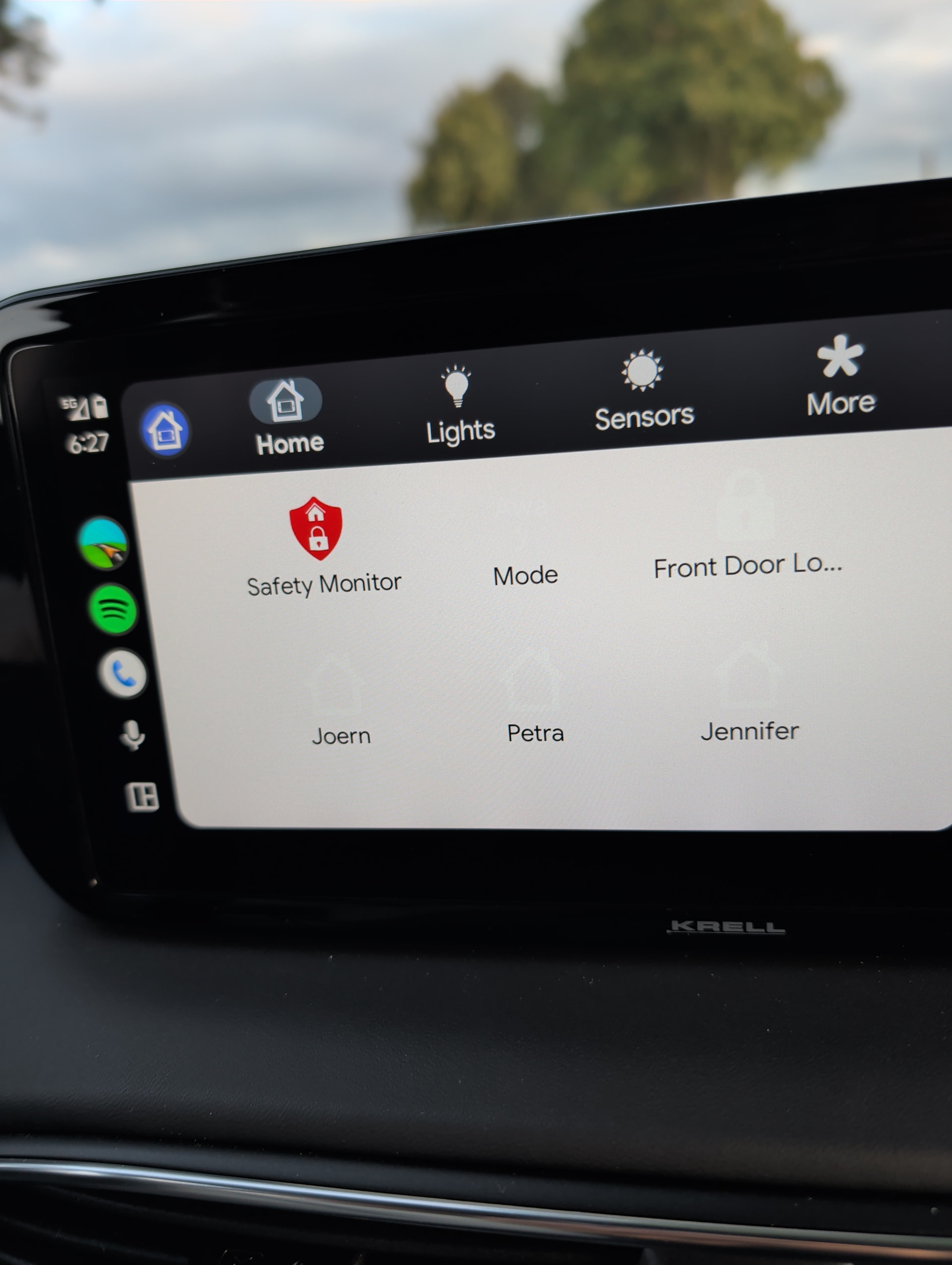
@jpage4500 today I noticed a unusual behavior regarding HD+ and the latest release of Android Auto.
The lower part of the screen appears in white and makes it difficult to read the icons. Please have a look at the pic I added.
Not sure if this glitch is driven by AA or if you can fix this within HD+.
Please let me know if you need further information from my end.