I think I see.. someone reported a similar issue with the Android only version of the app - except the opposite of your case. White icons were being drawn on a white background:
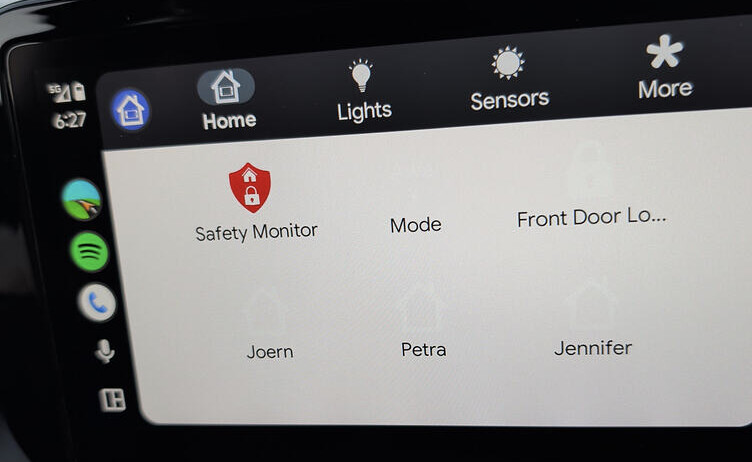
Researching it I found that Android Auto added 'dark mode' support so I added it to the that app and this one. It checks a 'isDarkMode' flag and if true it'd draw white icons and false make sure they show up on a black background.
So in your case that flag must be returning 'false' (ie: light mode) but the background is black. Apps can't control much of the screen in AA except for the icons & labels.
Anyway, I think the way to fix both cases is to simply ignore that flag and let AA draw the entire icon in whatever default color it uses - which according to Claude will work but the entire icon will be filled in. I can try it out in the AA simulator and get some screenshots to see how it looks..