@tushardeep FOllowMe is/was a tool I used for a year or so -
It did function okay and for an environment like mine, tracking a single person throughout the home it had good benefits. Alas it was set aside as it became no longer supported or maintained and I no longer use it.
THe idea was to use motion sensors in rooms to determine the user location - and set audio and notifications to meet your needs. I know of no replacement tool as yet.
@jpage4500 the apps gone crazy on me today but only when I'm local. Get a bunch of errors all from the location devices per phone? Mostly saying unable to connect to server and unable to send a garbled command.
Maybe connected point, when I go to Hubitat hub and click discover the two hubs come up but when I click it says unable to fetch hub details? Any ideas why?
Did you figure out what may be causing this? My device has been off and on showing a constant “unable to connect to server” for the past week. For instance, in the morning the prompt will go non stop for 20ish minutes until I tire from watching it, then later in the day it wont show the connection issue prompt, then late at night it shows up again.
I see an error in the logs which indicate an issue with SSL connection
05/19 08:19:09	E	HubitatManager	sendCommandInternal:onFailure: error:code:1, msg:Read error: ssl=0xb400007db30c2758: Failure in SSL library, usually a protocol error
error:10000410:SSL routines:OPENSSL_internal:SSLV3_ALERT_HANDSHAKE_FAILURE (external/boringssl/src/ssl/tls_record.cc:572 0xb400007ef3166c10:0x00000003)
Not sure yet if something changed on the Hub or in the app which might have broken this. But, as a quick fix you might be able to use http locally. Go into Hub Details and add http:// in front of the IP address. This will only affect local mode - cloud mode always uses https
I don't think so -- by default I'm adding "https://" if nothing is specified.
I looked at the last few HD+ changes and don't see anything that would have messed with this. I'm updating my hub now to see if maybe something new was added that's causing this. It's an SSL issue so maybe the SSL certificate on the Hub expired or something else changed? I'll let you know if I find anything
That might break some people. As I said I tried HTTPS but it didn't work at all so there's obviously something not enabled on my hub to allow it so I had to put http.
Well this morning it happened again. I let it go for a few minutes with the constant “unable to connect” message, then went to settings and clicked the IP and just hit ok again. The message went away immediately.
I upgraded my phone to the Galaxy S25+ and now one of my dashboards will not work. I restored the saved file from the previous phone but the Icons are not populating. Suggestions?
I saw a brief discussion about ability to reposition the "Go Back" tile to someplace different than the top left. At that time, the answer was that it is fixed to that position. The idea of enabling it's position to change was on the "to do" list.
Are there any plans for an update to enable repositioning that tile? It's an awkward thumb stretch when holding my phone in my right hand (I'm right handed) to reach up and tap it. I have a propensity to also graze the screen and invoke something I was not intending. I use a number of folders and navigate and having that tile in the lower right would be quite convenient. I tried placing "Space" tiles to enable repositioning that "Go Back" tile, but it doesn't stick. That's when I found the 2020 comment.
Anyone know of any workarounds or of planned changes?
I love the app; very clean and works quite well. So, thank you for the app. This "Go Back" tile repositioning is a nice-to-have but in no way required. The app is just too good!
My 2¢ for repositioning the Go Back tile.
I find it visually jarring to be focused on a tile or group of tiles, then to select a folder tole and to have to move my focus to the top left corner, and then back to the original focus area.
It would be great to have the Go Back tile directly above or below the folder tile.
Some options on where to place the Go Back tile would be great. Doubt that we could reach a consensus on a single placement.
I actually thought I fixed this but apparently not.. I think I got it fixed now though and it'll be in the next update.
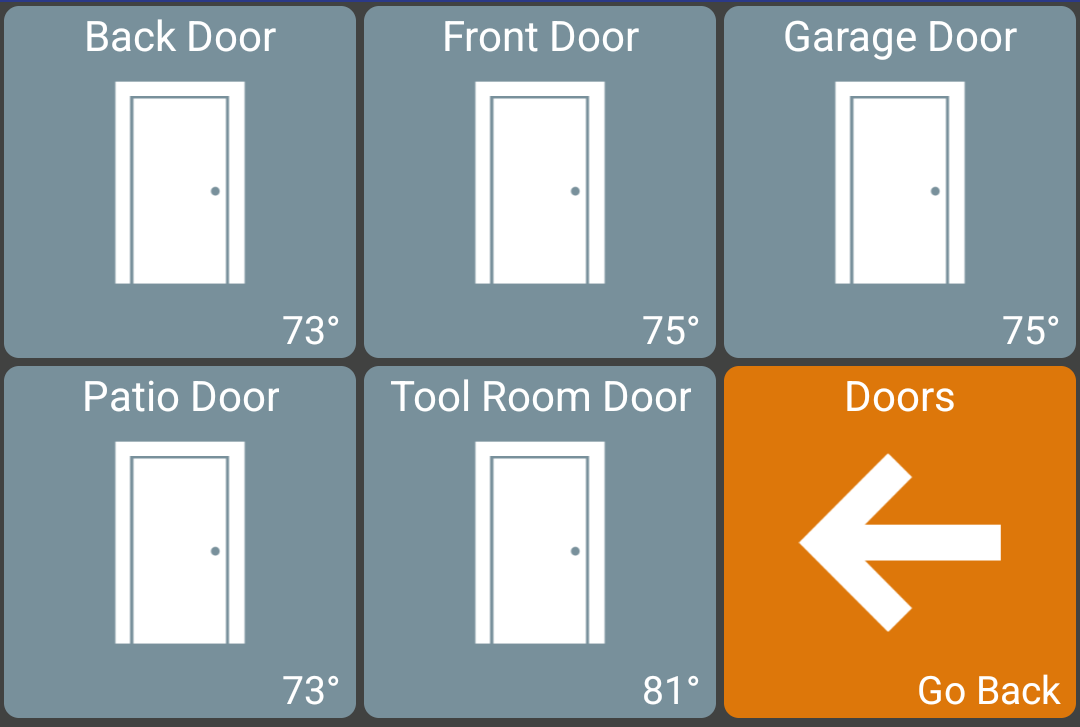
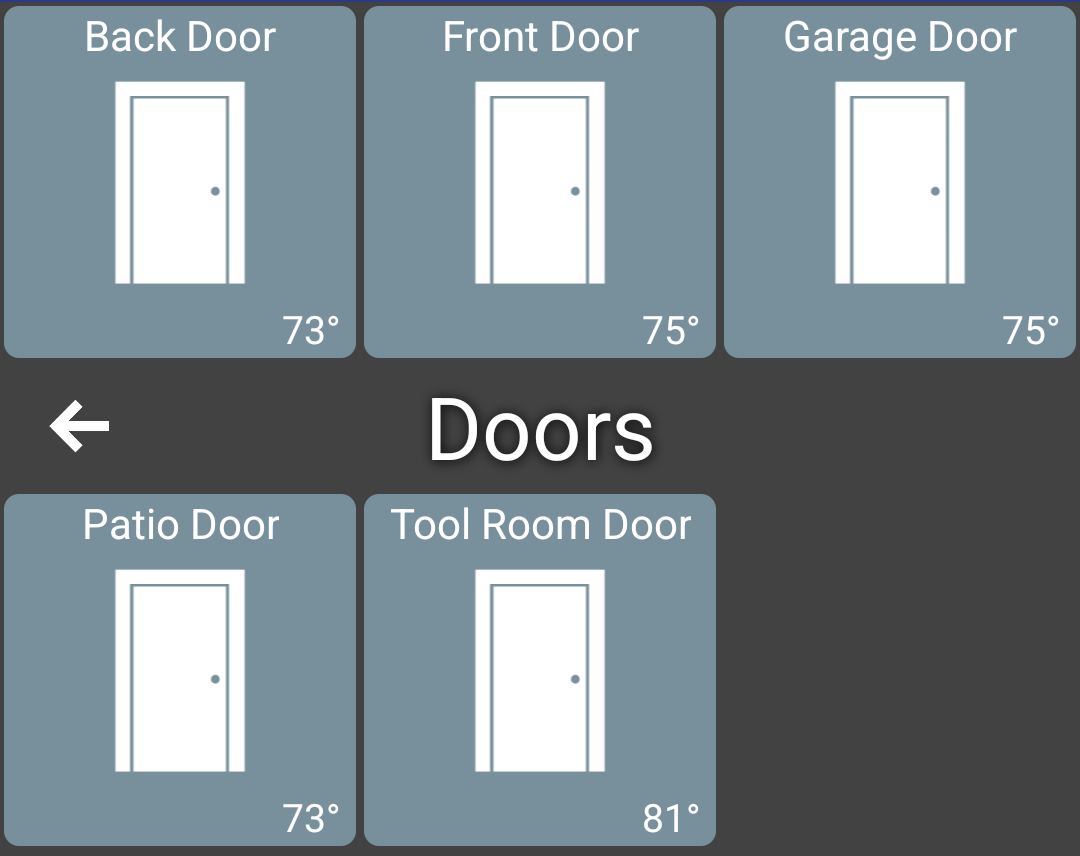
Screenshots below show the BACK button as a tile and as a 'title bar' and both were moved from their default locations at the top. I stopped and restarted HD+ to make sure they stayed in the new positions.
NOTE: the setting to make the back button a title bar ("Show Folder Title") or button is global and when you switch between them it'll reset any back button changes you made.