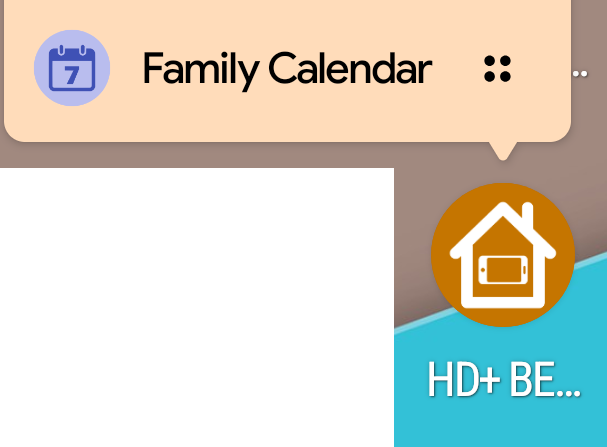
Newer versions of Android allow for custom launcher icon shortcuts. This is in a little menu that shows up when you press and hold on a home screen icon
HD+ already supports homescreen widgets and quick toggle buttons so it was pretty easy to add support for these as well.
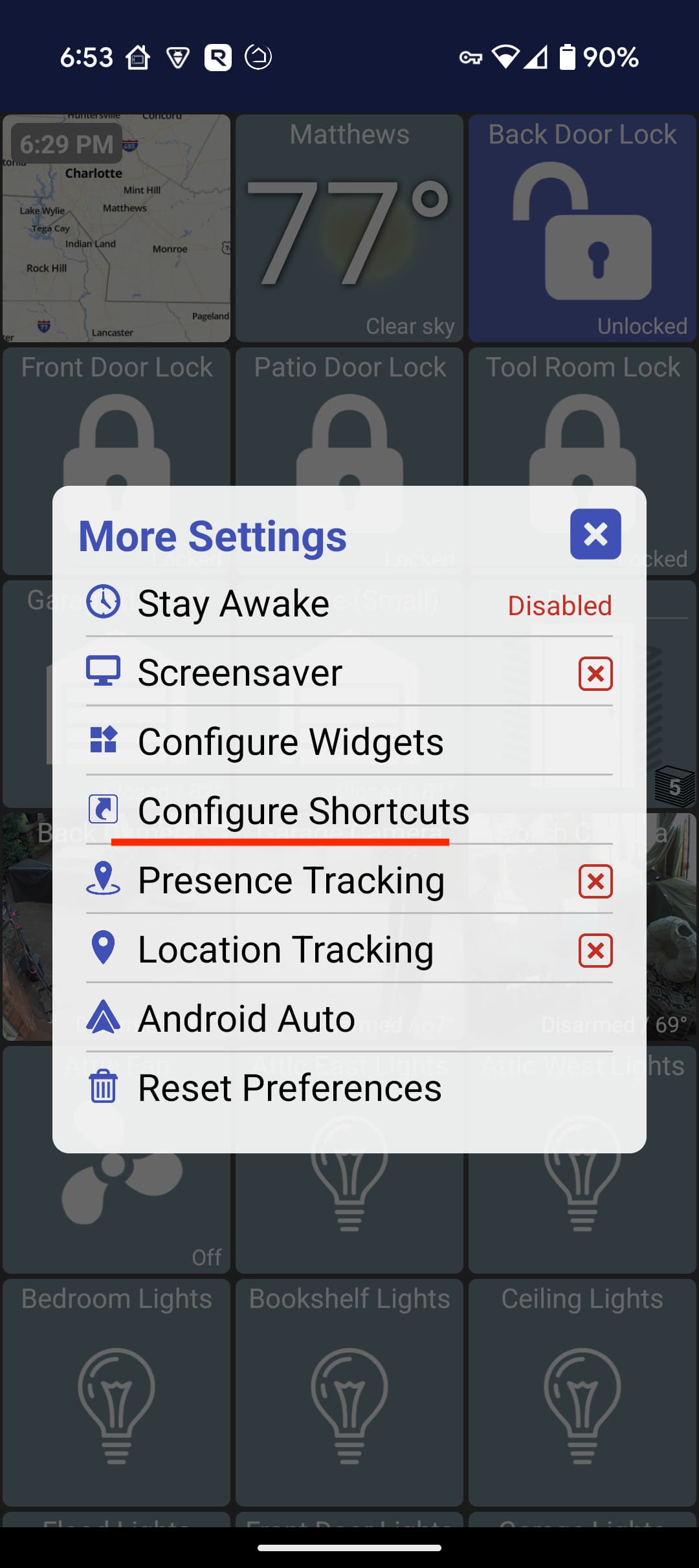
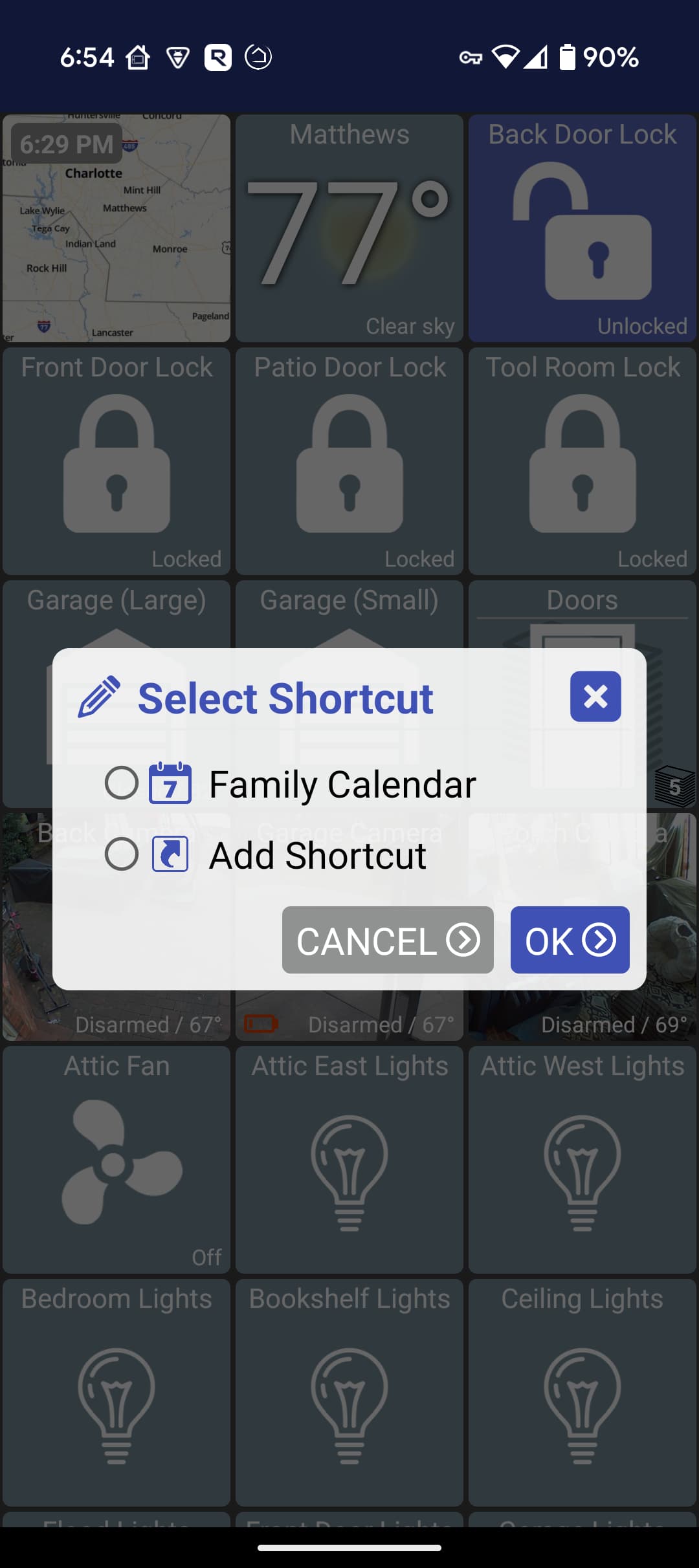
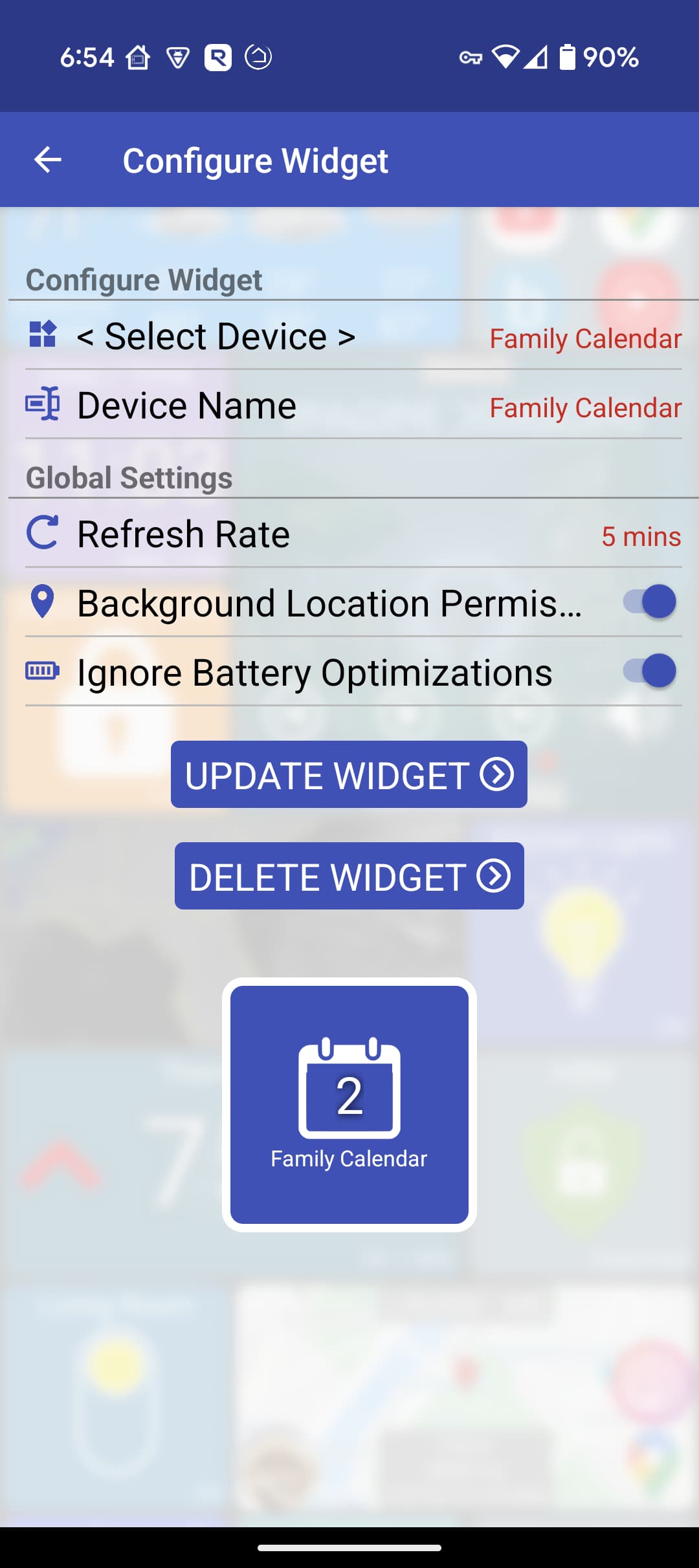
To add a new shortcut, open the More Settings menu -> Configure Shortcuts -> Add Shortcut
At the end of the day all of these are just faster ways to toggle a device without having to open the app.
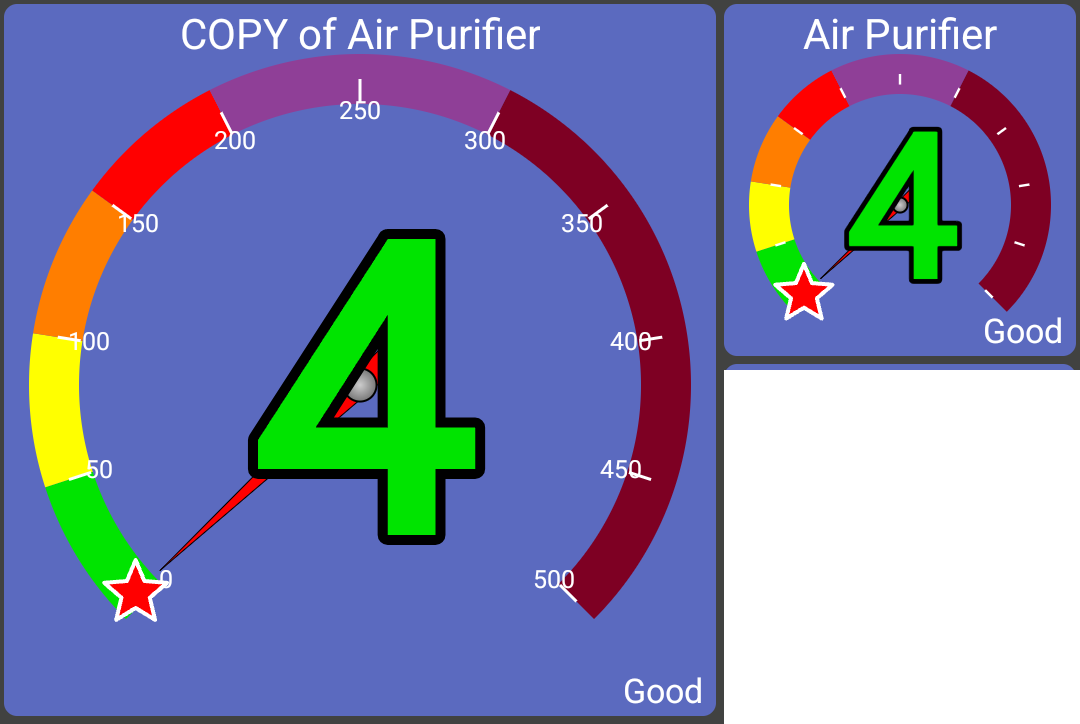
new Air Quality view
I have a smart air purifier and wanted to improve on the current tile that is uses (it just shows the quality - ie "Good"). It just requires a device that supports the AirQuality capability
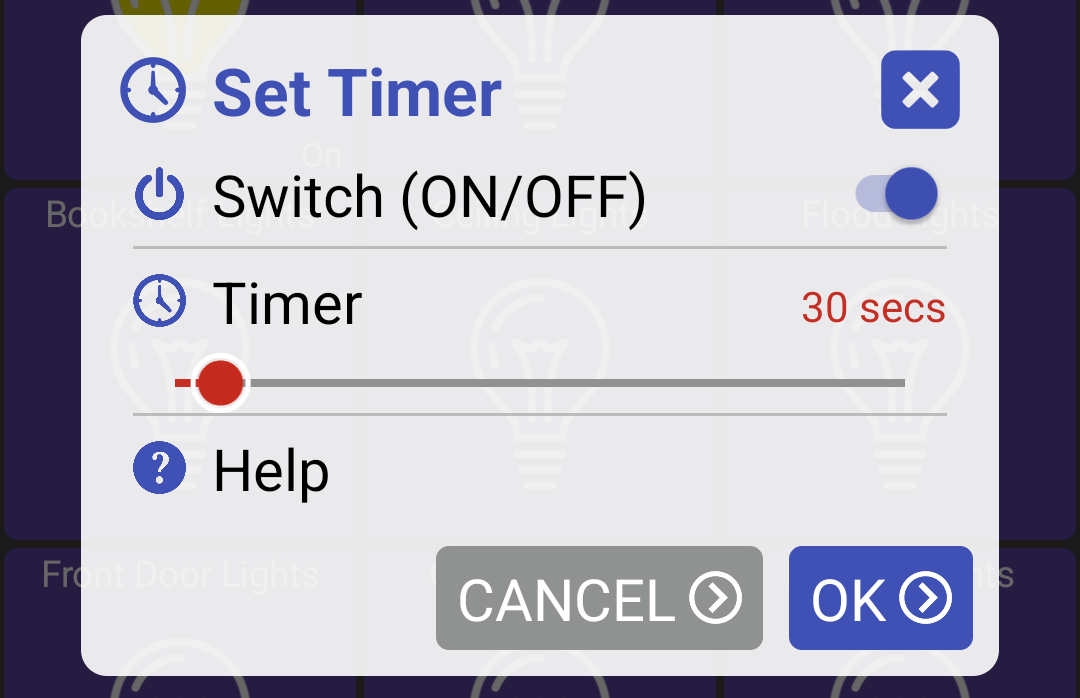
@jpage4500 I've noticed that the set timer function is not working on the latest version (1.0.2705).
When the time is reached, timer settings are cleared inside the tile details, the clock badge remains in the tile, but more importantly, it doesn't turn devices on or off.
I have a similar problem. I had this in previous versions too.
When I set a timer the app always crashes.
When I restart the app the clock badge is there but the timer doesn't work.
I can confirm this [the back tile now persisting in a new location] now works. I meant to send this several days ago. Sorry for the delay. Thank you for the fix. I really like this app.
I've added the Activity Monitor tile. It appears useful ... but would be more so if I could control the sort order. Right now it shows the oldest at the top and the latest are appended offscreen at the bottom.
Is there a way to reverse the sort? I searched the page and also settings on my HE but failed to info such a control.
Interesting, I hadn't thought of that. My use case for creating this was looking for devices that went offline or the battery died but the battery level isn't always set correctly.
Is there a use case you're thinking of besides just looking for the most active devices?
I think when I originally implemented this it was for always-on tablets.. meaning the timer could be set but the app would keep running.
Having a timer fire when the app isn't running is a lot more tricky. Not that it shouldn't work - I just don't know if I've done much testing with that case -- so that might be the issue.
I'll put it on the TODO list and make sure it works
The issue with this is -- say you set a timer to turn the light OFF in 30 minutes and then sometime before that you manually turn the light OFF.. previously the timer would run and turn the light ON instead of just leave it OFF.
The possible use cases are ... many. Think "search". You do a search in support of many different needs. So much so, that I'd personally capture a use case diagram showing it refactored out of numerous others and made "common". Search now would extend many other use cases. These others present enough of a variety to motivate a general capability and seed brainstorming of requirements.
(FWIW, in my early career, I helped build and maintain a very technical application that operated over lots of data with an N! solution space potential. It was critical to pre-process into a sort order that enabled a single pass through the main algorithm to get in the neighborhood of a solution family that an end-user would accept. Sorting was a critical component of that pre-processing. We'd have dedicated training over the sort catalog and how to chain them together.)
I am learning Hubitat, gradually extending into different types of devices, automation and dashboards. I rely on Hubitat's integration / bridge capabilities for HomeKit and Google integrations over Z-Wave, Matter and Wi-Fi. There is a lot to learn and perhaps learning never stops.
I look to logs to see what happened (or didn't) for an individual device but also need views across several. At the time I added the Activity tile, I was looking to spot events that just happened, not first mention. Scrolling down was a bit annoying. Needing to scroll makes a quick status check more interactive. I'd like to simply glance and return.
Looking at the tile, I see groupings by red, yellow and green. I see ordering by date and a filter for Batteries only. Right there I see several characteristics I could imagine using. Reversing the sort was the first. I can imagine chaining several together; sort by some type of category/type and within, by date.
Will this be my primary means to work Hubitat concerns. No. For that I'll be on my Mac using a much larger screen. Would it be nice to be away from the house and see recent events? Yes. But, it's not a really big deal, to be honest. And probably not a high priority for your backlog ... .
Nice!
Just pulled out an old Galaxy Tab4 7.0 that was resting in a box. HD+ api18 installed and is working on it.
Just a very basic layout for monitoring doors and temps, looks great!
Here's hoping the battery doesn't decide to crap out.
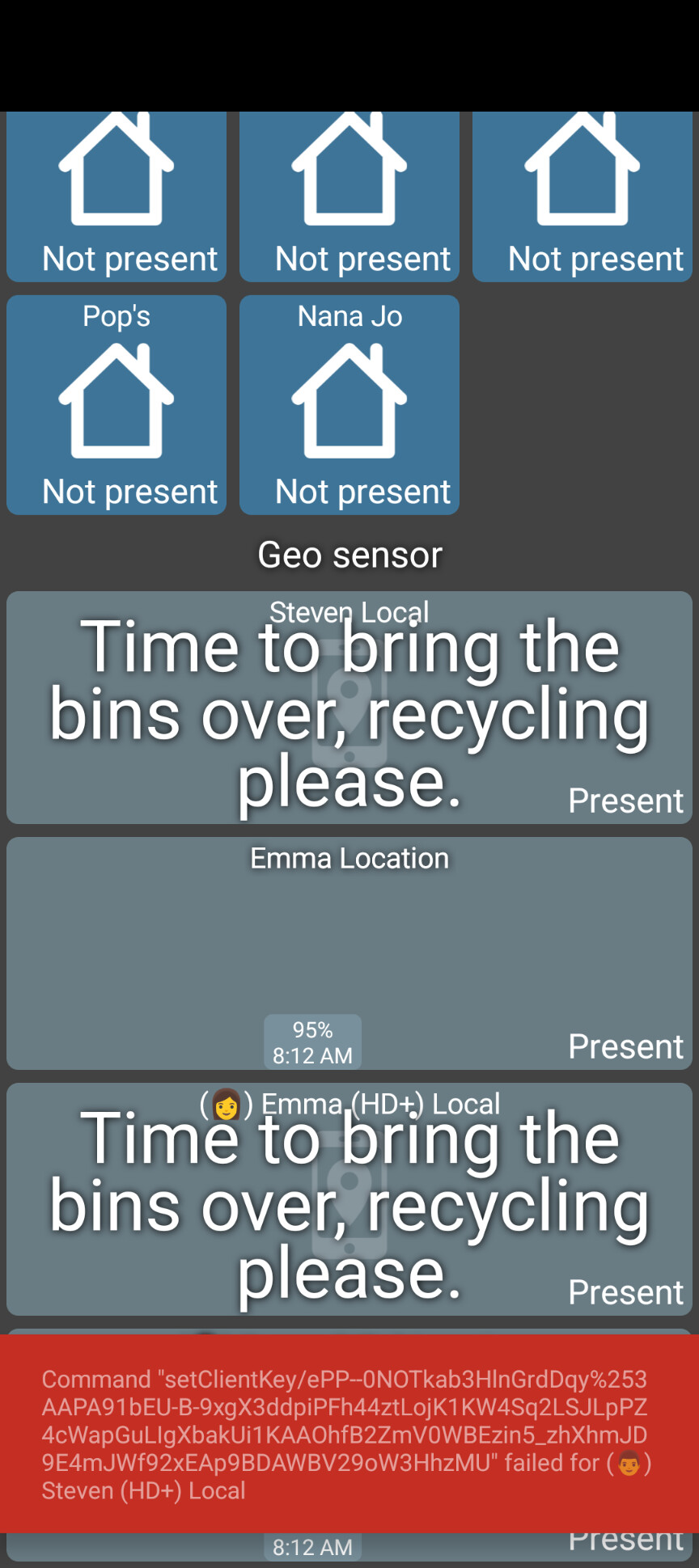
I've got a Pixel 9 running Android 16 and I haven't noticed any difference with presence not updating. Assuming physical activity is used in that calculation but it's hard to tell without looking at the logs. I'll look and see if anything sticks out
EDIT: It looks like it's working for me. If you send the logs to yourself and look for the entry "fetchLocationUpdates" -- this shows up any time the app tries to get the current location followed by the reason it was done. Entries like "driving", "walking" are from the physical activity updates.
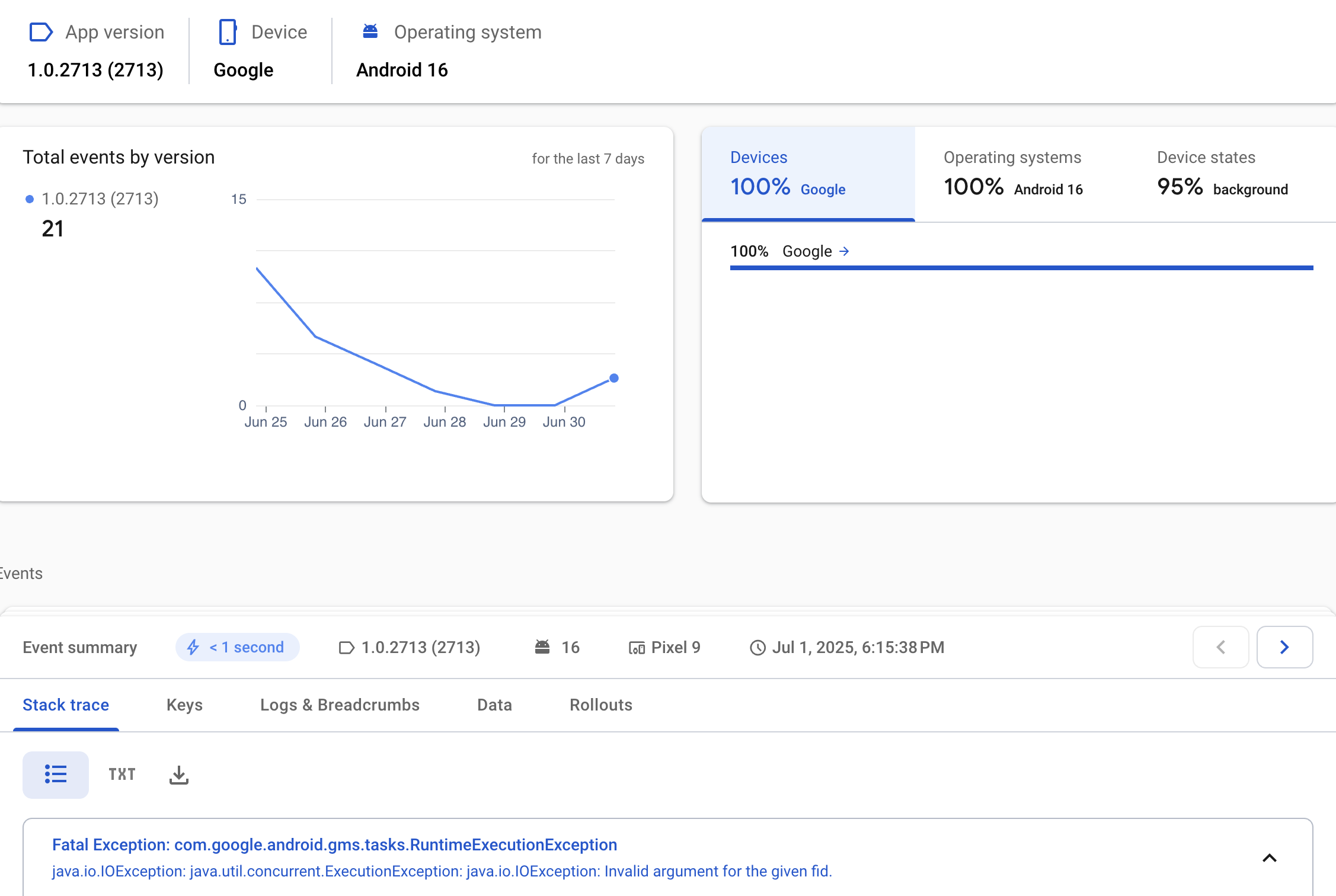
The error isn't clear by I googled it and got an answer which might help explain:
The "IOException: Invalid argument for the given fid" error, particularly in the context of Android development and push notifications, often indicates an issue with the FCM registration token (FCM Token or "fid"). This can be caused by duplicate device IDs, potentially stemming from data migration tools, and while reinstalling the app might help, clearing app data or utilizing system settings to manage app data may be a more effective solution.
Potential Causes and Solutions:
Duplicate Device IDs:
If you've used data migration tools to move app data between devices, it can lead to duplicate device IDs, causing FCM registration issues.
Solution: Try reinstalling the app, or for a more thorough fix, clear the app's data from the device's system settings.
I don't know if it's possible but can you do a 'clear data' of the app and then restore it from a recent backup?
@jpage4500 I have looked at the HD+ docs and no where are the backup options described.
When does auto backup make a backup?
When the HD+ app is closed / tablet is restarted, when the app is restarted, what, if any, backup is restored and from where? The device or from the HE hub?
I am sorry if I missed the explanation, but I REALLY tried!!!... really....
It should make a backup every time you change something. The backup is just local to the device though - it won't auto backup to the Hub (File Manager).
When the HD+ app is closed / tablet is restarted, when the app is restarted, what, if any, backup is restored and from where? The device or from the HE hub?
The app doesn't do a restore from backup automatically. You have to manually use the restore from backup option to do this. The app will of course save any settings/changes normally so you can restart it and not lose anything.
I personally tend to do a backup to the Hub every once and a while to get changes saved off the device in case something happens to my device. I can see how it's a little confusing though.. I think for a backup to really be helpful it'd export it to the Hub as well as some kind of versioning in case you made several changes and want to revert them too
Thank you for the info!
I have been making changes on several of my tablets and have backups named for each one, so I can use one tablet, restore a different backup, make my changes then save to the different tablet, then restore the different tablet's backup.
That way I don't have to be at the different tablets when I make the changes.
I wanted to know about auto backup because I didn't want to overwrite the backup UNTIL I made my changes.
At one point I installed HD+ for a remote dashboard. I have since went another route (found a Windows 10 tablet) and went to uninstall HD+ I still have the following showing up in HPM
HD+ Companion App
HD+ Companion App v1.0.11 (app)
HD+ Device v1.0.11 (driver)
HD+ Tile
HD+ Tile v1.0.4 (driver)
I start an uninstall, and start with HD+ Companion App
Uninstall in progress
Your uninstall is currently in progress... Please wait...
Uninstalling HD+ Companion App
Uninstalling HD+ Device
Fatal error occurred, rolling back
How can I remove these? They are not listed under Apps, Apps Code, Drivers Code, Libraries Code or Bundles.