Not that I know of, in order to use it for voice notifications/announcments.
You can run a local non-Heroku server for free. Only Heroku requires a fee now.
Not that I know of, in order to use it for voice notifications/announcments.
You can run a local non-Heroku server for free. Only Heroku requires a fee now.
I can try and tackle self-hosted. The other route is a lot of time/energy/and some $$$ just for one device.
If you have a way of setting up and running Docker, follow the @jtp10181 guide here:
There's a link within for non-Docker options as well.
I've got a Synology NAS with Node.JS pre-installed. This should work well instead of using Docker?
I don't use Node.JS, so I don't have an answer for you. You can setup/run Docker (Container Manager) on a Synology NAS, if need be.
Good afternoon,
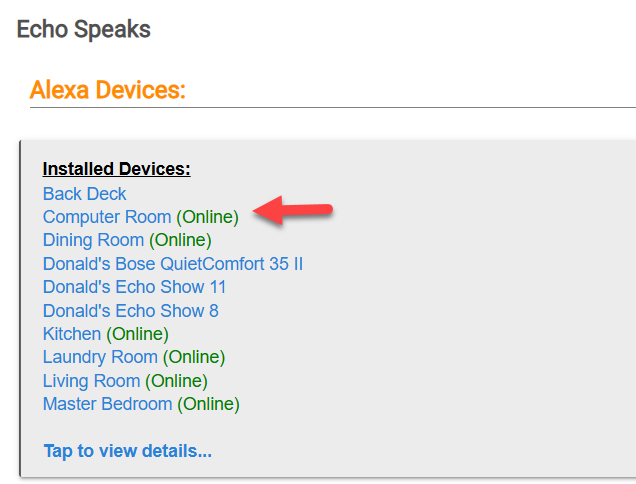
Sorry for the delayed response. Just got back in town a few hours ago. Here are a couple of screenshots that may help.
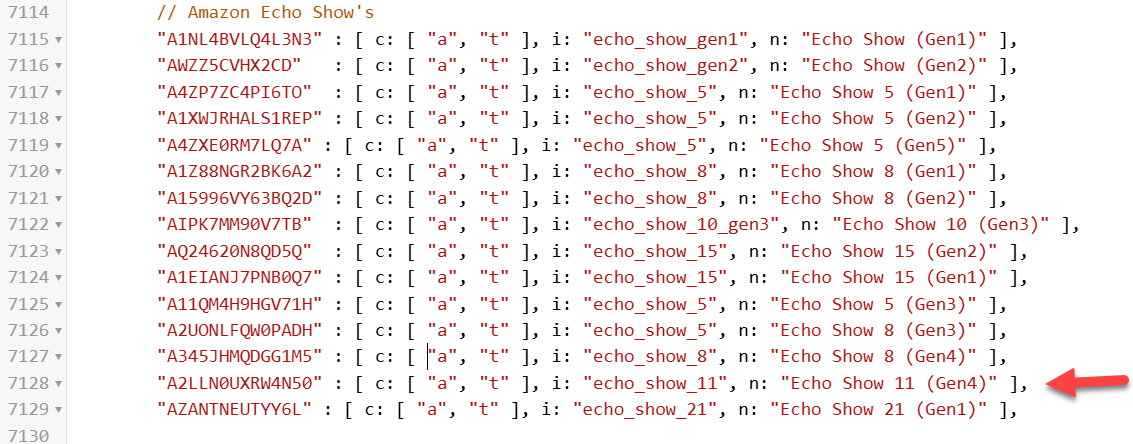
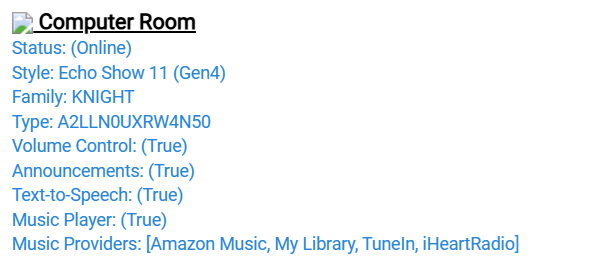
This is an example entry in Echo Speaks that is working for the Echo 11 2025 model released in November 2025 or thereabouts.
The
It was created by adding the following entry in the Echo Speaks application code. Note the arrow.
I think the most important part is the device type identifier. This comes directly from Echo Speaks when it initially finds your devices. For me it found them and provided the device-type identifier but would not allow text to be sent to them. I noticed the all the numbers following them were the same so I just followed suit and replicated them. The information inside the parentheses I believe can be anything so I labeled it Gen4 but probably should be 2025. I do not believe it matters; since in my case, the two I have added are working just fine. I have two more add. I will let you know if for some reason they do not work.
If this is not working for you ensure you have:
Hope this helps.
Yes, if you can access and know how to use the command line. Instructions for nodejs directly are in the second post: [GUIDE] Echo Speaks Server on Docker (or without) - #2 by jtp10181
much easier to use docker vs node js.. just saying
Haven't tried anything yet, but I'm hoping it's not beyond my scope to try and get this to work.
I find wsl2 on windows 11 simplest, it is a container but simpler to maintain and use than docker. I run the echo server in that
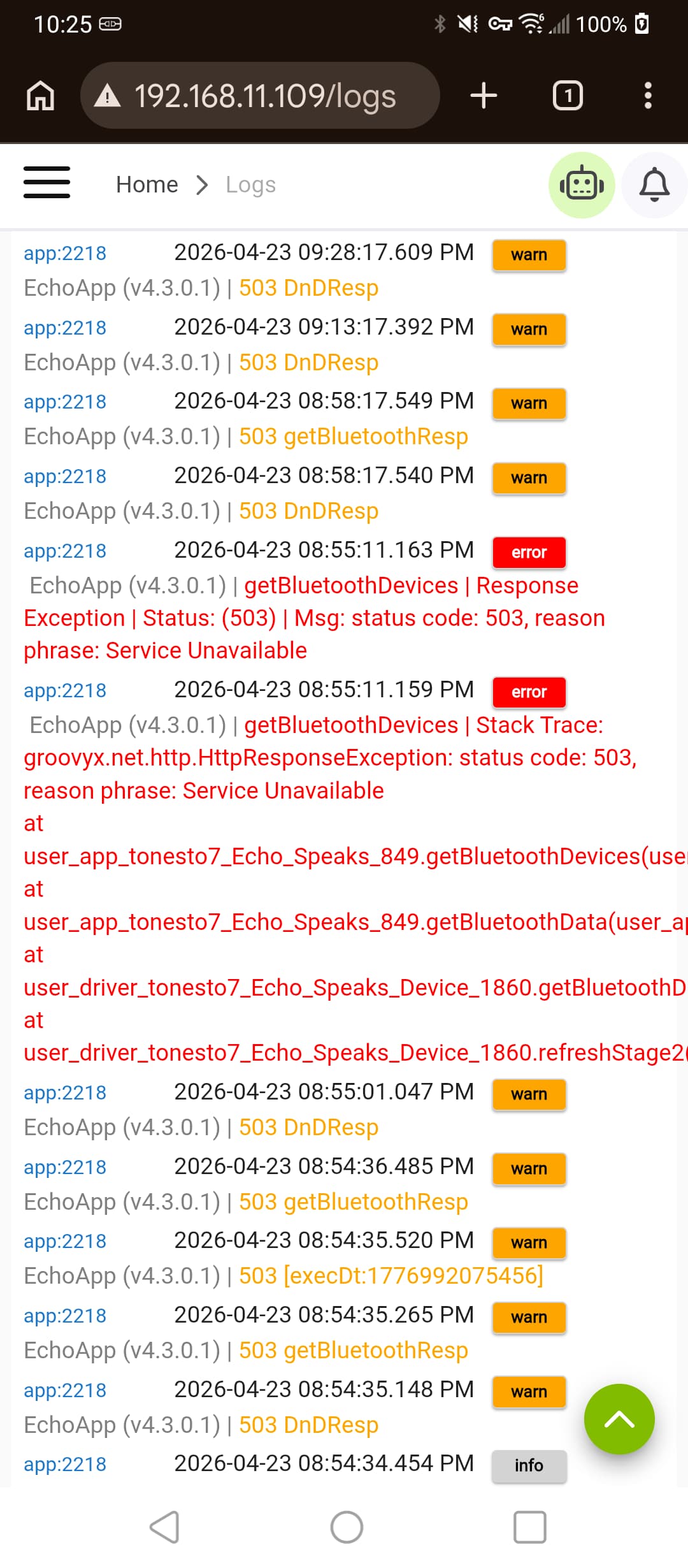
Those look like HTTP methods in the Echo Speaks app itself that are not related to the hub's Bluetooth stack. I would start by troubleshooting the app (or, given what it works with, possible Alexa issues -- and one thing you could test is seeing if reverting platform versions changes anything).
yep trying revert ...just a strange coincidence it started in both my hubs after I updated
same in reversion. so most likely alexa issue. sounds still working at the moment
I just checked and saw these in my logs too. Seems to have been a temporary thing because I see them with only yesterday's date (stopping at 10:42pm) and nothing new for today.

Same as @jkudave. Mine also stopped last night around 11:11pm EDT
Trying to figure out how to get the Bose Portable home speaker (with Alexa) added (or verification that it cannot)
I saw that there were two closed requests on the issues page (from 2020ish) with no comments. (not sure how we would find the ID if I had not found it listed already
Saw the matching ID for it here (with "ignore = true"):
Is this meaning that support cannot, or will not be added?
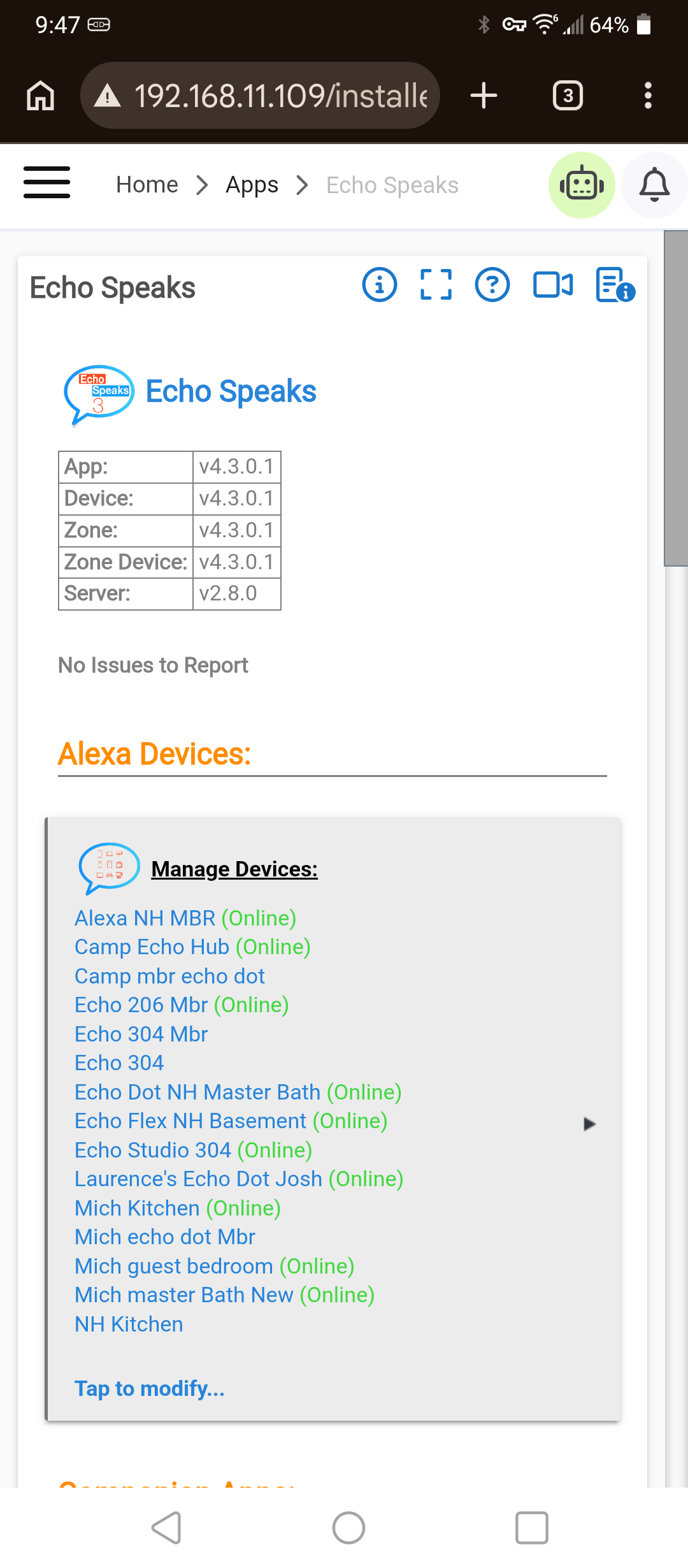
In need of some direction. I added a new Echo Dot Gen4 today (to get a Thread Border Router). Echo Speaks picked it up just fine a few minutes after I initialized it, and also updated the old Dot it was replacing.
The Problem is that the new device is not showing up anywhere else like Rule Machine or in the Device List.
Is there anything I can do to get Echo Speaks to 'push' the update to the Hubitat? I am also assuming this is the relationship.
It has been so long since I added Echo Speaks I cannot remember if there was something else I had to do to make them visibile to the rest of the Hubitat apps etc..
Echo Speaks --> Manage Devices --> Device Detection Preferences --> Auto Create New Devices