ok. now it works. (after building and running local image)
But my server is on another network and I have to use DNS name to reach it.
However, after I enter callback URL, HUbitat app displays the server configured with internal IP.
How can I change the server address ?
edit:
OK, I found it
I run the server with -e ip parameter.
It is only designed to communicated via the IP, it is supposed to be a local (on the same LAN) server. I did that patch to override it for Heroku, same thing might be possible for a self hosted server. I think someone else was trying to get it to work but I think they gave up.
EDIT: Yes as you found you can change the IP that is sent back to HE via the environment variable being sent with docker. As long as the HE hub can reach the server via the IP it should work, and also the IP should be static / assigned.
ok. it works this way.
At least initial server configuration and Amazon login works.
However, after that step just when I want to create devices, I get this on the app page:
Login Issue:
You are no longer logged in to Amazon.  Please complete the Authentication Process on the Server Login Page!
I am using many subscription services. In total maybe costs more than $500
And now I try to avoid adding more when possible.
I already have a Raspbian server at home and adding a docker image to it does not really have any cost. It doesn't have much load on CPU.
I've been able to setup ES server multiple ways (via Docker/Portainer on a Raspberry Pi, via Docker/Portainer on a ProxMox LXC, via Docker on a Synology NAS and via Docker on UNRAID). I'm currently using it on UNRAID.
Heroku served its purpose before they started charging a monthly fee. I refuse to pay for something I can easily setup locally.
Generally speaking, I don't know much about those systems. I have Kodi running on a RPi, but that's it. I guess it is just a matter of convenience. Docker seems to be a very popular option. I just never did take the time to learn how. Heroku has been fire and forget for me.
Hello. I was trying to setup ES on an Synology DS120j. The container just repeatedly crashes with an error. Im not even sure this being like an entry level nas this model will even work?
exec /usr/local/bin/docker-entrypoint.sh: exec format error
Im not much of a wiz with this stuff but can usually figure it out. Any help would be appreiated.
Yes I did follow that guide. I used container manger. And easily got to that point. Except like I said it just constantly crashes. And I get that error.
as a side point it should run on a cheapish qnap ts-262 around 279.00 as i have it running on the slightly better ts-264 (same os on both) no compiling what so ever just installed from container manager search and a couple of config. options i posted previously. its normally at least 100 more..so its a good price now on bh photo or amazon
also i would only get at least a 2 bay so you at a minimum have some redundancy with raid 1 hopefully
Setting up ES speaks on a Synology NAS requires a specific setup. A Synology NAS is not an AMD64 system so you need to tweak the code and set it to pull the build from GitHub. Make sure you have Container Manager installed along with Git Server.
Create a project in Container Manager and use the following YAML code. If you choose to, enter your call back URL and remove the #. Also, you must pay attention to the volumes setting. This refers to where ES will be installed. Normally Synology places docker containers in a docker folder with each container in its own subfolder. This location gets mapped to the root folder/location in the docker container. In the commented example below you can see - /volume1/docker/echospeaks/etc-root:/root. The part before the : is the path on the Synology NAS. You can leave the /root after the :. There should be no need to setup a web portal.
############ES SERVER YAML START############
version: "3"
services:
echo-speaks-server:
container_name: echo-speaks-server #image: tonesto7/echo-speaks-server
# Replace image definition with build for non-amd64 systems
build: GitHub - tonesto7/echo-speaks-server
restart: unless-stopped
# Network mode host allows IP to be automatically detected
# Windows MUST change from host to bridge mode and set IP in settings below
network_mode: host
#network_mode: bridge
# Port mappings are ignored with host mode
ports:
  - 8091:8091   # WebUI must match PORT below

# Set environment variables
environment:
  - useHeroku=false
  - hubPlatform=Hubitat

  #### UNCOMMENT Options to use them (remove the # and keep the -) ####
  ## Host IP Address Override if needed
  ## MUST Uncomment next line and set IP when using network_mode: bridge
  #- ipAddress=192.168.1.XXX

  ## Change WebUI Port if needed
  #- PORT=8091

  ## Set callback URL here if you want
  - appCallbackUrl=http://192.168.10.5/apps/api/137/receiveData?access_token=20914faf-0d18-402d-adbd-1c3846fd03a0

  ## Set amazon domain and locale if need to change from default
  #- amazonDomain=amazon.com
  #- regionLocale=en-US

# Keeps login and session if re-deployed
volumes:
  - /volume1/docker/echospeaks/etc-root:/root
volumes:
data: {}
###############END YAML##################
Once you have the YAML configured, build the container but don't start it. Once the container is built, go to Container in Container Manager and click on the ES Server container to open its settings.
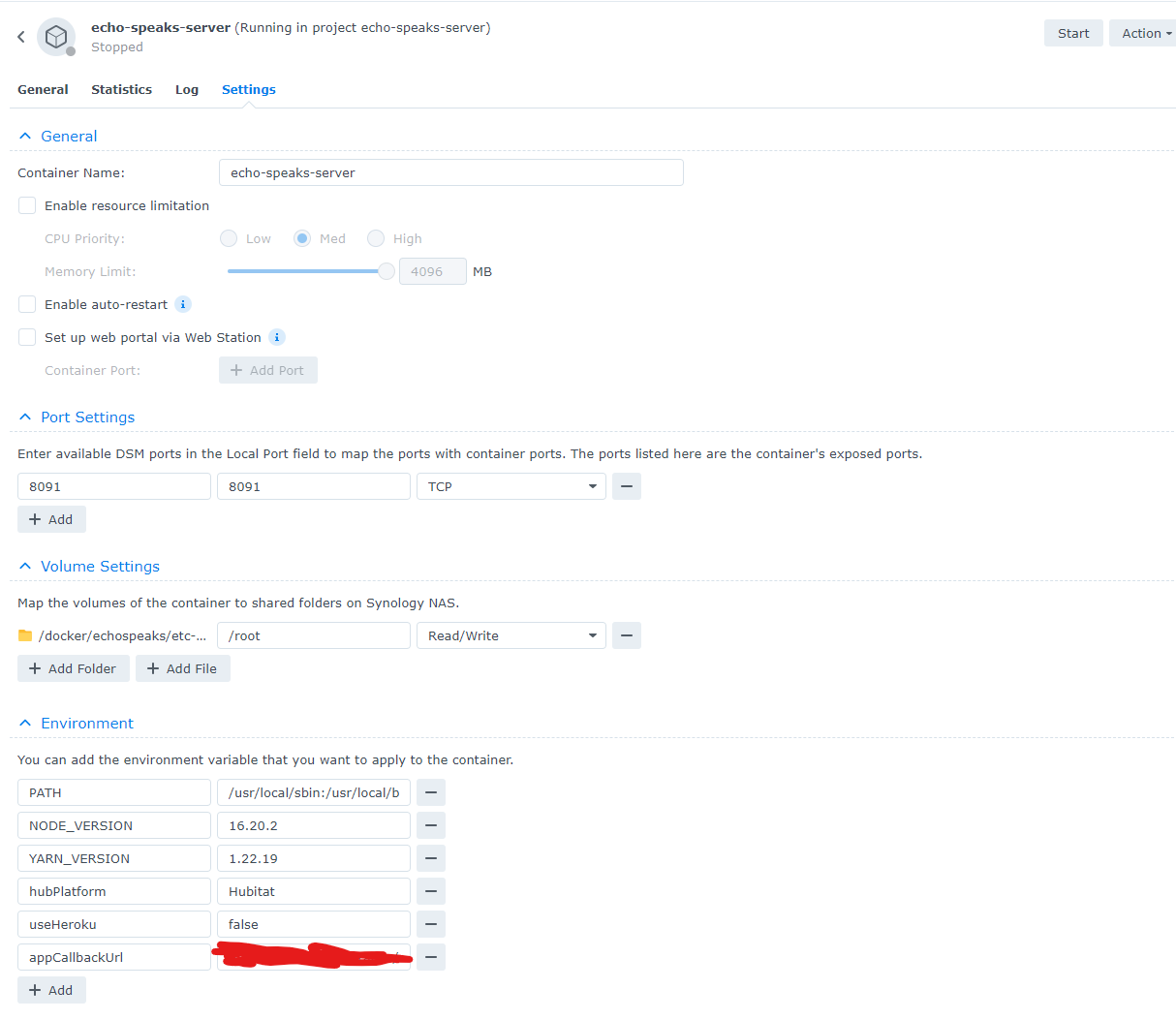
Your settings should be similar to below. If you did not enter the app callback URL in the YAML, you will not see that setting, Save the settings if necessary and then click Start on the top right. That should be it. Now follow the directions for configuring ES.
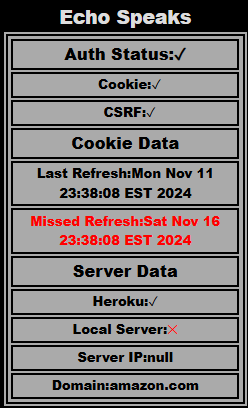
First, I'm running Hubitat beta firmware (2.4.0.119) - and I'm pretty sure this error started when I updated a couple of days ago. This is the output from ES tile HTML:
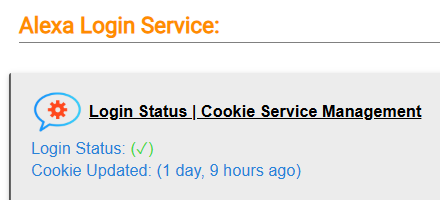
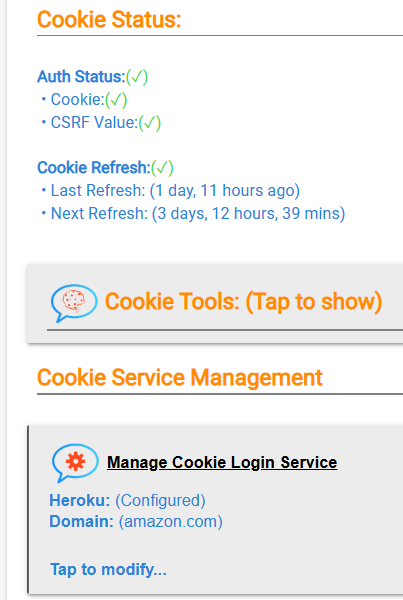
However, everything seems to be running OK and Echo Speaks shows this:
yep chalk it up to one of the many bugs in the entire interface rebuild in beta.. dont understand with the scope of the changes why people are running this on their live non development hubs.