Interesting idea. Let me think on this one. Added to the list.
Bryan, do you still check the Web Ping listing? I don't want to add a question here concerning that to disrupt Device Watchdog listing
Someone want to PM what I missed?? 

Edit: all set, got it straightened out and answered on the Web Pinger thread and in PM's.
Thanks
Hey @bptworld
Thank you for the effort for creating the fantastic APP
Is this view still possible in the new App?
Device - battery - status date
Or I missing something or it is not possible...
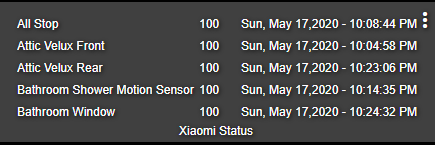
All fixed for me with the "battery report fix " --> Following is feedback and it is not my intention to complain...
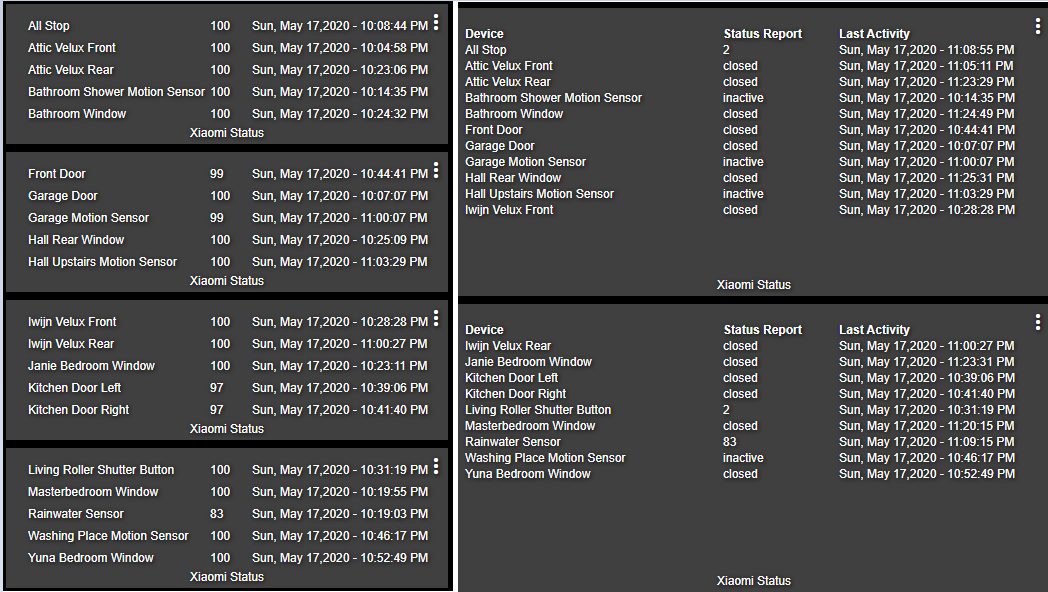
Maybe it is the change but at this moment I like the "Old view" more, the space between the lines is bigger in the old view
In the old view I need to use 4 tiles for 20 devices, in the new view 2 tiles but there is more unused empty space on the 2 tiles, the new tile must be wider too for the almost the same info.
Playing with the Column Width & Row Height does not bring a solution.
----------------OLD view ------------------------------------New view----------------------
I'll vote for the new view. My $0.02
Ah, democracy... In this community the developers are dictators and gods. @bptworld is a benevolent god. I'm more like an old testament god where if you screw up I want to plague or burn you.
New tiles are here to stay...
- More data on each tile
- Each tile isn't limited to a set number of lines, everything is now based on character count
- Can make each tile smaller because all data will scroll within the tile
- More reasons that I don't feel like thinking up right now or typing anymore


New version on GitHub...
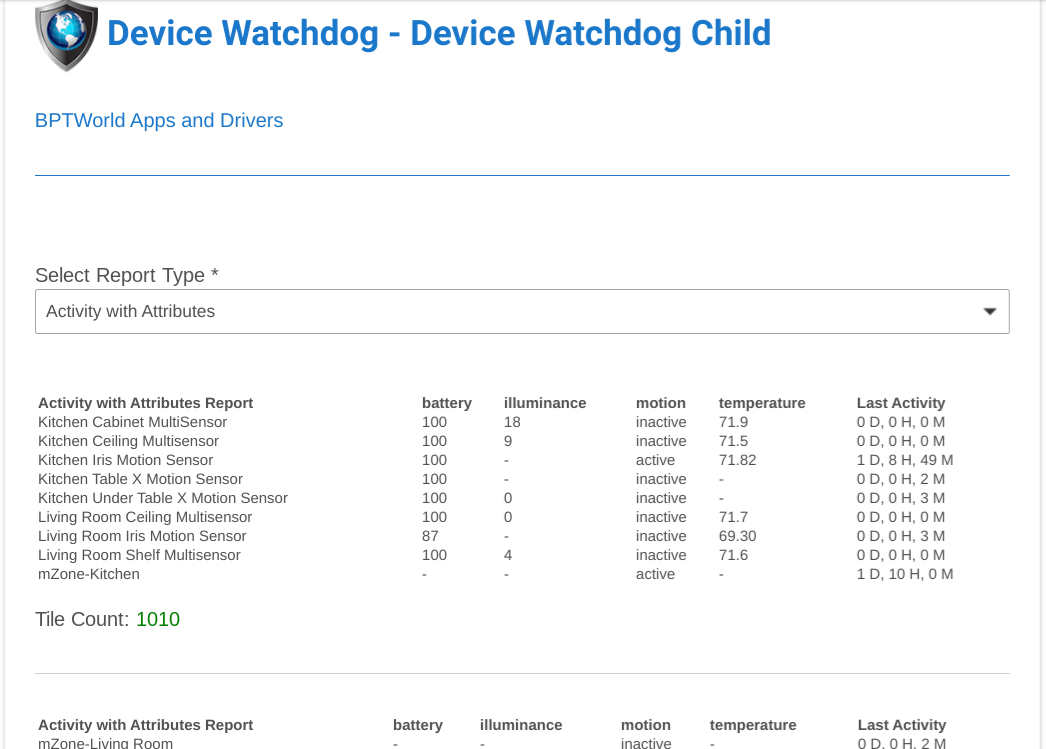
New report type - Activity with Attributes!
- Create Activity reports including your choice of available attributes.
- Choose up to 4 attributes to display.
Example:

Edit: also fixed battery report not showing last activity date. @BrunoVoeten
First, thanks for the rapid response - awesome!
Second, I note that the "new" format for the "Last Activity" column is relative to the time that the report was run - but that time is not logged anywhere. The "new" format is thus complicated, because we humans have grown to be able to look at a date/time and quickly interpolate that into "too long ago", it is IMPOSSIBLE to figure out whether the "new" format is "too long ago" without the actual date/time that the report was generated. Thus, the report is lexically only valid at the moment you run the report. Personally, I would prefer an option to select which I use for my reports.
Third, as you can see below, there are a LOT of repeated characters in the device names I use. It would be nice if I could configure a filter to strip out "Spruce Sensor " from each device name, so that I could fit more devices per page (lots of wasted space as well). Ideally, I might want to strip out multiple things (e.g., ["Sensor", "Contact", ...]), in order to slim down the size of the report.
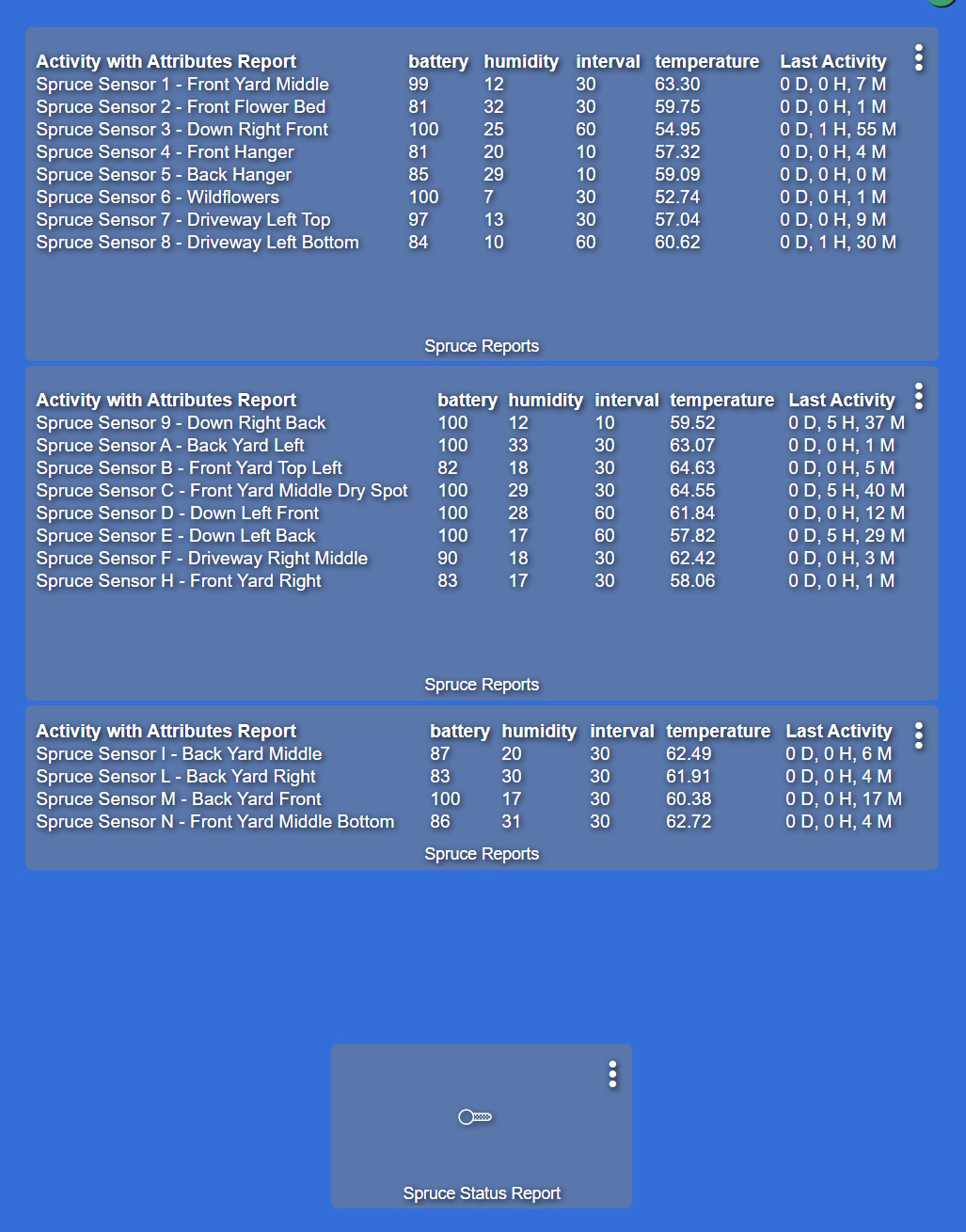
Most humans have grown to adapt to their changing environment. The new format actually SIMPLIFIES the ability to see if it has been too long. It tells you exactly how long its been. As for date/time the report was run, why put the date/time on the tile? That's just wasted characters since it's assumed you will want to run a new report each time you view the data.
All reports are only valid the moment you run the report. Old data is bad data. That's why I have the option of running a report based on a switch. So you can run the report at anytime and see current (useful) information. I see you have added that switch to your dashboard as it was intended.
Filters have been added to the report setup, will release new version soon
New version on GitHub...
2.2.1 - 05/18/20 - Added 'filters' to each report to lower character count
The "why" is because I'd like to know how old the data is, before I push the button to run the report again. And it's not just for the "Activity" monitoring - now that I can see other attributes, I'd like to see how they have changed over time. As in "I see that Sensor 7 reported low humidity at 6:30am this morning - (click) and now the humidity is even lower!"
Compromise? Could you add an attribute (or 4) that contains the date/time the report was last run? Those that want to know that bit of information (like me) can put another tile on our dashboard that shows the date/time of the displayed report. Perhaps with a little context: "Activity with Attributes Report last run at xxxxxxxx"
And thanks for the quick turn-around on the filters!!!
Hey @bptworld, the time format in my hub is 24 Hour. The reporting in the APP is the 12 Hour format, is it something of configuration to get the 24 Hour format in the reporting?
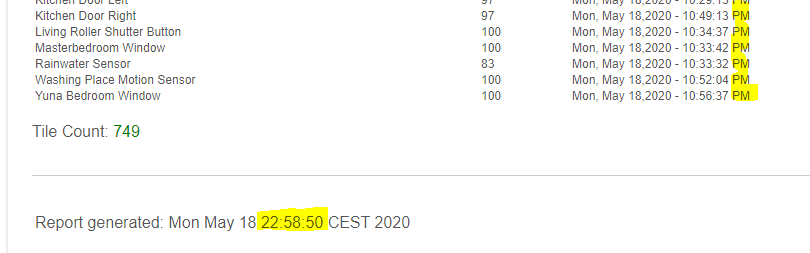
Try installing Brian's latest version - the new Last Activity format works for both 12/24...
...
2.2.2 - 05/18/20 - Added optional report time, added Time display options, added Last Activity display options
Just curious if this is something you've considered (or maybe even there is a way to do it that I haven't found) -- I have several devices that do NOT report battery level, but I have an attribute called Low_Battery that gets set to true if the battery is low (guess the device manufacturer decided what level is considered "low" -- is there any way I can use DW to help me monitor these devices for a low battery?
I did an update of Device Watchdog today and the new version lost all of the devices i had selected and forced the use of the dashboard tile driver which i haven't been using as the older version (2.0.2) didn't require it. I put the older version child back on for now so i can document the devices before recreating my child objects in the new version unless there is something i missed to make the conversion easier? Thanks.
That change was done months ago...
2.0.4 - 03/26/20 - BIG changes, streamlined code, fixed status report, *** everyone needs to re-select devices ***
Remember, if you miss an announcement here, you can always see the change log at the top of each app withing the code.
Also, it is highly recommended to use the Hubitat Package Manager to keep your apps up to date.
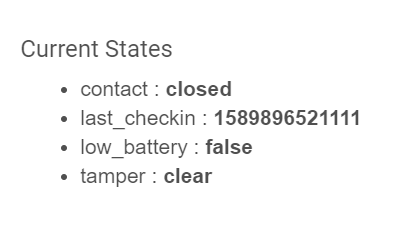
Interesting, what device is this? Can you put up a screenshot of the 'states'?
A few others have had devices with no date too and have been thinking of how to do this. I have some ideas now that the app has been updated.
Thanks
They're Honeywell security sensors (contact, motion, glass break, etc.) imported into HE using AD2Pi. Honeywell doesn't report the level, just a signal when it's low. The default behavior is for the alarm panel to beep every 10 seconds or so... very annoying at 3am. Since I don't live in Fort Knox I'm more than comfortable waiting until I wake up in the morning to change the battery and don't want to get out of bed at 3am to do it. So my plan was turn off the beeping on the alarm and rely on DW to alert me in the morning.