That is possible - Aqara have said they'll replace mine, so it must be a common issue with early production units.
1 Like
Out of curiosity, if you ordered direct, did you get the metal disc? If so, can you give the outer diameter in MM and the inner hole diameter?
I have some 3D printed mounts with magnets. They are weak. However, they stick well to any large flat (ferrous) metal I have tried I would like to put metal discs in to replaced the two tiny magnets and curious as to the dimensions for the OEM discs. (The only fender washers I can find have a minimum 6mm (1/4 inch) hole. Not sure that is too much missing material or not.
I did and It’s 37mm OD and 3.5mm ID.
2 Likes
Thanks
1 Like
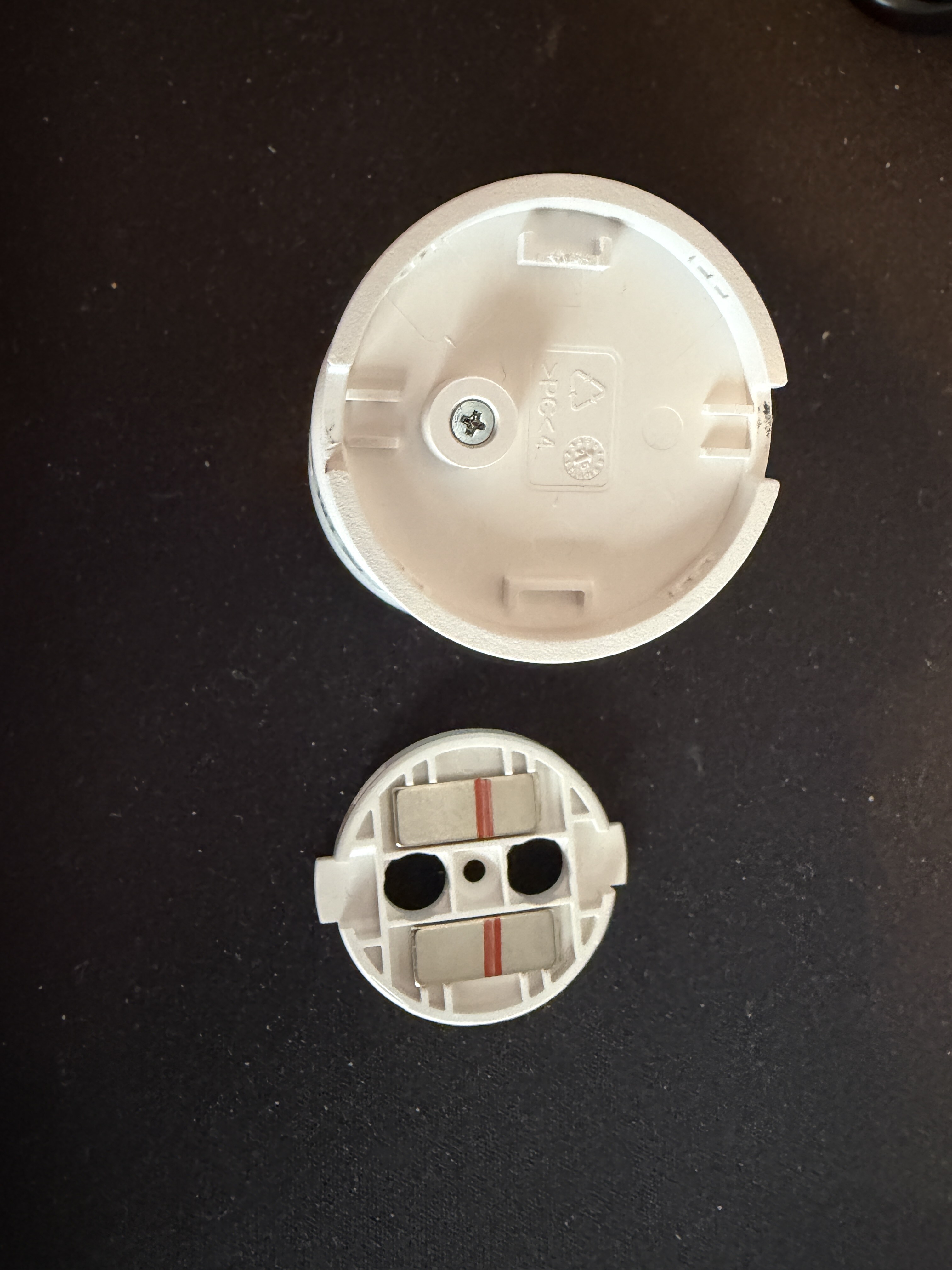
Along the same lines. Not wanting to pry and break; what are the tabs on the magnetic base for?
Now that I'm back from holidays it's time to stress out again. 
I am replacing my next motion/humidity with a 300.
I have configured and saved the Prefsa an it reports Motion but I get strange results.
Motion is always active when the pirDetection has gone inactive.
When I walk in front of the sensor I get Motion inactive but pirDetection says active.
They seem backwards.
HPM says I have ver 1.0.11.
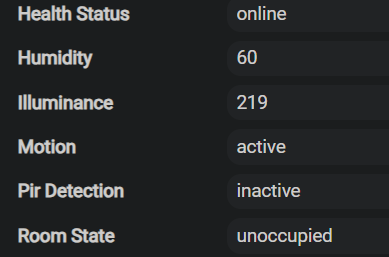


Ok, Did an Init command and they seem in sync now.
Now it keeps coming on every few minute with Motion, empty room.
Did Spatial, no luck.
Past posts suggest remove, reset and start again.
Fun, fun, fun. 
1 Like
Phaffing around and one thing I notice trying to get a stable device is Lux always reports even though I have it off.
I did a Click, Refresh to sync the current states then a Save for the Prefs but I always get Lux updates.
Does the sampling freq Off actually stop the events?
@ogiewon
Quick EDIT. Maybe the LED bulbs in the room are creating PIR and I need to be well away from them?
Still scratching my head as I have 2 of these working ok.
Did a Re&Re 2 times and still getting odd results.
Always re-triggering to active after inactive and the Room State is wrong.
Strangely enough, if the Lux updates I get a Motion active event for no reason.
I have tested this and every time the Motion is inactive and I turn off the light in the room to lower the Lux I get Active motion.
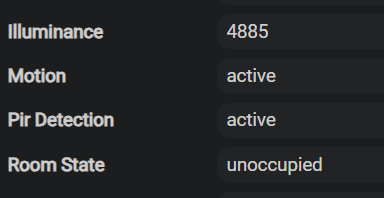
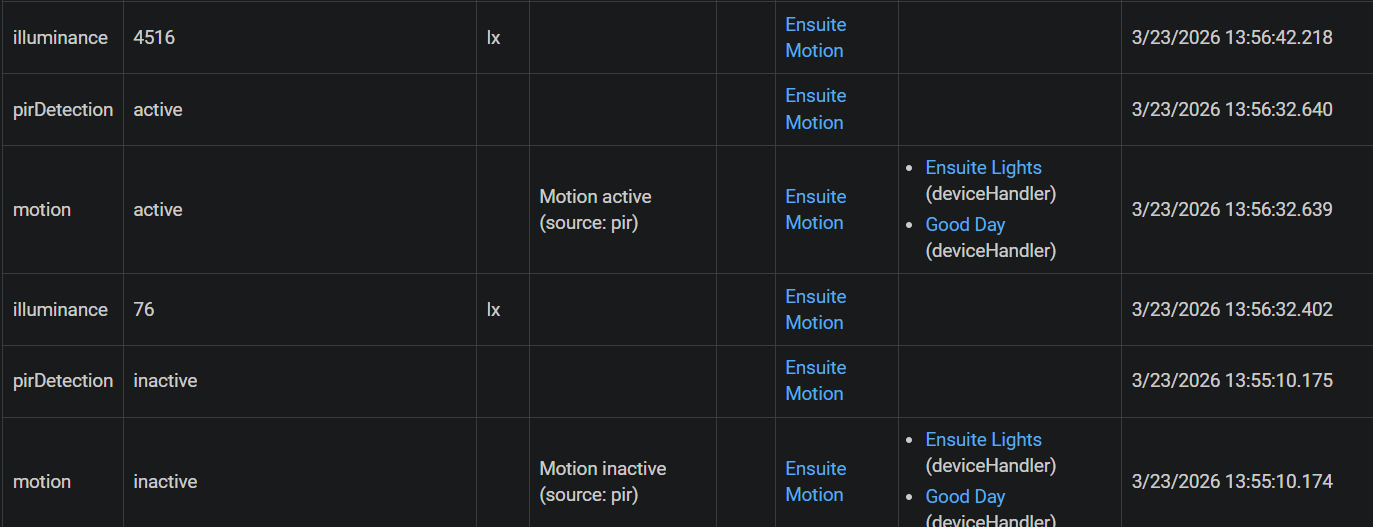
My guess is that you paired the FP300 with the other driver still installed. The other driver subscribes to Temp/Humid/Lux status reports which are not disabled, even if one sets the User Preferenceto do so.
My driver solves this issue, however if you simply change from the other driver, to this one, those reports still come in, even if disabled as you have found.
If you need the other driver on your hub still, comment out the Fingerprint for the FP300 sensor in that driver, and the save it. Then, remove the FP300 from your hub, reset the sensor by pressing the button 10 times quickly, and the pair the sensor with your hub again. This will make sure the sensor only sends Temp/Humid/Lux reports when configured to do so.
I have removed the other driver from automatic detection.
I only have yours installed and it picks it every time I reset the devices.
Chasing my tail here trying to figure out why I can't config things right now.
Just did a full remove/reset again and the Lux has stopped updating finally but MM state says 1 but I picked pir only or is the cache the real truth?
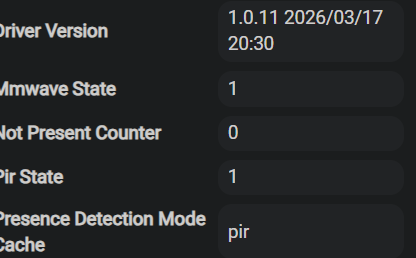
The ‘Cache’ state variables are used to make sure the driver does not send those preferences/settings to the FP300, if they have not changed.
Just perform Spatial Learning with the room empty, and it will sort things out.
Ah, thanks. MM state is now 0.
Also, if you set the sensor “PresenceDetectionMode” to PIR only, the the mmWave (I.e. roomState) will simply follow the pirDetection values. However, I believe the mmWave sensor will be disabled internally in the sensor.
Just use “motion” for all of your automations and it will properly reflect the correct state based on how you have configured “PresenceDetectionMode” for the FP300 sensor.
1 Like
I think I may go mad. 
I had the states correct and now I'm back to both states and the Room State is updating.
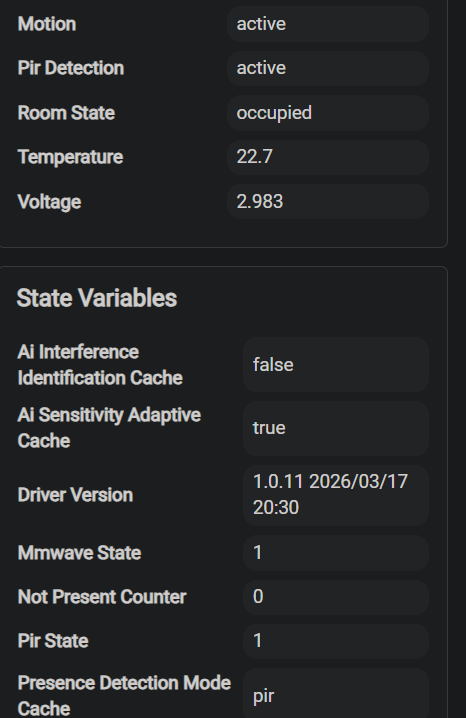
Why use this sensor in PIR Only mode? If that’s what you want, just use a traditional Zigbee PIR motion sensor.
Is the Hubitat standard “motion” attribute properly reflecting whether or not their is motion in the room? If yes, just ignore everything else on the device’s Attributes and State Variables sections. 
I was using these to consolidate room sensors (humidity/temp/motion) and the battery life was supposed to be impressive in pir mode only.
The motion does update and that's the attribute I'm only using.
I have 2 others that seem to act the same but look a bit different in the state variables with parms. Maybe leftovers from a previous driver version?
So MM is always working even if I just want PIR or is this just an illusion and the Presence Detection Mode is really what's set (PIR Only)?
Just getting a bit crazy/confusing now.
I had to disable the device and put in a temp plain Aqara motion.
There was too much furry on fake motion.
Tomorrow's another day.
1 Like
Most likely.
Please see this earlier post for more information. I have no desire to repeat myself again, and again, and again...
4 Likes