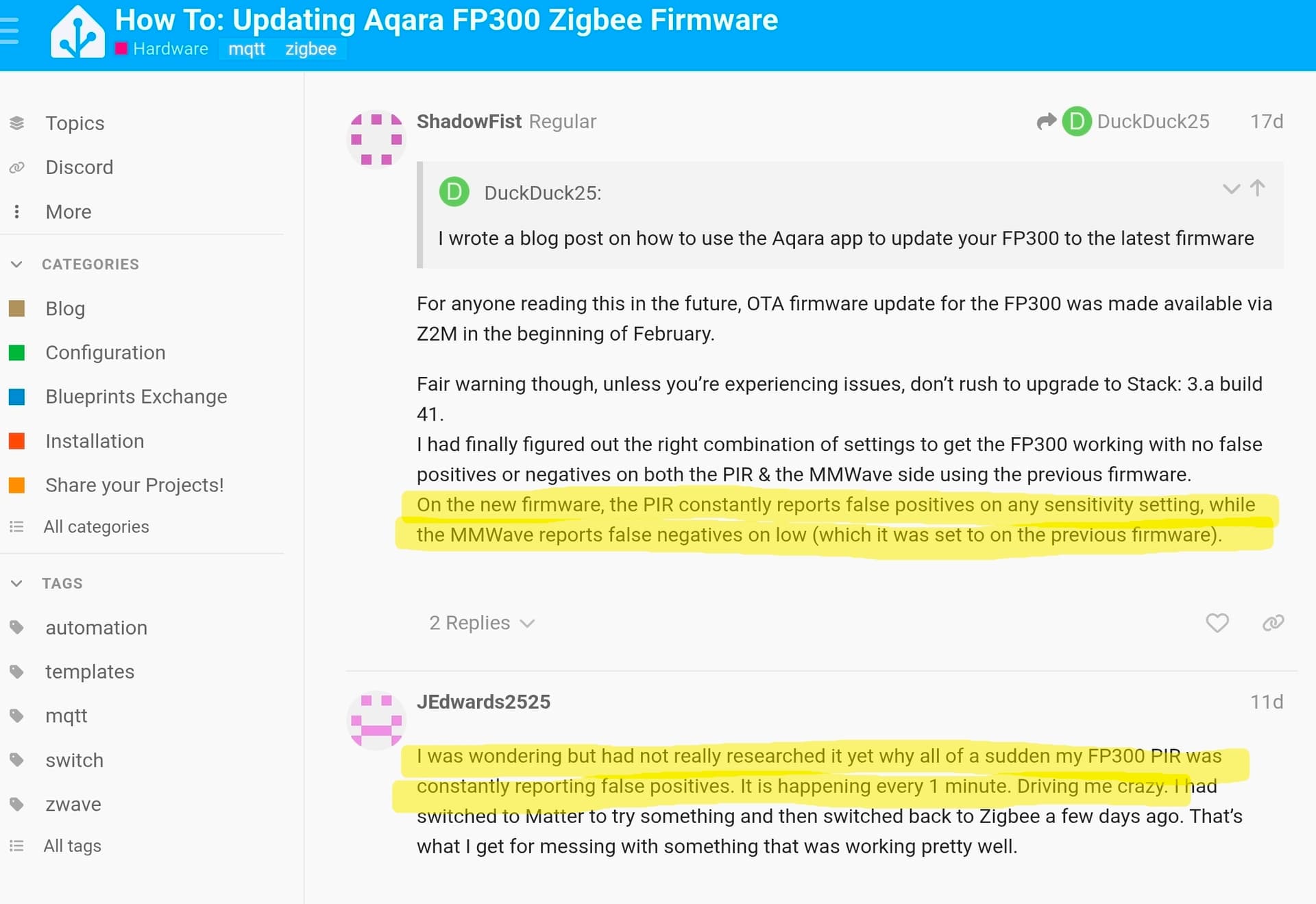
My 5 that are on the Aqara M3 hub is running the latest firmware that the Aqara app shows is available and the one on HE was updated before I put it in HE so I am not sure the firmware is really the issue, unless there was a version that was implemented and then got pulled. I have had those 5 in service now for around a month or a little longer so I don't know that happened either.
I suspect it was never working correctly. The multi sensor driver did not use PIR (something the developer was planning to add). So, I never noticed an issue. It was only after I changed to this driver and it started activating on PIR that I noticed it. I am pretty sure it's a firmware glitch. Several posted on the thread I linked saying it was working before the latest version and started going haywire after they updated (with no known way to revert back). Not sure why it only affected some sensors and not all of them though.
If it were available on Amazon, I would return it as defective. Hoping they get more in stock before the return window closes.
Edited to add..... just checked and they became available again this morning
1 Like
That setting is in the driver, but it only shows up when you set the Presence Detection Mode to “PIR only”, as that is the only time it appears to be used in my testing on the latest FP300 firmware.
When the FP300 is paired via Zigbee to an Aqara hub, the PIR time setting is not visible at all in the Aqara mobile app unless the sensor is set to PIR Only. This is the behavior that I replicated.
1 Like
Didn't seem to affect mine. I reset the device last night prior to re-pairing with this driver for the first time (since it was previously paired with a different driver), so took the opportunity to update the firmware via the Aqara app. PIR detection appears to be working fine.
1 Like
It is working fine on 4 out of 5 of mine. I have only ever had the most recent version. I factory reset (10X button press) 3 times. I reset (5 second hold press) more than 3 or 4 times. Pulled the battery for 30 seconds several times (too many to count). Each time, I triggered the spatial learning to calibrate (but I think that only affects mmWave). I also opened in the Aqara app, switched to Matter, then back to Zigbee to make it redownload the firmware.
All attempts resulted in the exact same behavior. On medium sensitivity. Once PIR is activated, it shows active for 1-2 minutes. If you are watching the driver, it will then show inactive for a split second, the go active again. This is in a basement room, wide open area, with AC vents on the far back wall (even if no AC is running) and aimed at the wall that is under dirt (so nothing on the other side of the wall to trigger - even though PIR would not go thorugh walls anyhow).
Changing the setting to low, I can walk directly up to the sensor (less than an inch away or even put my hand directly on it), and it will not trigger PIR at all.
Now I’m stumped. I have a C8pro, C8, and C7, all on 2.4.4.146.
The C7 has no physical devices paired to it.
I initially paired my FP300 on the C8 and did some testing.
I unpaired, reset and paired on the C8pro and added it to a lighting rule. Was getting a LOT of false positives so I unpaired it.
Issue is, I now cannot get past “initializing” while attempting to pair on either C8pro or C8, but it pairs quickly on C7. 
Have done going back to matter then zigbee FW via the Aqara app.
Have restart both HE’s with rebuilding database. Have powered down and unplugged for 30sec on both.
C7 is on channel 11, C8 on 15, and C8pro on 20. Channel scan also shows a moderately strong signal on 25 (neighbor maybe)
10 button reset goes to “pulsing mode”, then when it’s discovered I see 3 blue flashes then back to pulsing forever.
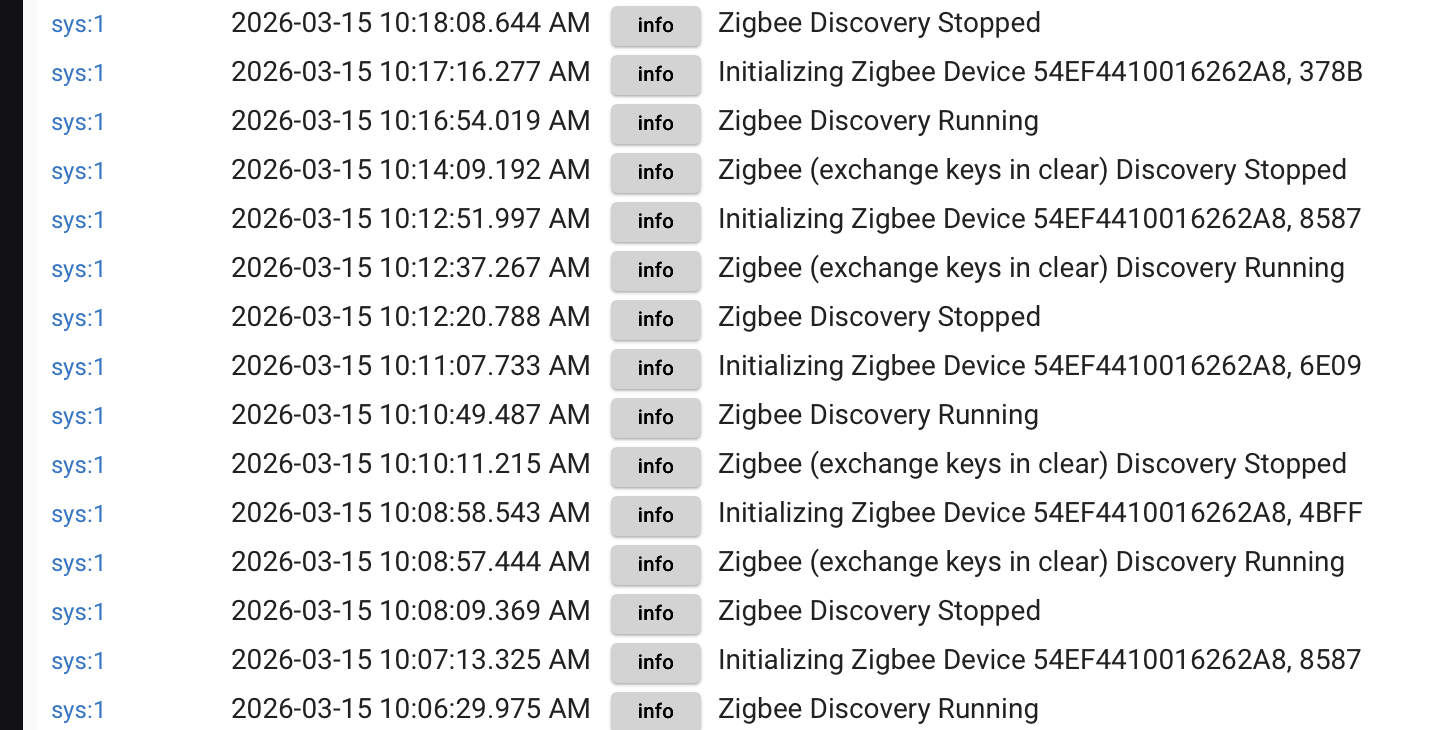
I have no problem completely removing from C7 and re-pairing repeatedly.
(Using 1.0.9 driver)
Any thoughts?
1 Like
Not really... I have been using a C8 for test and development, and a C8-Pro for production. I have Removed and Paired my two FP300 sensors multiple times without issue.
Wonder if the type of Zigbee repeater devices you're using might be part of the problem? Mine are both pairing within about 20 feet of the two hubs, but there is a floor and a couple of walls between. The FP300 is currently the only Zigbee device on my C8 Test/Dev hub, so it is directly paired. I just checked my C8-Pro's Zigbee device graph, and it shows the FP300 directly paired to the C8-Pro as well. Just a hypothesis.
1 Like
Thanks for your suggestions. I tried the Zigbee Map 3.0.4 app which allows you th specify which device or the hub to pair with. Didn’t help.
I tried Kkossev Double luck voodo and it paired, sorta, with the hub created entry but the sensor kept “breathing”. Later it just sent nothing.
Still trying things, did you pair with driver 1.0.9?
1 Like
I have a C8 Pro and I paired my sensor with driver 1.0.9. Only thing is it was a repair after the sensor had already been paired. I didn't remove it from the hub. That is a difference.
I have paired these sensors with pretty much every version of my driver to make sure that everything works as smoothly as possible for users just starting their journey with the FP300 sensor. Surprisingly, that has never given me any grief!
2 Likes
The C7 has your 1.0.9 and, as I stated, pair and unpair repeatedly.
I removed your driver from the C8pro and, using kkossev’s double luck voodoo and his driver (with line 190), was able to pair. Put back your driver, swapped to it, and all appears fine.
Unclear as to why.
1 Like
I’ve ordered another FP300 to use for testing. Can always use another one! 
1 Like
I struggled to pair with a few FP300s when migrating them from Aqara to HE. When I removed the batteries for 1 minute and then tried again (avoid 3.0 repeaters), they all paired.
3 Likes
That does make sense - Aquara have really dorked up the current FW for the FP300 - I hope they fix it soon as I've had to take the FP300 out of Safety Monitor as a result. 
1 Like
I’ve changed to mmWave only for now, it’s slower to detect you walking into a room, but at least it works.
2 Likes
Found this on the Aqara forum. They gave a test to determine if it is hardware vs software:
Cover or block the sensor with a metal plate to see if it ever goes inactive on PIR. If it does, then it is software/setup. If it stays active, then it is hardware
I am thinking aluminim foil should be good enough??
1 Like
Another Beggars/Choosers scenario. When you get the time, could you add the commands to reset presence and set motion? Reset presence was available in the multi sensor version and could be useful in troubleshooting. Also, I believe it should be done prior to running spatial learning after leaving the room. (Could be wrong on that last point though)
Maybe add the set presence to the Advanced/Experimental to reduce clutter?
@ogiewon Dan, have you found a way to discover the firmware version of the device? If possible to display same it might indicate why some “identical” devices are acting differently.
1 Like
That would simply lead to more confusion, IMHO. If you want to re-sync the FP300 sensor and the corresponding Hubitat Device, simply wake up the device with a button press, wait about 2 seconds, and then click the REFRESH command. This will cause the sensor to send all its sensor values to the hub.
1 Like
I haven’t tried to find the firmware version, yet. I’ll take a look and see what I can find.