Version 2.0 Available (5/19/2025)
Hey everyone,
I'm excited to share an app I've been working on to solve the ultimate smart home headache: dead batteries, dropped Zigbee/Z-Wave nodes, and silently failing sensors.
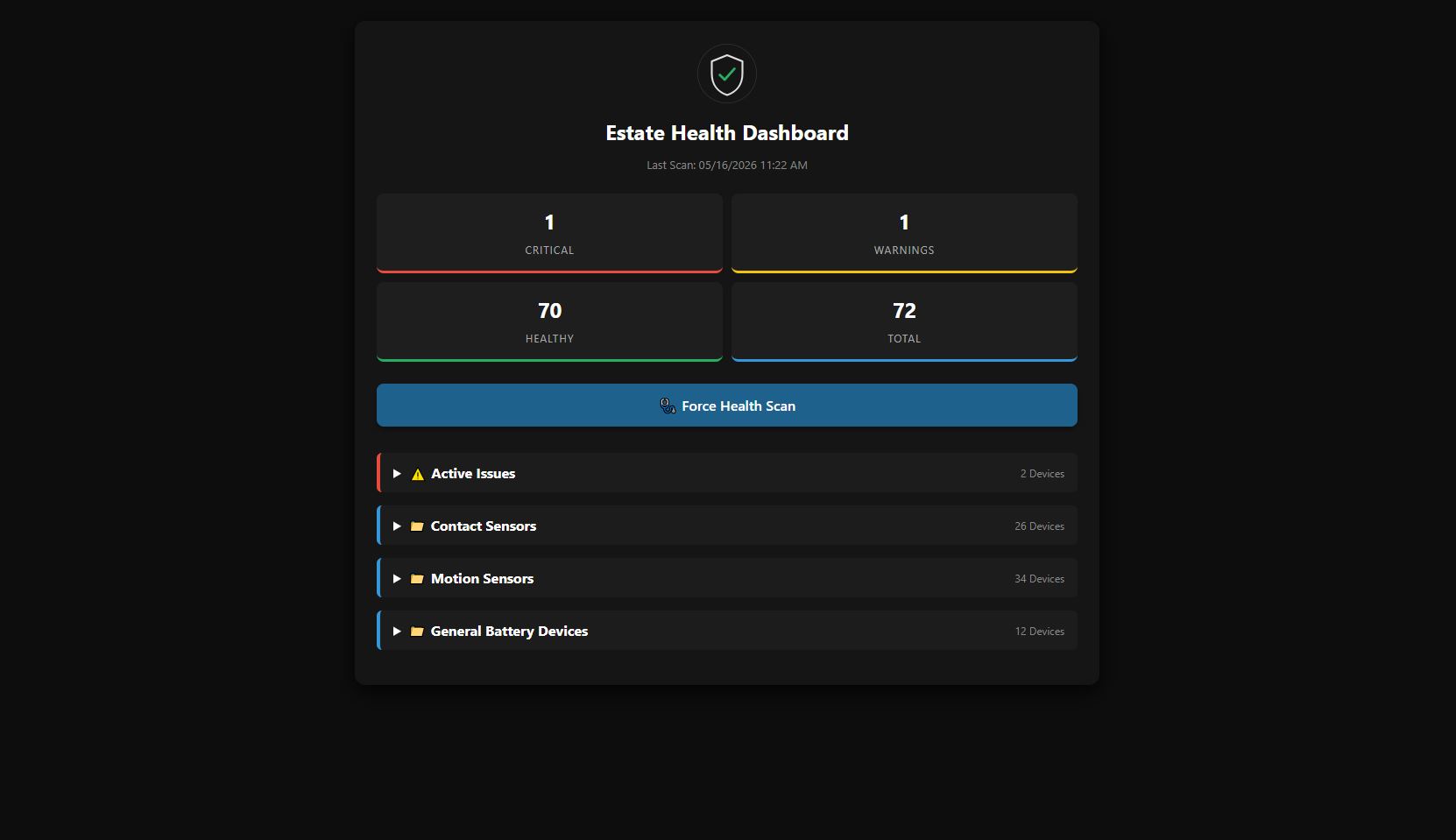
It’s called the Advanced Device Health Monitor, and it's designed to give you a gorgeous, centralized view of your entire mesh network's health, complete with an independent Web Portal and auto-healing capabilities.
 What makes this different?
Instead of just throwing a log error when a device dies, this app categorizes the issues (Critical vs. Warning), generates an HTML Dashboard you can view on your phone or PC outside of the Hubitat UI, and actively attempts to ping/refresh problematic devices on a schedule to heal your mesh.
 Key Features
1. The Web Health Portal
- Beautiful UI: Generates a custom, dark-mode, mobile-friendly HTML portal utilizing Hubitat's OAuth endpoints.
- Cloud & Local Access: Provides distinct URLs for local LAN access (faster) or cloud access (check your home’s health from anywhere).
- Live Metrics: Displays a clean summary of Total Devices, Healthy Devices, Warnings, and Critical Failures.
- 1-Click Manual Healing: Active issues have a "Ping" button right on the web dashboard. Click it, and the app instantly sends a
ping() or refresh() command to the dead node to wake it up.
2. Comprehensive Monitoring Thresholds
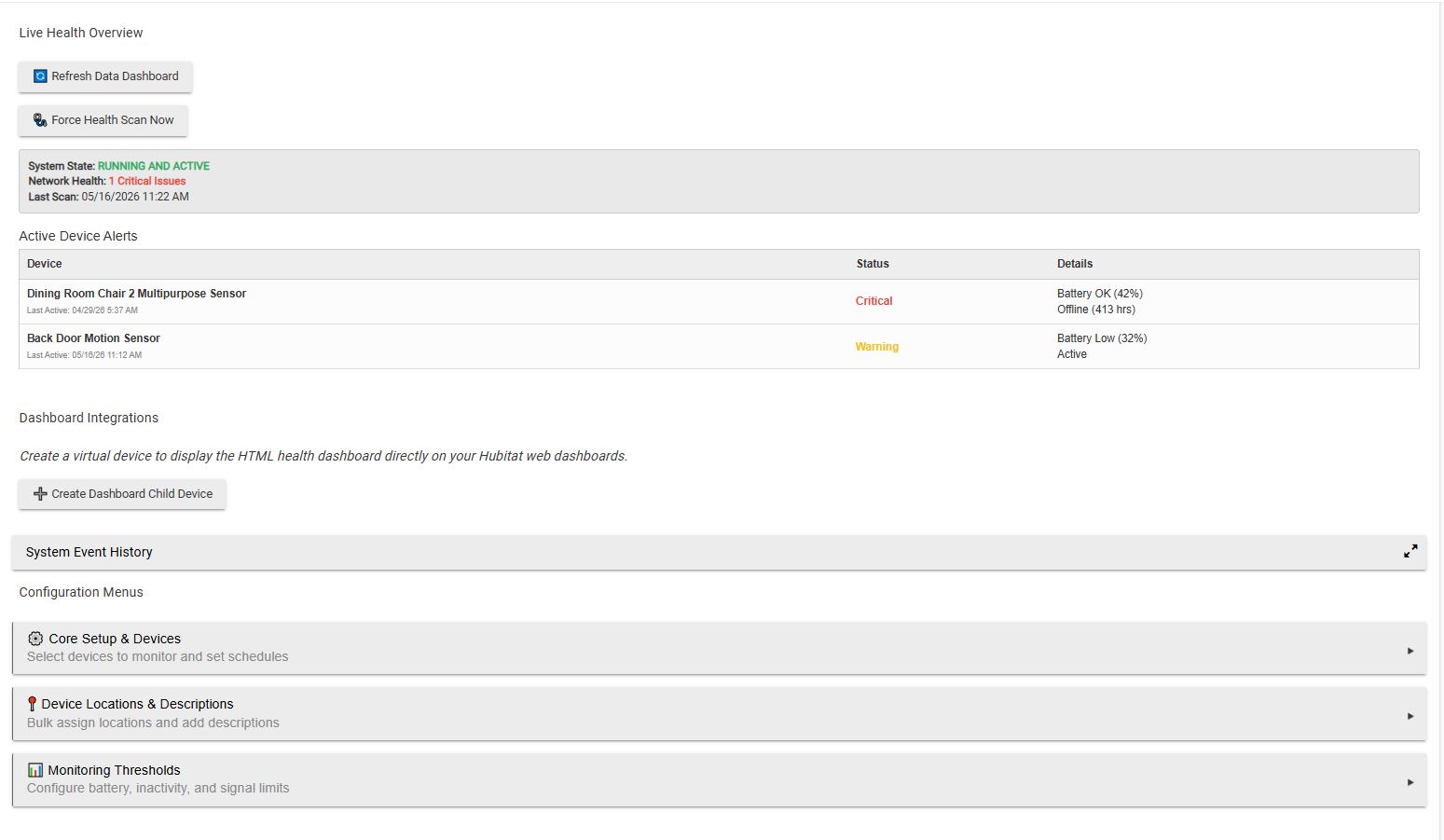
- Battery Tracking: Monitors drops in battery percentages and flags them as Critical (Red) or Low (Yellow) based on your custom thresholds. It even detects sudden jumps in battery levels and logs a "Batt Replaced" date for you!
- Inactivity (Dead Node) Monitoring: Set a threshold (e.g., 24 hours). If a device hasn't checked in, it gets flagged. You can easily exclude chatty devices vs. quiet devices using an ignore list.
- Signal Quality (RSSI/LQI): Scans the
rssi attributes on Zigbee/Z-Wave nodes and flags devices struggling with weak or fair signal strength.
3. Categorization & Detailed Organization
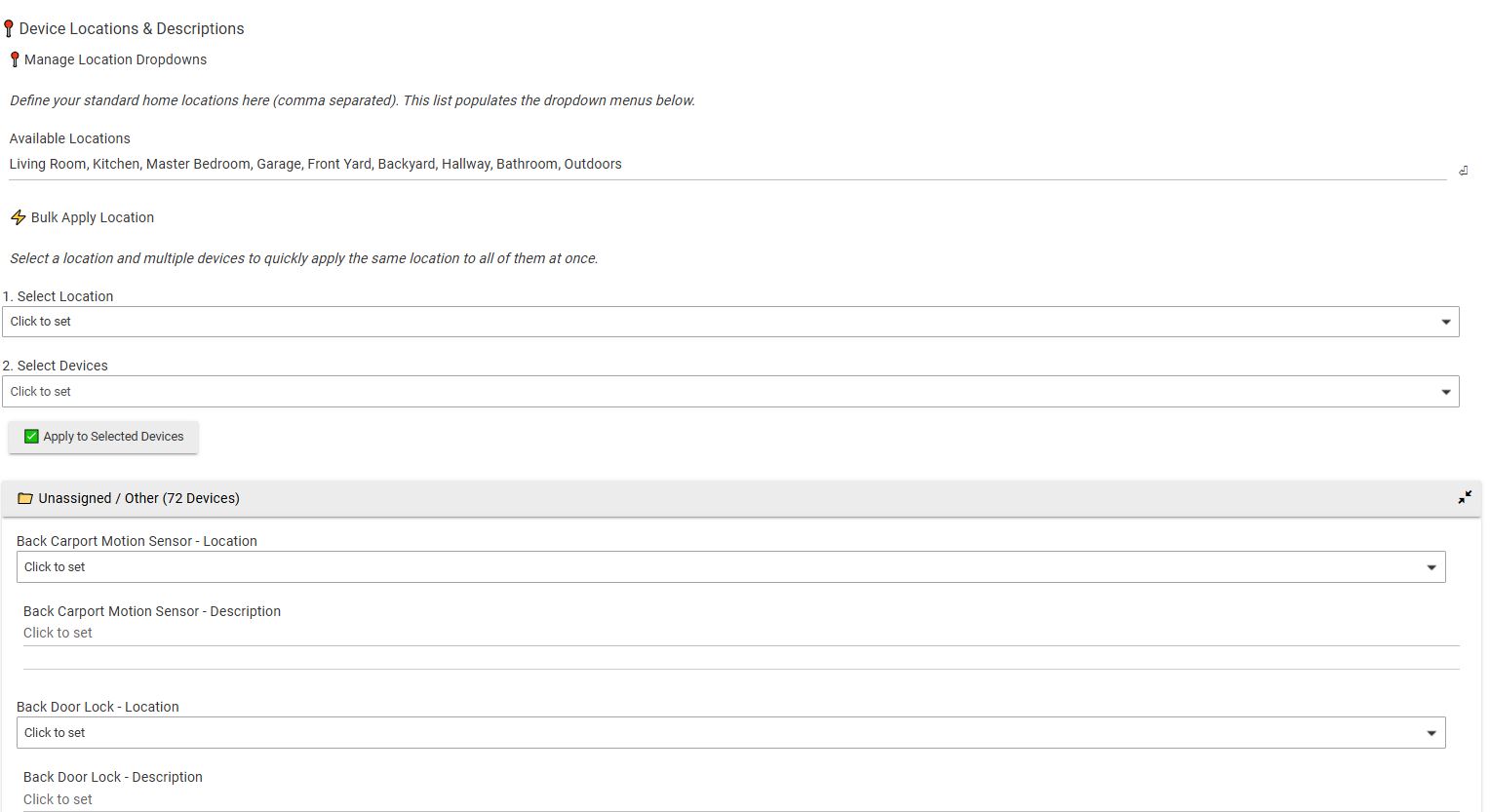
- Custom Locations & Descriptions: Easily assign a room (e.g., Kitchen, Master Bedroom) and a short description (e.g., "Front Door Sensor") to your devices.
- Bulk Apply Tool: Don't want to assign rooms one by one? You can define your home's rooms, check the boxes for 10 devices at once, and hit "Bulk Apply" to instantly assign them all to the same room.
- Collapsible Menus: Inside the app, your devices are elegantly grouped into collapsible menus based on their assigned location, keeping the interface incredibly clean even if you have 100+ sensors. Unassigned devices neatly drop into an "Unassigned / Other" folder at the top.
4. Hubitat Dashboard Integration
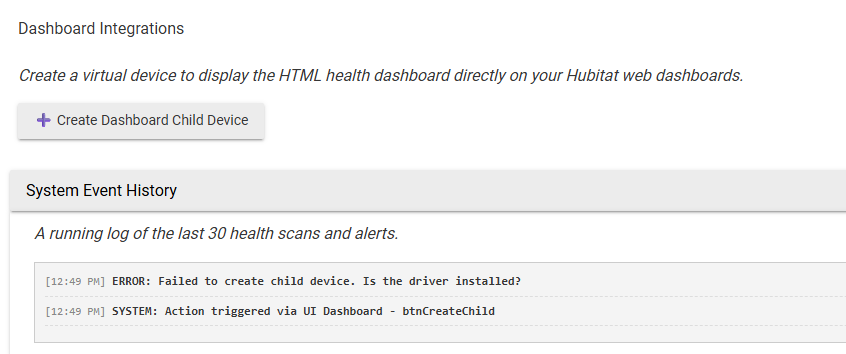
- With a single click inside the app, it will auto-generate a virtual Child Device.
- This virtual device receives standard HTML payloads of your network’s health, allowing you to drop the health overview directly onto your main Hubitat web dashboards!
5. Auto-Healing & Live Updates
- Live Sync: If a "dead" motion sensor suddenly registers motion, the app detects the event and instantly clears it from the Critical Issues list without waiting for the next scheduled scan.
- Scheduled Auto-Heal: Every 12 hours, the app runs an automated sweep. If any devices are marked "Red" or "Yellow", it fires off background pings to try to rebuild the route and wake them up without you lifting a finger.
APP:
raw.githubusercontent.com/ShaneAllen334/Hubitat_Apps/refs/heads/main/Advanced_Device_Health_Monitor/Advanced_Device_Health_Monitor.groovy
Device:
raw.githubusercontent.com/ShaneAllen334/Hubitat_Apps/refs/heads/main/Advanced_Device_Health_Monitor/Advanced_Device Health_Monitor_Information.groovy
I'd love to hear your feedback, feature requests, or any bugs you spot! Let me know what you think.
This ties directly into the Advanced Voice Butler App.
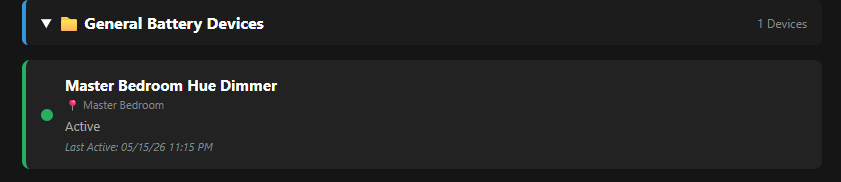
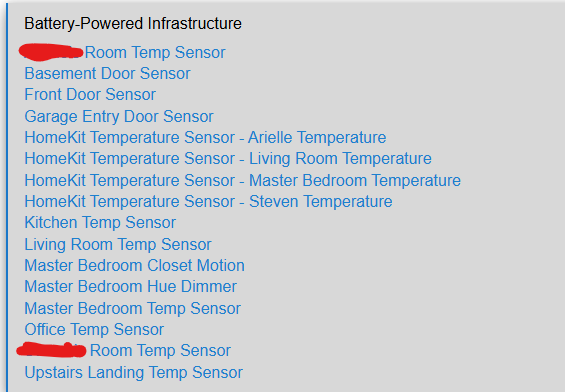
One thing I noticed. If I have devices listed under Battery-Powered Infrastructure and have the same devices listed elsewhere (such as temp sensors, contact sensors and motions sensors), these devices do not show under General Battery Devices when viewing the web dashboard.
As you can see, I have quite a few battery devices here:
But only 1 shows here:
This is after a forced scan?
I haven't done a forced scan at all. Should I?
****Edit
I just forced a scan. Same thing.
I understand, my next update im going to allow users to force the folder they want their devices housed in.
If possible, can a device be in more than 1 folder? I'd like to be able to see all my battery devices, and if some of them fall into other categories, I'd like to see them in those folders as well. Thanks!
Ill add that to my feature list. Should be easy to address.
Please add CR2477 battery type and also allow for adding number of batteries. Some devices have more than one. Thanks!!
Also, and this is just a suggestion, you might want to think about joining forces with @JdThomas24 and combining apps. In my opinion, what you've done here and what he's done here combined would make for a killer app.
He's welcome to take whatever parts of the code he wants, but my primary focus is on allowing my Advanced applications to talk to each other.
I've noted multiple battery types and count.
 Printable Maintenance Tickets
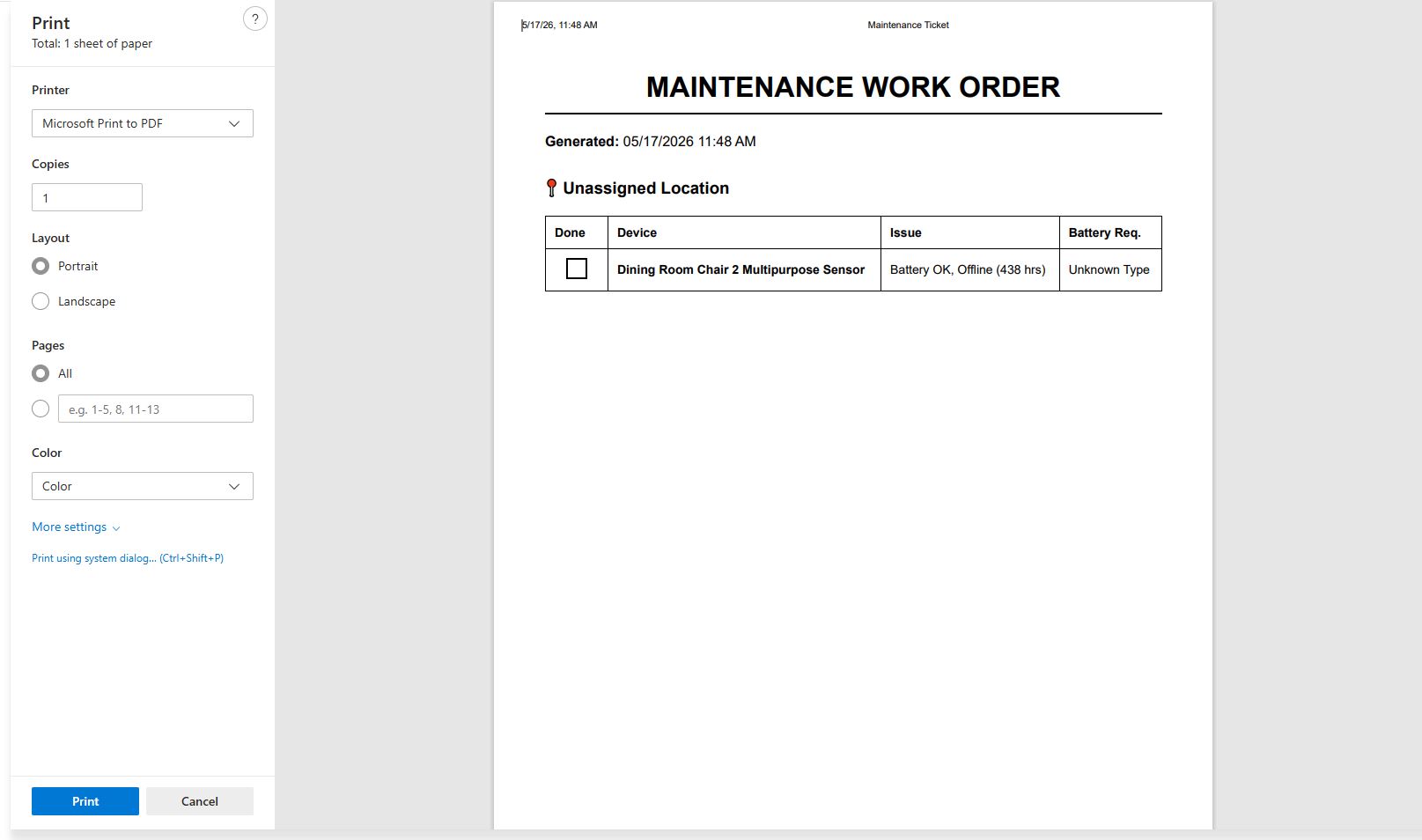
Say goodbye to carrying your phone around while trying to swap batteries. I've added a "Print Ticket" button to the Web Portal.
- Clicking this strips away the dark-mode UI and generates a clean, high-contrast, black-and-white work order formatted perfectly for an 8.5x11 sheet of paper.
- It isolates only the devices with active issues, sorts them by Room/Location, and provides physical
[ ] checkboxes for you to tick off as you complete your rounds.
- It even includes a dedicated "Hardware Pull List" at the bottom, so you know exactly how many batteries to grab from the closet before you start your walk-around.
 Signal Strength (RSSI) Sparklines
For devices that report rssi, the dashboard now tracks a rolling history of the last 10 signal readings and draws a custom SVG sparkline graph directly on the device card. It color-codes the graph (Green, Yellow, Red) based on signal health, allowing you to visually see a radio route degrading before it completely drops off the network.
 Interactive Mute & Quarantine System
Waiting on a replacement battery from Amazon and tired of seeing the critical alert? You can now Mute a device directly from the Web Portal.
- Just type in the number of hours you want to silence it (e.g., 48 hours) and click Mute.
- Muted devices are instantly stripped from your Hubitat child device counts, removed from the Active Issues list, and placed into a dedicated " Muted Devices" quarantine folder.
- Push notifications are suppressed while muted, and the device will automatically pop back into the active pool the exact minute the timer expires.
 Device Flapping Detection (Unstable Routes)
Sometimes a device isn't dead—it’s just dying slowly and dropping on and off the mesh.
- The app now tracks state changes and features a "Flap Threshold."
- If a device drops off the network 3 times in 24 hours (customizable), its status changes to a brand new Purple (Flapping) state, instantly identifying unstable routing or failing radios rather than just a dead battery.
 Advanced Battery Tracking & Forecasting
- Battery Quantities: You can now select the specific battery type (CR2032, AA, CR123A, etc.) AND the Quantity (e.g., takes 3x AAA). The Shopping List at the bottom of the dashboard now does the math for you, calculating the exact total number of batteries needed across your estate.
- Smart Depletion Forecasting: Added a "Minimum % Drop" threshold (default 5%). The app will say "Waiting for 5% drop..." to gather a reliable mathematical baseline, and then calculate a highly accurate "Est. Days Left" based on the decay rate.
 Smart Alert Batching & Quiet Hours
- Message Chunking: If a hub reboot or power flash takes 15 devices offline at once, the app will no longer spam your phone 15 times. It now intelligently queues the alerts and pushes them in consolidated, chunked batches (up to 5 devices per message).
- Targeted Overrides: You can set a global alert destination, but you can also override it per-device (e.g., route all normal alerts to your phone, but route Main Water Valve critical alerts directly to your spouse's phone).
- Quiet Hours: Define quiet hours to pause aggressive auto-healing pings during the night, preventing devices from waking up or flashing LEDs while you sleep.
 Cloud Payload Optimization & Multi-Category Support
Devices can now exist in multiple folders at once on the web dashboard (e.g., both "Motion Sensors" and "Battery Devices"). To support this without hitting Hubitat's cloud relay size limits, the entire rendering engine was rebuilt with aggressive CSS minification, reducing the total data footprint by 70%. Your dashboard will load lightning-fast, locally or via the cloud, no matter how many devices you add.
Hi @ShaneAllen.
Have you thought about getting your great apps integrated into HPM.
It would make them a lot easier for users to update them when you make changes to your code.
Just a thought.....
Thanks again for all the work you do.
Yes, this is the long-term goal. I just haven't put much time into that process yet but definitely something I would like to do soon.
Thanks for considering using HPM. 
This shares a lot of DNA with Battery Monitor 2.0 and Device Health Monitor — glad the code was useful as a foundation! The protocol detection and state tracking you added on top are a nice extension. Good Work
- One thing to watch — the combination of live event subscriptions, scheduled scans, and auto-heal pings all running together is a lot of hub overhead. Worth thinning out.
Thanks for the advice. Ill implement into the next update. Also, thanks for the kind words.
Still looking for the CR2477 battery type to be added.