Hmmm... Perhaps a new enhancement for the driver 
But seriously, if anyone has a need or something else they see that they want to get out of this option let me know, or feel free to submit a pull request or details of any code changes you want.
Hmmm... Perhaps a new enhancement for the driver
But seriously, if anyone has a need or something else they see that they want to get out of this option let me know, or feel free to submit a pull request or details of any code changes you want.
Any plans to add a calculated value for "Apparent Temperature"? I noticed Ecowitt.net has an "app temperature", but current driver does not.
From what I've found, the calculation is:
app = temperature + .348*(humidityAbs) - .7windspeed + .7(solarRadiation/windspeed+10) - 4.25
You know when 10degrees cloudy is not the same as 10degrees sunny? This does not seem to be the same as the other calculated values. Doesn't seem to be the same as heat index, simmer, etc when the temps are cooler.
No plans, but happy to entertain it as an idea. Unfortunately it will probably not be any time soon for me... I tend to make too many promises, so it is probably best to be up front more about the likelihood of something like this happening if I am the one to develop it. Happy for others to contribute a change to the code and review and test it.
It was worth a shot. I'm no coder, so I'll try to figure out what you did with your calculations and emulate it. Not holding my breath, but I'll give it a shot.
thanks for the driver as is. It works great!
So then you're giving up on politics as well?
Frank & direct is always better. (Except for comments about my thinning hair.)
Which Template would you recommend for a WH34 soil Temperature sensor?
I think it was 13 or 13B from memory, I'll check when I get home
EDIT - @lcw731 - I didn't read your post close enough, I see now it was temperature you were after. 13 and 13B are for humidity / moisture sensors that some of us own.
If you want I could add one... Does the sensor report anything else? i.e. anything else you may want to see on the same tile? If it also reports moisture, you could use template 0 (zero) or 0B.
The full list of templates are configured here:
I do still need to update the templates documentation to list all of the templates that are available.
Simon
Nope, Just soil temperature. That would be awesome if you could add it. This is the sensor in question.
I had kinda gotten side tracked with this and not worked on these tiles and templates in a while. This is a new sensor I added recently to keep track of soil temps for applying fertilizer and weed control in my yard.
I'm still trying to figure out a few odd devices that I don't have which show up in Hubitat. I have disabled them in the Ecowitt app, but they are still showing up in Hubitat, and I don't see a way to get rid of them. The remove device button in the device details of the child devices is grayed out.
Actually one of the devices , an air quality sensor is still visible even after I hid it. Is that by any chance a built in function of the GW1000? I don't see it listed, but that is the only reason I can think of why I can still see it.
Hmm... The ghost devices I'm not sure about, hopefully someone else may have come across this.... Otherwise I could take a look, but not sure when.
The template should be easy enough sometime this week.
When ever you get a chance is fine its not a rush at all. just a nice to have . I appreciate it when ever you get a chance! Thanks!
Hi there,
I also had a ghost device (a soil moisture meter) in my configuration. I upgraded to the latest driver (V1.32.1) and the ghost disappeared. All working really well now.
Yep, I knew that would do it.....
Hmmm... Not sure..... So I assume when you say upgraded to the latest driver, just from an earlier version since I started looking after them, or from Mirco's version of the drivers?
First installed at V1.32.0 so only 1 step upgrade
Right now I have four devices. the GW1000, a WH51 Soil Moisture Sensor, a WH31 Multi-Channel 2-in-1 Temperature and humidity Sensor, and the Wh34S Soil Temperature sensor.
For ghosts, I have an Air Quality sensor (not sure which one it is) , and (I believe) 2 additional soil moisture sensors. I have asked around the neighborhood and so far no one else says they are using any Ecowitt sensors. so I really don't know where these came from I disabled them in the Ecowitt app, and they are no longer visible there, but still show up in Hubitat.
When you say latest driver, I assume you mean @sburke781 's driver? or did you mean the Ecowitt app . I haven't seen any updates in package manager for @sburke781 's drivers since I started with this a couple months ago. I'm not at home right now, but I will certainly double check to see what version I have running . Hopefully it is just a matter of needing to update.
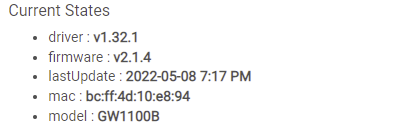
Yes you are correct, I do mean the Hubitat driver. For whatever reason HPM did not notify me an update was available but the details on the Device page showed (in bold red) that an update was pending. So I went into HPM and forced an update which worked fine. When you get home check out the Ecowitt parent device page, to left corner to see if updates are pending.
Yep, that is the version I have
I went through an disabled a bunch more devices that didn't say they had a device associated (basically just completely disabled everything I didn't know about) , and that seems to have gotten rid of most of them . There is still MAYBE one left
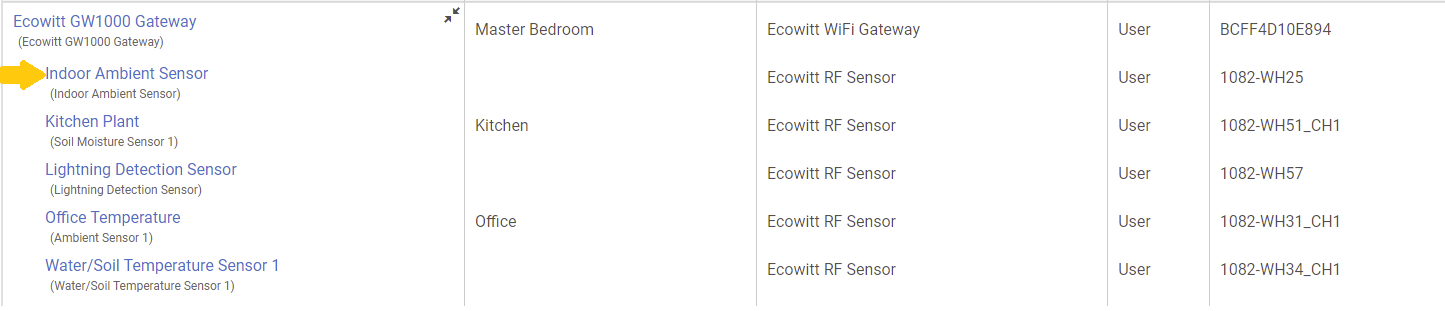
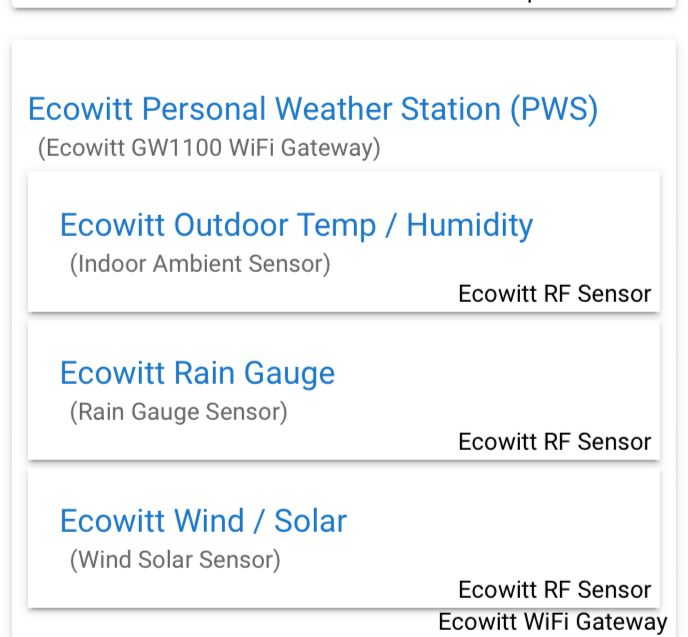
Are the Indoor Ambient Sensor the temp/Humidity/ Pressure sensors in the gateway itself?
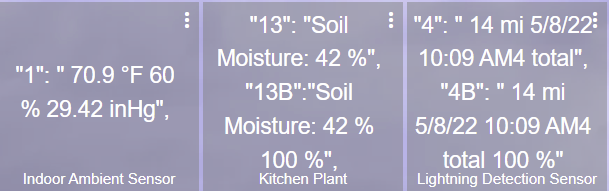
Now that I think I have most of my current devices set up. Next question. Is there a way to NOT have the template number and extra punctuation appear on the tile? Basically just clean it up a little?
Will this (should this) work with the GW2000 gateway?
Here is my setup. I feed the gateway attached temp/humidity sensor outside the house to give me outdoor Temp & Humidity since I already have lots of indoor temp and humidity sensors. I plan to add soil moisture sensor(s) over winter.
You need to.click resync sensors to.remove them..they stay there on purpose otherwise would disappear when your batteries die.
Download the Hubitat app