Try including with security.
My understanding is that Z-Wave devices that control access (locks) will refuse to join without security. The network controller doesn’t know what the device is before it joins, and Z-Wave is backward-compatible, so the network controller may still offer the administrator the option to have the device join without security, but the joining will fail if the device enforces secure joining on its end.
@jkudave Thank you that was it. Its joined now. In the device menu theres no button for "lock/unlock" I am unfamiliar with zwave locks and generic lock device drivers.
How do I issue lock/unlock commands and get current lock state from the device details view and rules?
It’s a lock so you should be able to lock and unlock from the device page. Try hitting the configure button and see if that changes anything.
I get this in the logs:
dev:72025-03-09 02:13:02.587 PMinfofingerprint mfr:"021D", prod:"0903", deviceId:"00D4", inClusters:"0x5E,0x55,0x98,0x9F,0x6C,0x8A,0x22", controllerType: "ZWV"
dev:72025-03-09 02:13:02.584 PMdebugbuilding fingerprint for unknown Z-Wave device...
dev:72025-03-09 02:12:52.545 PMdebuggetting device info in 10 seconds...
UI looks like so:
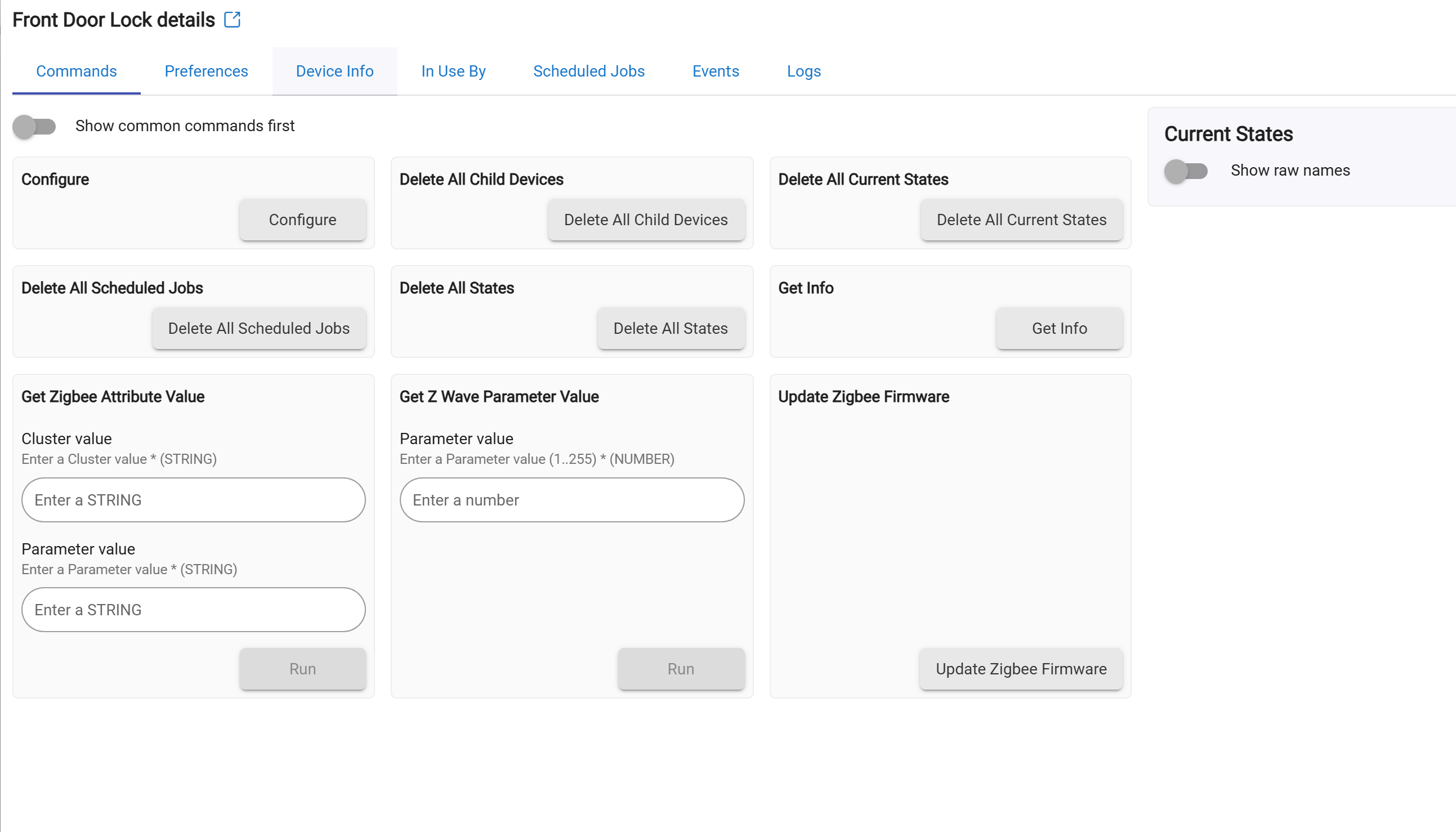
I think you mentioned before that it wasn't reporting the open/close state accurately. Was that the case? Did you use Smart Start to pair the long since it is z-wave LR?
What does the device type/driver show under device info? It doesn’t look like the lock paired with the proper driver.
Device Data
| Device Id | 212 |
|---|---|
| Device Type | 2307 |
| In Clusters | 0x5E,0x55,0x98,0x9F,0x6C,0x8A,0x22 |
| Manufacturer | 541 |
| S2 | 132 |
| Secure In Clusters | 0x86,0x72,0x5A,0x87,0x73,0x80,0x71,0x70,0x62,0x4C,0x63,0x85,0x8E,0x59,0x7A,0x8B,0x53 |
| Zwave Secure Pairing Complete | true |
| Zw Node Info | 53 DC 84 04 40 01 5E 55 98 9F 6C 8A 22 68 23 F1 00 86 72 5A 87 73 80 71 70 62 4C 63 85 5C 8E 59 7A 8B 53 |
Just change the driver to the Generic Z-wave Lock driver
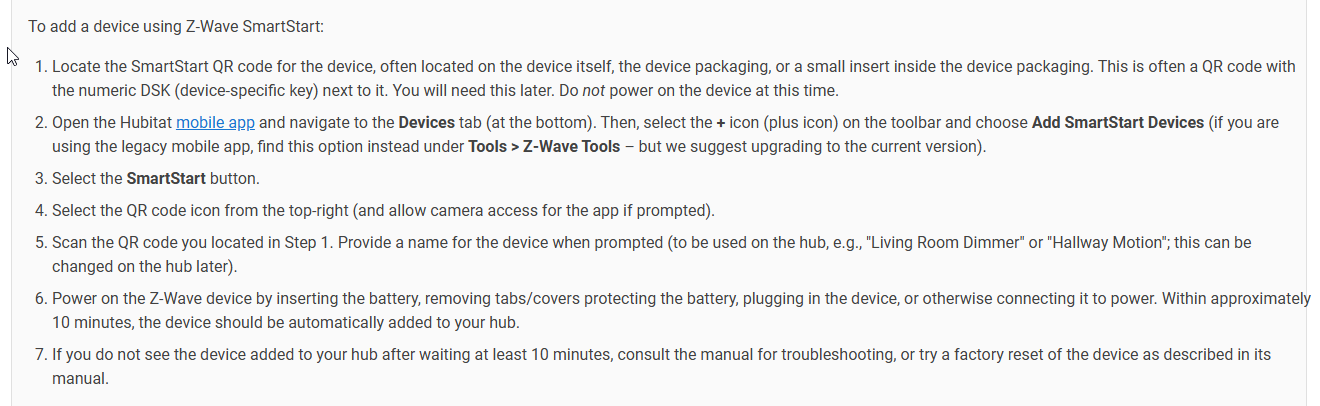
Also to make pairing easier in the future just use SmartStart
Add Device | Hubitat Documentation
AND [APP] SmartStart Manager for Z-Wave (Long Range support) - #2 by jtp10181
Under the Z-wave LR instructions (works for any modern ZW device even if not LR)
Lastly, you probably created a bunch of ghost nodes with failed pairings, read this: How To Remove Ghosts using hub tools or a UZB Stick
Show the driver/type shown under device info tab. Yours should be Generic Z-Wave Lock.

That did it! Thank you!!!
Hi, I'm wanting to upgrade my Schlage Connect Z-Wave locks (they are starting to go bad) and came across the Phillips 4000 series. I'm also wanting to get away from using Ring for locks and contact sensors and replace with these Phillips locks and Zooz 800 series sensors. I purchased one of the locks to see how I liked it and am having trouble getting it to pair. I have a C8 Pro Hub that I switched to use Z-Wave JS and have the Region set to "US-LR - 908.4 Mhz, 916 Mhz". I would like to eventually move everything I have over to LR using Smart Start and stop using a mesh. I have a handful of 800 LR plugs and it took a while, but I was able to get all but one to pair using the "SmartStart Manager". I finally gave up on the last one. I also have about 20 of the older Inovelli light switches and another 20 of their newer 800 series switches. It took a while to get one to pair using LR, so I have the rest still using the mesh for now. Now I'm having similar issues with this new lock. I have tried everything I know and it stays in the waiting to pair state. I have factory reset the lock multiple times, shut down the Hubitat and unplugged it for at least 30 seconds, etc. I even moved the hub within 2 feet of the lock and still no luck.
Is SmartStart and LR really this difficult and inconsistent, or am I inherently doing something wrong? Another thing to note, when using "SmartStart Manager", it defaults to having both "S0 Unauthenticated" and "S2 Access Control" checked for keys. I don't fully understand the purpose of this, but it seems odd to me to allow the "S0" setting so I unchecked it. Does that mean someone could connect to my lock without any security/hand shaking? I know the device tries the most secure setting first, but doesn't that mean it will allow the least secure when the other isn't available?
Thanks in advance for any help on the matter. I can't see buying more LR devices and trying this route if it doesn't get easier.